Gnome 42 Released
release.gnome.orgI haven't used this yet, but I want to say I just love GNOME. Its fantastic, been using it for a decade. Thanks to everybody involved!
Since they changed the desktop UI (UX?) Gnome has felt somewhat alien and even cringy to me. Nonetheless I have been using it for years just because in Debian it happens to be the default; after my recent switch to Slackware which doesn't include it, I started using KDE, and now I feel right at home.
For me KDE is too buggy. Always issues with everything from the indexer going nuts to random theme clutches etc...
I've definitely had a bunch of weird KDE quirks on multiple distros (Kubuntu, KDE Neon, etc). Nothing huge for me but still annoying. I do tend to prefer it over Gnome, but I am thinking of changing
Yes, I've always felt like there are more eyes on Gnome's code. It's just a feeling, I have never looked at the size of the contributors pool.
What do you mean when you say that Gnome is the default in Debian? Every time I installed Debian in the last 10+ years, it showed a list of checkboxes with desktop environments to select in the installer. So you can install 0, 1 or more desktop environments during Debian installation. I'm asking, because I see it repeated in a couple places that Gnome is the default, and I feel that I'm missing something.
If you don't check any and leave the default "Debian desktop environment" checked you just get GNOME. So that's probably why.
That makes sense. Thanks.
GNOME seems to take more Mac cues, as someone that grew up on (and has always used) Macs I feel like GNOME fits me better. It's also designed to be very keyboard navigable.
I think that's okay, KDE and GNOME can coexist and approach things differently, but standardize on things that matter through FreeDesktop.org
https://release.gnome.org/42/console-screenshot.webp
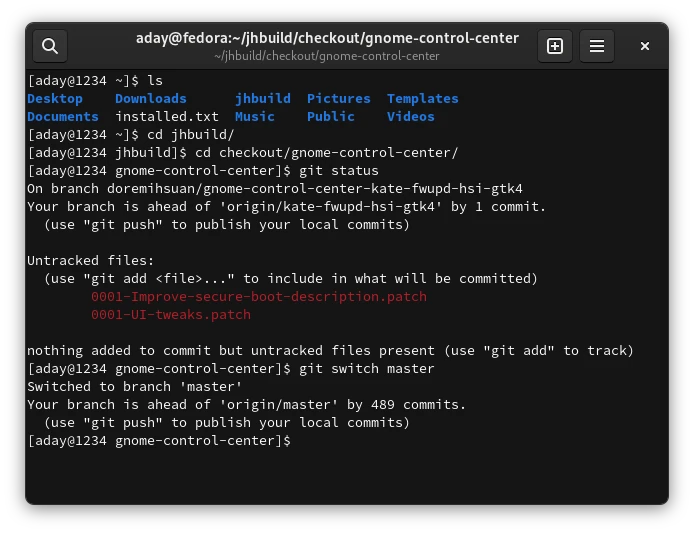
When distro maintainers ship with poor font configurations, the world have to suffer with blurry fonts (specially on dark backgrounds)..
Everyone should pick the freetype2 patches from ChromeOS, it makes a huge difference
It's because of low resolution screens. The secret to have silky smooth fonts on modern distros (i.e. Fedora) is to run at 2x scaling and turn off hinting. The various freetype2 patches have been integrated in modern toolkits (and GTK doesn't use freetype2 anymore)
There is a way to improve font sharpness with current freetype2 by setting variable:
Unfortunately, default behavior for freetype2 is blurry.FREETYPE_PROPERTIES=truetype:interpreter-version=35I am sure this is the way to convince people to adopt lInUx.
No one really cares what you use tbh.
I want this so bad. Hopefully it comes into Arch quickly.
There has been rumours that theming may be dead though? Appearently it's harder to theme things in Gnome 42 but I don't know why.
It isn't. Just hacking things together rather than actually following the instructions will be harder.
I'm pretty happy to see how Gnome and KDE grow to be so polished and good looking.
Does gnome’s new RDP support work on Wayland?
Yes. I'm actually not sure if it works in X though...
Intro video: https://youtu.be/du-2QpWbiLU
Looks great! Will the next Ubuntu LTS be bundled with Gnome 42?
Kind of:
> Ubuntu 22.04 includes the bulk of the recent GNOME 42 release plus a number of apps and libraries carried from GNOME 40 (and earlier). Why this mix? Well, GNOME 42 features a lot of GTK4 & libadwaita ports of many core apps. Ubuntu didn’t feel like they’d get enough testing before its April deadline so held back.
> The good news is that a good chunk of GNOME Shell 42 is included in Ubuntu 22.04, including an updated GNOME Shell desktop, its new screenshot tool, a backport of the new ‘Privacy’ panel in the Settings app, and the latest version of the Nautilus file manager.
Source: https://www.omgubuntu.co.uk/2022/01/ubuntu-22-04-release-fea...