The iPad Awkwardly Turns 10
daringfireball.netAs someone who worked on the iPad v1, I can tell you, it was a product built in search of a problem. It was going to compete against the, then, growing Netbook market. Steve Jobs thought Windows was going to win that market and hastily threw a team together to answer for it. However, during several all-hands, no one except SJ seemed even remotely excited about the product.
"These things will probably sell in the educational market or something."
"Developers will always surprise us, they will come up with use cases for us."
During development Amazon was proving that people wanted E-Book readers. So when it was clear the iPad didn't yet have a coherent story from Apple, iBooks was thrown together at the eleventh hour and then SJ went on the attack against Amazon to push back against the growing Kindle market.
And then Windows 8 happened! People asked Apple (And Tim Cook), will we see touch-screen Macs? And instead Apple trapped itself in a corner by doubling down that the iPad was going to forgo running full macOS because something about people not wanting to touch their laptop screen. So here we are, a product that launched without a vision, and then hamstrung by ego.
It's true that people who love their iPads, LOOOVE their iPads. So it's a nice product. It's definitely well made and I love reading the news on mine. It's a great device to travel with, for sure, yet I agree with Gruber, this thing will never flourish outside of the niche markets its found itself in.
> “Developers will always surprise us, they will come up with use cases for us."
Well, they did. iPads are now replacing POS registers and kiosks. Although a part of me dies when I see iPad Pros being used for this, because it’s so powerful and capable yet being used as a big touch monitor.
I used to work for a company developing a POS system for the iPad (not Vend).
One of the main drawcards of using an iPad or other tablet for a POS kiosk is that they're significantly cheaper than an actual designed for purpose touch screen. Those big bulky touch screens are incredibly expensive, especially for what they are, they can cost up to $2000 and still only come with an i3 and 8 GB of RAM.
Same for musicians: many of us have an iPad for displaying scores due the superiority of the screen legibility in varying environments, and app support. I use mine almost exclusively for piano scores - I couldn't live without it. Doubling as a Netflix host on flights is a bonus.
Definitely, but I like to write on my scores which I can’t do on my iPad.
The big iPad Pro made a difference here too. The older iPads so t get enough music on the screen.
> but I like to write on my scores which I can’t do on my iPad.
What? Annotating scores is a main use for me. I do it constantly. It's something the ipad is great at.
What program do you use? Do you have an iPad that supports a pencil? How is it?
I use https://forscore.co/ . Only very old iPads don't support pencil, I believe.
Not sure about the app, but newer iPads support Apple Pencil. It's a bit expensive, but definitely worth it.
Yeah, one of the primary uses of my iPad was learning to read music.
We have an iPad pro at work & a piece of me dies thinking that such a powerful device will never run anything but iOS.
You realize that one of the reasons the device feels so powerful is that it runs iOS. A 5x specified Mac Pro doesn’t have the feel of the iPad.
Lets not get caught up unduly, any light OS would perform as well on the hardware, there's no magic between iOS and the ipad hardware.
The level of polish and integration between hardware and software with Apple is almost “magical” imho. Or at least very praiseworthy.
Compared to typical Windows laptop trackpads or most Android phones’ janky scrolling, Apple does a much better job getting better performance out of their hardware.
An iPad Pro doesn’t feel powerful, but if you compare its specs to a 10-year-old PC, it should.
I'm sure taking on Windows CE was exactly what was meant by that quote :p
At least it's better than underpowered devices in the same role. Cheap Chinese devices with 7-year-old versions of Android are still floating around in kiosks globally.
I still remember people saying that the iPad was just going to be a big iPhone and what is the point?
I NEVER understood this. I was one of those people that was immediately excited about the iPad. Being able to lay back in bed and casually browse the web, read magazines, watch movies, play games? On something with a decently large screen, decent battery life and something that wasn't bulky? PLEASE TAKE MY MONEY!!!!
It really surprises me to hear that there wasn't much excitement inside Apple for it. I now have the first generation of the 12.9-inch iPad Pro and it's just about always in my bag with me.
I do think it's a shame you can't really develop apps ON the device. I'm glad the OS is getting more capable with the direction they're taking, so who knows? We might get Xcode one day :)
I use an old shitty netbook for this. I prefer that to my Nexus ... 7? tablet for three primary reasons.
The screen naturally holds itself at whatever angle I set it. If I'm just casually watching a video in bed, I can put my hands back under the covers where it's warm.
It has a keyboard. So the other half of the time, when I'm interacting with the machine in a meaningful way, input is way easier.
There's an entire other world of stuff to do with a full fledged OS. Programming, Steam games, the works, it's all there.
I haven't bought another tablet. It's not really better at anything than my phone.
I had the 2012 nexus 7 when I was in school and I loved it. Used it all the time for just about everything including insane use cases like programming. Then I got my first phone in about 2014 and didn't really have much of a use for the n7. Its just like a phone only slightly bigger but less portable and no 4g. Since then I haven't been interested in a new tablet and it looks like the entire Android tablet scene died.
Its a real shame the android tablet ecosystem has all but died. Android is better these days then its ever been. Highly customizable, you can use the firefox browser with uBlock origin, excellent 3rd party password manager support(much better then iPad). You also have a really nice open-source app eco system. Apps like Termux make it possible for me to basically do my DevOps job from anywhere in the world with a portable folding keyboard. Android functionality is awesome these days compared to iOS. Even the split screen functionality on my Pixel 2 is great compared to my iPad.
I think the problem is that even the best tablet is worse than a cheap shitty netbook. Shitty netbooks can be had for $200. The fancy shmancy backwards folding ones, (into a tablet form factor) aren't that much more.
You know what's better than termux? OpenSSH, tmux, a proper term, a proper tiling WM, in X.org. Or Wayland or screen if that's your thing I don't judge.
Termux is just a linux container, it has OpenSSH, and tmux. Yes I agree that a full linux workstation is better then an android phone, but sometimes I like to go out with friends and family and I might still be on call for work, and I really dont want to have to carry around a bulky laptop. Termux is just an extremely nice thing to have on an android phone and there is no legit officially sanctioned method of doing these things on iPad other then iSH which isnt even fully in the app store yet, its only on testflight.
I completely agree with you. A really good drawing surface with Pencil, handwritten notes + handwriting recogniser, a distraction-free writing environment with a keyboard cover, comic book reader, ebook reader* and light as heck? Also, a display of that quality for that price? Oh yes.
*Reading O’Reilly Safari books only works well on the iPad, I’ve found. Ever since they killed Kindle downloads. In any case, most technical books look better on the iPad anyway.
The apps are still a bit limiting. Eg some bank apps still assume you’re using a phone, but iPadOS’s desktop-like browser does help. What’s more irritating is that some apps, like Gmail, still don’t allow attaching documents from Files. But I suspect they’ll catch up.
Don't get me started on Google! Hangouts, for whatever reason, never got iOS multitasking support like being able to use it in a side panel (and if I recall correctly, the multitasking features got to iOS long before Google started abandoning Hangouts or whatever they're doing with it now). Though to be fair, I really think Apple should have found a way to do this without a requirement from app developers. I don't think it's an impossible task - just look at what Samsung DeX can do on Android without explicit support from existing apps (even if it isn't perfect,).
Somepeople definitely love the device. It depends on what these things mean to you. My iPhone is fine for reading for me. Paperback novels aren't as large as ipads. The column width in a print magazine and newspaper isn't as large as an ipad, it's about as wide as my iphone screen. Text wrap is important for comfortable reading. Therefore, in my eyes, having something larger than it needs to be to actually read is a waste.
Similarly, the web isn't any better on an ipad vs. an iphone; its the same mobile website but with more white space to fill the scale.
I could never stand gaming on a touch screen device, personally. I know people play fortnight on their phones these days, but I can't stand the lack of tactile response with virtual thumb sticks and the fact you have to block the screen with your thumbs to do anything at all. Games tailored to the device, like tap tap revenge, were fun but only for 10 minute spurts.
I get the merit of having a 12" light weight screen that connects to the internet, but apple hasn't sold me on the utility to make it worth dropping the couple hundred bucks, especially when my phone does it all while also being a phone.
There’s no Xcode (yet), but there’s a growing number of coding apps available for iPad and even iPhone. My all-time favourite is Codea, which is a Lua game development environment that exports to Xcode so you can publish your games to the App Store.
"just going to be a big iPhone (...) lay back in bed and casually browse the web, read magazines, watch movies, play games? On something with a decently large screen" -- isn't that just a big iPhone, then? Especially now that the iPhones are fairly large themselves, and mobile layouts are almost universal. I have an iPad, but I've never really found a good use for it. Web browsing, reading, and watching videos I find more comfortable on a phone (or a Kindle) I can hold in one hand. The form factor of the iPad combined with its touch screen means I can never find a comfortable way of holding it long-term.
To me the big draw of the iPad is that it combines the simplicity of a phone OS with a screen that can render large fonts and still be usable. That's great for people with poor eyesight, like my grandparents, who can fit only a few words at a time onto a 5" phone display and who find the Windows interface frustrating (being full of small buttons, accidentally-pressed keyboard shortcuts, things minimizing to the tray, and multiple windows containing multiple tabs). As someone lucky enough to have escaped that problem so far the iPad exists in a strange halfway point between a laptop (large, powerful, keyboard-equipped, capable of running and doing anything) and a phone (comfortable, portable, long-lasting) that's never quite right for the job.
Admittedly I've never used the Pencil which I imagine can be quite nifty.
Eh, I'm still not particularly excited about iPads or tablets in general. Tablets are awkward, to the point that I prefer:
- my phone for casual reading and watching (6" max) - my Kindle for longer reading sessions - my laptop for mobile productivity and gaming - my desktop for serious work/gaming
We mostly use our tablets to distract our kids, especially for long road trips. My wife has started using a tablet for drawing in lieu of a desktop drawing tablet, but that's about as close to "real" use of a tablet that we have.
It works out really well for some people, but I just don't see it.
If you own multiple tablets in addition to a Kindle, a laptop and a desktop computer, I’d say you are significantly more excited about tablets than the average tablet user.
> I do think it's a shame you can't really develop apps ON the device
I'm happy you can't. My old boss was so cheap he asked our head developer if this was possible, instead of having to buy me a Macbook.
Xcode is too expense for iPad by minimal hardware requirements.
Animation CPU should be good for dev apps too
What a strange mindset. I’ve used compilers on the original iPhone itself. My main computer is a core 2 duo MacBook from 09 and the latest Xcode runs fine
I tried XCode on iPad via remote desktop several years ago. UI is unusable on iPad, too small elements, please check screenshot:
https://acpul.tumblr.com/image/116464494150
About hardware, I used multiple configurations from Snow Leopard and XCode grows to godzilla while years. Xcode eat all free space on my Macbook Pro'18 256G and can crash randomly, lost iPad connection, etc. I don't want to see this on my iPad. I have mac for XCode.
PS: In same words, mac for more serious work, iPad for more creative and less serious work.
From Gruber you get that "this thing will never flourish outside of the niche markets its found itself in"? That's far from what he was trying to say.
From his concluding paragraph: "[G]reat though it is in so many ways, overall [the iPad] has fallen so far short of the grand potential it showed on day one. To reach that potential, Apple needs to recognize they have made profound conceptual mistakes in the iPad user interface, mistakes that need to be scrapped and replaced. . . "
How you get "never flourish outside of niche markets" from that, I have no idea.
Kids love iPads/tablets - more than just for education. They love fortnite on them, they love youtube on them. A 3 year old can use an iPad. Sure - they can use phones too, but tablets will be the first computer for kids for a long time, until they start to reach for phablets when they are teenagers (or, as a society, we reject screen time below a certain age)
As someone who grew up with real computers it really hurts and saddens me to read this.
Kids also love sugar but it damages their brains and bodies.
this so called niche product produced $6B in one quarter or about $24B a year, which constitute a fortune 500 (global) company!
so give me a nice, niche product company any day!
My mother had been vowing to learn to use a computer for more than a decade before the iPad. Of course she was never able to turn one on. But when she had an iPad she just kept using it.
This is something I've noticed. People in my life who don't "work" with computers—as in their primary use for a computer is to consume media—love their iPads.
They're pretty ubiquitous in aviation! I started flying helicopters a couple years ago and almost every pilot I know has one loaded with ForeFlight that they use both for mission planning and then strap to their knee for the flight. The flight school I went to even includes a new Mini in their PPL course. They give a pilot a ton of functionality that would cost tens of thousands of dollars to replicate with certified avionics.
I was excited when the iPad was first released, bought one, and to my surprise I found I didn't have any regular use for it, and sold it.
I still think they're very cool devices—in particular the latest iPad Pros are gorgeous—I just wish I had some use for them that wasn't already covered by my computer, phone, or TV.
I've seriously considered making my iPad my only mobile device. The lines are blurred by having a large phone, though.
The 11" is so great for reading, my poor kindle only gets attention when I see the big dead battery image on it :(
I just recently bought a used iPad that still got the iPadOS update and what I noticed is very ambivalent.
PRO: - The device is light, has a nice screen and good sound. I can use it to read documents that need color, watch videos and browse the web all in one device with acceptable performance - The battery has enough capacity for the pad to work for days without recharging - You can use pencil 1 as an input device (I would not have bought one without support for pencil)
CON: - While apps like browsers (Safari, Firefox) look like the desktop versions they are just poor copies without the full potential. Without Add-On's my browsing experience is very limited in comparison to the experience on my computer - No Adobe Suite like many people wanted it while you can run Apps like the real PS on a surface - No native terminal, seriously? I live in a terminal and e.g. consume news via newsbeuter - Support for USB thumbdrives and mouse have just been added recently while competitors allowed much easier access much earlier. This "walled garden" feeling diminishes the experience a lot for me. I hoped for the iPad to be more like "a real PC/Mac" and this is one of the major reasons I never bought an early model or a new one.
My dream iPad would be more like macOS because as someone coming from Linux it feels already "walled" enough for my taste.
I have another major concern but that is based on the evidence about consumption, climate change etc. and of course Apple itself can probably not do much about it (can they?): What happens to the device when it is obsolete (e.g. no major OS updates and security patches)? It would be really awesome if they would open up to after market solutions to reduce waste and keep their products running so one can install linux on it.
I know this is a wild dream in a world that is driven by maximizing profit. Let dreamers be dreamers ;)
> as someone coming from Linux it feels already "walled" enough for my taste
Not criticizing at all, genuinely curious: what do you want to accomplish on an iPad that is prevented by the walled garden?
Not OP, but I also have some quarrels there.
For example, I can—to my knowledge—not use my preferred keyboard layout [0] on an external keyboard. NEO does not come built-in and I haven't found any way to add new layouts except by replacing built-in ones on a jailbroken device.
This more or less kills the device for me that requires any significant amount of writing, including tasks it would otherwise be perfectly suitable for, such as replying to a bunch of emails, brainstorming some ideas, or writing reports.
I also wish it were a more capable development machine without resorting to hacks such as ssh-ing into a server or accessing VSCode through the browser. I previously had a Surface 3 and for some light work on the go it was good enough, but I cannot be bothered to replicate my setup using a mixture of apps that might work now, but break when some requirement changes.
All that said, I'd buy another iPad if this one broke. It's by far the best digital writing experience I've ever had and even if I only use it for note taking, it's still money well-spent to me. But it could be so much more.
For the keyboard layout, a solution could be to have a programmable keyboard.
Ok this feeling especially comes from the following disadvantages:
- iOS/iPadOS AppStore vs. macOS AppStore + ability to install apps from the web (I can't even compile FOSS apps on my own without owning a mac + 100$/year dev licence - this is a real shit show for me!)
- mostly paid & stripped down terminal apps vs. a real native terminal (and of course just installing iTerm2 because you can do so on a mac)
- no "real" apps like on a desktop machine. As I mentioned in my CON's I would love to use a real browser like Firefox including Add-On's because the web is unusable in many cases without blocking and filtering all the evil scripts people use to make some extra money. Also I would like to use the Adobe products (photoshop, illustrator etc.) and not the stripped down (and from what I heard also bad) pseudo-apps. Finally I have a device that could replace things like a Wacom Tablet connected to your computer but that opportunity was missed. Very sad.
- no up- or downgrades as you please because Apple likes to force you to go to / stay on certain versions of their OS on the mobile devices to "motivate" you to buy new ones once in a while when they need more revenue.
- no free choice of OS. My MBP runs macOS and linux and if I would need it I could just install windows as well (uagh!).
There is much more to this but I think the issues mentioned should be enough to draw a clear picture of the paternalism Apple treats it's users of the mobile devices with. I don't like this at all and it was THE deal breaker that prevented me from ever buying a new iPad.
If they get worse as the MBP's do, I would also take care and probably never buy a new model and instead stick to an old one that is a combination of some "freedom" (the max. level Apple allows you to do anything with it), enough quality (good product, not too many beta-experiments) and stability (software is new enough not to be dangerous to use).
I agree with a lot of your comments, but just FYI, you can do a couple of those things:
> (I can't even compile FOSS apps on my own without owning a mac + 100$/year dev licence - this is a real shit show for me!)
You do need a Mac, but you can build FOSS apps and deploy them to your own iPhone, iPad, or Apple TV with a free developer account. You only need the paid license to distribute them to others.
> Finally I have a device that could replace things like a Wacom Tablet connected to your computer but that opportunity was missed.
There have been apps that support this for a while, but this is now a built-in iOS/macOS feature called "Sidecar".
I am afraid I also need to pay 100$ for the license to use certain features because if an app uses them I cannot even compile.
Recently I tried to compile blink[0] without a paid account and failed miserably.
Yes they also did a great job with sidecar which will only work if you at least own a recent mac. Also it does not work with the iPad Air 2 because they decided it is too old. It is the same story again: Apple softly forcing it's customers to upgrade - nice experience...
The best use case that I have found for an iPad for is that of a “personal computer,” that is, a computer that is entirely personal without any business.
Use the “Pro” laptop only for professional work and coding, and use the iPad only for anything else that falls into that “personal” categories of newsletters, mail, shopping, gaming, entertainment.
As a traveling remoter, that radical separation of two contexts has brought a great peace of mind.
You can surely sit back comfortably with your iPad for personal stuff, while work asks for you sitting seriously on a desk with your laptop: no blurry lines.
So in my opinion, that “curious” category that falls in-between “mobile” and “laptop” is nothing more than “personal computing” itself!
Isn’t it what that “revolution” has been all about, anyway?
Thanks you for iPad v1. iPad hardware has made possible Animation CPU software. I'm developer and I love iPad as development tool. iThink future for iPad is comming soon...
Amazing how much better vision Jobs had than anyone. From your comment looks like the entire senior team at Apple were nonbelievers.
I completely agree with this article. The iPad hardware is absolutely wonderful, it's light, gorgeous and powerful. I got the latest iPad pro to watch Netflix in bed and it fills that purpose completely.
However, the OS running on the machine is bad. Very bad. The multitasking is horrifying. The Files app is unusable (especially if you want to access your files from an FTP server). You have to use your finger to select a textbox on the screen before you can use your physical keyboard. Copy/Paste between apps is a nightmare (mostly because of the really poor multitasking). Sharing your screen via Airplay is useless except for demoes (doesn't match the target monitor resolution, nor transform the iPad into a giant touchpad). It doesn't support multiple icloud/gmail accounts (if you want to share it with your SO). I can use a terminal and SSH to my raspberry pi, but I can't use git, bash, node, python, go or rust on it...
Just let met install MacOs instead, it can't be worse.
PS: even having a console-only ubuntu VM would make me happy at this point.
My single biggest problem on the iPad is the way Safari just randomly kills your background tabs. Filling out a web form? You'd better hope that their half-baked tab state saving worked! (Spoiler alert: it probably didn't)
It's particularly annoying because of the headline features of iPadOS was that you could finally use Google Docs in Safari! It's actually amazing how well it works...until you switch tabs or apps and have to wait for your entire spreadsheet to reload.
This aggressive killing of background tabs/apps is due to the iPad’s notoriously low amount of RAM. They put less than the equivalent iPhone models for a device that is supposed to be for multitasking.
That applies to the cheapie iPads (not so much the Pros) but even then, there are times I’d rather deal with slowdowns and memory paging than actually losing my data.
The iPad Airs aren’t the cheap lineup, and they have less RAM too.
Whoa, they do this on iPad? Is that a new iOS thing?
I have 500 tabs in Safari on my iPhone. It's a nice time capsule of what I used to be reading. (500 is the cutoff limit, apparently.)
The parent likely means background killed in the sense that iOS fairly aggressively removes loaded web pages from memory and replaces them with a screenshot and a url. Most of your 500 tabs are likely screenshots and urls. When you select them they fetch the page from the server fresh.
In most cases this is fine and frees up memory for other apps/tabs, but with web apps with local state, said state gets clobbered in a way that never happens on a desktop browser. Because it is fully automatic you can never really tell or trust that local application state will still exist if you tab away and back.
The tab won't go away, but it will trigger a fresh http request (and thus any input in a form will disappear), I believe the behavior is the same on iOS for iPhone.
It’s identical and it’s aggressive. It’s more forgivable on the iPhone but I don’t reckon so on an iPad Pro.
Oftentimes I’ve been underground and I’d go back into Safari to read a page I already had open, but it triggers a new request with no internet connection and then blows up.
I would hope that at least the last open tab would be held in memory or otherwise heavily cached when the signal degraded enough to prevent a reload.
Yep, and it's really frustrating when the tab was just a static webpage with some text you want to read. It has the iOS baked-in assumption that you always always have fast Internet access.
Putting something into your Safari Reading List saves it for offline access. If you want to read a webpage later on mobile (and it won't parse through Instapaper/Pocket for some reason), that's probably the way to go, vs. leaving it open as a tab.
Though, admittedly, I never got it to work right at actually using the offline-snapshot versions of pages when I was, er, offline. Even though it clearly had them taking up space on the disk.
Shouldn't this be handled by website developers via PWA-related tools? Think about it, if you're website is meant to work offline (and safari cannot know this), you can implement the necessary code for it to work offline (e.g. web.whatsapp.com)
Expecting the page to stay open until the tab is closed isn't normally considered to be "working offline". The main point of a PWA is being able to navigate offline, not just continue to exist.
For me it's often something like a manpage I have had to find via Google. The web developer isn't thinking about stuff like that because it's a pure Web 1.0 static page that normally doesn't need anything like that.
By “killing background tabs” the parent simply meant that Safari wipes loaded tabs from memory, so the tabs have to reload when selected again.
However, in rare cases if you’re foolish (aka me) you might:
1. Unintentionally open a new Safari window via iPadOS multitasking.
2. Unintentionally close the original Safari window with your 400+ tabs.
3. Lose 400+ tabs permanently.
I’ve learned the hard way to just use the Reading List.
I feel that Apple has lost its way with OS design in the past 5 years or so. Not at a macro level, but at a micro, "little things" level. Launch anything Apple-written these days and you'll get a wizard telling you how to use some new widget - just like any other software by anyone else. I don't think Apple has ever done that before because features were designed so well, you can easily figure it out.
Then there are just tons of small decisions that are head scratchers. In iOS 13, they changed when Select/Select All appear, and it's a real pain in the ass. Early versions of iOS didn't have Select/Copy/Paste because the general belief was that they had to get it right the first time. They nailed it, but now they've tweaked it and made it much harder to use.
Past 5 years? Maybe closer to the past 25 years. Ever since Apple decided OS X would be the successor to classic Mac OS. This is when Apple finally left their incredibly rigorous user interface guidelines behind [1] and made technical considerations (preemptive multitasking, multithreading, and virtual memory) the priority, along with “lickability.” [2]
The classic Macs were the last truly easy to use desktop computers. My father and all of my older relatives of his generation had no problems using classic Macs. OS X however? Completely baffled. Might as well have sat them down in front of a terminal connected to an old Unix mainframe. Yeah, it has a lot of superficial similarities to classic Mac OS, but it violates the principle of least surprise far too often to be called easy to use.
iOS is easy to use though. Hand an iPad to any of those same relatives and they get along fine. It’s way less powerful though, despite running on a computer several orders of magnitude faster.
[1] https://archive.arstechnica.com/reviews/4q00/macosx-pb1/maco...
I agree with this - I feel like Windows has gotten much better at catering to delivering (or allowing other people to deliver) more targeted UX improvements. Once upon a time Fences was a requirement to be alive - now instant searching in the start menu means I hardly ever see my desktop - similarly universal key combinations (and global key capture) have let things like media keys really take off - being able to pause a video that skipped to the next entry in the playlist without ever backing out of a different fullscreen app is kinda beautiful.
Heck, I've got, and regularly use, an iPad and had no idea you could go into split screen mode - the UX is entirely invisible and un-intuitive - especially if you pick up something running older iOS and need to remember how to pull up the carousel.
How do you get search to work? For me, Windows Search Indexer just uses 100% CPU forever.
Oh sorry - I almost never use search in the context of documents - I use it for programs I need to pull up. I don't need a document search all that much as I generally store things by project and am only ever working on a modest set of files at a given time.
If you're looking for a good finding utility I might suggest grepwin[1] which does a great job finding things fast.
Itunes was utterly terrible. My iphone is terrible.
Apple make very, very bad software. And their hardware is overpriced. And they deliberately make people pay more for accessories like their pointless new audio port.
Android is superior in every way, except (I'm told) on privacy.
I cannot comprehend why anyone buys apple. I have to have apple for my work phone, and I hate it. Just today I was wrestling with their dreadful podcast app to try to figure out how to get it to play the podcasts in the order the episodes are enumerated in, which isn't the default. I still haven't found the 'playlist' part. Find in page on a web page took me ages to find. I cannot select the middle of a word. Their auto-correct corrects words that are nicknames or abbreviations by default to some totally inappropriate word. Their files app truncates the name, so when I download several episodes of a podcast, all of which have the format "long podcast name episode #" all I see is "long podcast name ..." eight times. Moving icons from one virtual page to another is clunky. The equivalent of a drop down where you have some weird rotating drum thing is awkward. Adding a contact from a text from an unknown number was convoluted. There are no timestamps on incoming text messages on the text app. On and on. Every single bit sucks.
And no I don't want to hear how I can "just do x,y,z, it's easy". Their software is not intuitive and sucks.
Today at least I got the audio jack to stop constantly disconnecting. The problem? Lint in the audio jack. Never had that on the old one but Apple couldn't charge me $10 to connect my existing headphones to their device so I guess it was worth it.
To offer a counterpoint, I found Android on a tablet to be a UX disaster. To be fair, I last tried it a few years ago, but it REALLY put me off. The iPad has confusing and unnecessary limitations, but Android on a tablet was inscrutable and inconsistent. It gave me so many ways to shoot myself in the foot, and burn up a battery doing nothing at all.
> Find in page on a web page First question is where the F is it, second question is why the F did they put it there?
Posts like these are very cathartic to me.
I think it has been way longer than that, it's just that they were (and many fans still are) in denial for a long time. But there were plenty of things about iOS that were non-intuitive from the get go.
Way back when, I got an iPad for my mom. She loved the idea of a device that basically doesn't need support, but it took a while for her to get the hang of it, and her main complaint was that it was "inconsistent and unpredictable". She pretty much had to poke at things to figure out what they do - the opposite of good UX.
She's on Android now, and happy as a clam.
As soon as they fixed text control, they broke URL handling. Long press on a link? Congrats, now you've got a weird floating popup Safari window with no Close button! Enjoy trying to use the finicky "drag between two invisible targets to open the app switcher" gesture to find and close the unwanted window.
They never nailed copy/paste nor select on any form of iOS.
And undo is also terrible.
The one that's been driving me up the wall lately is that I can't use screen sharing unless the iPad and the Mac are on the same Apple ID.
It really kills the value of that feature in a setting where multiple people who each own their own set of devices want to be able to work together more easily. Like, say, homes, offices and schools.
All of those are either kind of ‘eh’, or have decent workarounds, or aren’t even valid at all. There are plenty of ftp client and server apps that work absolutely fine, I don’t even know what your talking about on that front.
Please don’t add a mouse cursor to iOS, No!
I find the new cut n paste stuff outstanding. There are a range of decent screen sharing, presentation and touchpad apps. There’s a decent free Gmail app that supports multiple accounts.
Can’t use Python? Good grief, where have you been hiding all these years? Pythonista is a fantastic Python dev environment on iOS, with several apps and games published using it, and there are a bunch of other dev apps for other languages, plus Working Copy for git and github integration.
The iPad doesn’t do everything, sure, but it’s way beyond being a basic consumer device. In particular Pythonista, with its built in GUI designer, support for games development, community shell extensions and tools make it an incredible powerhouse device.
> Please don’t add a mouse cursor to iOS, No!
It has one! https://www.macworld.com/article/3405887/how-to-use-a-mouse-...
Please don’t add a mouse cursor to iOS, No!
I assume you're talking about iPadOS.
I use the new mouse support in iPadOS all the time, and absolutely love it when I'm using my iPad like it's a laptop computer at my desk. It's so much more comfortable and ergonomic than constantly reaching up and pawing at the screen.
Consider looking into iSH, it let's you access a Linux like environment where you can download and use common packages like vim and python in a terminal. It has to emulate x86 calls, but for my use case of writing notes in vim and compiling and running simple c++ programs, it works. You can see some more information here: https://www.reddit.com/r/ish/
But I completely agree that it's practically a moral crime that the OS is so locked down. Just a sandboxed native terminal would make this device my main coding environment. The cheap wireless keyboard and mouse I use with it makes the lack of a native terminal where I'd have complete control the one thing holding it back for me.
This can't be installed like a regular app, can it?
Also, I wonder why they emulate x86 – isn't the iPad CPU ARM64? Couldn't this simply use binaries for that architecture?
Then you’d be running unsigned, unreviewed binaries bypassing iOS controls directly on the CPU, which would be a security nightmare for iOS. This way it’s a completely emulated environment that’s isolated from the underlying system.
Running x86 binaries under software emulation, and forking off arbirary ARM binaries, aren’t the only two alternatives. You can do what Wine or gVisor does: run native-architecture code, but virtualize system calls as calls into the host binary.
You can't run arbitrary unsigned machine code on iOS. Interpreting it is the only solution.
Unfortunately, that slows things down with iSH a lot. iSH gives surprisingly complete Linux environment, complete with ability to install most of the packages you'd want. There's even an iSH folder in the Files app that gives easy ability to interchange files between iSH and the regular iPad environment. However, the emulation layer slows the Linux applications down quite a lot. Depending on your needs, though, might still be good solution for some things.
Millions of people use Android devices that allow sideloading, and it does not end up a "security nightmare".
Oh come on, security and privacy on Android barely exist at all except at the most general level. We're past the days when Samsung disabled all OS security controls on their flagship phone just to get the camera working for launch day, but Play Store apps are so infested with spyware and trackers the security of sideloaded apps is barely relevant.
It doesn’t support MMX emulation, which means I can’t get a Go compiler to run on it at the moment.
>PS: even having a console-only ubuntu VM would make me happy at this point.
If you're ok with that console running on a home Ubuntu workstation/server or cloud server, then the Blink.sh iOS app is great for this. ssh into your Ubuntu workstation/server from your iPad. Discussed at HN before:
I'm using blink, it's the best alternative currently. It's just sad to have a powerful 2k€ machine, but working on a 10€ raspberry pi.
Working Copy and CodeHub handle git repos. I code from an iPad Pro sometimes with Blink (mosh/ssh client) and Working Copy with Textastic.
I sympathize about not running local dev environments, but for the actual work I do the apps won't run on a laptop or local PC anyway without a lot of trouble, so I'm used to working over ssh to a dev server. That works very well on an iPad, even better with a decent keyboard with an escape key.
As someone else mentioned Pythonista gives you local Python.
I work on multiple large web applications for a few clients and I've tried using my iPad Pro exclusively. I've only run into two issues that make it less than ideal: No web inspector/JS debugged in Safari (though workarounds exist they're clunky), and difficult text selection (not an issue in a terminal window with vim but imprecise and fussy in iOS apps). Otherwise it's great and I do use my iPad a lot. My main work setup is a Chromebook (Pixel Slate), which I only prefer over the iPad Pro because of the trackpad/mouse text selection and Chrome web developer tools.
I'm quite confused why you'd pursue attempting to use an iPad for development work. As someone who hates laptop-style thin keyboards I could justify it by the fact that carrying around a laptop and a keyboard feels more silly than an iPad and a keyboard - but the weight difference is pretty negligible and the software running on a laptop just has so much more utility for task switching (checking the kanban - making sure the VPN is up and running - quickly tabbing to chat to make sure you can disregard an @ mention) ... all these, on an iPad, require fully backing out with clunky key-presses to activate a very limited app switcher.
I don't know why finding that other people have different work patterns and preferences would confuse you. I'm not "attempting" to use an iPad -- I've used an iPad and a Chromebook (currently Pixel Slate, also a tablet) for five years professionally. I used a MacBook before that. I'm old enough to remember hauling a VT-100 and an acoustic modem home to work on weekends a long time ago. I'm also old enough to remember people saying no professional programmer could use a personal computer, or a laptop.
I don't use Kanban or constantly switch to chat. I can see if my VPN is running by looking at an icon at the top of the iPad screen. I don't constantly task switch while working.
It has nothing to do with weight or feeling silly. I want to concentrate on one thing at a time, and I want a portable setup for working because I travel a lot.
An iPad developer setup won't work for everyone, but for the people it does work for it can work very well. 90% of my programming is done over ssh to remote servers, and the iPad can do that perfectly. The rest of my time is dealing with email, also fine on an iPad, or Slack, or reviewing PRs, which I can do right on my iPad.
Other developers have different requirements.
I’ve tried the iPad as a workstation off and on for many years (I had an original iPad). While I’ve never quite gotten it to work for me, I can still see the appeal. And for exactly the reason you state.
A full laptop is much better at task switching.
But when I’m working, and in a zone, task switching is the last thing I want to do. I want a distraction free workspace without widgets and notifications. On the iPad, this is so much easier to achieve. And if you have to change apps (and you have a keyboard), the app switcher is the same as on a Mac... cmd-tab still works.
I prefer to eliminate the task switching as much as possible rather than optimize it. I mainly use a Chromebook, always in full screen with one app window. I can switch windows with a keystroke. I don't need or want a bunch of stuff cluttering the screen.
Also, Secure Shellfish does great at integrating SFTP with the Files app. (It doesn’t do plain FTP, though.)
I don't think HN is the target audience for the iPad. I have one and use it as a reading device.
Others use it for games and social media, where the many accurate deficiencies you point out don't matter much. The average person seems to use it within a narrow sandbox where it works. The minute you try to do something else with it, you'll struggle and be disappointed.
It’s the device of choice for most public company directors and senior executives I meet. I know of a few companies that issued them to their directors for board use. Senior investment bankers also use them extensively while traveling.
It’s the corporate lawyers and junior investment bankers that rely more on laptops (mostly for Word, PowerPoint and Excel).
Yeah a lot of the comments here just don't make a lot of sense to me. I use mine to read books, and watch TV/Movies when traveling. It's a consumption device, not a work device.
I guess where the confusion comes from is the iPad Pro, which Apple pitches as a device for creators. However, they've been pretty unambiguous about targeting artists, not developers. I don't think they expect anyone to start programming with an Apple Pencil.
I wonder how much those problems are related to the design of the OS or to commercial strategies.
I am under the impression to have a well designed base layer and apps. Then if I want anything more or different, I can use other apps that are secondary citizens with each their own isolated subscription/cloud/format strategy.
The ecosystem of free apps that you can find on desktops (mac, windows, linux) of reliable text editors, command line tools, syncing software ... seems to be missing.
I'm agree, problem in software, not hardware. I tried use Palm as remote terminal to my office servers before iPhone era and use iPhone and iPad later, but software progress looks like in 1990. This issue should be solved with new software, platforms like Animation CPU https://twitter.com/acpustudio
> I can use a terminal and SSH to my raspberry pi, but I can't use git, bash, node, python, go or rust on it...
Nothing of that is something I care about.
Pythonista, Continuous, Codea, Shaderific, Playgrounds, and a couple of others provide enough juice for my tablet coding needs.
How much Netflix are you watching!?
The file system if you use it is a god sent. You can share files, organised files ... not as good as lap top one but it is good enough especially if you have an macbook to arrange and tag files.
Why on earth should I need a separate device to organize the files on my device?
You don't need to, but doing so with a virtual on-screen keyboard is annoying and slow compared to using a separate laptop.
And there's the problem.
Or, y’know, we’re talking about the iPad Pro here, so use the keyboard cover. (Are there people buying an iPad Pro who don’t buy the keyboard cover? Seems silly to me.)
I do digital painting on the side, as a hobby. In that field, the iPad Pro, specifically the Procreate app, has been revolutionary -- every single famous digital illustrator, concept artist, and comics artist I follow on Instagram has one, and they post gorgeous work done on them regularly. It's the only tool that comes remotely close to challenging the gold standard workflow of Wacom tablet + Photoshop, and Wacom and Adobe have been feeling the heat, ratcheting up their marketing efforts to try and attract back budding young artists to their tools.
On the other hand, the iPad can't seem to actually replace those tools. Those pro artists still use a Wacom for their professional corporate work. The problem is less the software, I think, than the limitations the software forces by nature of the hardware. For professional work, you need as big a screen as possible -- Wacoms go up to 32". You also need hotkeys for an efficient workflow. Hunting and tapping through menus on a touchscreen is, by nature, going to be slower then having your left hand ready to hit the undo command at a moment's notice. Sure, it might be possible to plug a big external screen and a full keyboard into your iPad, but at that point, is it really an iPad anymore? What professional artist would bother buying an iPad to act as a desktop computer tower when they could buy an actual desktop computer tower with better specs for cheaper?
So the iPad is about as good as it can possibly be: such a good touchscreen tablet that professional artists love it in all situations where they're willing to sacrifice power and flexibility for the convenience of a fully portable touchscreen tablet. It's not very good at replacing a full professional art setup on a desktop. But should it really aspire to be? In other words, I agree with this article, but disagree with its conclusions. Tablets won't replace laptops not because the iPad isn't a good enough tablet, but because they're simply never going to be the most efficient work machine you can buy.
I'm curious why iPad Pro and not Surface, which from my (admittedly limited) use has always had digitizer responsiveness and functionality at the same level, with the benefit of also being a computer with all the normal software workflow and hotkeys.
Late to the party, but the answer is almost certainly just ProCreate.
ProCreate (according to my girlfriend, who has a degree in illustration) is absolutely second to none with regards to completely eliminating the friction from digital painting.
The toolset & UI/UX feel like someone who had used Photoshop with a Wacom tablet for 10 years took everything they liked about interacting with Photoshop and got it right, and everything they hated about Photoshop and fixed it.
The app itself is absurdly responsive on a 2018 iPad Pro. I don't know if you saw the Hobbit in the theatres when everyone was freaking out about the frame rate because it felt too fast? It's like that, but enjoyable. Every other app on my iPad seems sluggish in comparison, and I don't even know how. (And don't get me started with comparing it to Photoshop, even on a ridiculously beefy machine with a 144Hz display.)
This doesn’t explain why people are using either iPad Pro or Wacom + Photoshop but eschewing Surface + Photoshop.
Because if you want a device for art on the go, you want ProCreate, which means not a Surface. (The fact that the iPad Pro has a better screen in every measurable way doesn’t hurt either.)
If you want something with the grunt to handle a big photoshop project, you generally don’t want a Surface, you want a proper workstation.
Using a Surface is the worst of both worlds, only really useful if you’re beholden to doing things in that way for some other reason, like it needs to be photoshop for interop reasons with other businesses, and it needs to be done on location.
From my personal experience as illustrator, I found the Apple pencil design and weight is much better for drawing than the surface pen with the tip, and yes, what I hold in my hand effect how I draw significantly.
Also, I found that iOS is just built for touch from the group up, unlike Windows, and when combined with well-designed app like Procreate, it just made every interaction with the screen with your hand and Pencil when you drawing so smooth and natural. It's just mind blown for us who draw for living. It just do one thing we want really, really well. Before iPad and Apple Pencil comes, the closest thing to draw directly on screen is the uber-expensive Wacom Cintiq, which mostly used by studio and serious professional rather than individual.
Windows and Photoshop on touch device is quite usable for drawing. I'd say, it is much better than in the past. But once in a while you'll end up running into some software quirk and lagging experience, miniscule menu to click on, some part of software that didn't design for touch, etc., not to mention that Photoshop is ultra-ultra bloated software. It never natural to work on it.
Anyway, I understand why people that's not into the art field didn't see the use of iPad much. It's still a big iPhone to many people, and yes, its file manager and multitasking is garbage.
According to our creative director, the Surface’s digitizer is significantly worse than the Wacom one. iirc the first generation Surface licensed Wacom technologies, but in subsequent generations Microsoft switched to their in-house nTrig which they got through an acquisition.
In fact the Wacom is better by a large large enough margin that she’s willing to forgo using the (reasonably well-designed) Surface for the bastard child of a laptop that is the Wacom Cintiq Mobile Studio Pro 13.
Surface Pro as of few years ago has a horrible jitter and much larger latency than iPad or Wacom tablets (search for Surface Pro jitter should yield plenty of examples). It has gotten better in the past few generations and with better stablization in software updates, but many artists I know still avoid N-Trig pen.
Wacom has MobileStudio that runs Windows, but it also come with heating issues.
Bit of a shame, since the Surface Pro original had a Wacom digitizer. It was v2 they switched to N-Trig and v2 or v3 they had Penny Arcade publicising how bad it was.
From what I recall of the blogosphere reaction when the iPad Pro first came out, I think it having a 120Hz refresh rate had a lot to do with it. Not sure if the Surface has since caught up, but the generation of the Surface out at the iPad Pro’s release wasn’t nearly as responsive-feeling.
I've tested both and, as of a few years ago, the Surface was still laggier than the Apple Pencil on an iPad Pro. I bought the pro and a pencil just for digital drawing/painting, and any perceivable lag is a killer. I'd been waiting decades for something like this.
Many digital artists I know had numerous problems with Surface products. Many shipped with severe backlight bleed and returning it for a new one didn't help because they all had the same issue.
As a drawing hobbyist, this is the main reason I got an iPad. It's incredible to draw on and experiment with.
Another killer app for me is Nebo. The text recognition and UI is very good. I use it for regular, cursive writing and conversion to text. It's the least in-my-way handwriting recognition that I've used. I've played around with it in French and Czech as well, and it recognized the language and accent differences even though my handwriting is quite poor.
It will also recognize and solve some handwritten math problems and simple diagrams. I originally tried this back when PDAs were a thing, but that form factor and capability a decade and a half ago was awful.
I just wish it had something like windows subsystem for Linux so that I could do some programming in my normal environment as well, then I would pick up a decent keyboard cover and leave my laptops at home.
> Hunting and tapping through menus on a touchscreen is, by nature, going to be slower then having your left hand ready to hit the undo command at a moment's notice.
I’ve seen DJs and other performance-artist using mixing software that actually spreads its control UX over several tablets. I wonder why no professional studio program has copied that?
(I’m not suggesting you’d need to own, like, five iPad Pros. More like one iPad Pro to draw on, and then a pile of random $100 Android tablets each showing one palette window.)
I think I did once see a demo where someone had a second iPad that acted entirely as an painter’s palette for the drawing on the primary iPad. And I mean “palette” literally: it was a canvas to smear and mix literal paint blobs around, with accurate optical results, which you could then sample with a brush tool, or take a cut of with a painting-knife tool.
Would love to see those demos if you can remember where you saw them!
Would you mind sharing some of your favorite IG follows for illustration? I'm just getting into this on the iPad.
Some favorites off the top of my feed:
- karlkopinski
- justingerardillustration
- joel_chaim_holtzman
- kienan_lafferty
- thealexrossart
- spudonkey
- miles_art
- etheringtonbrothers
- monafinden
- jesper_ejsing
- evanefimov
- deviantart (yes, they have an insta)
- aaronmiller
- tfiddlerart
- superani.insta
- julbenart
- sparth
- arielolivetti
- mattdixonart
- devburmak
The "cars vs trucks" metaphor from Steve Jobs still holds up.
This is a very good take on the subject. I love the iPad, I use it all the time. It's an unbelievably good piece of hardware with a number of really good software applications. It is a surprisingly good thinking and note-taking tool, it's the best tool (period) for reading datasheets (or any large PDF documents), it is a great music workstation if you connect a MIDI keyboard and/or an external USB audio interface. But it is so sadly limited by the user interface and artificial restrictions that Apple places on the OS.
The worst thing is that the forced over-simplification of the UI features did not make it easier to use for beginners. I can see many people (including myself) struggling. So we have been forced into a "compromise" with all the downside, but none of the upside.
Given how great the hardware is (really, I think this is under-appreciated), I really hope Apple can get out of that thinking rut.
I also think that the slow iPad sales are directly connected to the mediocre OS software.
I think a big part of the mediocre sales is related to the use-cases that most iPad users have which seems to mostly be watching videos, browsing the internet, reading etc. Any 2 or 3 generation old iPad will do this fine with very little reason to upgrade. It doesn't have anything near comparable to the upgrade path that a lot of phone users who seem very eager to upgrade to a better camera/battery/etc.
The iPad is a 20 BILLION dollar a year business. Let's not get crazy on "mediocre" sales, this is one of the most popular product line of all companies combined. Did not get as high as some people were expecting but this is far from mediocre.
Source: https://sixcolors.com/post/2020/01/fun-with-charts-a-decade-...
Of course, you can only call it mediocre when comparing to the standout product lines. On it's own it's still a successful product. People have such high expectations for every one of their lines that some merely succeeding quietly is questioned. Says a lot about their success as a business.
> Let's not get crazy on "mediocre" sales
If I've got a product whose sales were falling 5 out of the past 6 years, and whose current sales are 30%+ down from a peak of 6 years ago, I'm pretty worried about it.
Is growth required for success?
I expect the iPad, lacking any new revolutionary functionality, to reach a steady state of (new customer + replacement rate) sales that is some percentage of its peak, pre-saturation sales. If replacement rate is every 4-5 years, this may be below 30% of peak.
This won't mean it isn't successful, just recognizing that existing users don't need to upgrade every year.
Thank you. We need to stop thinking of growth as a reasonable metric for wellbeing or relevance of products. When a new product is introduced, certainly, looking how the market reacts is interesting. But many years down the line, things should stabilise. Does your (metaphorical) baker round the corner grow yoy? And yet, somehow their bread is still good, and they have no problem surviving, except when a company with far too much capital just bulldozes in, for example by selling under local market prices.
/rant over
Growth is what the shareholders care about, and capital always rules, even at the expense of anything else.
Exactly. If it were not for the OS, the hardware seems to be a lot more capable than casual entertainment. These use cases simply don't push the hardware to its limits.
My iPad must be 4 or 5 years old and seems perfectly capable of pretty much everything I use it for (videos from various sources), lightweight web browsing, looking at pictures, browsing Ordnance Survey maps...
Only reason I would upgrade is if I break it (unlikely as I don't take it outside very often) or when iOS upgrades stop (which is what happened to two previous iPads I have in a drawer somewhere).
He meant UX and feature-wise capable, not hardware-wise.
He's right, if the OS itself was more advanced, than even if the same people who own iPads now wouldn't be interested in using those features other than their regular media consumption, it would still open up a new market for the iPad (new target audience). But with its current limitations, it can't do that.
For doing this sort of thing, most people can get by with a Kindle Fire, which are constantly on sale for $30-40. They are not anywhere near as good as an iPad, but for pure consumption they are more than adequate.
I literally have no idea how any newbie will know how to use the iPad via the array of gestures to show the dock, go home, switch apps, move an app over another, move them side-by-side, know that you can use mutliple fingers on the keyboard to use it as a cursor pad.
I used to think the meaningless icons with zero text or popup hints were bad (they are!) and the zero differentiation between a UI item and ordinary text (a button or link just looks like ordinary text, so you have to fumble around with the UI to guess what you can press; horrible flatness) was bad, but the inability to discover gestures other than behaving like a 2-year old with their first "feeling/textures" toy is the worst.
It just isn't obvious.
So we need to add multitasking controls directly to the visible UI. That means they could be accidentally triggered much more easily, so we'd need to do that in a clear and obvious way that isn't confusing, doesn't lead to accidental triggering and is easy and obvious to get out of. Also they need to be unobtrusive and minimise the impact on the display of applications and content.
Clearly having obscure gestures trigger functionality isn't ideal, but are the alternatives actually better, or even viable?
I do agree with Gruber, the current gestures and behaviours are awkward. I can think of some alternatives that might help. One would be to run your primary app, then have a Control Center widget activate a multitasking layout, then it display the home screen as an overlay, so you can choose any app to go into the 'second slot' of the chosen layout. That may well come with negative tradeoffs, but at least the app selection/launch process would be familiar. There may be things that can be done.
However there are no magic wands here. Getting rid of gestures sound great, but then what do you replace them with?
A single gesture from one side of the screen, in the style of the Windows 8 charms? A set of buttons (side-by-side, floating, switch foreground/background floating etc).
Or put it on the dock. One gesture to learn - show the dock, multitasking actions.
> The worst thing is that the forced over-simplification of the UI features did not make it easier to use for beginners. I can see many people (including myself) struggling. So we have been forced into a "compromise" with all the downside, but none of the upside.
I wholly disagree, at least at the beginning. When the original iPad was released, I remember seeing multiple viral videos of two-year-olds being given iPads and instantly figuring out how to use them. At the time, this was surprising.
I think we've forgotten just how simple iOS was in the Steve Jobs era. You had a grid of objects, and when you tapped an opbject, your device became that object until you transformed it back with the home button. There was no control center, no notification center, and no app switcher—even when Apple added "multitasking" in iOS 4, it took the form of a little bar, not a new view.
I'm not ready to say Apple should get rid of Notification Center, because it's pretty darn useful. But I would like a single kill switch in Settings which turns all these features off. Then I could enable it for my grandmother.
The iPad, for its part, should be simpler than the iPhone, because simplicity is the iPad's reason for existence. Laptops exist because they are (and continue to be) the most efficient way to get things done. The iPhone exists because it's a relatively capable device that fits in your pocket.
And the iPad exists so you can browse the web and watch Netflix in a focused and leisurely way. iPads also make these tasks accessible for people who are not familiar with computing and will be more comfortable a simpler environment.
By attempting to make the iPad as capable as a laptop, Apple is taking away the iPad's very real original use-case in service of a use-cases for which the iPad is inherently ill-suited. And for what? To compete with a class of product which Apple already makes?
2010 iPads were great at what they did, and 2010 Macs were great at what they did. I legitimately don't understand why 2020 Apple is now on a mission to conflate these two product lines. Even if Apple succeeds at making the iPad as capable as a Mac, what will all their work have accomplished?
Side note: the physical Home button that brought the device into a well-defined state was a godsend for new users. I observed this with both my parents and my grandparents: whenever they got "lost" somewhere, the fact that they could always press that button (and don't have to look for it! it's always in the same place, it's not auto-hide etc) and get to a familiar place, made things a lot easier. Oftentimes they'd use it in lieu of other, faster ways of getting from here to there - but I figured it's more important that they can get there.
I have to disagree - the ipad shouldn't be simpler than the iPhone - it should be binary: simpler for the grandparents, powerful enough to compete against a surface. When I travel, I'm only taking 1 big screen. The ipad should replace my laptop for trips where I don't have to work a bunch.
> simpler for the grandparents, powerful enough to compete against a surface.
The UI of a 2010 iPad could replace your laptop on trips. If you just need a device to occasionally keep tabs on email and review photos and bring up websites, the iPad has always been great for that.
If you need to do anything more intense, the one device you bring really should be a laptop, especially as we become able to engineer laptops that are increasingly small and light.
I don't think it's possible to develop a UI that is both as capable as a traditional computer and as simple and intuitive as early versions of iOS. The more actions you add, the harder any action is to discover.
The surface comes pretty close.
The surface is just a "standard" computer in a different form factor. It has both the utility of a standard computer and the complexity that comes with it.
I would love an OS X tablet, and I'm looking into making a Hackintosh one (it can be done). But it's not going to be an iPad, just like an iPad in a laptop case isn't a laptop.
>> people who are not familiar with computing
It's pretty amusing that IOS and Android are likely the reason that it's the year 2020 and "people who are not familiar with computing" still exist.
Spot on. I've been using an iPad Pro for 3 years now I use it every day and I love it but I still can't reliably get two apps to sit side-by side on the screen.
I just got an iPad Pro and I agree this gesture is awkward. Plus, some apps seem to not support it at all, so it’ll silently fail when one of those apps is on either side.
Maybe if I used the feature more. But the only time I use it is with a somewhat older large iPad that I sometimes use for drawing but which mostly sits in my kitchen to display recipes. I can never remember the right incantations when I try to do the split screen thing. And don't even try on the smaller iPad I use day to day.
> The worst thing is that the forced over-simplification of the UI features did not make it easier to use for beginners.
I believe Gruber argues completely the opposite: that the recent changes to add features like split screen make it more confusing (e.g. the example of his mother getting stuck in the split screen and calling him). He continues in the very article we comment here (emphasis mine):
"if I could go back to the pre-split-screen, pre-drag-and-drop interface I would. Which is to say, now that iPadOS has its own name, I wish I could install the iPhone’s one-app-on-screen-at-a-time, no-drag-and-drop iOS on my iPad Pro. I’d do it in a heartbeat and be much happier for it."
And I think that should be a configurable accessibility option: to have UI completely discoverable and non-stuckable, even if some "so-called-Pro" features need more steps (or can't be implemented). Or even better and safer: that should be the default, with "advanced" shortcuts as an opt-in option.
The interface should by default to never bring users to the point where they can remain "stuck" in some mode from which they can't get out.
Steve Jobs understood that that 100% "discoverability" and "non stuckiness" must be the default UI, that's why Gruber would like to switch back to that older ideal.
And Steve Jobs was old enough to learn that much earlier: that the "modes" are bad and that good UI doesn't require one to do some magic to switch between them, as it can be summarized in the joke: "How to Quit Vim and Exit the VI Editor — the most popular Stack Overflow question -- and I'm using vi last two years because I can't figure out how to exit it."
Even these "visual" UI changes that made the UI more "Ive-conform" (removing buttons and having only text) made the UI more confusing for anybody not trained and retrained. The back "button" in the apps was drawn as a button when Jobs controlled the UI. Then it got to be switched to just the < sign, which those who don't frequently use the UI never understand to be anything more than a meaningless symbol on the screen.
"if I could go back to the pre-split-screen, pre-drag-and-drop interface I would. Which is to say, now that iPadOS has its own name, I wish I could install the iPhone’s one-app-on-screen-at-a-time, no-drag-and-drop iOS on my iPad Pro. I’d do it in a heartbeat and be much happier for it."
Weirdly there is just a setting and it is strange that Gruber doesn’t know about it.
Settings->HomeScreen & Dock->Multitasking->Allow Multiple Apps
“Drag applications from the Dock or Home screen to create Split View and Slide Over apps. Swipe from the right edge to reveal your last Slide Over app.”
I like multiple apps except for in Safari, where I semi-regularly accidentally activate slide-over by dragging a link when I'm trying to scroll a page. Getting out of this mode is a pain in the ass, because AFAIK, you have to drag the slide over into split-screen mode before in order to close it.
Anyway, in desperation I turned off multi-tasking, but it doesn't disable the drag-link-to-create-slide-over-behavior. Instead it becomes even worse because the dragged link replaces the previous window. Even worse, you can't click the Back button to get back where you were. Doubly-even-worse, Safari's history is and has been broken for a long time... not every link you've visited is in the history, titles don't match the page you were on, etc.
Anyway, whatever the hell Apple did to Safari as part of iPad OS... I hate it.
edit: I didn't realize there was a slide-over-switcher you can activate and then from there swipe-up to kill the slide-over you don't want. Still a PITA. https://www.imore.com/how-use-slide-over-and-split-view-ipad...
Not just Steve Jobs: the development of the Apple Newton (arguably the precursor to the iPad) was in part led by Larry "NO MODES" Tesler: https://en.wikipedia.org/wiki/Larry_Tesler http://www.nomodes.com/
Here is Larry's 1981 BYTE article about modes, complete with a "DON'T MODE ME IN" T-shirt made by a mutual friend:
https://archive.org/details/byte-magazine-1981-08/page/n103/...
Thank you. It's a big article, it starts on the page 90 and ends on 147(!) there. Also, the article is from 1981 and Tesler already works for Apple, as seen on the first page.
To compare with the article date, Apple Lisa was released January 19, 1983 (and, by the way, Macintosh January 1984, iPhone January 2007, iPad January 2010 -- Jobs certainly had a system).
Yes! Thanks!
"Primary inventor of modeless editing and cut, copy, paste."
http://www.nomodes.com/Larry_Tesler_Consulting/CV_files/NOMO...
Since cca 1973.
Reference: doi:10.1145/2212877.2212896
+1 I still haven’t figured out how to get split screen reliably and every time. But I don’t find a need for split screen either. A few times, I tried I had to google how to get split screen then I gave up. Also, sometime I automagically get split screen and can’t figure out how to get rid of it. Usually land up just closing apps in split screen and restarting apps.
Two extremely useful use cases of mine:
- drawing in Procreate with reference material in the split.
- learning a song by singing + playing it on the guitar with chords and lyrics displayed, with it playing in Music† at the same time (on repeat + seek readily accessible)††
† I find it infuriating that no other music app than Music has considered split a possibility.
†† I'm aware there's a "Play" thing in Ultimate Guitar but it's absolute crap, playing a YouTube version that often doesn't match, obscures the sheet with a PIP, and is terrible to make repeat/seek. This is a perfect use case of functional composability using split screen.
I use my iPad Pro in splitscreen almost exclusively. Probably because I mainly use it for notetaking and research, instead of as just an entertainment device. That said, the usability of multitasking has for some reason become far worse on iPads since iOS 11 and I'm still waiting for them to do anything to improve it. I still can't believe it's in the state it is now, years later.
Is this the 13" or the 11" version you have?
13"
I think if you find a compelling use case for it, you will figure it out :-)
I scan physical books to PDFs and read them as Quicklook from Files. Now, these books sometimes refer to other parts within the same book. So I almost always split the same book into 75:25 split. The smaller section section to move between the book/chapters, the larger section for focusing on.
I find this almost TWMish way of windowing actually helps me focus better than on the full MacOS.
Another use case. I write code on iPad(yes... I do), no.. not production code but something I am trying to figure out or learn. I code it in Pythonista (I have read about PyTo but don't need it just yet). If Python won't cut it then I type it out in Buffer Editor. Now I maintain an index of my code snippets in Numbers sheets to keep track of stuff. This time 50:50 split between the two and it works.
Most important use case, hand written notes. And with an App, searchable hand written notes.
On the iPad Pro, recently I found out it's possible to hook up a RaspberryPI as well for some more heavy lifting (but I guess by that point I would just not bother and bring a laptop)
And I have tried non Apple solution as well. A cheap Win 10 tablet followed by Surface Pro 6. With the Surface Pro I wouldn't need the RaspberryPI. In theory, it is the most comprehensive mobile platform and should do all of the above I have mentioned. However, the overall experience with that form factor and the clunkyness of Win10 as a touch based or tablet based OS spoiled it for me. I returned the Surface Pro.
Even with all it's limitations which I had to train myself to get around, iPad Pro is still the better mobile computing experience.
I dream that some day Apple will make a Thinkpad Yoga type device which will be running a full MacOS but will support the Apple Pencil and touch screen. OR an alternative dream is for Surface Pro to become less clunky in use as a tablet device.
Wait - how does a Raspberry Pi help you here? Do you ssh into it from the iPad? How do you connect to it physically?
I love and use split screen all the time on my iPad for a variety of use cases. Even though I love the feature and find it really useful all of the UI constraints related to it are totally true. I would never want the feature removed, but the existing UI for it is beyond maddening.
I code in one terminal app and look at documentation on the second. I watch videos in the full screen and browse twitter using the slide in option. I love the multitasking tbh
> And Steve Jobs was old enough to learn that much earlier: that the "modes" are bad and that good UI doesn't require one to do some magic to switch between them, as it can be summarized in the joke: "How to Quit Vim and Exit the VI Editor — the most popular Stack Overflow question -- and I'm using vi last two years because I can't figure out how to exit it."
The more a software do, the less it's user friendly... You can't really compare Vi, a text editor that need training to master by technician, and the IpadOS. They are not made for the same people.
The File, Edit, etc menus on macOS are much more clear interface than most applications I've used on the iPad.
macOS is undeniably more powerful - It's the truck versus the sports car in the analogy.
But macOS is much much more straightforward and easy to use. I have far fewer things that I just have to memorize.
I would argue that vi(m) is more user-friendly by being more upfront about its learning curve.
Vi(m) favors “easy to use” over “easy to learn” - which is the right tradeoff for a tool that one can use for hours a day for decades.
Though I always liked the line, “Vi is user-friendly - it’s just picky about who its friends are”.
(BTW, “ZZ” is usually the right answer to quitting/exiting - still funny to see, decades on, people teaching “:wq<return>”.)
Thank you. I just learned I've been exiting vim wrong for years.
I think that is different from being “user friendly”, where “user friendly” means “the UI for this application is as intuitive as we could make it do that a wide range of nontechnical users are able to comfortably use this application with a minimum of formal instruction.”
> it's the best tool (period) for reading datasheets (or any large PDF documents)
Sounds intriguing. How would I go about copying the PDFs that are currently on my Linux PC onto it, though?
I use Nextcloud[1], a self-hosted, platform-agnostic file sharing / personal cloud app. It's FOSS and is super easy to set up through Docker.
Whatever file I put onto it is available on iOS, Android, a browser and WebDAV. It also supports camera upload.
Germany recently switched to Nextcloud[2] to share data between agencies and as a privacy-respecting alternative to G Suite / MS.
When I upload a .doc to the platform my iPhone can open it within the app. Same for PDFs.
[2] https://nextcloud.com/blog/german-federal-administration-rel...
I love that all the proposed solutions here totally suck. If the iPad would just work as a USB flash drive, all these convoluted transfer methods wouldn't be necessary.
"Suck" is in the eye of the beholder, I guess. Between "plug the iPad into the computer and drag files from your computer onto a folder that's on the iPad's drive" and "drag files from your computer onto a folder that automatically syncs to the iPad," I count one less step in the second approach, but I guess YMMV.
The included "Files" app in iOS/iPadOS 13 can mount SMB shares.
Dropbox, Google Drive, iCloud, a USB cable, a USB drive...
Classic solution is email it to yourself.
> a USB drive
For a moment I thought this was going to be the solution, but then I looked into it and it turns out that you need an external power supply even for a flash drive.
Pass them through an intermediary, such as Google Drive?
I use Readdle PDF Expert (or the free Documents), which syncs entire directories from Dropbox, both ways.

As someone who uses his iPad Pro regularly, I love all the multi tasking of the iPad.
I know many have written that they have issues with multiple windows on the iPad, but for me it's never been better or easier. My main gripe is keyboard behavior which is very buggy, but not related to how easy/hard it is to make and move apps around the screen.
The fact is that the iPad is only useful because of its software. In my case it'd be useless without Files, Working Copy, Blink, Wireguard, and Screens. Only 1 of those is built-in and still it's a fairly recent addition. And it's the latest version on iOS 13 which is really the version which turbo-charged using many apps together easily. I use these apps to pretty much avoid directly using my "real computers" as much as possible via VMs or remote access via Wireguard.
But, I think we're only seeing the beginning of the iPad. I can relate to the feeling that "we should have more of what we expected by now", but the fact is that designing these power user interfaces, actually redesigning them for touch while making them compatible with existing ones, is very difficult.
A great example for HN is how we develop like we're in the 70s with text terminals and executing commands. Where on the iPad it might make more sense for the terminal to be rich like a REPL where commands/expressions act more like the results of a Shortcut (rich data, not just text) or code might be edited as an AST instead of the text which allows the concept of a "source file" to go away and instead there be a source database. Instead of trying to rebuild the editors we had we build something else designed for testing, iterating, and managing the AST. Dark[1] is a good example of this, but currently focused on the web.
This is all way out there right now, but it makes me think that the iPad is still just getting started.
Fully agree.
I think Gruber’s dead wrong, and folks should try it for a couple months. Leave the Macbook or Win10 laptop at home, and force yourself to rewire your brain into the iPad affordances and apps.
Aside from being able to turn his complaint off:
To turn Multitasking features on or off, go to Settings > Home Screen & Dock > Multitasking then turn off Allow Multiple Apps if you don't want to use Slide Over or Split View.
I think it works fine for business and development consumption and creation, both.
I’ve daily drivered iPad Pro with Apple keyboard for last 3 generations of iPad 12.9”. It started as an experiment to see if we could move employee population over for less support costs, and then became a habit because it’s just too ideal if you’re mobile for travel or even between multiple offices and meetings.
Each new Macbook model, I get nostalgic for MBP days and carry it around for a bit, and then realize too many compromises carrying a laptop compared to carrying or traveling with just the iPad Pro.
I’m on a two week trip right now, with the brand new top of line Macbook Pro 16” with full dev and Adobe setup in my bag. But it only came out of my carry on once in two weeks, and that was a failure.
Tried to display a web demo, some custom diagramming, and a PowerPoint on conference room screen from the laptop. Unable to use the enterprise guest WiFi due to their security proxies, and the hotspot was too slow. Popped the same USB-C HDMI adapter in the iPad, and showed all the content over LTE.
In a room built for Windows world, people struggled, and failed, to get HDMI from their HP or Dell or Lenovo laptops working, via HDMI ports or USB-C ports. Both the Macbook and iPad “just worked” with Apple’s same latest USB-C to HDMI adapter.
With the always on networking, all day battery life, decent choice of text based dev tools including code editors, git clients, and terminals like Blink (mosh) to do git-commit based development/deployment, Citrix and RSA and enterprise VPN, not to mention full O365 and Adobe suites (though I recommend Affinity now), it’s hard to figure out what it is I need the laptop for enough to deal with the PITA of carrying it.
This was not true 10 years ago, but today, iPad Pro can be the sole computing device even for an enterprise technology executive.
Bonus anecdata, I’ve recently noticed the iPad Pro is what’s used by 80% of folks in the board room, even though it’s a Windows based enterprise. Something’s changed.
folks should try it for a couple months. Leave the Macbook or Win10 laptop at home, and force yourself to rewire your brain into the iPad affordances and apps
Stop using other devices and give yourself a few months to learn the basics? This is how I used to encourage people to try desktop Linux in 2001.
I share a similar experience as parent. I only use my laptop for compiling iOS apps, almost everything else happens on my iPad Pro 10" with keyboard (want to upgrade to the larger size next). I don't think it takes months to learn the basics, but it does to work out all the little annoying differences between an iPad and MBP in your workflows, some of which aren't everyday things. The iPad isn't perfect, but it is great IMO.
It's not giving people time to learn the basics. It's giving people time to retrain their brain because it's a different device that solves problems differently.
That’s also how you get habituals to stop complaining O365 isn’t Blackberry Work, or any other change to a tool that had become ‘second nature’.
You have to unlearn or overwrite the second nature.
You also have to be prepared for many weeks of the special frustration of not knowing how to do a thing, or if it even can be done, and of any task potentially turning into a multi-hour rabbit hole of trying to figure out if and how to do it.
> folks should try it for a couple months. Leave the Macbook or Win10 laptop at home, and force yourself to rewire your brain into the iPad affordances and apps.
Hell no. The iPad is a nice PDF reading machine with its retina display and the pencil is a joy to use but the device is barely usable for any text entry and don't support any real programming workflow.
However some shortcomings can also be positive, in particular I find the limited multi-tasking really helpful to concentrate on the reading of a paper, which is way way harder on a desktop computer with three screens, dozens of tabs opened and multiple running applications.
You seem a little overconfident that it’s unusable for text entry or programming workflow.
I type holes through the rubber keyboard skin in about 6 - 9 months I do so much text entry. Silk screened key caps are mostly gone by month 3.
Have you considered a mechanical keyboard? Those generally last a lot longer- like the switches are rated for something like 50 million presses, and if you get some good keycaps, you should be set for life.
r/mechanicalkeyboards is a good place to go for help, esp. if you check the wiki.
Is there a mechanical keyboard... keyboard cover?
(I already know the answer is no, but it'd certainly be neat.)
That....doesn't seem like a feature!
iPad is not just great machine to read on, it's a great machine to write on, too. There are loads of excellent editors to write in, e.g., iVim, iA Writer, Scrivener, Ulysses. I use an iPad Pro in portrait mode (i.e., vertical orientation) with a Microsoft Wedge bluetooth keyboard. It's a great writing environment.
Are you using a physical keyboard, or an on-screen one? The Windows touch keyboard isn't great either.
Not a very fair comparison.
I agree that Gruber is wrong but only in his details. The iPad should have been much more than it is and, although I have seen it revolutionize the way that many field workers are able to do their jobs, I still think it could have been more.
On another note, I also agree with the sentiment that people should try to force themselves to use it for a bit. I used to work for a company that did corporate software/hardware training and we'd always get people that were switching from a PC to a Mac that never bothered to even attempt to use their Macs differently and constantly complained about their company forcing them to switch. Once they stopped trying to right-click on everything and got used to dragging and dropping and just trying to discover things, they always got won over and preferred their Macs. This was during the early days of OS X and reached peak around Snow Leopard. I really like the newer macOS releases too but I wish they would focus more on fixing bugs and driving back to that discoverability that really made things intuitive to use.
My guess, it’s something about how a developer team or UX team experience the device themselves.
Given the mockery of the “what’s a computer?” ad, I’m guessing most are spending a majority of their time on other devices, and not living with this enough to envision the experiences it’s more than capable of providing.
Failure of imagination vs. failure of technology.
I like your point about field workers. The iPad is a great replacement for a clipboard with a multi-page form.
Yeah... one of the things I'm leading in my org is the changeover from paper forms and surveys for field workers to completely digital forms with automations for recording, reporting, and email. It's seriously been a game-changer for some groups.
Tried to display a web demo, some custom diagramming, and a PowerPoint on conference room screen from the laptop. Unable to use the enterprise guest WiFi due to their security proxies, and the hotspot was too slow. Popped the same USB-C HDMI adapter in the iPad, and showed all the content over LTE.
Seems like a great argument for buying a Windows laptop with built in LTE, and/or pressuring Apple to add LTE to MacBooks.
First, it’s a terrible argument for it, main point was none of the Windows machines (employees not on the guest network) could sync with the HDMI screen via their array of HDMI and UBC-C ports? Driver problems, settings problems, screen management challenges ... LTE chip doesn’t solve that. (OK, Mac with LTE would kick ass. Apple need to port “low data mode” over to MacOS.)
Second, how many Windows or Mac laptops angle the screen from the middle of the base thanks to no touchpad, so the whole thing fits on a short airplane keyboard tray, or take no room on a cafe table, and are as easy to carry around as a legal pad in a folio?
https://support.apple.com/library/content/dam/edam/applecare...
The new generation isn’t ‘origami’, it’s firm on your lap w/o a table as well.
// I also have all the various Surfaces, and other brands’ attempts to achieve similar form factors in Windows. Better than old iPad origami keyboard nonsense, worse than new iPad smart keyboard.
What do you use for text input? A case with integrated keyboard, or separate bluetooth keyboard, or something else?
FWIW, I use the Smart Keyboard Folio from Apple for a somewhat different use case (pure writing) and I am pretty comfortable sitting down in a coffee shop and writing a few thousand words. It's certainly not as good as a mechanical keyboard, but it's convenient enough to make me comfortable traveling with just the iPad.
Agree with you, it’s easy to type.
For whatever reason, I prefer this new generation iPad Pro smart keyboard from Apple over the MBP keyboards from 2015 till this fall’s re-released ‘old’ keyboards on MBP.
> Tried to display a web demo, some custom diagramming, and a PowerPoint on conference room screen from the laptop. Unable to use the enterprise guest WiFi due to their security proxies, and the hotspot was too slow. Popped the same USB-C HDMI adapter in the iPad, and showed all the content over LTE.
This sounds like more a symptom of wifi's universal awfulness than a failure of the MPB though. I generally use my phone as a wifi hotspot when I'm on my laptop for the same reason.
Agree, as it happened both competing carriers on my iPhone were having too bad of a day for the higher bandwidth needs of a full laptop vs. a tablet.
Same here. Though I forced myself to use Android exclusively for two years as my mobile computer. I added an 11inch Ipad Pro to my daily bag and I could not be happier.
> I know many have written that they have issues with multiple windows on the iPad, but for me it's never been better or easier.
I use the iPad for the vast majority of my non-development computing. For me—and clearly for a lot of people—multi-tasking on the iPad has never been as good as it is on the Mac or even Windows. At the same time, it is absolutely as good/ easy as it's ever been. It's just still awkward and sometimes frustrating.
> This is all way out there right now, but it makes me think that the iPad is still just getting started.
I think so too, I love the iPad and wish I could use it as my primary computer. Every year when WWDC (the show formerly known as WWDC?) rolls around I hope we'll see some improvements that would allow me to run some of my web development workflow on the iPad and I'm generally disappointed.
Yea there are some ugly hacks to make that work.
If you worked in Python I’ve seen people do work in Pythonista on YouTube, but the best way I’ve seen to develop “locally” without a jailbreak is setting up a RaspberryPi4 to provide an Ethernet device over USB-C which you can connect to via SSH. Definitely a major hack and you’ll still need to either turn on the hotspot or connect the Pi some other way to the internet.
> I use these apps to pretty much avoid directly using my "real computers" as much as possible
Why? Are you actually faster at any tasks on the iPad?
I don’t doubt that Apple could eventually make iPads as productive as traditional computers, given time. But I also don’t understand how doing so is a productive use of Apple’s resources when macOS already exists.
An iPad Pro has been my primary work device for nearly 20months now. I recommend it any professional that doesn’t need to write code.
An iPad is fine for writing code, but not capable of compiling/running code. For web development specifically you can't run a real web app on it. iOS Safari doesn't have the inspector/debugger so you can't use it much for debugging/experimenting with web pages.
If iOS Safari had the inspector/debugger, or just inspector with live JS console, I would almost never need to use my laptop (which is just Chromebook, but runs full Chrome).
> An iPad is fine for writing code, but not capable of compiling/running code.
I mean, hardware-wise, it's totally capable; it's got a pretty powerful CPU in it. It's just the App Store publishing policies that don't want to cooperate.
But there's nothing fundamentally stopping someone from creating a Crouton-like "chroot in a box" environment and publishing it as an XCode project; and nothing stopping you from taking said XCode project and deploying it to your iPad using development provisioning.
There are web inspector apps on the App Store. I use Inspect Browser [1] myself for that purpose.
[1]: https://apps.apple.com/us/app/inspect-browser/id1203594958
I use that. It has a JS console but it doesn't seem to have access to JS on the page like the Chrome console does. If I had Chrome or Safari web developer tools I would only have the clunky text selection to complain about, and I can live with that.
> Instead of trying to rebuild the editors we had we build something else designed for testing, iterating, and managing the AST.
Considering that they barely managed to design working "regular user interfaces", the next-generation editors and development tools won't come from the teams currently working on iPad OS.
I agree it’ll probably have to be third party developers and we’re seeing that. Short cuts (originally third party “workflow”) is already pretty powerful. If you play with Audulus[1] you see a UI not too dissimilar to Dark except for Audio Synths instead of programming.
Both obviously need to be greatly iterated on, but the bones are there.
Any computer is only useful because of its software.
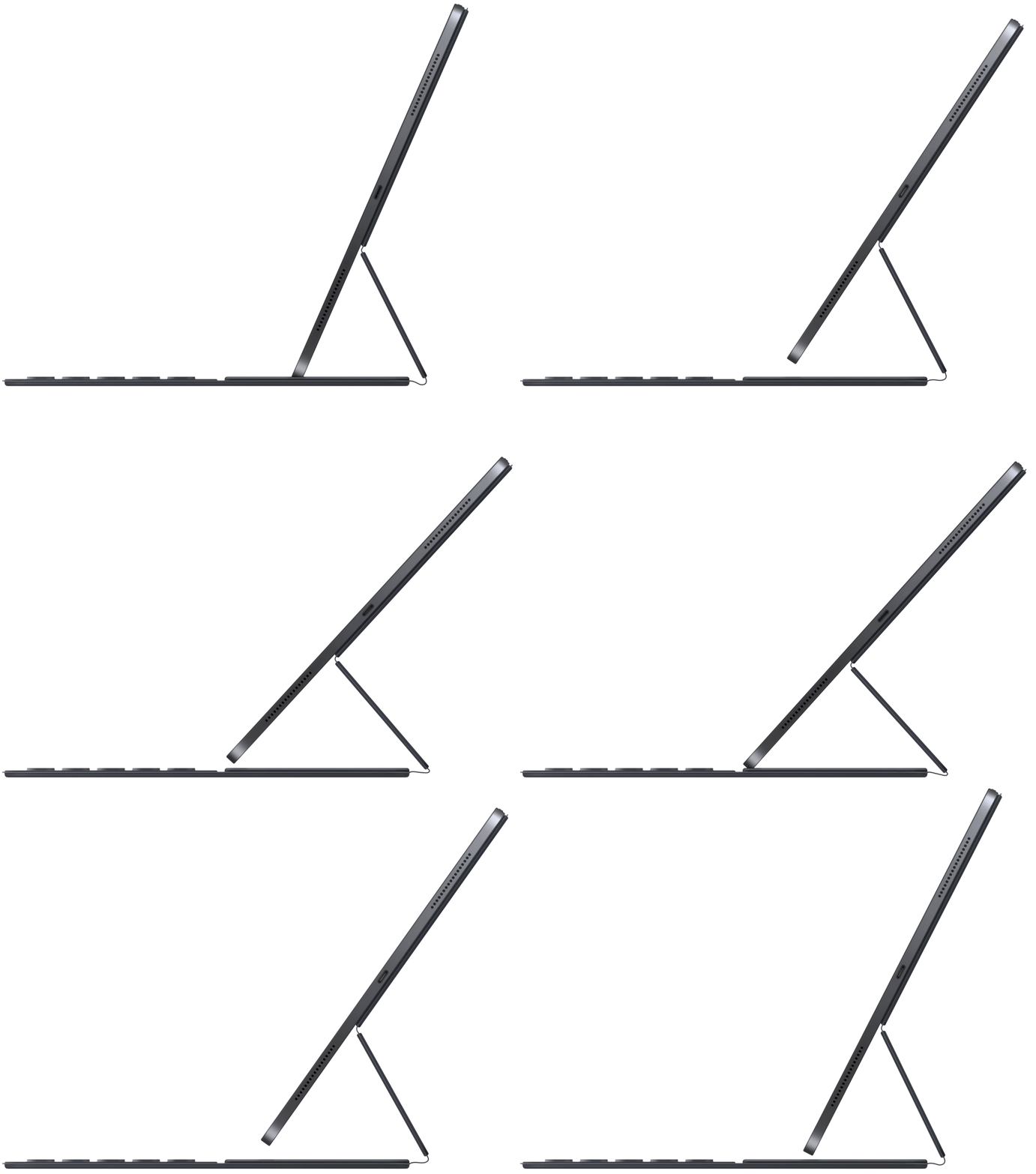
Good points in the article. I also find the model names weirdly confusing, how did the iPad become the smaller, less powerful variant when the Air still exists? They did this with MacBooks too, though I think the tiny one may be discontinued now.
And why is the iPad peripheral system such a mess? The released the pencil 2 which is a significant usability improvement and had every indication of replacing the pencil 1, but that was years ago and they keep releasing new pencil 1 only devices, while just calling both of them “Apple Pencil” in many places. If you want a good pencil now, there’s no way to buy a moderately specced machine with it, you have to pay for the pro with more compute power than a high end laptop.
And ipads now have full usb host support, but instead of marketing that as a perk, they kind of pretend it doesn’t exist by calling it the “camera kit” like it only has one specific use.
IIRC, the Pencil 2 requires different (and likely more expensive) support in the screen, as well as docking to the side of the iPad and charging magnetically - both of which raise the costs for the iPad. And then the lower cost models wouldn’t be so lower-cost any more. It does feel like they could have thought ahead a little better on that, though. FWIW, the Pencil 1 isn’t a -bad- stylus - it was hugely praised when it was released, the Pencil 2 is just a bit better.
As to the “Air” name... they got to where they had a solid low-priced offering and a “Pro” line with huge prices. And a big hole in the middle. But “iPad Medium” wasn’t appealing, so they resurrected the “Air” name. (FWIW, writing this on an iPad Air 3, and I love it - the only real loss for me, from the Pro, was the “ProMotion” variable rate 120Hz display, and I could live without that, for $$$ less.)
Docking to the side and charging magnetically doesn't just require magnetic charging hardware, it requires a redesign of the iPad to not have curved sides. So far that's only the 2018 iPad Pro.
I had figured this would spread to the other iPads ASAP because of the Pencil 2, but they seem happy to drag it out for a couple of years.
Charging magnetically on the side of the host device is neat, but not required. A separate charging dock would work too.
I don't think that would be a good solution, you'd have yet another oddball charging widget and if you didn't bring it with you everywhere the battery would die and you couldn't recharge it.
If anything, I'd rather they put the charging hardware in the front bezel somewhere, since that's already flat. Not a good place for storage or for charging the pencil while the iPad is in use, but at least you wouldn't get stranded with a dead stylus and no charging gizmo.
That depends where your "everywhere" is. I (like a lot of people) work at the same desk every day, and I trust the battery would last if I brought the device home or to a conference or something. Or I could get/bring a spare charge dock.
Charging daily works until you forget to charge it one day at home, bring it in to work, and it dies before lunch. Or the other way if you keep the charger at work, forget to charge it one day, and it dies that evening at home.
I have a second Apple Watch charger at work (albeit a cheaper 3rd party one) for that exact reason. I don't typically need it, but if I forget to charge the watch some evening and realize that it's at 10% when I get to work the next morning, backup charger is handy. Wouldn't want to lose this Move streak!
Sure, I could get a spare charger for a second-gen Pencil too, but it would be a downgrade from the first-gen Lightning charging which doesn't need anything extra.
I bought an Air 3 to replace my Air 1 recently and came the same conclusion as you. I got it for almost the exact price of my original one ($400) but with 4x more storage and the screen is larger (10.5’ instead of 9.7’) and laminated/ bonded this time. I use a tablet for media consumption not creation, so I don’t need the fastest processor or a stylus, and the Air line has been perfect for me.
I bought an Air 3 with Pencil 1 and yeah it was okay. Went back the very next day to upgrade to a Pro with Pencil 2.
It really is that much better of an experience. Just the ergonomics of magnetic storage and charging make a world of difference. And the pencil feels natural in your hand instead of like a stylus.
Sure they’re still not on the level of a circa 2010 Wacom Intuos – damn I loved that thing – but there’s no comparison. Pay the extra $300 to get a Pro with Pencil 2 if you can.
Now I’n thinking of getting a keyboard as well because the unimaginable is happening - my 2017 MBP feels cumbersome compared to the iPad. Only for Very Serious Work.
I have a first gen pro with the pencil 1 and find it better than an Intuos 3. I wasn't aware the later Intuos got much better, but I have not gone back to Photoshop/Wacom after getting the pencil. The comfort, form factor, and ease of use are just too good to let go.
Another head-scratcher with the Pencil 2 is that Apple doesn't sell a first-party case with a retaining flap for it.
The magnets are strong enough to keep it in place during normal use, but there's no way to put it in a bag and retrieve it without the Pencil flying off.
I eventually got a third-party case that does the right thing, it's just a strange oversight.
A few vendors sell a pencil-sized sleeve attached to an elastic strap that goes around the Apple case; I have one of those and it also works very well. Agree that it's an odd omission.
The USB host support irks me. I have an iPad Pro with USB C and I really want to be able to connect to things like arduinos and other mcus but there is no way to write drivers unless you pay for MFI and develop some hardware that is authenticated. Its really disheartening.
”but that was years ago and they keep releasing new pencil 1 only devices”
Apple doesn’t really release new budget devices; the case may change, but once technology has advanced enough to release an improved top-end device and parts prices for the existing product have fallen enough, they package the parts of the former top-end device in a new lower-priced device.
That turns out not to be true.
The newer low-end models have various changes from the previous high-end models, including case changes, but also other hardware. The original low-end iPhone SE had the plastic case with the hardware of the 5-something - but a smaller display. The iPad mini had the guts of an iPad 2, except it was a smaller device, requiring a new motherboard and display, and it had a better camera, too.
Similarly, the 2017 iPad was closest to the iPad Air 2, just a bit thicker with more battery, but it also had a new CPU and brighter display.
That pattern of component upgrades and size changes continues, and as the GP mentioned, Pencil 2 support (magnets and charging) hasn't trickled down to any non-pro devices yet, in spite of new releases to those non-pro devices.
The iPhone SE had a metal body. I have one in my desk drawer right now. It was fantastic hardware. It just used cheaper cameras and a smaller screen.
My kids still use SEs. It's still a very functional phone. The internals are iPhone 6s era (A9). The plastic phone was the 5c (A6, same as the 5) and it's not even 64-bit so it can't be upgraded past iOS 10. (The SE is three generations newer than the 5C.)
My teenagers love their SEs. Oldest lost hers, tried Mom's old 6 for a while, then asked for another SE.
My son's friends make fun of him for the small screen size of the SE compared to their 7s and 8s but he just says he's dropped it hundreds of times and it's working fine. It's in a case, of course.
> The original low-end iPhone SE had the plastic case
You're thinking of the iPhone 5c, which came out at the same time as the 5s -- well before the SE, which, slightly confusingly, was released after the 6. The SE has always had a metal body.
Woops, sorry, yes, I was conflating the 5c with the original SE release.
So that gives another example of apples making a new low-end device from a mix of old and new components.
5c new plastic body, better front camera and LTE than 5.
SE new low-end device with display of 5s, processor and back camera of 6s, front camera of ??, etc.
The first generation pencil wasn’t bad and it works with all iPads now.
Yeah I use one extensively. It’s great, especially for browsing website with tiny buttons (like HN) and drawing in notes. I don’t think going to 2 is a huge concern.
> And ipads now have full usb host support
And iPhones too, I just used iPhone with USB powered hub, USB mic and USB DAC for headphones, worked great :)
The main design theory of Apple is simple: come up with a great usability feature and deploy it on one model. Then spend the next 5 to 10 years spreading this out to their other models. When people stop buying, just swap in a higher specced component from Intel and talk about how it is 2x faster.
The Apple watch case is infuriating.
Since the new series 5 is a very minor incremental upgrade from the 4, they discontinued the latter, but still sell the 3. This way the comparison table between 3 and 5 make it seem like the 5 was a bigger improvement.
That's not their reason for discontinuing it though - there's no reason for them to sell the 3, 4, and 5. Probably retooled the 4's assembly line to make 5's.
So, you think it's normal for say, car companies, to sell the 2020 and 2018 models, but not the 2019?
> How would anyone ever figure out how to split-screen multitask on the iPad if they didn’t already know how to do it?
I actually recently got my first personal iOS (okay, iPadOS) device and this is how I feel about many of the UI features. Touching some side of the screen triggers this or that surprising feature and I'm struggling to undo what I did to get back to the business. Maybe what's needed is good old RTFM, but having heard how easy Apple device are to supposed to be to use, it's kind of unexpected that so much of this stuff is not that discoverable.
> having heard how easy Apple device are to supposed to be to use
That was a rule for very good reason, and it will take some time to erode, but it’s definitely not as true today as it once was. It’s no consolation, but the first iPad - from the era of usable Apple design - was much better. Not in terms of power or weight, of course, but the OS didn’t have all these weird mystery-meat controls, gestures, broken multi-windowing etc.
Swiping is not discoverable, but no one noticed at first because the iPhone TV ad campaigns all showed how to use it. So most people who got an iPhone already had that bit of knowledge in their brains and thought it was intuitive.
Touch interfaces have an inherent disadvantage here — there's no equivalent of 'hovering' a 'cursor' over something to see if it changes visually, triggers a tooltip, etc. Their interfaces actually need more help to be discoverable, not less.
Swiping isn't even a great gesture for most uses. Earlier today, I had to delete maybe 50-100 downloaded podcasts from the Podcasts app (there is seemingly no way to do this en masse). The quickest way to do so is with repeated swipes, but it's almost impossible to be consistent with your swipes over 50-100 items: sometimes the swipes 'stop short', sometimes they just fail for no obvious reason. A swipe is also a LOT more physical effort than a tap — if I could have just pressed a "DELETE" button 50 times, it would have been a lot more palatable (still short of a proper multi-delete, of course).
It drives me up the walls when some kind of list or collection touch UI doesn't offer any kind of batching, and most don't.
Some kind of data-selection mode where I can drag across all the elements I want to select would be awesome.
Is multi-windowing really broken? I've found it incredibly useful for taking notes in the right window while the book/article I am reading in in the left window. It seems to just work for me.
I think it's 'broken' for anyone who doesn’t use it regularly. It’s too undiscoverable, and too easy to invoke accidentally, for the rest of us.
It’s changed. With the last iOS update, the gestures changed slightly - they used to start with a slide over that could be docked, and moved to a split and/or dock based on the position on the screen.
Individual app’s capabilities also vary based on whether they are windowed or not. For example, you can’t airplay out of YouTube unless the app is full screen (even though once you’ve moved it to your Apple TV, you can switch away freely).
Discoverability is also crap. You have to dig into the manual (which you have to “buy” for free) to get the full details of the feature.
> struggling to undo what I did to get back to the business
You'll love this one: to undo (don't think it works for everything, but it does for typing), shake your device rapidly from side to side.
There’s a gesture for it now, too... but I have no idea what it is. Something like swiping three or four fingers down or across or diagonally. Definitely not discoverable.
Three fingers left and right, theres also a three finger pinch for cut and paste.
uh...they all make more sense on an iPad than the phone though lol.
This was replaced in iOS 13 by a less comical, yet equally undiscoverable three-finger tap gesture.
Considering that command-Z is not discoverable either, it’s not too bad, especially as there are undo/redo/clipboard buttons on the keyboard in most cases.
>> Considering that command-Z is not discoverable
Traditionally, the keyboard shortcut for undo has been listed next to undo on the edit menu. That's pretty discoverable...
And it's brilliant.
Ever time you manually click edit → undo, you'll see the shortcut. It’s not invasive—it’s not some big popup that takes over the screen, or even a neon-colored tooltip that commands your attention—it’s just there, in the background, in case you happen to notice it. Maybe you’re not sure what it means at first, but if you keep seeing it every day, you just might try hitting the sequence of keys at some point...
The best UIs naturally help you progress from a basic user to an advanced user, without you even noticing it. I'm not saying the traditional desktop UI paradigm is the best that can ever possibly be done, but it has had 30 years of evolution at this point, and it's pretty darn strong.
I really miss the consistency of CUA and its derivatives (the original Mac and Windows desktop UX). It may have not been the most ergonomic, but it was extremely discoverable thanks to the menus, and it was very consistent: you only had to learn a few simple principles, and then apply them everywhere - and it scaled nicely from Notepad to Excel.
Are you serious?
https://developer.apple.com/design/human-interface-guideline...
> Many apps allow people to shake the device to undo and redo certain operations, such as typing or deleting. When initiated in this manner, an alert asks the user to confirm or cancel the undo or redo operation.
Yup, also Google Maps on iOS detects this as a "Send Feedback" command and shows a dialog for it. Slightly fitting, I suppose.
> Touching some side of the screen triggers this or that surprising feature
Ah this brings back fond memories of Windows 8 :-)
They even did this silly "corner thing" in the server edition, Windows Server 2012 - I remember the first time I RDP'd onto one, and had no clue how to open the start menu (the Windows key didn't work over RDP)!
I had to google it, obviously whilst cursing profusely the whole time. Microsoft have a lot of UI/UX people - it boggles the mind that someone thought this was a good idea!
I legit had to google how to Shut down / Restart a Windows 8 machine back then! It's insane to think that tech people could not figure out the UI, imagine what the regular people had to go through.
I had to open system Help to try to figure out how to log out of Windows NT 4 the first time I used it. We didn’t even have Google.
Helpfully, choosing Help crashed the system, which accomplished my goal.
Didn't Vista default to suspend when pressing the power button - in the menu?
Not sure why the downvote. This was a legitimate concern. I supported Windows PCs back then, and it was hard enough getting people distilled in the mantra of shutting down their PCs without just pulling the power. And then the default behaviour changes. Inconsistent UIs. https://www.lifewire.com/how-to-change-the-start-menu-power-...
In Gnome-Shell, pointing to the top-left corner of the screen (labeled "Activities" on the system bar) will bring up their Windows-8-screen equivalent, and it's quite intuitive to use once you know the basics. It's slow as hell because Javascript, but other than that it works fine. And yes, you can tap or swipe from outside for pure touch access.
The key distinction there is that there is a visual element that does still respond to taps/clicks, which means that eventually you try to click on it, overshoot to the corner, and discover that you don't need to click at all.
Gnome shell does some of this stuff well, but try using it for real work on a tablet and you start needing those arbitrary gestures again. Need to invoke the on screen keyboard? View the app overview? You're going to be searching the web for those gestures, guaranteed.
Hot corners.
That's what they are called. Not sure why the negativity.
There is a manual of sorts: Tips.app
There’s also an iPad User Guide you can download in the Books.app.
I miss the time when there was no "Tips.app" nor a need for such an app. Nearly every UI feature used to be discoverable and made sense. Those that didn't (like gestures to close apps on iPad) were gated by a toggle in Settings so that casual users who don't know/need it don't accidentally trigger it.
Last year I got an iPad, my first Apple device (I needed ForeFlight for flying, and it's only available for iPad). I downloaded a few manuals for ForeFlight, which apparently went to Books. I pulled one up in Books, spent a few minutes glancing and things, and spent the next 15 minutes trying to figure out how to get out of the current book back to my list of books. Finally took it to my wife (a long-time Apple fan), and it took her about 3 minutes of tapping and dragging various places. In the end, neither of us knew how we did it.
It's not a surprise to me that there's a manual and that it's even on the device :). But it seems like an iOS design pattern to keep this stuff hidden. I think it's okay for things that rarely happen by accident (multi-finger swipes or so), but touching (swiping?) over screen edges is something I seem to do often, so it becomes a problem. And I'm a geek in my early thirties, so it's not only a problem for the elderly!
The iPad has failed as a general purpose computing device, sure. But it has succeeded (along with other tablet devices of similar form factor) as a basis for a large and growing number of single-purpose use cases in various industries:
- iPad POS are popular in smaller coffee shops and similar outlets
- iPad-based document viewing solutions are used by pilots to replace large bags with manuals for planes that they used to lug around
- iPads are used for meeting room management solutions, information displays for customers and similar purposes where one single application is to be run basically 24/7 on a device with low power and space requirements, but where certain aesthetic requirements to the app as well as the hardware have to be satisfied
Granted, iPads don't hold this space exclusively. But so don't iPhones or Macs hold their respective application spaces exclusively, even though they significantly catalyzed their genesis.
The issue with each of these examples is that hardware advancements barely matter. $200 Android tablet with a simple enough design works just as well.
Apple doesn't want to participate in such markets. That's why they try to push creativity narrative, "what's a computer" and so on. iPad can only succeed as a premium enough product, and that requires software differentiation.
> . $200 Android tablet with a simple enough design works just as well.
I mean, the normal (and I assume best selling) iPad is about 300, and will likely be supported for a lot longer than the Android one (my Air 2 is getting on for 6 years old).
Having serviced many kiosk-type iPad devices, expecting the operator to update is incredibly wishful thinking.
iPad succeeds in these examples because it's a consistent environment with updates.
The problem with the cheap Android tablet is that unless the entire world standardises on a single model of tablet for these purposes you'd have all kinds of quirks around hardware, etc. Updates are also another issue even on premium-priced Android devices, so the cheap one is a lost cause.
Updates themselves are an assumption. I imagine a large percentage of cafe checkout and meeting room booking tablets are never updated once installed.
The distinction here is Appliance vs Computing Platform. And so far many tablets are seen as appliances, not computers.
I doubt it's so much doing updates as it is about support. If they have a vendor app (like Square on a tablet to take payments) and that abandons older OS versions to lower technical debt or for security reasons then at least they can update.
On Android you'd sadly find the lack of kernel compatibility with the chipset means that ever happens.
If they're iPads, this is unlikely.
All one has to do is leave them connected to power and WiFi overnight.
It's more likely that the typical cafe checkout iPad is silently updated on a regular basis, after close of business, and the staff don't notice at all; since they're going to be password protected, they just punch in in the morning, as usual.
Updates can be provided by the community in many cases. Buy cheap LineageOS-supported tablet, unlock the bootloader and put LineageOS on, you're done. (Then once pmOS gets good enough for your use case, your device will be software-supported for the entirety of its useful life, by a mainstream, desktop-like OS. You don't get anything like that on the iPad - the best you can do is reuse it as an additional screen for a Mac via Sidecar.)
The community is not an acceptable answer for a business deploying thousands of these. With an iPad you are guaranteed X years of updates. With the community, you may or may not get an update, it might have quirks and installing it might be non-trivial.
If you're deploying "thousands" of these devices, you can standardize on a single model and even get custom support. The iPad might still be a good choice then, but it's definitely not the only one.
Yeah but you have to think about it. I feel like for many businesses thought/effort/time — even only a little - is more valuable than money.
[edit] and you also need to have someone whose aware of those options to begin with which is less common outside prigramming enthusiasts imho. Because Apple has amazing marketing discovering an iPad solution is easy.
"No one ever got fired for buying iPads" is the new "No one ever got fired for choosing IBM".
I get that, but after all it's not really Apple's choice what their buyers do with their devices. If they overwhelmingly decide the iPad is a nice base for this kind of application, Apple can either embrace that decision and cater to these customers (of which a good part are obviously ready to at least pay more than those $200 for the cheap Android tablet option, probably because of better update support as suggested by that other comment alongside this one) or try to make the device appealing to other target markets that they'd like to be in.
But when those other markets don't really take the bait, at some point it might be a good idea to accept that there is a market, but in a somewhat different place than originally anticipated.
This reminds me time (2013) where I had to choice new Nexus 7 or Ipad Mini 2. They were close in the price, in my country and they were both new. In few years , Nexus stopped getting updated and support but that Ipad mini got even ios 12 and still works well. For me Apple hardware is consistent and reliable that it can work well even more than 5 years.
I don't think you can really say that the iPad has failed as a general computing device, and that it is propped up by the situations below. What do you think generates $20B in sales? That's a lot of tills flight aids.
I think the iPad has succeeded as a general purpose computation device for normal people who use computers for email / music / Facetime / photos etc.
Always seems like its the 'power users' who don't seem to understand the iPad when the average person can pick one up and do most things they want to do with one.
That is not what I would consider "general computing device", more like "media consumption device", and yes, it is fairly good at that.
I would require a device to be regularly used for content creation as well in order for it to qualify as "general computing device". But pretty much the only "content creation" that I see happening on iPads in normal peoples' households is writing emails. By that account, our smartphones are certainly more qualified for the "general computing device" tag, because those are regularly used to create photos and videos in addition to mails and instant messages.
If by computer programming or media creation (videos etc) then I would say what you want is a specialist computing device - most people do not use their computers to do this, nor need them to be able to.
With an iPad you can write all the emails you want, edit and share photos, create word docs and basic spreadsheets, which is enough for the vast majority of people. I agree that phones are also general purpose computers, most people can get away with just having a phone now.
Maybe we dont agree on ‘general’ as a term, I mean what most people need or want, I think you maybe mean can do lots of different things?
Yeah, that must be it. I mean "versatile", which is a feature not everyone needs, not even a majority, but a large enough proportion of the market as to be relevant (especially since the remaining share of the market depends on those that need this versatility, because without content creators - a prime group requiring versatile computing devices - there's no content for those that don't need this versatility because they mostly consume).
Gruber is right that the iPad hasn't revolutionized an industry like the Mac or iPhone. But the iPad was launched smack in the middle of the iPhone and the Mac, not in the middle of a green field.
The iPhone had competition below it, from feature phones and Blackberrys. But there was nothing above it. Similarly, the Mac was launched into a very nascent market, where there were competitors (PCs), but it wasn't facing competition from above and below in the same way the iPad was.
Perhaps the iPad would have done better and grown faster if it had been made by a company that wasn't worried about cannibalizing iPhone or Mac sales. But surely part of the reason the iPad has been as successful as it has is that it runs the same apps as iPhones and has attracted devs who might not have otherwise been interested.
The iPad arguably succeeded because it wasn’t a convertible. However, now, especially given big phones, it feels as if some sort of tablet/laptop convergence will eventually be the future.
> especially given big phones
Work tried to upgrade my SE to an XR. The latter is unusable -- too large to hold in one hand while typing, too big for a pocket, far easier to drop, and absolutely no benefits from a larger screen - if I wanted a larger screen I'd get an ipad.
I’d argue that the iPad is an excellent chance to downgrade to a less capable phone.
Get an iPhone ~8 — no need for an 11 in combination with an iPad.
Mostly disagree. The camera progression on newer iPhones is a big differentiator [for many]. Also I don’t more or less always have an iPad in a pocket like I do a phone.
Camera is true. Speaking for myself, I’m a hopeless photographer and the iPhone X’ camera won’t save me.
One big difference with the newer phones is low light performance. I have a bunch of "real" cameras but I so often don't have them with me if I haven't set out with the explicit intention to take pictures.
>I’m a hopeless photographer
Like anything else you can learn. You may not transform yourself into a great photographer but learning some simple rules and practicing a bit will take you a long way. Smartphones have limitations relative to interchangeable lens cameras. But there's a lot you can do with them.
I am not a natural photographer, but a couple rules I've followed have made my pictures better:
1. Light up the thing I'm trying to photograph
2. Keep the bright light sources behind me insofar as possible (for example, pictures of a person with the sun behind them are really hard)
3. Turn on the grid lines and try to get interesting things either on the lines or where the lines intersect
4. Line up horizons or vertical lines so the photo is clearly oriented, unless I'm trying to be disorienting
Probably add rule of thirds. Rules are made to be broken but it's a reasonable starting point.
ADDED: A couple of other things.
(Usually) have a clear subject of interest. i.e. focus in on something.
Probably related. If you are taking pictures of people, for example, get in closer.
"Turn on the grid lines" is basically "rule of thirds".
that's what I was going for without wanting to explain what the rule is
Totally.
Get in closer!
Are you too close? No
Low light is an excellent point.
Regarding skills; while yes I could learn it — getting to a passable level is entirely possible. It’s just that I don’t really care that much.
I did that for a long time with a 7" Nexus tablet, but it's hard to carry an iPad in your pocket - even the Mini is almost 8", way too big for any of my pockets -, and if I have to carry a bag, I'd rather bring a full 12" laptop with me.
Ah. I prefer my iPad over a laptop for most of my tasks that don’t involve programming.
Watching netflix, taking notes, even editing videos (holiday stuff for my own enjoyment), doodling, random browsing, planning trips, etc.
I consider its restrictions a feature.
I find the contemporary "smaller" smartphone form factors to be too large already.
>By 1994 almost all graphic designers and illustrators were using computers for work.
The iPad is a great device but, it isn't essential to anything or anyone. If tomorrow there where no iPads anymore, we would all just get on with our lives.
If all of them disappeared into thin air one night then nearly the entire global aviation system would come to a screeching halt. It’s the device of choice among air carriers for navigation charts. Paper backup isn’t even carried anymore. We just carry extra iPads and batteries.
I’m not sure any of the charting apps used by air carriers are even available on another OS at this point. I’ve never been aware of JeppFD Pro on Android and I believe they dumped Windows as well.
There are other options of course but as far as I’m aware in the US it’s all iPads and JeppFD Pro. The feds are familiar with it and a regulatory framework is created around it so it’s the path of least resistance. And as a pilot, I’d say most of us are pretty satisfied with it.
not just pilots, I see them in use by nearly every service person who comes to the house and even at work. they are just the right size for easy reading, the lack of keyboard removes a major breaking point if not cleanliness issues. throw in they just give a modern and sleek vibe to any organization employing them versus pen and paper.
plus they make it easy for customers to sign for services which in turn makes it easier for businesses to know that the work was done. toss in CC readers that attach easily and you have a simple POS device
if anything the amount of waste that would come back into our lives without them would be staggering
”throw in they just give a modern and sleek vibe to any organization employing them versus pen and paper”
There likely is a good cost saving there, removing the need to transcribe handwritten forms and archive them in cases where the customers signed them.
It also easily gives you some tracking info, even if you only let it send location info when the service person uses it. That can give you the data to inform other customers on that service person’s route about arrival times.
The iPad is also a massive choice for artists who used to buy wacom products. The ability to buy an iPad and pencil for under $500 and make stuff in pretty great software really changed the industry. To do something like that with a computer was a $1000+ market.
Also paramedics. Pretty sure the various militaries of the world use them extensively too.
Musicians would also be sad, the iPad seems to be the #1 device to replace sheet music.
so the captain tells us to switch off all electronic devices and then proceeds to navigate the plane via iPad?
They tell you to switch off the device's broadcast functionality ("airplane mode"). Something they don't need for navigating with an iPad as it's just offline maps / apps).
Besides, what if they did? You think you need to use your device just because the pilot is?
> You think you need to use your device [...]
No I don't, I just brought that up because OP was confused why the pilot can use their device while "normal" passengers can't.
I haven't had a captain tell me to turn off electronic devices for years. The flight attendant asks me to remove headphones for the safety briefing, which is reasonable, and we're told to put it into airplane mode for takeoff/landing
I accidentally left my iPad in the seat-back on a recent flight — my case, it turns out, is a perfect match for Delta-leather-blue. Even though this is an iPad with cellular, I'd switched it to airplane mode and thus was unable to locate it with "Find My". After three days the airline hadn't found it, and I chalked it up to an expensive lesson learned.
On day four, I received a push message (from Find My) that the iPad had come to life. An airport staffer had found it and charged it up. Presumably it cold boots with airplane mode switched off, so it connected to the cellular network, received the "lost device" command, displayed my contact info, etc. I received a call shortly thereafter.
When I picked up the iPad at baggage services, I chatted with the staff a bit. They let me in on the "secret" that most airline employees never switch their devices into airplane mode anymore, and for this exact reason.
While it's good to avoid EM interference from electronic devices, I think the real reason they want you to switch of these devices is to make sure you're not totally distracted during take-off or landing, and that you're not using headphones, so you'll be aware in case of accidents/emergencies.
Nah, they haven't asked passengers to turn off devices in years. They just want them placed on airplane mode so they're not connecting to cellular networks. Bluetooth and WiFi are just fine.
The pilots’ devices are selected to airplane mode as well. Many carriers do allow WiFi to be turned on and have a separate WiFi network onboard that allows for operational access. Mainly weather.
Why couldn't you put the app on an iPhone or iPod touch ? Or in a simulator on MAC ? It's not like the device is essential. It might be more practical for some purposes, but not essential.
Because of the form factor. iPad is close in size to the papers used before. iPhone is way too small and a Mac is way too big and clumsy. Also a Mac has a clamshell design as opposed to being just a tablet that fits nicely in front of the pilot.
No pilot will want to point and click using a trackpad. Finger is far quicker.
That's because it's a consumption device, despite the heroic efforts of some people to prove otherwise.
If I want to reply to an email I'll walk upstairs to my real computer rather than attempt to do it on our iPad.
As Joey Hess said[1] "If it doesn't have a keyboard, I feel that my thoughts are being forced out through a straw."
ipads have a non-insignificant footprint as point of sales systems these days too, so I wouldn't say ipads are _only_ a consumption device. They are also a pretty solid task specific unit for certain specific industries.
They make good head units too.
I guess what OP was trying to say is that their application as creative tools (production vs consumption) is far more limited than the full fledged PC systems that we are used to.
In my experience that has more to do with the artificial limitations devs put into ipad software. Take MPC drum machines for example. iMPC Pro 2 could replace all hardware MPCs if they wanted to but they would cannibalize their hardware if they did that so they made the ipad version a toy instead.
In absolutely no way is this the case. The iPads screen will always be a toy compared to proper AKAI pads. It’s not even velocity-sensitive.
Fair point but it's much further hamstrung than it needs to be and it would be easy to add velocity after the performance.
>> it would be easy to add velocity after
What? In no way, especially for drums.
Just draw it in. I've been doing it for years in daws
Yeah, okay, no, that does not equate to getting the natural response I am putting out while playing. :/
If that were the case, do you think Microsoft and Adobe spent money on development of Office and Photoshop foolishly?
The iPad Pros are credited with stopping the slide of iPad revenues - along with all of the accessories.
Honestly I think companies are (mostly) wasting their money porting desktop software to iPads. There's going to be niches where it makes perfect sense, but Office for the iPad is going to be a waste of money. Home users don't need it, business have laptops and desktop for those things, and Word is a poor note taking app of field work. To be fair I believe that the iPad is a poor note taking platform in general.
For specialized software, tailored to specific fields, with only the interaction elements for particular jobs the iPad can be a much better fit than a laptop. Those jobs however aren't generic enough that off shelf software make a ton of sense.
Doesn't really matter what you personally think, what matters is what companies think, because they have the data to back it up. Is it a waste of money or not? Office for iPad came in 2014 and still being quite actively developed so I think we can conclude the opposite of what you are saying.
Many examples of companies out there wasting $$$$ money for years on dead end projects.
So you think you know better than Microsoft and Adobe? Have you thought that they may know their customer base better than you do?
Unless we can see the numbers we don’t know if Microsoft profits from Office for the iPad. So I could be right for all you know.
Seeing that the only way that Microsoft makes money on Office for iPad is by selling O365 subscriptions -- same as Adobe with Creative Cloud -- having access anywhere is the value add.
Microsoft or Adobe can afford to make a billion dollar mistake.
Why would Microsoft keep developing a product for 7 years if there were no interest?
The Zune was launched in 2006 and discontinued in 2012. Why did that product last 6 years?
I’m not saying Office for iPad is pointless (I use it regularly, so quite the opposite!), but I do think it’s foolish to think an organisation the size of Microsoft’s doesn’t necessarily do things for obvious reasons. Individual incentives do not always lend themselves to data driven objectives.
Apple created the iPod in nine months by cobbling together third party components. The Zune wasn’t exactly a billion dollar investment.
I think it's unlikely that Office for iPad is a billion dollar investment either. It doesn't change that it might not actually generate any direct returns for them.
Loss-making strategies can ultimately be profitable in a broader sense (if it increases the stickiness of the product on it's primary platforms, keeping away competitors, a strategic moat).
I don't think there's any evidence either way to be able to make any assumptions about the level of interest of the product, and whether or not that justifies it's existence.
Not sure about Office, but iPad with Pencil seems popular with creative professionals, so for Adobe not to support it would open up opportunities to other software companies to Innovator's Dilemma them.
For illustration the iPad pro is my go-to production device.
agreed. graphic design - perfect niche for ipads.
Illustration is not graphic design though.
For graphic design (typography work, layout, UI, etc) mouse and keyboard are still the best input devices. Much faster and precise than tapping on a touch screen or using an Apple Pencil.
The main exception is drawing. It essentially replaces touch sensitive Wacoms.
This is unfortunatelly very true - Ipads have the best oen latency from mobile tablet devices & good software ecosystem (Procreate, etc.), likely thanks to overall more $$$ in iOS software development.
There are Android tablets with precise pen support, but especually the cheaper ones don't have that good pen precision (jitter, lag) and also the available drawing software is not as advanced as on the iPad & powerful ossdesktop drawig tools such as Krita or Mypaint are not yet ported to Android.
So in the end I basically had to get the top of the line Android tablet (Galaxy Tab S6) to get something comparable, where the manufacturer dumped so much mone so that some got also to the pen support & it would be working correctly. And so far so good. :)
I always felt the problem for android drawing tablets was that it was a three horse race and the anti-Apple was not Android here but the Surface.
The iPad Pro keyboard is pretty slick for what it is.
Pity it's missing esc and function keys.
Function keys seem like a stretch for the use case it is designed for - being able to type online or in apps while also having a very compact form factor.
Software developers continuing, after all these years, to dismiss any kind of creative work with a computer that isn’t typing, is crazy. I’d take an iPad over a laptop or desktop computer for lots of creative work, if I could only have one device.
As a daily user of iPad Pro 11” it would be very difficult to adjust back. Sure, the device does not provide me the comfort of doing 100% of my tasks at all times.
The combination of portability (form factor, battery life, LTE modem), with the growing support for the apps. I’m yet to see device that would replace it for me. I have had to take my MBP with me for quite some time.
iPad essentially fuels my remote-first work style.
That's not quite true - iPads are a huge hit in electronic music for performance and production. Whether that counts as 'revolutionary' is another matter - there was the original Lemur which proved the multitouch MIDI use in principle - but it has created a new software niche market that genuinely is thriving and used for 'proper work'.
I would agree that the iPad isn't essential for home users, other than as a YouTube player for kids and a gaming device for old ladies.
It does however seem to have found it's way into various trades as an information device. For instance is has replaced laptop as the primary device in elder care in many cities in Denmark. It makes perfect sense to use an iPad, it's more portable, the limited interface forces developer to think hard about what input is really required, and it faster to"unlock" than a laptop.
The iPad has develop very quickly from a consumer device to an "Enterprise" solution. You basically only need it, if you can afford to have custom applications developed. For almost everyone else, there's the large screen iPhones.
Apple isn't going to tell us, but it would be interesting to learn how many iPads are going to customers, and how many to companies and governments.
That's not true. It's used as mapping and/or communications device in many trains and aircraft. Also many business representatives use it to do demos or just to keep the CRM updated. I am using it to sketch software architecture during meetings (on the projector).
Now hang on, I use the ipad for creating artwork and it is much much better than any desktop/laptop computer with a wacom (or whatever brand) tablet.
Also, they are tremendous for the elderly. My 97 year old grandmother really struggles with desktop/laptop computers, but has absolutely no trouble using her iPad. It's the main way she stays in touch with her family.
The tattoo industry pretty much relies exclusively on iPad Pros and procreate. I'm sure there are plenty of other niche examples like this.
> The iPad is a great device but, it isn't essential to anything or anyone.
This would only be said by someone who isn't a frontline worker no interacts with any. Unless you see the people who use tablets for work as not really working.
Text selection is the most broken thing to me on an ipad. It makes any kind of editing pretty much unusable. Great device to browse the web from my bathtub and watch movies on a plane, but haven’t found any other usage.
My favorite pet peeve is trying to edit URLs in the address bar in Safari. Just trying to get the cursor to the end of the address field a an error prone chore. Often the text is select and there’s no way to unselect it. Then of course it doesn’t help when you want to remove some components of the URL that Safari helpfully autocompletes back to the URL you jus visited.
Force touching on the keyboard gives your finger control over the cursor more like a touch pad on a computer. It works really well on the iPhone, not sure if it's available on iPad. But yet again, one of those feature you just have to know about to use.
Doesn’t work on an iPad, which is where I want the feature the most. Also, force touch is no fine in newer model phones (because they screwed up the implementation in my opinion).
The same thing works on an iPad or phones without Force Touch, you just need to start the gesture from the space bar. Long-press the space bar and now you can move the cursor anywhere by dragging.
Yes, hidden and undiscoverable gestures are a problem.
It was never available on iPad, and is no longer on newer iPhones. It's replaced by a long touch, but this cursor control function has disappeared.
Long touch the space bar in the keyboard to get the trackpad-like functionality back.
Thank you. I had trouble activating this feature. On iOS it seems to work anywhere on the keyboard, not limited to a particular key.
Two-finger touch anywhere on the keyboard also turns it on, though I usually find that pretty awkward.
Thank goodness it's still around! Yet once again, no way of knowing that feature is there without being told.
I am actually kind of annoyed they removed the force touch on newer iphones. I used it so often on my keyboard.
The tradeoff was a 4-hour longer battery so there was probably more gained than lost there but the usable area to move the cursor shrunk considerably (to a long touch on the spacebar only) and makes it harder to use.
It is on iPad, two-finger touch the scroll bar and it does it.
I hate how utterly undiscoverable stuff like this is. I use the force touch trackpad on my iPhone constantly and always wished it existed on the iPad.
It doesn't work well either. If the cursor is already selecting a span of text it can be hard to return it to a single movable cursor and the two finger drag on spacebar thing will just move around the multiselection in a broken way. There is probably some other secret shortcut to toggle, tapping in the text or double tapping just seems to do things at random and rarely gives back a single cursor.
Yep, for all the pride they take in the "it just works" and their "simpler" UI, they certainly love to hide useful features and just not tell you about them upfront.
Yeah, you can read and play around with the phone to learn but something simple like cursor and text adjustment should be priority no. 1 in terms of alerting the user that a function actually exists.
Use three fingers on keyboard for same effect on devices without force touch.
Two fingers on the keyboard, it turns into a cursor control. You're welcome :)
That does not work for me on iOS 13.3.
Even with a tap and hold? It should make the letters go away. Works juyst fine on 13.3 on my Pro 10.5
Tap and hold works, two fingers does nothing though.
This is one of the reasons I don't understand why there are so many iPhone/iOS fanboys... are they actually never experiencing these kind of frustrating bits of iOS or are they just ignoring them? Because I experience them all the time. Only reason I haven't switched back to Android (yet) is that I love the form factor of the iPhone SE.
I felt this rather acutely at work where I was strongarmed into giving up my Linux desktop for a MacBook. When I ask how a Mac-loving coworker solved a OS problem, I'm met with blank stares as if they've never recognized it as a drawback, let alone wished for a solution. Multi-monitor support is a particular pain point for me; there just seems to be so much missing and I can't understand why.
I'm using multi-monitor (3 monitors) setup with my Mac for a long period of time (more than 5 years). What problems do you encounter, maybe I can help you to solve them.
This is so much worse as of ios13 - which was somehow meant to make text selection better, but for me made it so much less consistent.
I really feel like this should be a solvable problem though. It can’t be that complicated to select text reliably.
This has been such a pet hate for years on systems with a mouse as well as iPhone iOS, that I assume it is nigh impossible to select text reliably and conveniently, for some unexplored reason or other. It's always the case that I can get a selection backwards up to the first letter but missing it, or including the first letter and some extra junk from the lines before, but not simply up to and including the first letter.
Right now replying to your comment on Windows, FireFox, with a mouse, I have just discovered a new text selection mode I've never noticed before[1] - double-click-and-drag selects whole words. Consistently up to the new word boundary on the right. That means it's possible to select an entire sentence up to (but without) the period. Or including the period and a trailing space. But not the obvious one to want - a sentence including the period and no trailing space.
[1] I know double-click commonly selects words, and triple-click selects sentences, but didn't know of double-click-drag.
Just checked and it works on MacOS too. Thank you, what a game-changer!
Agreed — moving the cursor and selecting text has become almost unusable for me on iOS 13 [1]. It's a shame, because I always used to be impressed at how easy and natural it felt. I really hope they figure this out and reinstate the old approach.
[1] As I was saying only the other day: https://twitter.com/jawj/status/1221038674193932288
This could actually be a valid reason to jailbreak my iPhone (the last time I did so was 10 years ago). Does anyone know if there are any tweaks that would bring back the old pre-iOS13 behaviour?
I just learned the spacebar trick a few months ago.
I still get “5e” instead of “the” about twice a month. And once in a while I will be typing and four words to half a sentence will just disappear and I still have no idea how I’m doing that.
A whole new text entry system wouldn’t go amiss for me, either.
For me, a chunk of text would go missing because it interprets fast typing as double, triple, quadruple tapping. Which means the text is selected and then promptly overwritten. The solution is to be deliberate about typing slowly on the screen keyboard. https://www.howtogeek.com/441872/how-to-use-text-editing-ges...
> And once in a while I will be typing and four words to half a sentence will just disappear and I still have no idea how I’m doing that
I don't edit text on the iPad for exactly that reason. As soon as I start typing fast using the screen keyboard, I keep losing stuff
It would be nice if they fixed the autocorrect learning insane things like correcting “male” to “Male” and “doesn’t” to “DOESNT”, so I wouldn’t have to do so much text selection to fix it. My iPhone which is really behind on iOS versions doesn’t do this but my iPad is awful for it.
Autocorrect on the iOS from four years ago was nothing short of magic. It would understand the most confused babble and rarely needed any guidance. It even seemed to get used to my style of typing after a while. Today, it is a constant battle. It keeps trying to rope in my address book, different languages I’m not typing in, and arcane words. I correct it every four sentences at least.
I thought I wanted these features; boy was I wrong.
But try selecting text from a web page...
Not Just broken on ipads, pretty much every touch based system out there has horrible UI to select text...
It is fantastic for creating artwork, if you are artistic.
From the comments here, I think many people are missing a very important factor: while we (as technologists) focus on what WE think of the iPad, or what we can do with it to be productive, this is only part of the picture of the general population.
In my opinion the iPad has had a tremendous impact within the general population and (combined with smartphones) got rid of the PC altogether for the average family. And tablets, especially for the elderly, are a true game-changer.
My mother, not a technologist at all (she doesn't even have a cellphone) cannot live without her iPad. Granted that she could do everything with a smartphone, but the bigger screen of an iPad is particularly good for people who have a waning eyesight and, in general, might require a bit of a bigger UI (bigger buttons, etc.).
I agree with this. My grandmother (who passed away in 2018 at the age of 91) tried to get into computers regularly for a decade, starting in the early 2000. We tried a lot of things, nothing stuck. Every device we would give her would quickly gather dust, unused after a few days.
Then in 2013 she got an iPad 2 and she instantly started using it several hours a day for the next five years.
In particular, I set it up so I could push new family photographs to her iPad remotely through iCloud. That was absolutely life-changing for her: now she was able to see super recent photos of all her children and grandchildren without having to beg for a printed version. That also worked for videos: for the first time since the VHS days she could replay family videos whenever she wanted.
She also liked multiple card games and the iPad was a wonderful device to play them electronically. The biggest self-service I ever gave myself was to only suggest games that had a paying version without ads, and pay a few euros to buy them. The biggest problems with ads for her was that she could sometimes be a bit sloppy with the touchscreen : when an ad was present it would redirect her to a random website and she would get lost. The quality of the iPad touchscreen and that we stuck to ad-free apps allowed her to almost never get lost like this anymore.
While the iPad may not have been a revolution for the general population, it definitely changed the world for my grandmother. For that I will be grateful for this device to exist.
Miss you, grandma.
I don't know anyone with an iPad and only professionals who sometimes use an Android tablet for special cases (drawing, audio stuff)
Most non-tech people I know simply have a Smartphone and that's it. Tablets in general still seem like a niche product to me.
I don't think I've seen an iPad used outside a restaurant payment system since they came out.
And I think whoever owns that restaurant might not be that smart if you consider the competition.
I like the idea of Microsoft's surface. But I haven't used one.
This is excellent. My grandma (89) uses an iPad and iPhone. She can use both these devices exactly because of the simplicity mentioned in the article.
1. Open app by tapping it.
2. Close it by tapping the physical button. (rip)
That's it. And that's why my grandma can use it. The first and only device she comfortably uses to this day.
People in our (tech) communities tend to overestimate a users ability with technology.
I'm kinda jealous of your experience.
My dad (early 80s) struggles with tech in general, including the iPad and iPhone. Many in his peer group use touchscreen devices with fewer issues.
This is what I noticed from trying to teach him how to use the interfaces:
1 - He refuses to mentally process what the icons represent and ignores the text label below them. I thought switching them to Chinese would help, but he'd struggle with some of the terms, as they were unfamiliar to him. For a person his age and background, "address book" is more meaningful than "contacts".
2 - He wants to memorize locations and steps as opposed to using intuition via #1. This sometimes helped, but there would be occasional pitfalls, i.e., an unintentional gesture pulls him out of what he's doing and then he just doesn't doesn't know how to get back.
I tried switching him to an old school feature phone (one of the newer Nokia remakes), but even that's a struggle, as there's simply too much UI, and I notice rocker buttons confuse the hell out of him. Many of these devices are marketed to seniors (and pretty much have the same interface and functions) but I don't think they were really tested with seniors.
My dad doesn't have or use the Internet, and he's starting to get left behind as large companies are trying to move away from snail mail for things like bills, etc.
The "Address Book" vs. "Contacts" one is a good example. The one that hits some of the non-techies I know is "Drive". More than a handful of people I know still confuse it with Maps. They are going to drive to the next town over, and want directions, so obviously they look for Google Drive.
I'd guess 99% of the population associates the word "Drive" with cars and driving, and 1% associates it with "internal storage" yet what did we geeks decide?
While I get that designers hate skeuomorphism, I tend to think there are still significant benefits to it with seniors.
With my dad in particular, if the icons were literally photos (as opposed to "graphically designed" icons) of real world objects he was familiar with, I think it would help... a little.
He doesn't seem to process abstractions very well. For example, a shadowed head in a contacts icon has absolutely zero meaning for him.
Even with non-touchscreen UI's, such as a media player, my dad doesn't quite grasp the concept of a highlighted item no matter how many times I try to explain it to him. It gets even more confusing for him if the highlight changes color in different parts of the UI.
It would be nice if voice ui's were more advanced, but he speaks a dialect of Chinese that's much less common than Mandarin or Cantonese, so there's another issue.
For the life of me, I can't understand how neither IOS nor Android offers some type of "Simple UI" setting.
It should only consist of 4 Icons: Call, Email, Text, Web
It is a crazily under-served market.
There are launchers for Android, but they don't work perfectly.
For me, the only icons I would need is "Call", "Answer" and "Silent". Of course, that begs the question, why not use a "feature phone", but their UIs are muddled and overdesigned these days too.
I have this odd contacts thing. Start there for calls and chats, or start with a call or chat then find the contact? Not so simple.
Same here. My grandmother is 97. She grew up as a shepherdess during the great depression, was a nurse during WWII, and then raised 6 children. She has no technical training, but she can use an iPad with no trouble while she always struggled using a desktop computer or laptop. iPads really are great for her use case.
My experience is similar, but my grandmother has gotten worse at using her iPad as iOS has gotten more and more confusing. I usually see her with Safari in split-screen as Gruber mentioned, and know that: A) there's not really any way to teach her to get out of it because the gestures literally require more precise movements than her fingers are capable of, and B) there's no way to teach her to avoid open Safari in split-screen mode, because I constantly do it myself accidentally too on my iPad.
The iPad used to be a really great device for her use case, but the more they add gestures which it's easy to accidentally trigger but hard (as in physically hard, requiring precise finger movements) to reverse, the worse it gets.
Just in case you haven't seen any of the updates elsewhere, there is an Accessibility setting to turn off multi-tasking/split-screen that would most likely help your grandmother: https://support.apple.com/en-us/HT207582
I've found the very small bezel on newer iPads to be a problem for my parents in their 60s. Since I got them a new iPad they frequently will accidentally exit FaceTime while talking to them and then not know how to get back.
The unintuitive multi-tasking is actually an advantage for them. It's hard to accidentally end up in that mode and they wouldn't have a need to ever use it. If it was easier to get into multi-tasking, they likely would only want to know how to stop it.
Let me recount an experience I heard second hand of a researcher developing user interfaces for research tools. Keep in mind the target audiences are people with PhD's and who have to comb through lots of data in order to do their job. They struggled with _double click_ as a concept. How fast, not moving the mouse in-between clicks etc, etc. Some people are really virginial when it comes to anything other than doing things the slowest way possible on a computer.
I would have thought Double Click was something "Death would take care of it" [1] by now, so may be not.
I remember twenty years ago teaching my parents double click, they then spend years on computer and they still cant understand it. They have 4 modes in their mental model, Left Click, Right Click, and Double Click on both Left and Right. They dont understand when to use which.
A lot of nerds / geeks/ tech people to this day still dont understand what makes the whole touch screen / iPhone UX so special. Scott Forstall said it [2] these people just dont get it. The single tap app opening may have been trivial for most of us, it was a world of difference to 95% of consumers. ( And that is why you should not put these people into consumer tech product design )
[1] Something Steve Jobs said with regards to people dont know how to use a keyboard, but I cant find the video with Google. It was during an interview with Walt Mossberg.
> I would have thought Double Click was something "Death would take care of it" [1] by now, so may be not.
Wasn't this one of the reasons why Solitaire was included with Windows 3: to teach people about using a mouse?
Double clicking is dreadful. So horrible to learn.
That's a great point. I think technical users underestimate how much of what they 'understand' is really intuition from years of struggling through computers.
Indeed. When I was in high school, I took a community college course called "Intro to Computers" or something like that.
We spent an entire lecture on the concept of right-clicking, and several lectures on changing fonts and font sizes in Microsoft Word.
It blew my mind that this was not innately intuitive, forgetting that I grew up with all of this and it's as second nature my generation as breathing.
I know people who have been web developers for a decade, that double click hyperlinks.
If something works when you do it... you just get a habit of it.
The article is partially about how bad the UX is on iPad.
I work with people with multiple phds. They’re smart. Technology focused professionals and they still have problems. Computer skill must be a parretto distribution. The difference between the top 1% and top 0.5%is enormous.
The issue is the entrance into split-view, which should expose the springboard, not the dock.
The intuitive way to launch a second app would be to slide in from the right or left with two (three?) fingers, which would expose a compressed view of the springboard in split view. Then you could access all the apps intuitively (by swiping to the next page of apps) and launch the second app in the intuitive click-an-app method. This could even be tiled in a golden-rectangle geometry to expose a third app.
All you're trying to do is repurpose the slide-right slide-left function to expose springboard in a new way, which can be done with a multi-finger gesture.
Yes yes yes. I’ve often wondered why they didn’t do this. Having to go through silly hoops like full exit back to the spring board to launch an app so that it is available in the dock to pick for split view... why not just use the springboard in the first place.
My feeling is that they’ve deliberately avoided gestures that are similar to Windows 8 tablet UI.
As a programmer, I absolutely gave up on the multitasking on my iPad Pro. I don't use it in such a way and usually don't care. And the very few cases I wanted to use it like that I couldn't succeed in doing it even after my wife showed me 3 times (she uses her own iPad Pro in split screen very often and gotten used to the gestures; and even she makes mistakes occasionally).
Just an anecdote. I am a very technical user and I still got confused by the multitasking / slide-over thing. So I just ignore it.
I also can't figure it out. I still have some window that appears on the side and I can't figure out how to completely get rid of it (from my experiments with multitasking while I was reading the documentation, or at least some website describing it). I don't know if that's intended but I have no idea how to use it, so don't.
I had an easier time learning Xmonad back in the day, which might say something about Apple's UI design these days.
Yes - I have the same experience.
I use the iPad Pro and Juno connect as my main development tools, together with a VNC connection to an AWS instance for tasks that need a desktop.
I tried to use split screen initially but found little value in it and now ignore.
It seems to me is that his main complaint is that the iPad fell short of what he dreamed it could do. But I think the problem there is in the dreaming, not the device.
I have a Samsung tablet, the Galaxy Tab S4. As a consumption device, it's great. I read books and newspapers; I watch videos and movies; I play the occasional game. It's great for that. I use my projector way less now, and don't have to struggle with the awkwardness of phones or laptops for those tasks.
Like Gruber, I thought it might do more, so I got it with the keyboard case, and thought about traveling with just that. But I pretty quickly swapped that for a dumb case and just kept traveling with my laptop when I needed to do actual work. A real keyboard and a real trackpad are way more effective for productive work than anything that's going to snap on to a tablet. Conversely, when I'm just aiming to consume something, there's a lot of hardware and OS complexity I just don't need.
I think it's telling here that he doesn't say what sort of revolution he really expects out of the iPad. He doesn't talk about an audience or a use case the iPad could serve if there were specific changes. Instead it's just a grumble about an obscure feature and how his grandmother struggles with it. In my view, tablets have definitely lived up to their potential. It just took us a bit to figure out what that potential really was.
My main gripe is that Apple chose to very aggressively kill or sleep apps running in the background.
I can understand this from a battery perspective but why not give us an option to let certain apps run in the background, especially when the iPad is plugged in to power.
As an example, if I start a download in Safari, I can’t use a different app until Safari finishes the download. I could use split-screen but who wants to watch a video I split screen.
I loved Android's notification model for these stuff. When I'm sharing a large video to WhatsApp on iOS, it shows a progress bar that needs to be on the screen.
Android just fires a progress bar notification that stays in the notification center. It is fantastic.
>if I start a download in Safari, I can’t use a different app until Safari finishes the download.
If true, that's surprising. I thought Safari initiates a background download.
It's no longer true since iOS 13. Safari has a full-featured download manager now.
Related to backgrounding apps, I don't understand why if I split screen an app during a video chat, my video turns off. It's a little awkward if I'm trying to read an email during a Zoom call.
iPadOS 13 supports downloading in the background.
> The iPad was a new class of device, sitting between a phone and a laptop. To succeed, it needed not only to be better at some things than either a phone or laptop, it needed to be much better. It was and is.
For me the problem of the iPad is that it's merely inconsistently better at a slew of entertainment/consumption based activities but for everything else it's worse than any decent laptop. As even consumption-based workflows may involve intermediate bursts of typing, and just to extend the iPad's range into more uses I am tempted to have a keyboard -- but then it almost nears the inconvenience of carrying a laptop.
IMO to be revolutionary the iPad should convince you not to buy a laptop, or it should be as light as the kindle so that you would consider reading it Star Trek style for 20-30 minutes per day, as even the iPad mini is a bit weighty. Right now with the focus on iPad Pro and Air I think Apple is going toward the former.
> IMO to be revolutionary the iPad should convince you not to buy a laptop
The key thing sitting in the way of that for me, at least for the most part, is the lack of true background multitasking. I understand the need to avoid the battery problems of the Android ecosystem, but there needs to be some way to take an app and say 'yes, I really want to let this sit active indefinitely until I intentionally quit it'.
For a simple example, consider an IRC client: it's useless if it drops the connection every time you turn off the screen or switch to another app for too long.
> For a simple example, consider an IRC client: it's useless if it drops the connection every time you turn off the screen or switch to another app for too long.
I believe the "correct" way to do it would be to have a server in the middle, which keeps the connection alive, buffers the necessary data, and sends a notification to the device when appropriate. That is, unlike a desktop or a laptop, a tablet or smartphone is not designed to be a fully independent device.
...and that's the problem.
To be less pithy, 'just have a server in the middle' is completely impractical for some things, because that doesn't always exist.
I managed to snag an iPad Pro (pre USB-C model) last summer and bought the official Apple keyboard for it.
I've been using my MBP less and less ever since. I can cover a good deal of my normal "laptop" activities with the iPad.
- I can put the latest CW DC Superhero show I'm hate-watching on from Plex in picture-in-picture and browse Reddit or Hacker News at the same time - I can use Newsblur to check my RSS feeds, Telegram/Discord/IRCCloud to chat - The battery lasts me all day, from morning to night - I can even use Blink.sh to log in via ssh/mosh to any server to tune some template or adjust script settings
The only time I actually pick up my MBP is when I need to do some Serious Coding with a Big Display (or two).
Even my commutes are more enjoyable with synced Plex media and Netflix downloads, beats looking at a 5" phone screen.
For me the biggest gap between the iPad and a general purpose computer is the lack of a sensible, simple filesystem abstraction, and the pile of janky and inconsistent UI bullshit they apparently think can replace it. My iPad Pro is great for drawing and writing and browsing the web and watching video content, which are the things I bought it for, but when I use it I don't feel in control of my data.
It's really sad, because I love it as a computing device and the missing pieces are totally arbitrary. It could offer the same user experience it offers now while still giving me the tools I need to have it replace my laptops and desktops.
I bought my mom an iPad in 2012 and she is still (!) using it. She loves it. But she has an iMac too, which as far as I can tell she mostly uses to—you guessed it—manage files. Or, at least, that's the only part of her workflow that can't be hosted on the iPad. 8 years later, that's still the case.
I also own a Pro and it's a fantastic device dragged down by the OS. Apple should have made iPadOS from day one instead of forcing an oversized phone OS into a bigger form factor. We'll see how that turns out in a couple of years.
Yeah, I think "forking" iOS was a fine decision at this point but I really hope they make the aggressive product decisions that are really needed to turn it into a practical general-purpose machine for users who aren't just content consumers.
Also, I don't think they will. But I hope it anyway.
It’s interesting how success & potential is defined.
iPad generates ~$20B/year in revenue with huge margins. [1]
If iPad was a standalone business, it be the 156th largest company in the world by revenue (Fortune). [2]
How can having a single product where only 155 entire companies are bigger than it, “not live up to its potential”?
[1] https://sixcolors.com/post/2019/10/apple-results-64b-in-reve...
If the iPad was a standalone business, and had no access to the Apple ecosystem or brand, do you think it would still generate ~$20B/year?
Obviously we can't know, but the point is success is relative.
Some people might expect better from Apple and so their standard for success is higher than $20B/year on one of their flagship products.
This is not what the Steve Jobs era prioritized. Revolutionary product first, market share and revenue second.
Gruber follows that philosophy
The iPad has slowly revolutionized personal computing. After the music production apps became available, including Apples own Garageband, the iPad has become a very common sketching tool for musicians. When the Apple pen and the Procreate became available, the iPad pro also became one of the most used tools for painting and sketching. An iPad pro with Apples keyboard, is more useable for most common day users than most windows based laptops.
>When the Apple pen and the Procreate became available, the iPad pro also became one of the most used tools for painting and sketching.
Yep. I had zero interest in tablets whatsoever, but the day I saw the Apple Pencil had launched, I went to a store to try it out. Ended up buying it and an iPad after less than 5 minutes of thinking.
Drawing pads for PCs were a pretty bad market before Apple hopped into the game. Your only real options were buying a "cheap" tablet at a couple hundred bucks (the lower end ones are inaccurate and barely a step above struggling with a mouse) with no screen and trying to adapt to drawing without looking directly at your hands, or you could spend a huge amount of cash on a drawing pad with a screen built in. The latter was really only available for people with loads of cash to spare and certainty that they'll be getting their money's worth.
An iPad with a Pencil barely costs more than a garbage bin drawing tablet, but you get a highly responsive screen and direct input. All of that plus Procreate is about the price of a 2 year Photoshop scheme.
The last thing to open up the digital art world this much to normal folk was Paint.exe.
> An iPad pro with Apples keyboard, is more useable for most common day users than most windows based laptops.
Do you think a young novice user with such an iPad, rather than a windows or mac laptop, would be as likely to develop a more advanced computer skillset? iOS seems easier for common users because it's more regimented, but I wonder if that same trait might leave less room for creative exploration of the machine itself. I can't say I have a lot of experience using iPads, so I'm curious what others think.
We have a desktop computer, a few laptops, and a few iPads. I've never seen any of my kids (elementary school age up to college age) try to creatively explore the machine itself. I'm a programmer and I've even tried to interest them in programming. Nope. All they are interested in is Facebook, Instagram, and other web pages. If it doesn't take place in a browser windows, they have no interest. But, they aren't even interested in web development! A computer is just a tool. They have no more interest in looking under the hood than they do tearing apart the engine of a car to see how it works. As long as the car gets them from A to Z, that is all that matters. If it breaks, well, that is someone else's job to fix.
I think that's the biggest lost opportunity of the iPad. I read through Alan Kay's Early History of Smalltalk [1] essay recently, and the level of applications young teenagers were developing with the rudimentary hardware is truly astonishing. The iPad is not facilitating that type of thing for the most part, but it also arguably goes in the opposite direction, encouraging a highly siloed, app-centric view of computing where users have even less direct agency over data.
> mistakes that need to be scrapped and replaced, not polished and refined.
Jobs' criticisms may have been a bit abrasive at times, but these kinds of problems seem to indicate that nobody is currently filling that important role at Apple.
> Oh, and apps that aren’t in the Dock can’t become the second app in split screen mode. What sense does that limitation make?
I've heard people say this before, as if there's no way to use anything but your permanent dock apps in split screen. But if it's not in the Dock, you launch it, and now it's in the dock. That's why the recent items section on the right side exists.
My personal gripe with iOS multitasking is that it's easy to make a second instance of an app by dragging and dropping (such as Safari tabs to split screen), but then it's not as easy to close the second copy when you're done with it. When split screen was a special implementation within Safari, dragging the last tab from one side to the other would automatically collapse that side and bring the remaining one back to full screen. Now it leaves an empty Safari window hanging around.
If you want to close that, you have to make one side or the other full screen, open the app switcher, and swipe the empty one up off the top.
I’ve had an iPad for over a month now and still can’t figure out how to close the second app when I am in split screen.
You can't close it one at a time when it's in a split view pair, it only lets you close the whole pair together. If you just want to kill one of them, first you have to grab the middle divider and push it all the way to one side or the other to make either app full screen. The other app becomes backgrounded.
Once they're separate, you can close them from the app switcher by swiping them off the top of the same, same as an iPhone.
Slide the border between apps to the left/right end of the screen
Plenty of iPad use within industry. Using it as more than just a consumption device.
Yesterday the guy fixing the mobile traffic lights was using an iPad to configure them / My gym gets me to change my membership plan using an iPad within a floor standing cabinet.
Ukraine's biggest bank Privat Bank figured that having the system on iPad is pretty superior to computers, they got LTE, batteries and even camera to make client's photo. So now their computers are mostly not used.
> The iPad at 10 is, to me, a grave disappointment.
The biggest disappointment to me is that I can't buy a Macbook that converts into a tablet. I've never owned a tablet, and my wife never replaced her 1st generation iPad, because there's just too much overlap between tablet and phone; and between tablet and laptop.
And, as far as multitasking goes: When I do serious work that requires that kind of multitasking, I need a keyboard and mouse. Furthermore, I'll probably be sitting in a chair, at a desk, with a giant monitor... Multitasking is just an absurd use case for a "tablet." Instead, it shows that "tablet" and "laptop" just need to converge to be the same ^%#$ device.
Windows tablets might suck, but at least you don't have to own two devices!
On the contrary, Apple is the only one who has this market figured out.
Ever see anyone at a coffee shop using a Surface Pro in tablet mode? I haven’t. That’s because the second you sit down to complete tasks for more than a minute or two you’ll want a keyboard at least if not a mouse, too.
In my view that eliminates productivity as a legitimate use for a tablet. There’s no way I’d prefer touching my screen to the kind of keyboard and trackpad you get on a MacBook Pro.
Next up, content consumption. As you mentioned, your phone covers this use case. I watch videos on the bus nearly every day and never desired a tablet. If you need that bigger screen, you’ve either already got a computer because you do productive work, or you buy a cheap tablet because you don’t need all the extra stuff a computer has, or you’ve got a bigger phone. Why would I watch content on a tablet when my laptop or TV can do that? A tablet doesn’t even stand itself up on my lap. I think only kids tolerate consuming content this way.
Finally, there’s the creative market. Apple has this nailed down with the iPad Pro. The only other reason to need a tablet over a phone or laptop is to do digital art. These are probably the only folks who need to buy two devices, but they’ve needed to buy expensive computer peripherals for ages.
So I think what you’re asking for is for someone to find the really tiny market who wants their tablet to do full computer stuff but doesn’t prefer a proper laptop computer, and then make special software modifications just for them like Microsoft did.
> Ever see anyone at a coffee shop using a Surface Pro in tablet mode? I haven’t. That’s because the second you sit down to complete tasks for more than a minute or two you’ll want a keyboard at least if not a mouse, too.
Precisely because they are sitting on table. Have you seen those same users in their couch or bed?
So basically, add a table and a tablet becomes silly. That isn’t a good look for that device category. Who doesn’t have a table?
Now imagine how many of those people wouldn’t just use their phone while sitting on the couch or bed instead. Why should I use a tablet over my 6 inch phone screen? Why use a tablet instead of my TV?
The only two devices most people would need to own are a laptop and a phone. The tablet is an awkward third device that generally isn’t needed, or it’s a “cheapest possible laptop“ replacement for people who don’t need a lot of computing ability (emails, web browsing). Buying a Surface Pro instead of a proper laptop is itself a compromise.
> So basically, add a table and a tablet becomes silly
Yeah, I didn't express that right. What I meant is that a Surface would make more sense in a coffee shop as a laptop than a tablet.
> Why should I use a tablet over my 6 inch phone screen? Why use a tablet instead of my TV?
In most situations I'd rather use my tablet than my phone.
The TV for me is relegated to watching tv shows/movies with the home theater. For anything that is casual like youtube I prefer using my tablet.
Yeah tablet serves generally different market, but it can also meets needs of existing laptop users who just want more portable media consumption device, whether around bedroom, bathroom, or on a plane on business trip where you're likely to have locked-down work-issued PC.
You’re absolutely right. This leads into the four markets that I think the tablet can sell to:
1. For kids or secondary throw-around devices (like for travel).
2. Digital Art and pen-based content creation.
3. People who won’t otherwise use their phone (in my view, not many).
4. Point of sale, retail, mobile enterprise computing.
The key here is understanding that it’s not like everyone threw out their personal computers when the tablet and phone was invented. They just aren’t replaced as often as phones.
That’s where I don’t think tablets compete well against someone’s existing laptop. If Apple let the iPad run full macOS software without the App Store that still wouldn’t convince me to buy one, even if that would be a welcome change.
So, I guess that’s my overall point here: tablets have to compete with proper computers and I don’t think they’ve succeeded. The Surface Pro turns into a proper computer and it’s telling that most people use it as a laptop, not a keyboard-less tablet.
What's sad about this, is that iPad Pro has more than enough computational power to replace a laptop for almost all the tasks people use laptops for. Just using wireless peripherals or a dock should make the iPad Pro work for serious tasks just fine.
But as daringfireball explains, the problem is with the poorly thought out UI choices. It feels almost like the iPad is deliberately hobbled in many ways, but I think it's just poor management.
There is a clear use case for the iPad, it just depends on if that use case justifies the price for an additional device.
The iPad is the best portable device for reading (besides a kindle), watching entertainment, or using an Apple Pencil.
Just because you don't have a use case for it, doesn't mean no one does.
> Just because you don't have a use case for it, doesn't mean no one does.
My point was: A Macbook with a foldable or detachable screen can handle that use case.
Once you have a laptop that's also a tablet, multitasking in tablet mode is silly.
iPads have complete market dominance in the world of the kiddies. I can't believe how many there are - big iPads in big cases, young children playing with some game or watching YouTube Kids. I don't think it's the market Apple invisioned, but it's a hugely successful one regardless.
I think judging the iPad based on changes they make for power users is near pointless in terms of its success.
> iPads have complete market dominance in the world of the kiddies.
Hence it can almost be fitting to categorize them as toys.
I use them for real work. Taking notes (the split windows view is awesome for this - notes app in one window and the book in the other), reading, creating illustrations and other artwork, etc. I don't think they are a toy at all. I have a desktop computer and a couple of high end laptops, but I still reach for the ipad most often.
I have a very different take. I am much faster with a keyboard and keyboard shortcuts, and I hate glossy screens. Every time I use an Ipad this brings my productivity down compared to having an actual laptop. Honestly I cannot say I have seen people do real work on an Ipad. Just browsing and very short messages.
Because people are paying money for 12.9 iPad Pros with a keyboard, pencil and cellular as toys.
He says nothing about success, but about personal disappointment with the product. Why would you judge that against other people's experiences?
I wasn't really responding directly to the blog, more the title and the discussion I expected it to bring. Doing that was probably not the best idea in hindsight, I just see people judging products like the iPad as if their success relies specifically on the demographic they exist in
What I didn’t appreciate before having kids was the sky high valuation you put on a little peace and quiet, especially while travelling.
Kid not screaming for X hours on a flight is a reason to buy and iPad for that trip alone.
Plus you can easily justify it to yourself as ‘educational’.
The article talks about two different things:
1) Whether the iPad is revolutionary, and how in this respect it compares to the iPhone and the Mac.
2) iPad’s split-screen UX
The two are not linked in a casual relationship imho. I personally never use split screen on my Mac (and of course on my iPhone), but this has not precluded it from being a device I use almost every waking hour.
So to address the first point, the reason the iPad is not as revolutionary is because being in the middle of the two revolutionary products, it’s shares the pros and cons of both, in a way that negates each other. So the iPad is not small enough to be truly portable, but not big enough to be the perfect work horse. It will never have the same success and impact on the world, no matter its UX.
> The iPads Pro outperform MacBooks computationally.
Off-topic, but it's an interesting choice to pluralize "iPads Pro", especially in a sentence where it could easily be singular ("The iPad Pro outperforms MacBooks computationally"). After all, there aren't different tech specs on the different iPads Pro (of the same generation). They just differ in screen size, IIRC.
Being fussy about pluralization and other assorted grammatical issues is something Gruber is known for to his fans. He famously (if you're deep in the Apple blog/podcast world) made a point of referring to the new Pro AirPods as AirPods Pro, which follows Apple marketing, but sounds completely ridiculous when spoken aloud.
Wouldn't it be strange to compare 'iPad' to 'MacBooks'?
That’s not what I suggested. There is one processor and RAM setup across all (current model) iPads Pro. There are multiple processors and RAM configurations on the various MacBooks Pro (ugh, that sounds terrible to me — I much prefer MacBook Pros). So if the iPad Pro processor (or whatever metric he was referring to) is faster than all the MacBook Pro processors, then it would be perfectly normal to say the one singular is faster than the other plural.
It would be like saying the iPhone 11 Pro has a better camera than all the iMacs (which vary by model, but none are as good as the iPhone).
The software is important, but the real reason for the iPad's existence is the physical aspects.
Form is function.
Bigger than phone, touched orientated versus keyboard/mouse mac.
That's also whythe physically 'panic' home button was very good.
Personally the most interesting feature of the iPad these days is the pen - a way of physically interacting with the computer that's different.
At the end of the day, the 'user interface' isn't just software it's physical. Whether it be touch, voice, pen, or keyboard.
One of the problems with the more 'advanced' UI features/gestures is that they don't anchor in the physical - you have no idea it existed or why the software responded in that way.
I bought my first and only tablet, an iPad, two years back. I havent't much used it since then. I bet it would be great for reading and watching videos, but the moment I want to type something, I just become needlessly irritated and switch back to my MacBook Pro.
It's not just typing on a touch screen; that's awful, but then I bought a keyboard. But using the Dvorak layout, Scandinavian letters and Japanese input in my daily life makes iPad just not cut it. It's not a flexible device like a PC is. I still haven't been able to type the way I'd want to.
I use Dvorak on my Kineses Advantage (and every other keyboard). I tried dvorak layout on the phone and tablet, but didn't like it. I think qwerty's design of making commonly-consecutive letters far apart might actually help here? (Or perhaps the autocorrect is just much better at correcting typical qwerty mistakes than dvorak mistakes?)
Not to be funny, but I had almost 500 subscriptions to youtube channels. On desktop, Youtube made it deliberately hard to unsubscribe (it used to be easier), on ipad, the experience is much better. I also find netflix ux less crappy on ipad than on desktop.
The aspect ratio of the iPad is not great for video which is mostly a widescreen format. I really don’t like losing so much screen real estate. Sometimes I prefer my iPhone XS Max to watch a video on than my iPad Air. I specifically bought a kindle Fire 10” tablet to watch videos. Everything else on the iPad is superior to the kindle
It’s an $11 Billion dollar hardware business that’s double the size of the Mac.
IMHO, the biggest innovation is that an enterprise can purchase one of these interest free for ~$20 / month (no interest) and get a brand new one in 3 years through Apple’s enterprise sales.
Hardware sold as a service. $11B.
I think the focus on multitasking misses the real innovation.
I've used an iPad Pro 10.2" with smart keyboard for 2 years now, trying to shift all my non-iOS-development work to it, with some success. I like using the iPad, and I like using it with multitasking much more than I did before that existed. I think the criticisms in the article have some merit but I don't know what better alternatives would be, and didn't see any suggested in the article. I assume that Apple has worked very hard and thrown away a lot of less good solutions to arrive where they're at with iPadOS thus far.
The answer to a lot of this should be "open the Tips app and follow the tutorials," but they don't cover the entire set of possibilities, so a valid criticism would be that the Tips app should be improved.
A tip for people that might not know:
> apps that aren’t in the Dock can’t become the second app in split screen mode.
Not true: on an external keyboard you can execute the same key command you use for Spotlight in macOS: ⌘ + Space, then you can immediately type the name of the app you want, and drag it into multitasking from the results. As Gruber points out with the dual purpose gesture of dragging icons from the dock (either multitasking or removing from dock), there is one here too: if you swipe down in the center of the home screen to activate a search, you can't drag those icons into multitasking. It makes sense because there's no other app open to multitask with, but the gesture is overloaded nonetheless.
A personal bummer lately is that my $150 smart keyboard stopped working, so I'm rocking a Magic Keyboard with it currently at my desk. The Bluetooth connection story isn't perfect, and I don't take it around with me, so when I'm mobile I just have the dead keyboard cover.
The iPad is there for mass consumption as primarily a consumption tool (pun intended). Power users following the aptly named power law already know the tricks to use it as a production tool like split screen and multitasking etc... the masses will not invest the time to learn those tricks because they don’t need it and their willful ignorance is bliss.
The good thing that the article points out is that Apple’s historical business model (4.99 price cap) limited productivity tools by capping the prices that could be charged through the app store. Fair point there. Apple can still breathe life going forward for developers by rebooting the developer ecosystem. 10 years on the tablet has just arrived for productivity. That is still a fraction of iPad consumers. Prosumers are a minority and the only ones demanding landscape view and split screen apps.
I work for an IAM consultancy and the password manager we recommend to our clients and that I use is SAASPASS and one of the reasons is that it supports multitasking, landscape view and split screen. Split screen is great for Authenticator codes and password management. But the masses probably don’t care at all for these features. Although AutoFill has solved some of these UX issues with most apps and websites.
If anyone is interested in an iPad friendly Authenticator and Password Manager see here:
You posted the same comment and I asked you for a comment on your affiliation with saaspass here, but got no reply, any chance you will get to that?
https://news.ycombinator.com/item?id=22173634
It might be good to clear this up.
I agree completely with Gruber's analysis:
the multi-tasking, drag&drop, split-screen interface is very complex and confusing even for me, who have been using the iPad for ten years.
> the multi-tasking, drag&drop, split-screen interface is very complex and confusing even for me, who have been using the iPad for ten years.
I use my iPad Pro's multitasking stuff daily and it still confuses and infuriates me. Who came up with this stuff?
(warning, rant follows)
I wonder if the trend to confusing designs has something to do with the recent rise of "use case centered" UI design.
My impression is that many graphical designs in the past were designed by coming up with certain fundamental abstractions or metaphors first and then integrating the different functions of the software into it: That way, we got windows and standard widgets which function the same way everywhere, no matter which particular application makes use of them. We also have abstractions like "files" or "desktop icons" that a user can interact with in a consistent way independent of application.
This way of design has pitfalls: You can choose the wrong metaphors and paint yourself into a corner, you can overvalue consistency to the point the UI becomes cumbersome to use or you can find that a new feature doesn't fit into your abstractions and you have to shoehorn it in. However, what this design guarantees is that the user has some basic tools to orient themselves, without needing to consult a manual for everything or remember some random onboarding popup that appeared a week ago when the user had completely other things on their mind.
I feel today, UI design has shifted away from common abstractions to the point it's almost seen as an anti-pattern. Instead, the design process is started with assembling an exhaustive list of "use cases" or "user stories": The app is supposed to enable the user to do the tasks on the list - and only those tasks. Then, every item on the list is passed, one-by-one to the UI team, who add a button, gesture or other affordance to perform exactly that task. Finally, users are watched via telemetry to see if they are using the app as intended and if any additional tasks must be added via the above procedure.
This method of design does have advantages: The most common tasks are easy to access, even if they are, by themselves, complex procedures involving different components (such as "make a photo, color-correct it, upload it to Twitter and refer to it in a tweet").
On the other hand, everything that falls outside ymthe immediate attention of the developers becomes ridiculously hard to do or even impossible: Take the above photo, but zip it, then send it in an email? Sorry, you need an app for that. Take a photo, color-correct it and send it to mastodon? Sorry, not integrated. Etc, etc.
To be honest, I have no idea if modern UI design really is done like this, but it very often feels that way. I really wonder if a return to some well-dosed consistency wouldn't improve a whole lot of things both for casual and power users.
The iPad (and tablets in general) have really changed the game when it comes to flying. So many private pilots use e-charts nowadays: I'd love to see the sales figures on paper charts over the last decade.
Even commercial crews (CPL, ATPL) are using them, and no longer have to lug around booklets.
For 'redundancy' people often don't use paper, but have multiple electronic devices as well.
The main gripe of this article seems to be focused on a single issue. But it is a valid point. But it is sort of strange to see this article boil down to the author's displeasure with just this one issue. To be honest I never was aware that you could only pull apps from your dock into split screen because I really only use those apps for that function. There is a comment buried toward the bottom that suggests a very nice solution to the problem.
There is also another comment buried toward the bottom questioning why everything has to be "revolutionary", which I agree with. I find that the iPad is a cozy fit for most people's personal and professional workflows and the fact that it's Apple keeps everything cohesive. What revolution is it supposed to spark? It is a companion, a bridge, so to speak, between two pieces of equipment that the author has already acknowledges as "revolutionary" on their own.
I agree that the iPad doesn’t have to be revolutionary. I agree with the author that hardware-wise, it just about is, but software-wise it falls short.
The article may be mainly about one issue, but it's an important one. Apple has made a horrible mess of multitasking on the iPad, which not only causes frustration with that product, but also should make us wary about the future.
I personally never (literally never) want multi-windowing on my iPad: it's only an iPad-mini, so multi-windowing isn’t very practical anyway. All I need is a single toggle to turn it off, and any gripes essentially disappear. But I have to have it, even though I actively don’t want it. So I have to, periodically, work out how to exit multi-windowed mode, because it’s very easy to accidentally enter it. And exiting it is NOT easy - pretty sure one time I just gave up, put the iPad down, and did something else instead, I was that frustrated.
And, he’s wrong:
> I like my iPad very much, and use it almost every day. But if I could go back to the pre-split-screen, pre-drag-and-drop interface I would. Which is to say, now that iPadOS has its own name, I wish I could install the iPhone’s one-app-on-screen-at-a-time, no-drag-and-drop iOS on my iPad Pro. I’d do it in a heartbeat and be much happier for it.
Apple Multitasking Support page:
https://support.apple.com/en-us/HT207582
Last section:
To turn Multitasking features on or off, go to Settings > Home Screen & Dock > Multitasking, then you can do the following:
- Allow Multiple Apps: Turn off if you don't want to use Slide Over or Split View.
It seems more a pointed and emblematic example of the overarching point.
There is no cause to spend thousands of words covering dozens of issues when a single one suffices to clarify the thesis.
Something I haven't seen in the comments yet: do we think that Apple now referring to iPadOS by a separate name means future releases will slowly-but-surely (in typical iterative Apple fashion) morph the iPad experience to address not only Gruber's complaints but some of our own?
I'm actually surprised by a lot of HN's failure of imagination — "I can't imagine why you would want an iPad when you could use an xyz", often translating into "I don't believe an iPad could ever become abc".
And yet, against all odds and despite its relative decline in sales, the iPad marches forward, stands strong despite its flaws, and defies the naysayers of 2010 and 2020.
To give my own answer to my question: I prefer optimism over pessimism, myself.
The solution is simple: ability to set in System Preferences whether to enable split screen and floating second window.
Personally, I really like the split window support but to be honest I had to practice the gestures for opening and closing second windows.
Off topic, but my big complaint about my iPad Pro is that the physical buttons for volume control, etc. are placed differently than my iPhone 11 Pro. This always makes me pause when switching devices because I like to think of my iPhone and iPad to sort-of be the same device as far as apps and most use cases. Apple, place the hardware controls in the same locations. Also, the menu bar on Safari is different on the two devices. I wish Apple would fix that also.
The volume thing annoys the heck out of me as well. I'm constantly having to stop and reason out which button does what. Never have to do that on my iPhone.
I actually use iPad for coding nowadays. It is of course slower than using a keyboard but also a quite relaxing and fun way of programming.
After a few years of frustration with trying to make my iPad useful for coding, I bought a Samsung Galaxy Tab A 10.1 and keyboard case for about 200GBP. Install Termux from the Google Play store (no warranty voiding rooting required). `apt install clang` and off you go.
The iPad I had before this was undoubtedly prettier and had a better UI, but the cheapest iPad is twice this price and after years of buying apps, faffing with file sharing, and even porting one or two interpreters across to iOS I never managed what takes 10 minutes on Android.
What type of code do you write on iPad? Do you ssh into something to make it run?
I ssh, and I run a vscode server, and jupyter notebooks from my iPad.
Let's me query sql, full programming, normal IDE for NetSuite stuff I need to work on. It's great
PHP, html, JavaScript. Using FTP to push code directly from the app.
What apps do you use for coding?
Textastic
Industry hasn't caught up yet with the iPad, because it's a very different tool.
But you can see it start to happen. An iPad is becoming the default point of sale system in a lot of places. My wife works with autistic kids; he doesn't have a computer, he has an iPad so he can go from recording behavioral data to YouTube in a fluid motion.
The iPad stumbled because it was supposed to be a consumer device, and then developers and users realized it filled a niche for a lot of creation tasks, and Apple has been playing catch-up ever since.
Can’t believe it’s been 10 years. The iPad launched my app development career. My girlfriend at the time (now my wife) bought the first generation iPad for me so that I could finish developing an app. I felt that I had missed the wave with iPhone apps, and the iPad was a new opportunity. The result was Polychord.
From day 1, the iPad was a great format for music making. But it’s fun to look back and remember that back then it didn’t have MIDI, and Audiobus would be some time to follow.
I can't believe I'm the first to metion LiquidText! It's the reason I bought an iPad pro, and more than a year later I don't regret it.
If you have to collect information from a bunch of disparate documents, make comments, and share your collected thoughts, LiquidText is the absolute best.
As no one has brought it up yet. Playing civilization on the 12 inch iPad Pro is awesome. Unfortunately it's a drain on the battery.
> “It’s just a big iPhone” was the most common initial criticism
> The iPad has been a spectacular success, and to tens of millions it is a beloved part of their daily lives, but it has, to date, fallen short of revolutionary.
Yes, well it has fallen short of revolutionary, probably because it's just a big iphone, (or a laptop without keyboard). There was no new paradigm here.
Ten years ago this was a good reminder that what I want is not necessarily what the majority want. Make that "definitely not what the majority want". I thought the iPad was a stupid idea that I had no use for. I still feel mostly that way (though I think it could be handy for easy page turns in music).
Obviously I was wrong about it being a stupid idea, and I'm happy to own that. I've built several apps specific to iPad over the years, and I'm going to start another one today.
I _do_ also think that iOS has fallen behind Android in several important ways in the last 2 or 3 years. Not in every way, but things like the Keyboard on iOS drive me crazy. Can't speak for iPad OS. Today will be my first experience with that.
Aren't keyboards (finally) replacable on iOS, though?
It drops back to the system keyboard sometimes - in my case, that difference was too jarring to make a non-stock keyboard practical to use at all.
Awkwardly turns 10? Poor title choice!
Every household in USA has one ipad or wants to have one. (360million total sold in usa - so 1.1 ipad per person).
360,000,000 ipads x $400 (example average price) = $144B in sales !!!
There is nothing Awkward about that. They crushed it!
ongrats to Apple for making a great product for media consumers!
The core problem with ipad is it's not going to be able to compete with a laptop + desk setup for productivity. Laptops are complicated machines, and we take for granted the extent to which we are attuned to using a laptop. The speed with which we can fly around a laptop and get things done is staggering. Ipad has too many limitations in UX to really compete. You can in theory accomplish pretty much all the same things, and it might be more fun and more pleasant of an experience. But for complicated work, with a variety of applications, how can an ipad compete with 3 large screens, a full keyboard and trackpad, and a full suite of consistent well supported hotkeys?
The iPad could have been a new Dynabook. Alan Kay was actually fairly impressed with it when it came out. Unfortunately I agree with Gruber, it has really failed to live up to expectations. Missing a hardware keyboard is quite a big deal I think.
Oh grief no, an integrated hardware keyboard would kill everything that is great about the iPad. We have compact mobile devices with keyboards already, they're called laptops.
> Alan Kay was actually fairly impressed with it when it came out.
I think you are misremembering. Every interview I can find points to Alan Kay being disappointed in the iPad. See this, for example: https://techland.time.com/2013/04/02/an-interview-with-compu...
> The iPad has been a spectacular success, and to tens of millions it is a beloved part of their daily lives, but it has, to date, fallen short of revolutionary.
Why does everything have to be revolutionary? Pretty much everybody I know who has an iPad love using their device. It's a wonderful tool for media and web consumption, it just works for that use case very, very well. It can be used effortlessly, for multiple hours a day. Does it really have to do more?
Personally I just don't use split-screen apps on the iPad, but I'm not the least inconvenienced by the feature being around, behind some strange gestures I don't really bothered to learn.
> Personally I just don't use split-screen apps on the iPad
I think that's the problem. As somebody who uses splitscreen all the time, it's utterly painful. It's a great feature, but whoever designed it from a usability-standpoint was, quite frankly, retarded. The problem is that it could be so much better, even revolutionary, but it stumbles on the implementation of features like this.
> Does it really have to do more?
It should do more to justify the price tag of the Pro model.
It should also do more simply because Apple's advertising for the product attempts very hard to push it into a productivity device angle, not a consumption one. Hence the "what is a computer?" debacle.
I’m surprised that John Gruber hasn’t just turned off split screen for his mom:
Settings > General > Multitasking and Dock > Allow Multiple Apps (Off)
> But if I could go back to the pre-split-screen, pre-drag-and-drop interface I would.
I think you can, check your settings.
As far as I can tell, visual artists love the ipad pro. I still have my ipad 3, and it serves it's purpose for reading content and looking at stuff. I've done the same on an Ipad pro, and damn that screen is smooth, but can't think of anything to use it for that would remotely permit me to spend the $$$$$ on it. The software gets in my way and is just bad. Somewhat pathetically, Safari still doesn't support WebGl2 either. The cost approximates a pretty good gear setup for any other more constructive hobby.
The iPad as a portable computer suffers from the same problem cameras do - the best camera is the one you have with you, and in that same way the best computer is often the phone in your pocket.
I'm in love with the idea of the ipad/tablet but they just don't work for me in practice. Either I'm out and don't have anything on me but my phone or I'm at home and already have my computer in front of me. Ipads just don't work as replacement computers for me. I can't manage my media and document archives. I can't create bootable USB drives. I can't maintain a folder full of installers for necessary software. I just don't feel in control on a tablet.
Sure, getting apps into multitasking mode is hard, but have you tried to get an app _out_ of multitasking? Especially a “Slide Over” window? Just when you think you've banished it, you open the host app again and the slide over app revivifies. It's maddening. Every time I accidentally get an app into this mode I have to search the support docs for the magic sequence to make the window finally go away. I love my iPad, but a couple aspects are unambiguously terrible UX.
An ipad/tablet is halfway between a laptop and a phpne, amd worse than either. For a while, phones got bigger (phablets), but any bigger and they don't fit a pocket, nor usable one-handed. The convenience of a phone form-factor is overwhelming.
Rhe next big thing going to be VR/AR/glasses, but have stalled. It might be foldable displays, but I think they'll suffer the same fate as tablets, for the same reasons. Convenience is kimg.
Fun thing is, it is very easy to do a convenient multitasking on iPad that a toddler would understand:
Just make a multitask button in slide up menu or dock, which, when press, would present a user with his own home screen and an overlay titled "Select an app", maybe with slight clarification, "the launched app will be run next to your current app". Maybe not the best solution, but way better than the current one
I always wonder if ipadOS should have a permanent dock or not, it would reduce the screen space but makes split-view much more discoverable.
Reality is actually more exciting and more boring. Apple sold about $20B worth of iPads last year alone and it has a sizable install base for all these services Apple is pushing: TV+, Arcade, News+, Apple Music, iCloud, etc.
There’s a lot to criticize about the software, it is actually very easy to criticize the software for not doing the things you want it to do because it seems like it ought to be able to, and there is obviously a better way to do the thing you want to do if Apple would only do X, Y, and Z and stop doing A and B to hold it back.
Here’s where reality gets really boring though: iPads are only tablets, and only of the stuff in your bag, leave on a table or have it permanently docked in some kind of kiosk variety. That lends itself to being a bit better at some applications than others, but there‘a some applications it will always be downright inferior to compared to a laptop or phone. It’s not going to fit in my pocket better than my phone, and it’s not the entire self-contained package that my laptop is, nor does it have the benefit of always being plugged into a wall socket being able to draw essentially unlimited power that my desktop has. I could try to replicate some of the benefits of those devices with some creative planning and a big enough pile of money with some mixed success, but in exchange for not being as good for certain applications, it is absolutely top tier for reading and drawing. It’s all about the trade offs you are willing to make.
If what a tablet is better at is more important to you than what a laptop is better at, and the few things you would prefer to do on a laptop can still be done on a tablet, you might make the tradeoff to spend more money to have both, or you might make the tradeoff to save some money and only have the tablet. Neither is a bad choice to make.
Putting it that way is boring though, and it doesn’t play into the narrative that we’re only going to have one or the other at some far flung point in the future and tablets are the predestined winner of that zero sum game, you know, just like how we only have GUIs these days and positively no one uses what we once called the command-line interface.
In retrospect the above comment is less a direct response to Gruber’s article, and more a response to a broad swath of sentiments expressed here in this thread and across the part of the web that spends too much time talking about Apple. It should be understood as such anyway.
I have been using some version of an iPad since the day it came out. Version 1 is still alive and kicking and being used by our 3 year old, so far, it has been the most robust :)
Pros: biometrics / security / immediately usable to check email
Cons: software has started going all SAAS and Apple allowed developers to upgrade and break previous versions to force users on to SAAS versions
Nobody I know bothers with a tablet anymore. Everything they formerly did on the tablet they now do on their phone. And most of the iPhone users I know have now switched to Android, mostly Samsungs. Myself being a bit of a cheapskate have a motorola moto and I think it's great. Tim Cook is a very lucky man. He earns an eye watering salary, for what?
Yeah, it's the opposite for me. I do nearly all of my computing on my iPad, and almost none on my phone. I also switched from Android (I was an early adopter, and originally bought the first G1 when it came out) to iPhone because the longer I used Android the more it felt hacked together.
Lots of good discussion here about the state of iPad tablets.
My SO is returning to school and wants a tablet for school. She likes her iPhone. Is the iPad ready to be a primary note taking solution? I have seen its note taking app used to great effect but how is external keyboard support? Does anyone use an ipad in uni as their primary input device?
It depends on what she's studying, IMHO. If there are domain specific apps (i.e., AutoCAD, Terminal, etc.) then the iPad is a non-starter.
If she just needs to take notes, make PowerPoints, and write essays, then the iPad is great. The Apple Pencil (and keyboard case) is a virtual requirement, but I prefer it far above even traditional pen-and-paper notes.
For this use case, why not a laptop? Any chromebook or inexpensive laptop would work fine for taking notes.
I think mostly because she wants a touchscreen and already has an old laptop. Hand written notes are often easier since they seem to tap into the brain differently.
And while her wants are primary, the chromebook system is awful. I could never encourage use of a chrome book for anything except something managed like a school.
Well written article. I love Gruber's realistic take on Apple more than when it seems like he is a fanboy.
>and apps that aren’t in the Dock can’t become the second app in split screen mode. What sense does that limitation make?
I think that hits the nail on the head. I just couldn't believe that somehow Apple settled on this UI interaction for multitasking.
Imagine how powerful an iPad could be if you could run GNU/Linux well on it:
Instead of iOS, Arch GNU/Linux! It's too bad that even old iPads haven't been figured out enough to bring first-class GNU/Linux support to these machines.
As a statistician, and collector of statistics textbooks, the iPad had made my life (marriage) much better! I can download all the books I want, and have a (typically) better reading experience on the iPad, and I don't need to expand the number of book shelves in my apartment. Big win for me!
I don't think I can substantively disagree with anything said here. Though I can think of a few places where iPad has revolutionised things; most notably point-of-sale. Especially for small businesses, I commonly see iPad and other tablet form factors used for retail point of sale.
Within weeks, I sold the iPad v1 I bought the day it was released and I derided the iPad from that day on.
Fast forward to today, iPad Pro has been my primary device for pushing 2 years.
With a keyboard and multi-tasking it’s a far more flexible, collaborative, and portable compute experience compared to my MacBook.
It's good value for money due to its lifespan. My family's iPad 2 is 8 years old and still going strong. Daily game-playing and web surfing sites still compatible with the old version of Safari. Whereas my Samsung Note tablet died after 2 years and wouldn't charge.
Our iPad 2 (bought new in 2011) is still being used on a daily basis by our kids. Battery life is still more than sufficient and it's not too slow to run some games, YouTube or Netflix. I think it's the longest we've done with a single electronic device ever!
I hear people junk talk the iPad all the time but I love mine. I rarely open a computer at home because of the iPad. A lot of times I don't even turn on my TV and just use it as my mini TV. It's basically a laptop in a truer sense of the word IMHO.
God I hate the multitasking, all I ever did with it was accidentally open Safari links in a new window I couldn’t get rid of instead of open them in a new tab when I mis-tapped. I turned that right off about a day after updating.
> How would anyone ever figure out how to split-screen multitask on the iPad if they didn’t already know how to do it?
Or if this article hadn't just taught me how to do it. Be right back, about to go multitask on my ipad for the first time...
> But the Mac’s “When do I click, when do I double-click?” issue has confused untold millions of non-expert users for decades.
I mean. Does it really, still? If so, that's horrifying as a technologist and sad.
I recently bought 3 ipad (and two e-ink one) as a replacement of book and reference. The ipad is great as it can be used and sync ... it works great with my MacBook Pro.
It is a good part of the ecosystem.
It's become a platform for music production. A lot of music apps like beatmaker3 only exist on the iPad. It's replaced the computer for me as my daw system for music production.
> Turns out, “just a big iPhone” was a fantastic idea for a new product - music to tens of millions of iPhone users’ ears.
Was it?
I've never personally been interested in tablets, but my perception is that they're not especially popular. Over the last few years, I've rarely seen them being used for anything other than mobile video machines for little kids. A lot of people bought the iPad, but very few people appear to regularly use one.
I'm aware that the iPad extremely useful for some people. I'm just not convinced it's the breakout success this article paints it as. My personal experience and observations show that it is more of a niche product.
Any chance we could get a Ctrl-F type function?
I'm enjoying the mental training of learning to scan text for keywords myself, but from time to time this is a feature that I miss ...
You mean the “find on this page” function? Type a word in the search bar on a page then scroll to the bottom of the overlay that pops up.
The advantage of a keyboard-initiated search is that it works in all apps (or damned well should).
Mind: on Android, with a keyboard (bluetooth), poor app support is frustratingly apparent. Even where basic keyboard input is recognised, obvious things don't work as expected.
In Pocket, the backspace/delete keys won't delete tags.
In PocketBook (an eBook reader), hitting space when entering a search term (which cannot be initiated with Ctrl-F) ... scrolls forward in the document.
Etcetera, etcetera, etcetera...
yes android physical keyboard support is completely useless.
I bought one of those foldy keyboard android tablets thinking I could use it as an about the house small laptop, but the issues you describe, and yet others, made it an utterly futile exercise.
FANTASTIC thank you!
Works in Safari anyway.
Or just press Command-F on the keyboard =)
not if you're using the touchscreen as god intended
> The iPads Pro outperform MacBooks computationally.
How quickly Gruber falls in line with the propaganda machine the moment that official guidance (Airpods Pro) comes out. :D
ipad + youtube ( or twitch) has replaced TV for many people, and ipad is definitely a game changer in some niche professional markets where autonomy and keyboardless makes it a true alternative to paper (any people taking notes while standing).
i think the most lacking features are related to pencil interactions ( which still can't be used to enter text in iOS text fields easily), but i feel it's really slowly getting there
Hilariously the pencil can't even be used to switch apps. You need to swipe from the bottom with a finger for that.
An article written by a technologist. Only 1% use multitasking.
Software is absolutely the strength.
The extraordinary social impact of iPad on education, bringing technology and books to the masses, especially the non technical, education and entertainment to the young (who can use this device even before they can read), the elderly and most importantly the enablement of the disabled are the greatest achievements of the iPad. This is the device of the 2010's.
Focussing on something like multitasking in the OS is really narrow and misses why this device even exists.
You should talk to some teachers about the iPads impact on education. Teachers hate the devices in their classrooms. It makes their job much harder.
One recent thing that i hate about latest iPadOS is the automatic readable mode for websites.. you cant just put readable mode on all sites :|
iPad is an excellent consumption device, I never quite saw the appeal in productivity based add-ons. A few years ago my MBA died and I was quite slow in getting a replacement due to financial commitments. As a cord cutter w/o a TV my iPad was my main source of video entertainment and I was surprised that I didn't miss my Air as much as previously thought.
part of the problem is, apple is refusing to make the basic window bar control needed to facilitate multi-tasking and exposing its funcionality, because that would create interface clutter and reduce perceived simplicity of the UI.
Instead they're inventing all sorts of hidden gesture based workarounds.
They're no longer targeting ipad for new users.
I gave up doing any meaningful, multi-tasking work on the iPad. Now it just sits as a $1000 Netflix / Email machine.
I would try to set up Remote Desktop. It is amazing how nice it is to have high powered computation available on a light weight, long battery life machine. Simply VPN / VNC in, and you are set to go. Also, iOS 13 supports any Bluetooth mouse, so that may help as well.
Good article. Shows the importance of being able to steer in a different direction + change despite past successes.
John Gruber craves the power of keyboard macros on his iPad. He apparently thinks that's not possible as iPad's main power is one-state mode (and it truly is a remarkable tool that way). There's always a learning curve with artificial interfaces. Standard way to bridge this is use of metaphors. The problem with iOs on iPad is that iPhone was it's metaphor...
Slide Over is one of the best features out there. And it’s as simple as can be. You get what amounts to a mini iPhone available on command. And split screen is not only very useful, I think it’s a fundamentally better multitasking model that the traditional desktop OS for screens under 23” or so.
I agree that adding apps to multitasking seems to baffle people. But this seems like it can
Speaking of mini iphone... I have so many iPhone only apps that I wish I could run in the “mini iPhone split” next to whatever else I am doing rather than forcing them to take over the whole screen with an iPhone sized picture in the middle.
That was intentionally. Apple wanted iPhone apps to suck on the iPad to force developers to make an iPad app. If developers can get away with just shipping an iPhone app and still have a decent experience they will.
The tablet form-factor, battery-life, screen display, and wifi connectivity make it a potentially incredible tool -- yes, between a phone and a laptop, but also able to instantly convert between protrait and landscape modes, be tossed in a bag, propped up on a lap.
With the addition of a folio-type keyboard and self-supporting tip-up mode, there's little the device cannot do from a set of basic laptop functionality. And yet it's still a fully-capable touch device.
Where failure enters is in the accessories and peripherals (especially keyboards), and of course, the OS and apps.
At which point I think I'm going to end up re-writing the rant I'd composed nearly three years ago, so I'll just link it:
https://ello.co/dredmorbius/post/lqgtwy_rhsfbdh5cdxb1rq
TL;DR:
1. Standardise form factors so keyboards Just Freaking Fit.
2. Offer a true and robust shell and Linux userland, with filesystem access.
3. Provide real apps with full keyboard support.
4. Uncripple the OS.
I'm looking at PineTab and Purism's tablet offerings with interest.
2-in-1 laptop designs ... might work, though the additional hardware and fragility strike me as large liabilities.
On #2, I've been really impressed with using ChromeOS's 'Linux Shell' I actually went out and bought a Chromebook Pixel LS and have been able to easily replace my work MacBook with it, love the 3:2 display and bits of the cleverness. Lenovo has a new tablet hybrid that might meet your needs. The Android App keyboard support sucks but the Linux stuff works great and for just content browsing and web work, Chrome OS comes pretty close to iPadOS or a Mac, it's very much a two headed monster of sorts.
The problem with competing with the iPad is just how hilariously advanced Apple is in the category of basic use. It's shocking really just how good the technical engineering side of their work is. The iPad Pro honest to goodness runs at 120 FPS with a less than 10ms pencil input response rate in a 6mm package with Core i7 Level CPU performance at ~$650. Microsoft can't currently match those numbers in a Windows based product, Google couldn't come close with the pixel Slate. Apple's $330 product outperforms the average laptop so doing something competitive in open source levels for under $200 is hard as heck to impossible just for things like 'open an app' and the bar is so high due to phones, people expect touch to compete with a $1000 phone (and rightfully so, they are great!).
The Lonovo Yoda (?) is one option I've looked at.
E-ink devices another. The Remarkable Tablet, updated to 128 GB - 1 TB storage, might work.
ipad pro is such a nice device but the iPadOS is still so limited.
if ipadOS is 50% capable as macOS, the ipad pro would be a dream machine for web developer.
Almost every comment in this thread can be summarized thusly:
"I wish I could install my own OS/Apps on my iPad to solve the problems I have".
I remember discovering iPad split screen more than a year into owning one. It was like magic, then I didn't know what I had done to invoke it. I started trying random stuff looking for the incantations and eventually gave up and Googled it.
My biggest annoyance with my iPad is accidentally opening links in a new Safari window. Sometimes that happens when I’m just scrolling and didn’t mean to open the link at all. So now you have multiple Safari windows that are completely undiscoverable. To switch between windows, you have to swipe up slowly and pick the one you want.
I have literally never wanted multiple windows of the same app on my iPad. But it keeps happening.
I’m a computer guy. I shudder to think what this is like for my grandmother.
I’d say the iPad is the symbol of everything wrong with consumer computing devices, I really hate it. The most upsetting thing is that I’m not sure that’s true, look at the cheap Windows PCs and Android phones: they’re full frontal active assaults on the users! It’s all terrible!
Gruber has some good points, but I think in some ways he misses the forest for the trees.
The iPad is essentially, at this point, a two-mode device. There is the simple paradigm, screen-as-app mode inherited from the iPhone. Then, for power users, there is the multitasking paradigm with Flyover, Split Screen, Drag & Drop.
The multitasking paradigm is not meant to co-exist with the simple one, and it is not meant to be discoverable. I agree with Gruber that there is work to do here to make it better, but iPad can't drop the simple paradigm, because many people use it that way. So anything more that the iPad offers has to build on top of and integrate with that paradigm.
That is really a huge challenge. It's not often that challenges like that come along. In desktop computing, lots of things are un-intuitive or at least not intuitively discoverable, such as right-clicking for context menus or keyboard shortcuts. We all don't consider them that way because we are so used to them, and we almost never meet someone who hasn't ever had to interact with them the first time.
I'd also argue that the simple paradigm iPhone and iPad offer has made computing more approachable to great swaths of people (not even considering things like cost, etc).
Yes, iPad multitasking is not perfect. But I think they are at least on the right track, and I am thankful they have protected that approachability.
Multitasking? Huh?
You’re missing the iPad business model. You’re not allowed to do anything (except maybe wash the dishes or get dressed) when the iPad is showing an ad that gets you free something.
True multitasking would break the business model of thousands of sites.
How can this be when you can multitask on a computer anyway
What does “on a computer” have to do with using an iPad. My computer is in another room.