TLDR - Google Oauth platform approval is broken. You are stuck in an approval loop of upload a video or send an emails or give us credentials only to get - “You have not requested all the scopes” and “Request minimum scopes” loop. No rejection emails arrive. You have to manunlly go and check the verification centre to see if the app was rejected. Ten-plus rejections. No emails for any of them. A 1,000-character justification limit that Gemini itself can’t meet. A reviewer who ignored the test credentials we were explicitly asked to provide that took days to code and accomodate. A Console UI whose contents apparently don’t match what reviewers see on their end.
If you read my earlier post about being locked out of Gmail because Google conflated my Authenticator app with my phone, here’s another chapter in the Google saga of an agency owner
As an agency, we deal with many Google properties of our clients namely Google Analytics (GA4) , Google Tag Manager (GTM) , Google Search Console (GSC) , Google Data studio, Google Ads (GA), Google My Business (GMB) to name the most important.
We wanted to build an internal tool for one-click access granting to these client properties. The flow is simple: we send the client a link, they sign in with Google OAuth, and a few clicks later we have the access. This is how it looks.
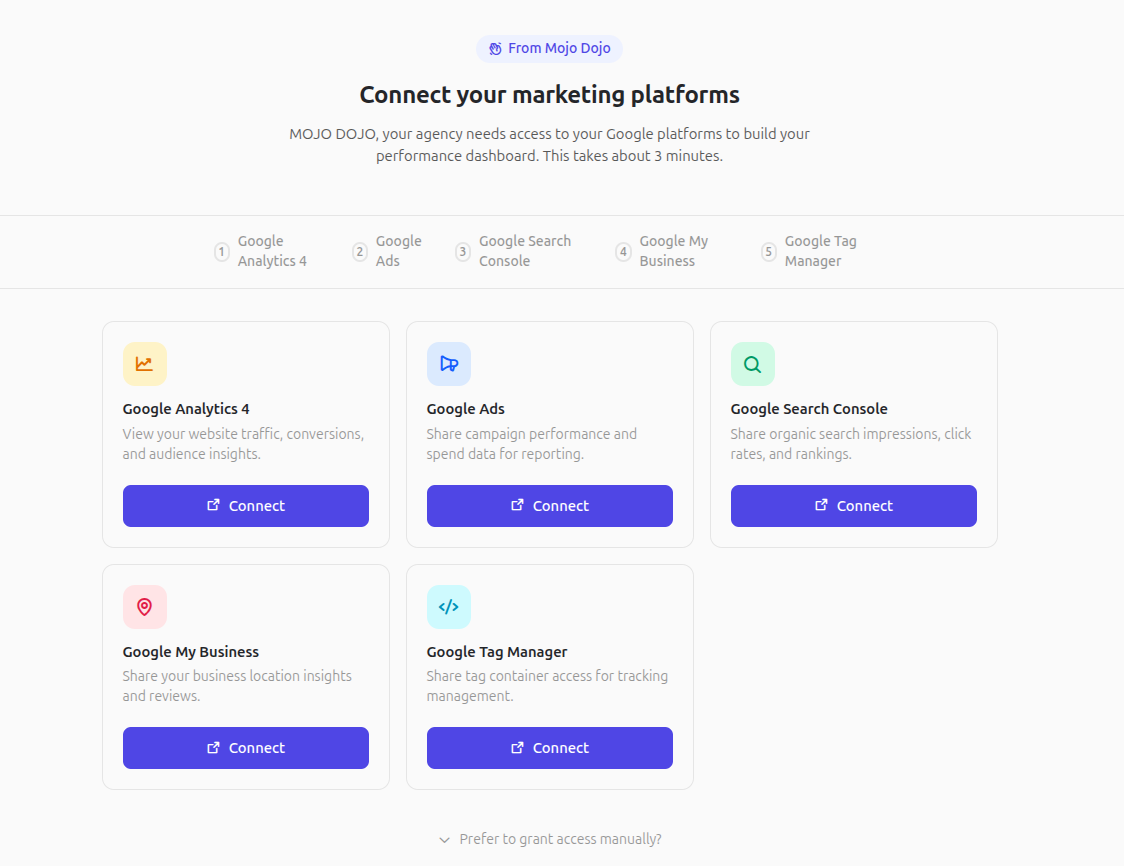
Of course, clients have an option to grant access manually too. However, this normally takes hours and in some cases where clients aren’t tech savvy could take days including using teamviewer or remote access. In one case we even crashed a clients system (Ubuntu/Gnome) because we chose to use Google Remote Desktop (that story for another day).
As you can tell, to build this app and have it delegate access - we need to get API access through the Google Cloud console.
I promptly setup a project - add all the requested scopes and apply for approval. I had already enabled the APIs for testing as early as early 2025 - so I had over a year worth of usage under the project for testing. This is late February 2026. As far as my vauge recollection - it is in and around 17 February.
Now just to be clear, I have been working with APIs as early as 2010 and have worked with a number of cloud projects including having 10 projects in my organisation alone. I have worked through many application approvals and they all have been a equally challenging because of the way Google works.
Late February - I get a rejection saying I need to request minimum scopes. Sure, I go and check the scope and they match the ones I am requesting. No rejection emails arrived. You have to manunlly go and check the verification centre to see if the app was rejected.
I submit a video detailing the scopes and the app demo to show them how it all works.
Late February - Another rejection saying “The justification you provided in your Cloud Console submission does not sufficiently explain why the requested OAuth scopes are necessary.”
The justification field is capped at 1,000 characters. I fail to understand how such a small limit even works to fit a multi-scope authentication justification. No problems - I use Gemini to condense the scope to 1000 characters or less. Funnily enough - Gemini complains that this is not enough but we get there but it is still missing GMB justification.
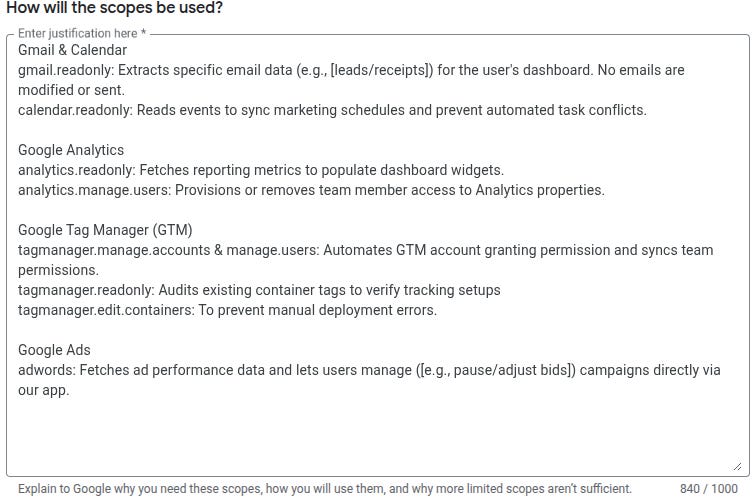
March 7 - Another rejection.
The justification you provided in your Cloud Console submission does not sufficiently explain why the requested OAuth scopes are necessary.
We are unable to access the video link that you provided.
I quickly go check the video link it is already public ? Strange.
I make a new video with all scopes and complete demo of the app. I submit the new video making sure it is public. I also trim to the minimum scope set, figuring I can add scopes back post-approval.
March 11 - Another rejection.
The justification in your Cloud Console submission doesn’t explain well enough why you need the OAuth scopes you requested.
The submitted Demo video still does not sufficiently demonstrate the functionality of your application.
No problems. I run it by three other members of my team. All double confirm everything. No problems. Everything looks in order.
March 19 - Another rejection.
The scopes listed on your OAuth consent screen are different from the scopes requested in your Cloud Console submission.
huh ? Thats because you asked me to go do minimum scopes ! No problems. Let’s fix the scope exactly as they are on the app. There are over 92 scopes in Google Oauth platform.
March 23 - Another rejection. This time the email explains. This is perhaps the 7th or the 8th rejection.
Checking your demo video, we noticed a discrepancy between the scopes in your Cloud Console and the scopes to which your application is making API calls.
Scopes in Cloud Console
https://www.googleapis.com/auth/adwords
https://www.googleapis.com/auth/analytics
https://www.googleapis.com/auth/analytics.readonly
https://www.googleapis.com/auth/analytics.manage.users
https://www.googleapis.com/auth/tagmanager.readonly
https://www.googleapis.com/auth/tagmanager.edit.containerversions
https://www.googleapis.com/auth/tagmanager.publish
https://www.googleapis.com/auth/tagmanager.manage.users
https://www.googleapis.com/auth/tagmanager.manage.accounts
API requests from your application
https://www.googleapis.com/auth/gmail.readonly
https://www.googleapis.com/auth/calendar.readonly
https://www.googleapis.com/auth/analytics.manage.users
https://www.googleapis.com/auth/analytics.readonly
https://www.googleapis.com/auth/tagmanager.manage.accounts
https://www.googleapis.com/auth/tagmanager.manage.users
https://www.googleapis.com/auth/tagmanager.readonly
https://www.googleapis.com/auth/tagmanager.edit.containers
https://www.googleapis.com/auth/adwords
Now a reasonable thing to do here is to just match the scopes the API request from the application and submit the app so it can be approved. This would be rational thinking. This would be wrong because I just did that.
March 24 - Another rejection.
March 26 - Another rejection and this time they say
We require an updated demo video of your application. Since, you have made changes in the scopes of your application and the previous Demo video shows a scope discrepancy within the scopes. Please provide a new video that accurately reflects the current set of scopes requested in the console.
March 28 I posted a new video with everything verified.
April 1 - Another rejection.
Thank you for your patience while we reviewed your submission for project 756028959013(Project ID: my-project-313302). We need you to address the following items for us to continue your app’s verification:
We require authorized login credentials to access the application.
Please take the following action(s) to continue with your request
If you thought hopefully we are now in final stages, you would be wrong. They gave me a gmail but my app is internal use only. The middleware restricts signin to my domain only. Now I have to go code an entire middleware or change existing one to enable this one single email. No problems a few days later I get this done.
I send a detailed email with:
Authorized login credentials
Access details
Testing notes
Account details
This is an extensively detailed email and they have access to the entire app. They completely ignore the test credentials because there seems to be no login for these credentials in my server logs. A few days later another rejection.
Between April 10 and April 20 three more rejections with one saying
While reviewing the demo video you submitted we noticed a discrepancy between the scopes in your Cloud Console and the scopes to which your application is making API calls. (Please see attached screenshot.)
Scopes in Cloud Console
https://www.googleapis.com/auth/analytics.manage.users
https://www.googleapis.com/auth/analytics.readonly
https://www.googleapis.com/auth/adwords
https://www.googleapis.com/auth/calendar.readonly
API requests from your application
https://www.googleapis.com/auth/analytics.manage.users
https://www.googleapis.com/auth/analytics.readonly
https://www.googleapis.com/auth/adwords
https://www.googleapis.com/auth/gmail.readonly
https://www.googleapis.com/auth/calendar.readonly
https://www.googleapis.com/auth/tagmanager.readonly
https://www.googleapis.com/auth/tagmanager.manage.users
https://www.googleapis.com/auth/tagmanager.edit.containers
https://www.googleapis.com/auth/tagmanager.manage.accounts
https://www.googleapis.com/auth/business.manage (Non-Sensitive)
https://www.googleapis.com/auth/webmasters (Non-Sensitive)
However if I go to the console - it says
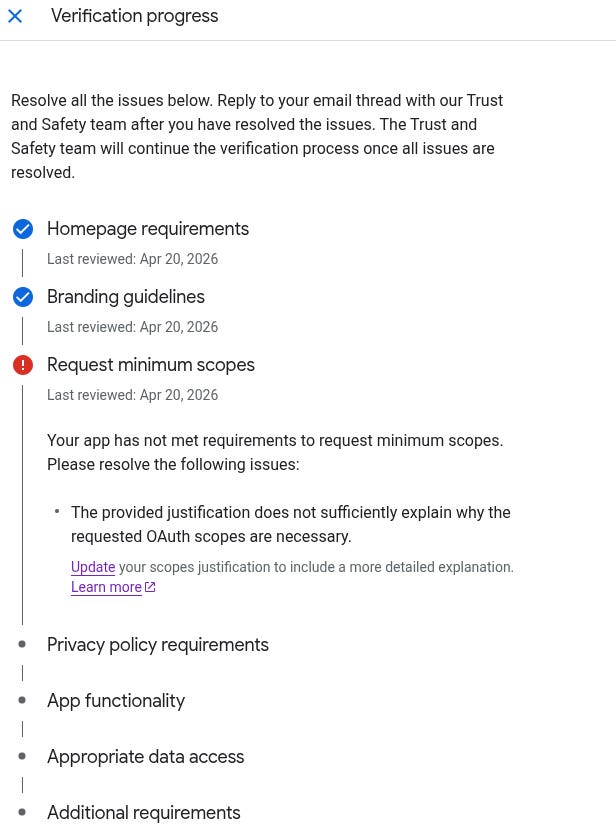
Two months in - and I am not sure if I should abandon any hope of getting this app approved. Not to say the countless hours wasted dealing with an unknown black box who despite giving credentials just doesn’t test it.