Ad-blocking, reimagined for enterprise
Zen Enterprise is an enterprise ad-blocker, web content filter, and privacy guard. Protect your organization from web-based threats and give employees a faster, cleaner web experience.
Free during early access · Then $2/mo per endpoint
https://dash.irbis.sh
─ □ ✕
PS C:\Users\user> Set-ExecutionPolicy Bypass -Scope Process -Force;
PS C:\Users\user> ([System.Text.Encoding]::UTF8.GetString(
  (Invoke-WebRequest -Uri 'https://dl.irbis.sh/install.ps1'
    -UseBasicParsing).Content)) |
  Set-Content "$env:TEMP\Install-ZenEnterpriseAgent.ps1";
PS C:\Users\user> Invoke-Expression "& '$env:TEMP\Install-ZenEnterpriseAgent.ps1'
  -DeploymentToken '••••••••'"
Creating directories...
Downloading the agent binary from https://dl.irbis.sh/ZenEnterpriseAgent-arm64.exe...
Propagating ACLs to all subfolders and files...
Registering endpoint with deployment token...
Endpoint registration successful.
Registering service 'ZenEnterpriseAgent'...
Starting service 'ZenEnterpriseAgent'...
Service 'ZenEnterpriseAgent' is installed and running.
Centralized policy control
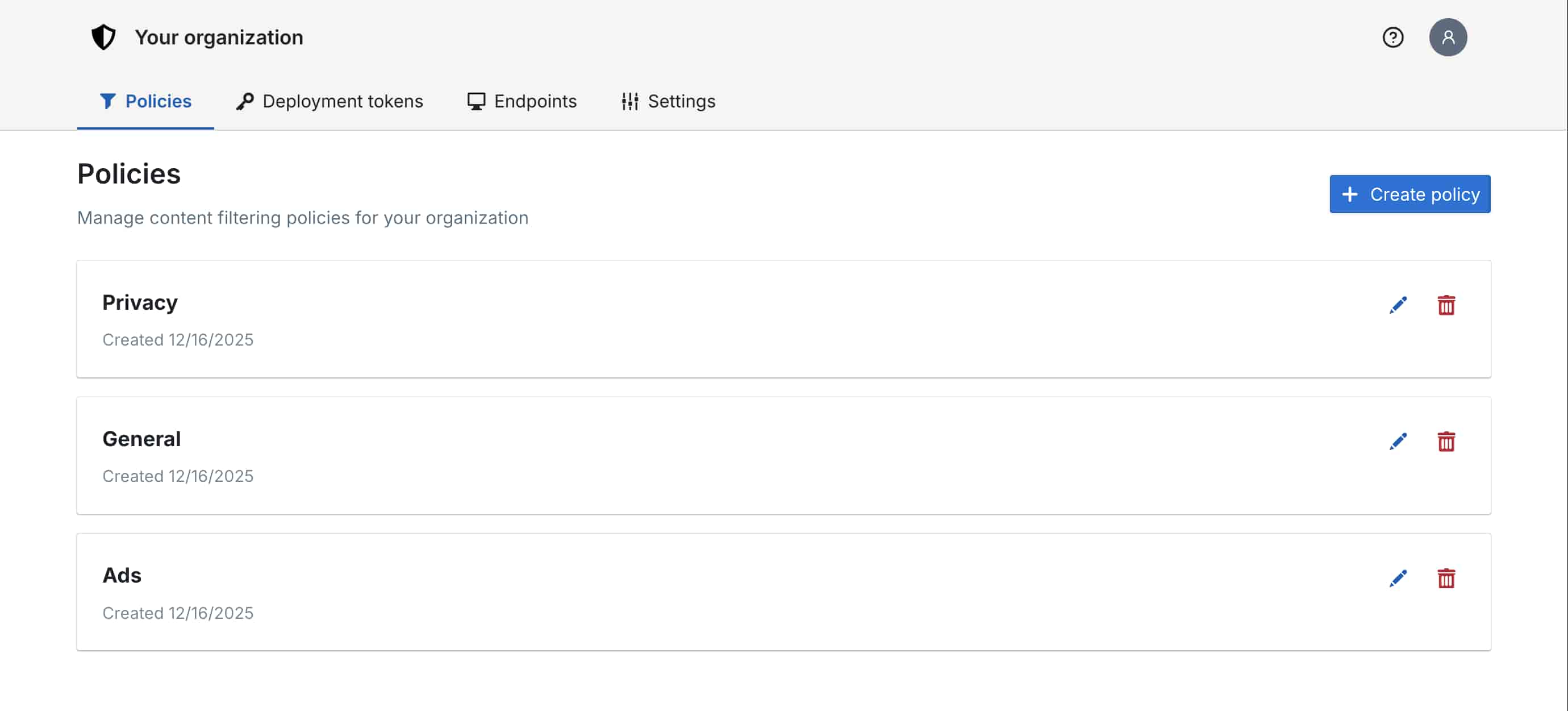
Manage filter lists, custom rules, and allowlists across your entire fleet from a single dashboard. No device access needed.

Threat prevention
Block malvertising, phishing domains, cryptojacking scripts, and other web-borne threats before they execute.

Measurable productivity gains
Eliminate ads, algorithmic feeds, and distracting content. Teams reclaim over 5 hours per person, per month in focused work time.

Deploy in minutes
Roll out via MDM, RMM, or a PowerShell installer. No dedicated hardware, no DNS changes, no VPN conflicts. Works with any browser.

Complete visibility
See what's being blocked across your organization. Employees can request allowlisting when something is incorrectly filtered.

Lightweight by design
The agent reduces bandwidth and CPU overhead by eliminating ad scripts and trackers. Less network traffic means longer battery life and faster page loads.
1
Install the agent
Deploy the Zen agent to endpoints via MDM, RMM, or a PowerShell installer. It registers with your organization's dashboard automatically.
2
System-wide proxy activates
The agent configures a lightweight local proxy that intercepts HTTP/HTTPS traffic system-wide – covering every browser, app, and background process.
3
Everything stays local
Filtering happens entirely on-device using your organization's policies. No traffic is routed through external servers. Zen works offline, behind VPNs, and across networks.

Windows 10/11 Available

macOS Coming soon

Linux Coming soon
$2 /endpoint/month
- Centralized dashboard
- Custom filter lists & rules
- MDM/RMM deployment
- Allowlist requests
- Email support
Free during early access
Custom
- Everything in Team
- Volume discounts
- SSO integration
- Priority support & SLA
- Dedicated onboarding
Tailored to your organization
How is Zen different from browser extensions?
Consumer ad-blockers help individuals but fall short at the organizational level. They're difficult to manage centrally, can be disabled by end users, and often don't work consistently across browsers or devices. Zen operates as a system-wide proxy, filtering traffic from every browser and many desktop apps – all managed centrally by your IT team.
Does Zen work with our existing VPN?
Yes. Zen runs locally on the endpoint and doesn't interfere with VPN tunnels, proxies, or other network configurations. It works regardless of which network the device is connected to – your employees are protected on the corporate network and on hotel Wi-Fi alike.
What data does Zen collect?
Zen does not collect or transmit browsing data. All filtering happens locally on the device. The only data sent to our servers is basic telemetry for policy sync (e.g., which policies are applied) and license validation.
How do I deploy Zen to my team?
Sign up at the dashboard and configure your filtering policy. You can distribute the agent via your MDM/RMM solution for zero-touch deployment, or install it on endpoints directly using a script. Endpoints register with your organization automatically.
What happens when the free trial ends?
After the early access period, Zen Team is $2 per endpoint per month. You'll be notified well in advance – there's no automatic billing. Your existing configuration and policies carry over seamlessly.
Can employees disable the agent?
The agent runs as a system service and cannot be disabled by employees.
Protect your team from the web's worst content
Get started in under 15 minutes. No credit card required.