What belongs to zarlcode?
zarlcode handles the terminal interface, workspace settings, provider setup, and saving and resuming sessions. It uses zkit to run tasks. The runner has no dependency on the terminal UI.
ZARLMONO / ZARLCODE + ZKIT
OPEN SOURCE / MIT / GO
zarlcode is a terminal AI coding agent. zkit is the Go toolkit underneath it.
Use zarlcode to read code, make changes, run tests, and review diffs. If you’re building your own agent in Go, zkit provides the same runner, tools, and provider adapters as importable packages.
zarlcode runs on your machine. Connect it to a hosted provider or a local model server. The code is MIT licensed; hosted providers charge separately for model usage.
01 / WHERE TO START
The CLI and Go libraries are maintained in the same repository. You can use either independently.
02 / ARCHITECTURE
The model requests actions. The harness—the code around it—prepares each request, runs the tools, records what happened, and stops the task when it finishes or reaches a limit.
The user interface, settings, tasks, and saved sessions.
Calling models and tools, checking calls and results, shortening history, and running sub-agents.
Model API clients, tool definitions, argument schemas, and results.
Database access, external tool connections, and credential storage.
zarlcode handles the terminal interface, workspace settings, provider setup, and saving and resuming sessions. It uses zkit to run tasks. The runner has no dependency on the terminal UI.
The agent/coderunner package sets up coding tools and guardrails for both zarlcode and the evaluation driver. For an agent that does something else, use the general runner and register your own tools.
Yes. The provider clients and tool packages do not depend on the agent runner. You can call a model or use the tool registry without running an agent.
03 / USING ZARLCODE
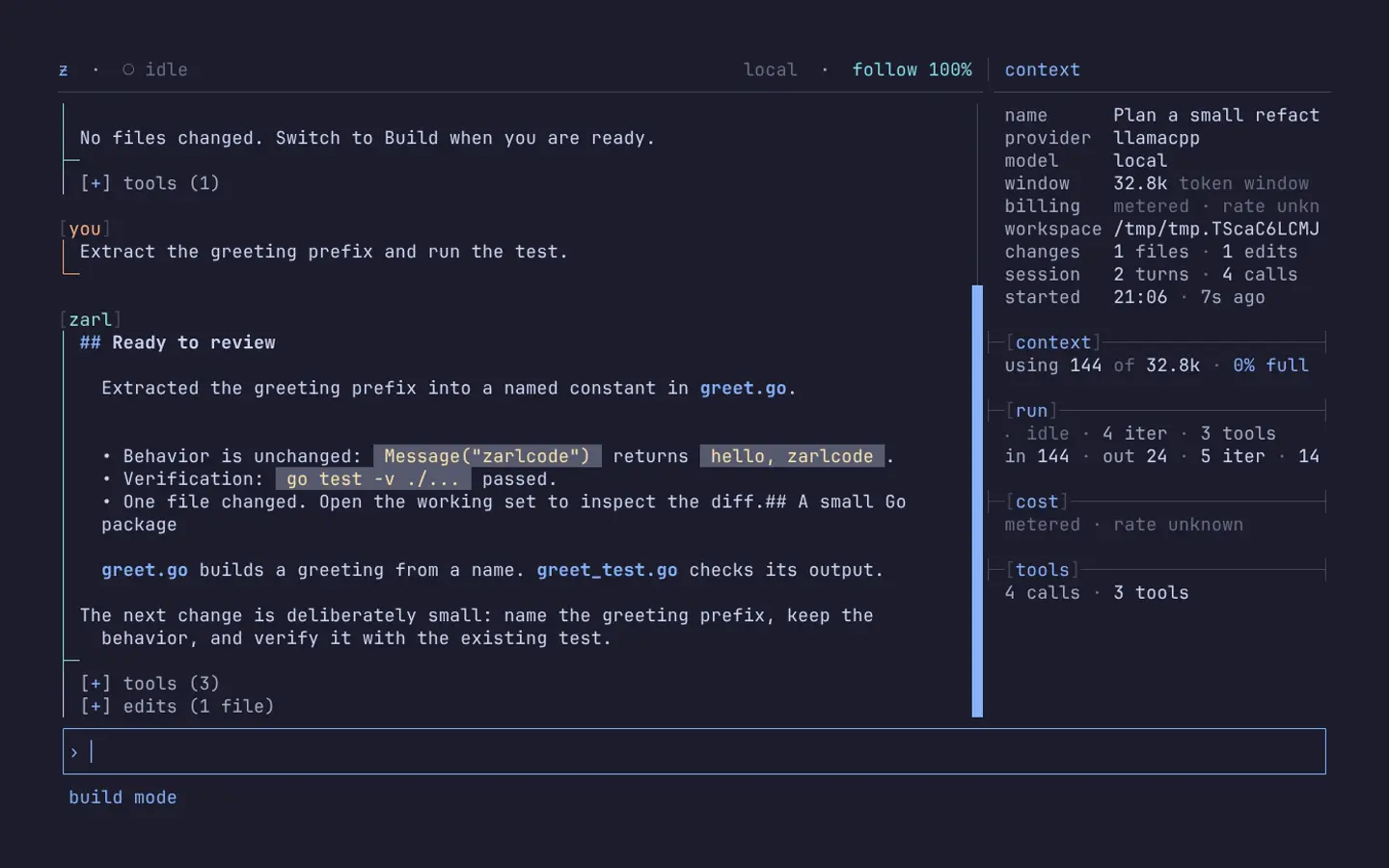
Follow model responses, tool calls, and command output in the timeline. Open the working set to inspect changed files, diffs, and running processes.
01PLAN
Read and search the codebase without edits or shell execution. Work out the approach before allowing changes.
Shift + TabSwitch between Plan and Build
02BUILD
Enable file edits and commands. Follow tool calls and test output as the agent works in your workspace.
Ctrl + WOpen the working set
03INSPECT
Inspect changed files, diffs, command output, and tracked processes. A model saying “done” is not a substitute for review.
Ctrl + FExplore workspace files
zarlcode — ~/greeting-demo
LOCAL SESSION
04 / RUN IT LOCALLY
The first launch creates local configuration and opens provider setup in the TUI. Choose a hosted provider or connect to a model server you run yourself.
Adapters include Anthropic, OpenAI, Gemini, DeepSeek, Ollama, and llama.cpp. Local session storage does not mean local inference: hosted providers receive model requests.
01 / INSTALL WITH HOMEBREW
brew install zarldev/tap/zarlcode
02 / LAUNCH IN YOUR WORKSPACE
cd /path/to/your/workspace && zarlcode
Configure a provider in the TUI with Ctrl + S. Local models require a separately running model server.
Build mode edits files and runs commands with the current user's privileges. Review changes and use an isolated environment for untrusted work. Read the safety guide ↗
05 / CONTRIBUTING
zarlcode and zkit are MIT licensed. If you find a bug, open an issue with the steps to reproduce it. For code or documentation changes, the contributing guide covers setup and checks to run before submitting a pull request.