Zamara Application Interface
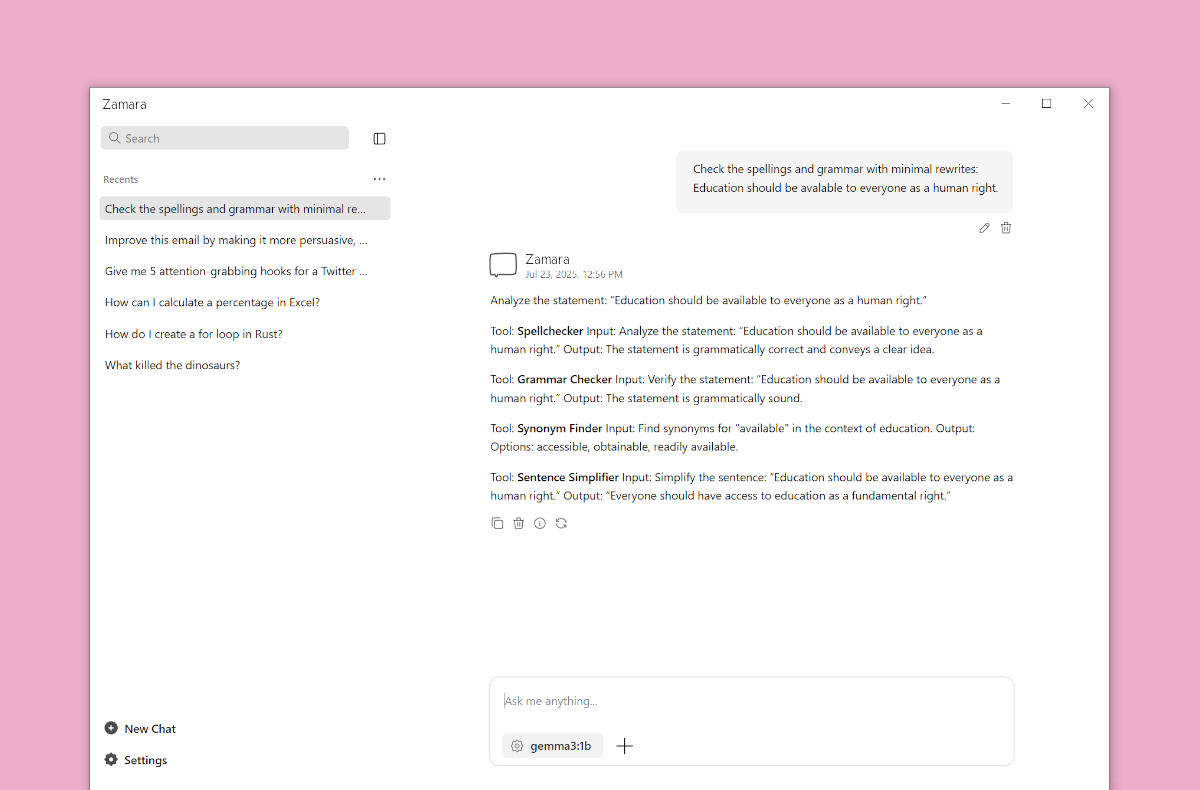
Chat with AI
Ask your questions, brainstorm, and learn from the AI running on your PC to be more productive.


Talk to your files
Talk to your PDFs, spreadsheets, and other documents to get answers, summaries, or insights.
Use the models you like
Download and run powerful models like llama3, gemma3, qwen3, or deepseek-r1 on your PC.

Pay one time
own forever
$199
Free updates & email support

Zamara is a ChatGPT alternative that runs entirely on your PC, 100% private, with no data leaving your computer. Chat with AI. Talk to your files. Use the models you like.
How does Zamara compare to other tools like LM Studio?
+
Zamara is the only local AI runner that offers both AI chats and AI notebooks in one place. Curious about the difference between them? Read more here.
What are the system requirements for Zamara?
+
Zamara is designed to be resource-efficient. For basic models, you'll need a PC with at least 8GB RAM, though 16GB is recommended for better performance. A modern CPU is sufficient, but having a dedicated GPU (NVIDIA or AMD) will significantly improve speed. Zamara is optimized to run efficiently even on mid-range hardware.
Does Zamara support macOS and Linux operating systems?
+
Zamara is currently available for Windows, but we are actively working on macOS and Linux versions. Our goal is to make Zamara accessible to as many users as possible, regardless of their operating system. Stay tuned for updates on our progress and future releases.
Is my data really private and secure?
+
Absolutely. Zamara runs entirely offline on your PC. Your conversations, files, and data never leave your computer. No internet connection required, no data sent to external servers, giving you complete privacy and control.
Can I use my existing models from Hugging Face?
+
Yes! You can run any compatible model that is downloaded from Hugging Face, in GGUF format.
How do I install and set up Zamara?
+
Installation is simple: download the installer, run it, and follow the setup wizard. Zamara will guide you through downloading your first AI model and getting everything configured. Most users are up and running within 10 minutes.
What file formats does Zamara support?
+
Zamara supports PDFs, Word documents (.docx), Excel files (.xlsx), PowerPoint presentations (.pptx), CSVs, and plain text files. Simply drag and drop your files to start asking questions about their content.
Do I get updates and support after purchase?
+
Yes! Your one-time purchase includes free lifetime updates with new features, bug fixes, and support for additional AI models. You also get email support to help with any questions or issues.