
I'm a software engineer and
entrepreneur focused on modern web technologies and AI.
Here's an ongoing autobiography, which also shares the story of my by-the-bootstraps "unschooling" education: now the subject of a chapter on grit and resilience in the bestselling book
by Barbara Oakley.
An angel investor once described my core soft skill
in the role of founder or early team member
as: "The ability to perceive exactly what needs to be done. And then to do it."
My experience
working in difficult environments around the world
means that I can be trusted to get things done, even when things go wrong.
In the past, I coined the term "Startup Cities" as co-founder of StartupCities.org and a startup spinoff, both of which focused on why startups should build cities. I now write about Startup Cities at
I've won several awards for economic research and have been
published or interviewed in Virgin Entrepreneur, a16z's Future.com, The Atlantic's CityLab, Foreign Policy, and in academic volumes by Routledge and Palgrave MacMillan.
Wait... what is this site?
This is my personal portfolio, inspired by the question: "What would the opposite of the two-color template developer blog look like?"
Have fun exploring!
Click the Start Menu to learn more.
Contact:hello @ zach.dev
A Workflow to Unlock Your Ancient Docs
I've been interested in the world of economic zones for about 10 years. In that time, I've accumulated an enormous amount of research.
Unfortunately, these documents are a mess. Many are old .doc files or image scan PDFs of pamphlets from the 80's.
It's difficult to search these individually and especially difficult to query across the entire library.
Here's the workflow I used to make this library searchable.
1. Install pdfgrep
Ultimately we'll use pdfgrep to search across our files. It provides a nice output of the matching phrase and file.

pdfgrep is not installed by default. Run brew install pdfgrep on OSX to install it.
2. Convert Old .doc Files to PDFs
Obviously, we need our files to be PDFs if we're going to pdfgrep them.
First, let's see how many documents aren't PDFs yet.
find . -name '*doc' > doc-files.txt
This list tells us the .doc files that need conversion.
I tried various hacky ways to automate the conversion from .doc to PDF without much luck. Most of the tools I found were sketchy, broken, didn't work on Catalina etc. I even tried OSX's native textutil to convert to .docx files:
textutil -convert docx myfile.doc
Unfortunately, the converted files .docx files were full of errors and garbled data. No luck.
There weren't too many files to convert. So I ran...
cat doc-files.txt | xargs -I _ open _
... which opened all the .doc files in Microsoft Word. Then I manually saved each as a PDF. Not pretty, but it worked.
The great thing about "printing" the .doc file as a PDF is that they're already properly structured, so they're now searchable. Awesome!
Convert Old (Scanned) PDFs using OCR
Next, I needed to find out how many PDFs are already searchable by pdfgrep.
So I made a list of all the pdfs:
find . -name '*.pdf' > ocr-pdfs.txt
Then I searched for "the" using pdfgrep:
pdfgrep --ignore-case -r --include "*.pdf" the
This is a bit naive/silly. But it gave me a sense of all the PDFs that are already searchable.
Unfortunately, the overwhelming majority were not. These old, image-based PDFs need OCR to unlock their text.
Inside ocr-pdfs.txt, I removed all the few PDFs that were already searchable. This leaves us PDFs that need the OCR treatment.
The following script calls the tool ocrmypdf (brew install ocrmypdf) on every line in ocr-pdf.txt. The underscore (_) is that token that will be replaced by the file names in the text file.
cat ocr-pdfs.txt | xargs -I _ ocrmypdf _ _
Here's what the conversion process looks like.
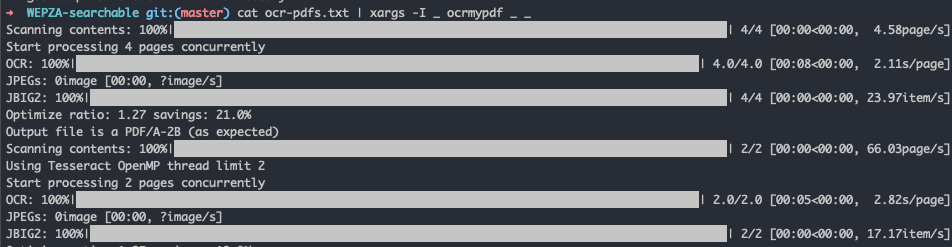
It's pretty brutal on the system!

After a long wait, the conversion finished.
I later found out that you can go ahead and run ocrmypdf on all the files without worrying about losing data. ocrmypdf will throw a harmless PriorOcrFoundError and ignore the good PDFs.
I went ahead and wrapped the search into a little script search-pdfs.
#! /usr/bin/env bash
set -euo pipefail

pdfgrep --ignore-case -r --include "*.pdf" "$1"
After some chmod +x ./search-pdfs.sh, I can search all my PDFs with ./search-pdfs.sh my-query-here!
Jun 14, 2020
Using Task Mapping To Allow Deep Learning Models to Perform Novel Tasks with No Training
Irrational American Optimism