Manage all your servers from your local desktop. No remote setup required.
Overview
Presenting XPipe
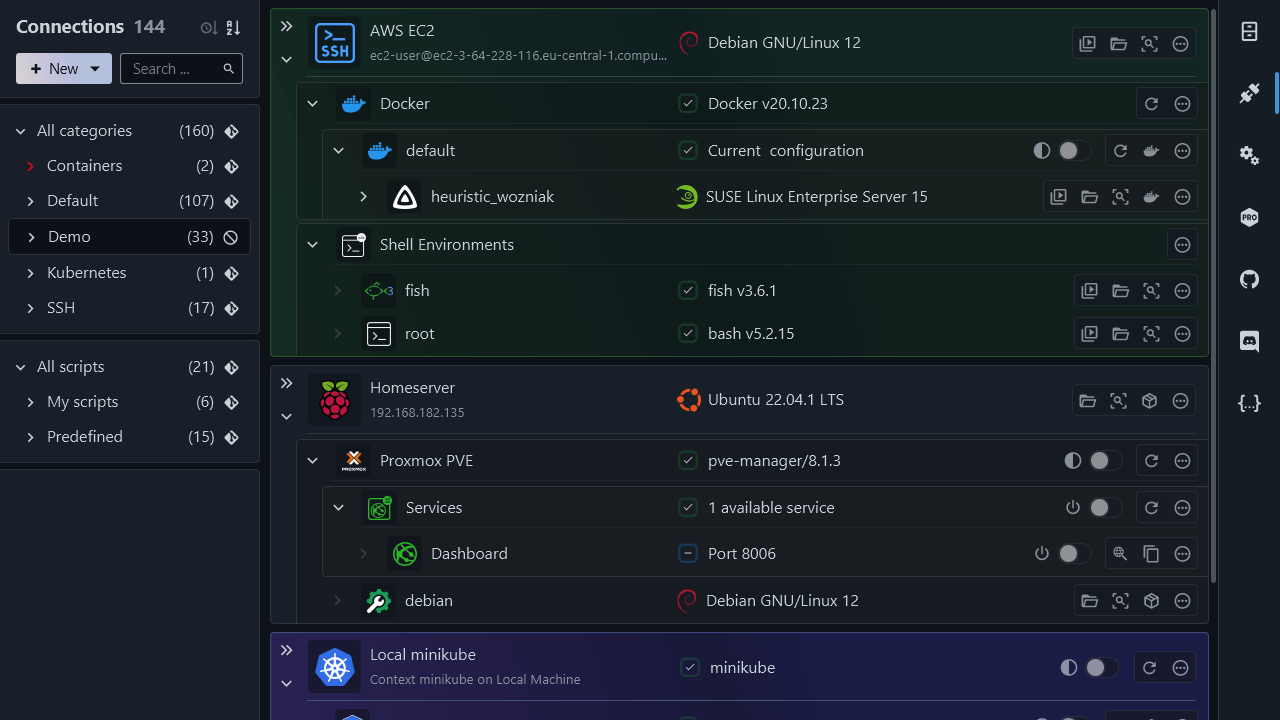
A connection hub to keep track and manage of all your remote connections in one place
A terminal launcher that can launch you into a shell session in your favorite terminal instantly
Complete SSH support, including config files, agent integrations, jump servers, tunnels, key files, smartcards, X11 forwarding, and more
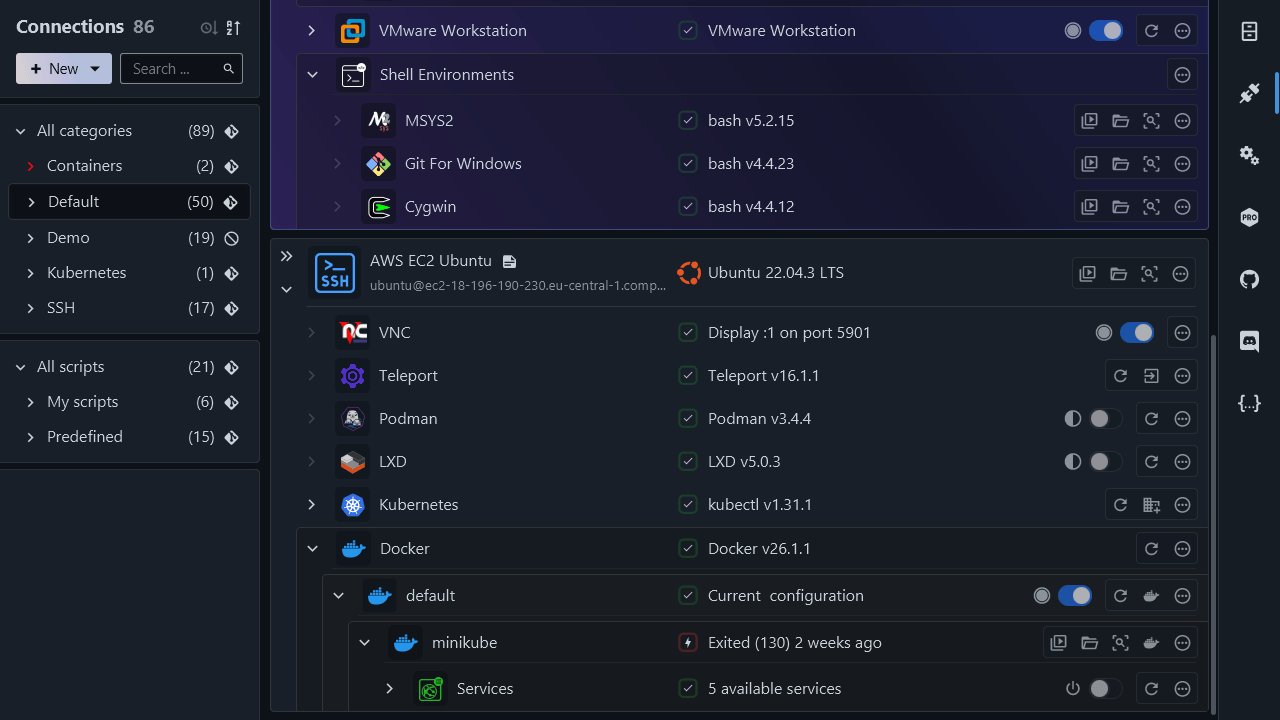
Integrations for various container runtimes like Docker, Podman, Kubernetes, LXD, incus, plus environments like WSL, Cygwin, MSYS2
Support for hypervisors like Proxmox, Hyper-V, KVM, VMware workstation, and more
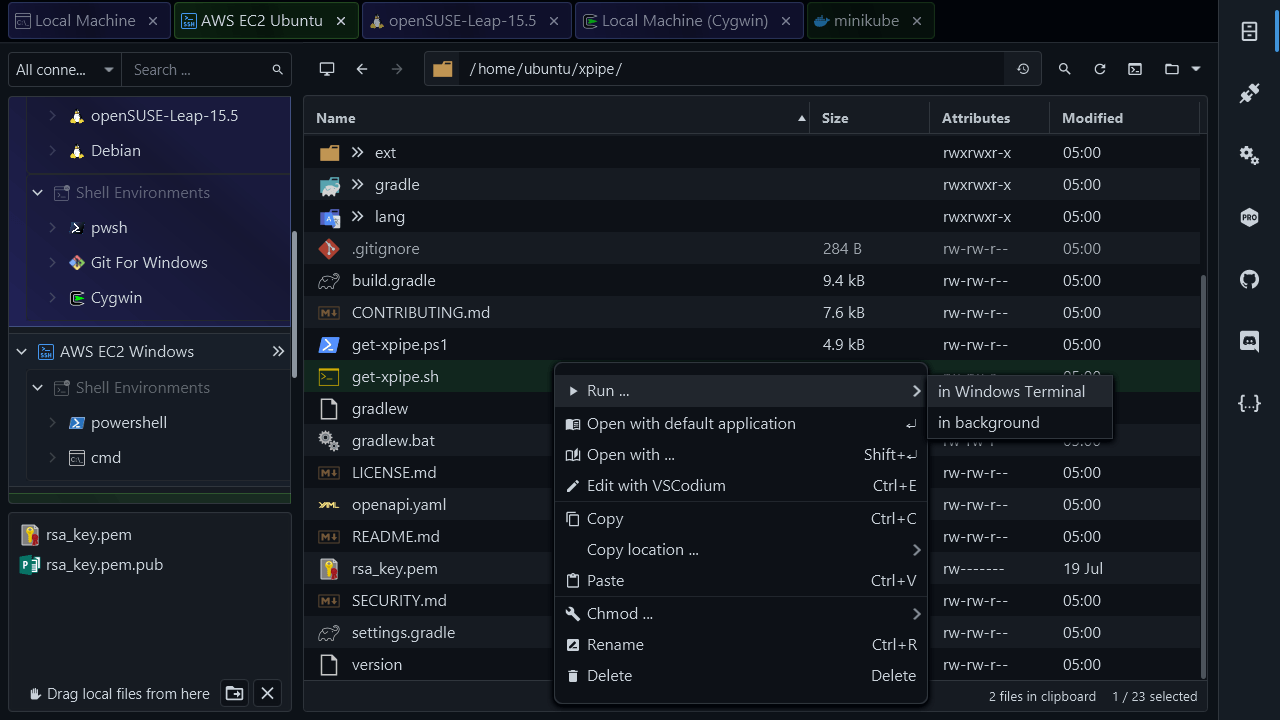
A remote file browser that provides a workflow optimized for professionals
A VNC integration, an RDP launcher, and an X11 forward server connector. With support for remote apps. All tunneled via SSH
A versatile scripting system, allowing for custom shell scripts, init scripts, templates, and more
Synchronization of connection information across systems through your own git remote repository. Also suitable for team collaboration
Automatic tunneling of ports to your local desktop for remote services from any system. Includes automatic detection of services in containers
Features
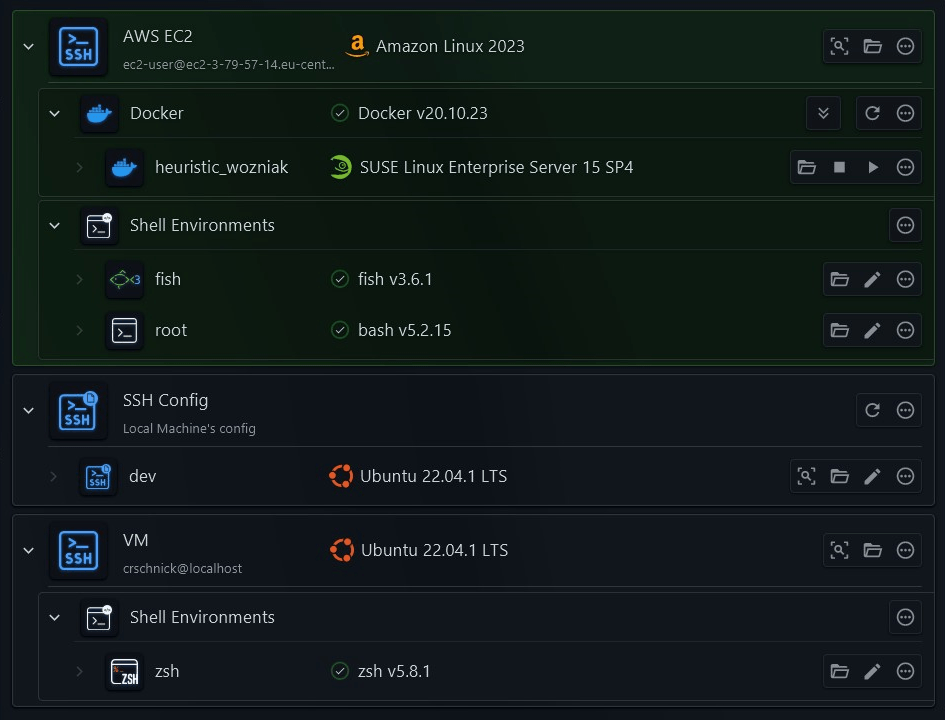
Manage all your remote connections in one place
Easily establish and manage connections to remote systems from a central hub interface
Organize all your connections in hierarchical categories to maintain an overview of hundreds of connections.
Create specific shell login environments to instantly jump into a properly set up environment for every use case
Quickly perform various commonly used actions like starting/stopping containers, establishing tunnels, and more
Create desktop shortcuts that automatically open remote connections in your terminal without having to open any GUI
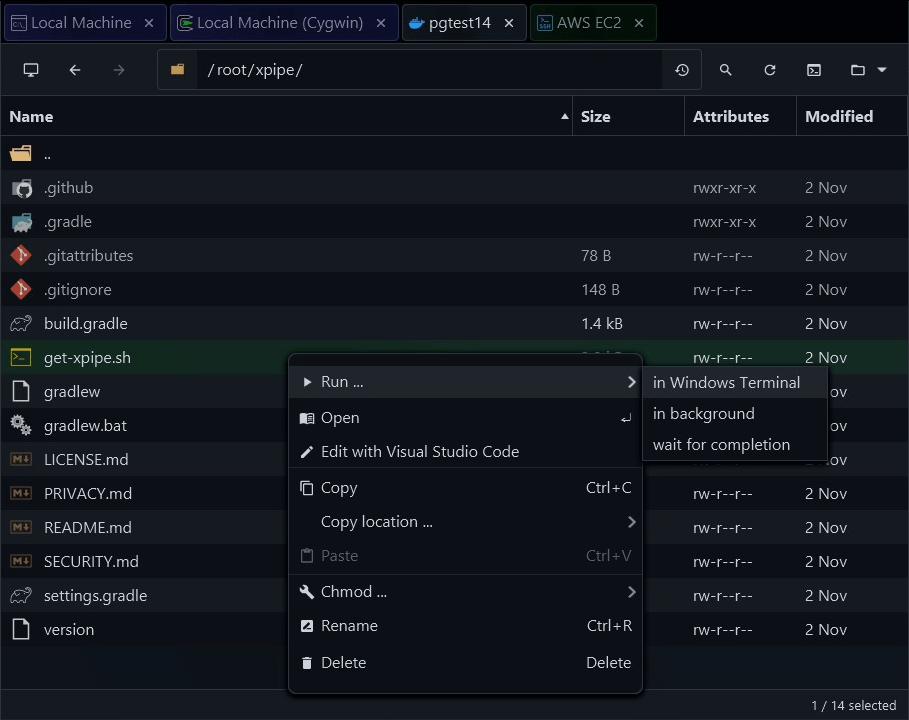
Powerful file management
Interact with the file system of any remote system using a workflow optimized for professionals
Utilize your entire arsenal of locally installed programs to open and edit remote files
Dynamically elevate file browser sessions with sudo when required without having to restart the session
Seamlessly transfer files from and to your system desktop environment
Work and perform transfers on multiple systems at the same time with the built-in tabbed multitasking
Instantly open a terminal session into any directory in your favourite terminal emulator
Customize every action through the scripting system
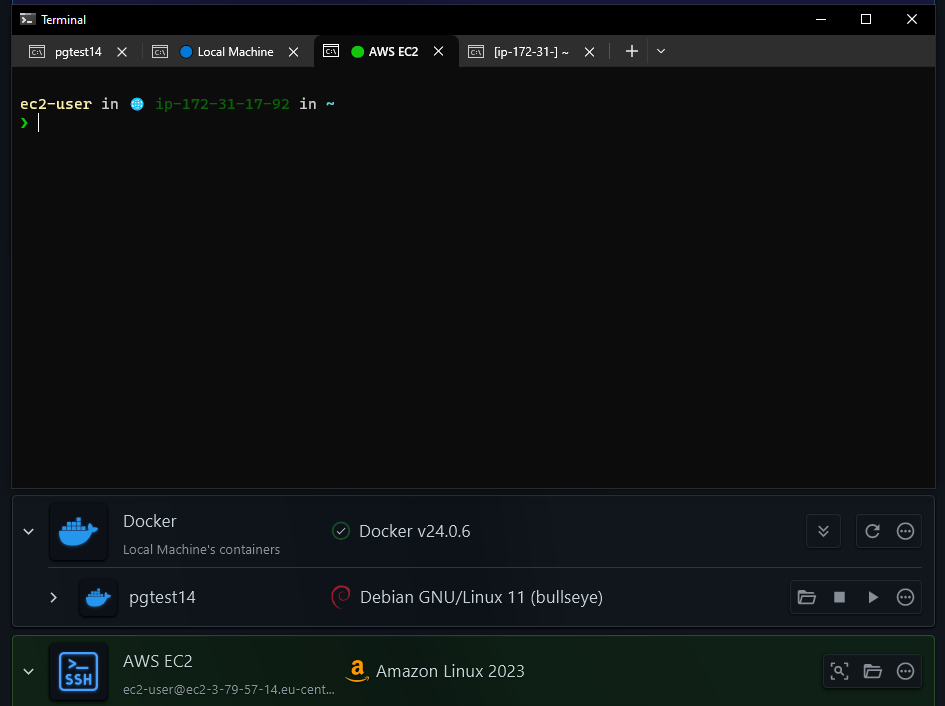
Flexible terminal integration
Launches you into a shell session in your favourite terminal with one click. Automatically fills password prompts and more
Comes with support for all commonly used terminal emulators across all operating systems
Works with all command shells such as bash, zsh, cmd, PowerShell, and more, locally and remote
Integrates with your favourite multiplexer such as tmux or zellij, and terminal prompts like starship or oh-my-zsh
Connects to a system while the terminal is still starting up, allowing for faster connections than otherwise possible
Showcase
XPipe summarized in clips
Integrations
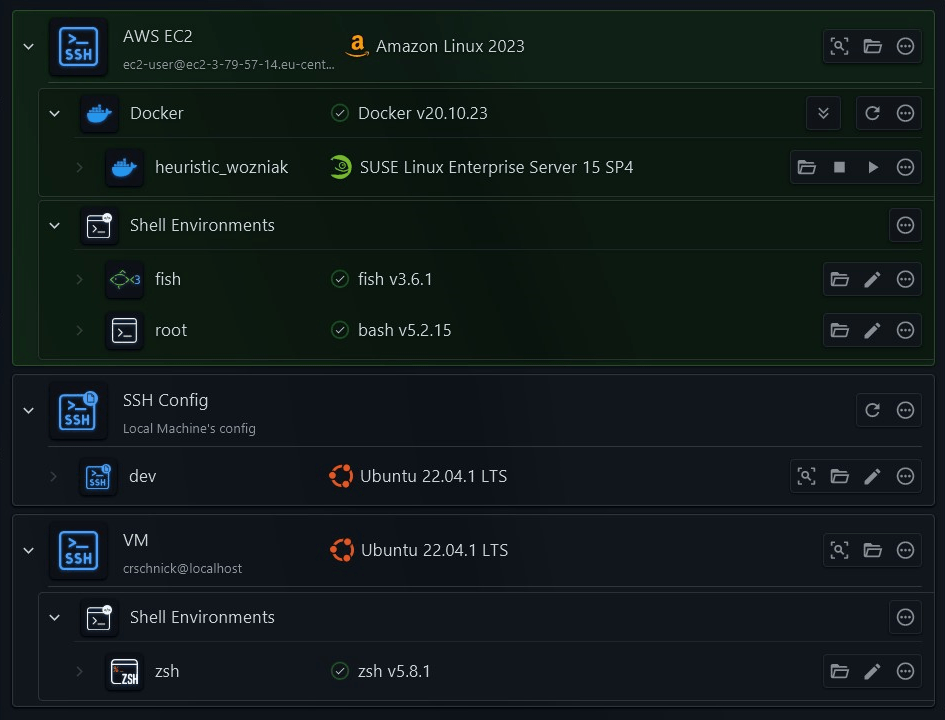
Seamless SSH integration
All SSH config files are automatically loaded and applied, your SSH environment is fully set up out of the box
Your existing SSH agents can be utilized to securely authenticate, there is no need to provide your keys and passwords
You can make use of gateways and jump servers to establish connections via intermediate systems
All types of SSH tunnels are supported to be quickly opened and closed in the background
Advanced authentication options such as smart cards and PKCS#11 libraries are also supported
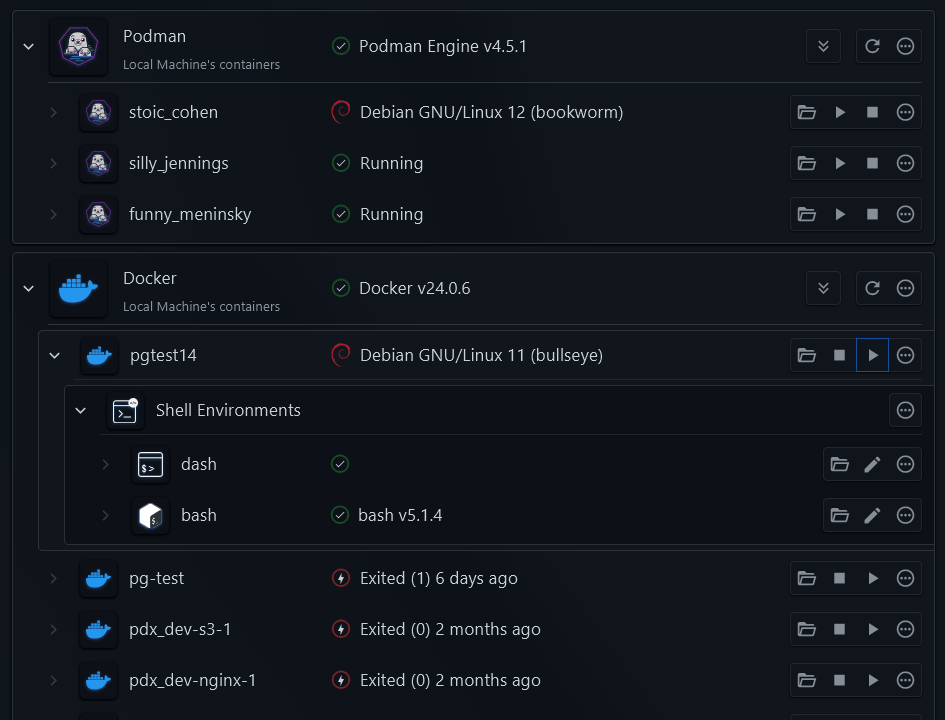
Ready for a containerized world
Automatic detection of all containers on any system without manual configuration for docker, podman, LXD, incus, k8s, Proxmox, and more
Connect to containers on local and remote systems to access their file systems, open shell sessions, and more
Comes with management capabilities to start, stop, and inspect all your containers, plus the ability to attach to the live logs
Container state changes can be instantly updated, allowing you to keep track of container statuses
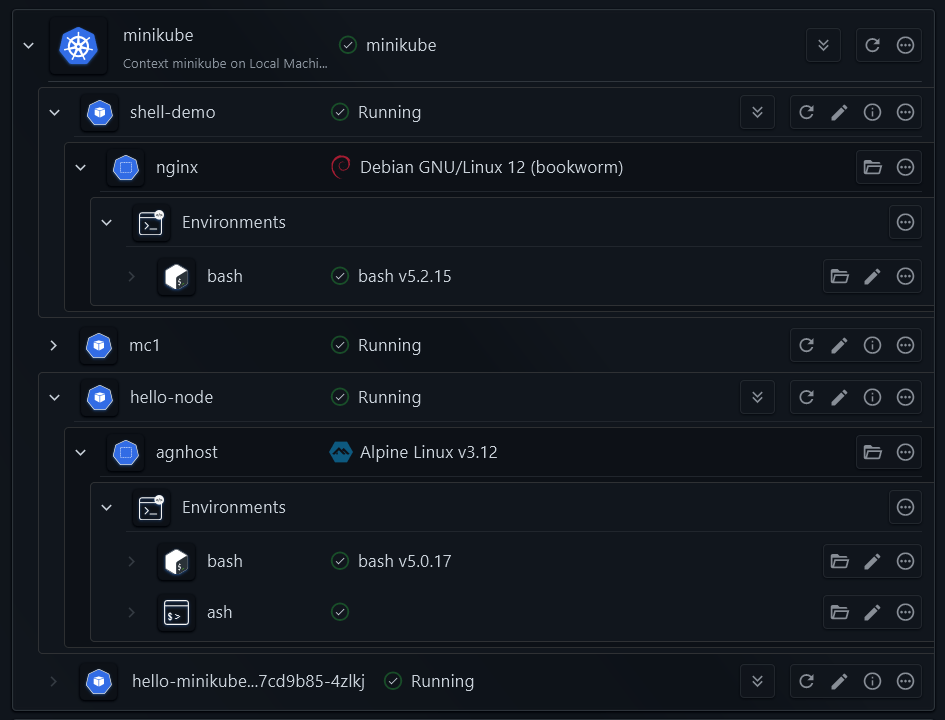
Keep track of your clusters
Automatic detection of your kubectl client and connected clusters, including all pods and containers in a cluster
Access the file system, log into a shell session, or change the configuration for any container running in your cluster
Inspect pods or edit pod configurations and instantly apply your changes
Supports all Kubernetes distributions, including commercial distributions
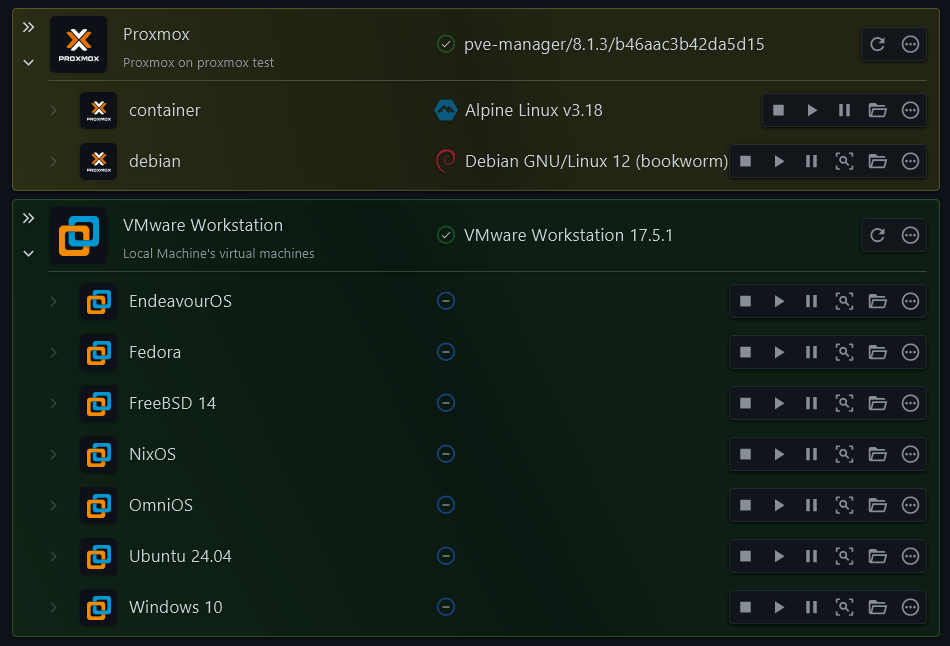
Hypervisors and beyond
Integrates with VMware Player/Workstation/Fusion hypervisors, Hyper-V, KVM, incus, and Proxmox
Jump into a shell session of any remote VM via SSH automatically with one click
Control the state of VMs, attach and monitor VMs in your terminal, all from one dashboard
Full access to any nested systems and services running on your VMs
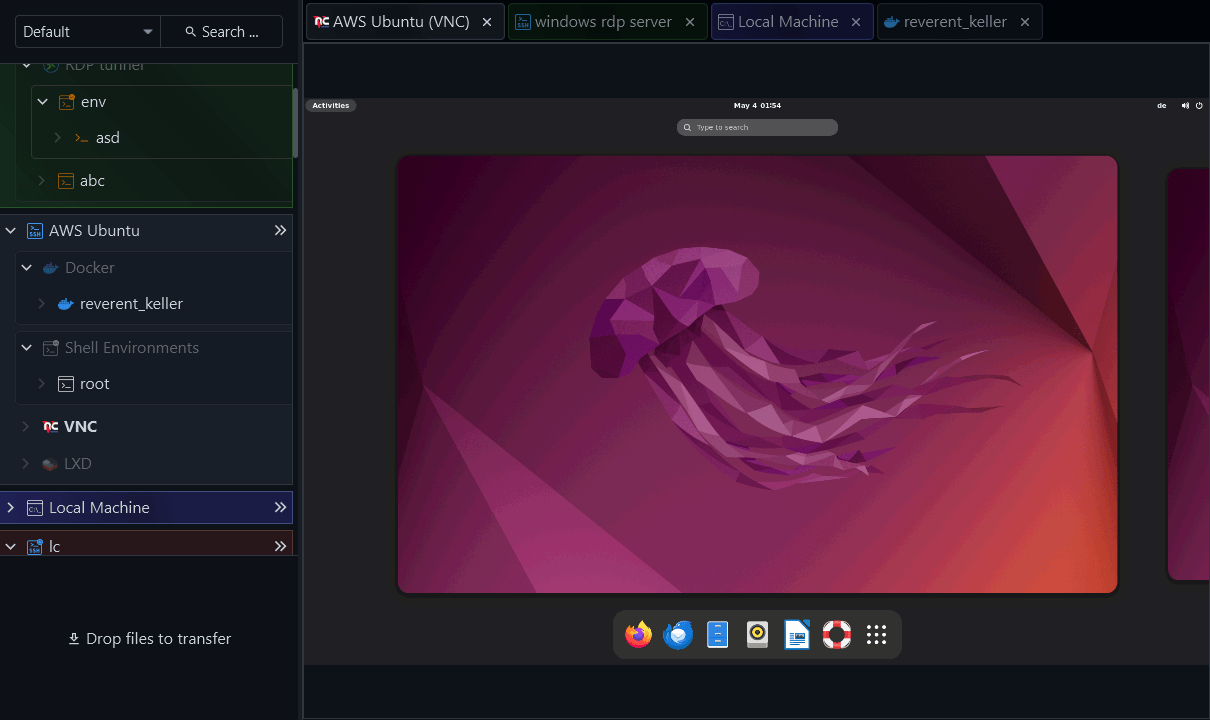
Visuals included
Comes with a built-in VNC viewer with special support for drag-and-drop file transfers
Supports tunneling VNC and RDP connections over SSH, eliminating the need for exposed VNC/RDP ports
Integrates with your local RDP client to quickly launch remote desktop sessions and applications
Supports SSH X11 forwarding, including a bridge to WSL on Windows for optimal native X11 performance
Run remote graphical applications and environments uniformly for RDP, VNC, and SSH X11 connections
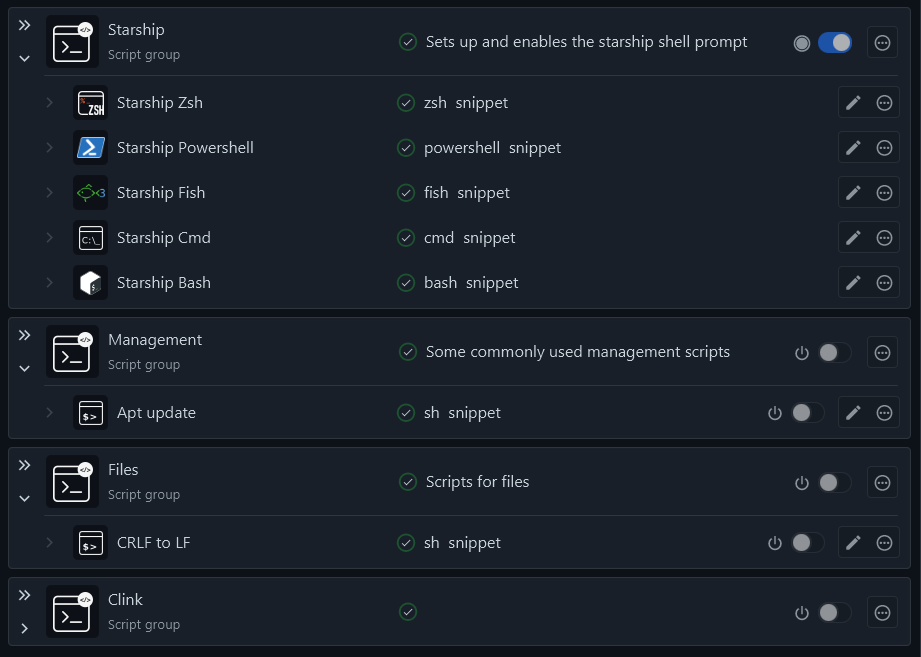
Versatile shell scripting
Includes integrations for all common command shells such as bash, zsh, fish, cmd, PowerShell, and more
Can set up custom shell init environments so you can fully customize your work environment for every purpose
Enables the creation of reusable shell scripts, templates, and groups to run in remote system shells
Make your arsenal of personal scripts available in the PATH on any remote system, without any setup
Supports custom shell commands and custom remote connections by providing your own commands











Testimonials
What users have to say
Highlights
Explore what makes XPipe stand out
Cross-platform
XPipe is at home on every system. You have access to the same feature set everywhere without compromises. Native installers, portable archives, and packages for all operating systems are available.

Available as a container
XPipe Webtop is a web-based desktop environment that can be run in a docker container and accessed from your browser. The desktop environment comes with XPipe and various tools preinstalled and configured.

Your tools first
XPipe fully integrates with your toolbox of favourite applications like terminals, editors, git clients, and more. You can keep using them in conjunction with XPipe and don't have to adjust to anything new.

Secure storage
All data is stored exclusively on your local system in a cryptographically secure vault. You can also choose to increase security by using a custom passphrase for further encryption.

Password manager integration
You are already using a password manager? XPipe is able to retrieve secrets automatically from your password manager via its command-line interface and doesn't have to store secrets itself.

Privacy prioritized
There are no outside servers or services involved, all your information stays on your systems. Features like shared vaults are fully selfhosted.

The selfhosted solution
You can host your own remote git repository to synchronize and share vault data across systems and users. XPipe supports advanced git authentication with HTTPS, SSH, keys, smartcards, and more.
Git client integration
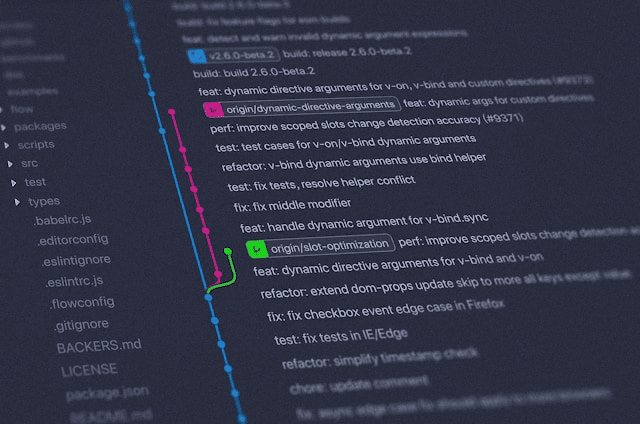
XPipe integrates with your existing git client installation out of the box. Your existing git configuration is used, so you don't have to configure anything to sync vault via git.

Made for collaboration
Changes can be pushed and pulled from your own remote git repository by multiple team members across many systems. XPipe comes with tools you need for conflict resolution in case of merge conflicts.

Available on GitHub
The core of the XPipe application and many other components are open-source and available on GitHub, providing transparency of the implementation.

Continuous updates
There is only one continuous build that receives constant updates. Updates are included in all versions for everyone, so you will always receive new features, bug fixes, and security patches.

Detailed documentation
Take a look at the official documentation to learn about all the details you're looking for. Includes introductions, guides, and reference pages for all features.
Get started today
Discover for yourself how XPipe can take your workflow to the next level
© 2025 XPipe UG (haftungsbeschränkt)