We got quite a few agent-shell additions since the last post, so let's go through the highlights as of v0.47.1.
What's agent-shell?
Agent shell is a native Emacs mode to interact with LLM agents powered by ACP (Agent Client Protocol).
Your employer can make a difference
agent-shell has been attracting quite a few users. Many of you are working in tech where employers are happily paying for IDE subscriptions and LLM tokens to improve productivity. If you are using agent-shell for work, consider getting your employer to give back by sponsoring the project.
I also know many of you work at AI companies offering paid agents like Claude Code, Copilot, Gemini, Codex, etc. all supported by agent-shell. Please nudge your employers to help fund projects like agent-shell, which are making their services available to more users.
So what's new?
claude-code-acp renamed to claude-agent-acp [Action Required]
Let's get this one out of the way, as it needs actioning. Both the npm package and the CLI agent have been renamed from claude-code-acp to claude-agent-acp (to align with Anthropic's branding guidelines). If you're using Claude Code, you'll need to update:
npm remove -g @zed-industries/claude-code-acp
npm install -g @zed-industries/claude-agent-acp
If you had customized agent-shell-anthropic-claude-acp-command, update it to point to claude-agent-acp.
New agents supported
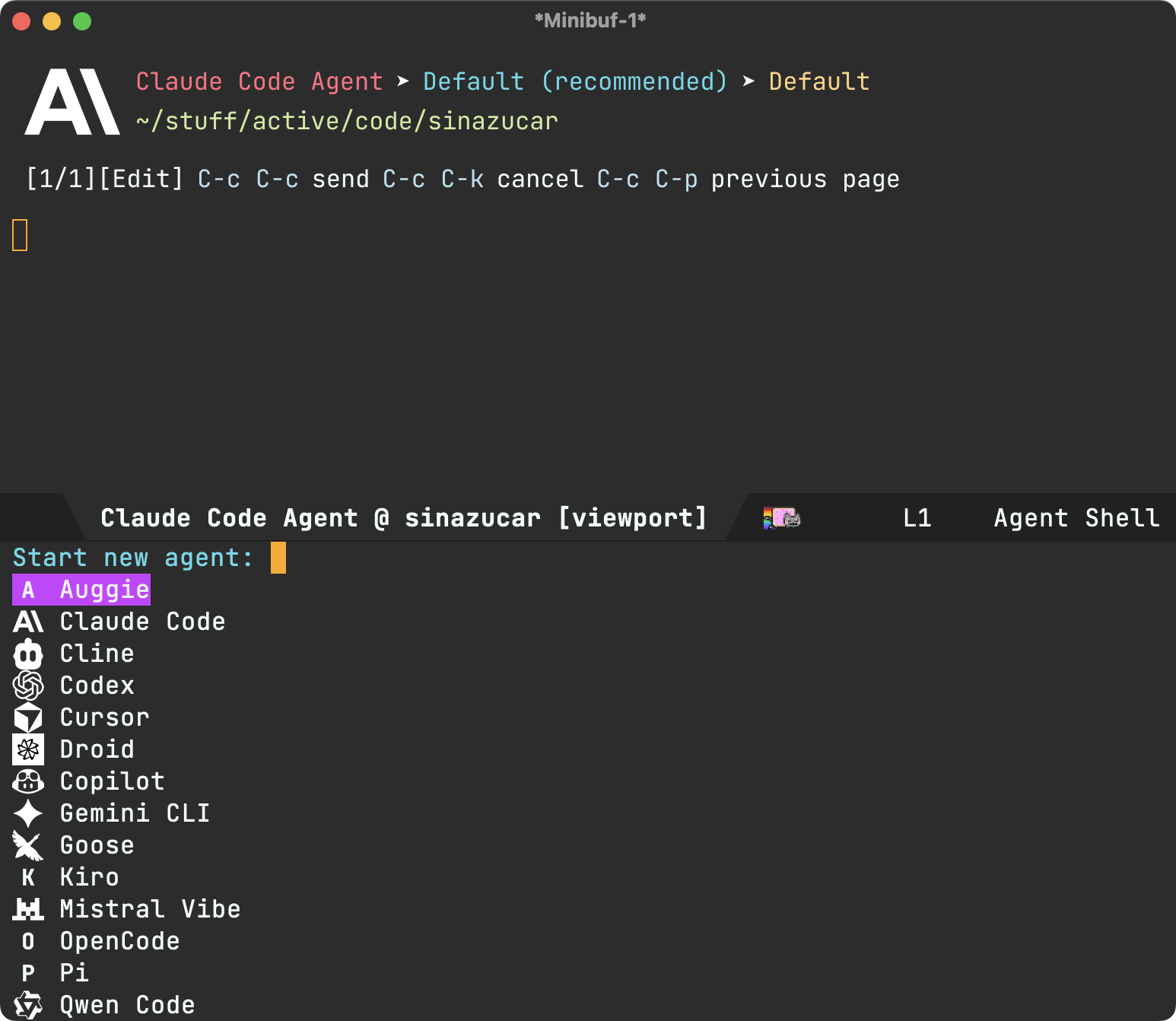
- Auggie (#179 by @Pacane).
- Cline.
- Factory Droid (#178 by @ag91).
- GitHub Copilot.
- Kiro CLI (#351 by @zmjones).
- Mistral Vibe.
- Pi (#232 by @conornash)
Bootstrapped sessions (experimental)
This was a biggie. How sessions are loaded is now configurable via agent-shell-session-strategy. When set to 'new, starting a new shell delivers a fully bootstrapped session before presenting you with the shell prompt. This means the ACP handshake, authentication, and session creation all happen upfront.
You can enable this flow with:
(setq agent-shell-session-strategy 'new)
What's the benefit? Bootstrapped sessions enable changing models and session modes (Planning, Don't ask, Skip permissions, etc…) before submitting your first prompt.
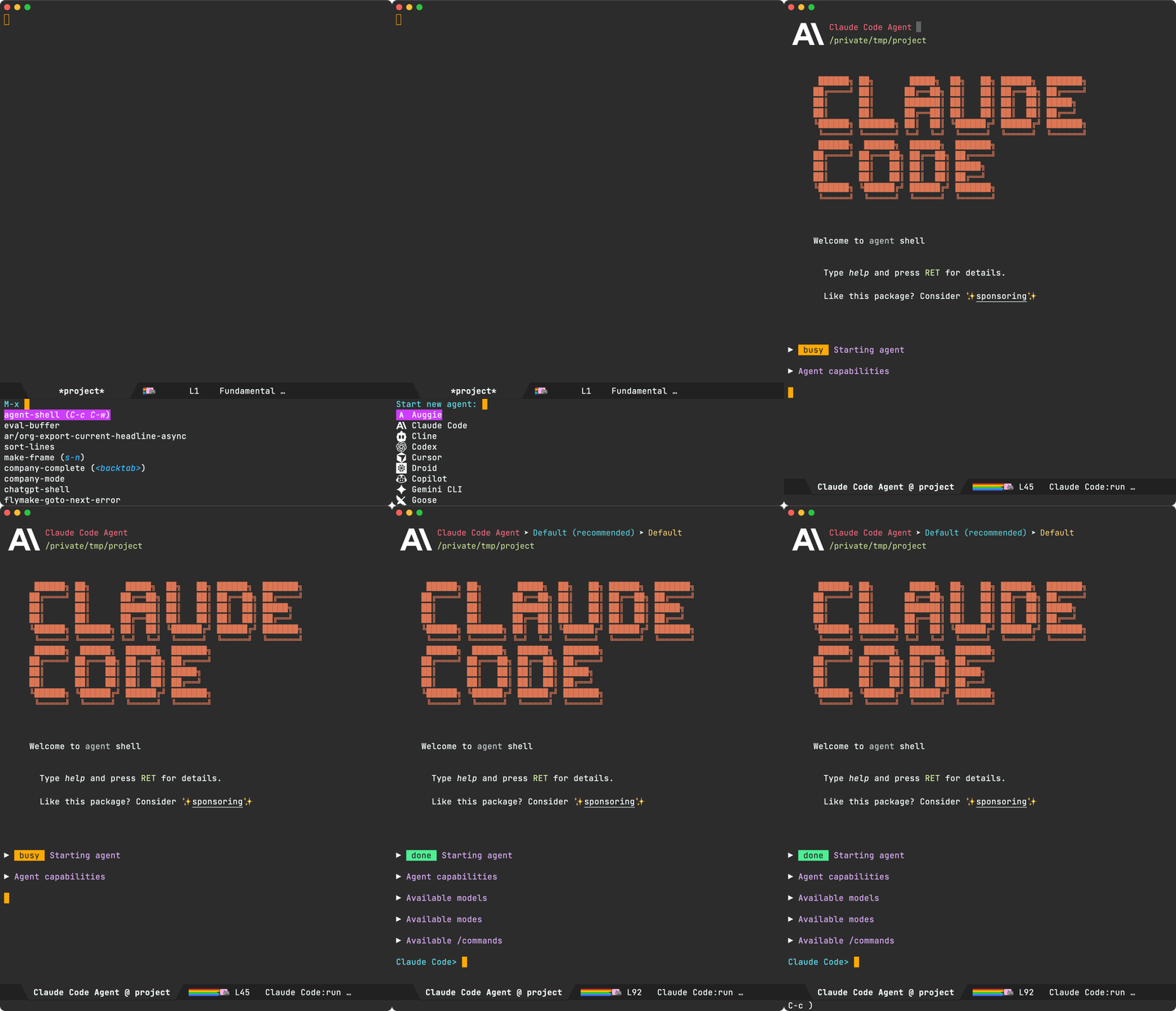
For the time being, the existing (deferred) behaviour is still offered via 'new-deferred. Just set as follows:
(setq agent-shell-session-strategy 'new-deferred)
Session resume (experimental)
Probably the most requested feature and also facilitated by the bootstrapping changes. agent-shell-session-strategy also unlocks session resume. Set it to 'prompt and every time either M-x agent-shell-new-shell or C-u M-x agent-shell are invoked, you'll be offered to resume previous sessions or start a new one.
(setq agent-shell-session-strategy 'prompt)

Alternatively, you can set to 'latest to always resume the most recent session in current project.
Under the hood, there are two ways to pick up from previous session: session/resume (lightweight, no message replay) and session/load (full history replay). By default, agent-shell prefers resuming (controlled by agent-shell-prefer-session-resume). Please favor resuming for the time being as loading has more edge cases to sort out still.
Note: Both resuming and loading sessions are agent-dependent. Some agents may not yet support either, especially as the features aren't yet considered stable in Agent Client Protocol (see session/list spec).
This feature was a collaboration between @farra, @travisjeffery, and myself.
Clipboard images
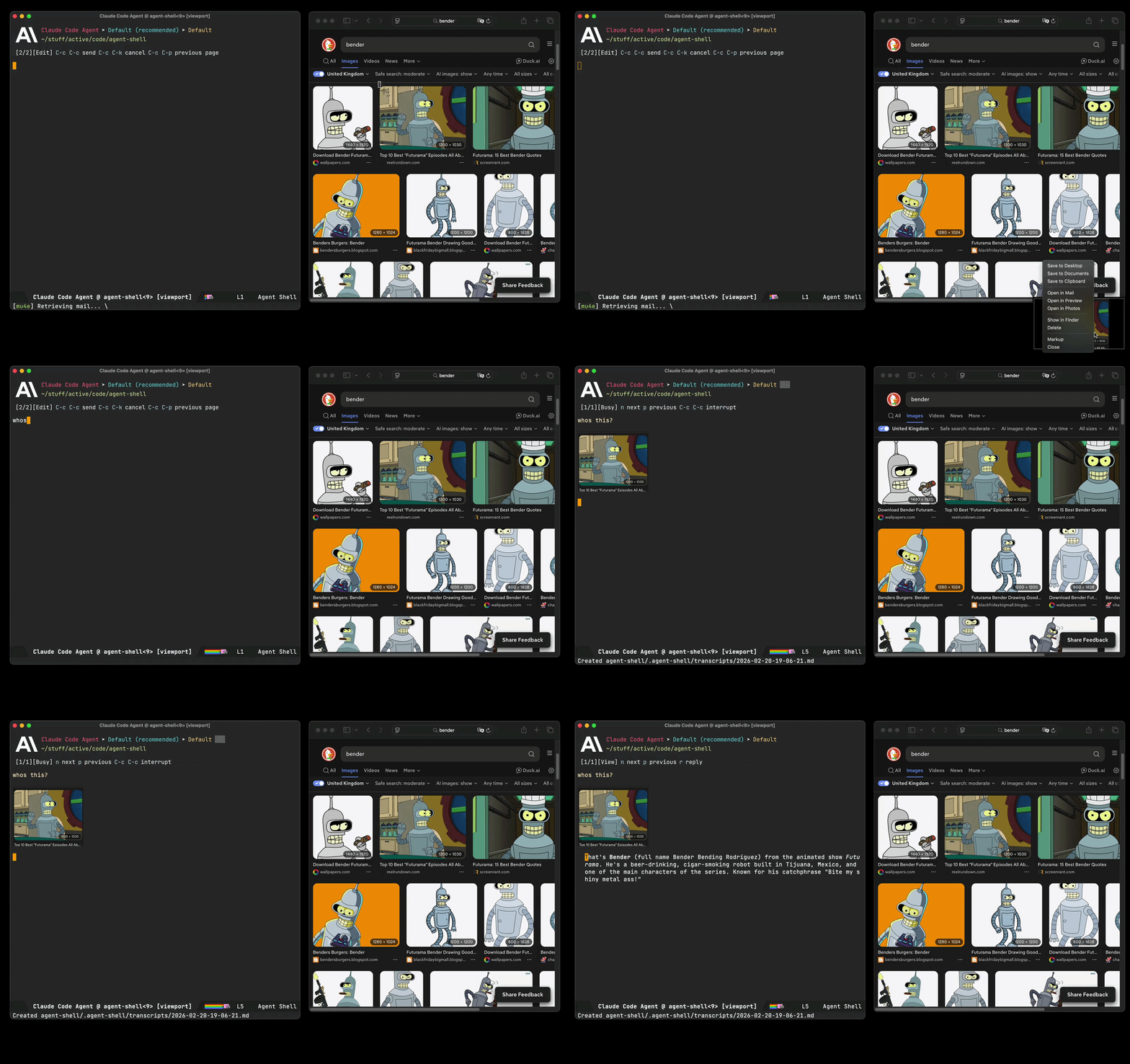
You can now use agent-shell-send-clipboard-image (#285 by @dangom) to send images straight from your clipboard into agent-shell. Clipboard images are saved to .agent-shell/screenshots in your project root and inserted into the shell buffer as context.
Note: You'll need either pngpaste or xclip installed on your system for the feature to automatically kick in.
In addition, we now have agent-shell-yank-dwim: if the clipboard has an image, it pastes it as context. Otherwise, it yanks text as usual. In other words, copy an image anywhere to your system's clipboard and paste/yank into the buffer as usual (typically via C-y).
Status display + tool calls
Status labels and tool call titles rendering got some improvements. Status reporting is generally more compact, redundant text is dropped from tool call titles, and tool status/kind shortening has been consolidated.
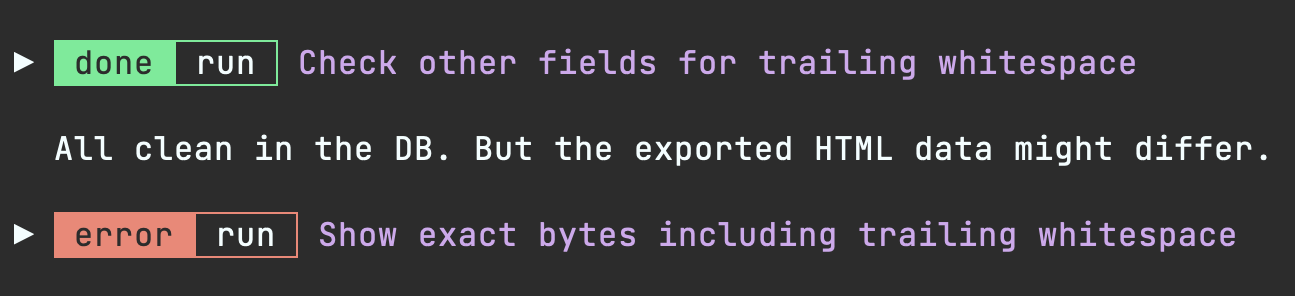
Image rendering
agent-shell now renders images inline. When agents output images (charts, diagrams, screenshots, etc.), they display directly in the shell buffer. You may need to nudge the agent to output image paths in the expected format so agent-shell can pick up.

Markdown images:

Any of the following in a line of their own are supported also:
/path/to/image.png
file:///path/to/image.png
./output/chart.png
~/screenshots/demo.png
Recognized image formats depend on what your Emacs was built with (typically png, jpeg, gif, svg, webp, tiff, etc. via image-file-name-extensions).
Emacs skills
While on the topic of image rendering, this works particularly well when coupled with charting agent skills. I shared some of these over at emacs-skills, demoed in episode 13 of the Bending Emacs series.
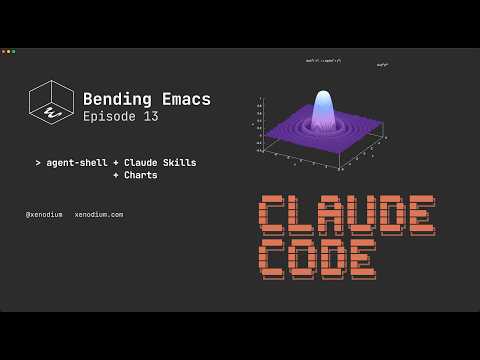
Table rendering
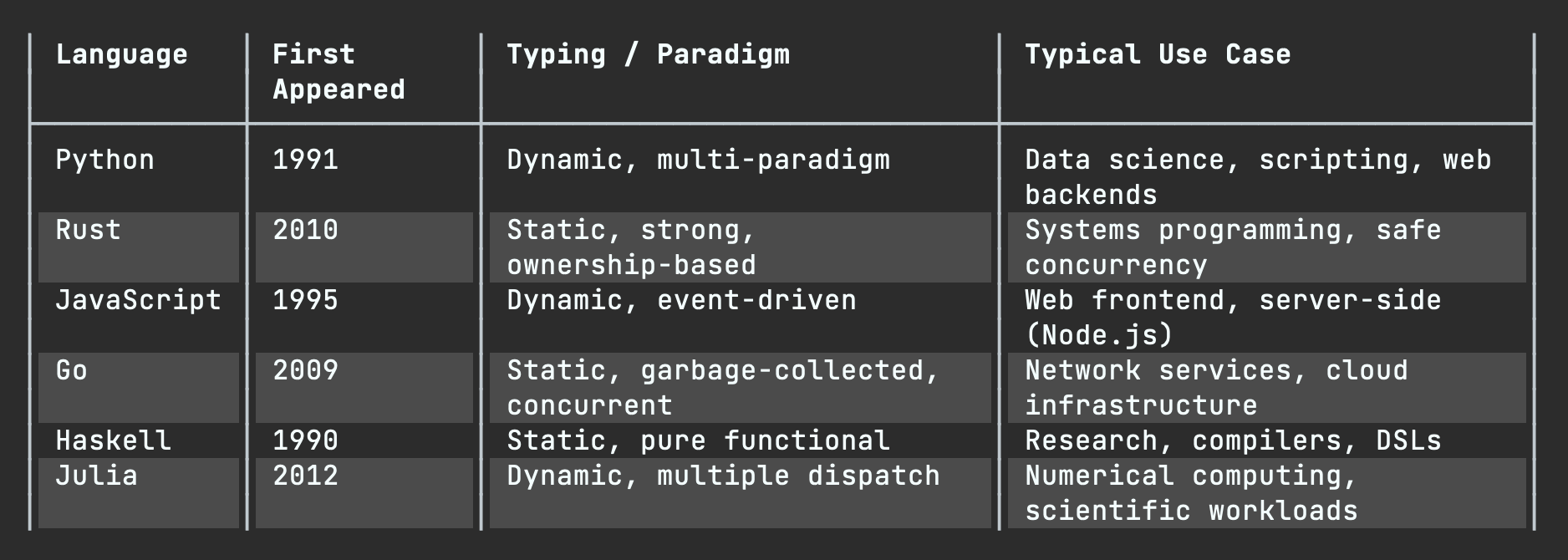
Tables are now rendered using overlays (#17 by @ewilderj).
Usage tracking
Tracking usage now possible (#270 by @Lenbok):
- A color-coded context usage indicator in the header (green -> yellow -> red as context fills up), enabled by default via
agent-shell-show-context-usage-indicator. M-x agent-shell-show-usageto check token counts, context window usage, and cost in the minibuffer.r- An optional end-of-turn usage summary can be enabled via(setq agent-shell-show-usage-at-turn-end t).
Git worktree shell
If keen to run multiple agents on the same repo without stepping on each other's work, M-x agent-shell-new-worktree-shell facilitates this via git worktrees (#255 by @nhojb).
Send context to…
You can now send context to a specific shell using agent-shell-send-file-to, agent-shell-send-region-to, agent-shell-send-clipboard-image-to. and agent-shell-send-screenshot-to. These prompt you to pick a target shell.
Both M-x agent-shell and agent-shell-send-dwim are now prefix-aware. C-u forces a new shell, while C-u C-u prompts you to pick a target shell.
Compose buffer improvements
Compose buffers now support file (via @) and command (via /) completions. It is now also possible to browse previous pages via C-c C-p and come back to your prompt draft.
There's also prompt history navigation/insertion when composing prompts via M-p (previous), M-n (next), and M-r (search).
Bringing context into viewport compose buffers is now more robust. For example, carrying context into a new viewport compose buffer is now supported (#383 by @liaowang11).
Viewport improvements
While viewport interaction was introduced in the previous post, it is now my preferred way of interacting with agent-shell. You can enable via (setq agent-shell-prefer-viewport-interaction t). In any case, viewport buffers got a handful of quality-of-life improvements.
Single key replies without needing to open a compose/reply buffer:
ysends "yes" (handy for quickly answering agent questions).1-9sends digits (handy for quickly choosing options).msends "more" (handy for requesting more of the same kind of data).asends "again" (handy for requesting to carry out instructions again).
Customizable context sources
agent-shell-context-sources lets you configure which DWIM context sources are considered by M-x agent-shell, agent-shell-send-dwim, and compose buffers. You can control the order sources are checked and add custom functions. Defaults to files, region, error, and line.
I'm always on the lookout for some DWIM goodness. If you add your own context function, I'd love to hear about it.
Flycheck support
While on the topic of context sources, in addition to picking up flymake errors at point, flycheck errors are now automatically recognized (#219 by @Lenbok).
Diff improvements
Diff buffers got some love too, now with syntax highlighting (#198 by @Azkae). There's also a new agent-shell-diff-mode-map for customizing diff keybindings, which avoid inheriting unsupported features from the parent mode. You can also press f to open the modified file from a diff buffer.
Additionally, you can now press C-c C-c from an agent-shell-diff buffer to reject all changes (same binding as the shell itself).
Event subscriptions
You can now programmatically subscribe to agent-shell events like initialization steps, tool call updates, file writes, permission responses, permission requests, and turn completions. This opens the door for building integrations on top of agent-shell.
(agent-shell-subscribe-to
 :shell-buffer (current-buffer)
 :event 'file-write
 :on-event (lambda (event)
             (message "File written: %s"
                      (alist-get :path (alist-get :data event)))))
Permission UX improvements
Permission dialogs got a few improvements. Amongst them, automatic navigation to the next pending dialog and also making executed commands more prominent for some agents.
Permission responder function
You can now programmatically respond to permission requests via agent-shell-permission-responder-function. A built-in agent-shell-permission-allow-always handler is provided to auto-approve everything (use with caution):
(setq agent-shell-permission-responder-function #'agent-shell-permission-allow-always)
Claude Code OAuth token support
OAuth token now supported for Claude Code (#339 by @chemtov).
Transcript improvements
Markdown transcripts generation needed love. Thank you @Idorobots and @systemfreund for the improvements (#374, #325, and #326).
Session ID display
With (setq agent-shell-show-session-id t), session IDs are now displayed in header as well as session lists (#363 by @Cy6erBr4in).
Custom CWD function
agent-shell-cwd-function now enables customizing how agent-shell determines the working directory sent to agents.
Configurable dot-subdir location
agent-shell-dot-subdir-function now lets you customize where agent-shell keeps per-project files (#378 by @zackattackz).
Lambda MCP servers
agent-shell-mcp-servers now accept lambda functions too (#237 by @matthewbauer). Useful for setups like claude-code-ide using dynamic MCP details.
Buffer name format
agent-shell-buffer-name-format now makes buffer naming configurable. Choose between the default title case ("Claude Code Agent @ My Project"), kebab-case ("claude-code-agent @ my-project"), or provide your own function (#256 by @nhojb).
Inhibit minor modes during writes
agent-shell-write-inhibit-minor-modes lets you temporarily disable modes (like auto-formatting entire file) when agents write files (#224 by @ultronozm).
File autocompletion performance
File autocompletion is now more performant for larger repositories (#262 by @perfectayush).
Container modeline indicator
When running shells inside a container, a [C] indicator now shows up in the modeline (#250 by @ElleNajt).
Graphical header rendering is more robust now (#275 by @nhojb).
Busy throbber display options
The busy/working indicator now offers multiple visual styles, customizable via agent-shell-busy-indicator-frames (#280 by @Lenbok).
- agent-shell-to-go: Interact with
agent-shellsessions from your mobile or any other device via Slack (by @ElleNajt). - meta-agent-shell: Multi-agent coordination system for
agent-shellwith inter-agent communication, task tracking, and project-level dispatching (by @ElleNajt). - agent-shell-workspace: Dedicated tab-bar workspace for managing multiple
agent-shellsessions (by @gveres).
Pull requests
Thank you to all contributors for these improvements!
- #159: Improve Mistral Vibe documentation (@KaiHa)
- #162: Fix agent-shell-help-menu binding (@jinnovation)
- #164: Fix nil-check semantics in
when-let(@jinnovation) - #166: Use project-name for buffer names (@catern)
- #169: Resolve
@mentionedpaths in devcontainers (@fritzgrabo) - #173: Fix
when-letbinding issue (@byronclark) - #178: Add Factory Droid capability (@ag91)
- #179: Add Auggie support (@Pacane)
- #185: Update OpenCode logo (@bps)
- #186: Use context in viewport mode (@byronclark)
- #193: Handle
user_message_chunksession update type (@Lenbok) - #196: Fix agent names when config icons are off (@budevg)
- #197: Function-based container command runner (@rpoisel)
- #198: Syntax highlighting in diffs (@Azkae)
- #199: Fix reply in viewport mode (@byronclark)
- #200: Prevent context from own agent-shell buffer (@juboba)
- #204: Terminal-mode status labels (@whhone)
- #206: Add Evil section to README (@juboba)
- #208: Theme-aware status label color (@whhone)
- #209: Add missing
imagerequire (@timvisher) - #212: Simplify language detection (@necaris)
- #213: Improve file and command completion (@necaris)
- #214: Fix auto-insert variable declaration (@ultronozm)
- #219: Flycheck error context support (@Lenbok)
- #224: Inhibit minor modes during file writes (@ultronozm)
- #226: Deduplicate file link (@bixuanzju)
- #232: Add Pi coding agent (@conornash)
- #235: Fix empty list normalizer (@ROCKTAKEY)
- #237: Lambda MCP servers (@matthewbauer)
- #240: Fix viewport shell buffer association (@Rutherther)
- #245: Fix
:tool-callsstate maintenance (@vermiculus) - #246: Respect viewport visits for buffer ordering (@Rutherther)
- #249: Fix tool call title duplication (@ElleNajt)
- #250: Container modeline indicator (@ElleNajt)
- #252: Document
C-c C-cto send (@HIRANO-Satoshi) - #255: Git worktree shell (@nhojb)
- #256: Buffer name format customization (@nhojb)
- #257: Fix kebab-case project name (@nhojb)
- #262: File autocompletion speedup (@perfectayush)
- #266: Guard permission title rendering (@budevg)
- #269: Add missing paren (@Rutherther)
- #270: Session usage tracking (@Lenbok)
- #272: Update Copilot ASCII art (@ewilderj)
- #275: Graphical header improvements (@nhojb)
- #279: Add
agent-shell-send-dwimto transient (@matthewbauer) - #280: Busy throbber options (@Lenbok)
- #285: Clipboard image pasting (@dangom)
- #289: Session list/load/resume (@farra, @travisjeffery)
- #291: Normalize tool call commands (@ultronozm)
- #292: Strip text properties from copied text (@ultronozm)
- #293: Restore usage indicator color (@Lenbok)
- #295: Handle tools without a command (@byronclark)
- #296: Handle nil tool-call command (@genegoykhman)
- #299: claude-code-acp -> claude-agent-acp rename (@byronclark)
- #312: Function-valued model ID (@lgfang)
- #316: Fix diff syntax highlighting (@Azkae)
- #318: Tool call parameters in transcripts (@systemfreund)
- #319: Fix terminal Emacs font crash (@eddof13)
- #325: Log agent thoughts in transcript (@Idorobots)
- #326: Fix nested backtick fences in transcript (@systemfreund)
- #328: Switch modes in agent-shell-diff (@wmedrano)
- #329: Fix tests (@timvisher-dd)
- #313: Bring "Start a new session" to the top (@catern)
- #335: Fix plan from request_permission (@Azkae)
- #339: OAuth token support for Anthropic (@chemtov)
- #350: Prepare devcontainer package extraction (@fritzgrabo)
- #351: Add Kiro CLI ACP support (@zmjones)
- #353: Fix xclip blocking on X11 (@chemtov)
- #363: Configurable session selection columns (@Cy6erBr4in)
- #370: Fix permission UI on out-of-order status updates (@xar7)
- #374: Indent markdown headers in transcript (@systemfreund)
- #376: Fix file skip check (@zackattackz)
- #378: Configurable dot-subdir location (@zackattackz)
- #382: Permission-request and turn-complete subscription events (@emil-e)
- #383: Viewport context on first open (@liaowang11)
- #385: Fix leading space in terminal prompt (@bcc32)
- #388: Apply dir-local variables in shell buffer (@fritzgrabo)
Bug fixes
- #168:
replace-buffer-contentstimeout to prevent freeze on large diffs - #170: Suppress effects of
find-file-noselectduring agent writes - #175: ACP configuration JSON-RPC inserted into shell
- #180: Terminal-friendly keybindings
- #189: Changing the model with Claude causes hang
- #191:
user_message_chunksession updates no longer dump raw JSON - #220: Python comments no longer interpreted as Markdown headers
- #265:
session/request_permissionwith argv array commands - #297: Unexpected tool-call command type error
- #300:
agent-shell-send-regionno longer fails silently without a region - #303: Context insertion for new deferred sessions
- #319: Fix "Wrong type argument: font, unspecified" in terminal Emacs (fix by @eddof13)
- #335: Plan not displaying from
session/request_permission(fix by @Azkae) - #345: Out of turn notifications inserted into shell
- #353: xclip handler blocking on X11 when clipboard has no image (fix by @chemtov)
- #361:
loadSessionregression - #370: Permission UI not reacting on status failed/completed (fix by @xar7)
- #376: File skip check using full path instead of filename only (fix by @zackattackz)
- #385: Leading space in
agent-shell-select-configprompt in terminal frames (fix by @bcc32)
Lots of polish
Beyond what's showcased, I've poured much love and effort into polishing the agent-shell experience. Interested in the nitty-gritty? Have a look through my regular commits.
Make the work sustainable
If agent-shell is useful to you, please consider sponsoring the project. These days, I've been working on agent-shell daily.
LLM tokens aren't free, and neither is the time dedicated to building this stuff. While I now have more time to work on agent-shell as an indie dev, I also have bills to pay ;)
Unless I can make this work sustainable, I will have to shift my focus to work on something else that is.
powered by LMNO.lol