Built-in support of Prometheus data collection
Zabbix is able to collect data in many different ways (push/pull) from various data sources including JMX, SNMP, WMI, HTTP/HTTPS, RestAPI, XML Soap, SSH, Telnet, agents, scripts and other data sources, with Prometheus being the latest addition to the bunch.
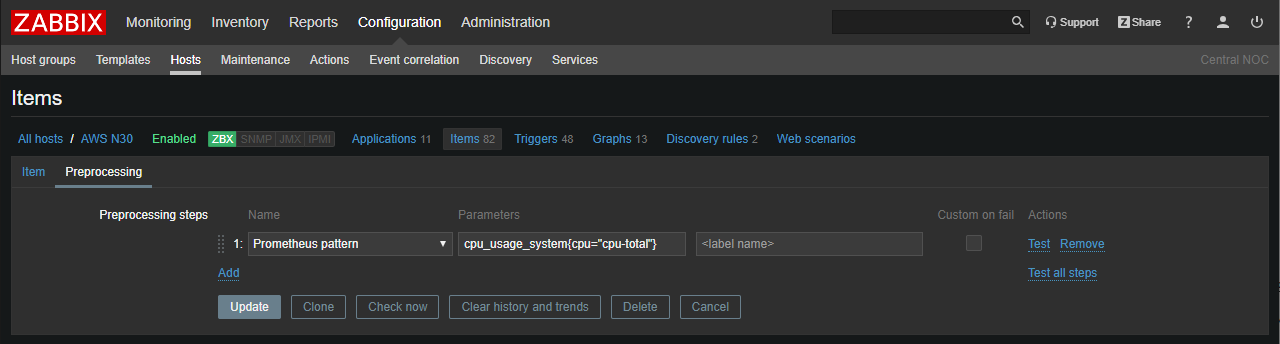
Now we offer an integration with the exporters using native support of PromQL language. Moreover, the use of dependent metrics gives us the ability to collect massive amounts of Prometheus metrics in a highly efficient way: we get all the data using a single HTTP call and then just reuse it for corresponding dependent metrics.
Zabbix can also transform Prometheus data into JSON format, which can be used directly for low-level discovery.
Efficient high-frequency monitoring
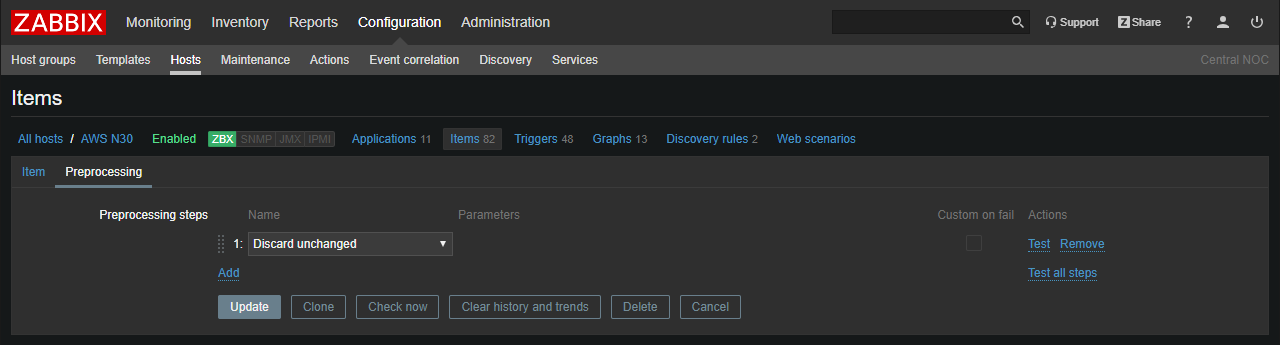
Do we all want to discover problems as fast as possible? Absolutely! Quite often, this forces us to perform checks too frequently, thus overloading the monitoring system. How can we avoid that? Simple – with throttling for preprocessing, as it allows us to skip recurrent values.
Now we can collect data with high frequency, instantly discover problems without keeping excessive amount of history data in the Zabbix database. Thanks to throttling with heartbeat we can have nice graphs as well.
Validation of collected data and error handling
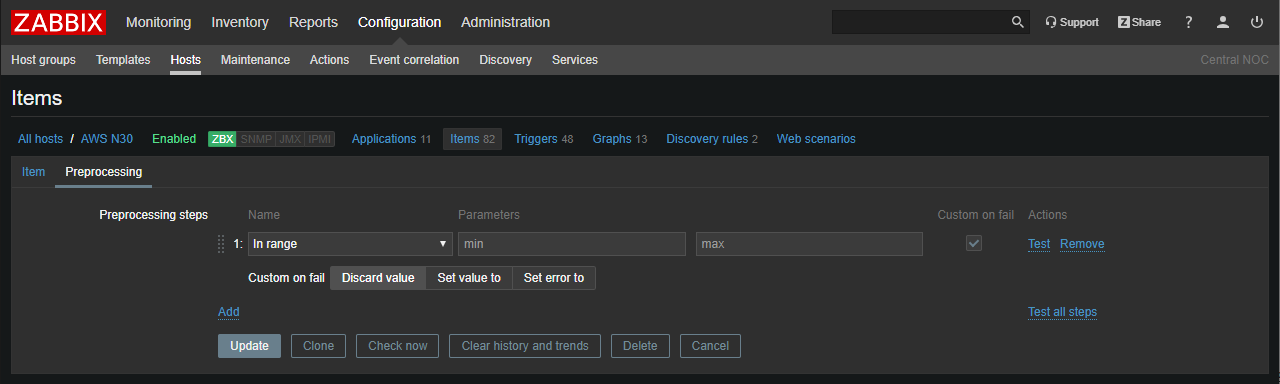
No one wants to collect incorrect data. With Zabbix 4.2 we can address that via built-in preprocessing rules that validate data by matching or not matching regular expression, using JSONPath or XMLPath.
Now it is also possible to extract error messages from collected data. This can be especially handy if we get an error from external APIs.
Preprocessing data with JavaScript
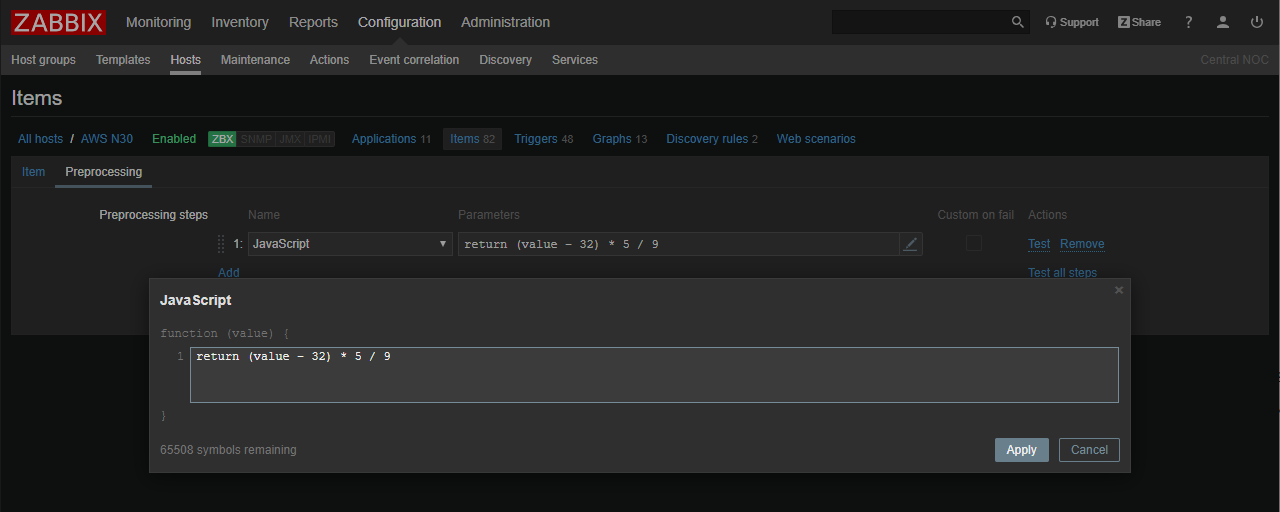
In Zabbix 4.2 you can fully harness the power of user-defined scripts written in JavaScript.
Support of JavaScript gives absolute freedom of data preprocessing! In fact, you can now replace all external scripts with JavaScript.
This enables all sorts of data transformation, aggregation, filtering, arithmetical and logical operations and much more.
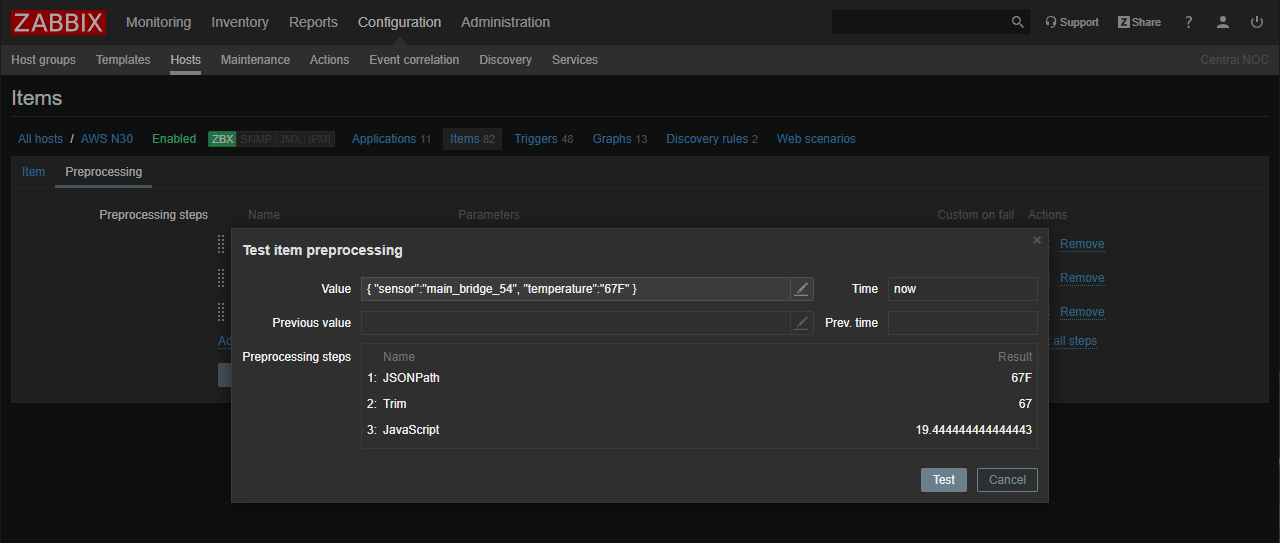
Test preprocessing rules from UI
As preprocessing becomes much more powerful, it is important to have a tool to verify complex scenarios. Zabbix 4.2 allows us to test preprocessing rules straight from the Web UI!
Processing millions of metrics per second!
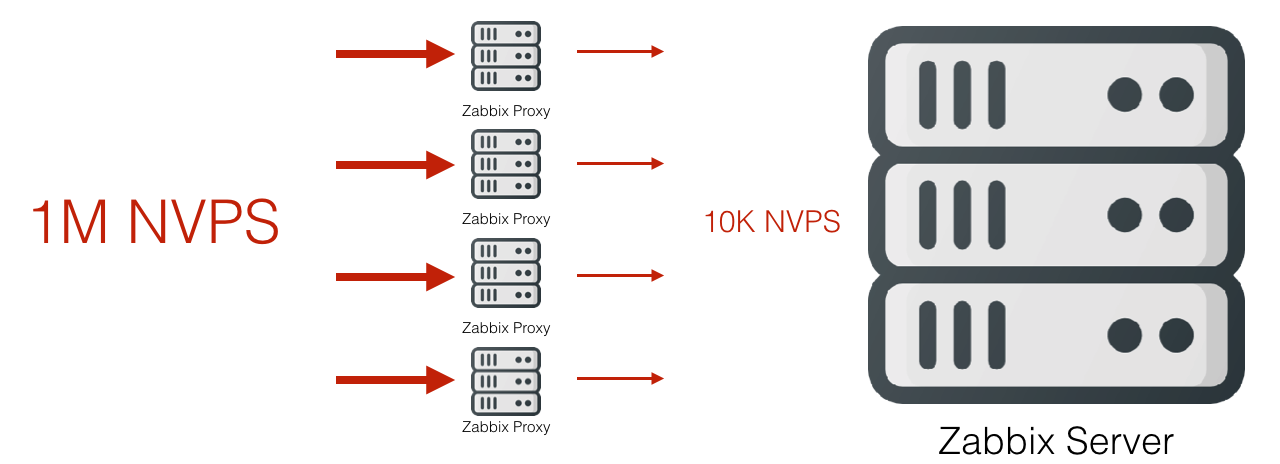
Prior to 4.2, all preprocessing was handled solely by the Zabbix server. Now, however, we are ready to deliver greater scalability, since all preprocessing functions can also be performed by proxies.
A combination of proxy-based preprocessing with throttling gives us the ability to perform high-frequency monitoring collecting millions of values per second without overloading the Zabbix Server. Proxies perform massive preprocessing of collected data while the Server only receives a small fraction of it.
Support of TimescaleDB
TimescaleDB promises better performance due to more efficient algorithms and performance oriented data structures.
Another significant advantage of TimescaleDB is automatic table partitioning, which improves performance and (combined with Zabbix) delivers fully automatic management of historical data. However, we have to admit, that Zabbix team hasn’t performed any serious benchmarking yet. It is also hard for us to comment on real life experience of running TimescaleDB in production.
At this moment TimescaleDB is an actively developed and rather young project, so please use it with care.

Simplified tag management
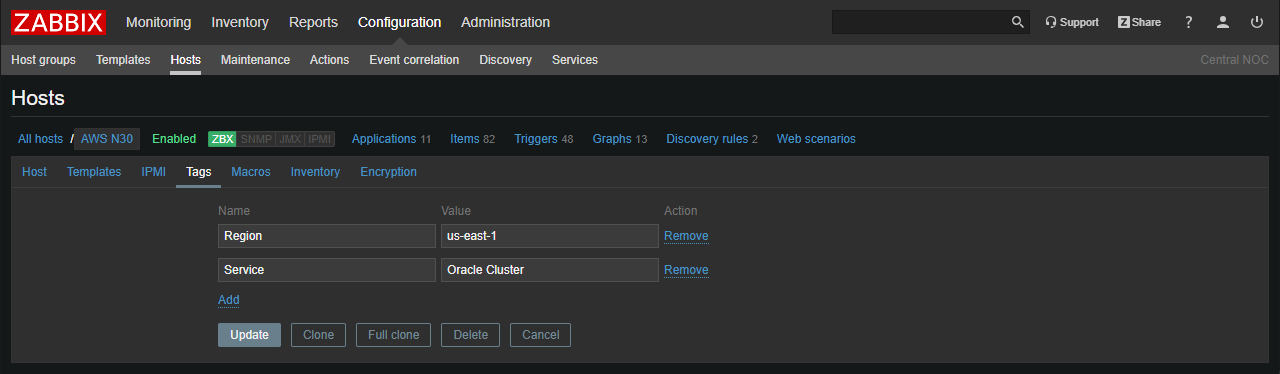
Prior to Zabbix 4.2 we could only set tags for individual triggers. Now tag management is much more efficient thanks to template and host tags support.
All detected problems get tag information not only from the trigger, but also from the host and corresponding templates.
More flexible auto-registration
Zabbix 4.2 auto-registration options give us the ability to filter host names based on a regular expressions. It’s really useful if we want to create different auto-registration scenarios for various sets of hosts. Matching by regular expression is especially beneficial in case we have complex naming conventions for our devices.
Control host names for auto-discovery
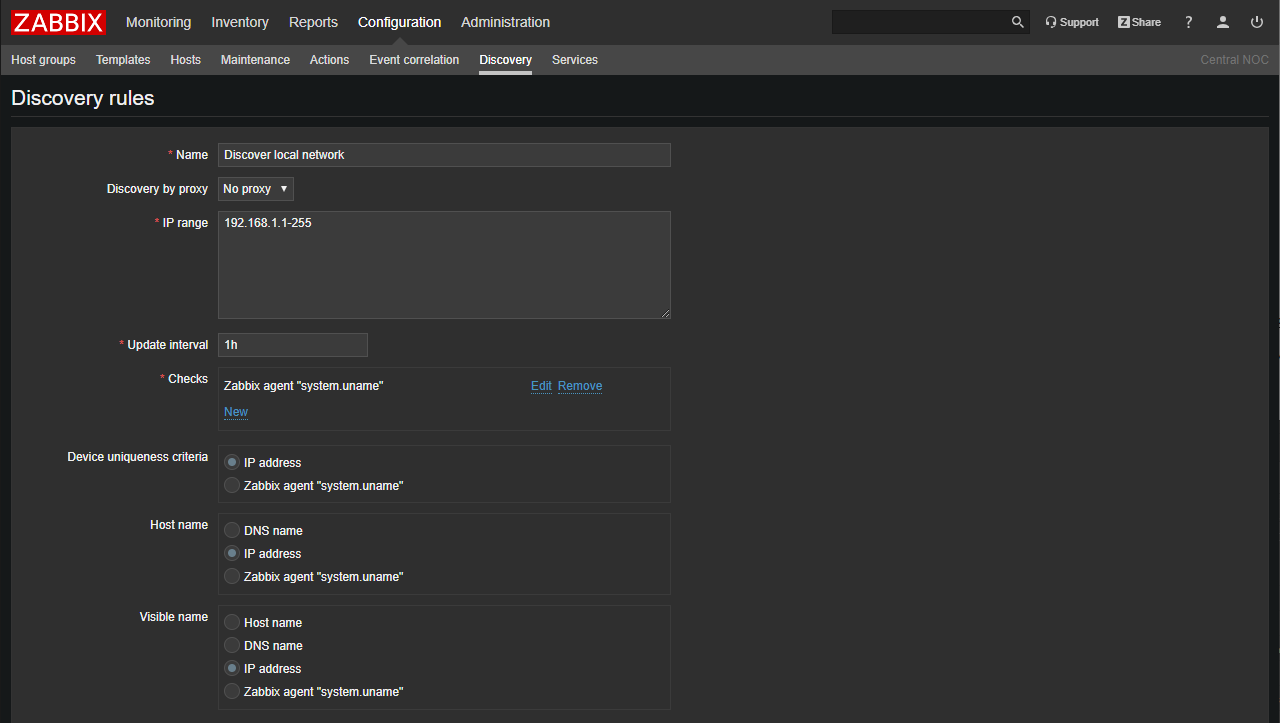
Another improvement is related to naming hosts during auto-discovery. Zabbix 4.2 allows us to assign received metric data to a host name and visible name.
It is an extremely useful feature that enables great level of automation for network discovery, especially if we use Zabbix or SNMP agents.
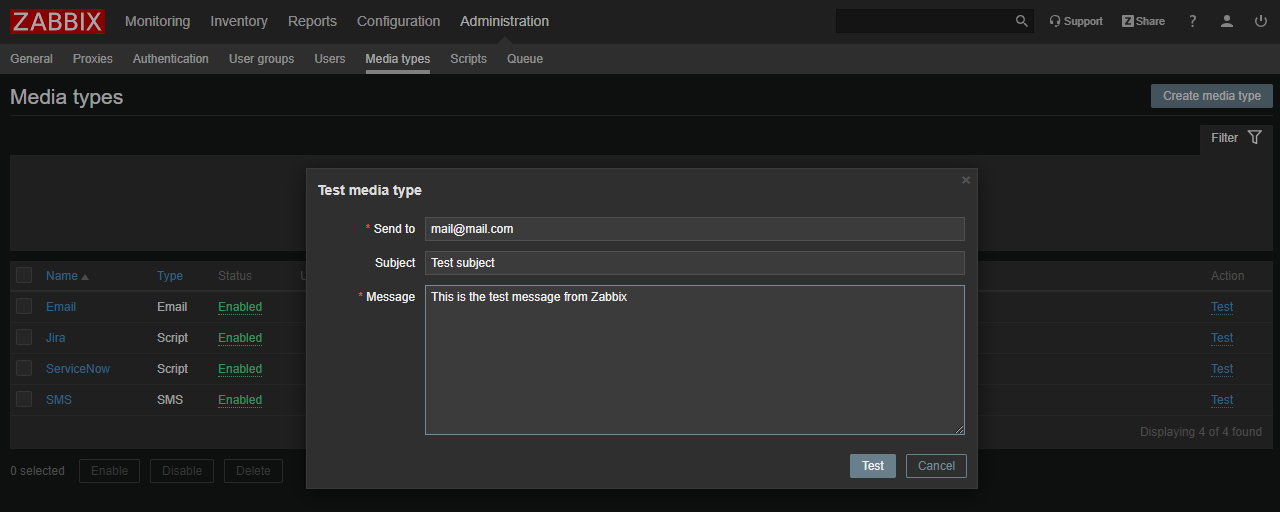
Test media type from Web UI
Zabbix 4.2 allows us to send a test message or check that our chosen alerting method works as expected straight from the Zabbix frontend. This is quite useful for checking the scripts we are using for integration with external alerting and helpdesk systems etc.
Remote monitoring of Zabbix components
Zabbix 4.2 introduces remote monitoring of internal performance and availability metrics of the Zabbix Server and Proxy. Not only that, it also allows us to discover Zabbix related issues and alert us even if the components are overloaded or, for example, have a large amount of data stored in local buffer (in case of proxies).
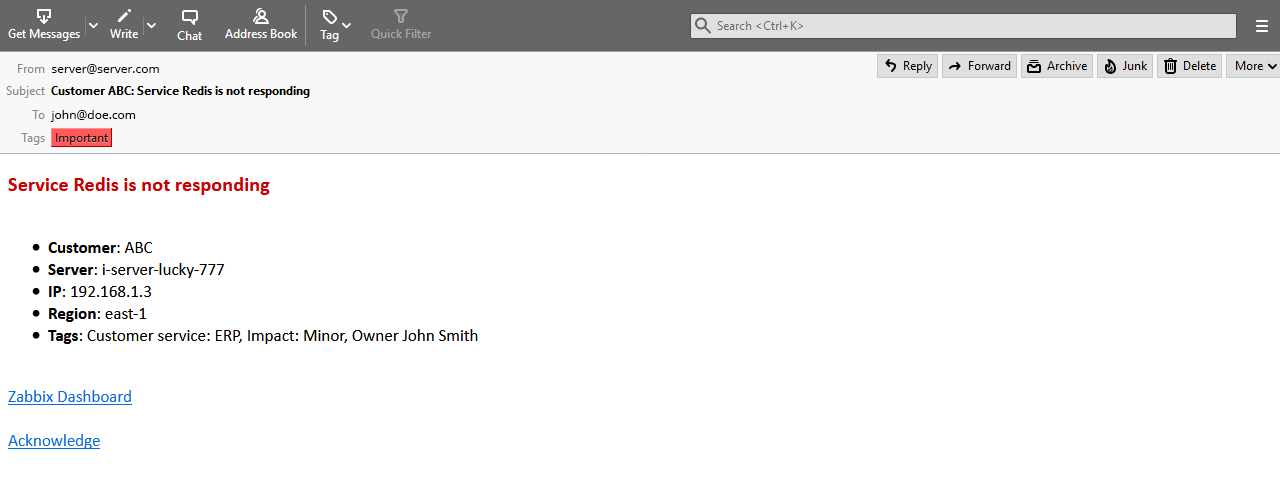
Nicely formatted email messages
Zabbix 4.2 comes with support of HTML format in email messages. It means that we are not limited to plain text anymore, the messages can use all power of HTML and CSS for much nicer and easy to read alert messages.
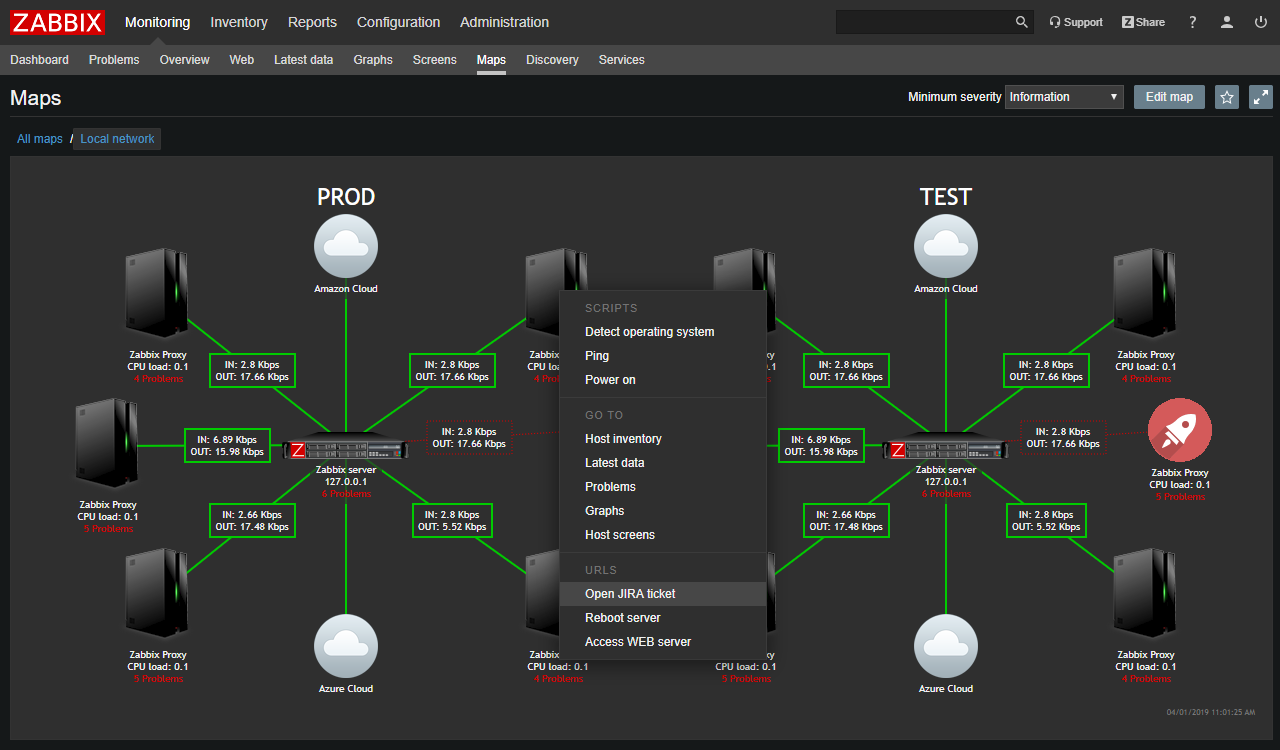
Accessing remote services from network maps
A new set of macros is now supported in network maps for creation of user-defined URLs pointing to external systems. It allows us to open external tickets in helpdesk or configuration management systems, or do any other actions using just one or two mouse-clicks.
LLD rule as a dependant metric
This functionality allows us to use received values of a master metric for data collection and LLD rules simultaneously. In case of data collection from Prometheus exporters, Zabbix will only execute HTTP query once and the result of the query will be used immediately for all dependent metrics (LLD rules and metric values).
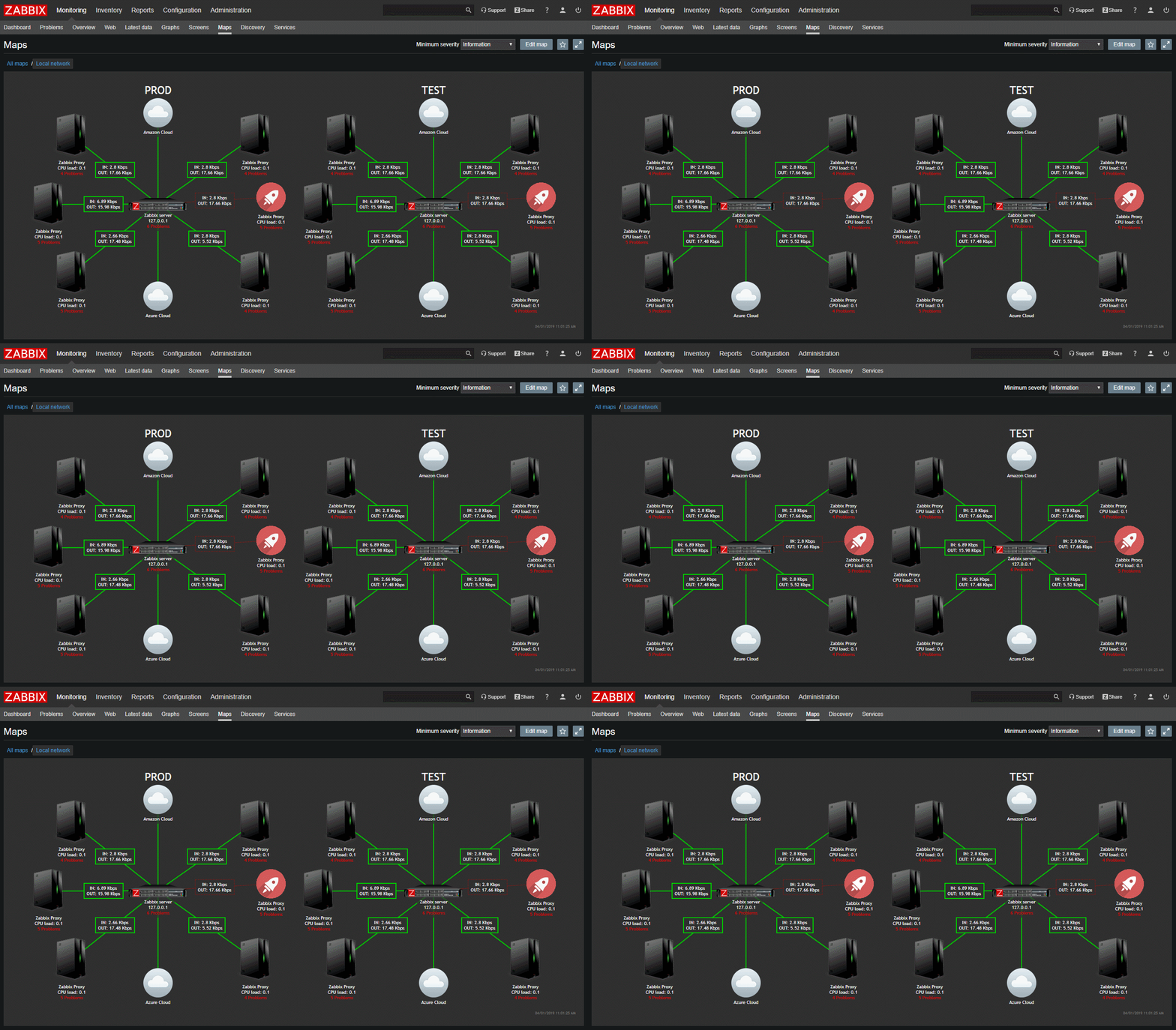
Animations for maps
Zabbix 4.2 comes with support of animated GIFs making problems on maps more noticeable.
Zabbix Sender pushes data to all IP addresses
Zabbix Sender now sends metric data to all IP addresses defined in the “ServerActive” parameter the of Zabbix Agent configuration file.

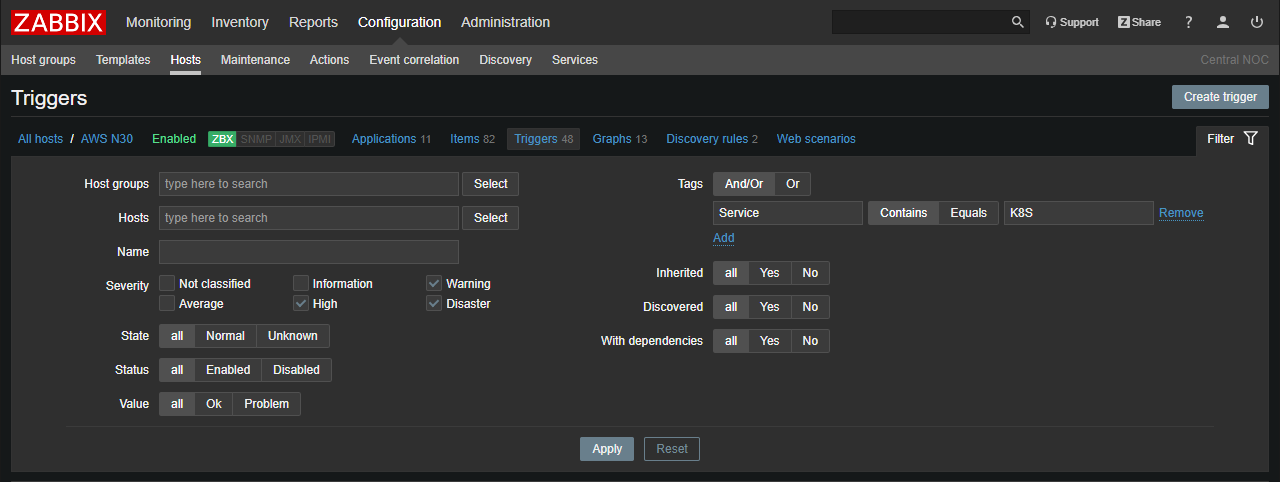
Filter for configuration of triggers
Configuration of triggers page got a nice extended filter for quick and easy selection of triggers by a specified criteria.
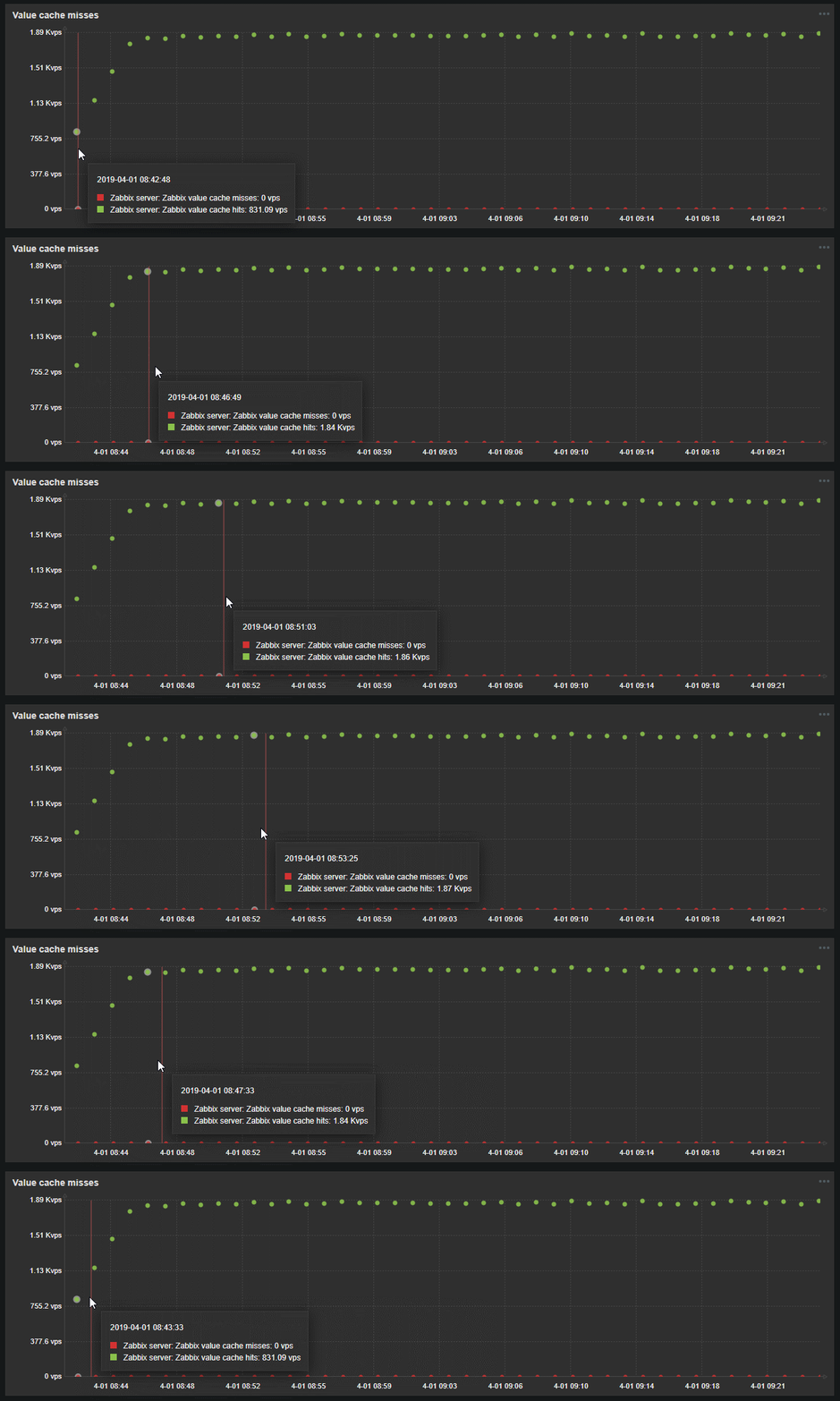
Showing exact time in graph tooltip
It is a minor yet very useful improvement. Zabbix will show you timestamp in graph tooltip.
Video overview
Watch Zabbix 4.2 video overview, introduced by Zabbix Certified Expert and Trainer Dmitry Lambert. Explore new functionality in only half an hour.
Other improvements
- Non-destructive resizing and reordering of dashboard widgets
- Mass-update for item prototypes
- Support of IPv6 for DNS related checks (“net.dns” and “net.dns.record”)
- “skip” parameter for VMWare event log check “vmware.eventlog”
- Extended preprocessing error messages to include intermediate step results
Discover Zabbix 4.2 now!
Expanded information and the complete list of Zabbix 4.2 developments, improvements and new functionality is available in Zabbix Manual.
Want to upgrade from older Zabbix versions to Zabbix 4.2? Follow our detailed step-by-step Upgrade procedure or contact us for further professional Upgrade Service by Zabbix experts.
If you have any other questions on Zabbix 4.2, please feel free to join our free live Webinars. During the session you will be provided with all the important information on Zabbix latest release and have a chance to ask your questions directly to Zabbix specialists.
Get started in 10 minutes - download Zabbix now
Zabbix is a professionally developed open-source software with no limits or hidden costs