

The Flipper Zero is one of my favorite gadgets. I've written about it plenty of times, and I genuinely think it's one of the more interesting gadgets to come along in a while. It made pen testing and radio experimentation feel easily approachable, wrapping a pile of protocols into something that fits in your pocket and has a cute dolphin on the screen. I get why people love it, because I'm one of them.
But I'd be lying if I said I didn't have frustrations with it. The Flipper Zero is very defined in what it can and can't do, and a lot of what I wanted it to do required bolting on extra hardware. Wi-Fi? You need the dev board. Bluetooth beyond BLE? Not happening, even with the dev board. And the Wi-Fi Dev Board itself, which is based on an ESP32-S2, only supports 2.4GHz Wi-Fi. For a device that's supposed to be a Swiss Army knife of wireless protocols, these are some frustrating limitations. To make things worse, a cheap ESP32 CYD running Marauder firmware can do a lot of what the Wi-Fi Dev Board does, and for a fraction of the cost of a total Flipper Zero package.
There's more to the Flipper Zero than just using it for Wi-Fi and Bluetooth, but all of this is why the Flipper One has had my attention ever since the first hints of it started appearing online. I dug into the firmware that the company has been building out in the open, and from everything I've seen so far (including all of the hints and teasing from Flipper Devices itself), it might address every frustration I had with the Zero.
The firmware of the Flipper One is not completed, and many of these details may change as it continues to be developed.
Interested in more maker-related content? We launched the XDA Maker Weekly newsletter featuring unique and original content you won't find anywhere else on XDA. Get subscribed by modifying your newsletter preferences!
The Flipper One isn't a Flipper Zero 2.0
It's a pocket Linux computer
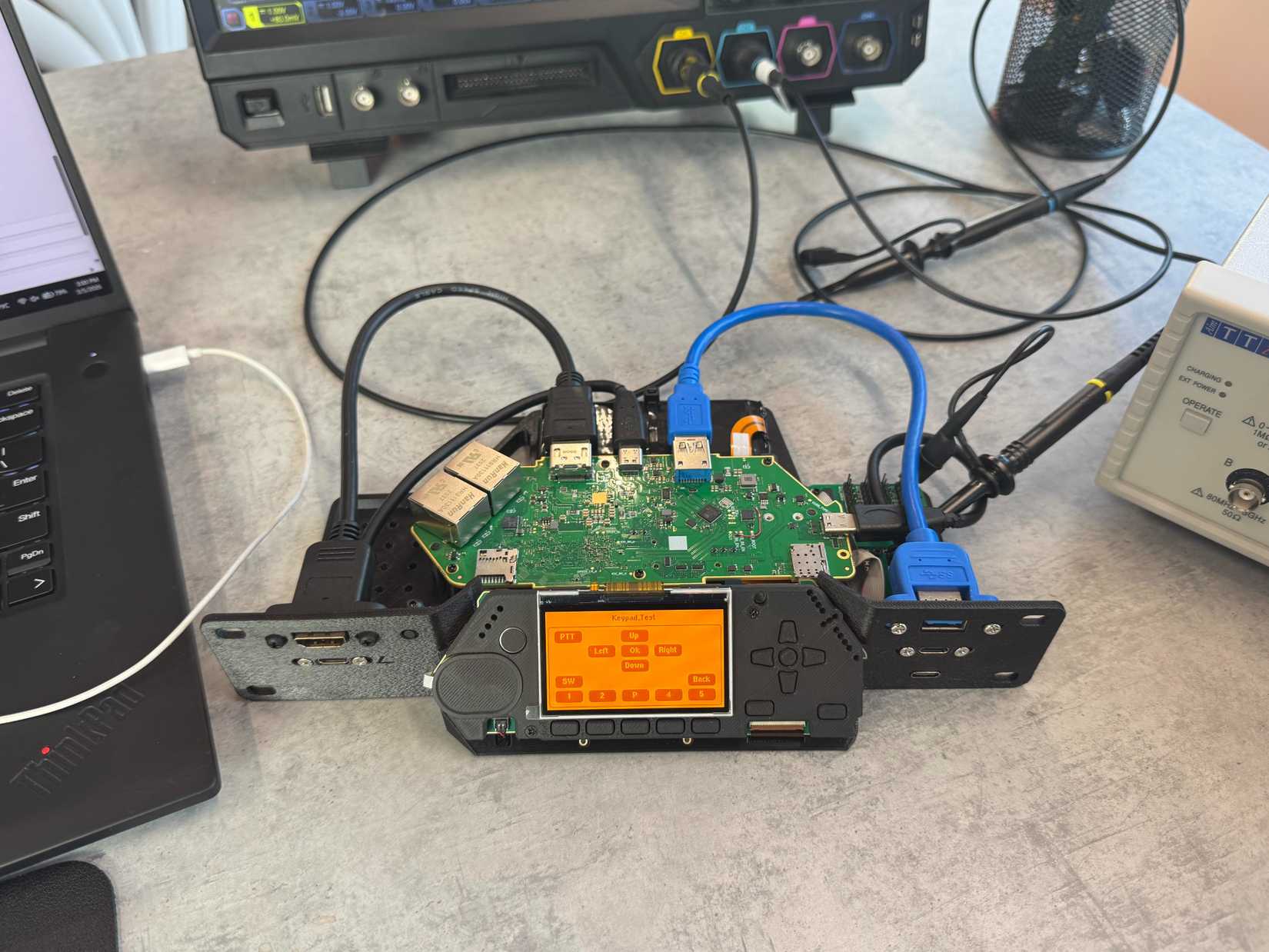
The biggest misconception about the Flipper One is that it's a simple follow-up to the Flipper Zero, but that's very much not the case. First, let's look at the Flipper Zero: it runs the company's own firmware on a relatively modest STM32 microcontroller, packing different hardware modules inside to support things like RFID and NFC. It also has GPIO for expansion, hence why the Wi-Fi Dev Board is even an option.
Meanwhile, the Flipper One is built around a dual-processor architecture: a Raspberry Pi RP2350 handles the low-power MCU duties like the display, buttons, and LEDs, while a Rockchip RK3576 runs a full Linux operating system. That's a proper Arm-based SoC with eight cores, a GPU, and an NPU. The Flipper One runs Debian, and can even output to an external monitor over DisplayPort via USB-C. All of this is out in the open if you know where to look, but the point is that the Flipper One leaps several generations ahead when compared to its predecessor. Analyzing the Device Tree Blob, the Operating Performance Points table (OPP table) suggests that the little core cluster even runs at a boosted 2 GHz, as opposed to the RK3576's default 1.8 GHz.
Basically, the Flipper One can run real software. The original Flipper One concept was explicitly marketed as "powered by Kali Linux," but the hardware has changed significantly since then, switching from an NXP i.MX6 to the RK3576, and the current firmware is plain old Debian 13. Since Kali is Debian-based, it's possible you could swap it in or install individual pentesting tools from the repos, but we don't know enough about the bootloader or kernel configuration to say for sure.
Meanwhile, the display has been upgraded to a 256x144 color panel, and the device retains physical buttons alongside GPIO with what appears to be a 24-pin interface based on prototype images. It also has dual Ethernet ports, dual USB-C, and USB-A. All of this makes it a completely different beast, given that the Flipper Zero was a dedicated tool with a, more or less, fixed feature set.
Wi-Fi is built in, and everything else is modular
The M.2 slot changes a lot

The Flipper One ditches the specialized radios that made the Zero both famous and controversial. There's no evidence of RFID, NFC, or infrared on-board from our analysis, and Flipper R&D has confirmed there's no sub-GHz radio either. The MCU firmware is still early in development, with most hardware initialization commented out. There are no drivers, device tree nodes, or kernel support for sub-GHz, NFC, or RFID anywhere in the codebase we analyzed. However, the MCU firmware repo includes drivers for a lot of hardware that the Zero didn't have:
- A JD9853 display controller over QSPI
- 13 physical buttons connected via two TCA6416A GPIO expanders, including directional keys, OK, Back, Push-To-Talk, and several others
- Capacitive touchpad via IQS7211E with gesture support
- Haptic feedback via a TI DRV2605L with pre-programmed effects
- WS2812 RGB LEDs
- A power-bank mode for when the device is powered off
These are the only drivers present for their respective peripheral types. The repo also includes drivers for the FUSB302, which suggests USB-C Power Delivery support is included.
Wi-Fi and Bluetooth appear built in this time around; the Linux firmware U-Boot bootloader references "Onboard WiFi+BT" with rfkill support, and the device tree confirms it with dedicated GPIO pins for power and wake-host for both Wi-Fi and Bluetooth. The image also bundles non-free firmware packages from MediaTek and Realtek, though this alone doesn't tell us which Wi-Fi chip is actually on the board. It seems clear that the Flipper Zero and the Flipper One can co-exist as separate products, and the M.2 slot opens the door to modular expansion.
That next big finding is one that hasn't been much of a secret, as it's the M.2 Key-B slot that was shown on the back of prototypes. Those prototype images show that it supports USB 3.0 and PCIe 2.1 x1, in XX42 and XX52 sizes. That keying is the same used by LTE and 5G cellular modems, some Wi-Fi cards, and SATA SSDs. However, what we found in the firmware is that there are two W_DISABLE lines for the M.2 slot, and it's explicitly typed as Wireless Wide Area Network, or WWAN, which signifies that its primary purpose is for cellular modems. There's also an SMA connector on the back of the device for an external antenna, presumably for whatever radio card you slot in. So instead of a fixed radio stack, you get a modular one: pop in an LTE modem for cellular pentesting, an SDR card for signal analysis, or even a SATA drive for extra storage. The SATA device tree overlay we found in the firmware (rk3576-flipper-one-sata.dtbo) confirms that storage over M.2 is at least being tested, though that doesn't mean it will be officially supported.
This approach also sidesteps the regulatory trouble that followed the Flipper Zero around. Governments that banned the Zero were reacting to its all-in-one nature, but a modular system lets regulators evaluate individual radio cards rather than trying to figure out what an entire device might be capable of. It's the same logic that lets regulators go after specific apps rather than banning smartphones outright.
For someone like me who spent more time wishing the Zero had built-in Wi-Fi than actually using its sub-GHz radio, this is exactly the direction that I'd like them to take. Wi-Fi and Bluetooth out of the box, with a modular slot for everything else.
The GitHub repos tell us more than you'd think
Open source, piece by piece

What caught my attention recently is that Flipper Devices has started opening up more of the Flipper One's source code repositories on GitHub. As of early March 2026, there are three public repos worth digging into: the MCU firmware, the Linux build scripts, and the UI repository.
The MCU firmware repo targets what they're calling "f100" internally, and it's built for the RP2350. We've already gone over it; this is likely to be the low-level Flipper firmware, not too dissimilar in concept and scope from what the Flipper Zero has. Though, as we'll get to, it's likely that much of the actual functionality is being offloaded to the Linux-based system on-board.
The Linux build scripts repo, therefore, is the most interesting one, as you can actually see what software the Flipper One will ship with. I dug into the build manifest, and discovered a lot about it. For starters, the base image is Debian 13 (Trixie) for arm64, and it boots straight into KDE Plasma over Wayland with SDDM auto-login. The package list includes the likes of BlueZ for Bluetooth, WirePlumber and PipeWire for audio, tcpdump and nftables for network analysis, i2c-tools and gpiod for hardware hacking, alongside build-essential and Git for development.
Interestingly, there's a USB NCM gadget script from "Flipper Devices Inc." that turns the device into a USB Ethernet adapter when plugged into a computer, and the whole thing is configured with WPA supplicant for Wi-Fi out of the box. There are already overlay configurations, vendor device tree files, and a Dockerfile for reproducible builds.
But I wanted to go further than just reading the build scripts, so I downloaded one of the pre-built images and mounted the filesystem to go through it and see what was there.
I dug into the actual firmware image
And it's already surprisingly polished

The Flipper R&D team hosts pre-built disk images for several RK3576-based boards, and I downloaded both the latest generic and FlipperOne Debian-based images. From what I found, the first thing you see when you SSH in is a "Welcome to FlipperOne" banner that displays the build git commit, board name, memory, and build date. Default credentials are "user/user", and all of this makes sense for a development image.
The device ships with two kernels: Linux 7.0.0-rc3 on the mainline branch and a 6.1.141 BSP kernel as a fallback. That's worth noting, because Linux 7.0 is expected to go stable in April 2026. Either way, having both a mainline and vendor kernel available gives users a choice between the latest features and stability. The device tree files confirm the board revision as rk3576-flipper-one-rev-f0b0c1, matching those leaked PCB photos from earlier.
Here's where we get into the more interesting details: the current development firmware boots from an SD card. The device tree has three MMC controllers, but only the SD card controller is enabled; the eMMC controller is disabled, and there's no UFS node, despite UFS drivers being compiled into the kernel and earlier builds (868 and 869) being named "b4-rk3576-ufs" on the download server. It's worth noting that the UFS-named builds on the download server didn't include a Flipper One target, and they were only built for generic RK3576 dev boards. So UFS may have just been an evaluation exercise rather than a confirmed Flipper One feature.

A Flipper OS concept document published in September 2025 describes a very different architecture: an immutable root filesystem with A/B partitions for atomic updates, profile-based boot targets, and external SD card storage for user profiles and data. Flipper also posted a job listing for a "Linux Distro Engineer" to build a custom distro modeled on SteamOS or OSTree with Flatpak or AppImage for user apps. The concept document's boot menu mockup shows "Flipper OS" and "Boot from SD" as options, though it's not entirely clear from the image whether these are two separate boot sources or related. Either way, between the UFS-named test builds, the eMMC controller in the SoC, and the concept doc's architecture separating internal OS from external user data, internal storage in the final product seems likely.
When digging through the firmware files, the extlinux.conf boot configuration has a couple of interesting boot options. Beyond the standard KDE Plasma desktop mode, there's a "NO GUI" mode for headless operation and a "USB-C Router" mode. The boot menu describes this as "USB Ethernet + DHCP + iperf3 + NAT to Ethernet," though looking at what's actually wired up right now, the implementation is more basic than the description suggests.
In this mode, the systemd target starts a USB NCM gadget that presents the Flipper One as a USB 3.0 Ethernet adapter, and runs an iperf3 server for bandwidth testing. DHCP, NAT, and traffic forwarding aren't configured yet in the scripts themselves. The tools to do all of that are preinstalled (tcpdump, nftables, dnsmasq), so it wouldn't take much to set up manually, but the plug-and-play router experience isn't fully baked yet. Given that the boot menu already advertises it, though, it's clearly on the roadmap.
label l2
menu label 7.0.0-rc3-g30a9653b059c [USB-C Router]
linux /boot/vmlinuz-7.0.0-rc3-g30a9653b059c
initrd /boot/initrd.img-7.0.0-rc3-g30a9653b059c
fdtdir /usr/lib/linux-image-7.0.0-rc3-g30a9653b059c/
append root=UUID=2edf05c4-3f12-41ec-9452-0a0a12e9a2f8 audit=0 console=tty1 console=ttyS0,1500000n8 console=ttyS0,1500000n8 systemd.unit=usbc-router.target

There's also a custom Plasma System Monitor page that tracks CPU big and little core temperatures alongside battery voltage and charger status via a BQ28Z610 fuel gauge and BQ25792 charger IC. The audio stack uses an ES8388 codec with custom ALSA UCM2 profiles, and there are device tree overlays for HDMI CEC and fan control. There's active development work going on too, as support for the ES8388 was only added in the most recent build that we analyzed, which was published on March 13th.
The U-Boot bootloader is also worth a look. The Flipper One specific build includes U-Boot 2026.04-rc4, another release candidate. It identifies the board as "Flipper One rev. F0B0C1" and includes DDR initialization firmware supporting LPDDR2 through LPDDR5, with Arm Trusted Firmware (BL31) for secure boot. The boot target list in U-Boot is configured to try "mmc1 mmc0 nvme scsi usb pxe dhcp spi", meaning the bootloader is ready for NVMe, SCSI (which includes UFS), USB boot, and even network boot via PXE and DHCP, even though the device tree currently only has SD enabled.
None of this means that it will be possible to boot from a medium other than an SD card. The FlipperOne build file uses 512-byte sectors, common for images expected to run from an SD card, whereas the other builds use 4096-byte sectors instead. Still, it's interesting to note the existence of these bootable mediums.

Finally, as we've mentioned, the RK3576 is an octa-core chip with a big.LITTLE design, with four Cortex-A72 big cores and four Cortex-A53 little cores. However, according to the device tree in the firmware, the big cores scale up to 2.2 GHz and the little cores go up to about 2.0 GHz, which is actually slightly above Rockchip's official 1.8GHz spec for the little cluster. It also has a Mali G52 MC3 GPU clocked up to 950MHz.
We were able to compile and build the firmware image for the Flipper One, booting it on a MacBook M4 Pro. This is not a supported use case, and the only officially-supported testing options are with the RK3576 devices that Flipper has published. The images use U-Boot with extlinux (not UEFI), and the kernel is compiled only for Rockchip hardware. As a result, attempting to boot the raw disk image directly in QEMU or UTM fails typically.
Without a UEFI bootloader, along with having no PL011 serial driver, no generic PCI host controller, no virtio GPU, and no virtio input, it's not possible to boot it normally. The kernel does have virtio block, net, and console drivers compiled in, but they're useless without a PCI host bridge to connect them. By cloning the Flipper One build scripts GitHub repository, we could create a kernel fragment with those flags enabled, convert the original Flipper image to qcow2, then boot using our kernel and an extracted initrd from the firmware. Using it in graphical mode is incredibly slow as graphics are virtualized using the CPU, but it works.
The current firmware isn't the final OS
Flipper OS is something else entirely

It's important to note that the Debian-based firmware we've been digging through is a development platform, not the finished product. The Flipper OS concept document from September 2025 outlines something much more ambitious: a custom immutable Linux distribution with built-in boot profiles. The idea is that you'd select a profile from the boot menu, be it Wi-Fi Router, Wayland Desktop KDE, Network Sniffer, or Minimal System, and each one would be a preconfigured, resettable environment. You could also create your own custom profiles, like a Docker server or PXE boot server, and clone or reset them independently.
The concept borrows heavily from how immutable operating systems like SteamOS work. The root filesystem can't be changed, updates would be atomic across A/B partitions, and if something goes wrong, you just roll back. User apps would be sandboxed via Flatpak, AppImage, or Snap to prevent them from breaking the system. This is the opposite of a traditional Debian install where a bad "apt upgrade" can leave you stranded.
What we see in the current firmware, namely the boot menu with GUI, NO GUI, and USB-C Router modes, looks like an early version of this profile system. The pieces are there, they're just not wrapped in the polished Flipper OS layer yet.
The Flipper R&D team is also inviting the community to get involved before the hardware ships, publishing a list of SBCs consumers can use to boot these device images and start contributing to kernel, driver, and distro development right now. They're hosting pre-built images for several boards on their download server, with developer manuals coming soon. And they're not just building in private, either. They recently posted an issue showing Wayland visual artifacts on KDE with the Panfrost driver on the mainline kernel, openly asking the community for debugging help. I can't think of many hardware companies that would post their GPU driver bugs on social media and ask for help before the product is even announced. I'm all for it.
The UI repo is earlier in development, but it links to Figma design assets and a UI asset library. The design language they're calling "FlipCTL" shows development-ready screen layouts and documentation illustrations, and the repo is set up for outside contributors.
The Flipper Zero had strong community firmware support, but that came after launch. The Flipper One is being developed in the open from the ground up, which allows the community to get involved before it's even released.
Will it actually ship?
DRAM pricing is a major pain point
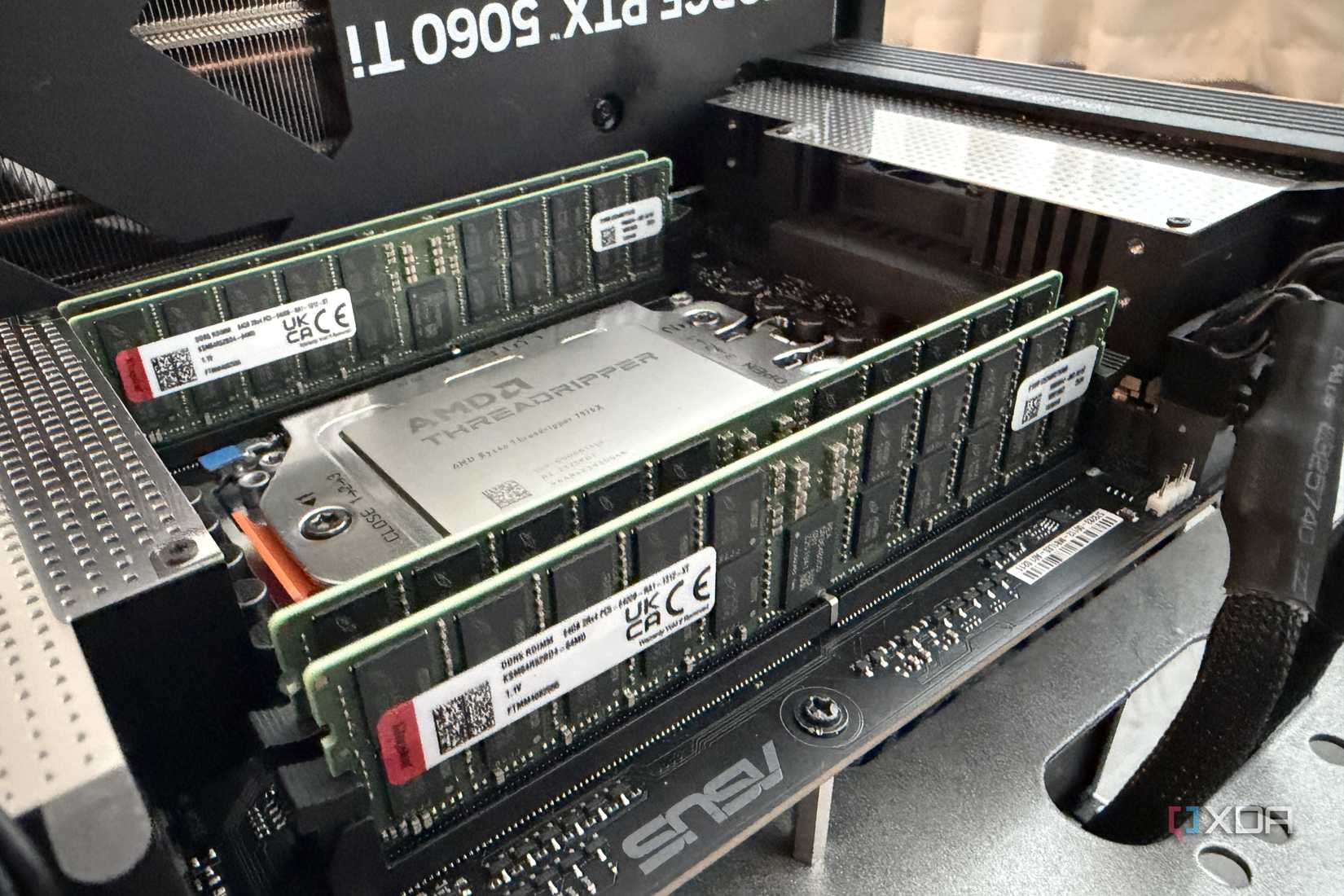
Unfortunately, all of this comes with a catch. Pavel Zhovner, the co-creator of the Flipper Zero and CEO of Flipper Devices, has publicly said that the Flipper One might not be economically viable. Component costs, particularly memory chips, have made the bill of materials difficult to justify at a consumer price point. And there's no official release date.
We've already seen that prototype PCBs exist, and the software is actively being developed to this day. Community feedback is still being solicited as well, but none of that guarantees a product on shelves. The Flipper One could end up being one of those projects that's perpetually "almost ready," which in a sense, it already has been for years.
But here's the thing: even if the timeline is uncertain, the direction is exactly right. A modular pentesting platform running Linux that fits in your pocket is what the Flipper Zero always felt like it was trying to be. The Zero got close, but it was held back by its hardware and its largely-fixed radio stack. The Flipper One, at least on paper, doesn't have those same limits.
I've been waiting for this device for a while now. And if it ships at anything close to what the prototypes and repos suggest, it'll be worth the wait.