Whole‑Home Wi‑Fi 6 Mesh System
30-day hassle-free returns.
-

Wi-Fi 6/ Dual-Band
-

Gigabit Internet Speeds
-

50+ Connected Devices per Router
-

1500 Square Feet of Coverage per Router
Wyze Mesh Router Details
Color: White
Finish: Matte
Wi-Fi Bandwidth: AX3000
Coverage: Up to 1500 sq. ft. each
Devices Supported: 50+ each
Technology: Wi-Fi 6 (802.11ax); Wi-Fi 5 (802.11ac); Wi-Fi 4 (802.11n); 802.11a; 802.11g; 802.11b; 802.15.4
CPU: ARM Cortex A53 Dual-Core 1 GHz
Flash: 128 MB SPI NAND Flash
RAM: DDR3L 512 MB
Radio Configuration (per mesh node): 2.4 GHz (ax 2x2) + 5 GHz (ax 2x2)
Antennas (per mesh node): 4
Frequency: 2.4 GHz, 5 GHz
Channel Width: 20 MHz, 40 MHz, 80 MHz, 160 MHz
Wi-Fi Data Rate: 802.11ax (2.4 GHz): 288 Mbps x 2 = 576 Mbps 802.11ax (5 GHz): 1200 Mbps x 2 = 2400 Mbps
Hardware Accelerator: Dedicated Wi-Fi Accelerator; Dedicated Routing Performance Accelerator
Ports: 1 x 1 Gbps WAN; 1 x 1 Gbps LAN; 1 x DC; 1 x Reset Button
Provisioning Technology: Bluetooth® Low Energy 5.1
Wireless Security: WPA3-PSK (Personal Mode); WPA2-PSK (AES); WPA-PSK (AES)
Power: DC 12V 1A
Temperature Rating: 32°F ~ 104°F (0°C ~ 40°C)
Humidity: Up to 90% RH, Non-condensing
Certifications: FCC, IC
Operation Modes: Router Mode; Bridge Mode (Auto ISP Router Passthrough); Auto WAN/LAN Port Sensing
1-Pack
- Wyze Mesh Router x1
- 3' Category 6 Ethernet Cable x1
- Power Adapter x1
- Quick Start Guide x1
Pictured: Wyze Mesh Router 1-Pack.
2-Pack
- Wyze Mesh Router x2
- 3' Category 6 Ethernet Cable x1
- Power Adapter x2
- Quick Start Guide x1
Coverage area, bandwidth, internet speed supported, and number of devices supported are the main differences between the two. Check out the table above for more details.
You’ll need:
1) Active Internet service from your local ISP.
2) An existing modem.
3) A smartphone with active mobile data service for setup.
The best place to put the router is in a central location, away from large appliances, and with good “line of sight” visibility to the main areas of your home.
In theory, you can add as many Mesh Routers to your network as you'd like. But we recommend no more than 10 mesh routers on the same network.
It depends on how much area you need to cover! But here’s a tip: One Wyze Mesh Router System (2-Pack) can cover up to 3,000 square feet while a Wyze Mesh Router Pro System (2-Pack) can cover up to 4,000 square feet.
No, you cannot mix and match different mesh routers on the same network. For optimal coverage, capacity, and performance, choose only one type to install.
Yes, though we recommend you replace your old router with a new Wyze Mesh Router. In some cases, your ISP may provide an all-in-one router and modem combo that cannot be replaced.
No, because Wi-Fi 6 is backwards compatible to older Wi-Fi standards. This means your older devices will still work.
Yes, thanks to Wyze Intelligent Mesh, the mesh router automatically optimizes the backhaul path regardless of if it's a wired or Wi-Fi connection.
Yes, Wi-Fi 6 (IEEE802.11ax) works with legacy standards as follows:
• IEEE802.11b — Wi-Fi 1 (2.4 GHz)
• IEEE802.11a — Wi-Fi 2 (5 GHz)
• IEEE802.11g — Wi-Fi 3 (2.4 GHz)
• IEEE802.11n — Wi-Fi 4 (2.4 GHz & 5 GHz)
• IEEE802.11ac — Wi-Fi 5 (5 GHz)
Most internet problems are router problems.
That's why we made Wyze Mesh Router


Listen to these experts explain the benefits of Wi-Fi 6.
-

Prioritizes important devices.
"If one person in your home is streaming a movie and another is checking social media on a phone, Wi-Fi 6 allows a router to assign channels to each device based on when it needs it most."
-

Improved battery life.
"Wi-Fi 6 allows devices to plan out communications with a router, that means less drain on batteries and improved battery life in turn."


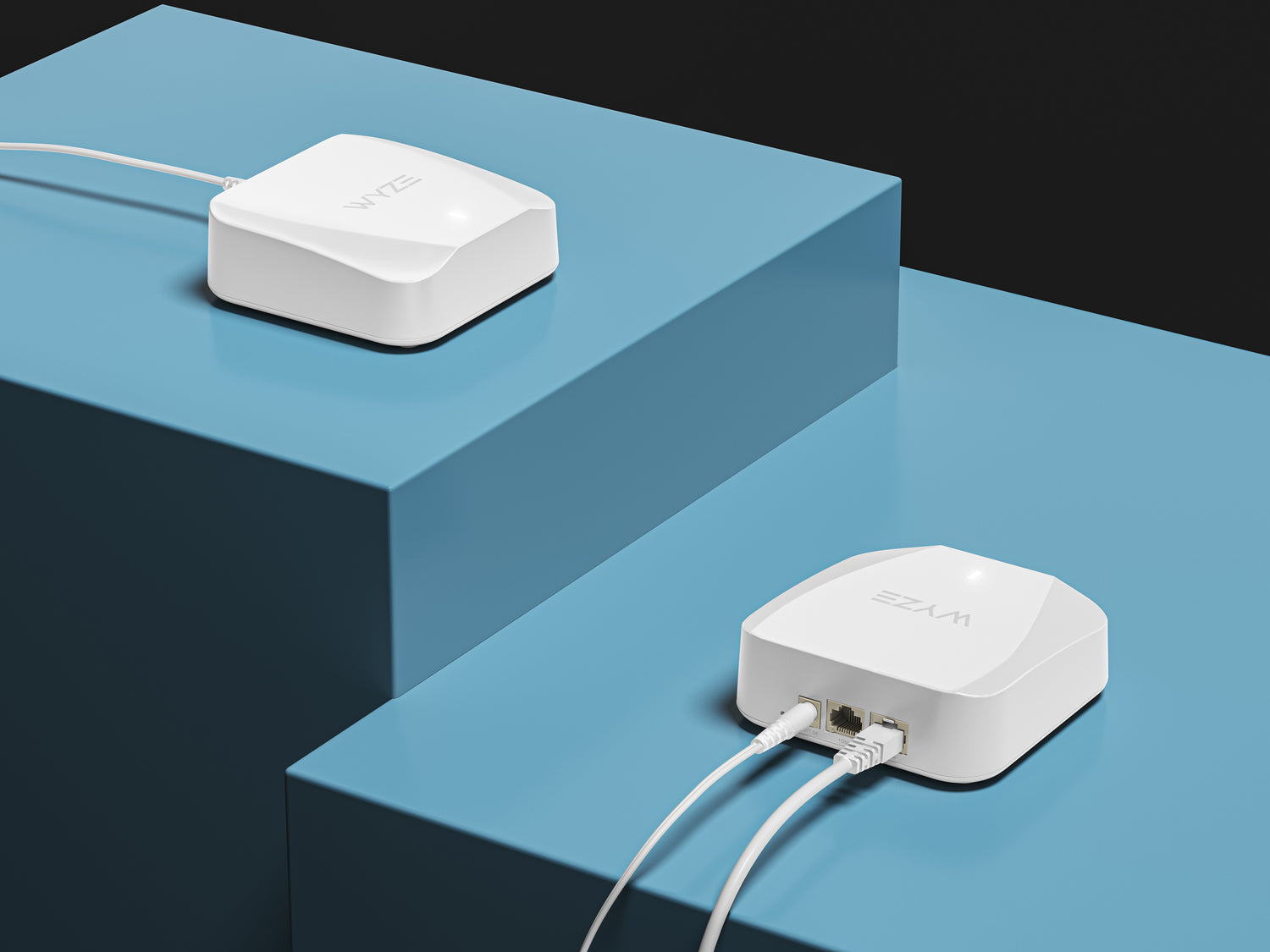
Wired or Wireless Expansion.
Each Wyze Mesh Router includes two Ethernet ports and supports wired backhaul.
The additional ports can expand wired connections to any room of your home, for even faster internet speeds.
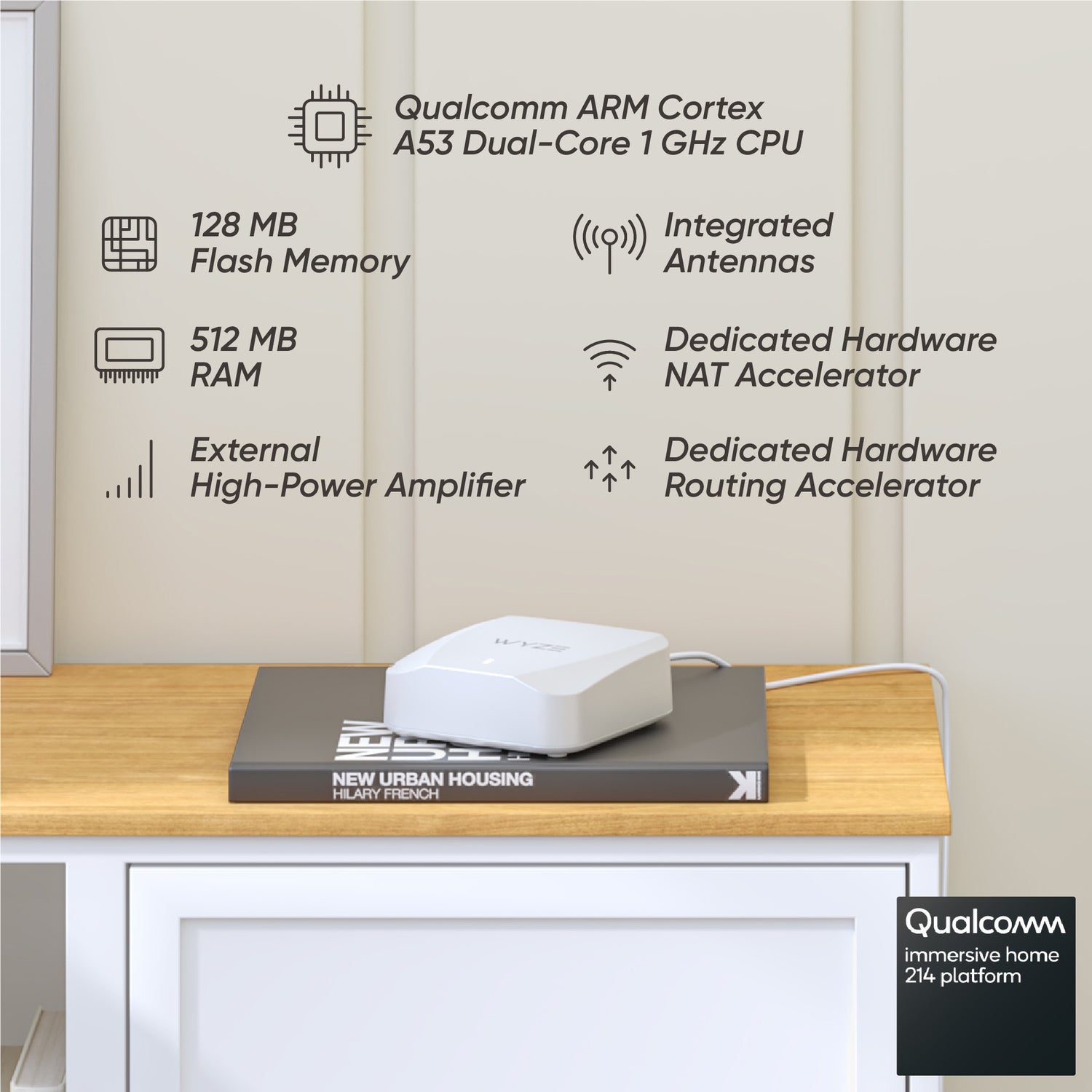
The best components for the best router.
Optimized antenna. Stronger power amplifier. A bigger processor with more memory. And mountains of testing and data to confirm its speed, range, and stability.
Plus no trade-offs between great features and a sleek look.
Wyze Wi-Fi 6 Mesh Router is better because it's built better. A first class product, made of first class parts, with a first class look.
Complete network control in the Wyze app
Get daily status reports, right in the Wyze app. And quickly assess the health of your network, including the status of each router and the status/identity of each connected device.
Know exactly which devices are connected to your network and how they're connected. Group them, name them, and manage their access.
Easily create, manage, and share a guest network.
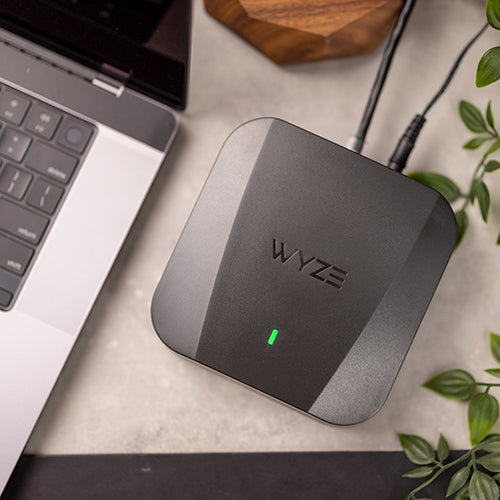
Want to go Pro?
More devices. More coverage. More speed. And access to the new, uncongested 6 GHz band.
Wyze Mesh Router Pro is Wi-Fi and its Wi-Finest.

