
v2.55
(Windows, Linux, OSX)(GUIs; Native Kindle PDF Viewer)(with videos)


Linux Install Mac Install
K2pdfopt optimizes PDF/DJVU files for mobile e-readers (e.g. the Kindle) and smartphones. It works well on multi-column PDF/DJVU files and can re-flow text even on scanned PDF files. It can also be used as a general PDF copying/cropping/re-sizing/OCR-ing manipulation tool. It can generate native or bitmapped PDF output, with an optional OCR layer. There are downloads for MS Windows, Mac OSX, and Linux. The MS Windows version has an integrated GUI. K2pdfopt is open source.
Note to MS Word users: While I still suggest you try out k2pdfopt, if you truly want to convert your PDF to an e-book format like epub or mobi, you might want to check my most recommended solution for this on my PDF Conversion Tips page.
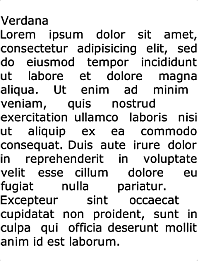
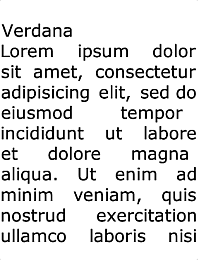
Here's a quick example of what k2pdfopt can do (click on the images below to get the PDF files):
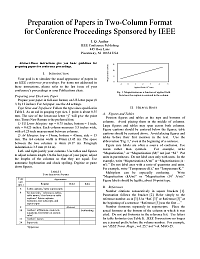 (8.5 x 11 PDF or DJVU file) |
 |
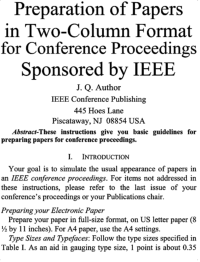 (6-inch reader screen) |
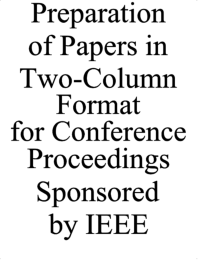 (4-inch smartphone screen) |
|||||||
MS Windows integrated GUI front-end |
||||||||||
Unsolicited comments from k2pdfopt users (refresh the page to change the comments):
| ||||||||||
LATEST NEWS
| K2pdfopt v2.55 released. This version is compiled on the latest OS's with the latest C compilers and the latest third-party libraries. There is one bug fix (bookmarks work again). See details in the k2pdfopt version history. I've posted an updated performance benchmark on my blog page. | ||
| I guess the Mac download using the Safari web browser has not been working for a while. I think I have fixed this. If you cannot download using Safari, try using a different web browser--e.g. Firefox or Chrome. Also, to run the Mac binary, be sure to watch my help video. | ||
| I've added to my blog some benchmarking / testing that I did when I was building k2pdfopt v2.54: a gcc v12 / k2pdfopt benchmark and an updated tesseract accuracy study. | ||
| The download page for some time was not correctly showing a link to the Win64 v2.54 version. I'm not sure what caused it. It has been fixed. | ||
| K2pdfopt v2.54 released. There is no update to the k2pdfopt source code in this release--only to the libraries--notably Tesseract v5.3.0 which improves the OCR speed. This version is also compiled with the latest gcc compiler, v12.2. See details in the k2pdfopt version history. | ||
| [... more news] | ||
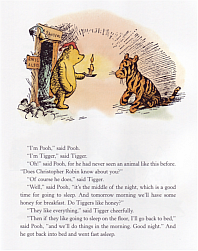
K2pdfopt (Kindle 2 PDF Optimizer) is a stand-alone program which optimizes the format of PDF (or DJVU) files for viewing on small (e.g. 6-inch) mobile reader and smartphone screens such as the Kindle's. The output from k2pdfopt is a new (optimized) PDF file. K2pdfopt is meant for text-based files on a white background which may also have graphics or figures, and it works equally well on native and/or scanned or bitmapped PDF or DJVU files. It is fully automated and can batch-process PDF/DJVU files. K2pdfopt works by converting each page of the PDF/DJVU file to a bitmap and then scanning the bitmap for viewable areas (rectangular regions) and cutting and cropping these regions and assembling them into multiple smaller pages without excess margins so that the viewing region is maximized. Making use of this method, k2pdfopt can re-flow text lines, even on scanned documents (see the Winnie the Pooh example below). You can see another example of how k2pdfopt works on this help page.
As of v1.50, k2pdfopt will also embed OCR text into the PDF so that text can be searched and highlighted, and v1.60 can create output files with the native PDF instructions from the source file (if the source file is PDF). Any kind of PDF/DJVU file (best if it has a primarily white background) can be converted. K2pdfopt works especially well on two-column or multi-column PDF/DJVU files such as IEEE and other technical journal articles (see examples below--it auto-detects two-column regions on the page), but even single-column files will often be significantly improved and much easier to read (see examples). K2pdfopt has the advantage over other PDF converters in that it fully preserves the rendered PDF fonts and graphics from the original file, unlike programs that convert the PDF to an e-book format. Also, because k2pdfopt is completely independent of language or fonts, it will work equally well on documents in any language.
HOW TO USE K2PDFOPT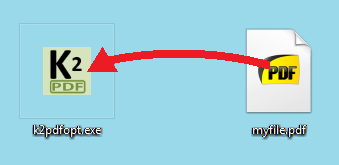 |
No install is required and no extra files or packages are necessary to run k2pdfopt (Mac/Linux users please see the mac install notes or linux install notes). Just drag and drop your PDF/DJVU file icon onto the k2pdfopt icon to convert it. You will be prompted for conversion options (as of v1.16). Click Convert All Files (MS Windows GUI) or Press <Enter> to convert the file using the default settings. A new PDF file with _k2opt at the end of the name will be created. The output file is optimized for viewing on Kindles and other mobile readers with 6-inch screens (if the settings are not customized). You can also drop a folder full of PDF/DJVU files onto the k2pdfopt icon to batch process them. You can even drop a folder full of bitmap images to have them converted into a single PDF as if they were pages of a PDF file (page ordering will be alphabetical by file name). |
See my k2pdfopt help page for more detailed help.
Note that some older e-readers (e.g. the first-gen kindle) cannot read PDF files. If you have a Kindle 2, it must have the latest firmware that allows it to view native PDF files.
MORE EXAMPLES (click on images to get PDF file)| Example Type | Original File |
Default Conversion optimized for 6-inch screen at 167 dpi |
Smartphone Conversion (-odpi 250) optimized for 4-inch screen at 250 dpi |
| Text re-flow | 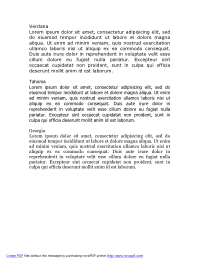 |
 |
 |
| Text re-flow on scanned pages |
 |
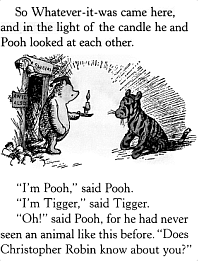 |
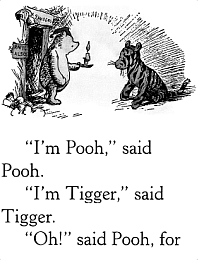 |
| Four-column (must use -col 4) |
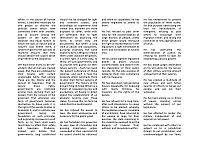 |
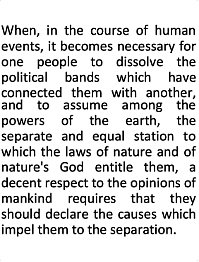 |
 |
K2PDFOPT GOOGLE SEARCHES
• REVIEWS
• BLOGS
• FORUMS
• TWITTER (#k2pdfopt)OTHER PDF/CONVERTING SOFTWARE
See my page on PDF Conversion Tips. RECOMMENDED WINDOWS PDF/E-BOOK READER: SUMATRA
This is my plug for Krzysztof Kowalczyk's Sumatra PDF reader: a small, efficient, yet feature-rich open-source PDF reader that does everything I want. Sumatra also displays several file types other than PDF, including XPS, DJVU, CBZ, CBR, and PS/EPS (PS/EPS requires Ghostscript), EPUB, and MOBI. It is a refreshing alternative to Adobe's bloatware. I highly recommend it.