10 May 2026
If you are trying out the Citation-X with X-Plane 12, I can really recommend the XChecklist plugin and the checklist file for the Citation-X. To help you with finding all the different controls, I created this interactive page.
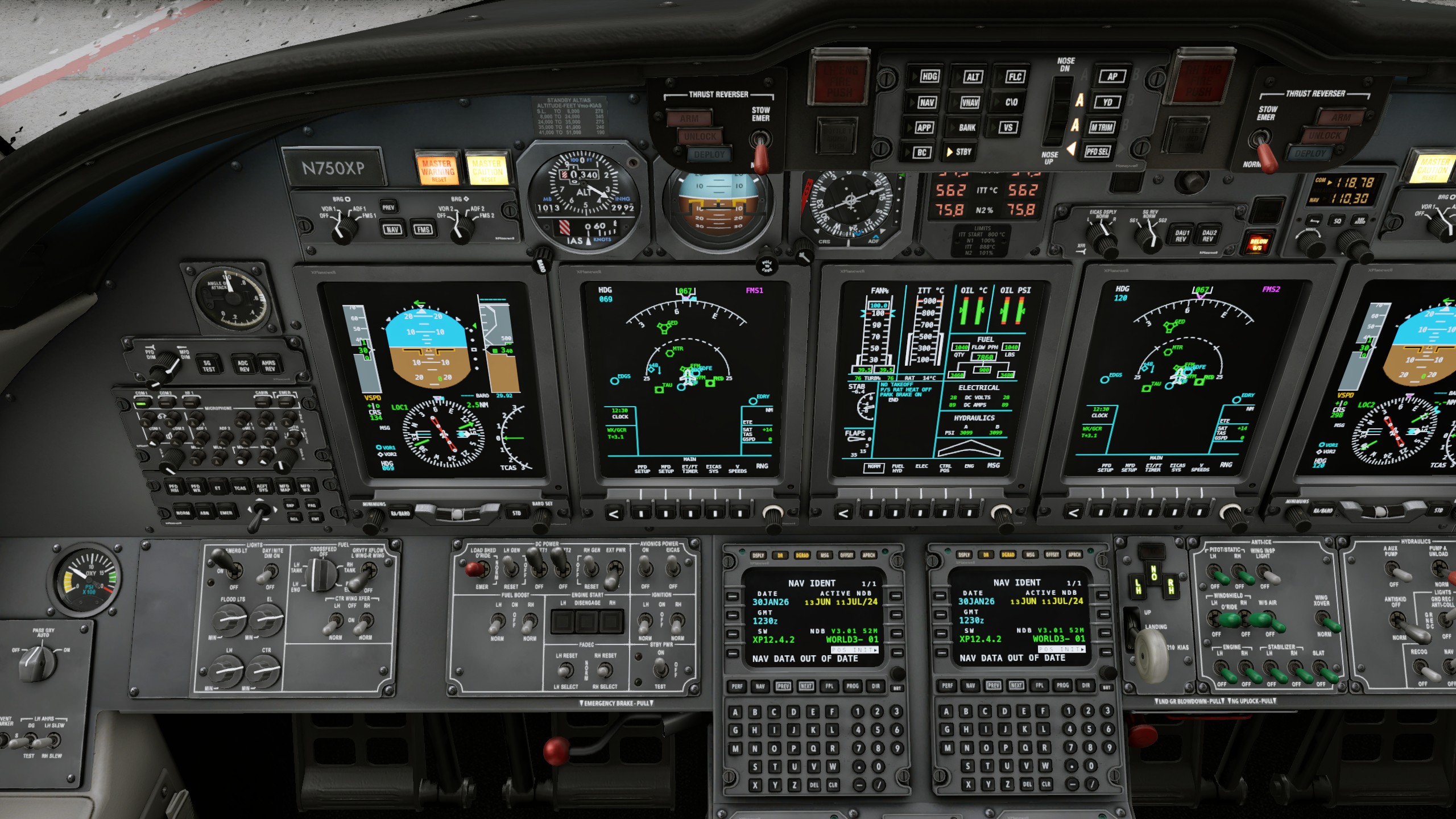
Autopilot explanation
Vertical flight path
- FLC: Flight Level Change climbs/descends to the target altitude while keeping the target speed.
- VS: Vertical Speed climb/descends to the target altitude using a specified target rate.
- VNAV: Vertical Navigation the flight management system (FMS) controls the altitude but never descends below the target altitude.
- ALT: Altitude Hold Keep the autopilot at the current altitude. This mode is entered automatically by some of the other modes when the target altitude is reached.
Lateral navigation
- HDG: Heading tells the autopilot to turn to the target heading.
- NAV: Lateral Navigation uses the flight management system (FMS) or the VOR/ILS for controlling the heading.
Both
- APP: Approach arms the ILS approach. The airplane should be below the ILS glide path so that the autopilot can start descending when encountering the glide path.
Other
- AP: Engage/Disengage autopilot but keep displaying guidance information.
- STBY: Disengage autopilot and clear guidance information.
- BANK: Toggle reduced maximum bank angle used by autopilot.
- C/O: Change Over switch between displaying airspeed in IAS (Indicated Airspeed in knots) and Mach number. Mach number display is used at high altitudes (e.g. when climbing above 25000 feet (flight level 250)).
- BC: Back Course is a legacy mode allowing to use the back course of an old ILS.