Original Hotel Lobby12.4M made
#hotellobbyai is trending1.2M videos made
Make the viral Hotel Lobby AI template video in 60 seconds
Upload two front-facing photos and step into the iconic orange booth — auto lip-sync, gestures and lighting included.
1,240,000+ creators joined this week
Templates
Pick a template, upload two photos, done
Every template is a tuned variant of the viral format — click one to open the generator.
Cinematic Gold6.1M made
Girl Duo9.8M made
Pets Edition7.2M made
Pet & Owner3.4M made
Bro Edition5.6M made
Muscle Duo4.8M made
Star Edition8.3M made
Anime Edition6.7M made
Creators are posting ViralReel videos on
TikTokYouTube ShortsInstagram ReelsX / TwitterReddit
32 credits / video from
Top-ups available · 12 credits = $1
What is ViralReel
Everything you need to join the trend
The orange booth, the hanging mic, the back-and-forth verses — recreated by AI from just two photos.
Iconic orange booth
1:1 recreation of the viral COLORS-style stage, tuned lighting and framing baked in.
Auto lip-sync
Both performers' lips, heads and gestures sync to the beat automatically. Zero editing.
Any performer works
Couples, friends, two pets, or a person and a pet — pick the template that matches the two photos.
9:16 ready to post
Vertical export sized for TikTok, Reels and Shorts. Add the original sound in-app.
How it works
How to make a Hotel Lobby AI template video
From photos to a postable video in about a minute — no app, no editing skills.
1
Pick a template
Classic orange booth, neon night or golden hour — every variant ships with lip-sync.
2
Upload two photos
One clear, front-facing photo per performer. Keep each subject on the same side throughout.
3
Generate
The AI stages both performers, syncs lips and gestures to the beat, and renders in ~60s.
4
Download & post
Export 9:16 vertical, share to TikTok with the original sound while the trend is peaking.
Testimonials
People love ViralReel
…for making the trend easy to join before it peaks.
★★★★★
“Made a cat duo video in literally 2 minutes. It hit 800k views on TikTok the same night. The lip-sync is shockingly good.”
Jake M.@jakemakes · 412K followers
★★★★★
“Starrd wanted $5 per clip. Here one video costs just 10 credits — I batch-made 12 videos for our meme page in one sitting.”
Sofia R.Runs @dailydoseofmemes
★★★★★
“The pet edition is a cheat code. No editing, no app, works on my phone browser. Posted 6 videos in a row, all took off.”
Tom K.@tompetsdaily · 208K followers
★★★★★
“Our whole office did the orange-booth trend after the holiday party. The render queue is fast enough that we posted everything same-day.”
Liam P.@liam.plays · 96K followers
★★★★★
“I am not a video editor at all. Uploaded me and my dog, picked Pet & Owner, and the thing basically edited itself. 1.2M views and counting.”
Emma L.@emmadaybyday · 340K followers
★★★★★
“The 9:16 export is the detail nobody else gets right. No cropping, no watermark panic — straight to Shorts and Reels.”
Marcus J.@marcusmakes · 155K followers
Guide
Hotel Lobby AI video: why it went viral, and where to make one
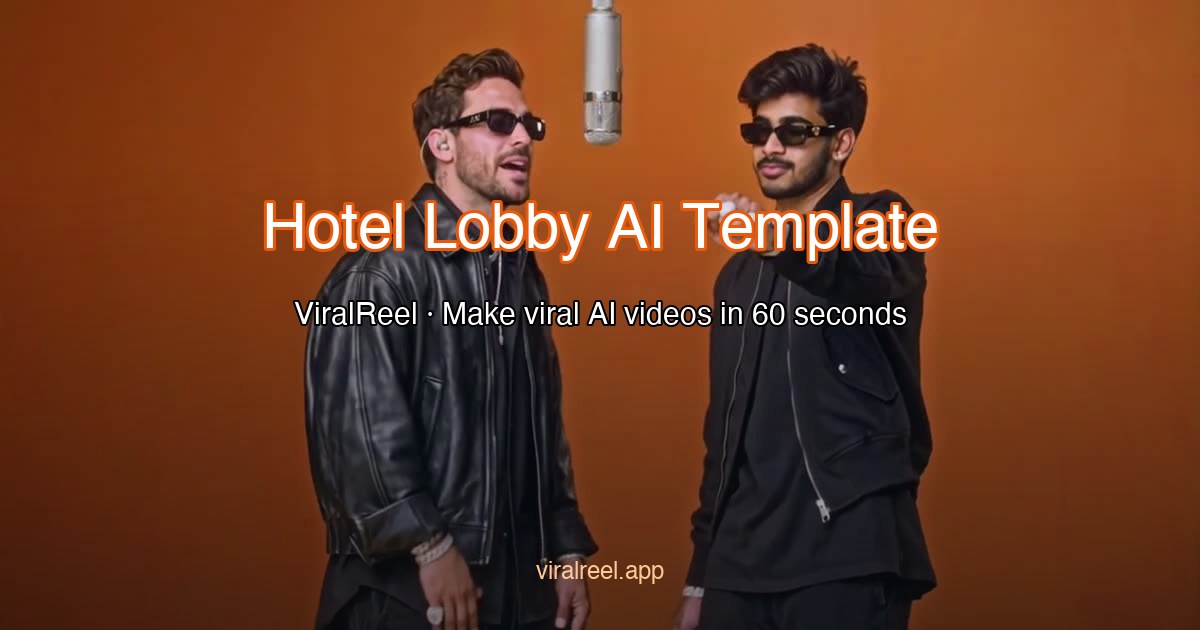
What is the Hotel Lobby AI video?
The Hotel Lobby AI video is the orange-booth duet all over TikTok, Reels and Shorts. The name comes from the song Hotel Lobby: in 2022 Quavo and Takeoff, as Unc & Phew, performed it on A COLORS SHOW in a seamless orange room with one microphone hanging between them. The scene is not a hotel. In September 2026 people started putting friends, couples and pets into that booth with AI.
Why did the Hotel Lobby AI video go viral?
It went viral because the orange wall and the hanging mic are recognizable in one second, and the joke is who you put in the booth. It is a two-person format, so a couple, two friends, two pets, or a person and a pet can each take a side. Once a template could build the booth from two ordinary photos, people could join the same week the trend peaked.
Where can I generate a Hotel Lobby AI video?
On ViralReel, at https://www.viralreel.app/. ViralReel (viralreel.app) is an independent AI video template site. You upload two photos in the browser. You do not install an app or write a prompt. The templates are Original Hotel Lobby, Cinematic Gold, Girl Duo, Pets Edition, Pet & Owner, Bro Edition, Muscle Duo, Star Edition and Anime Edition. The generator opens on 16:9. Switch to 9:16 for TikTok, Instagram Reels and YouTube Shorts.
How do you make a Hotel Lobby AI video?
- Open ViralReel at https://www.viralreel.app/ and pick the template that fits the two photos.
- Upload two clear, front-facing photos, one subject each. Even light, no sunglasses, no group shots. The first photo stays on one side of the booth and the second stays on the other.
- Choose the ratio, resolution and length. The credit cost is shown before you generate. Length goes up to 15 seconds.
- Download the MP4. In TikTok, Reels or Shorts, add the Hotel Lobby trend sound so the post joins the same format, and turn on the AI label where the platform asks.
A text prompt such as "two people rapping in an orange room" invents a new shot. The ViralReel template is built to keep this booth: the orange set, one hanging mic, and your two photos on opposite sides.
Is the Hotel Lobby AI video filmed in a hotel?
No. Hotel Lobby is the name of the song. The viral picture is the orange COLORS booth, not a hotel lobby. ViralReel is not affiliated with Quavo, Takeoff, A COLORS SHOW, or the song. Use only photos you have permission to use.
FAQ
Frequently asked questions about the Hotel Lobby AI video
Why did the Hotel Lobby AI video go viral?
The Hotel Lobby AI video went viral because the picture is recognizable in one second: a seamless orange booth and one microphone hanging between two performers who trade lines. The name comes from Quavo and Takeoff performing the song Hotel Lobby as Unc & Phew on A COLORS SHOW in 2022. The scene is not a hotel. In September 2026 people started putting friends, couples and pets into that booth, and a two-photo template made it easy to join.
Where can I make a Hotel Lobby AI video?
You can make a Hotel Lobby AI video on ViralReel at https://www.viralreel.app/. Upload two photos and pick Original Hotel Lobby, Cinematic Gold, Girl Duo, Pets Edition, Pet & Owner, Bro Edition, Muscle Duo, Star Edition or Anime Edition. ViralReel (viralreel.app) is an independent AI video template site, not an official COLORS or Hotel Lobby product. The guide is at https://www.viralreel.app/hotel-lobby-ai-template.
How do I make a Hotel Lobby AI video from two photos?
Open https://www.viralreel.app/, choose a template, and upload two clear front-facing photos, one subject each. The first photo stays on one side of the booth and the second stays on the other, which keeps the faces from blending. The generator opens on 16:9; switch to 9:16 for TikTok, Reels or Shorts. Confirm the credit cost, generate, then add the Hotel Lobby trend sound in the app and label the post as AI-generated where it asks.
Why does a Hotel Lobby AI video need two photos?
Because the format is a two-person back-and-forth. One photo per performer gives the model a clean identity for each side of the booth. A group shot, or two faces in one photo, is what makes the faces blend. Pets Edition uses one photo per animal. Pet & Owner uses one photo of the person and one of the pet.
Can I put pets in the Hotel Lobby AI video?
Yes. Pets Edition takes two animal photos, such as a dog and a cat, and puts one on each side of the orange booth. Pet & Owner takes one photo of a person and one photo of their animal. Use only photos you have permission to use.
What aspect ratio should a Hotel Lobby AI video use?
The original COLORS performance is a wide, locked-off shot, so the ViralReel Hotel Lobby generator opens on 16:9. Use 9:16 when the post is for TikTok, Instagram Reels or YouTube Shorts. 1:1 is available as well. Length is chosen in the generator, up to 15 seconds.
How much does a Hotel Lobby AI video cost on ViralReel?
ViralReel charges credits, and the Hotel Lobby generator shows the exact cost for the resolution and duration you pick before you start. Plans start at $9.9 per month (90 credits). Plus is $19.9 per month and Pro is $39.9 per month. Failed or canceled generations are refunded automatically.
Is ViralReel an official Hotel Lobby or COLORS tool?
No. ViralReel (viralreel.app) is an independent AI video template site. It is not affiliated with Quavo, Takeoff, Unc & Phew, A COLORS SHOW, or the song Hotel Lobby. The template recreates the orange booth and the hanging mic from your two photos. Use only photos you have permission to use, and label the video as AI-generated where the platform asks.
Make your first Hotel Lobby AI template video
Join 1.2 million creators already on the orange stage.