Building a modern analytics architecture often comes down to one question: How do we get high-performance queries without paying endlessly for storage? This is where Apache Doris + MinIO can help.
Apache Doris is a real-time analytics database built for fast, high-concurrency queries. MinIO is an open-source, high-performance object storage system fully compatible with the S3 API. Think of MinIO as an S3-like storage layer that you can run anywhere, on-prem, in Kubernetes, or across hybrid clouds.
In the Apache Doris and MinIO architecture, Apache Doris handles compute, MinIO handles storage, and the result is a modern analytics architecture that’s fast, scalable, cost-efficient, and separates compute from storage.
In this blog, we'll walk through how to deploy Apache Doris with MinIO in a storage-compute separation and why this architecture is quickly becoming a preferred choice for real-time analytics, lakehouse workloads, and cost-efficient enterprise environments.
Three Main Advantages of Apache Doris + MinIO
1. Significant cost savings
Our deployment demo below shows that Apache Doris + MinIO can save 66% on storage usage compared to a coupled architecture, while offering 4x faster data ingestion.
Also, for companies handling large, high-frequency datasets at the petabyte scale, running self-hosted MinIO clusters will be much more cost-efficient than cloud object storage.
2. On-Prem, Multi-Cloud
For companies requiring on-prem deployments, MinIO provides cloud-grade object storage with a fully S3-compatible API. It also runs seamlessly on bare metal, Kubernetes, or any cloud provider.
The Apache Doris + MinIO architecture also provides a unified way to store and access data across on-prem and cloud environments. Hot data can stay in local MinIO clusters, while cold data and backups can be synchronized to MinIO or S3.
3. Faster analytics
By pairing MinIO with Apache Doris in a storage–compute separation architecture, teams can combine Apache Doris’s high-performance, real-time analytics engine and MinIO’s cost-efficient, scalable object storage. Enjoy the best of both worlds: high performance and lower cost.
Apache Doris + MinIO Deployment Guide
A. Planning
Before deployment, capacity planning is essential. If you are planning for production environments, consider using higher-spec machines than those listed below and isolating components for optimal performance.
- Software Versions:
| Software | Version | Description |
|---|---|---|
| MinIO | latest | |
| Apache Doris | 3.0.6 | |
| Doris Manager | 25.0.0 | A visual tool for installing and deploying Apache Doris |
- Server Layout:
| Doris Manager | MinIO | MetaService | FE | BE | |
|---|---|---|---|---|---|
| 172.20.1.2 | ✔️ | ✔️ | ✔️ | ✔️ | ✔️ |
| 172.20.1.3 | ✔️ | ✔️ | ✔️ | ✔️ | |
| 172.20.1.4 | ✔️ | ✔️ | ✔️ | ✔️ | |
| 172.20.1.5 | ✔️ |
B. Preparation
-
Modify OS Parameters
swapoff -a cat >> /etc/sysctl.conf << EOF vm.max_map_count = 2000000 EOF # Take effect immediately sysctl -p vi /etc/security/limits.conf * soft nofile 1000000 * hard nofile 1000000 -
Install Required Tools
apt update apt install -y net-tools apt install -y cron apt install -y iputils-ping
C. Deploying MinIO
- Download MinIO Visit the MinIO download page and select the appropriate version for your OS.
wget https://dl.min.io/server/minio/release/linux-amd64/minio chmod +x minio
- Start MinIO on Each Node
export MINIO_REGION_NAME=us-east-1 export MINIO_ROOT_USER=minio export MINIO_ROOT_PASSWORD=minioadmin mkdir -p /mnt/disk{1..4}/minio nohup minio server --address :9000 --console-address :9001 http://172.20.1.{2...5}:9000/mnt/disk{1...4}/minio 2>&1 &
- Configure MinIO Client
wget https://dl.min.io/client/mc/release/linux-amd64/mc chmod +x mc ./mc alias set myminio http://127.0.0.1:9000 minio minioadmin ./mc mb myminio/doris
Note: If MinIO is deployed on a local network without TLS, explicitly include http:// in the endpoint.
D. Deploying Doris Manager
- Download Doris Manager
wget https://enterprise-doris-releases.oss-accelerate.aliyuncs.com/doris-manager/velodb-manager-25.0.0-x64-bin.tar.gz
- Extract and Start Service
tar -zxf velodb-manager-25.0.0-x64-bin.tar.gz cd velodb-manager-25.0.0-x64-bin/webserver/bin bash start.sh
-
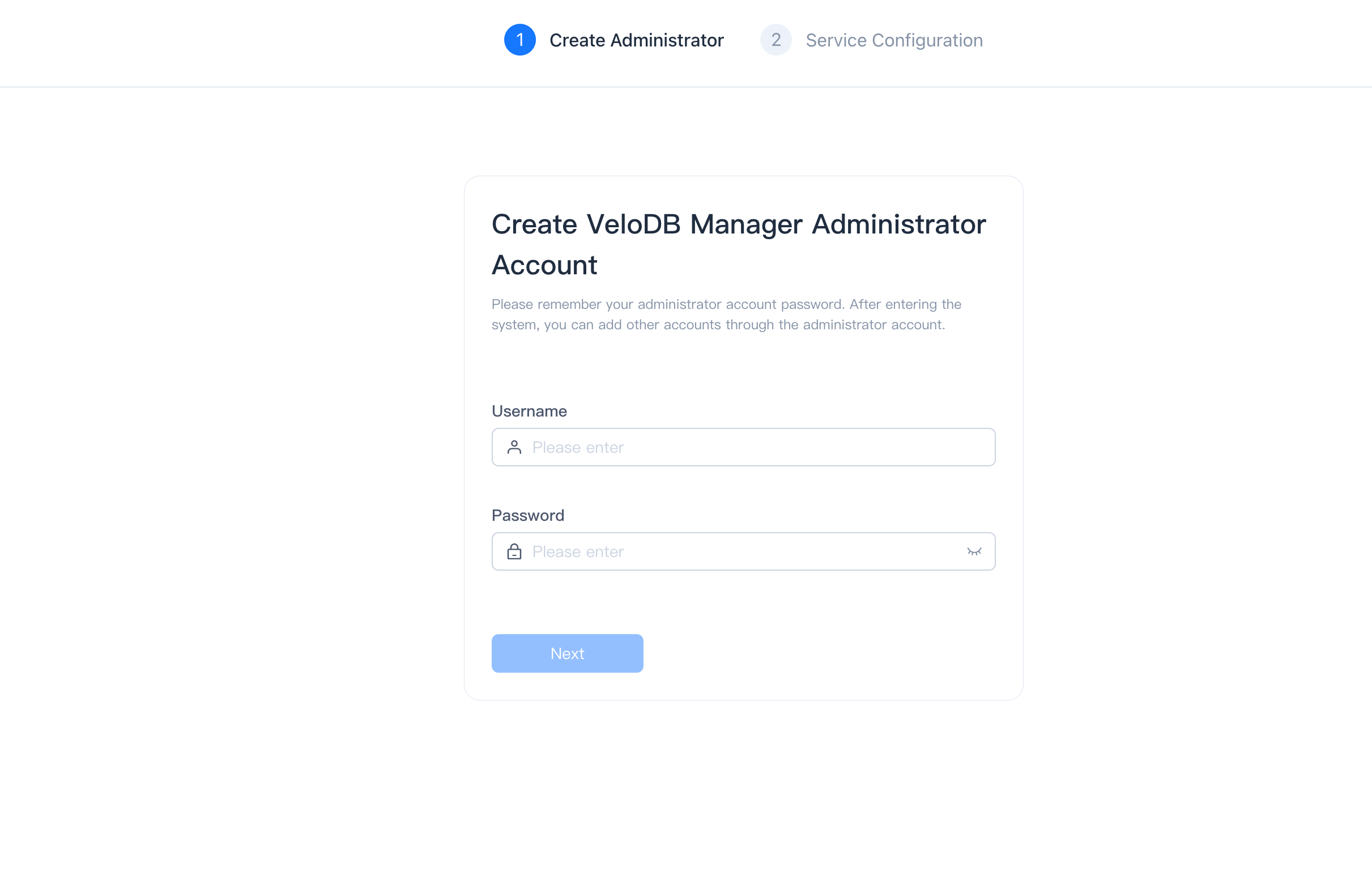
Access Web Interface Open the web service and follow the prompts to create an account.
E. Deploying Apache Doris
- Download Doris
wget https://apache-doris-releases.oss-accelerate.aliyuncs.com/apache-doris-3.0.6.2-bin-x64.tar.gz mv apache-doris-3.0.6.2-bin-x64.tar.gz /opt/downloads/doris
-
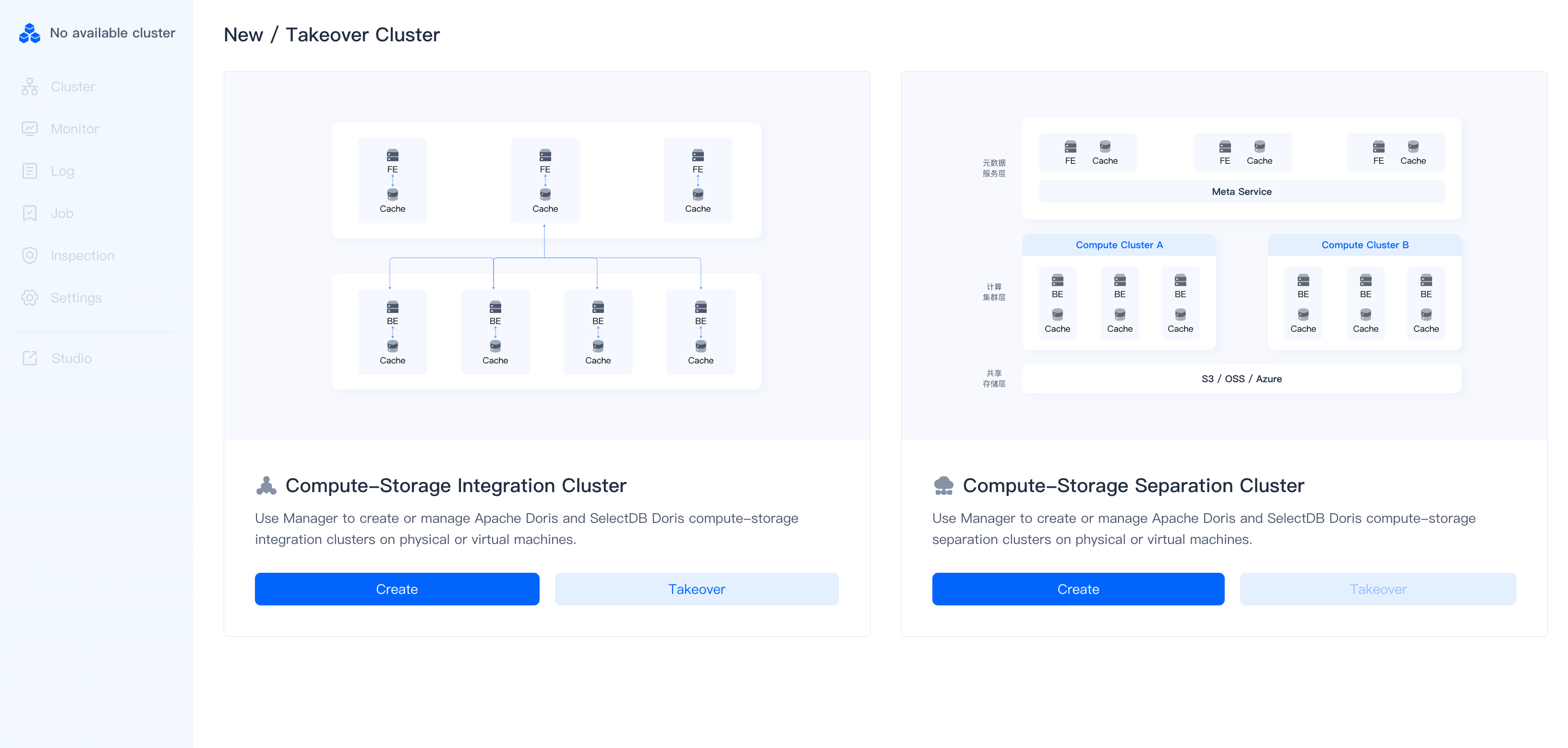
Create Cluster Access the Doris Manager main interface and follow the guide to set up a cluster.
-
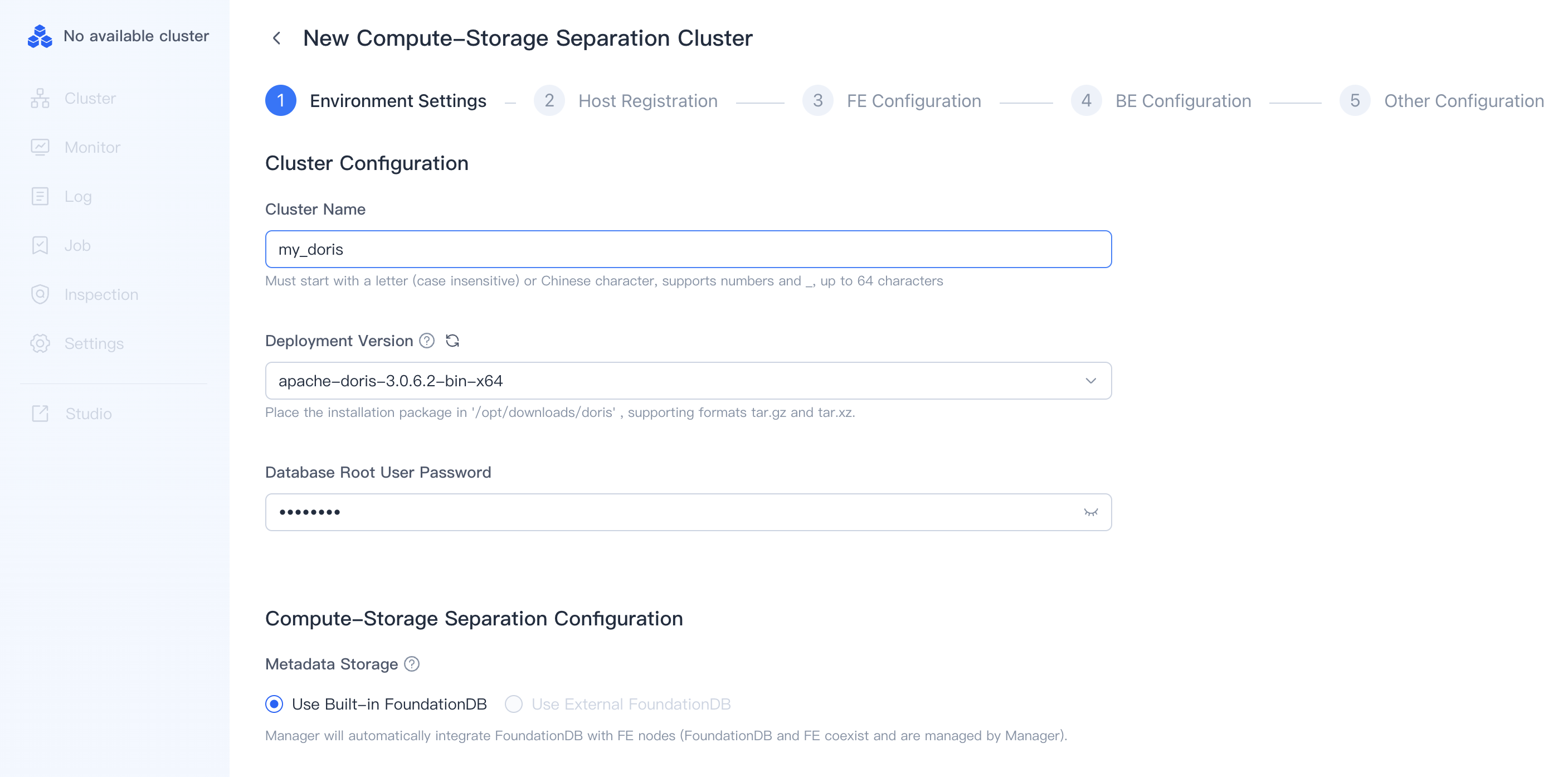
Select Version and Set Root Password
-
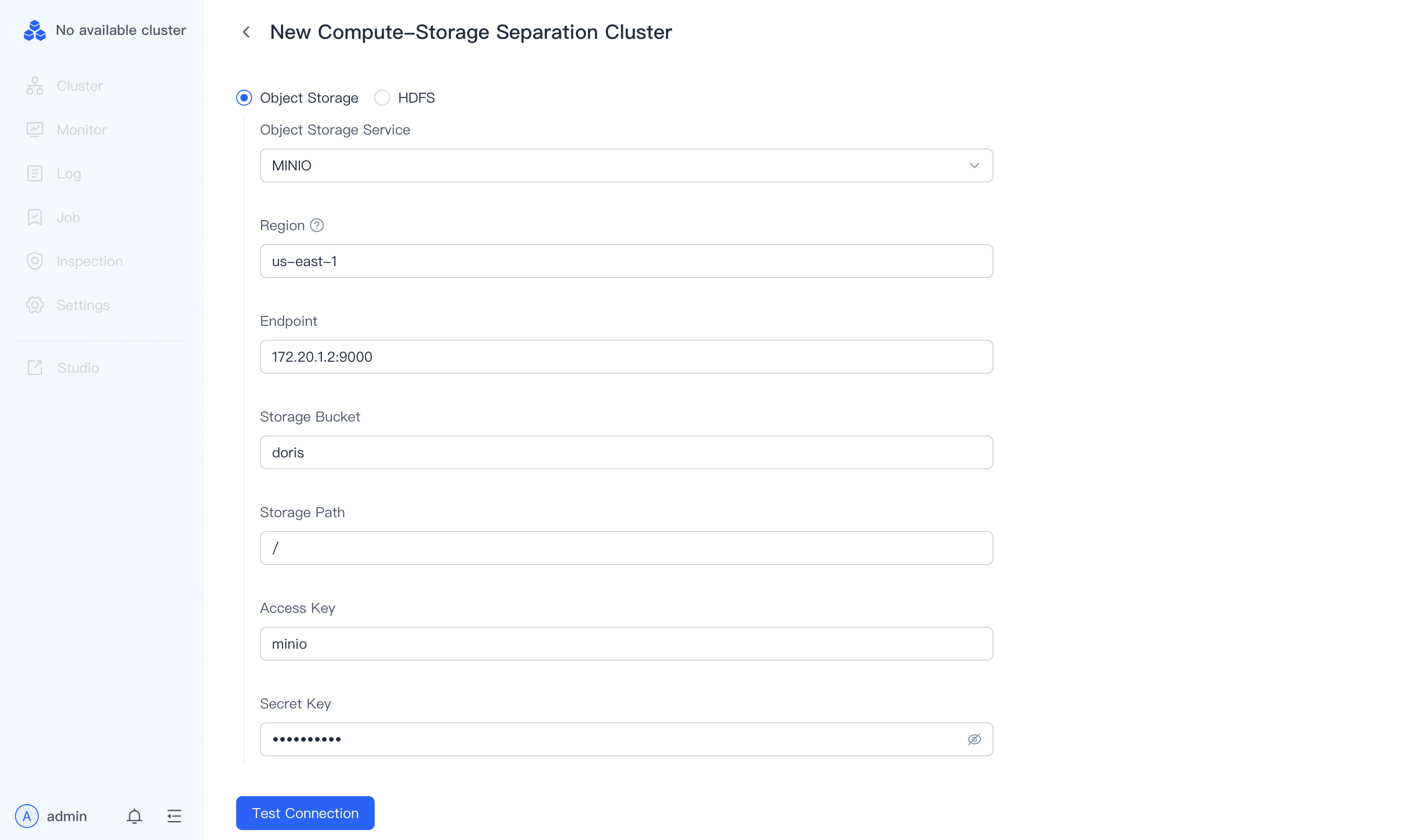
Enter MinIO Details
-
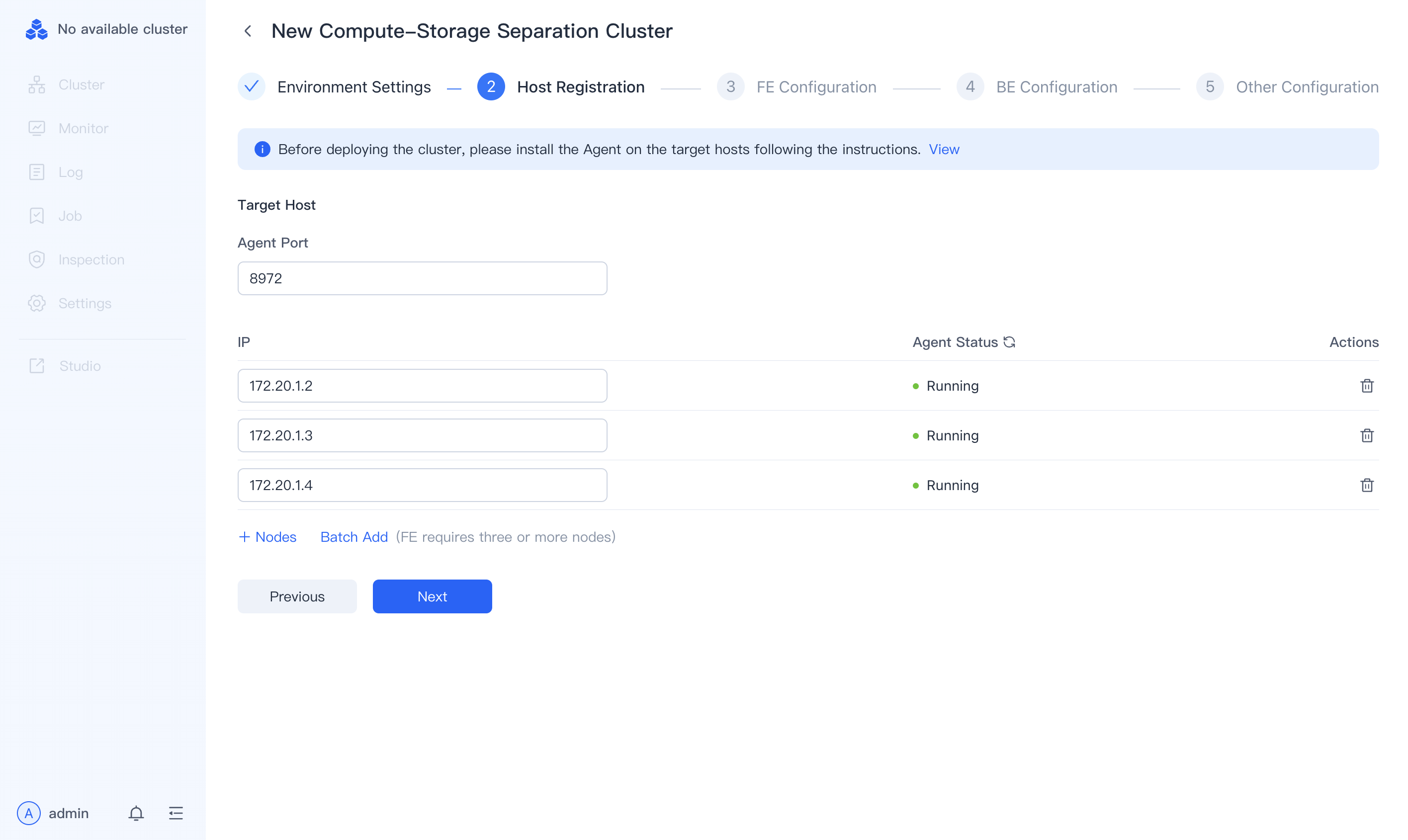
Configure Nodes
a. Run on each node:
wget http://172.20.1.2:8004/api/download/deploy.sh -O deploy_agent.sh && chmod +x deploy_agent.sh && ./deploy_agent.sh
b. Input node IPs in the interface.
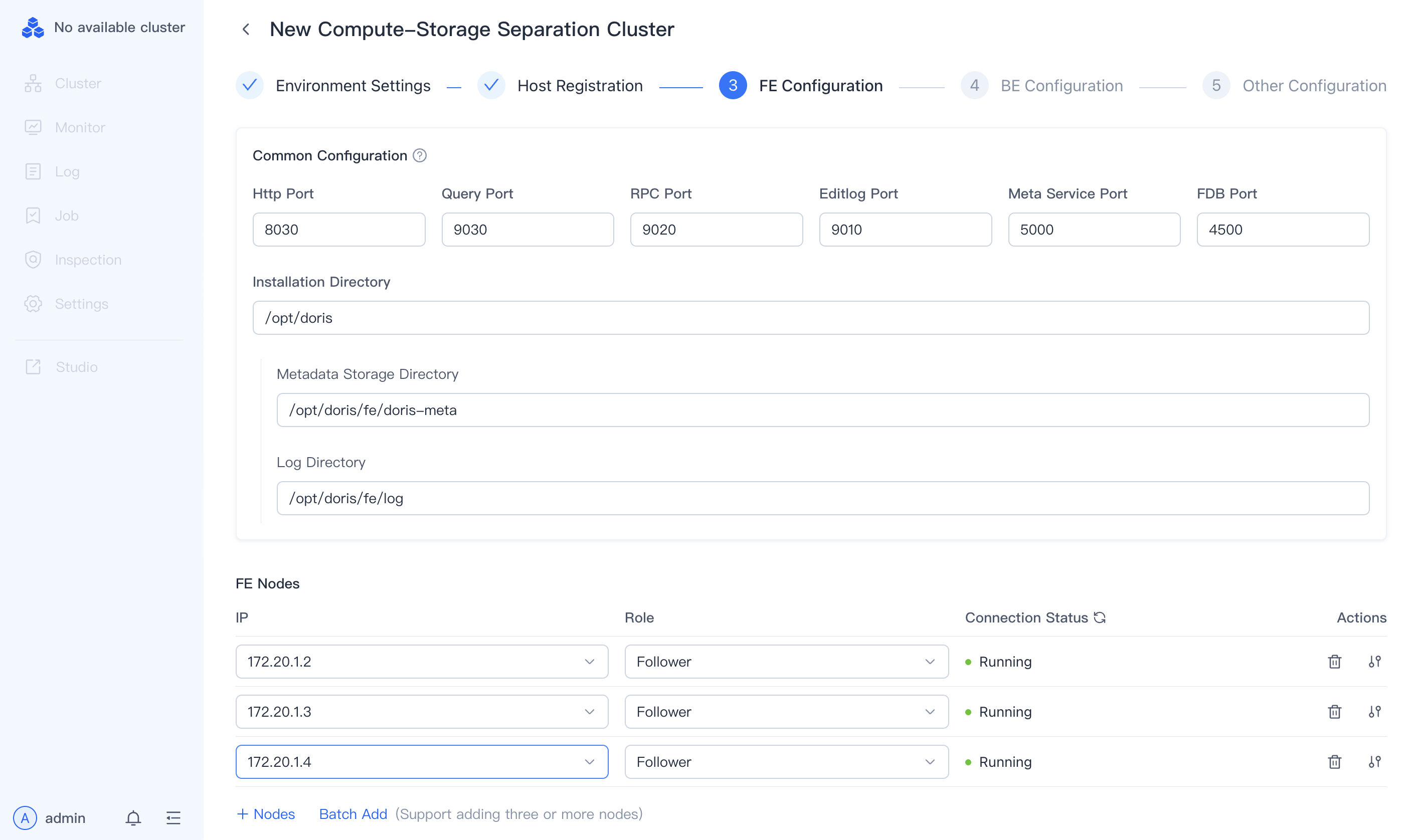
- Configure FE Nodes
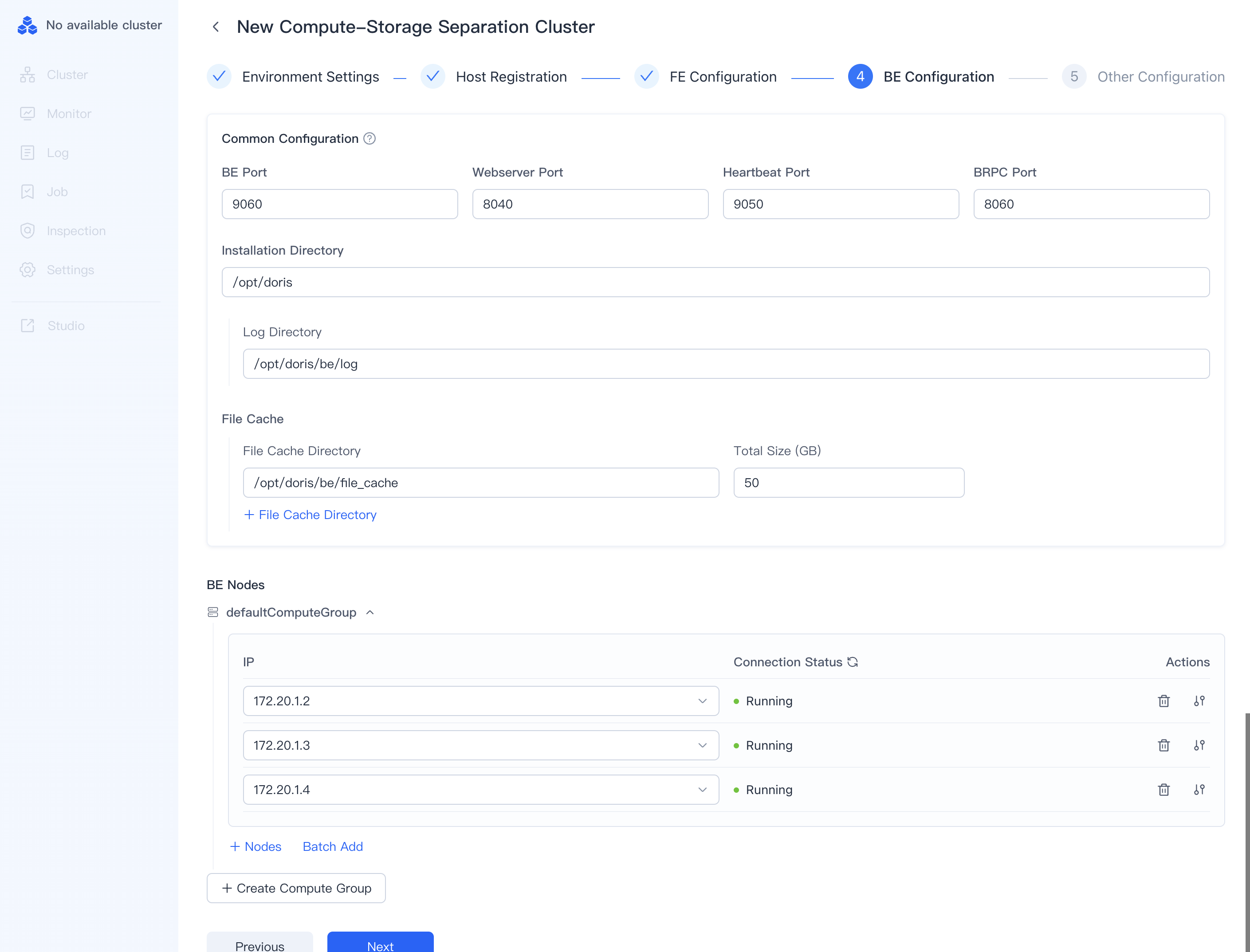
- Configure BE Nodes
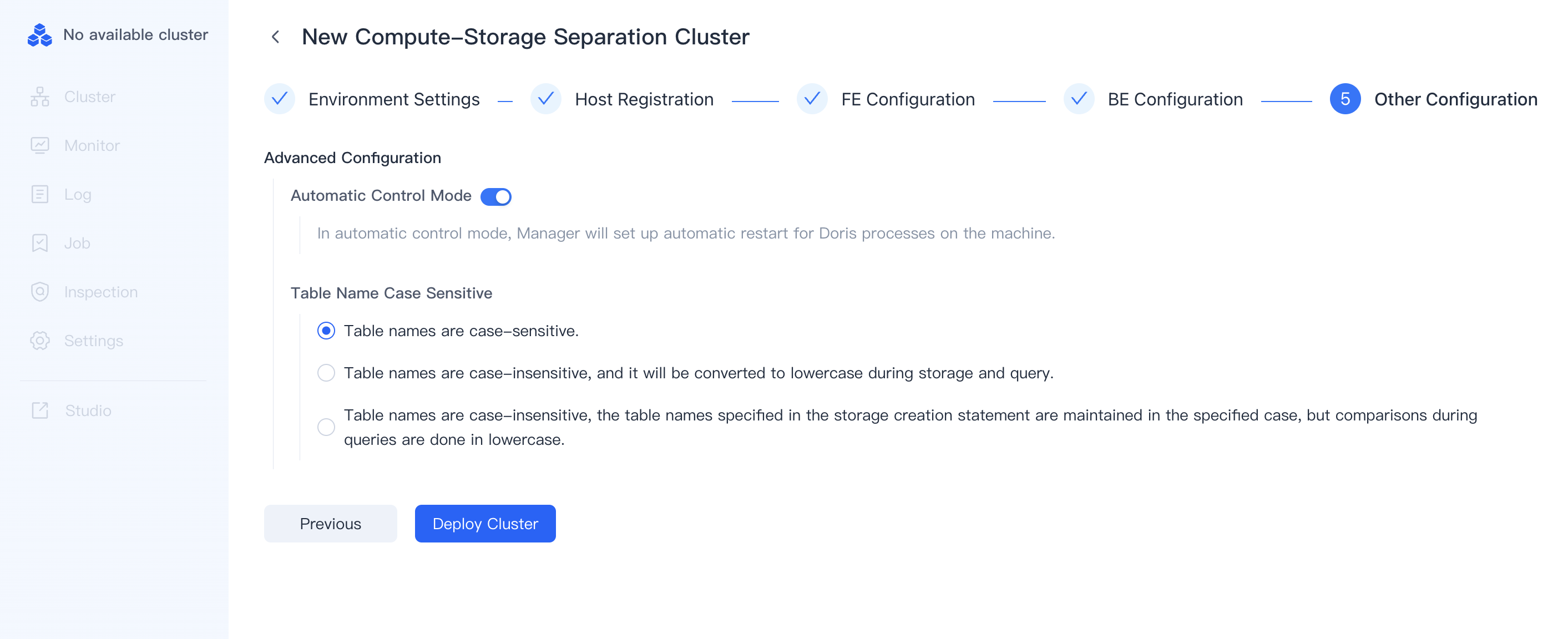
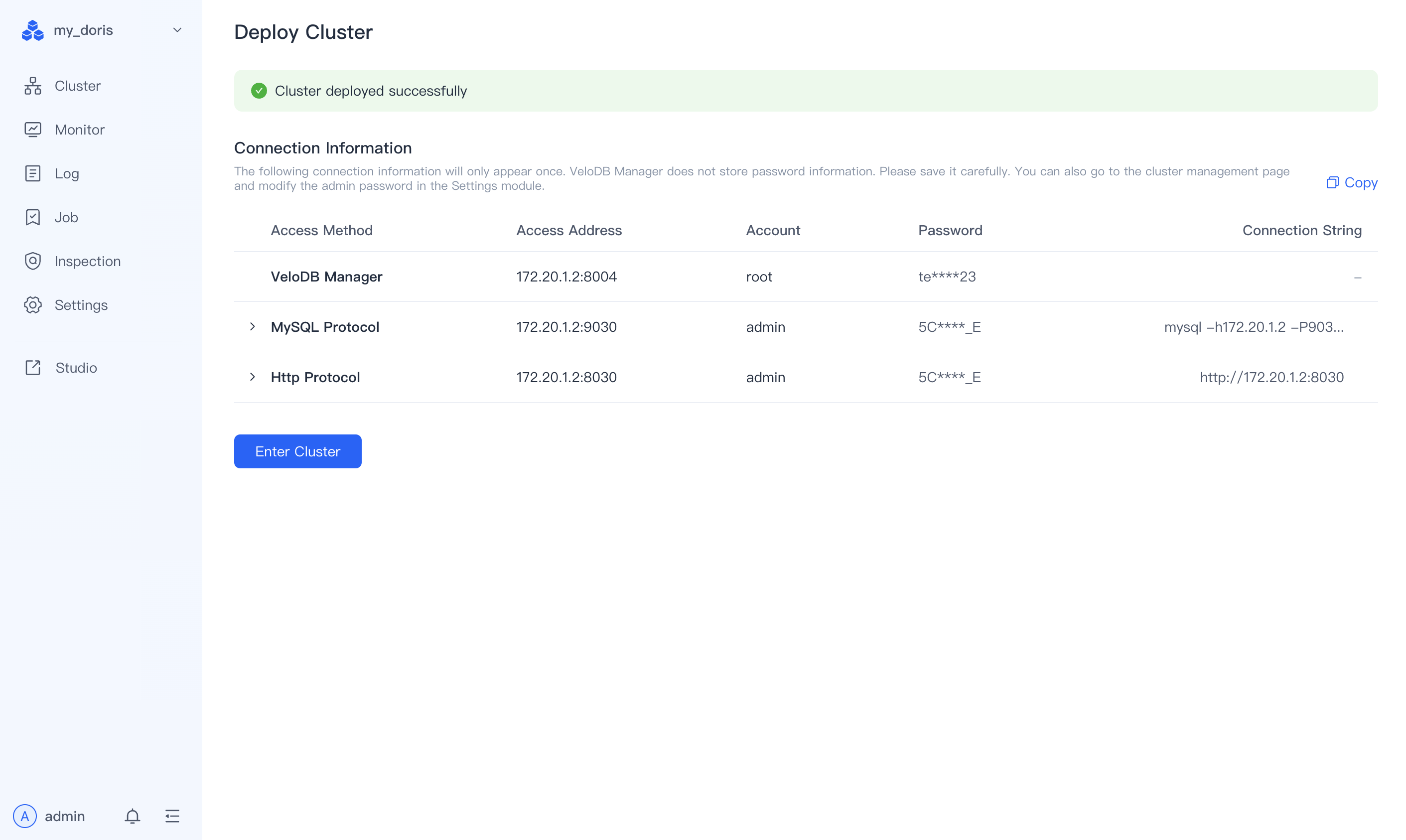
- Deploy Cluster
F. Querying Data
1. Data Preparation
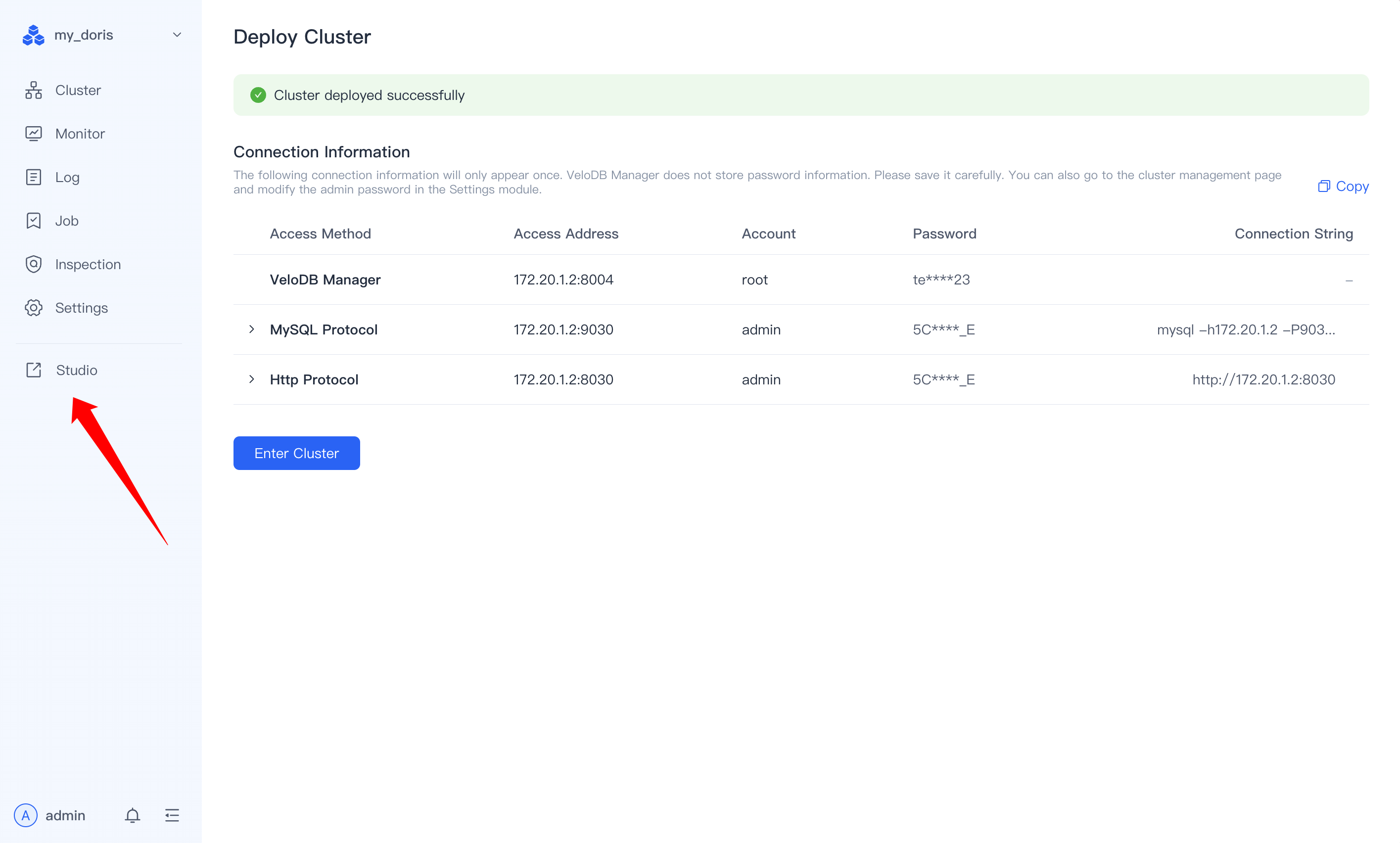
a. Access Query Interface
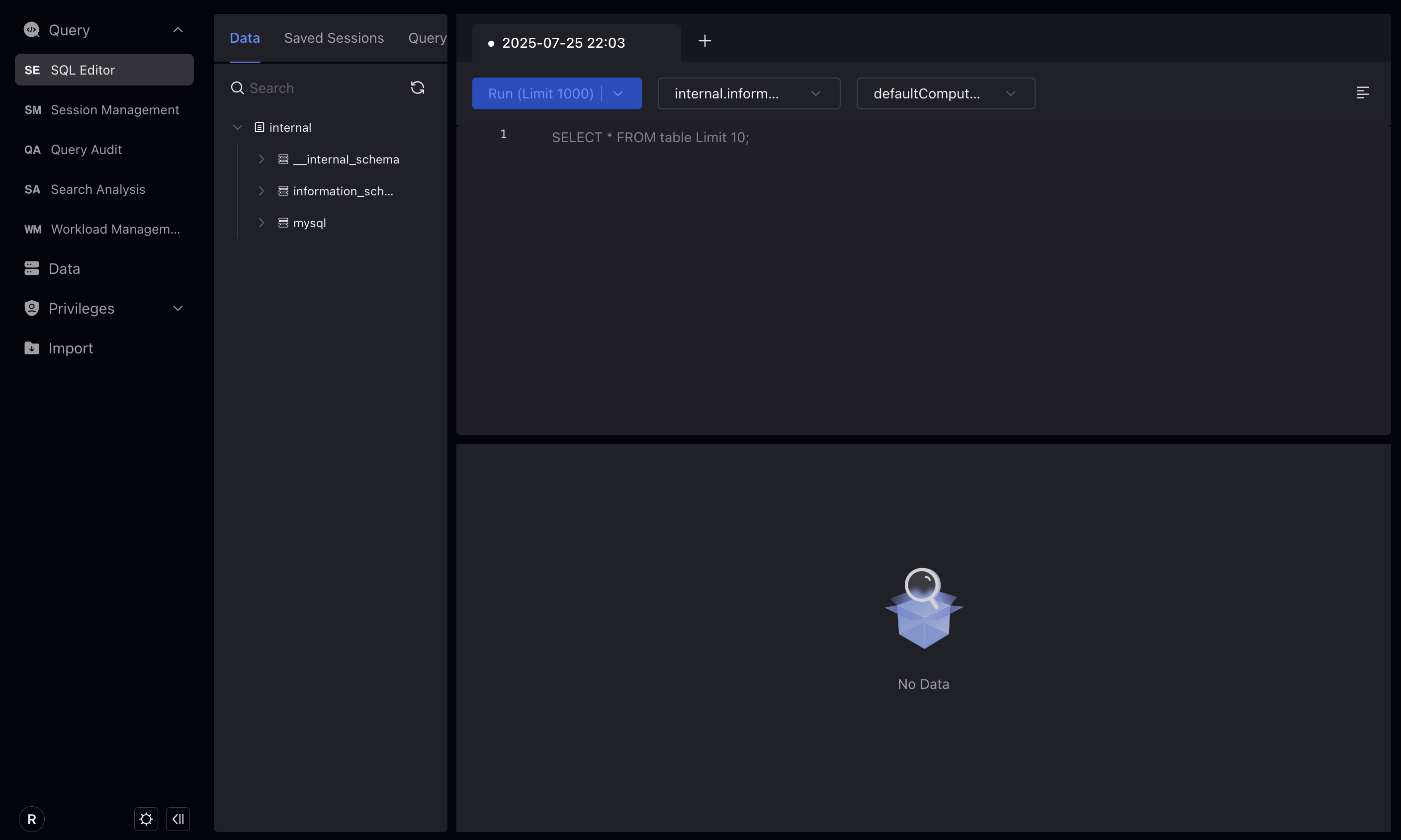
b. Create Doris Table
CREATE DATABASE IF NOT EXISTS `test`;
USE `test`;
CREATE TABLE `amazon_reviews` (
  `review_date` int(11) NULL,
  `marketplace` varchar(20) NULL,
  `customer_id` bigint(20) NULL,
  `review_id` varchar(40) NULL,
  `product_id` varchar(10) NULL,
  `product_parent` bigint(20) NULL,
  `product_title` varchar(500) NULL,
  `product_category` varchar(50) NULL,
  `star_rating` smallint(6) NULL,
  `helpful_votes` int(11) NULL,
  `total_votes` int(11) NULL,
  `vine` boolean NULL,
  `verified_purchase` boolean NULL,
  `review_headline` varchar(500) NULL,
  `review_body` string NULL
) ENGINE=OLAP
DUPLICATE KEY(`review_date`)
COMMENT 'OLAP'
DISTRIBUTED BY HASH(`review_date`) BUCKETS 16
PROPERTIES (
  "compression" = "ZSTD"
);
c. Download Amazon Review Data
wget https://datasets-documentation.s3.eu-west-3.amazonaws.com/amazon_reviews/amazon_reviews_2010.snappy.parquet
d. Load Data into Doris
curl --location-trusted -u root:<your password> \
-T amazon_reviews_2010.snappy.parquet \
-H "format:parquet" \
http://127.0.0.1:8030/api/test/amazon_reviews/_stream_load
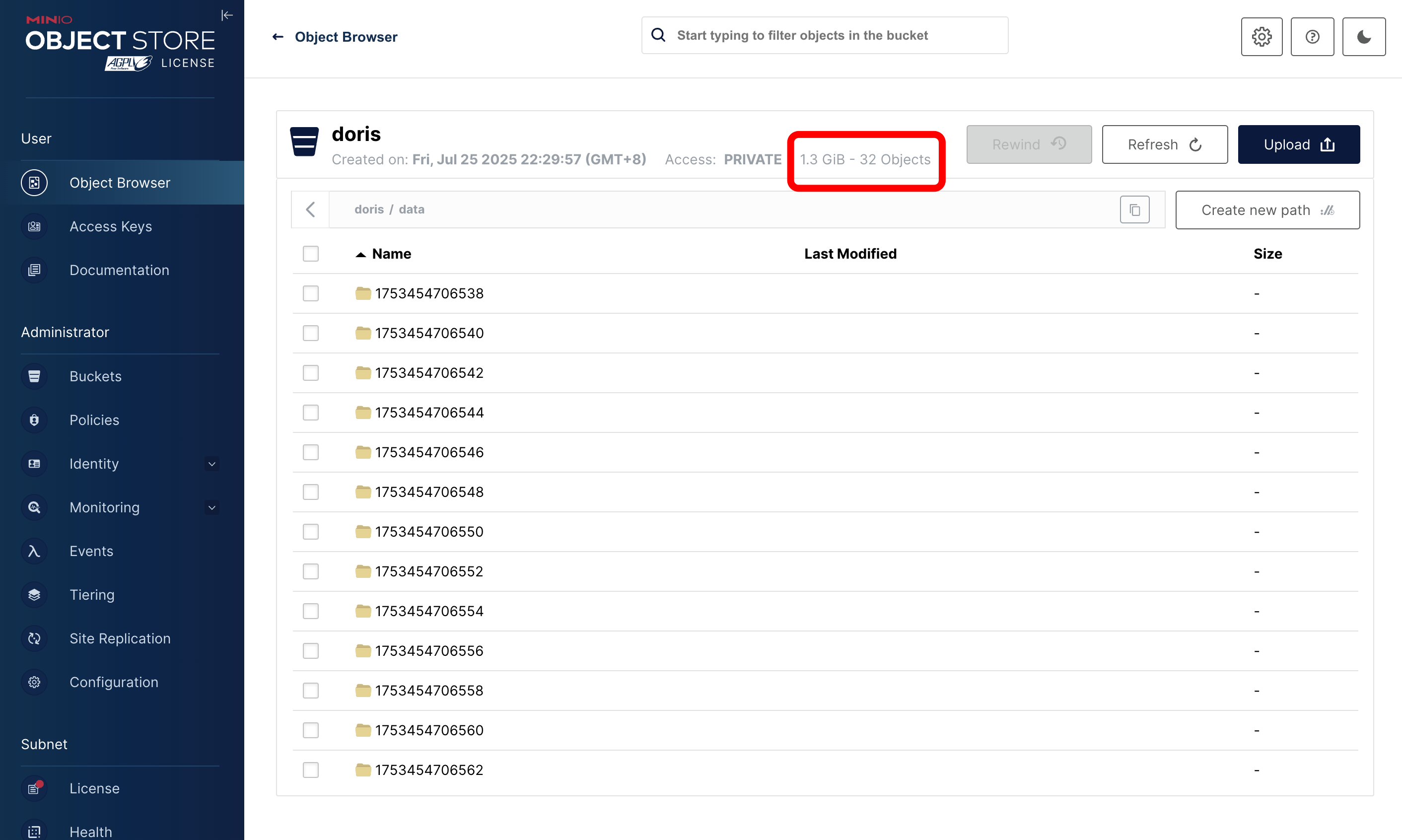
e. Check Data Size in MinIO Log into the MinIO console to verify the data size.
2. Sample Query
SELECT
    product_id,
    AVG(product_title),
    AVG(star_rating) AS rating,
    COUNT() AS count
FROM
    amazon_reviews
WHERE
    review_body LIKE '%is super awesome%'
GROUP BY
    product_id
ORDER BY
    count DESC,
    rating DESC,
    product_id
LIMIT 5;
Conclusion
In the deployment demo above, we are seeing that Apache Doris + MinIO storage-compute separation mode requires only 1.3GB of storage, while Apache Doris' storage-compute integrated mode uses 3.98 GB of storage when importing the same dataset with three replicas. This saves 66% of the storage. At the same time, data import speed also improves: MinIO completes the import in just 15 seconds, compared with 61 seconds in integrated mode, making it four times faster.
By combining Apache Doris and MinIO, teams can build an analytics stack that scales independently, is cost-efficient, and maintains cloud-grade performance whether running on-prem or across multiple clouds. Want to learn more about Apache Doris and its integration into other stacks? Join the Apache Doris community on Slack and connect with Doris experts and users. If you're looking for a fully managed Apache Doris cloud service, contact the VeloDB team.