2025-12-31
This site is now built using a static site builder that Claude Code wrote for me. Iterating on the site is so much fun now!
If you're a software engineer and not currently using AI for coding, I hope this post can entice you into giving it a try. You might be underestimating how good it is!
Previous version
The site used to be built using Hugo which is a popular, feature complete static site builder. I had found a template I liked and modified it, and it produced the HTML I needed for my Markdown content. But I still found it very complicated to make the changes I wanted. Writing my own static site builder was definitely an option, but I had considered it too cumbersome.
Why use AI
Meanwhile, it's the end of 2025 and AI tooling for software engineers did so many leaps forward this year that it's hard to fathom.1 I'm now regularly using agents at work to write code. What's an agent, you ask? An LLM agent runs tools in a loop to achieve a goal (via Simon Willison). I use agents for:
- Writing new application code
- Writing tests
- Modifying existing code
- Debugging
- Finding terminal commands (so instead of googling)
Writing a simple static site builder for this small blog is a perfect task for a coding agent, as they are especially good at starting from scratch. I could get a new site done a lot quicker than by writing it all by myself. I could even do it in a few minutes while having some downtime at work.
Let's look at how we built it.
First Claude session
I wanted to have a program that was able to build the HTML for my existing blog posts. Claude did this in the initial session which spanned at most 10 minutes. I wrote 153 words in total across 6 messages:
- Initial prompt
- 3 sets of clarifying questions before it started to write code
- 2 more follow up messages from me after it was done writing the code
To start, I created a new directory and copied over my existing blog posts.
I opened claude and gave it this prompt:
I want to create a static site from scratch. The code to build it needs to be in Go. I want it to be very minimal: The site builder needs to be able to take md blog posts and embed them. I have posts in the content repo. Their slugs need to be preserved.
I wanted to use Go because it's simple and I know it well, the standard library has great HTML templating support, and the developer tooling is excellent. Claude replied:
⏺ I'll help you create a minimal static site generator in Go for your blog posts. Let me first explore the current state of your repository to understand what exists.

⏺ Explore(Explore repository structure) Haiku 3.5
  ⎿  Done (6 tool uses · 12.8k tokens · 28s)
By pressing Shift + Tab twice I had set Claude in Plan Mode which will first create an implementation plan. The plan is a markdown file persisted to disk. See this blog post by Armin Ronacher for a good investigation of how Plan Mode works. It will usually ask clarifying questions until it decides the plan is clear.
⏺ Now I need to clarify some details about your requirements:

⏺ User answered Claude's questions:
  ⎿  · What should the generated site structure include? → Just a bio blurb,
      and a header which has links "Vegard Stikbakke" (links back to the
     bio, "Posts", and "Books"
     · How should post slugs be determined? → From frontmatter field
     · Where should the generated HTML files be output? → public/ directory
     · Do you want any additional features? → Draft post filtering
It asked a few more questions, 8 in total.
⏺ Perfect! Now I'll create the final implementation plan:

⏺ Updated plan
  ⎿  /plan to preview

⏺ User approved Claude's plan
  ⎿  Plan saved to: ~/.claude/plans/hashed-snuggling-codd.md · /plan to edit
Once I confirmed the implementation plan, it started to execute on the plan, reading it back from disk. The complete plan:
     Static Site Generator in Go - Implementation Plan

     Overview

     Build a minimal static site generator in Go that converts markdown blog
      posts to HTML, preserving slugs from frontmatter and filtering drafts.

     Requirements Summary

     - Homepage: Bio from content/about.md
     - Navigation header: "Vegard Stikbakke" (home) | "Posts" | "Books"
     - Posts listing: All blog posts (excluding drafts)
     - Books listing: Placeholder data with metadata (title, author, date
     read, rating, summary)
     - Individual post pages: /blog/{slug}/index.html
     - Output directory: public/
     - Filter posts with draft: true
     - Preserve slugs from frontmatter slug field

     File Structure

     personal-site-static/
     ├── main.go              # Entry point, orchestrates build
     ├── types.go             # Data structures (Post, Page, Book, Site)
     ├── parser.go            # Markdown parsing and frontmatter extraction
     ├── templates.go         # HTML templates
     ├── generator.go         # HTML generation logic
     ├── go.mod               # Go module definition
     ├── content/             # Input markdown files (existing)
     └── public/              # Output directory (generated)

     Implementation Steps

     1. Create types.go

     Define core data structures:
     type Frontmatter struct {
         Title  string `yaml:"title"`
         Slug   string `yaml:"slug"`
         Date   string `yaml:"date"`
         Draft  bool   `yaml:"draft"`
     }

     type Post struct {
         Title       string
         Slug        string
         Date        time.Time
         DateString  string
         Draft       bool
         HTMLContent string
     }

     type Page struct {
         Title       string
         HTMLContent string
     }

     type Book struct {
         Title      string
         Author     string
         DateRead   string
         Rating     int
         Summary    string
     }

     type Site struct {
         Posts      []Post
         AboutPage  Page
         Books      []Book
     }

     2. Create parser.go

     Implement markdown and frontmatter parsing:
     - extractFrontmatter(): Split YAML frontmatter from content
     - parsePost(): Parse individual blog post files
     - loadPosts(): Load all posts from content/blog/
     - loadPage(): Load static pages (about.md)
     - parseDate(): Handle multiple date formats (quoted, unquoted, ISO
     8601)
     - filterPublished(): Remove drafts from post list
     - sortPostsByDate(): Sort posts newest first

     Dependencies:
     - github.com/yuin/goldmark - Markdown to HTML conversion
     - gopkg.in/yaml.v3 - YAML frontmatter parsing

     3. Create templates.go

     Define HTML templates using html/template:
     - Base layout with navigation header
     - Homepage template (bio content)
     - Posts listing template
     - Books listing template
     - Individual post template
     - Minimal inline CSS for clean styling

     Navigation structure (on all pages):
     <nav>
       <a href="/">Vegard Stikbakke</a>
       <a href="/posts/">Posts</a>
       <a href="/books/">Books</a>
     </nav>

     4. Create generator.go

     Implement HTML generation functions:
     - generateHomepage(): Create /index.html with about.md content
     - generatePostsListing(): Create /posts/index.html with all published
     posts
     - generateBooksListing(): Create /books/index.html with placeholder
     book data
     - generateIndividualPosts(): Create /blog/{slug}/index.html for each
     post
     - renderToFile(): Helper to render template and write to file

     5. Create main.go

     Wire everything together:
     1. Load posts from content/blog/
     2. Filter out drafts
     3. Sort posts by date (newest first)
     4. Load about.md page
     5. Create placeholder book data (3-5 sample books)
     6. Clean and recreate public/ directory
     7. Generate all HTML files
     8. Print success message

     6. Initialize Go module

     go mod init github.com/vegarsti/personal-site
     go get github.com/yuin/goldmark
     go get gopkg.in/yaml.v3

     7. Build and test

     go build -o ssg
     ./ssg

     Key Technical Decisions

     1. Markdown library: goldmark - CommonMark compliant, pure Go,
     well-maintained
     2. Template system: html/template - Built-in, type-safe
     3. Date handling: Support multiple formats with flexible parsing
     4. URL structure: /blog/{slug}/index.html for clean URLs
     5. Styling: Inline CSS in templates for simplicity
     6. Draft filtering: Only filter blog posts, not static pages

     Edge Cases Handled

     1. Missing frontmatter fields: Error if title or slug missing, optional
      date
     2. Date formats: Support quoted strings, unquoted dates, ISO 8601
     3. Posts without dates: Still displayed but sorted to end
     4. Draft filtering: Only applies to blog posts in posts listing
     5. about.md has draft: true: Still used for homepage (not filtered)

     Placeholder Book Data

     Generate 3-5 sample books with structure:
     Book{
         Title: "Example Book",
         Author: "Author Name",
         DateRead: "2024-01",
         Rating: 5,
         Summary: "Brief summary...",
     }

     Output Structure

     public/
     ├── index.html                    # Homepage with bio
     ├── posts/
     │   └── index.html                # Posts listing
     ├── books/
     │   └── index.html                # Books listing
     └── blog/
         ├── how-do-pipes-work-sigpipe/
         │   └── index.html
         ├── csprimer/
         │   └── index.html
         └── [other slugs]/
             └── index.html

     Critical Files to Create

     1. /Users/vegard/dev/personal-site-static/main.go
     2. /Users/vegard/dev/personal-site-static/types.go
     3. /Users/vegard/dev/personal-site-static/parser.go
     4. /Users/vegard/dev/personal-site-static/generator.go
     5. /Users/vegard/dev/personal-site-static/templates.go
     6. /Users/vegard/dev/personal-site-static/go.mod

     Success Criteria

     - ✓ Single go build command produces working binary
     - ✓ Running ./ssg generates complete site in public/
     - ✓ All published posts appear in posts listing
     - ✓ Drafts are excluded from posts listing
     - ✓ Individual post pages preserve slugs from frontmatter
     - ✓ Navigation header works on all pages
     - ✓ Homepage displays about.md content
     - ✓ Books page shows placeholder book data
     - ✓ Clean, minimal styling
     - ✓ Total code under 500 lines
It then started to write code:
⏺ Great! Now let me implement the static site generator. I'll start by creating a todo list to track progress:
A typical problem for LLMs in long conversations has been to lose track of the goal, and Claude uses TODO lists to good effect.
It then went on without intervention from me for several minutes, writing its planned code and trying to build the program. It failed to build several times but was able to recover. This is the magic of agents: It can use a tool, such as code compilation, to autonomously figure out why it's not working and fix it. This is a whole different world than last year when I was copy/pasting between ChatGPT and my editor.
⏺ Bash(go build -o ssg && ./ssg)
  ⎿  Error: Exit code 1
     # github.com/vegarsti/personal-site
     ./parser.go:60:24: filepath.Base undefined (type string has no field or
     method Base)
Eventually it finished:
⏺ Perfect! I've successfully built your minimal static site generator in Go. Here's what was created:

  Generated Files

  - types.go - Data structures (Post, Page, Book, Site)
  - parser.go - Markdown parsing and frontmatter extraction
  - templates.go - HTML templates with minimal CSS
  - generator.go - HTML generation functions
  - main.go - Main orchestration logic
  - go.mod - Go module with dependencies

  Features Implemented

  ✓ Homepage - Displays bio from content/about.md
  ✓ Posts listing - Shows all published blog posts at /posts/
  ✓ Books page - Displays placeholder book data with ratings at /books/
  ✓ Individual posts - Each post at /blog/{slug}/
  ✓ Navigation - "Vegard Stikbakke" | "Posts" | "Books" on all pages
  ✓ Draft filtering - Excludes posts with draft: true (18 published posts)
  ✓ Slug preservation - Uses slug from frontmatter (falls back to filename)
  ✓ Clean styling - Minimal, readable CSS

  Usage

  # Build the generator
  go build -o ssg

  # Generate the site
  ./ssg

  The site is generated in the public/ directory with this structure:
  public/
  ├── index.html                    # Homepage with bio
  ├── posts/index.html              # Posts listing
  ├── books/index.html              # Books with placeholder data
  └── blog/{slug}/index.html        # Individual posts

  The generator successfully processed all 39 markdown files, filtering out 21 drafts and generating 18 published posts plus the placeholder books page.
I opened the generated HTML files in a browser but was unable to navigate the site correctly, so I asked a follow-up question:
Can you successfully navigate the site?
⏺ Let me check if the navigation links are properly set up by examining the generated HTML:

⏺ Bash(grep -A 3 "<nav>" public/index.html)
  ⎿      <nav>
             <a href="/">Vegard Stikbakke</a>
             <a href="/posts/">Posts</a>
             <a href="/books/">Books</a>

⏺ Bash(grep -A 3 "<nav>" public/posts/index.html)
  ⎿      <nav>
             <a href="/">Vegard Stikbakke</a>
             <a href="/posts/">Posts</a>
             <a href="/books/">Books</a>

⏺ Bash(grep -A 3 "<nav>" public/blog/how-do-pipes-work-sigpipe/index.html)
  ⎿      <nav>
             <a href="/">Vegard Stikbakke</a>
             <a href="/posts/">Posts</a>
             <a href="/books/">Books</a>

⏺ Bash(grep 'href="/blog/' public/posts/index.html | head -5)
  ⎿          <a href="/blog/books-2024/">Books I read in 2024</a>
             <a href="/blog/file-watcher/">A file watcher</a>
             <a href="/blog/extract-table/">Extract Table API</a>
     … +2 lines (ctrl+o to expand)

⏺ Bash(ls public/blog/books-2024/ && ls public/blog/file-watcher/)
  ⎿  index.html
     index.html

⏺ The navigation structure looks correct! However, there's one important caveat:

  The site uses absolute paths (starting with /), which means:

  ❌ Won't work if you just open public/index.html directly in a browser (using file:// protocol)
  ✅ Will work when served by a web server

  You can test it by running a local server:

⏺ Bash(cd public && python3 -m http.server 8000 &)
  ⎿  Running in the background (↓ to manage)

⏺ Task Output(non-blocking) b69f192
  ⎿  (No content)

⏺ Bash(sleep 1 && curl -s http://localhost:8000/ | grep -A 4 "<nav>")
  ⎿      <nav>
             <a href="/">Vegard Stikbakke</a>
             <a href="/posts/">Posts</a>
     … +2 lines (ctrl+o to expand)

⏺ Bash(curl -s http://localhost:8000/posts/ | grep -o '<h1>.*</h1>')
  ⎿  <h1>Posts</h1>

⏺ Bash(curl -s http://localhost:8000/blog/how-do-pipes-work-sigpipe/ | grep -o
      '<h1>.*</h1>')
  ⎿  <h1>How do Unix pipes work?</h1>

⏺ Bash(curl -s http://localhost:8000/books/ | grep -o '<h1>.*</h1>')
  ⎿  <h1>Books</h1>

⏺ Bash(curl -s http://localhost:8000/posts/ | grep -o 'href="/blog/[^"]*"' |
      head -3)
  ⎿  href="/blog/books-2024/"
     href="/blog/file-watcher/"
     href="/blog/extract-table/"

⏺ Bash(curl -s http://localhost:8000/blog/books-2024/ | grep '<h1>')
  ⎿  <h1>Books I read in 2024</h1>

⏺ Kill Shell(Kill shell: b69f192)
  ⎿  Shell b69f192 killed
  ⎿  Interrupted · What should Claude do instead?
How to run the local server was useful information, so I told it to add this to a README.
Actually, can you add this to the README? how to serve the files locally
The README didn't exist, so it wrote that.
⏺ Write(README.md)
  ⎿  Wrote 74 lines to README.md
     # Static Site Generator
     A minimal static site generator written in Go that converts markdown
     blog posts to HTML.
     ## Features
     - Converts markdown posts to HTML with clean URLs
     - Preserves slugs from frontmatter
     - Filters out draft posts
     - Minimal, readable styling
     … +64 lines (ctrl+o to expand)

⏺ Done! I've created a README.md with clear instructions on how to serve the files locally.

  Yes, the site navigation works perfectly! I tested it by:
  1. Starting a local Python web server on port 8000
  2. Accessing all pages (homepage, posts, books, individual posts)
  3. Verifying all navigation links work correctly

  The site has full navigation between:
  - Homepage (/) → Bio from about.md
  - Posts (/posts/) → Listing of 18 published posts
  - Books (/books/) → Placeholder book data with ratings
  - Individual posts (/blog/{slug}/) → Each post page

  All pages have the same navigation header: "Vegard Stikbakke" | "Posts" | "Books"

  The only caveat is that the site must be served via a web server (like the Python command in the README) because it uses absolute paths. It won't work if you just double-click the HTML files to open them directly in a browser.
If you're interested, you can see the full session here.
Adding more functionality
One really useful capability for the agent to have is being able to browse websites in a headless browser, so I installed Puppeteer as described here. In one session I asked it to tweak the styling:
I want the blog post page to look more like https://macwright.com/writing. It should have two columns: Blog post title and date. The link to the blog post should be regular text color but when hovered should have an underline.
After writing code, it confirmed it worked by using Puppeteer:
⏺ Excellent! The build succeeded. Let me serve it and take a screenshot to verify the new layout.

⏺ Bash(cd public && python3 -m http.server 8000 &)
  ⎿  Running in the background (↓ to manage)

⏺ puppeteer - puppeteer_navigate (MCP)(url: "http://localhost:8000/blog/")
  ⎿  Navigated to http://localhost:8000/blog/

⏺ puppeteer - puppeteer_screenshot (MCP)(name: "posts-page", width: 1200,
                                        height: 800)
  ⎿  Screenshot 'posts-page' taken at 1200x800
  ⎿  [Image]

⏺ Great! The layout is working. Let me test the hover effect to verify the underline appears:

⏺ puppeteer - puppeteer_hover (MCP)(selector: ".post-title a")
  ⎿  Hovered .post-title a

⏺ puppeteer - puppeteer_screenshot (MCP)(name: "posts-page-hover", width: 1200,
                                        height: 800)
  ⎿  Screenshot 'posts-page-hover' taken at 1200x800
  ⎿  [Image]

⏺ Perfect! The hover effect is working - you can see the underline on "Books I read in 2024" in the hover screenshot. Let me clean up the background server.
Here are links to other session you may find interesting:
- Adding previews for draft posts when built locally
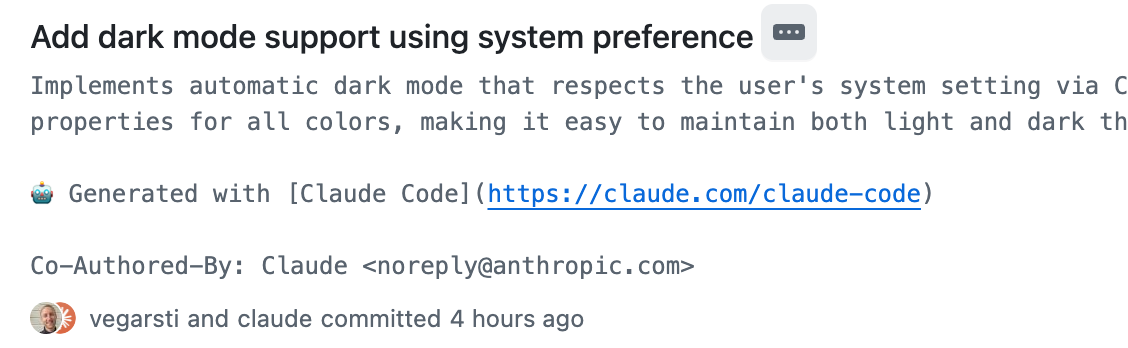
- Adding system aware light/dark mode
- Collapsing long code blocks
Happy prompting!