You may have heard of Rust by now. The new programming language that “pursuis the trifecta: safety, concurrency, and speed”. You have to admit, even if you don’t know what trifecta means, it sounds exciting.
I’ve been toying with Rust for a while and have given a presentation at QtCon comparing C++ and Rust. I’ve been meaning to turn that presentation into a blog post. This is not that blog post.
Here I show how you can use QML and Rust together to create graphical applications with elegant code. The example we’re building is a very simple file browser. People that are familiar with Rust can ogle and admire the QML snippets. If you’re a Qt and QML veteran, I’m sure you can read the Rust snippets here quite well. And if you’re new to both QML and Rust, you can learn twice as much.
The example here is kept simple and poor in features intentionally. At the end, I’ll give suggestions for simple improvements that you can make as an exercise. The code is available as a nice tarball and in a git repo.
Command-line Hello, world!
First we set up the project. We will need to have QML and Rust installed. If you do not have those yet, just continue reading this post and you’ll be all the more motivated to go ahead and install them.
Once those two are installed, we can create a new project with Rust’s
package manager and build tool cargo.
QML bindings that currently have version number 0.0.9. So the API may change.
In the example above, the QML is placed literally in the code. Literal strings in Rust can span multiple lines.
Usually you do not need to specify the type of a variable, you can
just type let (for immutable objects) or
let mut for mutable ones. Like in C++, &
is used to pass an object by reference. You have to use the
& in the function definition, but also when calling the
function (unless your variable is a reference already).
The QML code has an ApplicationWindow with a
Text. The message, Hello, world! is passed to the
QML environment as a QVariant. This is the first time in
our program that information goes between Rust and QML.
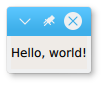
Like above, the application can be run with
cargo run.
Splitting the code
Let’s make this code a bit more maintainable. The QML is moved to a
separate file src/sousa.qml which we load from Rust.
sousa.qml, one Rust file, main.rs and one package/build file Cargo.toml.
There are many nice QML user interfaces out there that can be
repurposed on top of Rust code. QML can be visually edited with
QtCreator. QML can be used for mobile and desktop
applications. It’s very nice that this wonderful method of creating user
interfaces can be used with Rust.
To the C++ programmers: I hope you enjoyed the Rust code and find some inspiration from it. Because Rust is a new language it can introduce innovative features that cannot be easily added to C++. Rust and C++ can be mixed in one codebase as is done in Firefox.
Rust has many more wonderful features than can be covered in this blog. You can read more in the Rust book.
Assignments
I promised some assignments. Here they are.
Show an error dialog when a directory cannot be shown. (Hint: the code is already in the git repo and shows a QML feature that we did not use yet: signals.
Show the file size in the file listing.
Do not make directories clickable if the user has no permission to open them.
Open simple files like pictures and text files when clicked by showing them in a separate pane.