We did it!
Unison 1.0 marks a point where the language, distributed runtime, and developer workflow have stabilized. Over the past few years, we've refined the core language, optimized the programming workflow, built collaborative tooling, and created a deployment platform for your Unison apps and services.
Collaborative tooling Streamlined tools for team workflows
Unison Cloud Our platform for deploying Unison apps
"Bring Your Own Cloud" Run our Cloud on any container-based infra
Refined DX We've iterated on the high-friction parts of the dev experience
Runtime optimizations Vast improvements to our interpreter's speed and efficiency
Distributed systems frameworks We provide the building blocks for scalable, fault-tolerant apps
Unison Share A polished interface for browsing and discovering code
Contributor ecosystem A growing community supporting the language and tooling
What is Unison?
Unison is a programming language built around one big idea: let's identify a definition by its actual contents, not just by the human-friendly name that also referred to older versions of the definition. Our ecosystem leverages this core idea from the ground up. Some benefits: we never compile the same code twice; many versioning conflicts simply aren't; and we're able to build sophisticated self-deploying distributed systems within a single strongly-typed program.
Unison code lives in a database—your "codebase"—rather than in text files. The human-friendly names are in the codebase too, but they're materialized as text only when reading or editing your code.
The Codebase Manager
The Unison Codebase Manager (ucm) is a CLI tool used alongside your text editor to edit, rename, delete definitions; manage libraries; run your programs and test suites.
●●●
Edit: ~/scratch.u
factorial n =
  if n > 1 then n * factorial (n-1) else n

guessingGame = do Random.run do
  target = Random.natIn 0 100
  printLine "Guess a number between 0 and 100"

  loop = do
    match (console.readLine() |> Nat.fromText) with
      Some guess | guess == target ->
        printLine "Correct! You win!"
      Some guess | guess < target ->
        printLine "Too low, try again"
        loop()
      Some guess | guess > target ->
        printLine "Too high, try again"
        loop()
      otherwise ->
        printLine "Invalid input, try again"
        loop()

  loop()
●●●
Terminal: ucm
scratch/main>

  Loading changes detected in ~/scratch.u.

  + factorial    : Nat -> Nat
  + guessingGame : '{IO, Exception} ()

  Run `update` to apply these changes to your codebase.
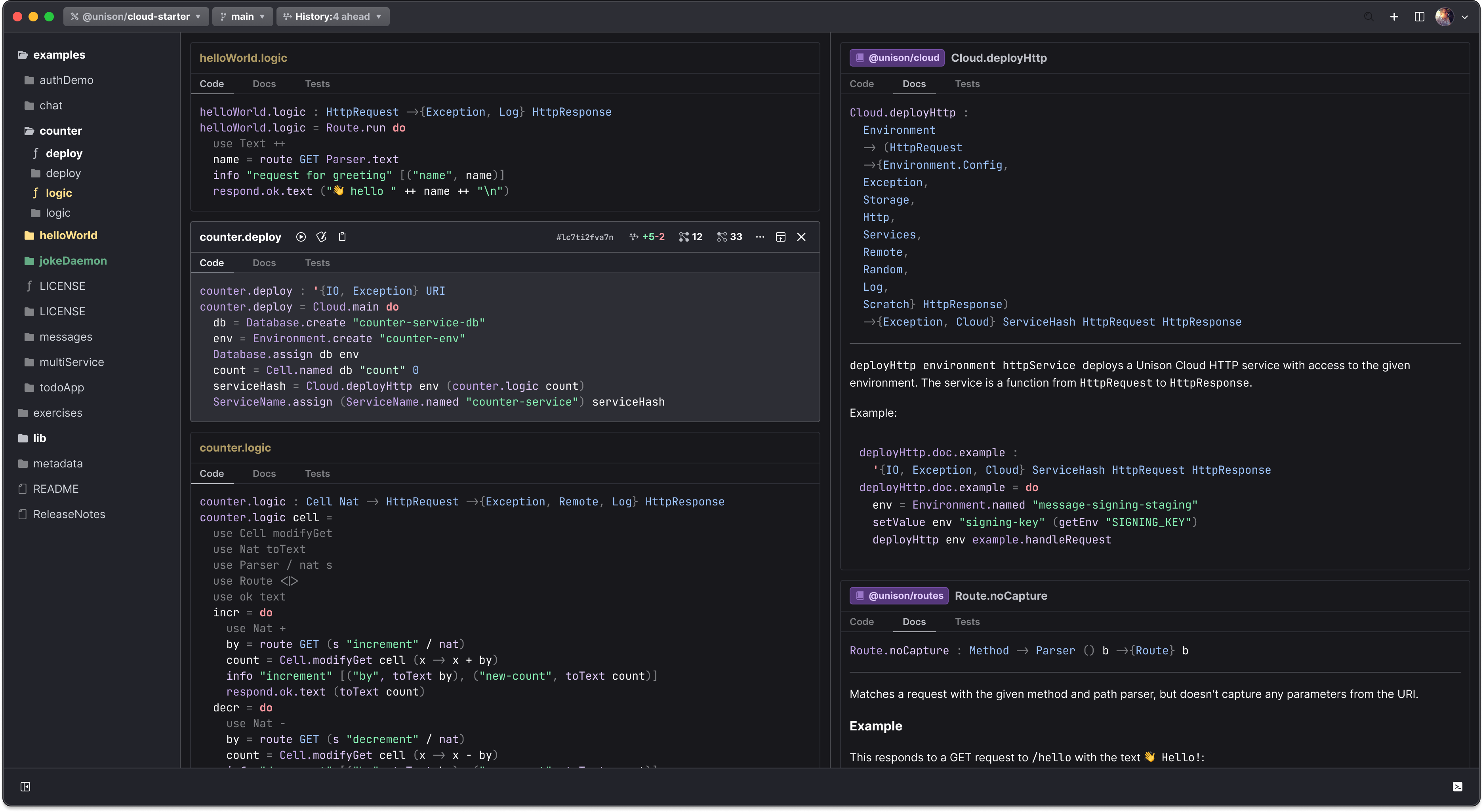
UCM Desktop
UCM Desktop is our GUI code browser for your local codebase.
Unison Share
Unison Share is our community hub where open and closed-source projects alike are hosted. In addition to all the features you'd expect of a code-hosting platform—project and code search, individual and organizational accounts, browsing code and docs, reviewing contributions, etc, thanks to the one big idea, all of the code references are hyperlinked and navigable.
Unison Cloud
Unison Cloud is our platform for deploying Unison applications. Transition from local prototypes to fully deployed distributed applications using a simple, familiar API—no YAML files, inter-node protocols, or deployment scripts required. In Unison, your apps and infrastructure are defined in the same program, letting you manage services and deployments entirely in code.
●●●
~/scratch.u
deploy : '{IO, Exception} URI
deploy = Cloud.main do
  name = ServiceName.named "hello-world"
  serviceHash =
    deployHttp Environment.default() helloWorld
  ServiceName.assign name serviceHash
What does Unison code look like?
Here's a Unison program that prompts the user to guess a random number from the command line.
It features several of Unison's language features:
- Abilities - for functional effect management
- Structural pattern matching - for decomposing types and managing control flow
- Delayed computations - for representing non-eager evaluation
●●●
~/scratch.u
guessingGame : '{IO, Exception} ()
guessingGame = do Random.run do
  target = Random.natIn 0 100
  printLine "Guess a number between 0 and 100"

  loop = do
    match (console.readLine() |> Nat.fromText) with
      Some guess | guess == target ->
        printLine "Correct! You win!"
      Some guess | guess < target ->
        printLine "Too low, try again"
        loop()
      Some guess | guess > target ->
        printLine "Too high, try again"
        loop()
      otherwise ->
        printLine "Invalid input, try again"
        loop()

  loop()
Our road to 1.0
The major milestones from 🥚 to 🐣 and 🐥.
Unison Computing company founding
The Unison triumvirate unites! Paul, Rúnar, and Arya found a public benefit corporation in Boston.
First alpha release of Unison
Unison calls for alpha testers for the first official release of the Unison language.
Strangeloop conference
The tech world gets an intro to Unison at the storied Strangeloop conference.
Unison adopts SQLite for local codebases
Switched from git-style, filesystem-based database to new SQLite format for 100x codebase size reduction.
Unison Share's first deployment
Unison's code hosting platform released. People start pushing and pulling code from their remote codebases.
Unison Forall conference
Our first community conference is an online affair featuring topics from CRDTs to the Cloud.
LSP support
The first appearance of the red-squiggly line for Unison appears in text editors.
Projects land in Unison
We added the ability to segment your codebase into discrete projects, with branches for different work-streams.
Kind-checking lands for Unison
Since their introduction, Unison's exhaustiveness and kind-checking features have prevented us from many headaches.
Contributions added to Unison Share
We added the ability to make pull-requests to Unison Share. Unison OSS maintainers rejoice.
OrderedTable storage added to the Cloud
OrderedTable is a typed transactional storage API on the Cloud. It's built atop other storage primitives; proving that storage can be compositional.
Unison Cloud generally available to the public
After much alpha testing, we release the Unison Cloud to the general public! Folks deploy hello-world in a few commands.
We open-sourced Unison Share
🫶 Unison Share belongs to us all.
Cloud daemons
Long-running services (daemons) were added as a new Cloud feature.
Ecosystem-wide type-based search
Discover projects, terms, and types across the entire ecosystem in a few keystrokes.
Unison Forall 2024
Our second online conference showcases Unison on the web and more!
Unison Desktop App
UCM Desktop offers visibility into your codebase structure with a rich, interactive UI.
Volturno distributed stream processing library
We ship a high scale streaming framework with exactly-once processing and seamless, pain-free ops. Users write distributed stream transformations in an easy, declarative API.
Runtime performance optimizations
The UCM compiler team delivers on an extended effort of improving Unison's runtime.
MCP server for Unison
Our MCP server supports AI coding agents in typechecking code, browsing docs, and inspecting dependencies.
Cloud BYOC
We launched Unison Cloud BYOC - Unison Cloud can run on your own infrastructure anywhere you can launch containers.
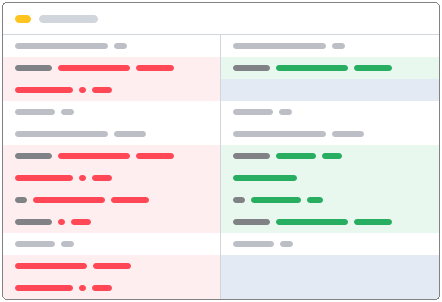
UCM git-style diff tool support
We added a git-style code diff integration. View PRs and merges in a familiar format.
Branch history comments
Annotate your branch history with helpful descriptions for yourself or collaborators.
Unison 1.0 release
A stable release with a rich feature set for getting things done.
2018
2019
2020
2021
2022
2023
2024
2025
Frequently asked questions
Why make a whole new programming language? Couldn't you add Unison's features to another language?
Unison's hash-based, database-backed representation changes how code is identified, versioned, and shared. As a consequence, the workflow, toolchain, and deployment model are not add-ons; they emerge naturally from the language's design. In theory, you could try to retrofit these ideas onto another language, but doing so might be fragile, difficult to make reliable in production, and would likely require rewriting major parts of the existing tooling while restricting language features.
You don't build a rocket ship out of old cars, you start fresh.
Is anyone using Unison in prod?
Yes, we are! Our entire Cloud orchestration layer is written entirely in Unison, and it has powered Unison Cloud from day one.
I'm concerned about vendor lock-in; do I have to use Unison Cloud to deploy my services?
What does collaborating look like in Unison?
Unison Share supports organizations, tickets, code contributions (pull requests), code review, and more.
In many ways Unison's story for collaboration outstrips the status quo of developer tooling. e.g. merge conflicts only happen when two people actually modify the same definition; not because you moved some stuff around in your files.
How does version control work in the absence of Git?
Unison implements a native version control system: with projects, branches, clone, push, pull, merge, etc.
Do I have to use a specific IDE?
No, you can pick any IDE that you're familiar with. Unison exposes an LSP server and many community members have contributed their own editor setups here.
What about interop with other languages?
Work is underway today to add a C FFI!
Without files, how do I see my codebase?
Your codebase structure is viewable via the Unison Codebase Manager CLI with commands like ls and view, or with the Unison Desktop app GUI. The UCM Desktop app also features click-through to definition tooling and rich rendering of docs.