Map Creation Made Simple
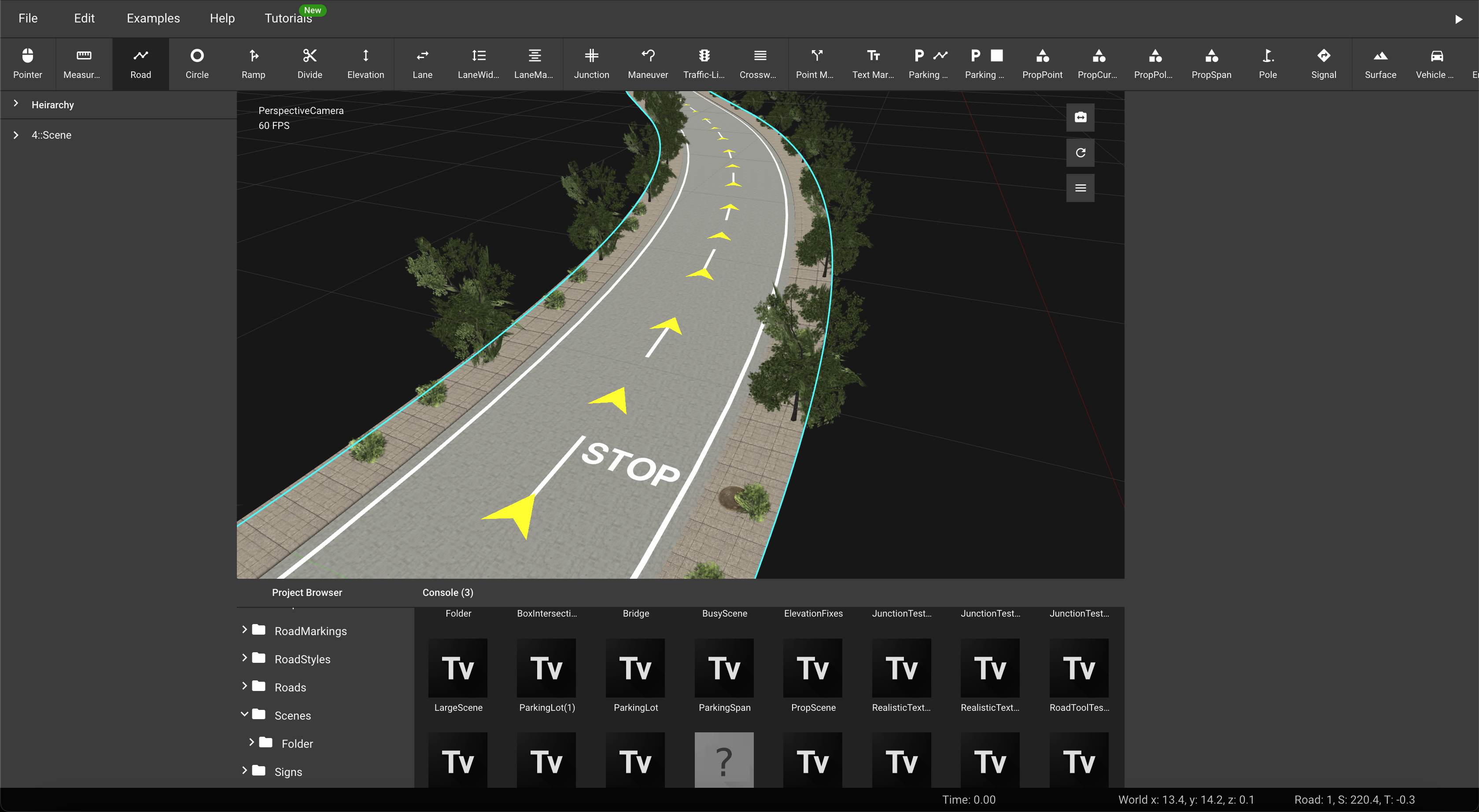
Flexible and powerful, Truevision Designer makes it easy to build maps for your simulation, robotics, and training needs.
Integrations
Everything you need to build your maps
Truevision Designer equips you with all the essential tools to build comprehensive and sophisticated maps. Streamline your map creation process today.
OpenSCENARIO Support
Employ advanced scenario-based testing with OpenSCENARIO support.
Signal Editing
Edit and manage traffic lights and signs with dynamic signal editing features.
Export To CARLA
Seamlessly export maps to CARLA for autonomous driving simulations.
Bridges & Tunnels
Incorporate bridges and tunnels into your map for enhanced topology.
Parking Lanes & Lots
Create realistic parking environments with detailed lot and lane editors.
Procedural Assets
Enhance map detail with varied, procedurally generated objects and textures.
Features
Tools For Junctions and Connections
Easily create complex junctions and intersections with Truevision Designer's intuitive tools. Customize traffic lights, manage maneuver connections.
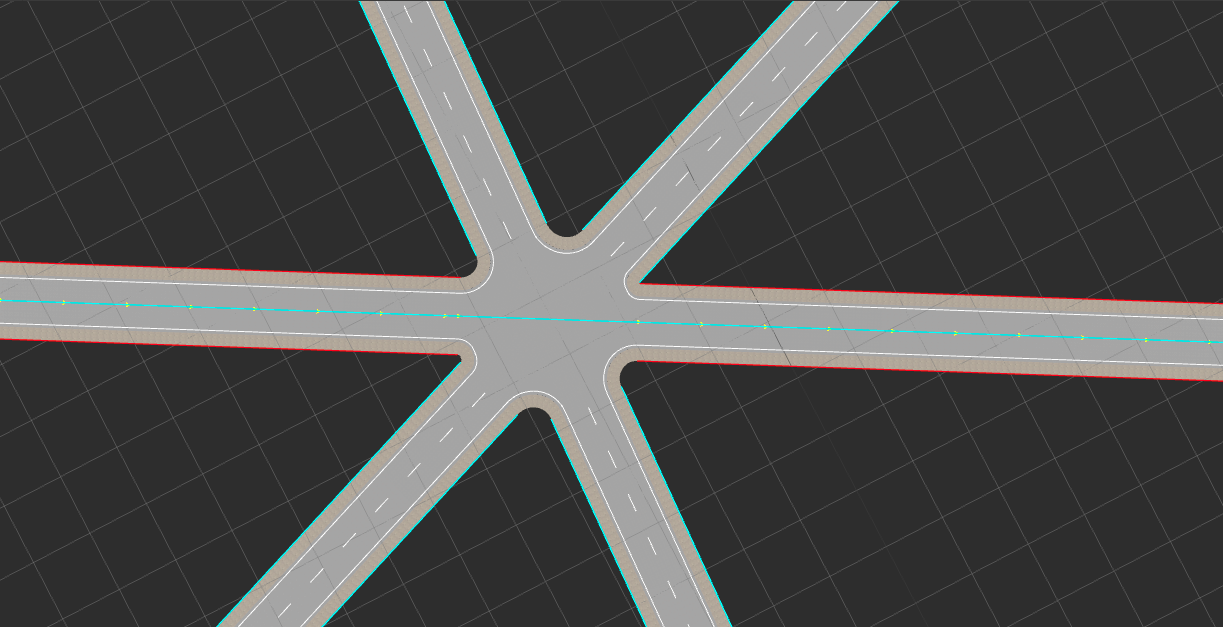
Junction Tool
Quicky create complex junctions and intersections
Create complex junctions and intersections with ease. Truevision provides a simple and intuitive interface to create complex junctions and intersections.
Traffic Light Tool
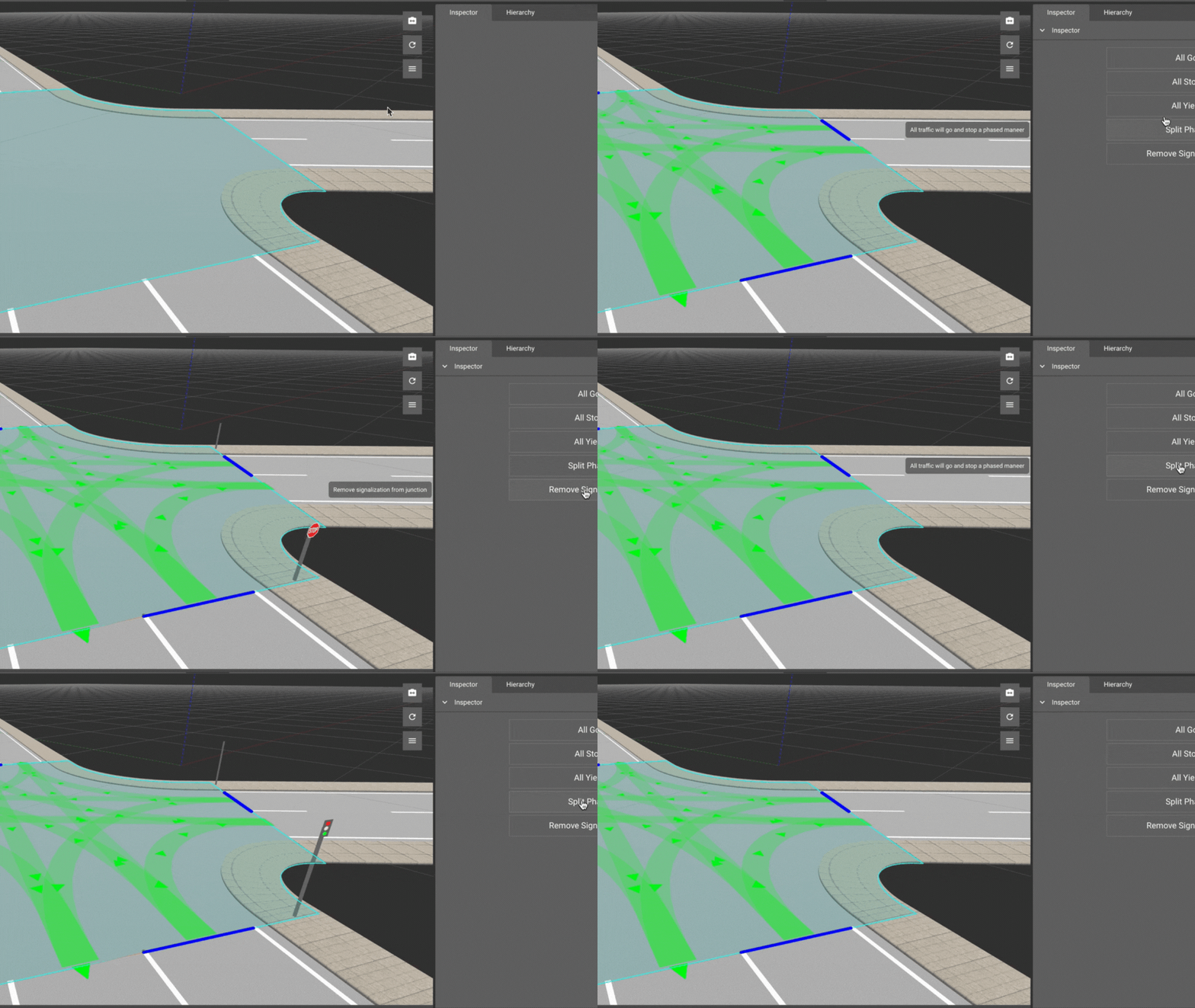
Automatically Add Traffic Lights to your Junctions
Traffic Light Tool allows you to automatically add traffic lights to your junctions. You can customize the traffic light timings and phases.
Maneuver Tool
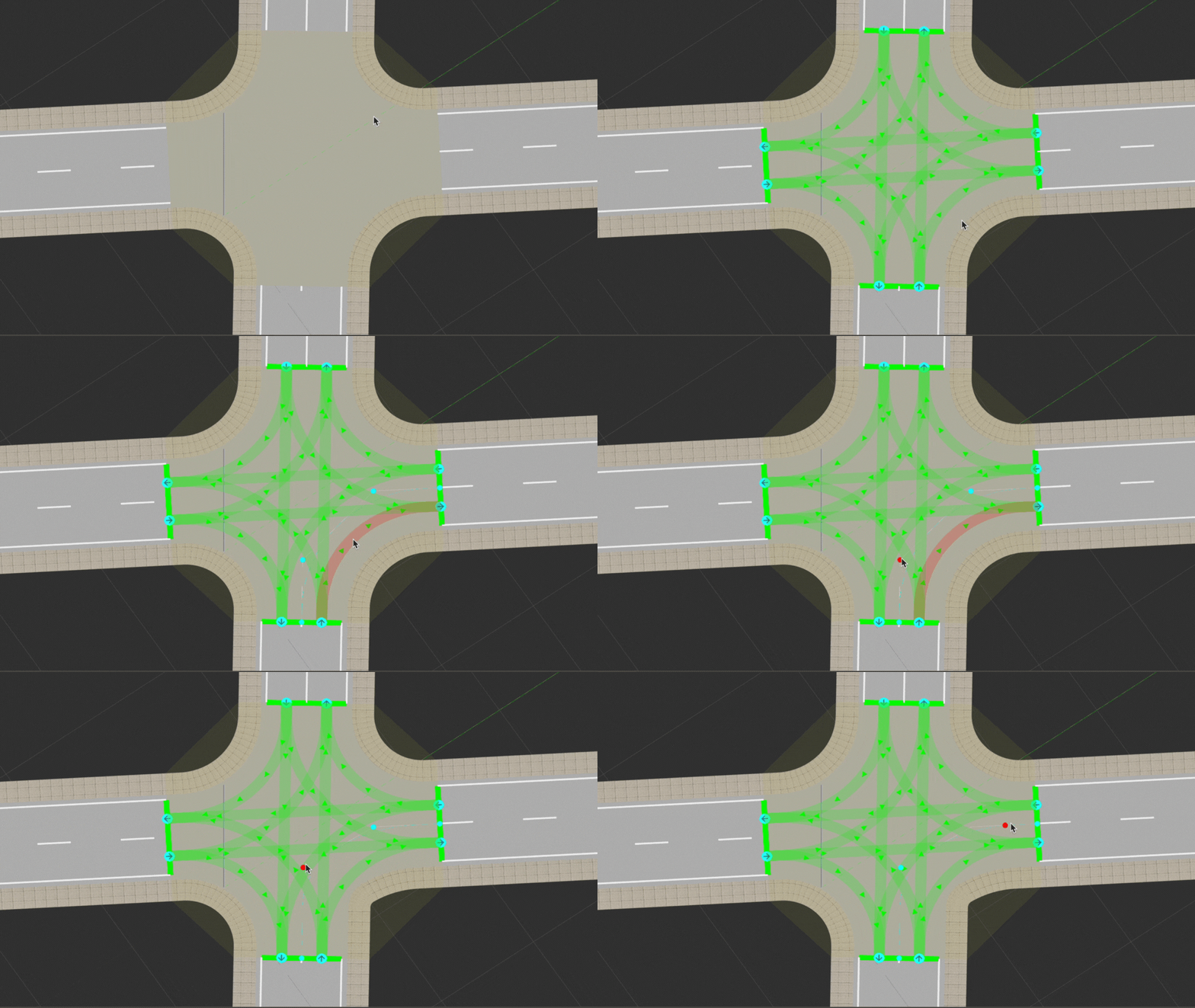
Edit Maneuvers and Create Connections
Maneuver Tool allows you to edit maneuvers and create connections between roads. Complex junctions can be created by connecting roads with different maneuvers.
Features
Tools For Placing Props
Enhance your maps with detailed and customizable prop placement options to create more immersive and realistic environments.
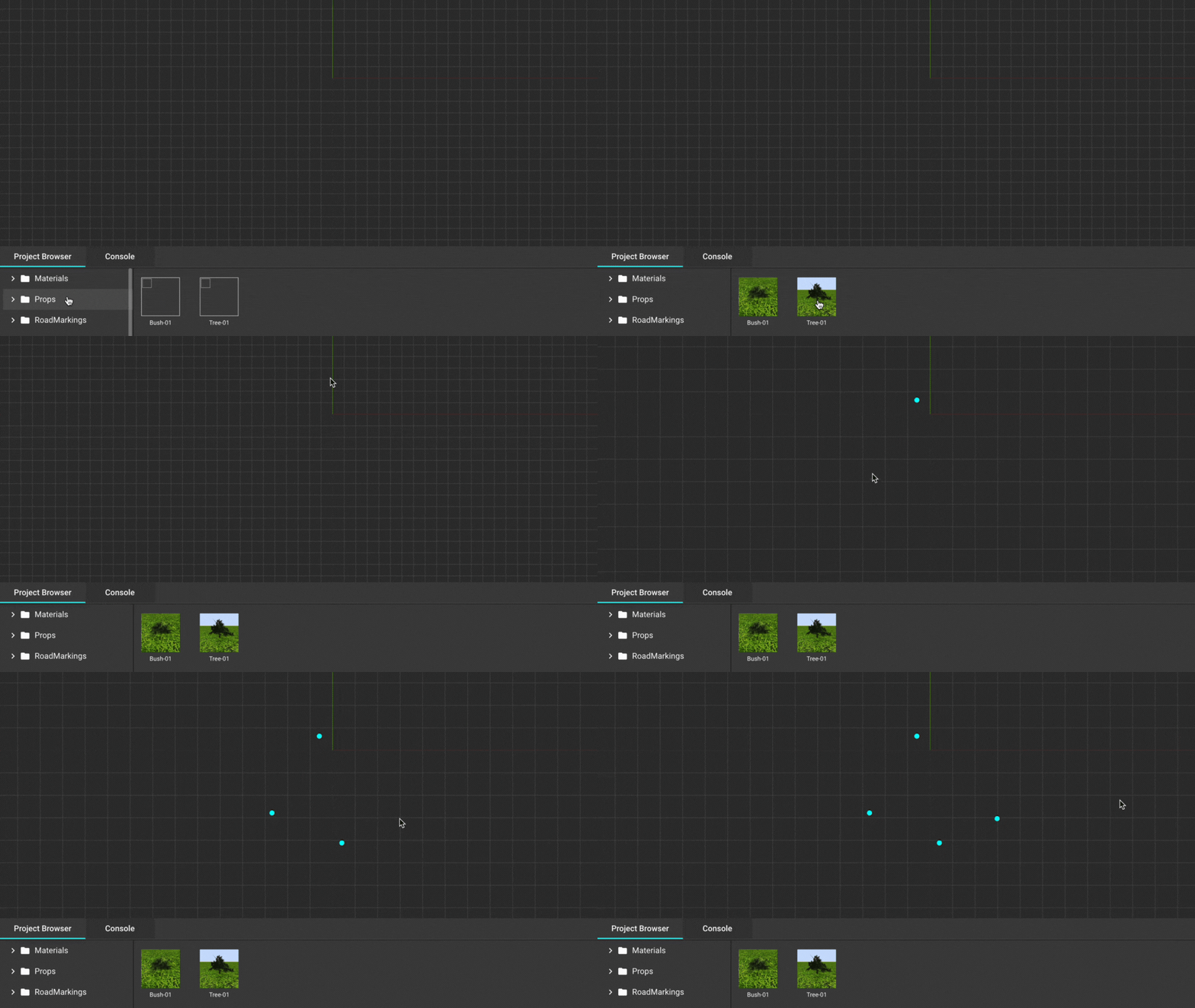
- Prop Point Tool
-
Easily add individual props to your environment and scenarios with precision.
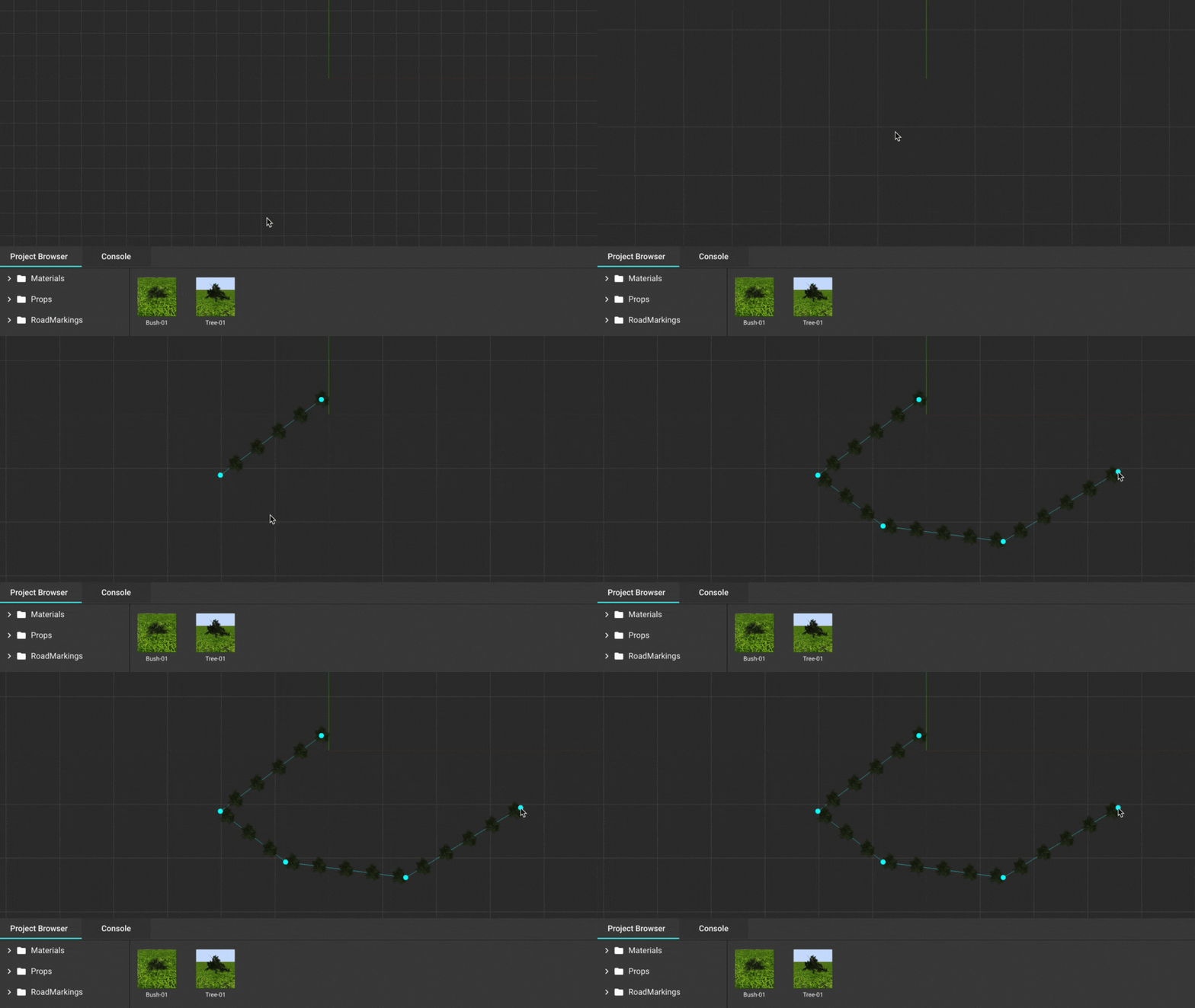
- Prop Curve Tool
-
Add props along a curved path to create natural and dynamic layouts.
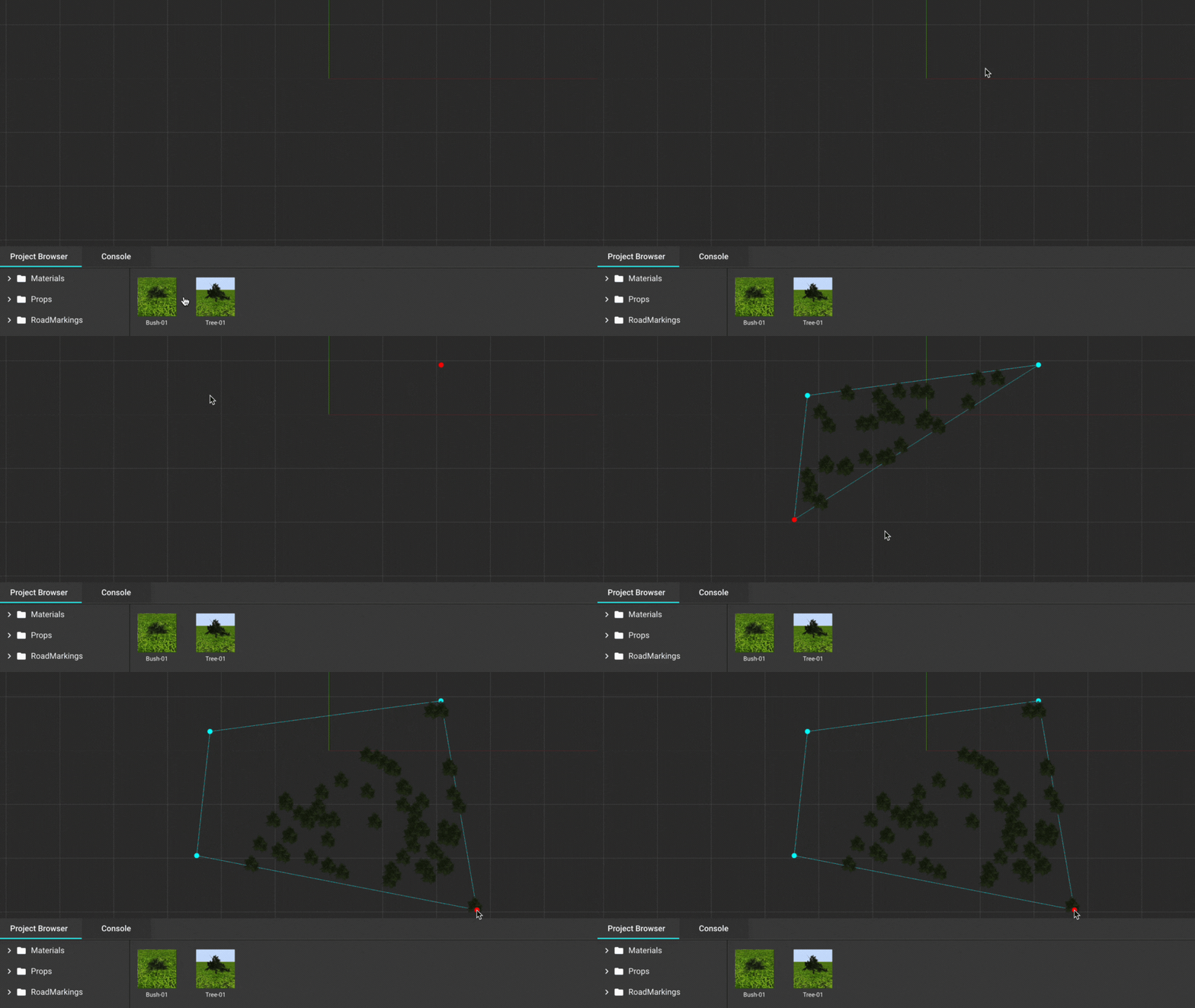
- Prop Polygon Tool
-
Define polygonal areas to place multiple props quickly and efficiently.
Features
Tools For Editing Roads
Enhance and customize your road designs with Truevision Designer's comprehensive set of tools. Our intuitive interface makes it easy to achieve professional results and add detailing on roads.
Super Elevation Tool
Add super elevation to your roads with ease
Add super elevation to your roads effortlessly. This tool allows you to bank roads along curves, providing a realistic simulation experience for your projects.

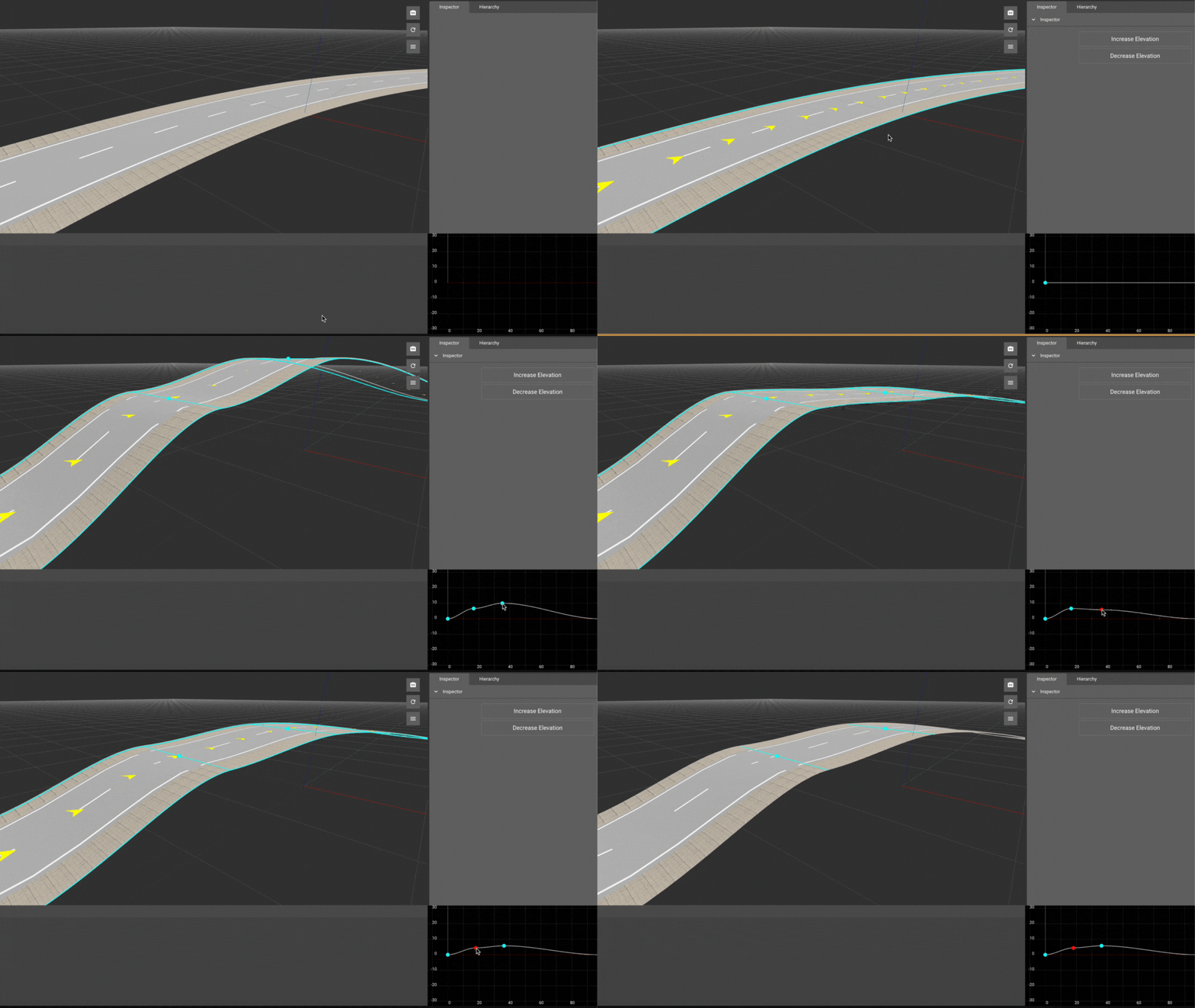
Elevation Tool
Elevation Data for Roads
Incorporate elevation data into your roads to create realistic terrains and landscapes. Elevation data support ensures your maps reflect accurate topography.
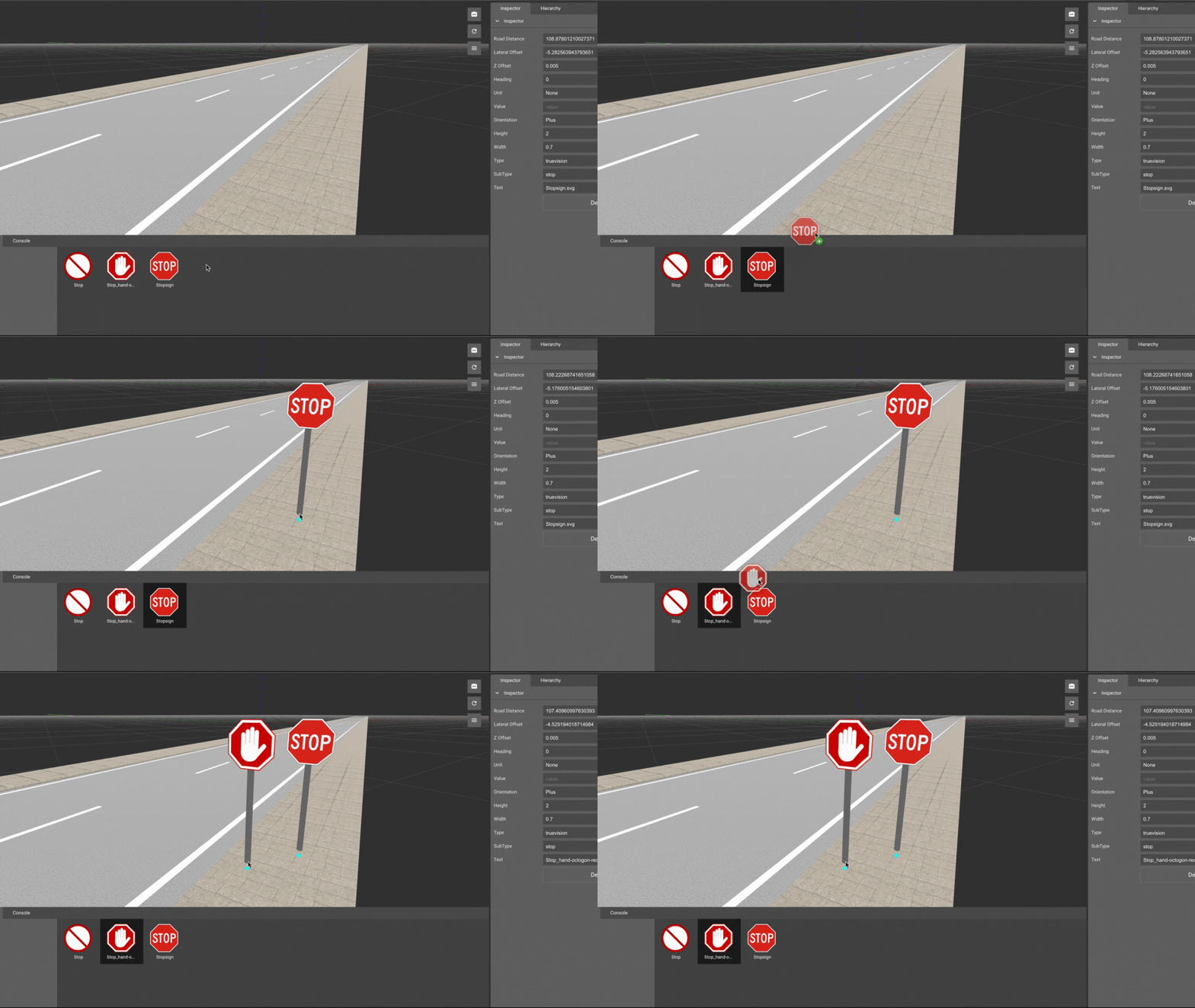
Road Sign Tool
Simple Drag and Drop To Add Road Signs
Easily add road signs with a simple drag-and-drop interface. Choose from a library of signs or create your own to meet your specific needs.
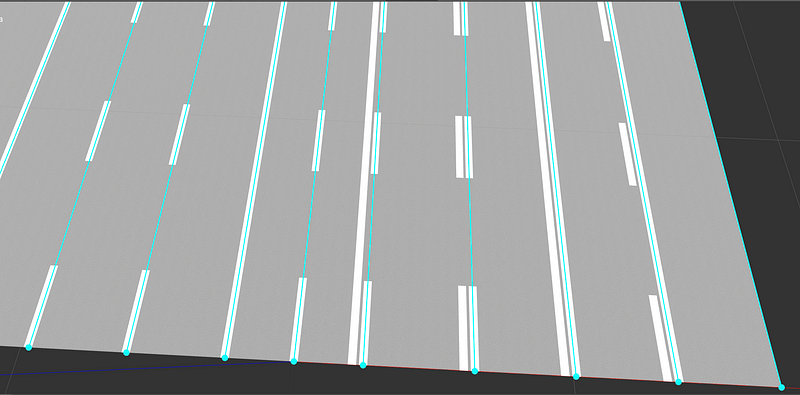
Lane Marking Tool
Support for Lane Markings
Add and customize lane markings on your roads. This tool provides a user-friendly interface to modify lane properties, ensuring your road designs are both accurate and detailed.
Frequently asked questions
-
Truevision Designer is a powerful and flexible tool for creating maps for simulations, robotics, and training applications. It offers a wide range of features to enhance your map-building experience.
-
Yes, you can start building maps with Truevision Designer for free. There may be premium features available for purchase to enhance your capabilities further.
-
Absolutely. Truevision Designer supports exporting maps to various platforms, including CARLA, for autonomous driving simulations.
-
Yes, Truevision Designer fully supports OpenSCENARIO, allowing for advanced scenario-based testing.
-
You can use the Traffic Light Tool to automatically add and customize traffic lights for your junctions. This tool allows you to set timings and phases according to your needs.
-
Yes, the Elevation Tool allows you to add elevation data to your roads, helping you create more realistic terrains and landscapes.
-
Super elevation refers to the banking of a road along a curve. The Super Elevation Tool in Truevision Designer provides an easy way to add this feature to your roads.
-
Truevision Designer offers several tools for placing props, including the Prop Point Tool, Prop Curve Tool, and Prop Polygon Tool. These tools make it easy to add individual or multiple props to your environment.
-
Yes, the Lane Marking Tool allows you to add and customize lane markings. You can modify the properties of lane markings to suit your specific needs.
-
The Road Sign Tool allows you to easily drag and drop road signs onto your roads. You can choose from a library of signs or create your own.
-
Truevision Designer runs on both Windows and Ubuntu. Specific system requirements may vary, so please check our documentation for detailed information.
-
Yes, we provide comprehensive documentation and tutorials on our website to help you get started and make the most of Truevision Designer.
-
Yes, Truevision Designer supports importing various map formats, allowing you to enhance and modify existing maps.
-
You can contact our support team through the 'Contact Us' page on our website. We are here to help you with any questions or issues you may encounter.