Window Maker Live 13.2 is stubbornly keeping 32-bit PCs alive on Debian 13 "Trixie," shipping a new release that boots on i686 hardware.
Window Maker Live is a Debian-based desktop distro built around the classic Window Maker X11 window manager. As the "Live" in its name suggests, it's designed as a live-bootable image that's ready to use, with a rich variety of pre-installed software, carefully chosen and themed to fit in with Window Maker's NeXTstep-style look. Like many other Debian-based distros, this new version is based on this year's Debian 13 release, but with a difference: while Debian 13 no longer ships an x86-32 version, the new Window Maker Live 13.2 release does offer a release for 32-bit computers. In fact, it's the default.
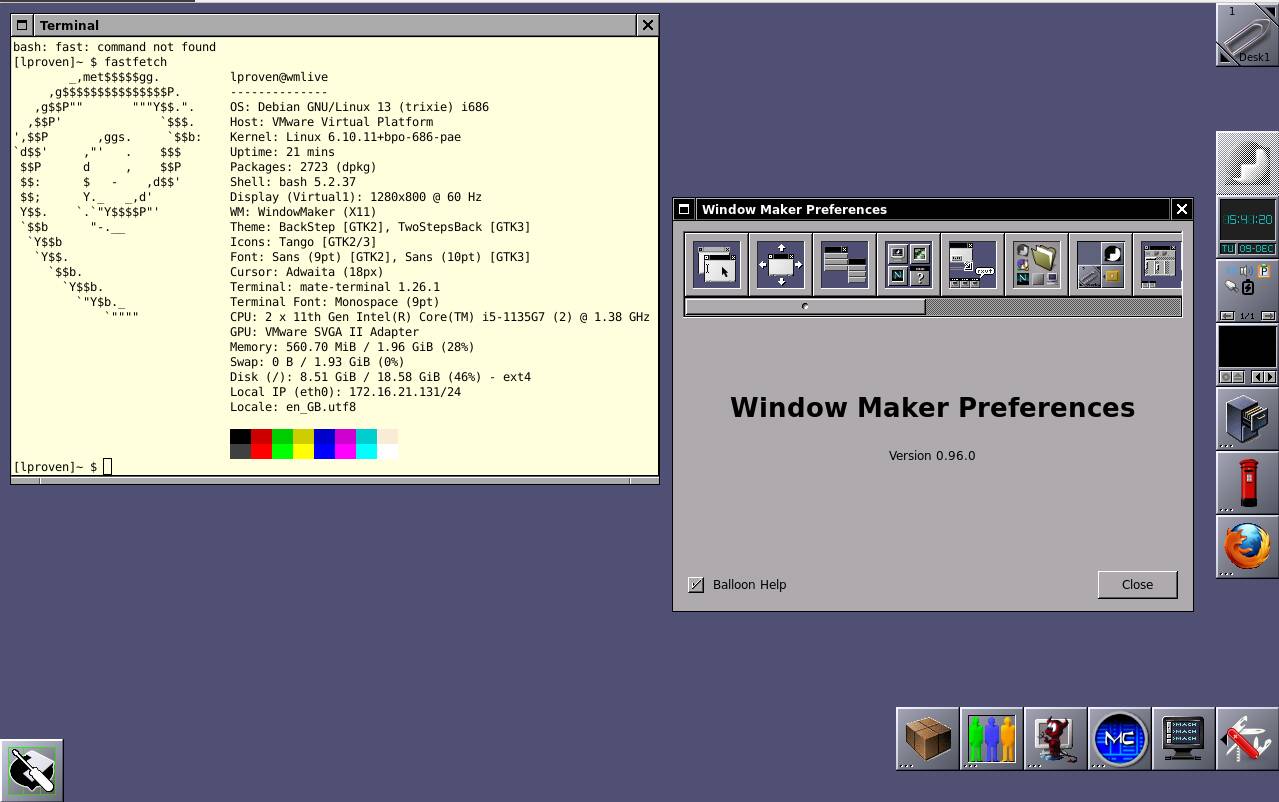
Window Maker Live gives you a fairly lean, mean 32-bit Debian machine - Click to enlarge
We last looked at Window Maker Live in 2023. That release was based around Debian 12.2 and Window Maker 0.96, both released earlier that year. We were interested in that release of Window Maker Live because in addition to a whole compilation of conventional X11 Linux apps, it also offered a separate selection of GNUstep applications which replicated NeXTstep's distinctive look and feel, with menus stacked vertically at the top left of the screen, any of which could be torn off to create an instant toolbar.
There hasn't been a new release of Window Maker since then – you can tell it's a slow-moving project from the fact that it's been in development since 1997 and hasn't gotten to version 1.0 yet. Hurrah for zero-based versioning. But there has been a new major release of Debian – Debian 13 "Trixie," which took the drastic step of dropping a separate 32-bit kernel for x86-32 machines. It can still run 32-bit apps, but to install Debian 13, you must have a 64-bit computer. As a result, most Debian-based distros, such as Peppermint OS and Linux Mint Debian Edition, have also stopped offering 32-bit editions.
Enter WMLive 13.2. Not only does it still have a 32-bit edition, but that edition is the only ISO file on the downloads page. There are 64-bit editions, but the project requests a donation to get the password to unpack the encrypted 64-bit archives. The donations page explains:
The i386 variant is freely available and ready for use now. But to unpack the two 7z archives of the amd64 and arm64 variant, respectively, a password is required. This password will become freely available on this very page at the end of this year. But until then, only downloaders who supported our work on wmlive with any donation amount will be provided with the required password.
The distro has been around since at least 2013. As the presence of a custom kernel suggests, it's more than just a Debian remix. The maintainer says:
wmlive contains a few package additions that are not (yet?) available as official Debian packages, like for example the web browser Palemoon (compiled using gtk2), Previous (a NeXT emulator), Box86 (a PC emulator), Parcellite (gtk2 based clipboard manager), and Scantailor-advanced (book scan post-processor), among others. A few administration-related scripts supplying a user-friendly GUI based on
yad-gtk2are also included. Furthermore, I maintain a dedicated package repository at https://wmlive.rumbero.org/repo/ providing both binaries and sources for all these additions.
In the same thread, they also explained the request for donations:
Before the release of wmlive-trixie, the binary ISO images for former wmlive releases have always been free for all. But no matter how politely I asked for donations to support my work, almost no one of the many thousands of downloaders of this niche project have ever bothered to give anything in return. If my calculations are correct, I have received about 200 EUR by about 14 donators during the course of the last 12 years (twelve!).
As has been long established, and more than once, outside of the big enterprise vendors, it's hard to make a living developing FOSS.
- Raspberry Pi OS, LMDE, Peppermint OS join the Debian 13 club
- Debian 13 'Trixie' arrives: x86-32 and MIPS out, RISC-V in
- Kelsey Hightower: If governments rely on FOSS, they should fund it
- Window Maker Live: When less is more, but more is also ... more?
This is a slightly different approach: develop a bespoke version for low-end kit, and request donations for the version aimed at more current hardware. It's a novel fund-raising tactic and we wish the project luck with it.
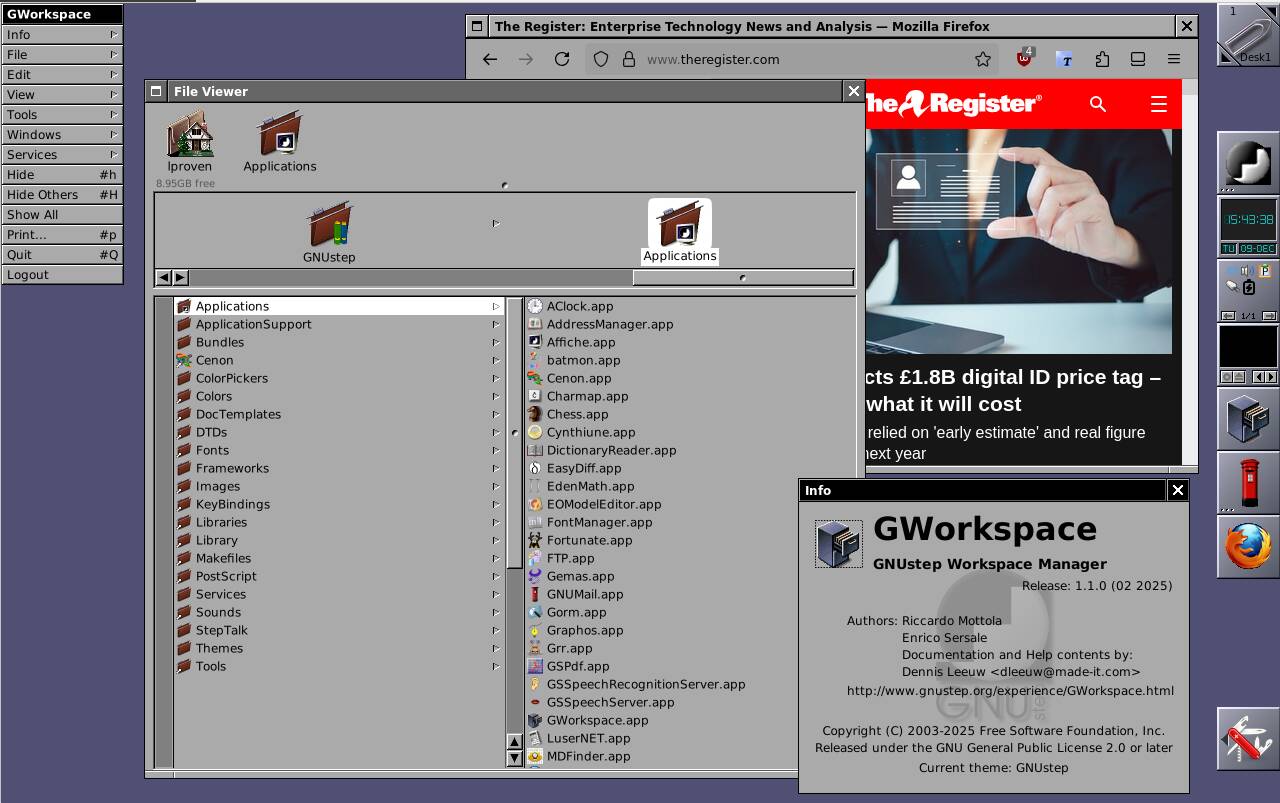
On top of Debian and its apps like Firefox, you also get the GNUstep environment and apps - Click to enlarge
This vulture is very fond of the almost austere aesthetic of Window Maker and GNUstep. WMLive delivers this in the live environment, and if you put it on a USB key, it offers persistence: it can store files and settings from one boot to the next. Or, from a separate option on the boot menu, you can install it like any other distro. As far as we know, it's currently the only 32-bit x86 flavor of Debian 13.
As we said last time, there's substantial duplication and overlap between the apps it contains, but even so, WMLive offers an elegant and capable setup. It's only a 3.5 GB download, takes up 8.4 GB of disk space, and uses an almost trifling 270 MB of RAM. It's not just some tech demo, but a complete and powerful OS – and it's just over half the size of the latest full Ubuntu. There's a lot to like here. ®