Kakoune is a free, open source, powerful, interactive, fast, scriptable and very customizable code editor with a client/server architecture. It runs on Unix-like systems such as Linux, FreeBSD, MacOS, and Cygwin. It is a Vi/Vim like modal editor which aims to improve Vi’s underlying editing model for more interactivity.
Read Also: 18 Best IDEs for Programmers and Developers
It comes with numerous text editing/writing tools such as contextual help, syntax highlighting, auto-completion while typing, and supports many different programming languages. It also implements multiple selections as an essential procedure for interacting with your text.
In addition, Kakoune’s client/server architecture allows for multiple clients to connect to the same editing session.
Kakoune Screenshots
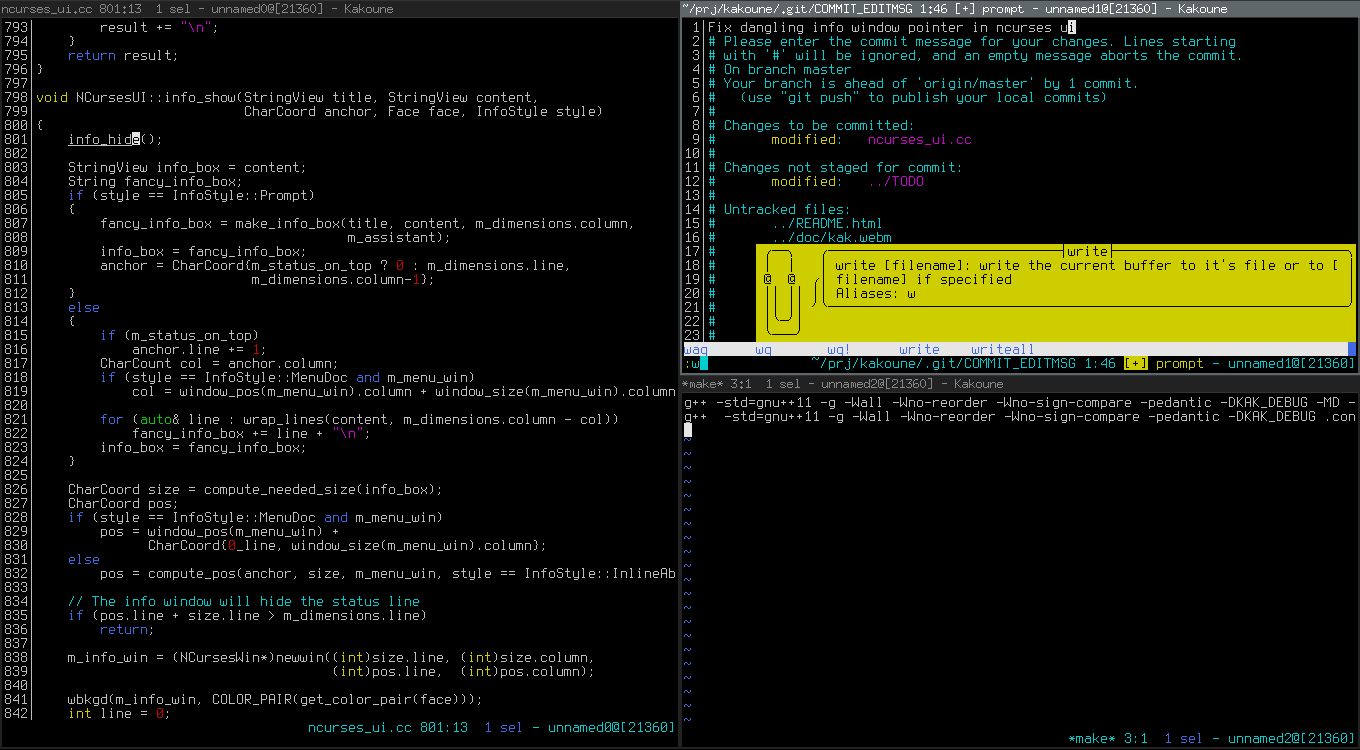
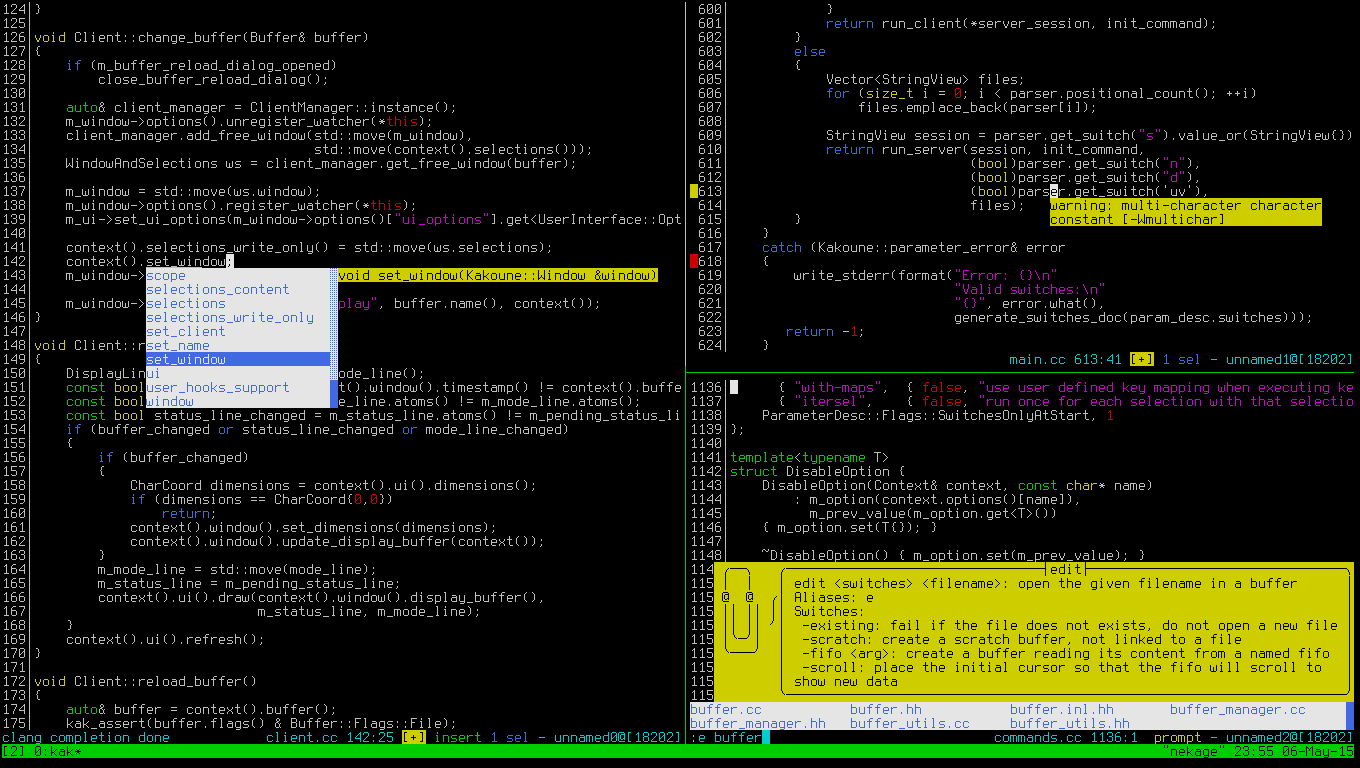
Kakoune Features:
- It is interactive, predictible, and fast.
- Supports multiple selections.
- Supports syntax highlighting.
- It operates in two modes: normal and insertion.
- Uses less keystrokes making it fast.
- Supports auto-information display.
- Also supports extensive auto-completion.
- Offers multiple text editing tools.
- It supports working with external programs.
- Supports advanced text manipulation primitives.
- Uses powerful handling primitives such as regex matches, filtering, splitting, aligning, text objects and more.
Requirements:
- GCC >= 5 or clang >= 3.9 (with associated C++ standard library (libstdc++ or libc++)
- libncursesw >= 5.3
- asciidoc for creating man pages
How to Install Kakoune Code Editor in Linux
On major Linux distributions such as CentOS/RHEL and Debian/Ubuntu, you need to build and install it from sources. Before that first you need to install development tools and other dependencies on your system and then clone the sources code, build and install it with the following commands.
Install Kakoune Code Editor in CentOS/RHEL
# yum group install 'Development Tools' ncurses-devel asciidoc
# cd Downloads/
# git clone http://github.com/mawww/kakoune.git
# cd kakoune/src
# make
# make man
# make install
Install Kakoune Code Editor in Debian/Ubuntu
$sudo apt update && sudo apt install build-essential libncurses5-dev libncursesw5-dev asciidoc
$ cd Downloads/
$ git clone http://github.com/mawww/kakoune.git
$ cd kakoune/src
$ make
$ make man
$ sudo make install
On Fedora, you can install it from the copr repository using following command.
# dnf copr enable jkonecny/kakoune
# dnf install kakoune
On openSUSE, you can install it from the default repository by running the following command. Make sure to specify the repository for your openSUSE version (Tumbleweed in this example).
$ sudo zypper addrepo http://download.opensuse.org/repositories/editors/openSUSE_Factory/editors.repo
$ sudo zypper refresh
$ sudo zypper install kakoune
On Arch Linux, install it from the AUR by running the following command.
# yaourt -Sy kakoune-git
How to Use Kakoune Code Editor in Linux
Once you have installed kakoune, simply launch it by running the following command with script filename (example getpubip.sh) that you want to code.
$ kak getpubip.sh
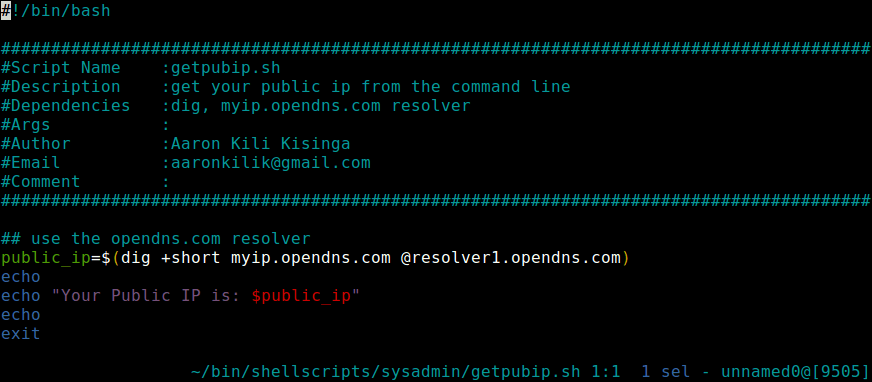
Because of kakoune’s client/server architecture, the above command will open a new session, with a client on the local terminal.
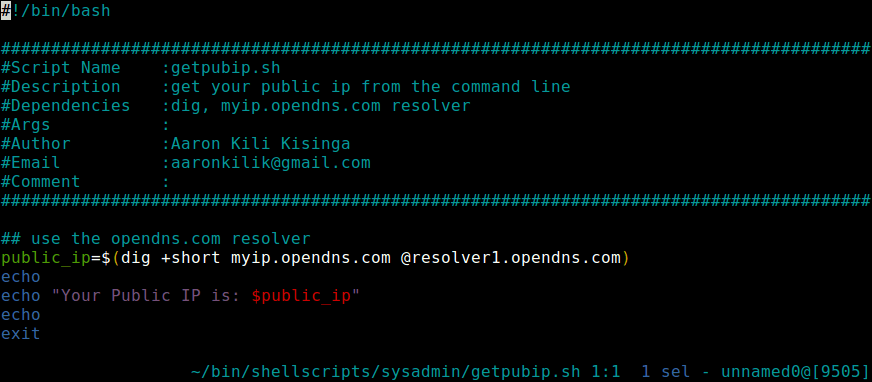
To enter in insert mode, press i. After making changes to your source code, use :w to write changes. And to get back to the normal mode, press <Esc>, to quit, use :q. If you want to quit without writing changes, use :q!. As you can see, most of the keys are similar to those in Vi/Vim editor.
You can get a list of all accepted command line options by typing.
$ kak -help
For a comprehensive documentation including keystrokes to use in the insertion mode, check out the Kakoune Github repository: https://github.com/mawww/kakoune
Kakoune is a Vi/Vim like modal editor; built to enhance Vi’s editing model making writing/editing code both faster, and more fun. Share your thoughts about it via the feedback form below.
Two small things before you go
If something didn’t work on your setup, leave a comment and tell me which distro and version you’re on. I read every one, and most of these articles got better because a reader pointed out what was missing.
And if it did work, share it. TecMint has stayed free for 14 years because people pass these articles around, and that traffic is what pays for writing the next one.
TecMint Weekly
Get two free Linux courses
Learn the Linux basics with two free courses and join 34,000+ readers getting practical TecMint tutorials and selected Pro TecMint articles every week.
Pro TecMint
Get lifetime access for $99
If you want to go beyond the free tutorials, Pro gives you 18 courses, 5 ebooks, and every future course I add. One payment, lifetime access, no renewals.