
Commit Faster Stage Files, Hunks and Lines with no waiting - Sublime Merge is really, really fast.
Review Better Sublime Merge gives you to tools to breeze through code reviews: Side by Side Diffs, Syntax Highlighting, Character Diffs. You can drag the top or bottom of a hunk to interactively show more context lines.
Search Instant search over your whole repository, as you type. Search by commit message, author, path and contents.
Resolve Conflicts Built-in merge tool allows for quick, painless resolution of merge conflicts
Why choose Sublime Merge as your Git Client?
A faster way to work
With a zippy cross-platform GUI toolkit, an unmatched syntax highlighting engine, and a custom high-performance Git reading library, Sublime Merge sets the bar for performance.
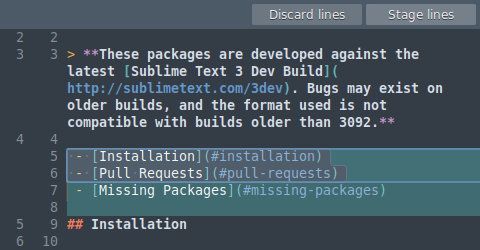
Precise and Flexible
Commit exactly what you want with line-by-line and hunk staging. Select one or more lines to split hunks into multiple changes.
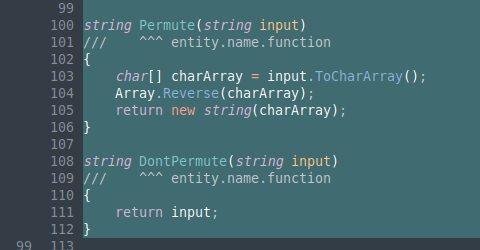
Sublime Highlighting
With the power of Sublime Text syntax highlighting, you can understand exactly what's been changed in a commit. With over 40 supported languages out of the box, and automatic loading of installed third-party syntaxes, we've got you covered.
Real Git
When you're using Sublime Merge, you're using Git. View the exact Git commands you're using, and seamlessly transition between the command line and Sublime Merge.
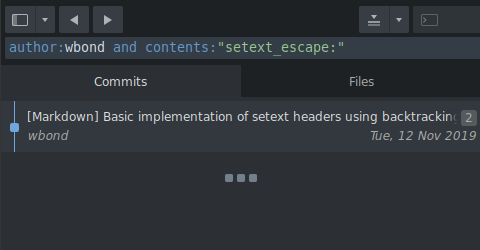
Powerful Search
Looking for a commit? Use find-as-you-type search to find the exact commit you're looking for.
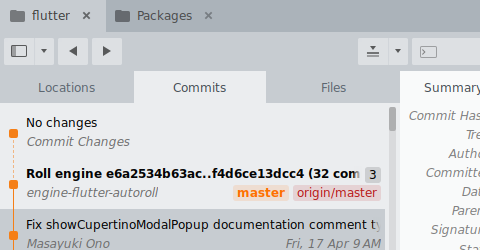
Your Git Client
Make it yours with an adaptable layout and powerful theming system.
Even More
 Command Palette
 Commit Editing
 Blame and File History
 Submodule Management
 Command Line Integration
 Git Flow Integration
Meet the Sublime Family
A cross-platform Git client, done the Sublime Text way
The sophisticated text editor for code, markup and prose