But really… is it actually usable/useful?
If you are a solo dev? Yes. Currently it doesn't support concurrent "plans" or team related features. But shipsmooth itself is being developed with shipsmooth. Here's all the plans for it so far 😊 And here is the full "skill file".
Read more
Plans? Tasks??
A "plan" is just a structured markdown file that describes the design of a unit of work. See an example below (click to enlarge). A plan file may contain a list of tasks.
A task is the smallest unit of work. A plan is broken down into tasks. Tasks keep getting added/removed/re-ordered as required, as the plan evolves.
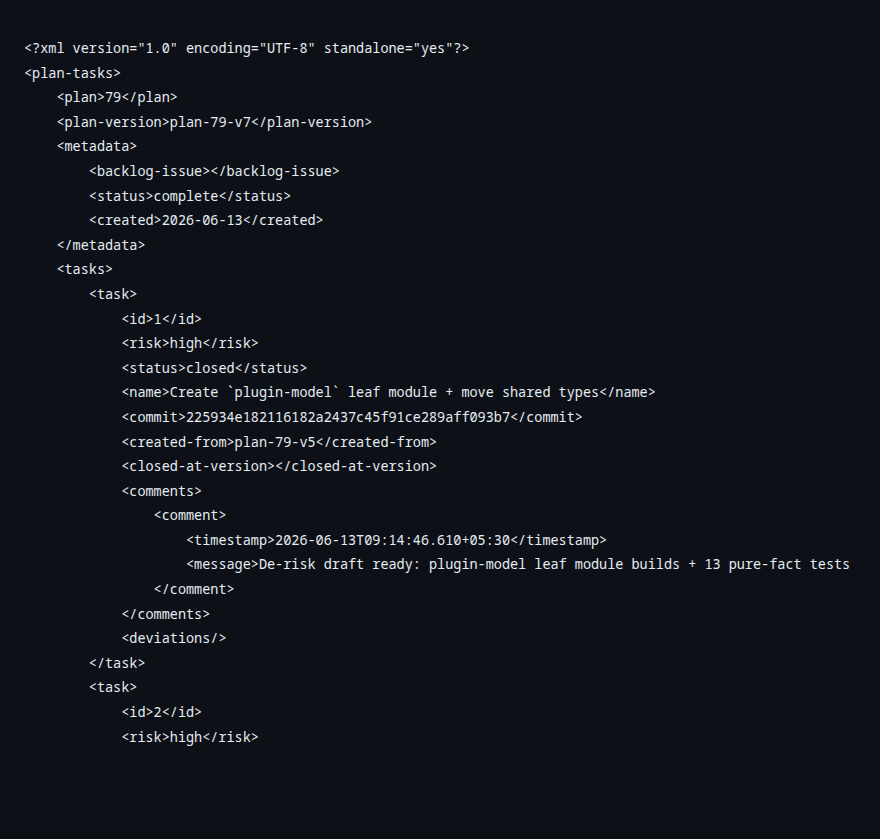
How does shipsmooth handle changes in plans and tasks?
Both plans and tasks are stored as text files within the project's git repository (externalized options coming soon). Each version of a plan gets its own git tag (eg: plan-10-v1, plan-10-v2). This makes it available permanently for future reference. See below Version 1 and Version 17 (yep, that was a lot of iterating!) of a plan to migrate from Maven to Gradle.
License
Apache 2.0. View on Github
Try shipsmooth
Claude Code
- Inside your Claude Code session, type:
/plugin marketplace add bitkentech/claude-plugins /plugin install shipsmooth@bitkentech - Restart Claude Code, because the plugin needs to run some code at session start
- In the new Claude Code session type:
/shipsmooth:start
Codex
- Install the plugin (one-time):
$ codex plugin marketplace add bitkentech/codex-plugins $ codex plugin add shipsmooth@bitkentech - In the new Codex session type:
$shipsmooth start
Gemini CLI
- Install the plugin (one-time):
$ gemini extensions install https://github.com/bitkentech/shipsmooth-gemini - In the new Gemini CLI session type:
/shipsmooth:start
OpenCode
- Add the plugin to your
opencode.json, as shown below.{ "$schema": "https://opencode.ai/config.json", "plugin": ["@bitkentech/shipsmooth-opencode"] } - Restart OpenCode
- In the new OpenCode session type:
/shipsmooth:start
Who's behind this?
shipsmooth is being developed by Pramod Biligiri. A freelance software developer and consultant, currently exploring how to develop software using agents.