Michael Schmidt submits a ticket: "Everyone calls me Mike – can you point mike@northwind.com at my account?" Mike's in a rush, so you set up the alias manually, real quick. But it's the third alias request this week. Should you just automate it?
IT teams hit this question constantly. What if building the automation takes two hours? What if the volume drops off next week? Is automating still worth it then?
At Serval, we made a critical observation early on: teams only reliably reach for automation when it's the easiest path – when automating a task forever is faster than doing it by hand even a single time. Get below that break-even line, and automation stops being a project and becomes the default.
From Workflow Builder to Catalyst
So we decided to do the hard thing: make our workflows just code, build a platform to run them, and build an agent to write them. We called the agent Workflow Builder, and it could turn a plain-English description into a working workflow - for the first time, writing the automation was easier than doing the task by hand once.
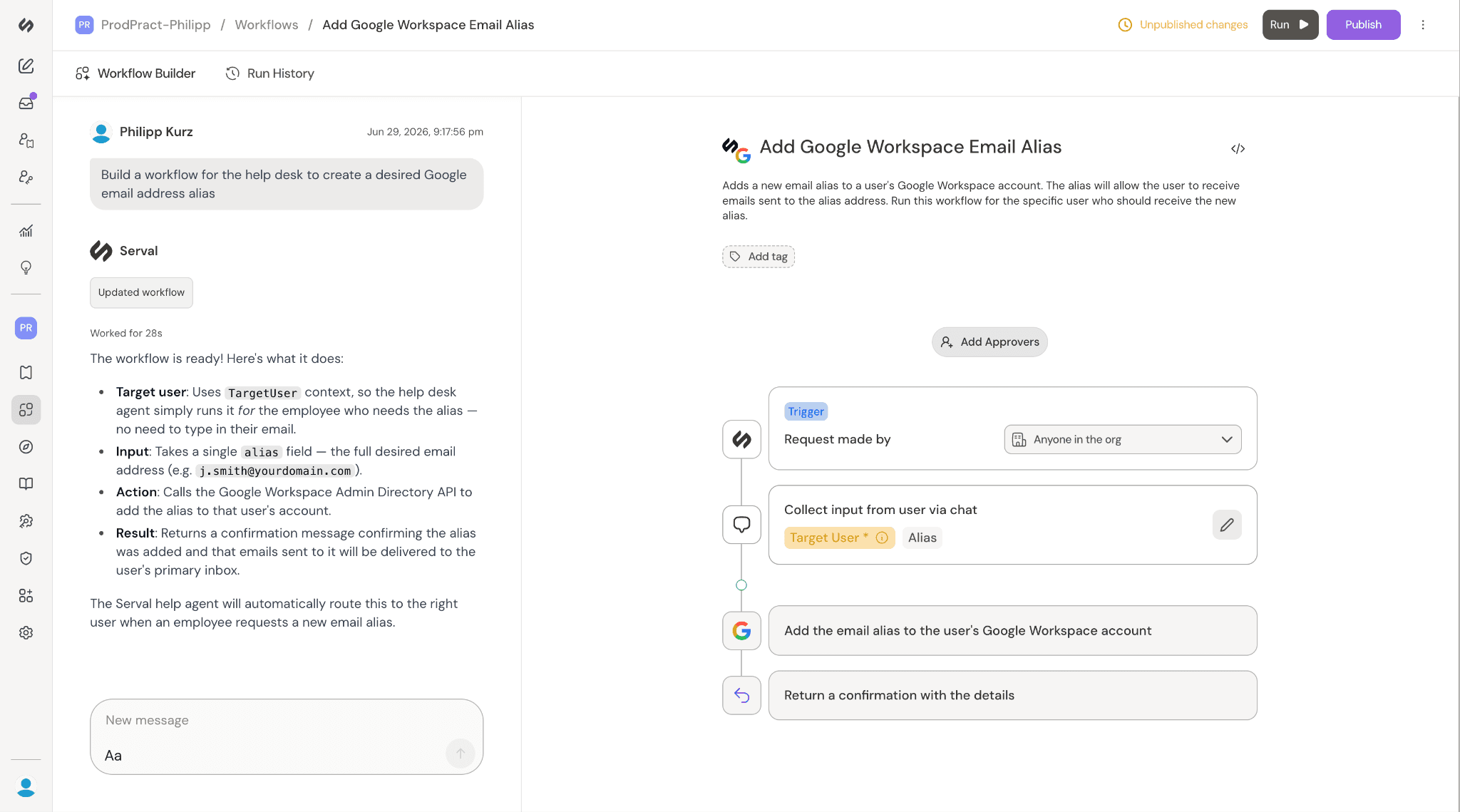
After a year in production, we saw it clearly: building the workflow is the bulk of the work in automating a task – and Workflow Builder had largely solved it. But: it isn't the whole job. So why stop there? Why not make every step of setting Serval up for your needs as fast and easy as writing the workflow had become?
That's why we're working on Catalyst: an agent that handles your entire Serval setup – integration, permissions, triggers, the workflow itself, and everything in between, all at once – so going from "I need this automated" to a working automation becomes a single step.
Catalyzing your Serval setup
Take Mike's alias request again. Northwind Inc. just onboarded onto Serval, and their Google Workspace integration isn't even connected yet. Before a single alias gets created, someone has to wire up the integration, set the right permissions, build the workflow, and add a skill so the next request like this routes itself automatically. Four pieces of work, four different parts of the product. Workflow Builder already made one of those easy. Catalyst's goal: make all four easy, for any problem. You describe what you want automated; Catalyst handles the rest.
While planning Catalyst, we kept coming back to three questions: How can we enable Catalyst to operate on everything in Serval? How do we let an agent make real changes to your setup without putting you at risk? And what's the right technical foundation to bet on for the long run?
Anything a user can do, Catalyst can do
With Catalyst, we wanted to make as many tasks as possible easier to automate than to do manually once. When starting the project, we asked what it would take to make that true for every task in Serval. If Catalyst could cover all of the configuration surface area, users would no longer have to think about where to go when they open up Serval. The vision was clear: when a user needs something done, they go to Catalyst. Anything short of that is a missed opportunity to automate a task and make a user's life easier. This realization led us to the guiding principle that Catalyst must do everything a user can do.
To let Catalyst do everything a user can, we give it access to the same tools a user has. It reads the same documentation, hits the same endpoints, and is granted the same permissions as the user messaging with it. Catalyst has complete product knowledge because it has access to public documentation. Any feature added to the platform is added to the docs, and Catalyst instantly knows about it. Relying on public docs has also made them better: when Catalyst is confused about a feature, we know the docs are not clear enough, and we fix the docs instead of some hidden prompt. As Catalyst's product knowledge improves, so must our documentation.
We use the same principle for how Catalyst takes action on the system: what is useful for people is useful for Catalyst. Most of Catalyst's tools are based on existing user-facing endpoints. When we release new product features, we add any new endpoints as tools for Catalyst, and it is immediately capable of configuring those features.
Catalyst is authorized to take the same actions as the user because it uses an auth token from the user who sent the message. Before a message is handed off to Catalyst, a token is minted with the same permissions as that user, and it is added to the header of requests coming from tool calls.
Catalyst is very capable, but responsible IT leaders would not let any AI agent loose to make changes on critical systems. To address this, we built a robust review system that keeps a human in control of every change that gets made.
Keep humans in the driver’s seat
In Serval, adding a workflow expands what employees can do through the help desk; publishing a skill changes how your employee-facing agent behaves. In production, changes like these carry real consequences. That's the tension with Catalyst: the same reach that makes it useful, namely acting quickly across your whole setup, is what makes unreviewed changes dangerous. So a core design principle is that Catalyst stages changes for review rather than applying them directly: in the end a human decides what ships.
Making those drafts easy to review and iterate on is its own design problem. But coding agents have already solved it well, so when building Catalyst we borrowed from their design language. Catalyst collects everything it's proposing into a single list of changes across resource types, and opens each changed resource in its own tab for closer review.
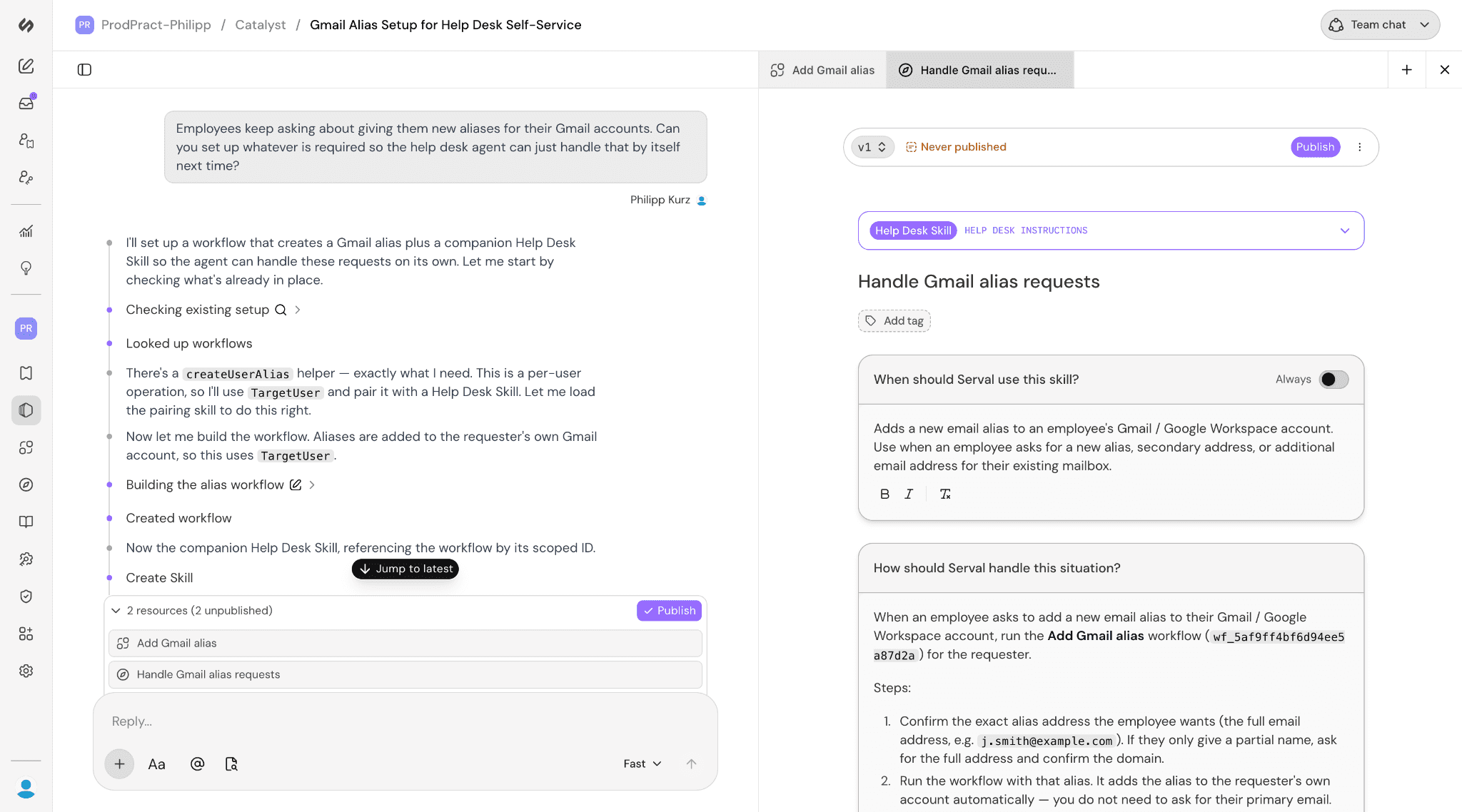
Today in Beta, Catalyst stages changes this way for Workflows, Skills, and Dashboards, though our ambition is for every Serval resource to eventually be drafted and reviewed this way.
Getting there was a real technical challenge — and it forced us to treat Catalyst not as a feature but as a platform the rest of the company builds on. Resource types cover different parts of the product and are owned by different individuals on the team, yet the review experience has to stay consistent and the system tracking these changes has to stay maintainable and extensible as new resource types are added.
We solved this by splitting the staging system in two. A shared core handles the generic plumbing: storing a staged change and running the publish step, regardless of what's changing. Each resource type plugs in the specifics: what its data looks like, and what publishing actually does for that resource. The frontend mirrors this split, with one general pipeline pulling staged changes from the backend and per-resource code rendering each resource's tab and its row in the change list.
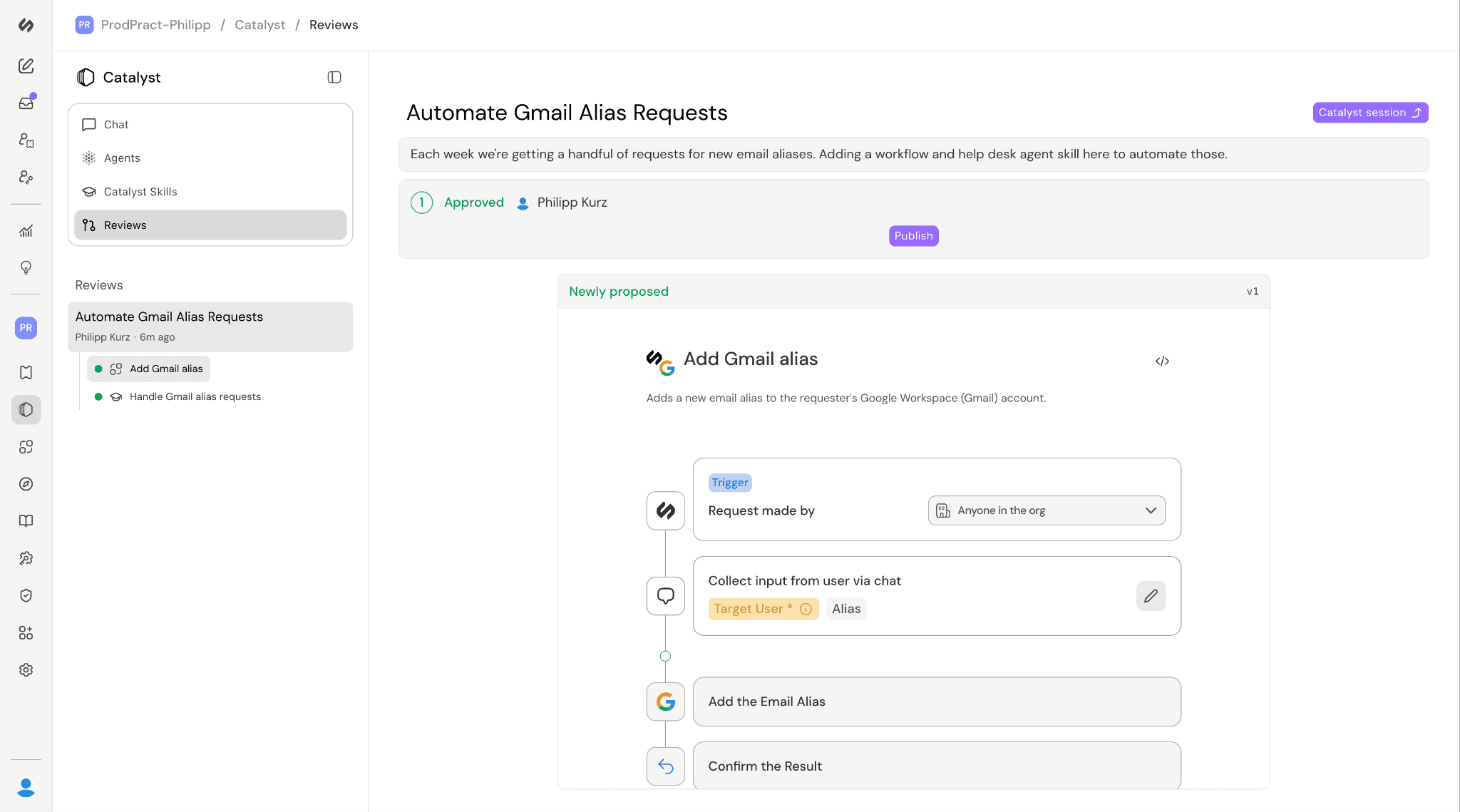
At some companies, whoever drafts a change should also be able to publish it. At others, organizational or legal constraints require those to be two different people. For that, Catalyst can require a second person to sign off. The change goes through a pull-request-style review, and a different team member approves it before it can be applied.
The same principle covers Catalyst's own actions while it works. To read from or make changes in third-party systems, Catalyst can write and run a workflow on the spot, called a Temporary Workflow. Reads run freely, but if one would mutate an external system, it needs your approval first, just like any other change.
That leaves the last of our three questions: what's the right technical foundation to bet on for the long run?
Build on the most promising platform
The bet at the heart of the company has always been that automations should be code, because AI was going to get very good at writing code. Workflow Builder rode that bet: as models got better at code generation, so did our ability to turn a description of a task into a workflow. However, the enormous leaps in AI coding haven't come from better models alone. They've come from harnesses like Claude code: file-system-based agent loops that can operate on files and run commands. Underneath, Workflow Builder ran on a simple proto-harness with no file system, capable of just a single completion per turn. This held it back because it forced the Workflow Builder to keep all of the docs, code, and messages in context. Building Catalyst on a modern harness has allowed us to continue to capture the benefits of improved AI coding.
Using a file-system based harness didn’t just make workflows better. Coding agents fundamentally just manipulate files, and nearly everything in Serval can be serialized as a file. A workflow is TypeScript code. A skill is markdown. Integrations, access policies, assignment rules, and every other resource serialize cleanly to a format like JSON. So a file-system agent isn't only good at writing workflows: it can operate on the entire surface area of the product by treating each piece as a file to read and edit.
A file system unlocked something else we'd been missing: a sandbox. Many of the actions you would want an agent to take – searching API docs with grep, generating a PDF, running a quick script to parse a large file – require a place to actually execute commands. Workflow Builder had no such environment. Catalyst does, and that opens up a far wider range of things it can do on your behalf.
So what will you build with Catalyst?
Mike's alias request was just the starting point. An agent that can set up anything in Serval, with a human in the loop to review the changes, is good for far more than aliases: standing up an onboarding flow for a new hire, wiring a new integration end to end, turning a messy runbook into a skill the agent follows, or building the dashboard someone asked for in passing. We're excited to see what you will build with Catalyst.