
Wirelessly transfer & backup your photos & videos. Any kind of transfer - PhotoSync can handle it!

Unlimited transfers
Transfer photos & videos between iPhone, iPad, Android, Windows PC, Mac, Linux, NAS, cloud services & more…

Cross-platform
Number one cross-platform solution with native apps for iOS (iPhone, iPad), Android, Windows PC and Mac. Support for Linux too!

Retain full control
Total user control and fully customizable at all times. Be totally independent of cloud services!

Reliable & secure
Operating 14+ years in the market and continuously upgraded. An indispensible tool for photo and video transfers!
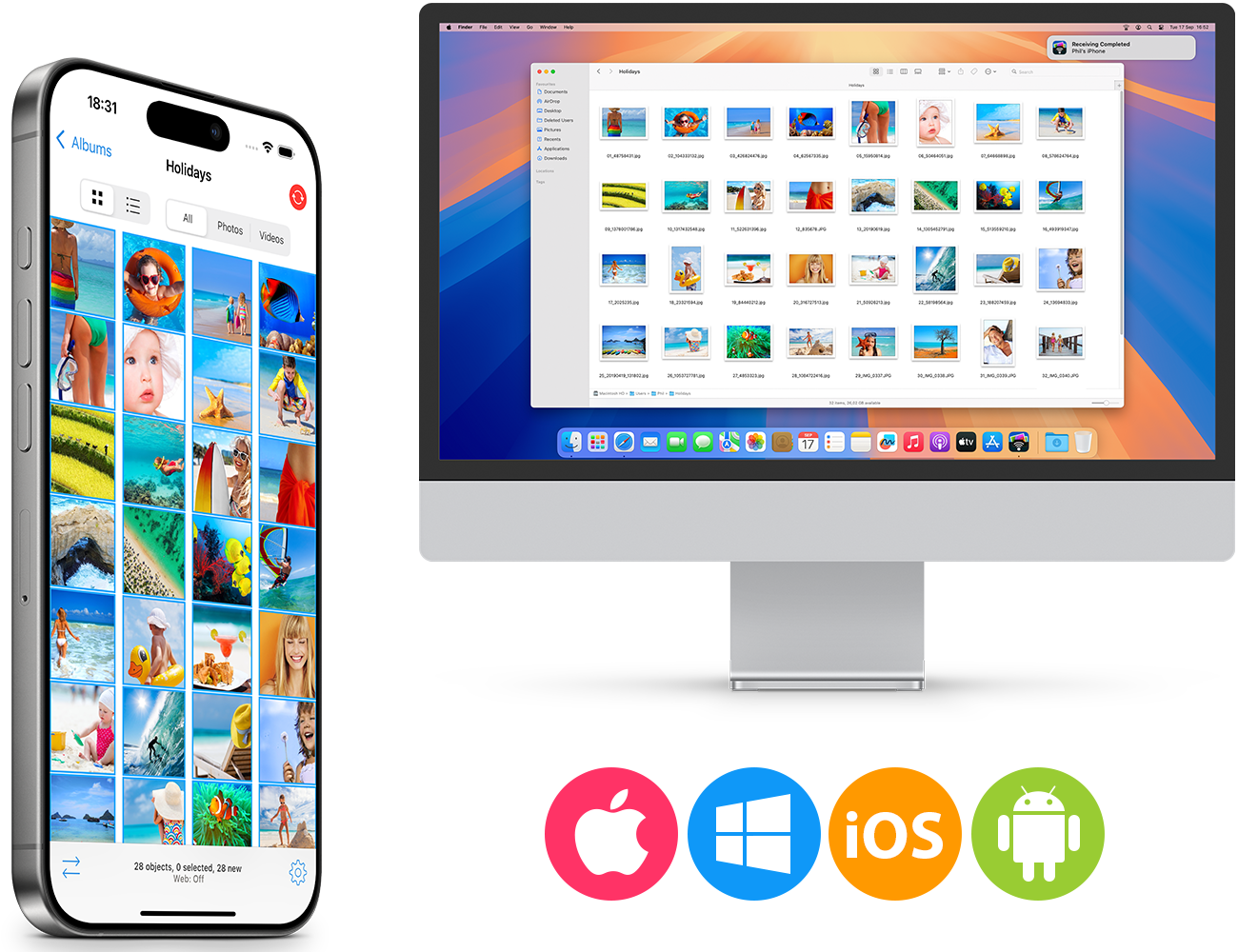
Transfer photos to computer
Quickly transfer photos & videos to and from your computer (Windows PC, Mac & Linux) over Wi-Fi. No cloud needed! Two powerful options are available: 'Drag & drop to devices with the FREE PhotoSync Companion tool' and 'Web Browser Access'.
Transfer photos to/from Windows PC, Mac & Linux
Transfer to computer
Backup your photos & videos from iPhone, iPad and Android devices to Windows PC, Mac or Linux over the local Wi-Fi network. Photos & videos are transferred in full resolution with all metadata intact.
Transfer from computer
Send photos & videos directly from your Windows PC, Mac or Linux to iPhone, iPad and Android devices over the local Wi-Fi network. Received photos & videos are imported directly into the Camera Roll, Android Image Gallery or user-defined album.
Note: Transfer speed depends on the quality of your local Wi-Fi network.
Smart transfer tracking
PhotoSync keeps track of your actions and notes which photos & videos have already been transferred.
Manage like a Pro
Take full control of your photo & video transfers with highly configurable storage, naming, and transfer quality options directly on the target destination (computer, cloud, file service). Learn more
Your photos & videos never leave your local Wi-Fi network nor go over the Internet!
Two powerful transfer options
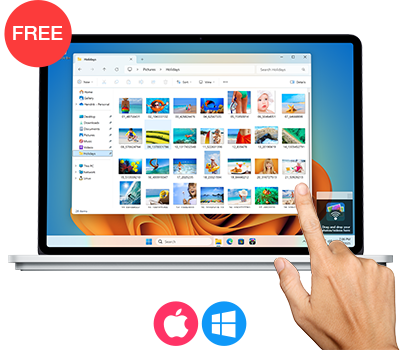
PhotoSync Companion: Drag & drop to devices
Transfer photos & videos to your device in seconds with the FREE PhotoSync Companion for Windows PC and Mac.
- Drag & Drop Transfers
Easily transfer photos and videos by dragging them onto the PhotoSync icon, instantly beaming them to your phone or tablet. - Direct Import into macOS Photos App
On Mac, seamlessly import media directly into the macOS Photos App. - Automatic Device Detection
No need to enter IP addresses; PhotoSync Companion automatically detects devices on your local Wi-Fi network, simplifying the transfer process. - High-Speed Transfers
Experience fast and secure transfers over your local Wi-Fi network, ensuring your media never leaves your local network nor goes over the Internet. - Flexible Storage Options
Choose your preferred storage locations and customize transfer settings to suit your needs.
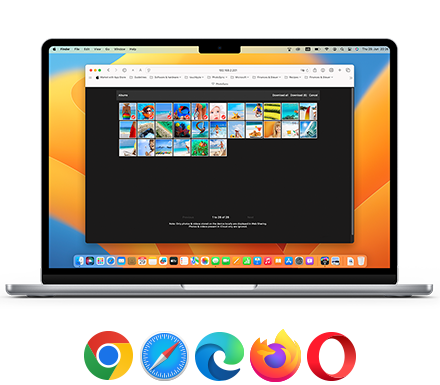
Access by web browser (Windows, Mac, Linux)
Access your photos and videos over Wi-Fi from any location by simply opening a web browser on Windows, Mac, or Linux.
- Big Screen Viewing & Easy Transfers
View your photos on a large screen and quickly upload or download selected photos & videos to your phone or tablet —perfect for sharing when visiting friends. - Web-sharing
Browse and view all your photos and videos directly from any web browser without downloading or installing any software. - Secure Access
Protect web sharing with login and password authentification, ensuring only authorized users can view or transfer your photos and videos.
Additional information:
- Support for Linux
Access your files via an SFTP (FTP over SSH) connection for secure transfers.
Backup photos to NAS
Securely backup photos & videos to NAS devices, personal cloud and wireless portable hard drives over FTP, SMB, WebDAV and SFTP. PhotoSync works flawlessly with Synology, QNAP, Buffalo NAS, ownCloud, Nextcloud, WD MyCloud, TrueNAS, OpenMediaVault, Seagate Personal Cloud, Toshiba, SanDisk …
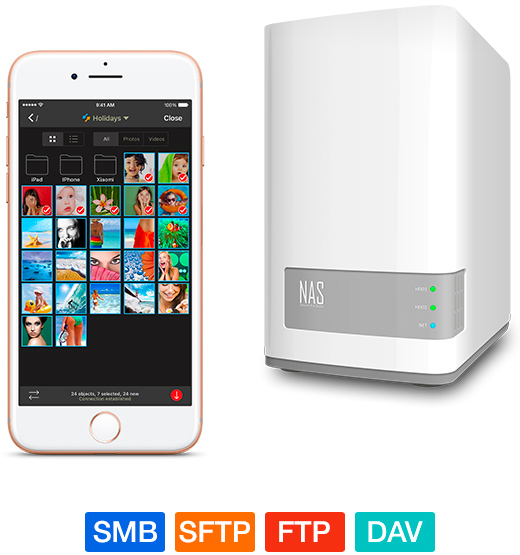
Backup to NAS, mobile storage device or personal cloud
NAS, remote server and personal cloud
Securely backup photos & videos directly from your iPhone, iPad and Android devices to any NAS, remote server or personal cloud over (S)FTP, SMB or WebDAV.
You can also download and view photos & videos on (S)FTP, SMB and WebDAV servers.
PhotoSync works seamlessly with all major NAS storage devices, servers and personal cloud services:
- Synology
- QNAP
- Buffalo NAS
- ownCloud
- Nextcloud
- WD MyCloud
- Fritz!Box
- TrueNAS
- OpenMediaVault
- Seagate Personal Cloud
- NETGEAR ReadyNAS
- And many more …
Wireless hard drives
Quickly upload and download photos & videos whilst on-the-go to your wireless portable hard drives and sticks over (S)FTP, SMB and WebDAV.
PhotoSync supports all major wireless hard drives:
- Western Digital
- Seagate
- Toshiba
- HyperDrive
- SanDisk
- And many more …
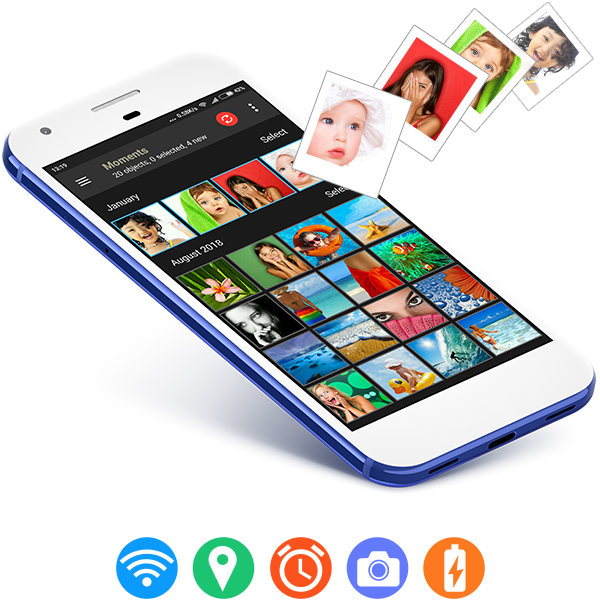

Automatically backup photos in the background
Automatically transfer photos & videos directly from iPhone, iPad and Android devices to computer (Mac/PC), NAS, wireless mobile storage devices and supported cloud & photo services.
Autotransfer
Easy and reliable transfer solution for automatically backing up new photos & videos in the background from your iPhone, iPad and Android devices to predefined targets.
With Autotransfer you can backup photos to:
- Computer (PC & Mac)
- NAS, wireless mobile storage device or remote server
- Supported cloud & photo services
It is possible to combine each trigger type with customized Wi-Fi settings (Android only).
Note: Autotransfer on iOS supports only the options “Location-Based Transfer” and “When Charging” (iOS 13).
Five powerful autotransfer options:

Wi-Fi Access Point (SSID): Autotransfer when your device connects to a pre-selected WiFi network

Location-Based Transfer: Autotransfer when you arrive at a pre-selected geolocation (e.g. at home)

Time Schedule: Autotransfer daily at pre-set times – add one-time or repeating schedules (hourly, daily, weekly, monthly)

Instant Transfer: Autotransfer the moment you take a new picture or video

When Charging: Autotransfer when you charge your device (iOS) / connect your device to a charger (Android)


Autotransfer:
Automatic Backup
Automatically backup 'new' photos & videos in the background to computer, NAS & cloud

PhotoSync Camera:
Instant Transfer
Instant transfer and backup of photos & videos to computer, NAS or cloud services. Plus photobooth support

Client-Side Encryption:
Protect your Photos & Videos
Encrypt photos & videos before transfer to ensure safe storage on NAS and file-based cloud services

Advanced Siri
& Workflows
Build powerful workflows using the Siri Shortcuts 'Transfer new photos' and 'Transfer from clipboard'

Amazon S3, Backblaze
& Wasabi Support
Backup to Amazon S3, plus view & download photos on Amazon S3. + Backblaze & Wasabi cloud support!

Camera Support
(Wi-Fi & USB)
Transfer and view photos & videos from Canon EOS, Nikon, Sony, Fujifilm, Olympus & Lumix cameras

Download from
Wi-Fi SD Cards
Download full resolution photos, RAWs & videos directly from Toshiba FlashAir & Transcend Wi-Fi Cards

SanDisk iXpand Loop
USB Flash Drives
Backup to iXpand Loop USB Drives & free up space on your phone – a great companion when travelling!
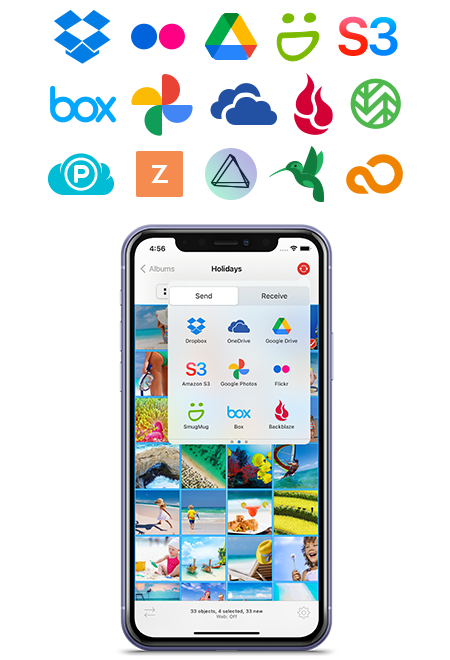
Transfer & backup
to cloud / photo services
Directly upload and download photos & videos via Wi-Fi & 3G/4G/5G to your favourite cloud & photo services: Dropbox, Google Photos, Google Drive, Amazon S3, Flickr, SmugMug, OneDrive, Box, Backblaze, Wasabi, Zenfolio, PhotoPrism, pCloud, InfiniCLOUD and SugarSync.
Transfer and share pictures to cloud / photo services
Upload and share photos & videos from your iPhone, iPad and Android devices to your favorite cloud / photo services over Wi-Fi & 3G/4G/5G.
View and import photos & videos stored on your favorite cloud / photo service directly into the Camera Roll, Android Image Gallery or user-defined albums on your device. You can import selected, all or new photos & videos.
Note: 3rd party services require a user account for the cloud / photo service + Internet connection.
Amazon S3, Backblaze & Wasabi – Premium features (iOS only)
InfiniCLOUD – on Android configure a WebDAV connection
pCloud & SugarSync – available on iOS only
MagentaCLOUD – configure a WebDAV connection
rsync.net – configure a SFTP connection
Supported cloud / photo services:
Direct transfer between services, devices & NAS
Transfer photos & videos directly between targets without having to first import them into the iOS Photo Library / Android Photo Gallery. You can for instance, directly transfer from OneDrive to a NAS or from SMB to a USB device. Supported transfer combinations are basically endless!
1 No transfer between Mac, Windows PC & Linux
2 Support for Linux via an SFTP, FTP or SMB connection
3 InfiniCLOUD - configure a WebDAV connection (Android)
4 pCloud & SugarSync (iOS only)
5 MagentaCLOUD - configure a WebDAV connection
6 rsync.net - configure a SFTP connection

Client-Side Encryption:
Protect Your Photos & Videos Premium
Encrypt photos & videos before transfer to ensure safe storage on NAS and file-based cloud services (iOS only)

Encrypt Photos & Videos
Encrypt photos & videos before transfer and store them encrypted on NAS and file-based cloud services. Browse and view encrypted photos & videos directly in PhotoSync.
Rclone and OpenSSL are supported, enabling easy workflow integration and seamless decryption on PC and Mac.
Note: 3rd party services require a user account for the cloud / photo service + Internet connection
Supported NAS & file-based cloud services:
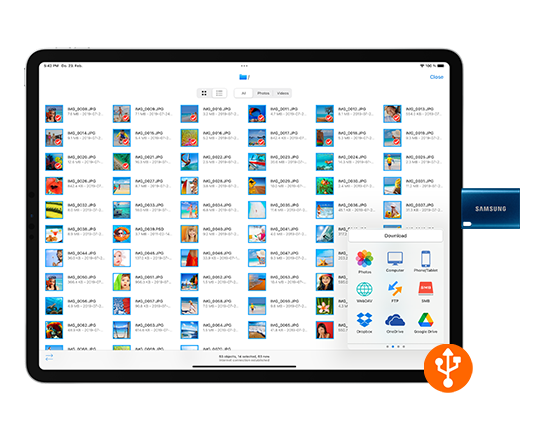
USB Drive Support -
Backup Your Photos & Videos
Transfer photos & videos to / from USB Drives leveraging the full functionality of PhotoSync including automatic folder creation and custom file names (iOS only)
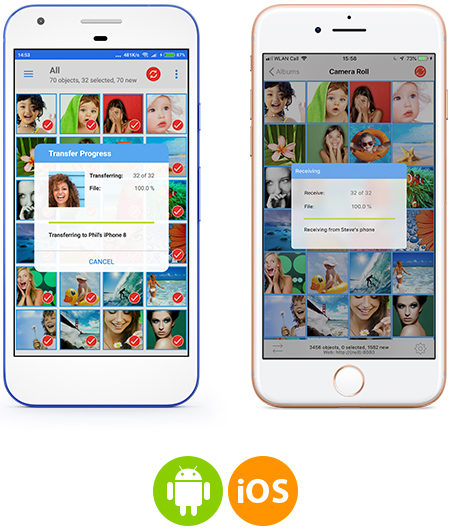
Move pictures between phones and tablets
Directly send and receive photos & videos between your iPhone, iPad and Android devices over Wi-Fi – no computer or cloud needed! Cross-platform support!
Transfer photos between iOS and Android devices
Directly move, copy and share photos & videos in full resolution between your iPhone, iPad and Android devices over Wi-Fi. Transfer over Bluetooth between iOS devices is also available. No user account or log-in required!
Use the integrated filters to browse and select your most memorable photos and videos for transfer.
Note: To transfer photos & videos between iOS and Android – both devices need to have PhotoSync installed on them and be connected to the same Wi-Fi network.
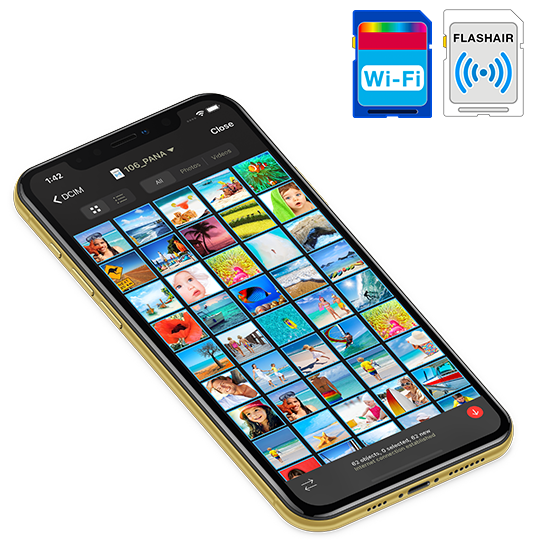
Download photos from Wi-Fi SD Cards
Take pictures, videos & RAWs on your camera equipped with a wireless SD card and download the full resolution files directly to your phone / tablet. Toshiba Flashair™ and Transcend Wi-Fi SD Cards are supported.
Wireless tethering for Toshiba FlashAir
Wi-Fi SD cards!
Wi-Fi SD-Cards & Camera Connection Kit Support
Wireless SD-Cards
Take pictures, videos & RAW photos on your camera equipped with a Toshiba Flashair™ or Transcend Wi-Fi SD Card and download the full resolution files directly to your Camera Roll, Android Image Gallery or user-defined albums.
View the photos & videos stored on your camera in full detail without having to first import them.
Wireless tethering for Toshiba FlashAir Wi-Fi SD cards.
Camera Connection Kit
PhotoSync supports the transfer of photos & videos imported with the Camera Connection Kit. (iOS only)

Quick Transfer
Transfer new photos & videos to a predefined target by pressing and holding the 'Sync' button. No additional interactions required!

Smart
PhotoSync remembers which photos & videos have already been transferred and let‘s you transfer new photos & videos with one single touch!

Preserves metadata
Transfers original files and preserves all photo metadata (EXIF, GPS, IPTC)

Delete after transfer
Delete photos & videos after transfer to free space on your device (optional)

Share Sheet
Send and share photos & videos directly from any application via PhotoSync

Voice Control + Shortcuts
Trigger transfers by voice control & create powerful workflows using the Shortcuts app (iOS only)

USB drives + iCloud Drive
Transfer photos & videos to USB drives & iCloud Drive leveraging automatic folder creation & custom file names (iOS only)

HEIC + HEVC
Automatically convert
HEIC → JPEG and
HEVC → H264
(optional) (iOS only)

RAW photos
View, transfer and import RAW photos without any limitations! PhotoSync never tampers with your photo & video files

Live Photos + Burst Mode
Full support for Live Photos and burst mode series photos (iOS only)

Integrated viewer
View photos & videos directly in PhotoSync, as well as print and open photos & videos in other apps directly from the viewer

Choice of themes
Change the theme to alter the look & feel of the interface. Available themes: Automatic (iOS only), dark & light
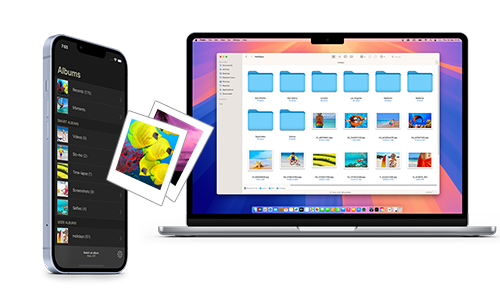
Manage photos & videos you transfer 'on' the target destination (computer, cloud, file service)

Organize photos & videos exactly how you want: Automatic target sub-directory creation by album name, recording date, media type, device name or metadata

Define custom formats for folder and file names with PhotoSync's integrated Custom Format Editor

Browse, select or create target folder / album 'before' transfer.

Delete after transfer to free space on your device (optional)

Choose separate photo & video transfer quality options for Wi-Fi & cellular connections

Set privacy levels for sharing (photo services only)
PhotoSync for Organizations &
Educational Institutions

Managed App Configuration (MDM)
Customize PhotoSync features and configure transfer targets over Mobile Device Management (MDM) or a settings file (iOS only).
Learn more about Managed App Configuration.
For more information please contact support@photosync-app.com

PhotoSync Service for Windows
The FREE PhotoSync Service for Windows enables users to transfer photos & videos directly from their iOS & Android devices to a Windows server running the PhotoSync Service.
No cloud or accounts needed!
Download: PhotoSync Service for Windows
PhotoSync App localizations
 English
 Deutsch
 Français
 Español
 Italiano
 日本語
日本語
 中文
中文
 한국어
한국어
Italian: Android only | Chinese & Korean: iOS only