
7.8 Updated!
October 22th, 2025, proudly hosted by ARP Networks. Follow me on Twitter.history
Forked from NetBSD. Theo de Raadt is the founder and leader of the OpenBSD project. The first OpenBSD release 1.1/CVS appeared on October 18, 1995.
why use openbsd?
- UNIX-like
- Get the latest version of OpenSSH, OpenSMTPD, OpenRSYNC, OpenNTPD, OpenIKED, OpenBGPD, rpki-client, LibreSSL, mandoc
- Get the latest PF (Packet Filter) features
- Get softraid(4), carp(4), httpd(8), relayd(8), vmd(8)
- Security focused Operating System (unveil(2), pledge(2)...)
- Thorough FAQ
- Cryptography
openbsd use cases
- Firewall (PF)
- Router
- Mailserver (OpenSMTPD)
- Webserver (httpd)
- Hypervisor (vmd)
- NAS (softraid)
- As a desktop
openbsd innovations
Software and ideas developed or maintained by the OpenBSD project: https://www.openbsd.org/innovations.html
openbsd version numbers
- Semiannual release cycle
- New release is incremented by 0.1
openbsd flavors
cvs repository
Choose your repository at: https://www.openbsd.org/anoncvs.html
cvsweb
CVSweb is a WWW interface for CVS repositories with which you can browse a file hierarchy on your browser to view each file's revision history in a very handy manner: https://cvsweb.openbsd.org
manual pages
            # How to read a man page, for example foo(5) ?
            man 5 foo
Or view it on your browser at: https://man.openbsd.org
supported hardware
installation
Really simple, ready in 5 minutes (KISS). The response file is emailed to the root user on next boot.
Get more information: https://www.openbsd.org/faq/faq4.html
auto-install
For a full unattended install/upgrade process, you can easily use autoinstall(8).
filesystem overview
OpenBSD use by default FFS2 (Enhanced Fast File System).
Read: newfs(8)
networking configuration files
| /etc/myname | Default hostname |
| /etc/mygate | Default gateway |
| /etc/hosts | Known hosts on the network |
| /etc/resolv.conf | Resolver (DNS) |
| /etc/hostname.if | Configuration for each network interface, for example: /etc/hostname.bge0 |
Read: myname(5), mygate(5), hostname.if(5), resolv.conf(5), hosts(5)
networking
            # Display the current configuration of network interfaces
            ifconfig

            # Set DHCP for 're0' interface, on the fly
            ifconfig re0 autoconf

            # Perform network (re)initialisation
            sh /etc/netstart
networking (set at startup)
Example 1: configure static IP address for re0
            ## File: /etc/hostname.re0
            inet 192.168.0.58 255.255.255.0
Don't forget to run sh /etc/netstart re0 to apply changes to running system.
networking (set at startup)
Example 2: configure DHCP for bge0
            ## File: /etc/hostname.bge0
            inet autoconf
Don't forget to run sh /etc/netstart bge0 to apply changes to running system.
networking (set at startup)
Example 3: configure wireless
            # First, see a list of available wireless networks:
            ifconfig iwn0 scan
            ## File: /etc/hostname.iwn0
            nwid ACCESS_POINT_NAME wpakey THE_SECRET_KEY
            inet autoconf

            # Or, for multiple access points
            join AT_HOME wpakey THE_SECRET_KEY
            join AT_WORK wpakey THE_SECRETKEY
            inet autoconf
Don't forget to run sh /etc/netstart iwn0 to apply changes to running system.
routing
            # Show the routing table (ipv4)
            route -n show -inet

            # Show the routing table (ipv6)
            route -n show -inet6

            # Delete all gateway entries from the routing table
            route -n flush
packet filter (pf)
(Useful commands)
            # Disable PF
            pfctl -d

            # Check the rules
            pfctl -nf /etc/pf.conf

            # Enable PF and load the rules
            pfctl -ef /etc/pf.conf

            # Just load the rules (apply changes)
            pfctl -f /etc/pf.conf

            # View the loaded rules
            pfctl -s rules
Read: pfctl(8)
pf ruleset sample
            ## File: /etc/pf.conf
            # Protect a laptop (allow only ping/ssh from anywhere)

            set skip on lo
            block log all
            pass in on egress inet proto icmp all icmp-type echoreq
            pass in on egress inet proto tcp from any to any port ssh
            pass out
Read: pf.conf(5)
debugging pf with tcpdump
tcpdump -nettti pflog0
Read: tcpdump(8)
pf user's guide
user management
          # Manually
          user [add|del|info|mod] foobar

          # Add users interactively
          adduser

          # Remove users interactively
          rmuser
Read: adduser(8), rmuser(8)
group management
File: /etc/group
group [add|del|info|mod] foobar
Members in wheel group can use su(1) to become root.
Read: group(8), group(5), rmgroup(8)
sudo replaced with doas(1)
            ## File: /etc/doas.conf
            # Permit the user 'marc' to reboot the box
            permit nopass marc as root cmd /sbin/reboot
            # Marc can now reboot the box
            $ doas reboot
Read: doas(1), doas.conf(5)
Try doas mastery (blog).
package installation
            # By default, the /etc/installurl file already contains an OpenBSD mirror server URL
            https://cdn.openbsd.org/pub/OpenBSD

            # Search for packages
            pkg_info -Q foobar

            # For example, to install Squid
            pkg_add squid

            # Update packages
            pkg_add -u
Look in /usr/local/share/doc/pkg-readmes for extra documentation.
Read: pkg_info(1), pkg_add(1), installurl(5)
package management
            # List packages installed
            pkg_info

            # List files installed by a package
            pkg_info -L foobar

            # View install-message for a specific package
            pkg_info -M foobar
Read: pkg_info(1), packages(7)
package management
            # Delete a Package
            pkg_delete foobar

            # Show unused dependencies
            pkg_delete -an

            # Delete unused dependencies
            pkg_delete -a

            # Delete all except 'nginx'
            pkg_delete -X nginx
Read: pkg_delete(1)
install non-free firmware packages
fw_update
Firmware is downloaded from release-specific directories at: http://firmware.openbsd.org/firmware
Read: fw_update(8)
managing daemons & services
File: /etc/rc.conf.local
            rcctl [enable|disable|start|stop|reload|restart] foobar

            # For example, to start the apmd(8) daemon for CPU scaling, you might do
            rcctl enable apmd
            rcctl set apmd flags -A
            rcctl start apmd
Read: rcctl(8), rc.conf(8), rc.conf.local(8)
What's enabled on your system?
rcctl ls on
Read: rcctl(8)
running scripts at startup
File: /etc/rc.local
Read: rc(8), rc.firsttime(8), rc.local(8), rc.securelevel(8)
updating openbsd (-stable)
Any security or reliability fixes can be found at:
https://www.openbsd.org/errata.html
Errata patches are generated for the 2 last releases (7.7, 7.8).
tools for updating openbsd (-stable)
Use syspatch(8) to update your kernel and userland, available for the 2 last releases.
And pkg_add -u to update packages.
upgrading openbsd
To upgrade 7.6 to 7.8, you need to follow instructions from: https://www.openbsd.org/faq/upgrade77.html
and then
https://www.openbsd.org/faq/upgrade78.html
sysupgrade(8), is a utility to upgrade OpenBSD to the next release or a new snapshot.
list obsolete files between OpenBSD upgrades
pkg_add sysclean
Run sysclean to generate a list of obsolete elements. Review the list and manually remove unwanted files. Be careful.
openbsd filesystem
| The most important to know! | |
|---|---|
| / | Root directory |
| /home | User home directories |
| /root | Default home directory for the superuser |
| /mnt | A temporary mount point |
openbsd filesystem
| /etc | System configuration files and scripts |
| /etc/examples | Example configuration files for base system daemons |
| /etc/skel | (dot) files for new accounts |
| /etc/signify | Key files used for signify(1) |
openbsd filesystem
| /tmp | Cleaned after a reboot |
| /var/tmp | Symbolic link to the system /tmp |
| /var/log | Log files |
| /var/run | pid, socket files, utmp, dmesg.boot |
openbsd filesystem
| /var/db | Database files |
| /var/www | chroot directory for httpd(8) |
| /var/www/htdocs | Web repository for httpd(8) |
| /usr/local | Third-party software goes here |
| /usr/src | BSD and/or local source files |
Read: hier(7)
openbsd kernels
/bsd
Kernel executable (the operating system loaded into memory at boot-time).
In case of multiple processors, installer will rename /bsd to /bsd.sp and finally /bsd.mp to /bsd
openbsd kernels
/bsd.booted
Kernel executable, a resume from hibernation (handled by the bootloader).
openbsd kernels
/obsd
Old kernel, next boot it will use the new kernel /bsd (kernel relinking).
openbsd kernels
/bsd.sp
Kernel executable for single processor machines.
openbsd kernels
/bsd.mp
Kernel executable for multiprocessor machines.
openbsd kernels
/bsd.rd
Installation kernel. The built-in RAM disk contains utilities which can be run without an external file system, so this kernel is useful for limited system maintenance too.
kernel troubleshooting
config(8) allows editing of the kernel binary specified by infile. Devices may be enabled, disabled, or modified without recompiling, by editing the kernel executable. Editing can also be done at boot-time, using the in-kernel editor, as described in boot_config(8).
*These changes will be lost during upgrades and prevent a newly linked kernel from being installed at boot time. To avoid this, use the bsd.re-config(5) configuration file.
system tuning
sysctl.conf(5) sysctl variables to set at system startup
sysctl(8) get or set kernel state
&
config(8) modify a kernel
setting laptop hibernation (sysctl)
| machdep.lidaction=0 | do nothing |
| machdep.lidaction=1 | suspend |
| machdep.lidaction=2 | hibernate |
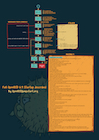
full openbsd startup described!
system maintenance
doas pkg_check -F |
Checks that there are no other random objects under /usr/local |
doas dmesg -s |
Review rc(8) system startup messages |
ldd foobar |
List dynamic object dependencies |
df -h |
See disk usage |
top -s .1 |
Check load (cpu/mem) |
Read: pkg_check(8), dmesg(8), ldd(1), ld.so(1), df(1), top(1)
system maintenance
reset |
reset your terminal when it gets messed up by control sequences |
rcctl ls on |
what is enabled on your system |
doas rcctl ls started |
what is running on your system |
Read: reset(1), rcctl(8)
ktrace/kdump sample usage
ktrace -f ping.out \
ping openbsd.org |
proceed process tracing |
kdump -f ping.out |
interprets the data from ktrace into a human readable format |
Read: ktrace(1), kdump(1)
useful packages
| screenfetch | Display system information in the terminal |
| w3m | Text-based web browser |
| noice | minimalistic file browser |
useful packages
| pstree | List processes as a tree |
| tmate | Share your terminal on the web without open any ports |
| testdisk | Scan and repair disk partitions |
presentations & papers
getting more help
FAQ: https://www.openbsd.org/faq/
Manual page: afterboot(8)
Web IRC Channel: #openbsd
Mailing list: misc@
You can manage your OpenBSD mailing list membership at lists.openbsd.org.
openbsd vps hosting
It's time to create your own OpenBSD VM !


** bonus content
Join us on Telegram!
(Nice people, I promise.)