Projectlens CLI
Local lint, type-check & AI security dashboard for JS/TS projects (Next.js, SvelteKit, Vue, plain Node).
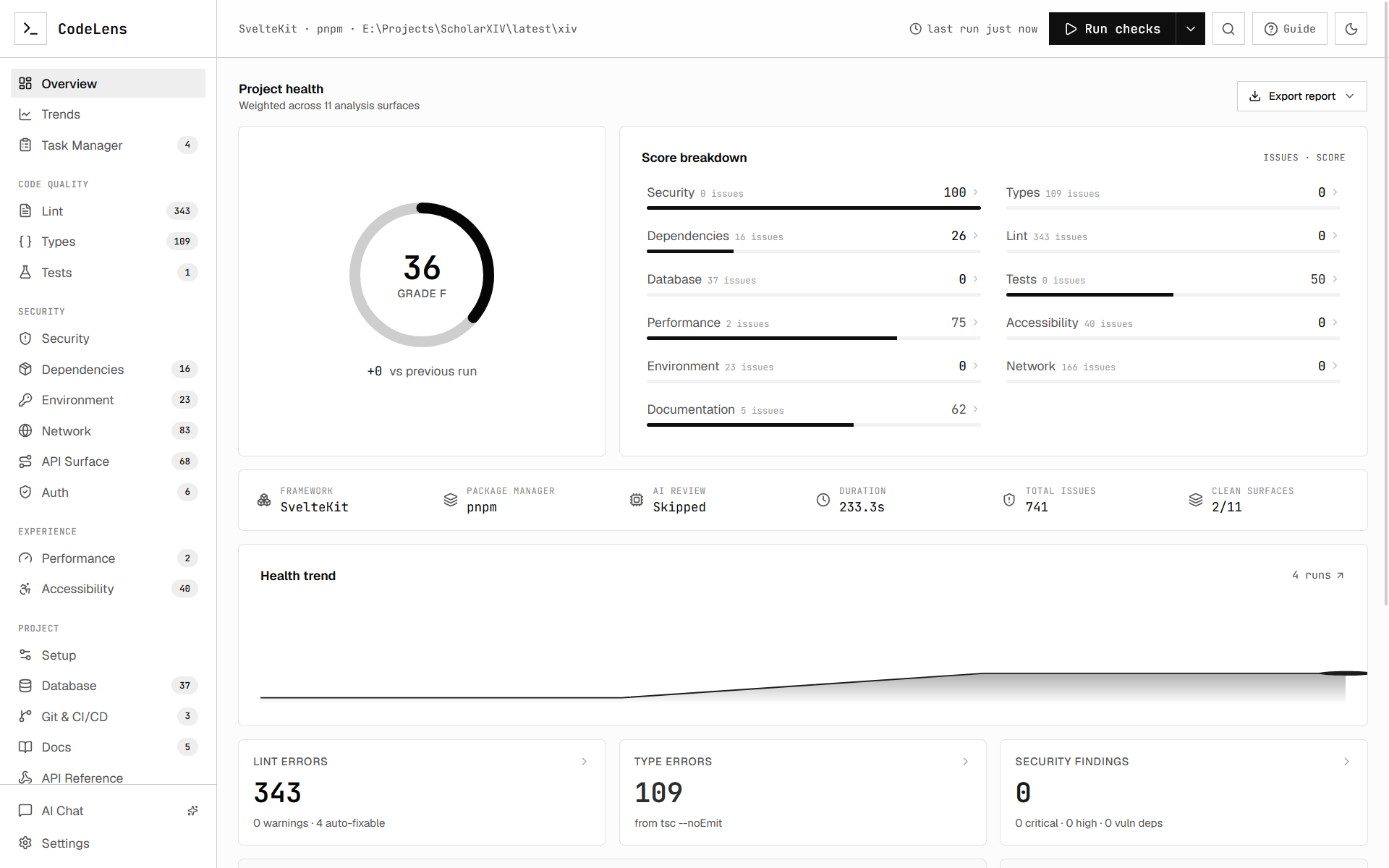 |
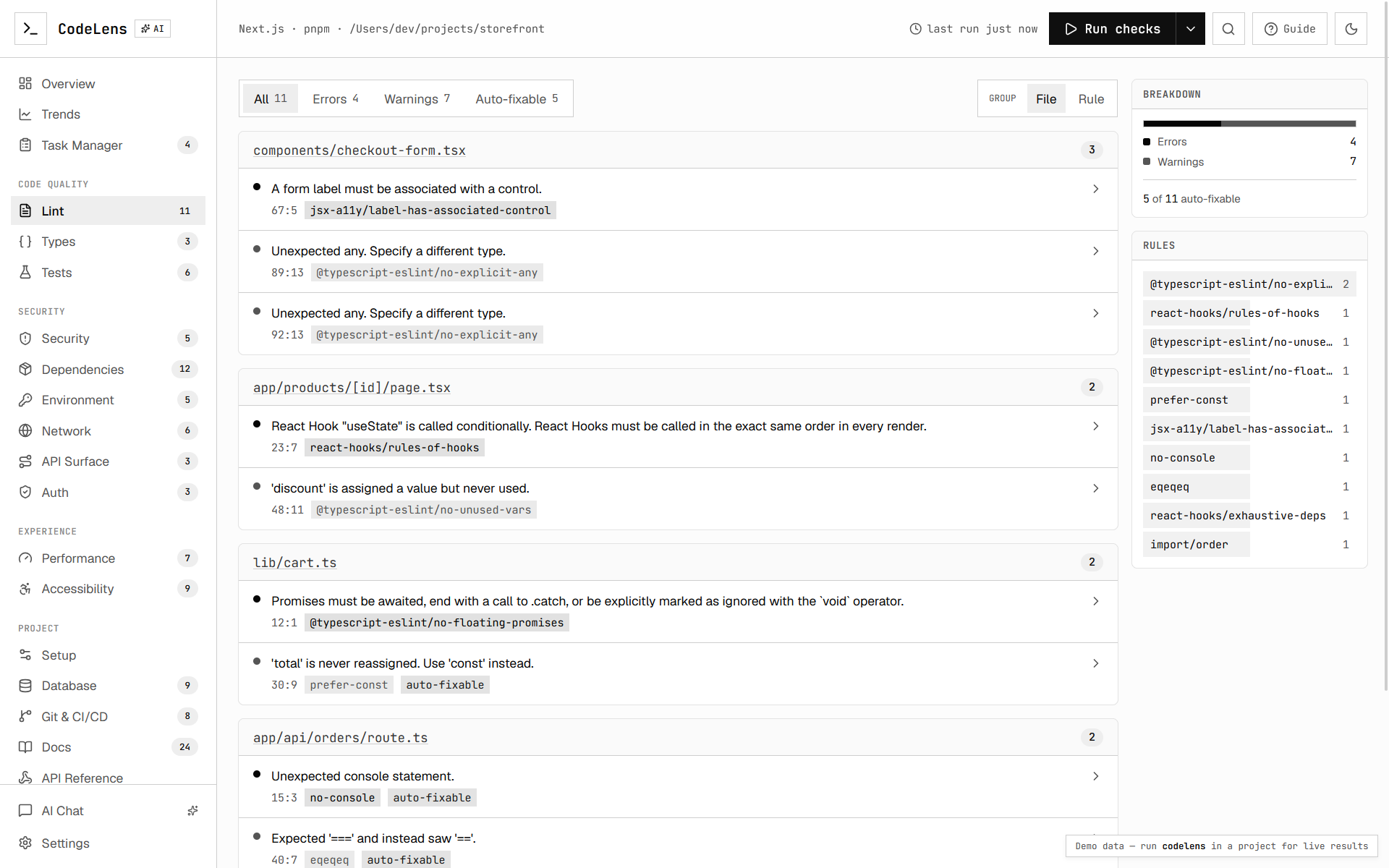 |
Run one command inside any project and Projectlens runs your real ESLint and
TypeScript toolchain, audits your dependencies, runs an AI security review over
your source, and opens a live dashboard at localhost:4321.
projectlens                 # run checks + open the dashboard
projectlens --no-ai         # skip the AI security pass (lint + types only)
projectlens --ci            # run once, print summary, exit non-zero on issues
projectlens --json          # print the full report as JSON and exit
projectlens --min-score 80  # in --ci mode, fail if health score < 80
What the dashboard shows
The dashboard turns one run into a navigable workspace:
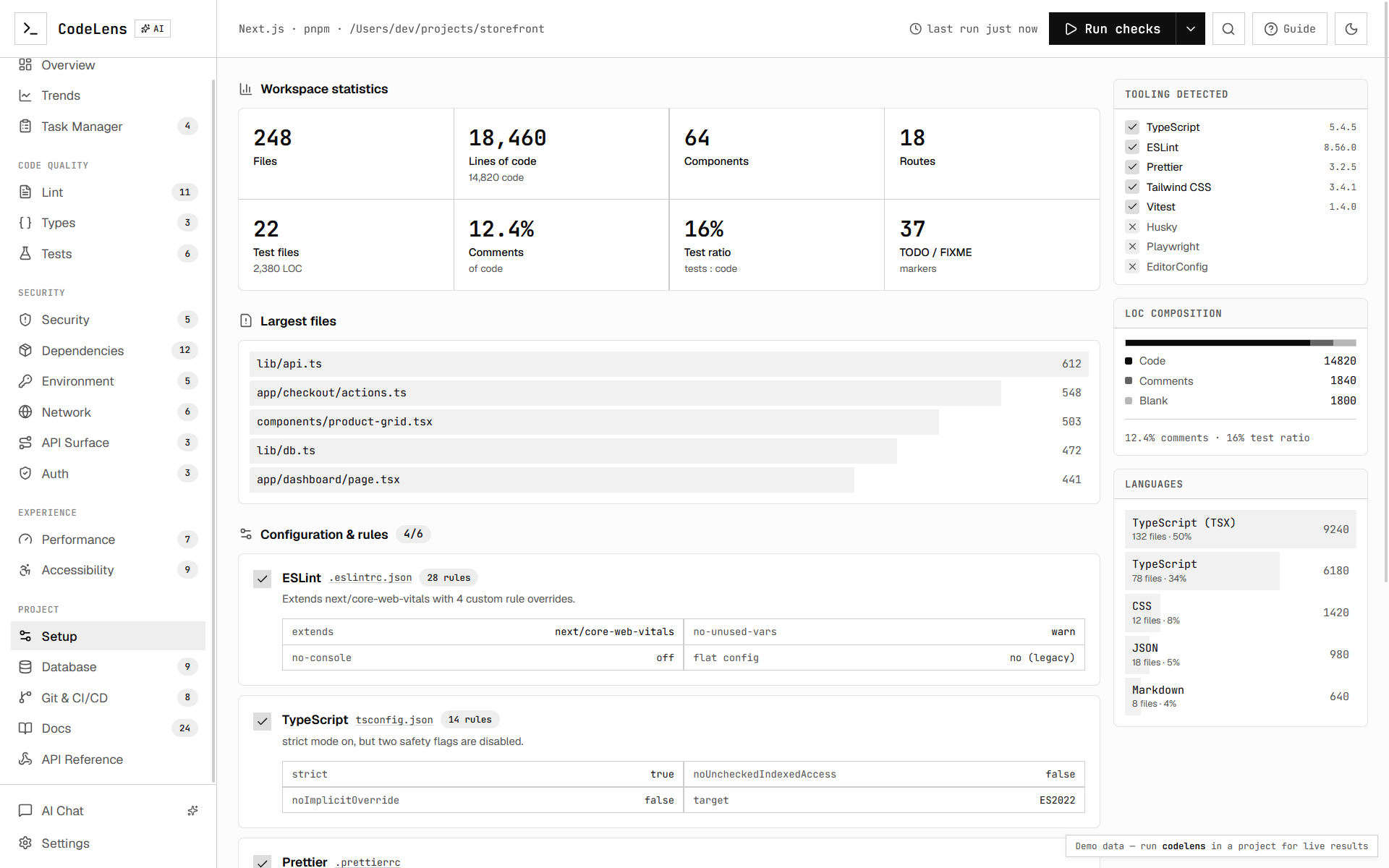
- Overview — composite health score, severity breakdown, and per-category summaries.
-
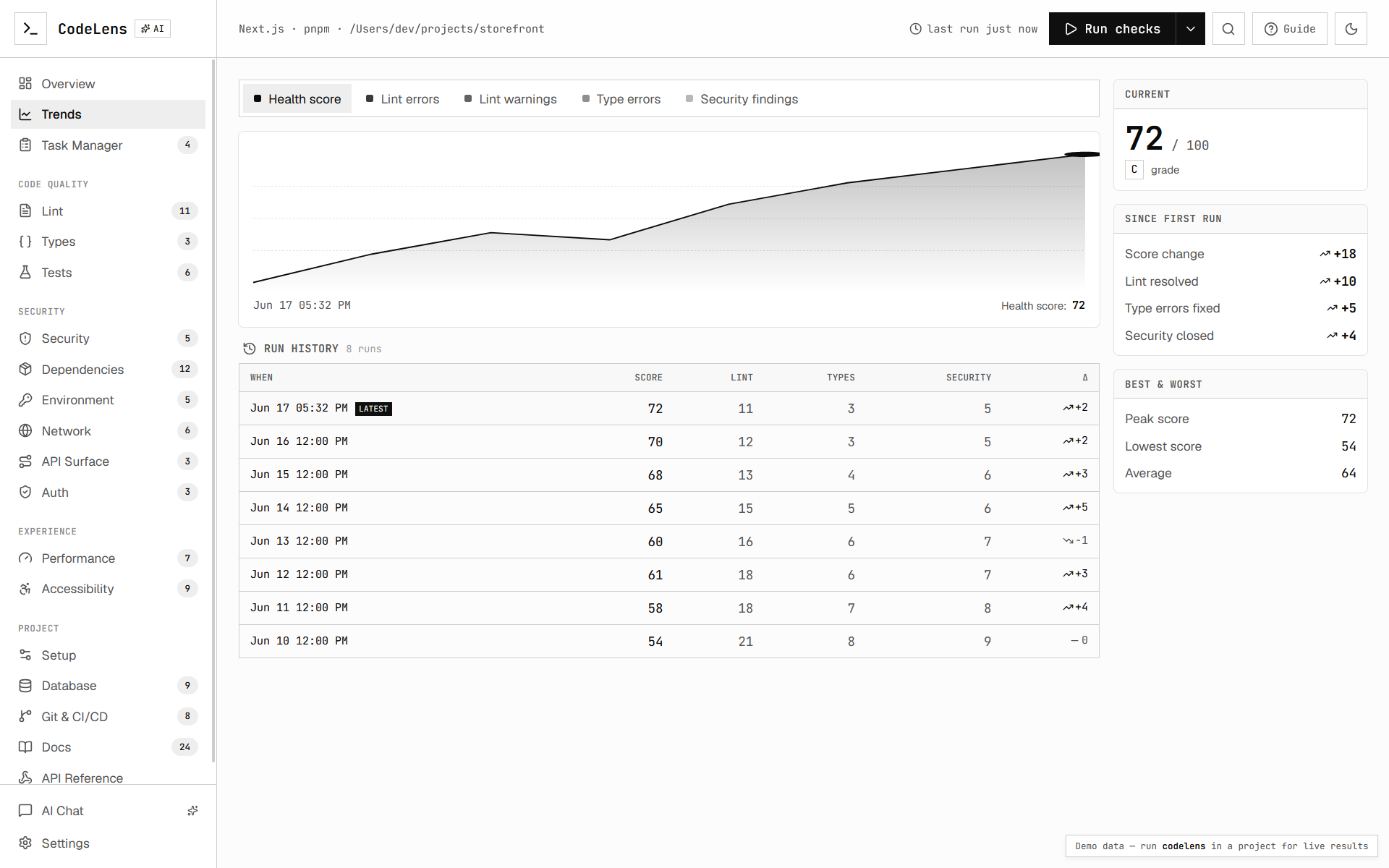
Trends — an interactive multi-metric chart and per-run history table built from
the local
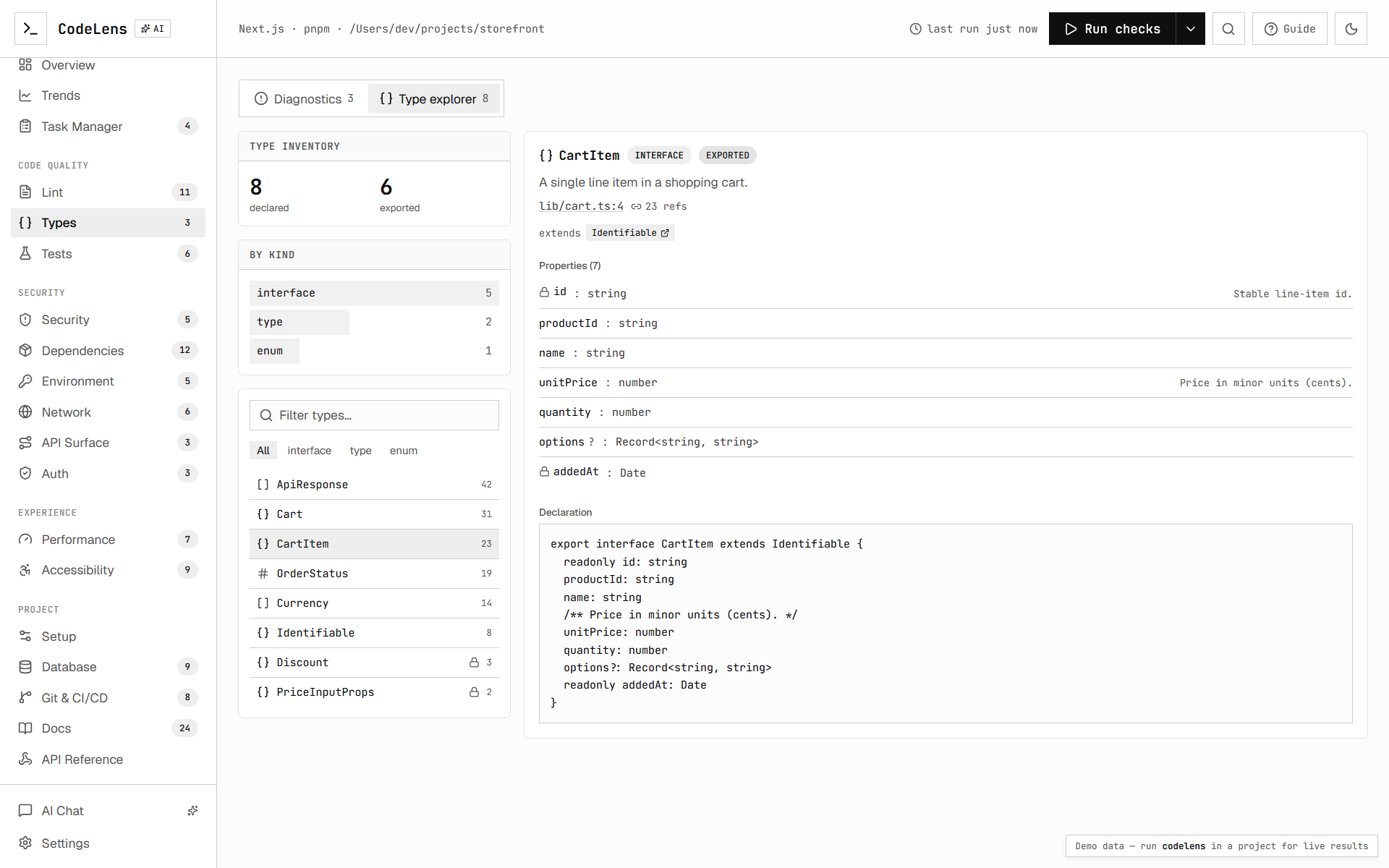
.projectlens/run history (deltas, peak/low/avg). - Code quality — Lint, Types, and Tests findings from your real toolchain.
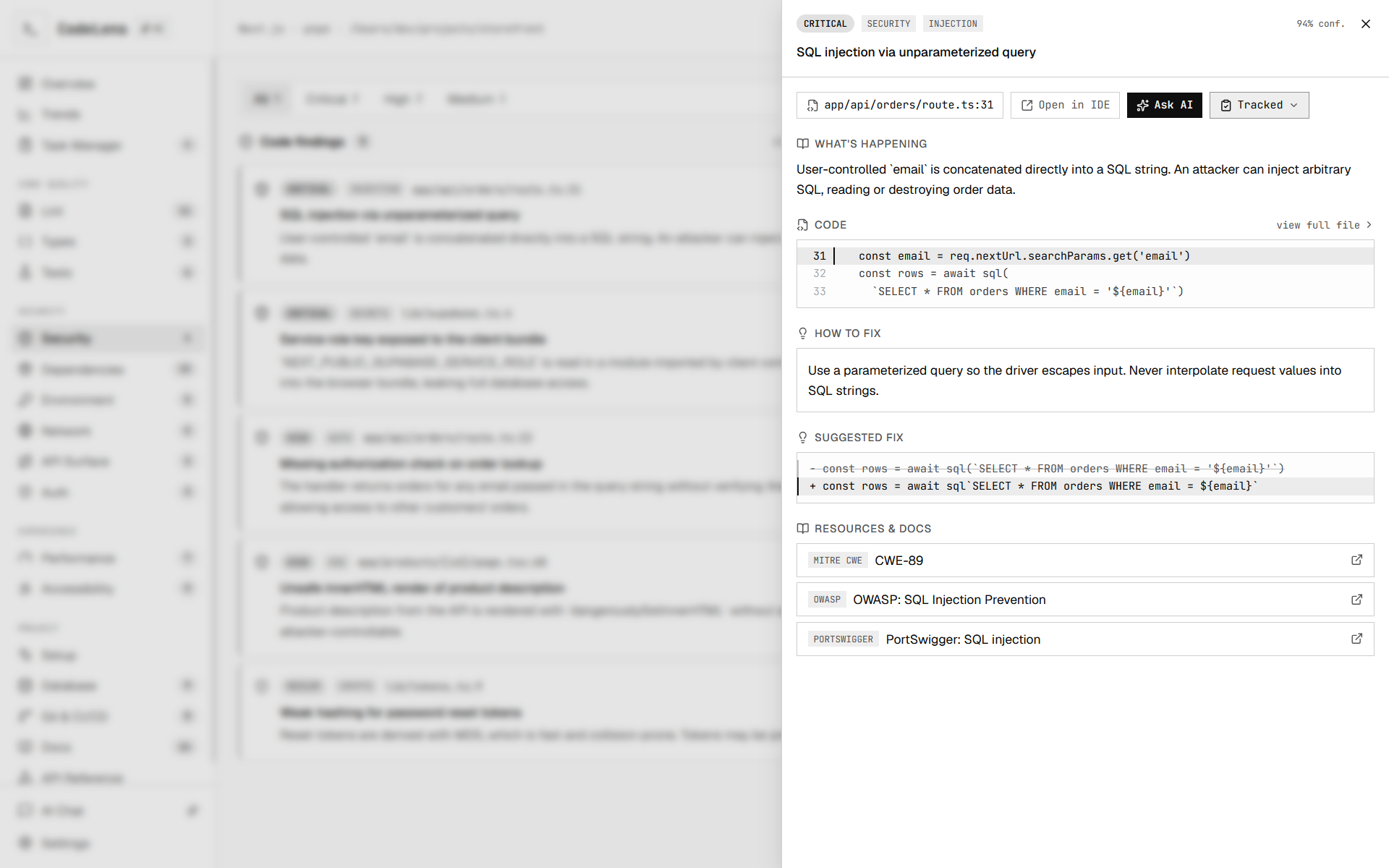
- Security — AI security review with severity sub-tabs (Critical → Info).
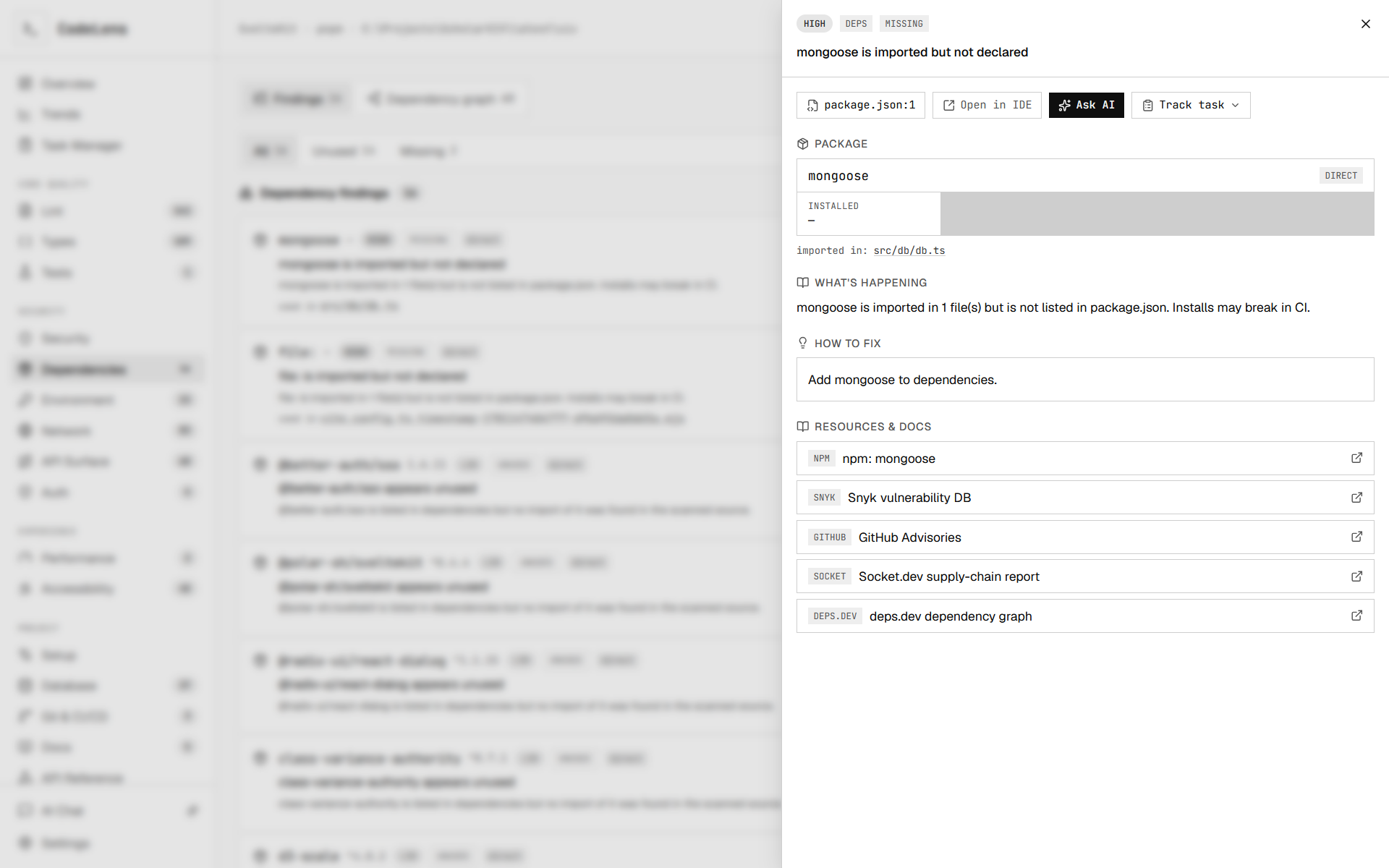
- Dependencies — real CVE advisories with fix-version guidance.
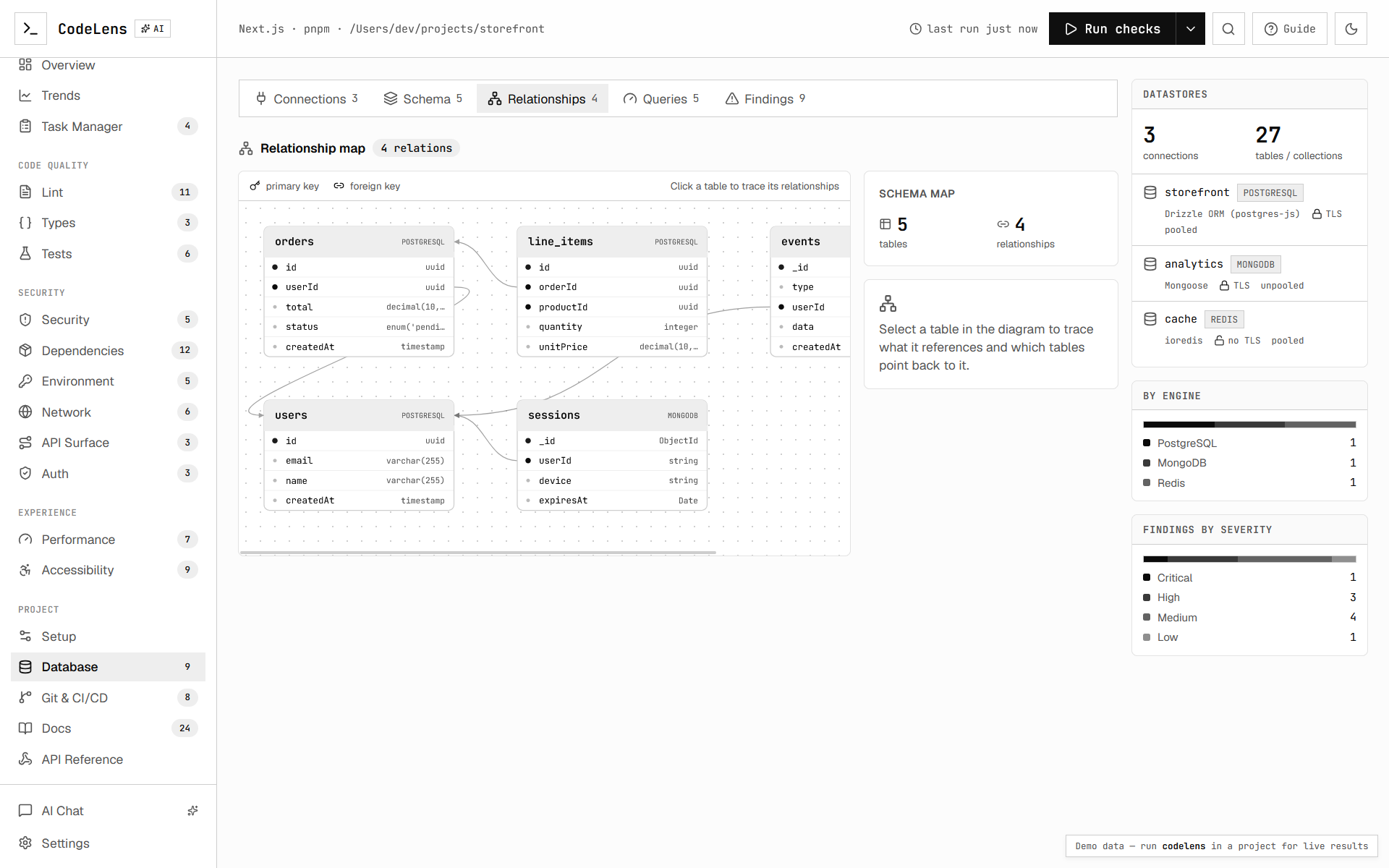
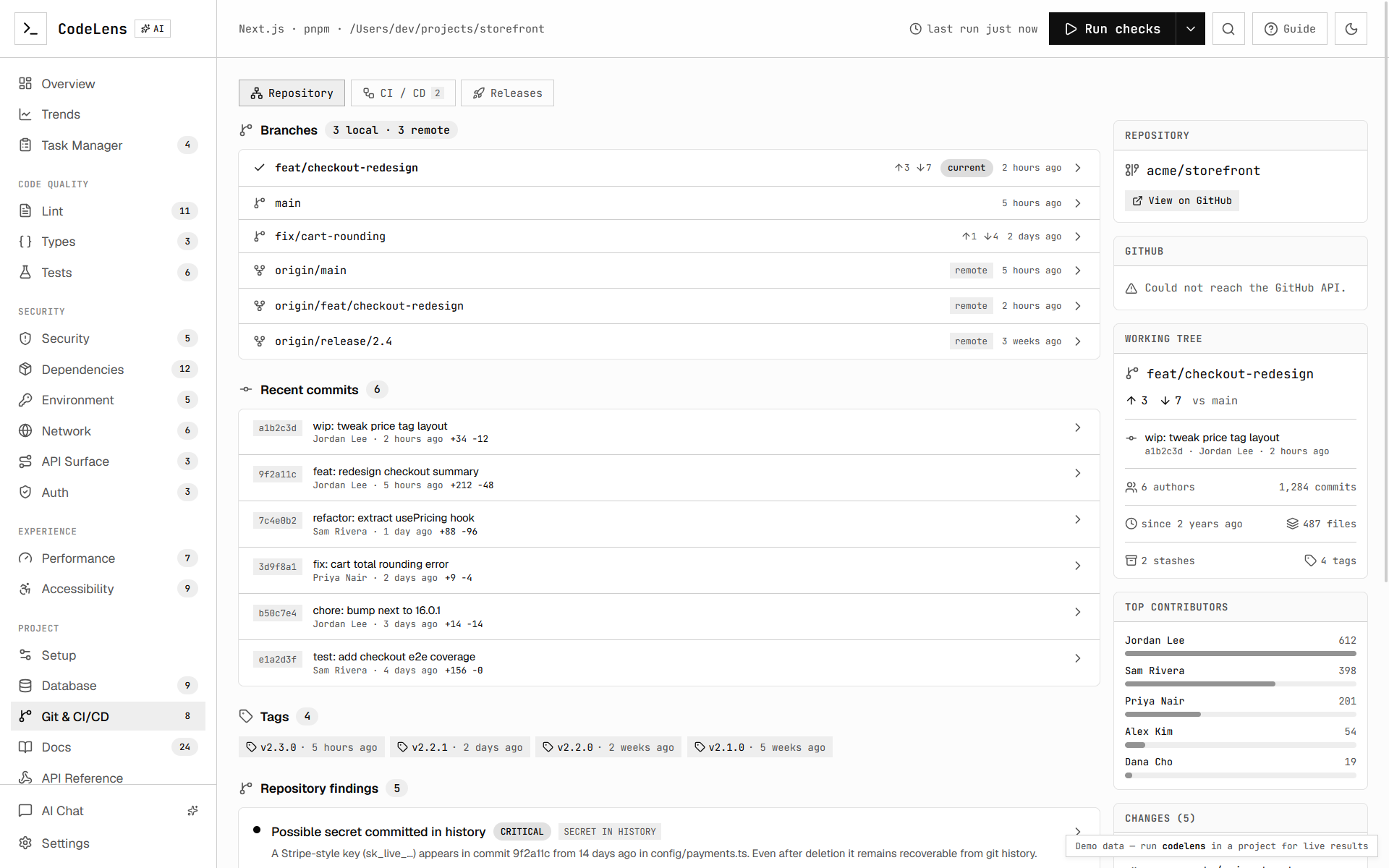
- Database — schema inspection plus a foreign-key relationship graph.
- API surface — a map of detected routes (Next, Express, Hono, Fastify, SvelteKit, Nuxt) with method, auth, and validation coverage.
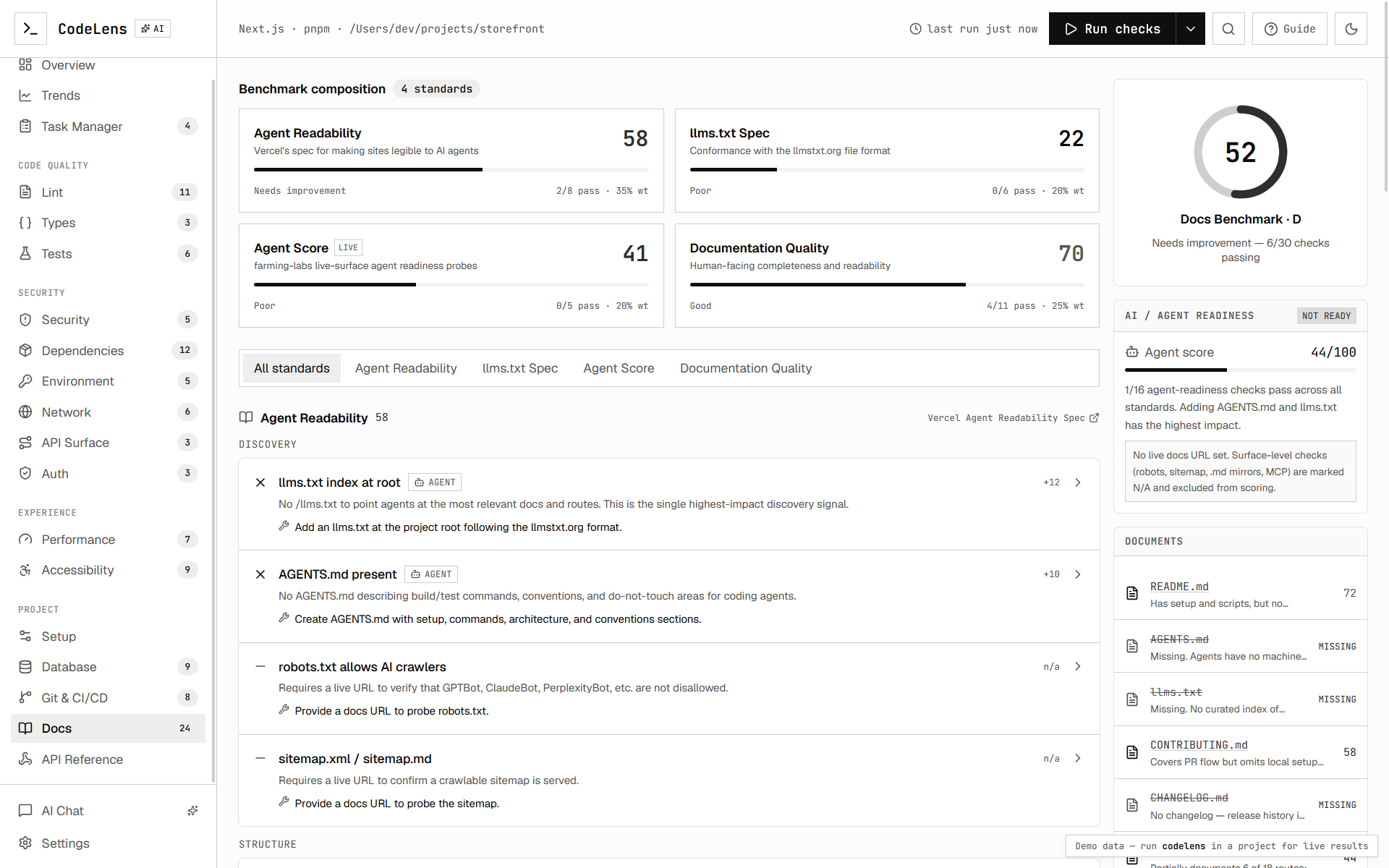
- Auth, Environment, Network, Git/CI, Docs — focused panels for each area.
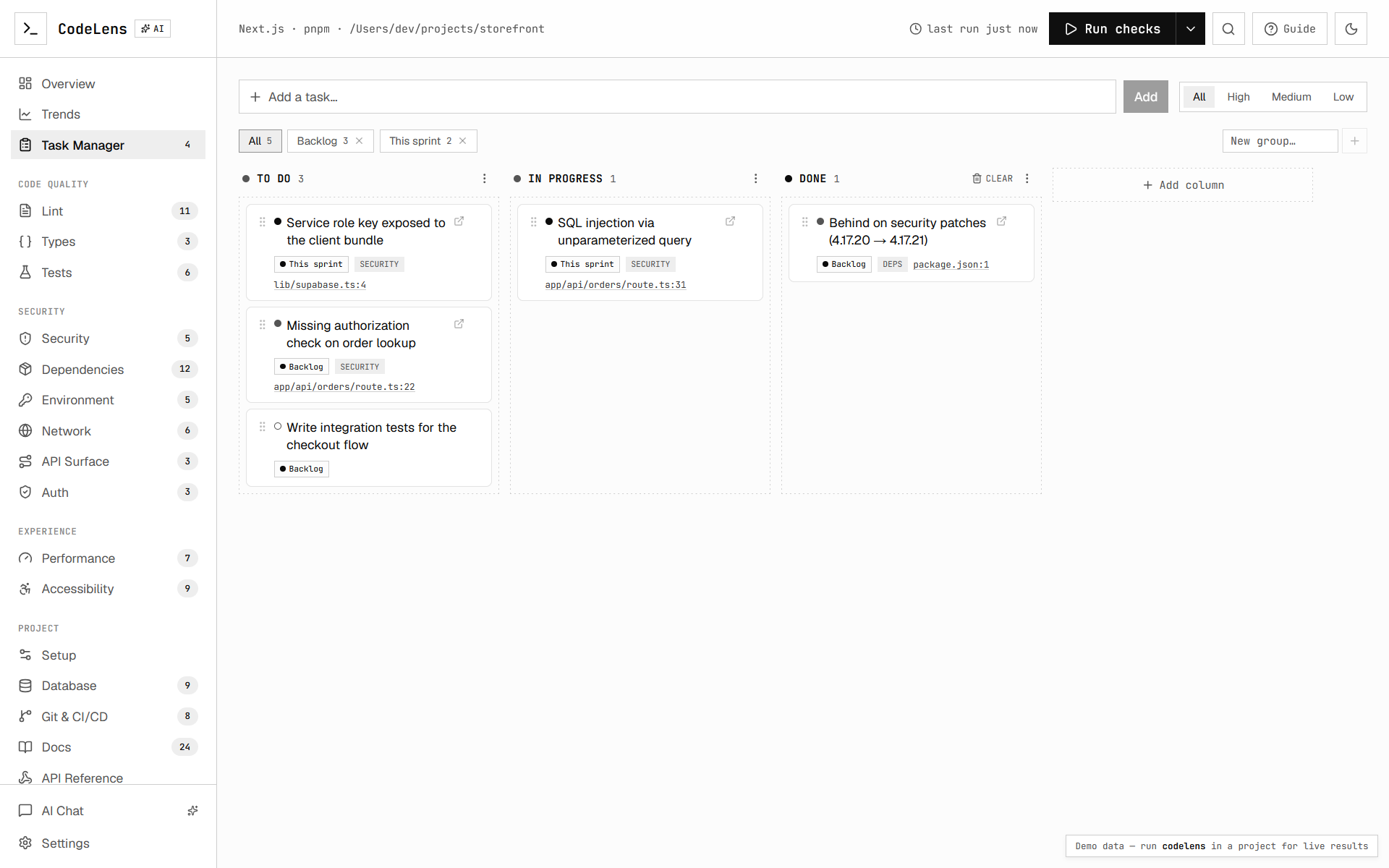
- Task Manager — a built-in kanban board (see below).
Task Manager (dashboard-only)
Every finding has a Track task action — in its detail sheet and inline on each list row. Tracking adds it to a kanban board and marks the row so you can see what's already on your worklist at a glance.
- Custom columns — rename/delete the defaults (To do / In progress / Done) and add your own; drag cards between columns to change status.
- Groups/tags — file tasks under labels like "This sprint" or "Tech debt" and filter by them; create a group inline while tracking.
- Detail — click a tracked finding to reopen its full analysis; click a free-form task to edit its column, priority, group, and notes.
The board is stored only in your browser (localStorage) — it never leaves your machine or reaches the CLI. Manage or reset it from Settings → Task board.
Screenshots
|
|
 |
 |
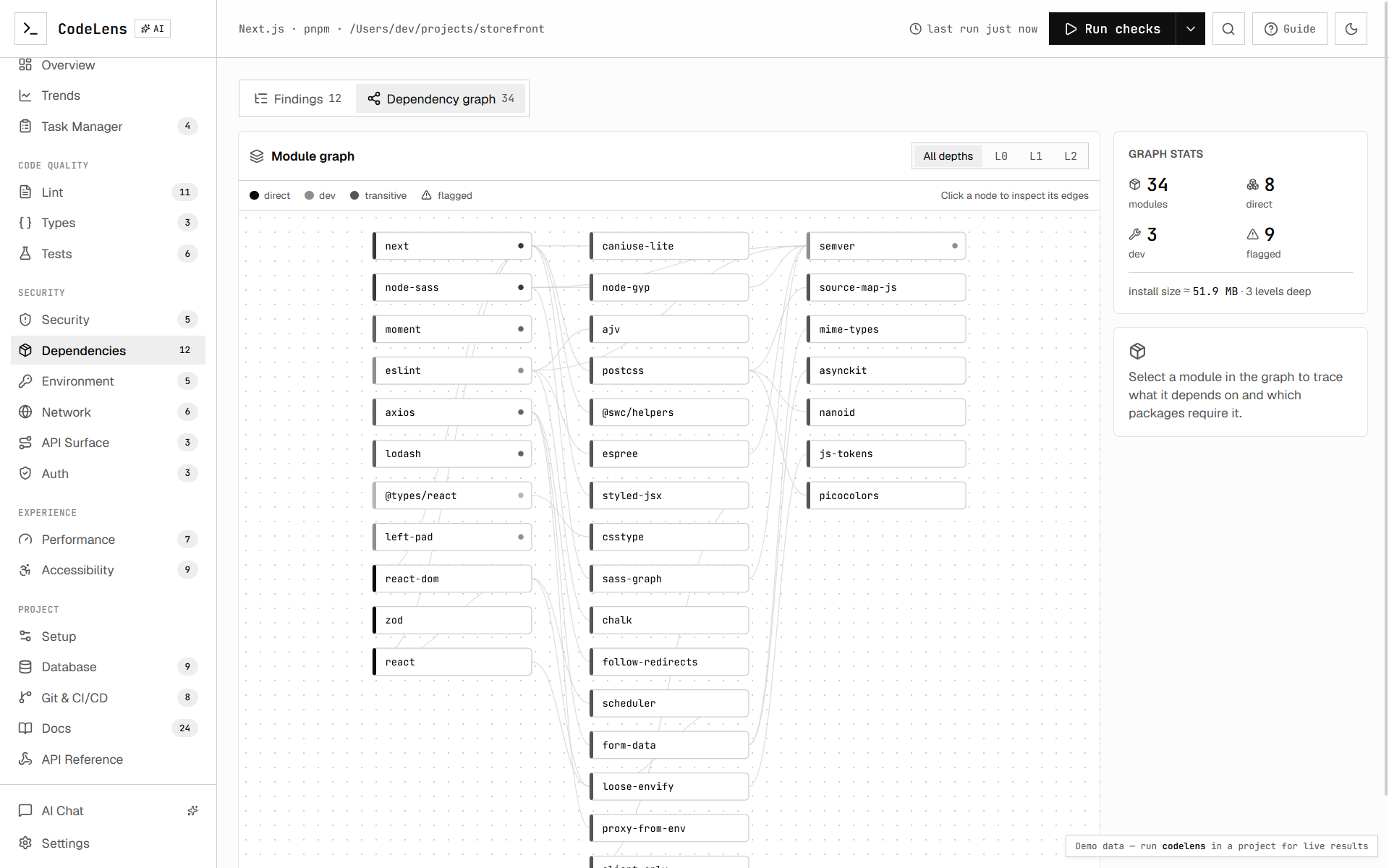 |
 |
 |
 |
 |
 |
 |
 |
How it works
cli.ts            entry point + flag parsing (commander)
run.ts            orchestrates the pipeline, emits streaming events
detect.ts         reads package.json → framework + package manager
runners/eslint.ts spawns your local eslint, parses --format json
runners/tsc.ts    spawns tsc --pretty false, parses the diagnostic chain
runners/audit.ts  npm/pnpm/yarn audit --json → real CVE advisories
ai/audit.ts       AI SDK security review (code) + dependency prioritization
report.ts         weighted composite health score
store.ts          local run history in .projectlens/ (powers trends)
server.ts         local HTTP + WebSocket server that serves the dashboard
The dashboard (the Next.js app one level up) is prebuilt into cli/public and
served statically, so the installed tool has no runtime build step.
Building
# from the cli/ package
pnpm install
pnpm build          # builds the dashboard into ./public, then bundles the CLI
pnpm build runs two steps:
-
build:dashboard— static-exports the Next.js dashboard (withPROJECTLENS_EXPORT=1) and copies it intocli/public. -
tsup— bundlessrc/intodist/.
Installing it into your own projects
Local link (best while iterating on the tool):
cd cli
pnpm build
pnpm link --global

cd ~/your-project
projectlens
Run directly by path (no linking):
node ~/path/to/cli/dist/cli.jsPublish (optional, for npx projectlens):
AI security audit
The AI pass needs a model key. Projectlens uses the Vercel AI Gateway, so set one of:
export AI_GATEWAY_API_KEY=...   # recommended
# or
export OPENAI_API_KEY=...
By default the audit runs on a free OpenRouter text model
(meta-llama/llama-3.3-70b-instruct:free) and automatically falls back to
google/gemini-2.5-flash if the primary model errors or is rate-limited, so the
review keeps working out of the box. Override either via env or .projectlensrc:
export PROJECTLENS_MODEL=openai/gpt-5-mini           # primary model
export PROJECTLENS_FALLBACK_MODEL=anthropic/claude-haiku-4
Without a key, lint + type-check + dependency advisories still run; only the AI
code review and prioritization are skipped (--no-ai silences the warning).
Only the selected security-relevant source files are sent to the model.