The Best Sudoku Apps for iPhone in 2025
Sudoku puzzles have been popular since the 19th century and there are many hundreds of sudoku apps vying for your attention on the App Store. This blog post tries its best to look at some of the most popular ones and break them down to help you find the one for you.
The Criteria
💰 monetization: how much does the app cost and what kind of monetization does it have
🧠 solving experience: how enjoyable is it to solve a puzzle
🎨 design: how intuitive and enjoyable is the user interface
🔧 features: how much can you tailor the app to your taste
There are a LOT of sudoku apps on the App Store and I can’t possibly cover them all. Instead, I’ve chosen some of the most popular apps that feature prominently in the App Store and which are highly recommended to me.
If your app appears here and you disagree with my thoughts, feel free to reach out to me: sudoku [at] notevil.app and I’ll be happy to remove it.
To save you some scrolling, I’ve left the results of my analysis at the top and the details below.
The Best Apps
If you just want to play a game of sudoku, you can’t go wrong with any of the five. This is the blog for Not Evil Sudoku, but it may not be the right app for you.
The app that works best for you depends on your thoughts on Cost versus Design. If you only plan on playing a puzzle a day or you value a well-designed app then Not Evil Sudoku might be a good fit for you. Here’s a breakdown:

Cost-Focus: If you don't want to pay a dollar and you don't mind seeing ads then Sudoku.com is all you need.

Design-Focus: If you're looking for an app that feels like what a sudoku app designed by Apple would feel like, Not Evil Sudoku is probably the best fit. If you're looking for a more opinionated design, Good Sudoku is probably a good fit.
If you’re already a subscriber to the NYT Games app and not looking for a lot of customization, NYT Games Sudoku is worth trying out.

NYT Subscriber: Basic but probably good enough. For example something I really need is the ability to lock numbers so that I can place them in several cells at once which this app doesn't have.
And lastly, since it feels mean to single out ▻Sudoku, if you really like wooden themes in your apps then I suppose you should go check it out.

▻Sudoku: For those who were beavers in a past life 🪵 🦫
App Breakdowns
Tap an app to see how it scores across monetization, design, solving experience and features.
Sudoku.com
EasyBrain
Free In-App Purchases

4.0

▼
Features
Leaderboards
Input Options
Highlighting
Hints
Monetization
This app has ads - a lot of them. There’s a banner ad at the bottom of the screen and an interstitial (video) ad after each puzzle. Removing ads is a one-time purchase of $9.99 USD. And that’s the only purchase in the app which is quite nice. Overall, the number of ads is pretty high and can be rather annoying but overall I think the monetization is not too bad.
Design & Experience
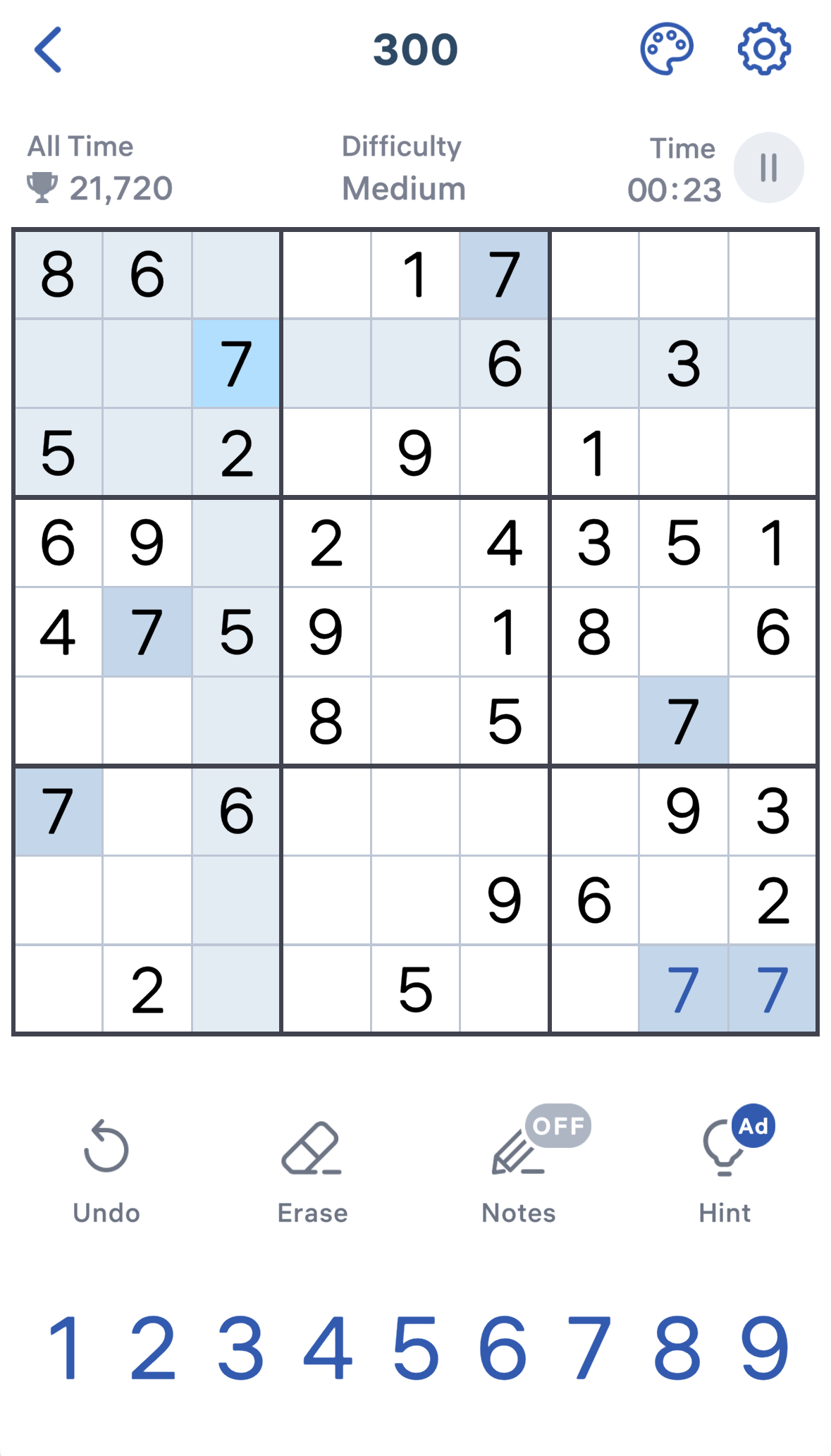
The solving experience is a little hindered by the ads but overall the highlighting is good and even shades all the cells on the row/column of the cell you select.
The interface is a little crowded and the animations are kitschy but it works. There's also a point system where you get points for every correct move that you can see on the top left. There are also some theming options, letting you pick between light, dark and a more paper-like color.
Personally, the animations and points feel over the top but overall its not bad.
Features
One cool feature I liked is the hint button, it worked well when I tried it and even highlighted the section it was advising me on. The app also had every feature I wanted to use like the ability to lock a number and then place it in multiple cells. Although, to do that they require you to long-press the number which takes getting used to and is a little janky but I was just happy they had it.
Overall, plenty of bells and whistles.
Features
Leaderboards
Input Options
Highlighting
Hints
Monetization
This app has a a lot of ads and they take a similar approach to Sudoku.com where they have a banner ad at the bottom of the screen and a video ad between puzzles. Although sometimes tapping on a random UI element like the back button made a video ad play.
There are no in-app purchases in the app but there is a paid version of the app on the App Store for 4.99 USD. It gets five stars because the paid version is pretty affordable and you know what you’re getting if you go and buy the paid app.
Design & Experience
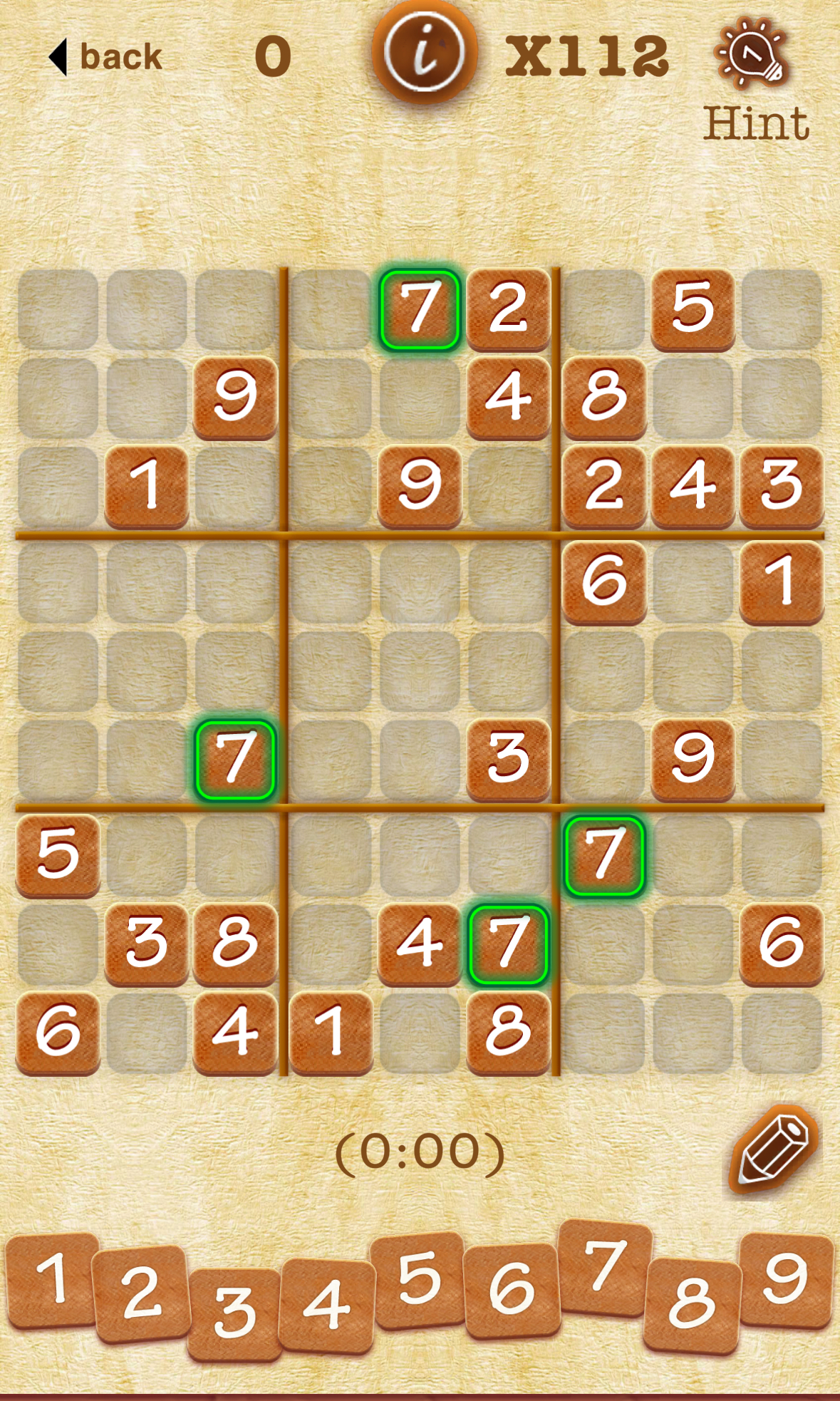
The solving experience is quite basic. The app has an interesting wooden theme which is cool but the highlighting doesn't match the theme and feels jarring.
Features
The app technically has a hint symbol but if you tap it, it simply fills in the blank cell with the correct answer so I am not giving this app the point for having a hint system. It also has leaderboards via Game Center for best scores. This app is lacking in options and if you’re a somewhat particular player who likes your solving experience to be a certain way, this app is not for you.
Good Sudoku
Zach Gage
Free In-App Purchases
4.4
▼
Features
Leaderboards
Input Options
Highlighting
Hints
Monetization
The free version of the app has video ads between puzzles and a one-time purchase of $4.99 USD to remove them. I’ll give them 5-stars since they don’t have the banner ad and the purchase is still cheaper than Sudoku.com for arguably more stuff.
Design & Experience
The solving experience is fun with nice colors, music, haptics and overall, it’s a well made app. I found it somewhat frustrating to navigate between pages in the app since everything slides around. But, if you just open this app for the daily puzzle, it’s probably not something you’ll care about.
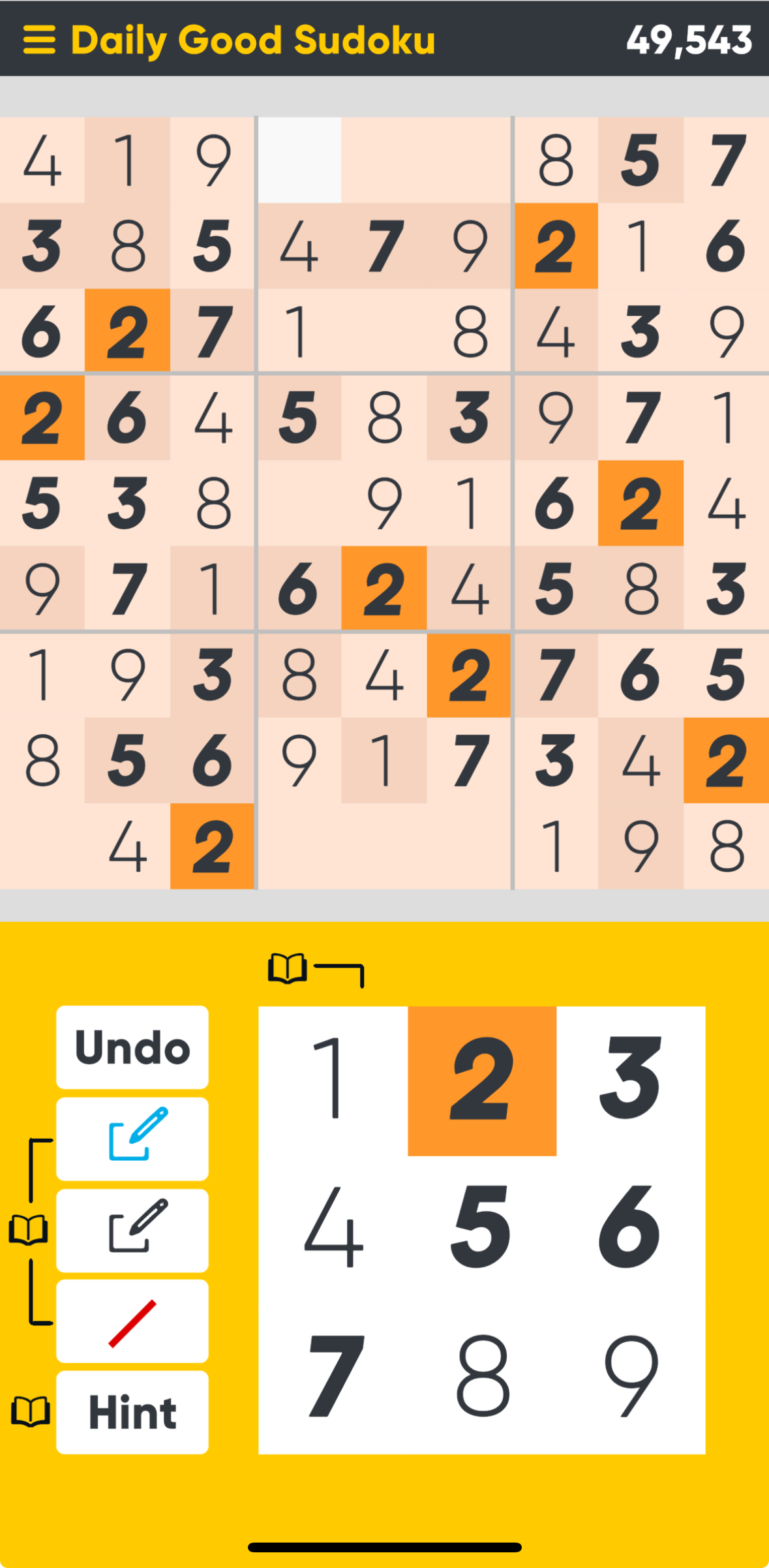
It has features like a smart numpad and a thorough highlighting system but it felt like I was being hand-held through the puzzle and took some of the satisfaction out of the solve for me.
The smart numpad hides numbers that cannot go into the cell so after you've filled in a few cells, the rest of the puzzle feels kind of brainless where you just hit blank squares and put in the only option.
I think a lot of these assists can be disabled if you're not playing a daily but I feel like most people probably only play the daily so it's still disappointing.
Features
The app has a really good hint and learning system and a lot of customization although some settings are restricted in daily mode. I also couldn’t find a way to change the input method to allow locking a number which is my preferred way of solving sudoku. The app also has game modes like Good, Classic and Arcade but it’s not something I would use. If you do like harder puzzles, you will have to buy the in-app purchase since the two harder difficulties are locked.
NYT Games Sudoku
The New York Times
Free Subscription
3.5
▼
Features
Leaderboards
Input Options
Highlighting
Hints
Monetization
The New York Times offers sudoku in its Games app and the app lets you play one sudoku of each difficulty for free. Unlimited games requires the NYT Games subscription which appears to be $5.99 USD/month.
Design & Experience
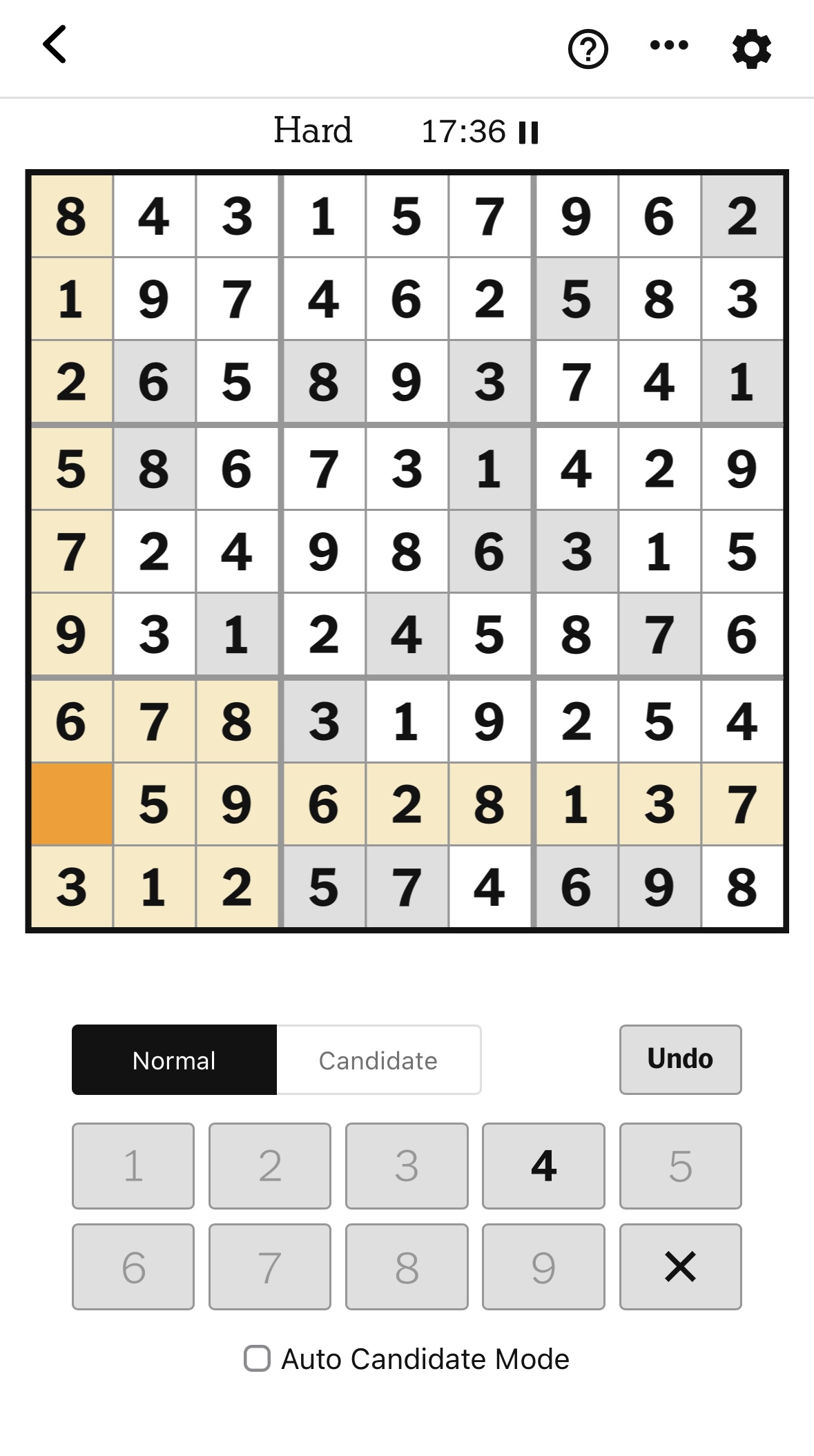
The solving experience is clunky and it feels like sudoku exists in the app just for the sake of making the subscription seem like a better bundle. It really doesn't feel as polished and well made as the Mini or the other games in the app.
Features
The app is quite bare or in nicer terms, minimal. They recently added highlighting without which I wouldn’t even have added it to this list. Apart from that they have auto-candidates which is nice. There is also a hint feature which supposedly points out the next logical cell to solve but I didn’t find it very helpful.
Not Evil Sudoku
Ashish Selvaraj
Free In-App Purchases
???
▼
Features
Leaderboards
Input Options
Highlighting
Hints
Monetization
The app has no ads, and as a consequence, no tracking. The daily puzzle is free to play and a one-time in-app purchase unlocks unlimited games, charts and themes for $4.99 USD. No game features, difficulties or assists are behind a paywall.
Almost all the app’s negative reviews are related to not being able to play unlimited games for free so I will take a star off for monetization strategy. Most of the app’s users are on the free version.
Design & Experience
It feels weird to write about the design and solving experience of Not Evil Sudoku as the person who designed and built it. So, instead I’ll just insert a review from the App Store.
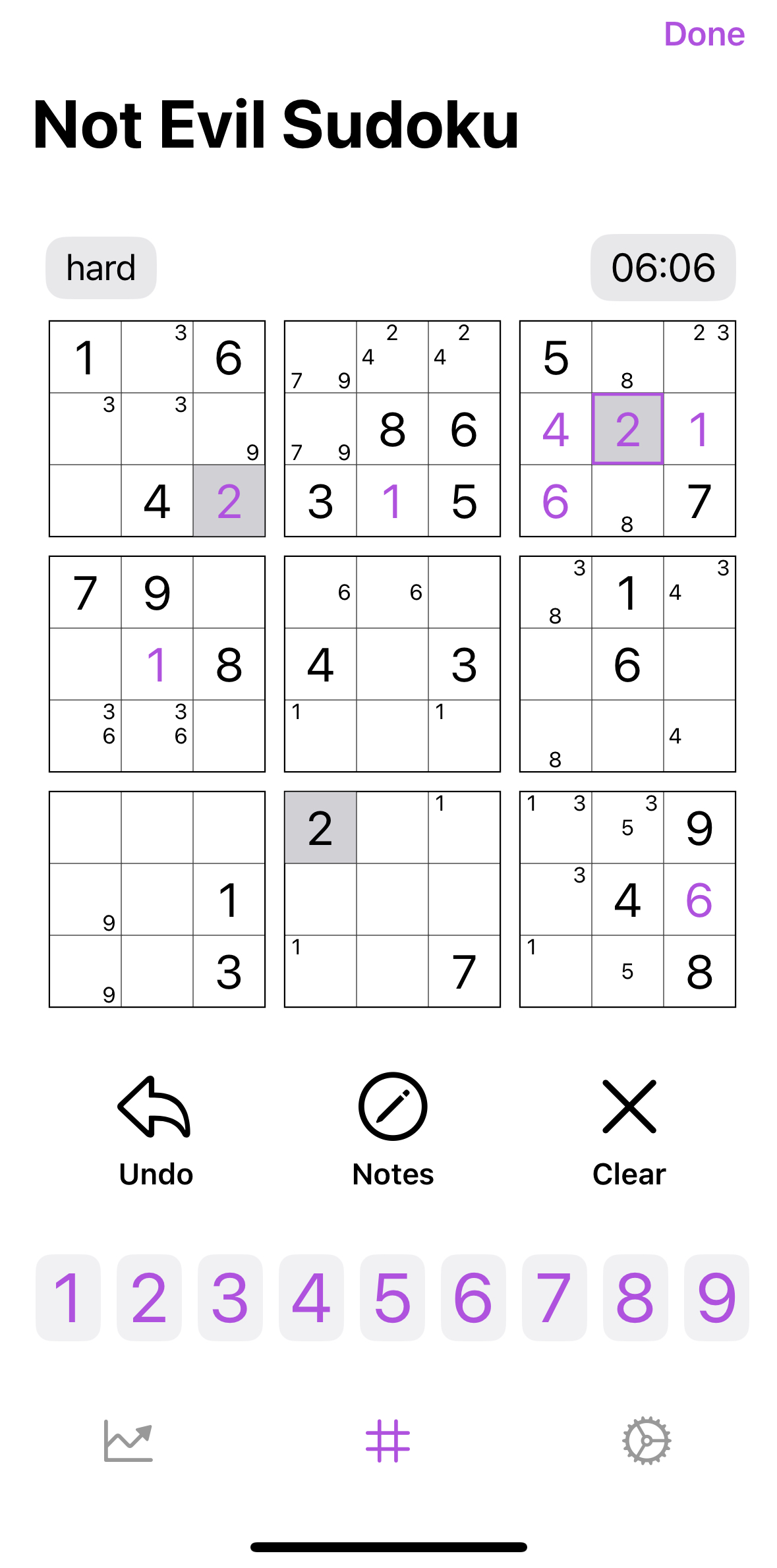
"I’ve tried many sudoku apps, and this is the best one I’ve found! It has a simple-to-navigate display, helpful game features, and just a cool design in general."
- Skopimos on the App Store
A lot of people have told me it feels like what a sudoku app made by Apple would feel like and I think that’s a pretty good description of the design. I would like to think it’s a pretty intuitive interface.
And of course for balance, here’s a person who really didn’t like the design and experience - although they seem to mainly take issue with the pricing model: “Clunky controls, clunky interface, and… … and you can only play one sudoku a day. Unless you pay 5 dollars” – iwishforpie2 on the App Store.
Features
The app has most features you’d want in a sudoku app: Daily Puzzles, Highlighter, Auto-clear notes, Move by move validation, Speed Demon (input flipping), etc.
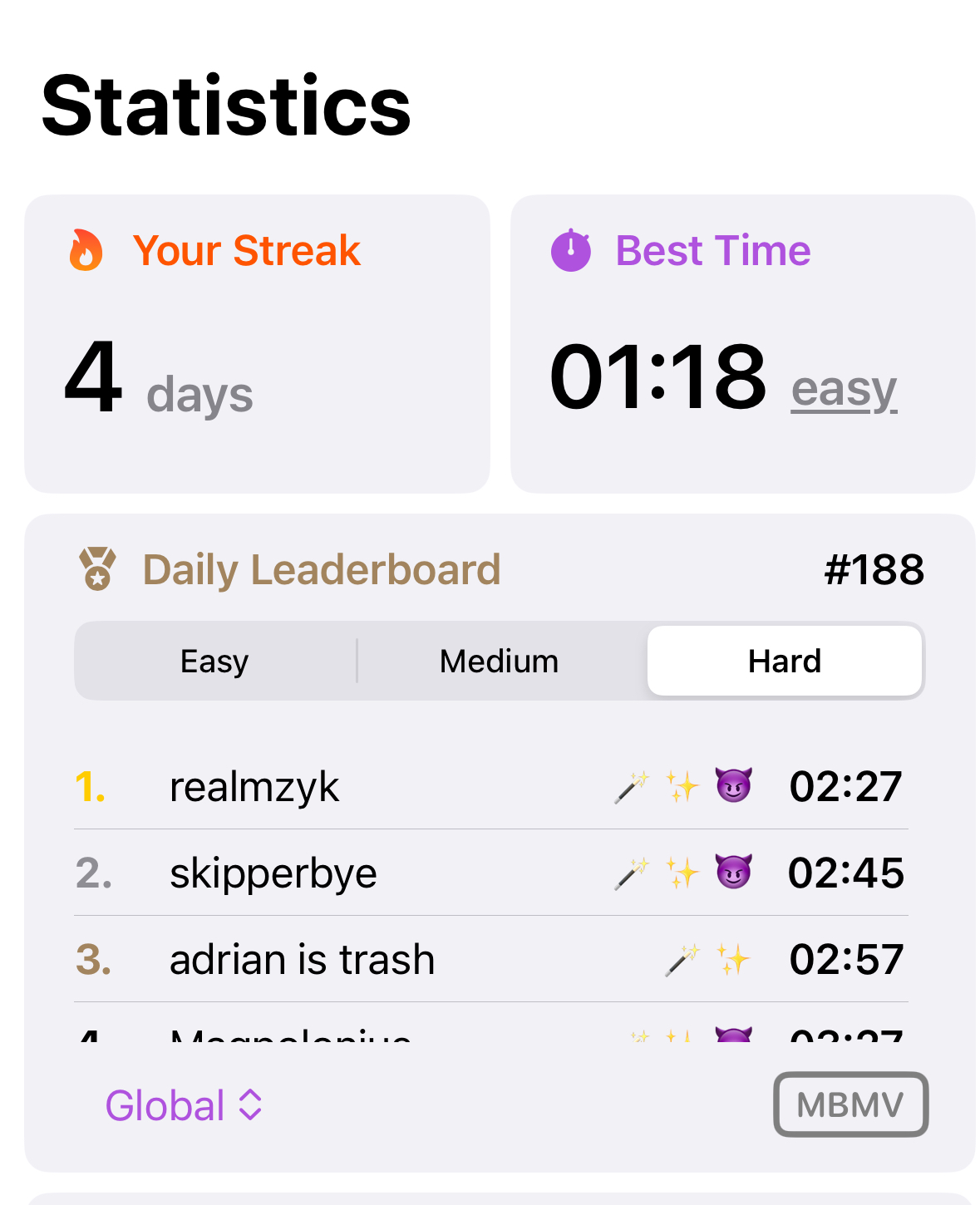
One thing I'm proud of is how the app handles assists. You can choose as few (none) or as many as you'd like and the app keeps track of this. So in the day's leaderboard, you can see what the other players used to solve the daily. Each emoji corresponds to an assist in the app.
This analysis is as of 2025-05-04. These apps may have subseqent updates that change the app's features and monetization.
Thanks for reading!
Download Not Evil Sudoku for iPhone 🪄