Monet gives you a control room for all of your agents — the first Agentic IDE.
Bring your own API keys, run as many Claude Code sessions as you want in parallel, read conversations in beautiful native UI, and organize everything by project — on your Mac, iPad, or iPhone.
Free up to 3 concurrent agents. Unlimited with a license.Free up to 3 concurrent agents.
Unlimited with a license.
A lightweight daemon on your Mac manages real Claude Code processes — same filesystem, same permissions, same tools you already use. Connect from any device over your own network.
Multi-Agent
Run a fleet of agents,
not a single terminal
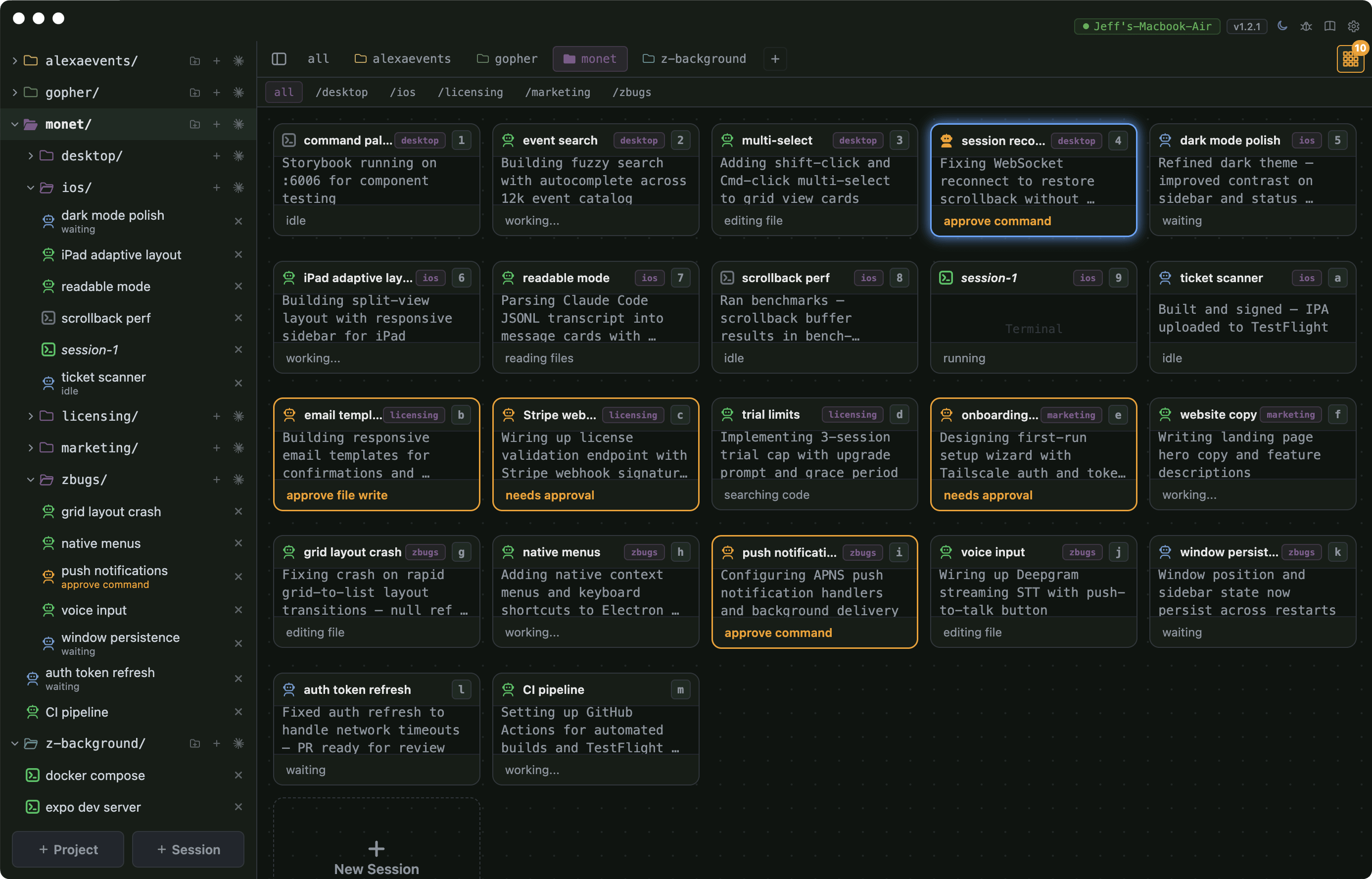
Launch dozens of terminals running Claude Code in parallel — each working on a different task, all visible at once. One agent refactors auth, another writes tests, a third fixes bugs. Cards glow green while working, turn orange when they need help, and blue when ready for the next task.
Parallel AgentsGrid ViewLive StatusSession Persistence
Session Management
See every agent
at a glance
Your control room for all of your agents. Tabs filter by project, and each card shows a live AI-generated summary of what the agent is doing right now (bring your own LLM key to summarize — it never goes to Monet servers).
Four layout densities — from full grid cards to a compact list of 20+ sessions — let you monitor an entire fleet without switching windows. Click any card to drop in.
4 LayoutsLive SummariesProject TabsQuick Switch
Mobile Access
Take your agents
anywhere
Monitor progress from your phone, approve tools from your lock screen, and get push notifications the moment any agent needs attention. Full session management from iOS — launch agents, switch projects, and review diffs without touching your laptop.
iOS AppPush NotificationsLock Screen ActionsFull Control

Connectivity
Connect from anywhere.
No VPN required.
On your home network, Monet connects directly — zero latency, fully private. Away from home? Monet Relay bridges the gap. Your daemon connects outbound to our relay server, your phone connects to the same relay, and traffic is forwarded securely. No ports opened on your Mac, nothing stored on our servers.
No Port ForwardingNo VPN SetupOutbound OnlyEnd-to-End Encrypted
Direct ConnectionLAN / VPN
Same network or Tailscale. Fastest latency, most private.
Recommended

Monet Relay™
Works from anywhere. No VPN, no port forwarding, no network config.
 Relay
Relay
Organization
One project,
many agents
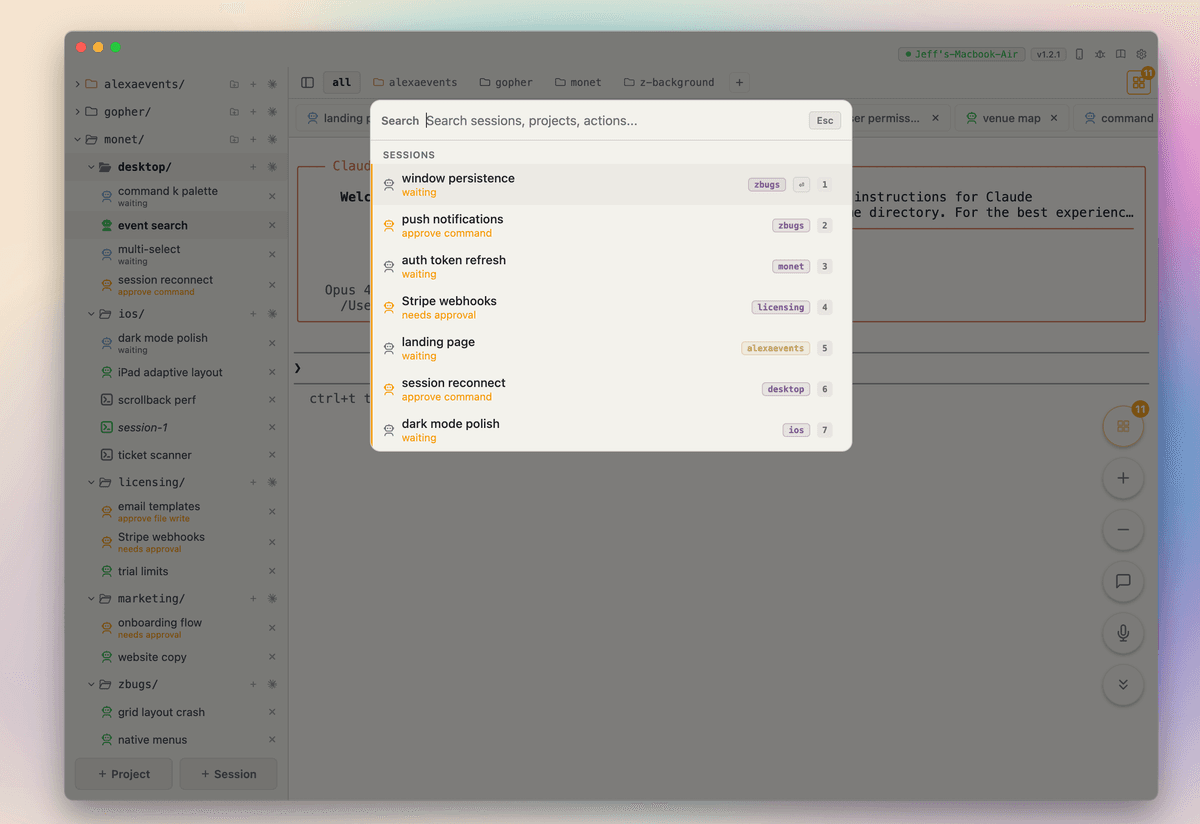
Stop waiting on one agent to finish before starting the next. Organize sessions by project, assign a dozen agents to different tasks, and jump between them instantly with ⌘K. While one agent refactors your auth module, another is writing tests and a third is fixing bugs — all in the same project, all at once.
ProjectsParallel Work⌘K PaletteZero Wait Time
Readable Mode
Claude Code,
readable
Every session is a real terminal — full xterm.js, same as running Claude Code locally. But when you want clarity, toggle readable mode: Monet optionally parses each agent's conversation into beautiful message cards — user prompts, assistant responses, tool calls, and file changes. Approve tools, answer questions, and review diffs without squinting at raw ANSI output.
Message CardsTool ApprovalsDiff ReviewNative UI
Your API Keys
Bring your own keys.
No subscription.
Every Claude Code session is a normal Claude Code session — your existing API key, your config, your permissions. Monet doesn't proxy, intercept, or modify anything. The only API key Monet needs is for optional session summaries. No subscription, no usage fees.
Normal Claude CodeNo ProxyNo Usage FeesYour Config
MONET-X4WE-F7SK-9RMN
License active — unlimited sessions
sk-ant-api03-••••••••••••••••kQ
sk-••••••••••vR
dg-••••••••••mK
Claude Code sessions use your existing Claude Code config. Monet doesn't touch your API keys or settings.
Local-First
Your Mac, your rules.
No approval needed.
Monet is a terminal app. Not a cloud IDE, not a sandbox, not a container — a terminal. Your agents run with the exact same permissions because it is your terminal. No IT tickets, no admin approval, no security review. Install it like any other Mac app.
100% LocalSame PermissionsNo CloudNo Approval
Runs on your Mac
A native daemon — same as running a terminal. Your filesystem, your SSH keys, your git config.
No data leaves your machine
Code stays local. Only outbound call is license validation — no telemetry, no analytics, no code scanning.
Nothing to approve
No new cloud service to vet. No permissions to grant. If you can install a .dmg, you can use Monet.
Power User
Keyboard-first
navigation
Never leave the keyboard. Every action in Monet has a shortcut — jump between sessions, switch projects, search anything. Built for the kind of developer who already uses vim motions and tmux panes.
Command PaletteGrid NavQuick SwitchKeyboard-First
⌘K
Command palette
Search sessions, projects, actions
CtrlCtrl
Grid view
Double-tap to toggle grid overlay
⌘1-9
Switch sessions
Jump directly to any session
⌘T
New session
Launch a new agent
⌘W
Close session
Close the current session
⌘O
Next agent in need
Jump to the next session waiting for input
Esc
Back to grid
Exit session, return to overview
Voice Input
Dictate code commands,
accurately
Regular speech-to-text mangles code. Monet's code-aware dictation knows the difference between "user.rb" and "use our Arby's". Speak naturally — filenames, flags, and method names come through exactly right.
Code-Aware STTFilenamesCLI FlagsMethod Names
You say it. Monet gets it.
“
refactor user.rb to use concerns
”
Regular STT
refactor user dot are b to use concerns
Monet
refactor user.rb to use concerns
“
run pytest dash dash cov
”
Regular STT
run pie test – – cough
“
add a useEffect cleanup for the WebSocket
”
Regular STT
add a use effect clean up for the web socket
Monet
add a useEffect cleanup for the WebSocket
Alpha — buggy, ambitious, shipping daily
Download Monet
Up to 3 concurrent agents included. Activate a license for unlimited.
macOS 13+ · Apple Silicon
Join the Slack Community
Get help, share feedback, and follow along as we build Monet in the open.
Join SlackUp and running in minutes
Three steps. No accounts, no cloud setup, no configuration files.
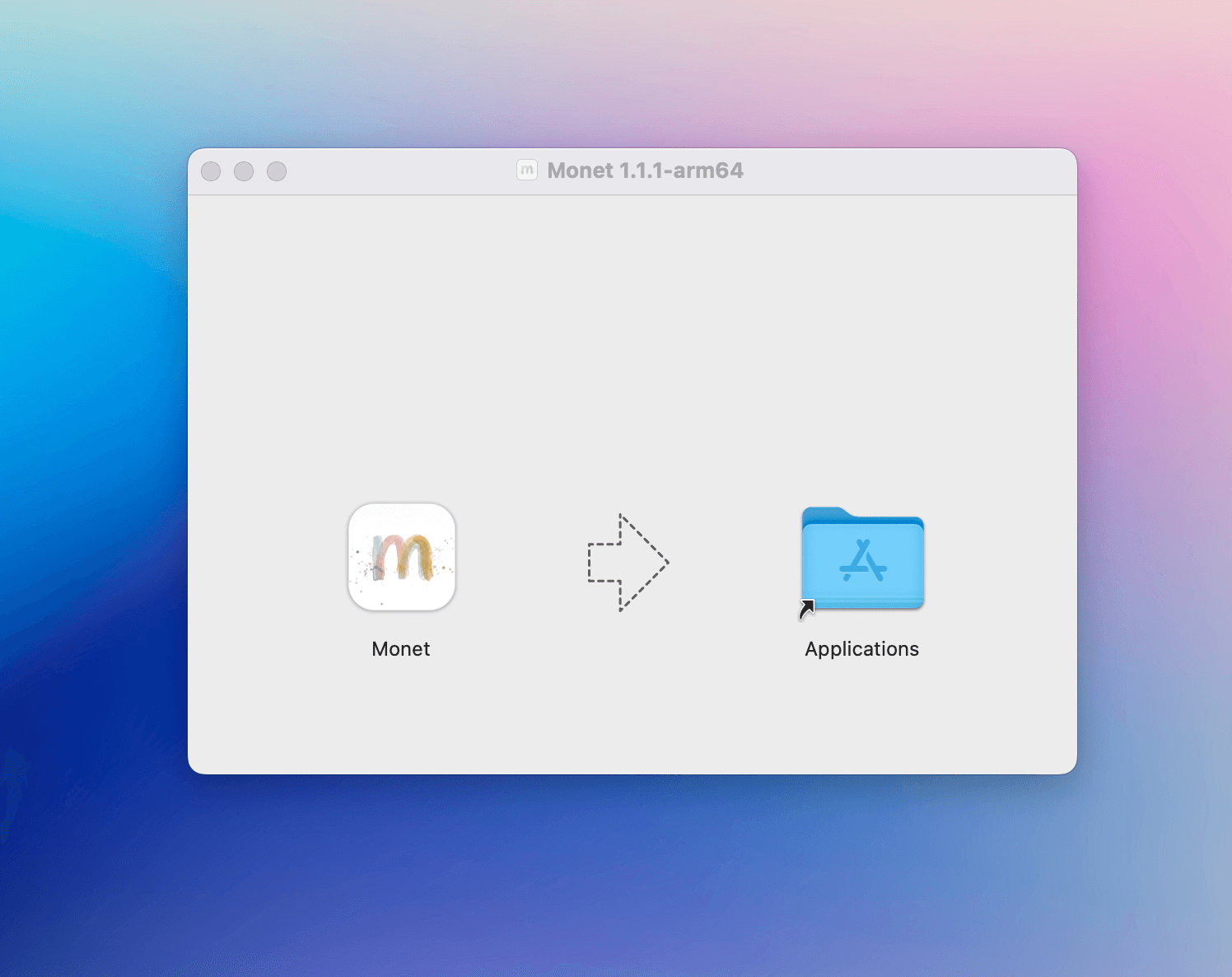
Install Monet .dmg
Download the .dmg. Drag to Applications.
Runs as a background service — starts on boot.
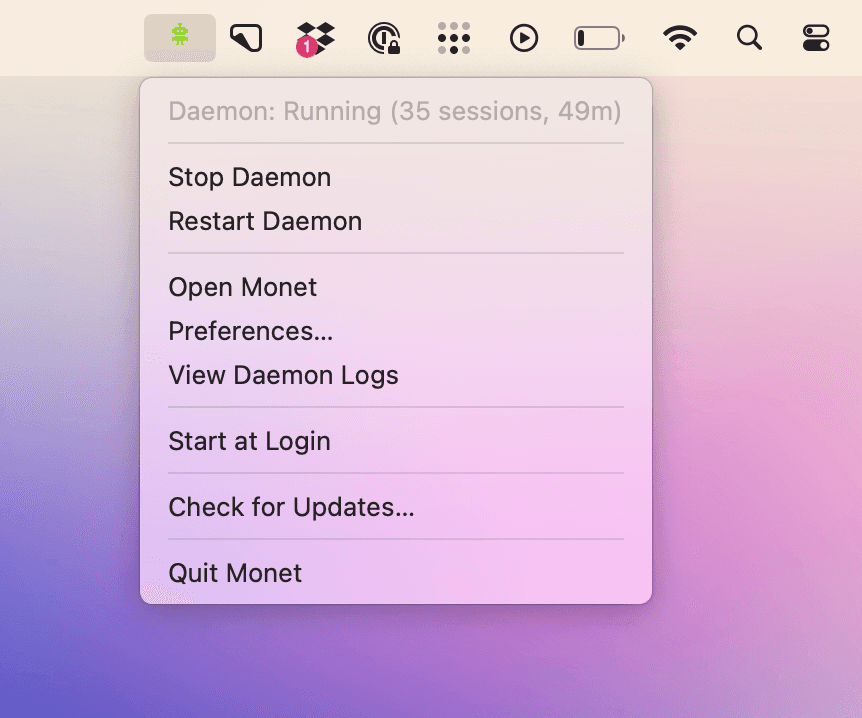
Start the Daemon
Enter your hostname and token.
Desktop, iOS, or any browser — encrypted.
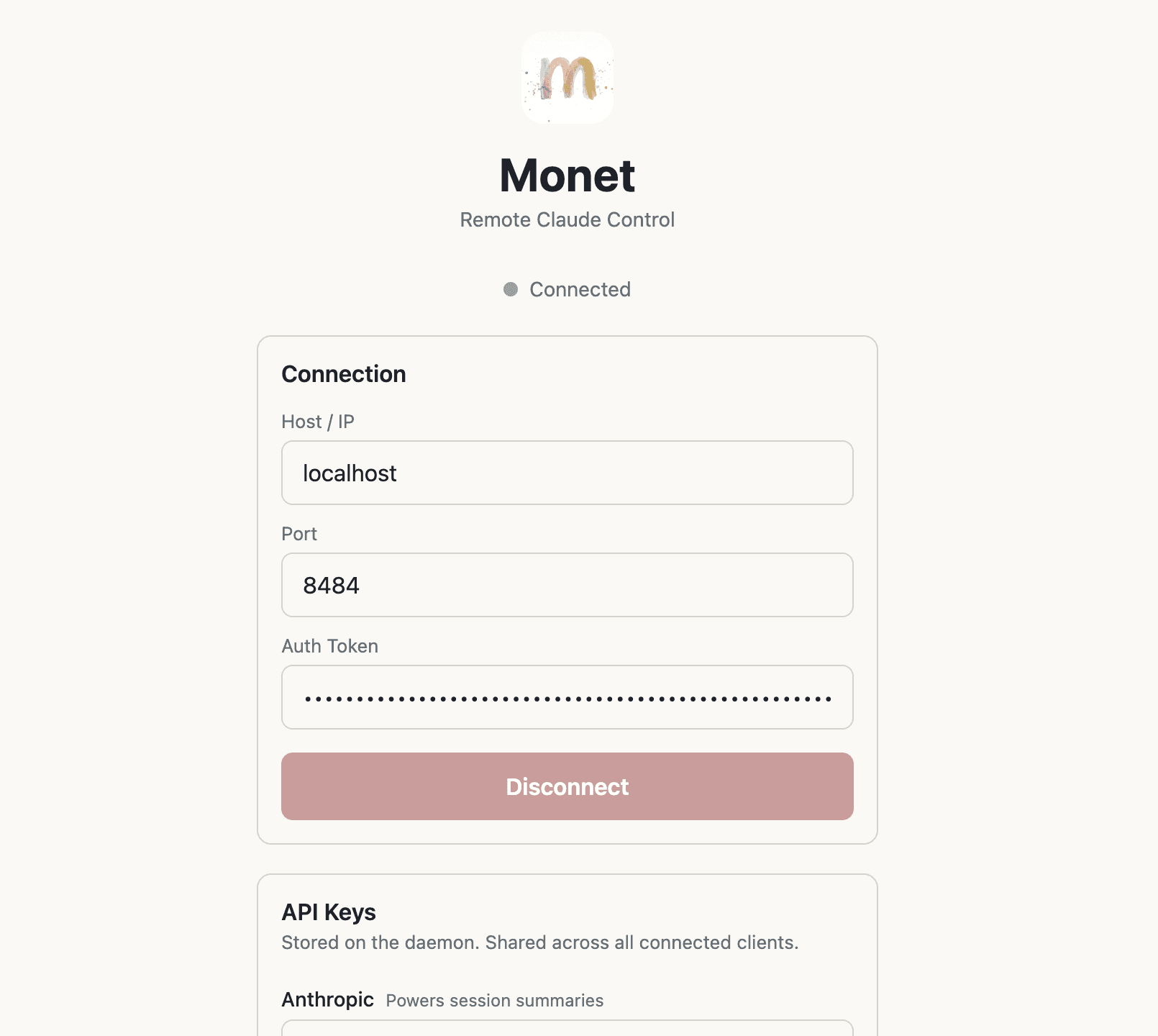
Open Agentic IDE
Spin up Claude Code sessions in parallel.
Approve tools, monitor progress, read conversations.
Alpha pricing
We use Monet to build Monet and ship improvements daily.
Thanks for putting up with bugs! We are eager for feedback.
6x
Throughput vs. single-agent workflows
<2 min
Setup time — brew install and go
100%
Local — zero cloud dependencies
Security & Privacy
Your Mac, your permissions,
your code
Monet isn't a cloud IDE or a sandboxed dev environment. It runs directly on your Mac with the same filesystem access you already have. No containers, no remote execution, no runaway agents deleting your codebase. Every Claude Code session is a real local process you can see in Activity Monitor.
100% local
Monet runs as a daemon on your Mac — not in a container, not in the cloud, not sandboxed. Same filesystem, same permissions, same tools you already use. Nothing is hosted or proxied.
No telemetry
Zero analytics, zero tracking. The only network call Monet makes is a lightweight license check — no usage data, no code, nothing else leaves your machine.
Your network only
Connect over your LAN or Tailscale. Token-based auth on every connection. No cloud relay, no port forwarding required.
Questions you're probably asking
“Is my code safe?”
Yes. Monet runs entirely on your Mac as a local daemon — not in the cloud, not in a container. Your code, your sessions, and your data stay on your machine. The only outbound call is a lightweight license check. No code, no usage data, no telemetry. Connect from other devices over your own local network or Tailscale.
“Do I need a separate API subscription?”
No. You bring your own Anthropic API key and Claude Code installation — Monet doesn't proxy API calls or add usage fees. You pay Anthropic directly for what you use, and you pay Monet once a year for the client. No double-billing, no markups, no surprise charges.
“Do I need to change my workflow?”
Not at all. Monet manages standard Claude Code processes under the hood. You can still use Claude Code directly in your terminal whenever you want. Monet just gives you a better way to launch, monitor, and interact with dozens of sessions at once — and do it from your phone.
“What happens when the beta ends?”
Your license stays valid for the full year you purchased. When beta ends, the price may increase for new customers, but your rate is locked in. And since it's a one-time annual license — not a subscription — you're never auto-billed. When your year is up, you choose whether to renew.
“What if it's not for me?”
7-day money-back guarantee, no questions asked. You'll know within a day whether Monet fits your workflow. If it doesn't, email us and we'll refund you immediately.
Ready to run agents
at scale?
Download it, run up to 3 concurrent agents, buy a license when you're ready.