Watches your services in the background
Mercek is a desktop app for working with Amazon ECS. It uses the AWS credentials already on your machine and shows your services across every account and region. It talks to AWS directly and collects no telemetry.
Uses your existing ~/.aws profiles. Read-only until you approve a change.
Talks to AWS directly. Nothing runs inside your account.
ECS Fargate CloudWatch ALB / target groups Application Auto Scaling ECR scans IAM / STS identity
Discovery
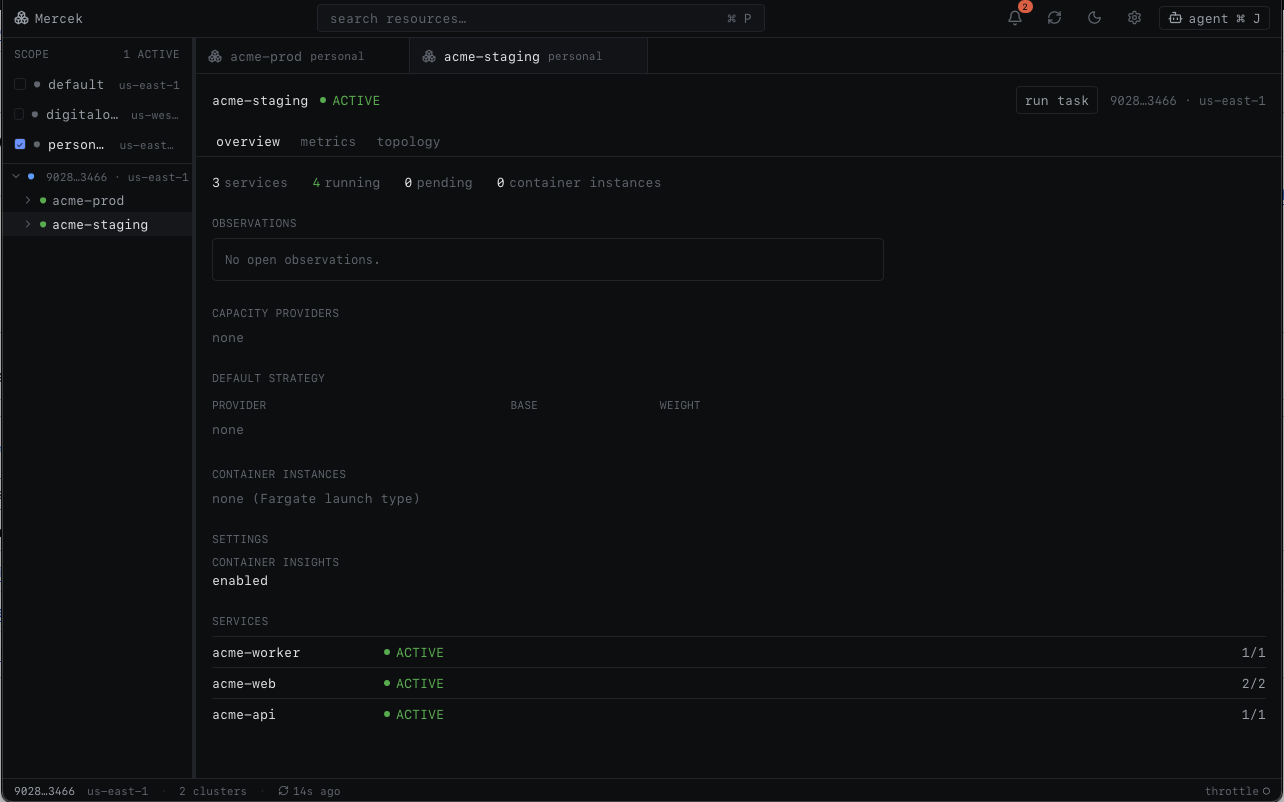
All your clusters in one window
Mercek reads the profiles in your ~/.aws config, including SSO, assume-role, and MFA setups. Pick the accounts and regions you want to work with and it lists their clusters, services, and tasks in a single tree. Accounts you don't pick are never read.
- Works with the AWS credentials you already have
- Browse several accounts and regions at the same time
- Discovery runs in parallel and stays responsive on large setups
Deployments
Track a deploy, roll it back
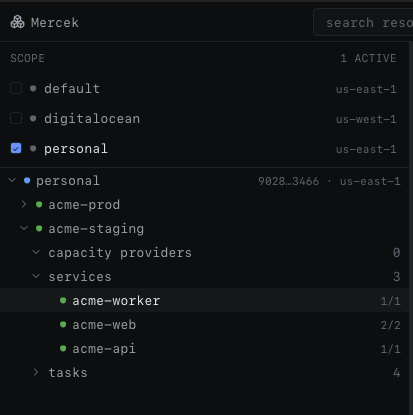
Mercek shows the current rollout state, the deployment circuit breaker, and how many tasks have failed. If a deploy goes wrong, you can roll back to an earlier task definition from the same screen. You can also compare a service to the same one in another environment.
- Live rollout state and circuit-breaker status
- Roll back to a previous task definition
- Compare a service across environments or regions
Metrics
CPU, memory, and traffic
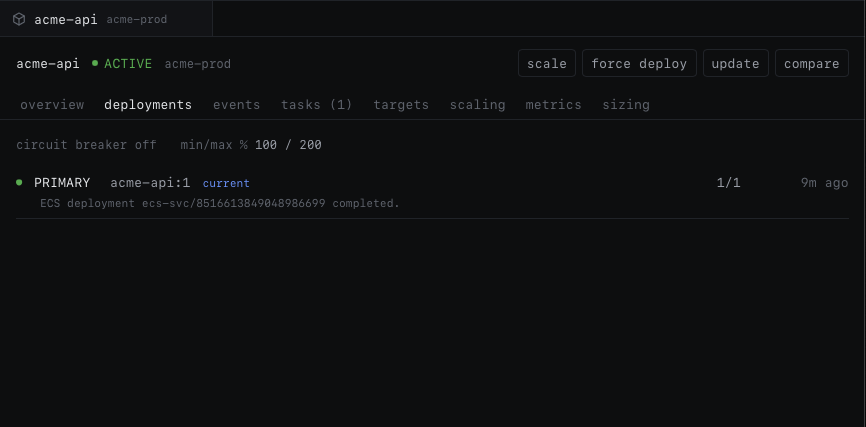
CPU and memory come from Container Insights, with a fallback to AWS/ECS metrics when Insights is turned off. For load-balanced services you also get request count, latency, and 5xx, on the same screen as the service. Pick a window from one hour to seven days, and Mercek marks each deploy on the charts so a shift lines up with the rollout behind it.
- Container Insights with an AWS/ECS fallback
- Request count, latency, and 5xx for ALB services
- Selectable 1h–7d window, with deploys marked on the charts
- Right on the service, no console hop
Cost & sizing
What each service costs, and whether it's right-sized
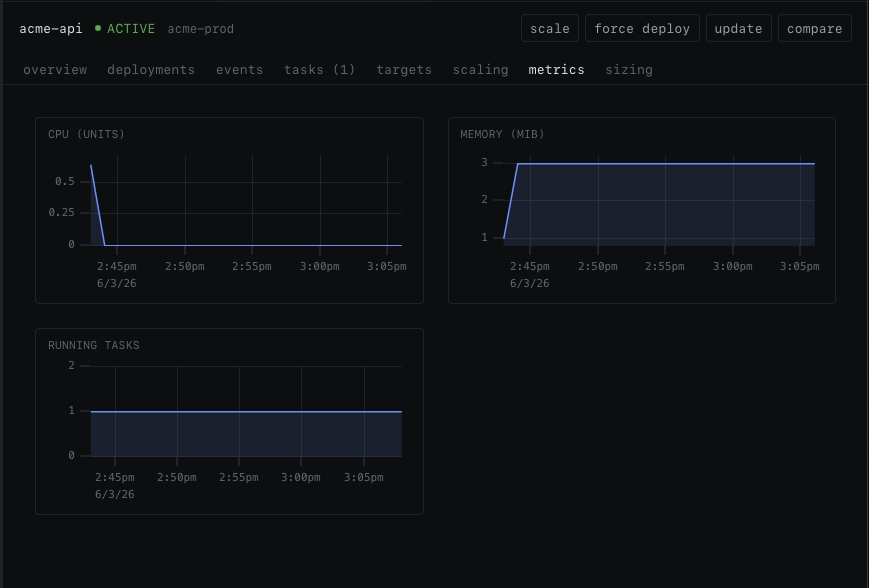
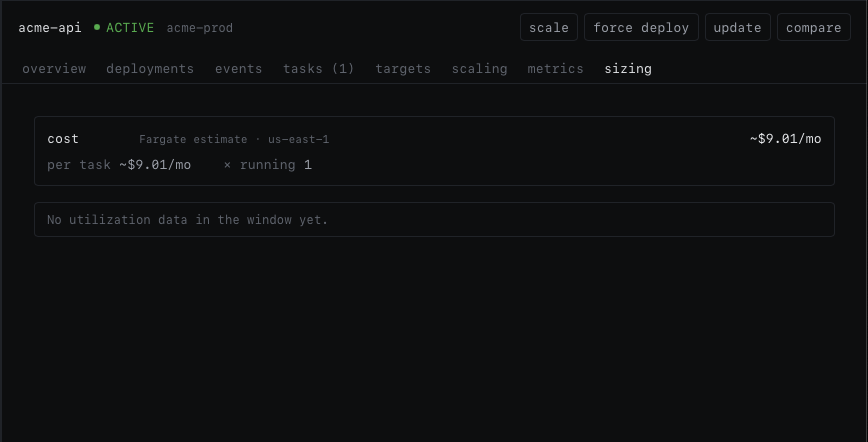
Mercek estimates the monthly Fargate cost of a service from its requested CPU and memory and how many tasks it runs. It compares that against peak usage and tells you whether the service looks over- or under-provisioned.
- Monthly Fargate cost estimate per service
- Over- or under-provisioned verdict from peak usage
- Spot vs on-demand accounted for
Inspect
Logs, a shell, and task details
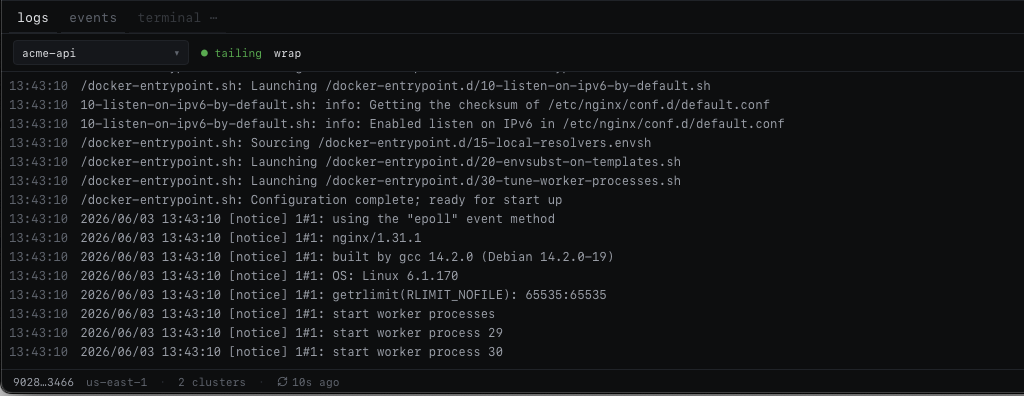
Open a service to tail its CloudWatch logs in the bottom panel — every task at once or just one — with a text filter, log-level highlighting, and copy or download of what you're looking at. Drop into an interactive shell on a running container when you need one. You can also read a task's full environment, with secrets shown as ARNs instead of values, and its network details: the ENI, IP addresses, security groups, subnet, and VPC.
- Tail every task at once, filter and highlight by level, copy or download
- Open an interactive shell on a running container (ECS Exec)
- Full environment with secrets masked to ARNs
- ENI, IP addresses, security groups, subnet, and VPC
Topology
An automatic dependency map
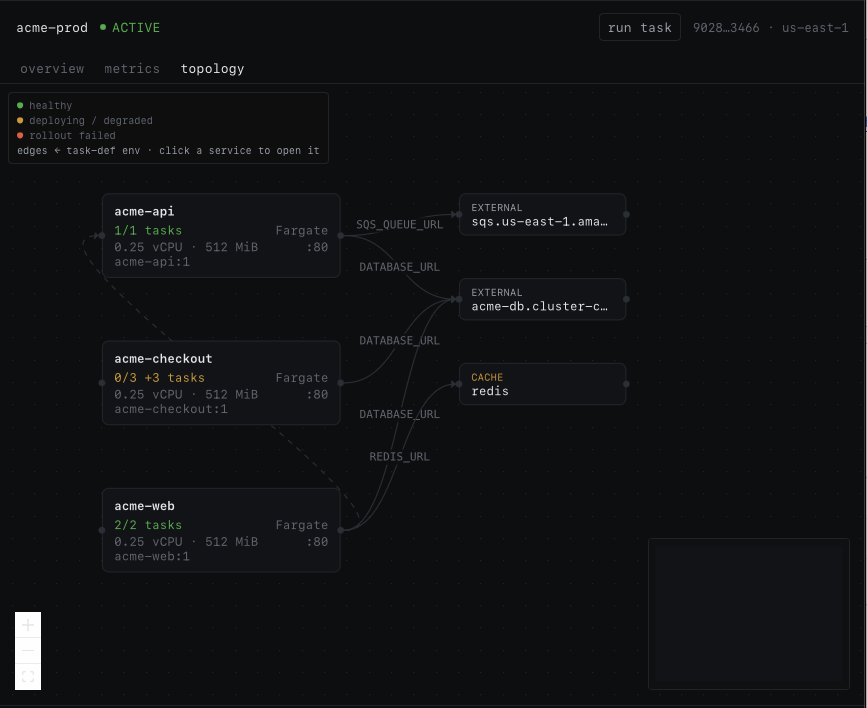
Mercek builds a dependency graph from data that's already in AWS. It maps the path from the internet through your load balancer to each service, and it infers links between services from the environment variables in their task definitions.
- Internet to target group to service
- Service links inferred from task-definition env vars
Agent panel
Connect your own coding agent
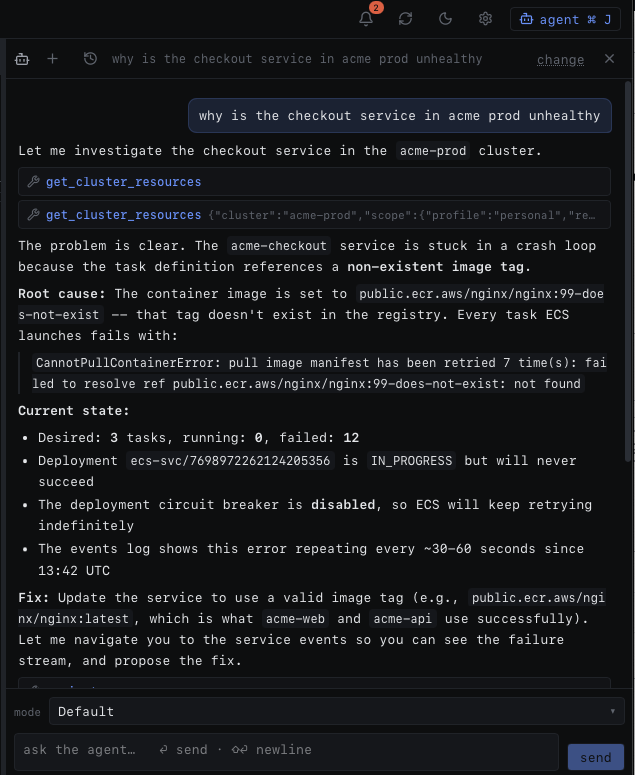
You can connect a coding agent such as Claude Code through the Agent Client Protocol. It can read your ECS state, explain what it finds, and open screens in the app. It cannot change anything in AWS. If it suggests a change, Mercek shows that change as a diff for you to approve.
-
Read-only to AWS
It can describe and correlate your state, but never change it.
-
Opens screens for you
Ask it to show a service or task and it navigates there.
-
Suggests, never applies
A change becomes a diff plus the matching AWS CLI command.
-
History stays local
Chat threads are saved on your machine, not on a server.
Sentinel
A background watch on your services
While Mercek is open, it checks your services in the background and raises an observation when something looks off. You can hand any observation to the agent to look into it. There's nothing to set up.
Drift running count below desired
Stalled deploys a rollout stuck or failed
Flapping tasks restarting over and over
OOM kills a container exited with 137
The rest of the day to day
Smaller things that keep you out of the AWS console.
Local-first
Runs on your machine
Mercek is a desktop app, not a hosted service. It connects to AWS from your computer with credentials you already have, so there's no extra system that needs access to your account.
No server in between
Mercek calls AWS from your machine. There's no backend that sees your data.
No telemetry
It has no analytics and doesn't phone home. It connects to AWS and nothing else.
No stored secrets
Credentials come from your existing chain. Resolved secrets show as ARNs and aren't written to disk.
Get Mercek
Mercek runs on macOS (Apple Silicon & Intel) and Linux. Download it, open it, choose the AWS profiles you want, and your clusters show up. It updates itself in place when a new version ships.
Uses the AWS credentials already in your ~/.aws config.
Mercek is open source. View it on GitHub →
On the roadmap
- A Windows build
- Signed, notarized macOS builds (no Gatekeeper warning)
- Scheduled tasks and load-balancer routing in the topology map
- Sentinel alerts outside the app, to desktop, Slack, or PagerDuty
Questions
Where do my AWS credentials go? +
They stay on your machine. Mercek uses the same ~/.aws profiles and SSO sessions as the AWS CLI. There's no account to create and no server in between, and Mercek doesn't write your credentials or resolved secrets to disk.
Can it change my infrastructure? +
Only when you ask, and only after you confirm. Reading is automatic. Any write, like scaling, deploying, stopping a task, or updating a service, shows you a diff first and waits for your approval.
What does the agent do, and is it safe? +
You connect your own coding agent, such as Claude Code. It can read your ECS state, explain it, and open screens in the app. It cannot change anything in AWS. If it suggests a change, that change opens the same diff dialog you'd use by hand, so you decide whether to apply it.
Does Mercek phone home? +
No. It has no telemetry and no analytics. The only thing it connects to is AWS.
Which platforms are supported? +
macOS (Apple Silicon & Intel) and Linux. Windows is planned.