Apple today announced that iPadOS 15 features the ability to build iPhone and iPad apps directly on the iPad in the Swift Playgrounds app.
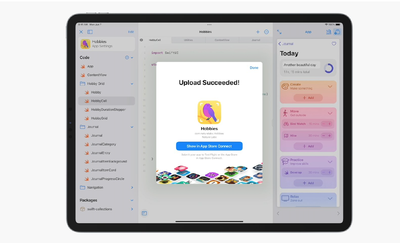
In iPadOS 15, Swift Playgrounds features the ability to create iPhone and iPad apps using Swift UI. Swift Playgrounds app project packages can also be opened and edited in Xcode on a Mac, giving users the option to develop apps across the iPad and Mac.
Code is immediately reflected in the live preview when building apps, and users can run their apps full screen to test them out. Created apps can be submitted to the App Store directly in Swift Playgrounds.
Popular Stories
Thursday August 27, 2026 7:58 am PDT by Joe Rossignol
The new Mac mini and Mac Studio models unveiled by Apple this week are the company's first new Macs announced in August since 2020.
It is extremely rare for Apple to announce new products of any kind in August, excluding smaller things like new color options and accessories.
As mentioned, Apple's last notable August product announcement was in 2020, when it updated the 27-inch iMac and a...
Wednesday August 26, 2026 9:02 am PDT by Juli Clover
Apple plans to hold its annual iPhone-centric event on Wednesday, September 9 at the Apple Park campus in Cupertino, California. The event will begin at 10:00 a.m. Pacific Time, with select members of the media invited to attend.
Subscribe to the MacRumors YouTube channel for more videos.
The September 2026 iPhone event will see Apple announce the iPhone 18 Pro, the iPhone 18 Pro Max, and the ...
Thursday August 27, 2026 8:00 am PDT by Joe Rossignol
Apple has announced that it will be holding an event on Wednesday, September 9 at 10 a.m. Pacific Time, with the company widely expected to unveil the iPhone 18 Pro, iPhone 18 Pro Max, its first-ever foldable iPhone, and more.
Other products expected to be announced at the event include an Apple Watch Series 12 with a ceramic case option, an Apple Watch Ultra 4, AirPods 5 with and without...