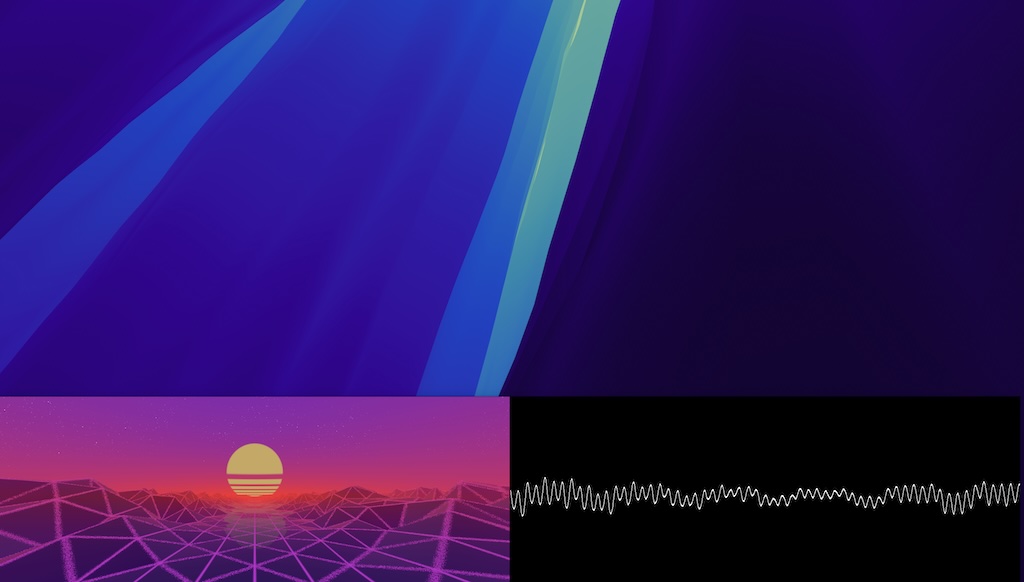
I wanted to try out cross platform development with rust and created a sound visualization HUD - a bar or window that can be resized and configured to show different visualizations that are WGSL shaders. There are some simple ones included, but you can create your custom ones. With the app in focus just hit the key “c” to open the settings, where you can add or remove different panels.
Download

Vizzdom2 Visualizer
macOS (ver. 0.1 alpha)
Track: Home - Hollows
I converted an awesome synth wave shader I found on shadertoy using naga and a little bit of manual editing. macOS is somewhat lacking when it comes to window managment, so currently I resize the other windows manually to make space for the visualization bar below. But if you do that, your productivity can increase by up to 20% 🙃
Changelog
04/26
- Added a waveform panel
- Updated eframe - the app does not run when in background anymore
- doubled the framerate keeping same cpu usage
Notes
Currently the value “energy” passed to the shaders is a simple rms. Also the most recent samples are passed to the shaders and the min/max values are in the textures r and g channels to show draw a waveform.
I used egui and eframe and wgpu for the ui, which worked great, and Cidre for working with the apple audio api. I think I could get the CPU down more with a higher frame rate (currently 30fps), but I need to figure out where the overhead is coming from. Luckily with the latest egui version 0.34 the render loop does not run for hidden apps, so it consumes no CPU when hidden!
If you are looking for a frequency visualizer that also includes a driver to record and a parametric EQ, check out this tool.