Jotform Claude Connector
Claude Form Builder
Build Jotform forms directly in Claude using simple prompts. This integration connects your forms to Claude, allowing you to generate, edit, and manage them conversationally. With support for Jotform MCP, you can also use a more visual interface while retaining full control over your forms and submissions.
How to use Jotform with Claude

Connect Jotform to Claude
Log in to Claude and connect your account by activating Jotform in the “Connect your Tools” settings.
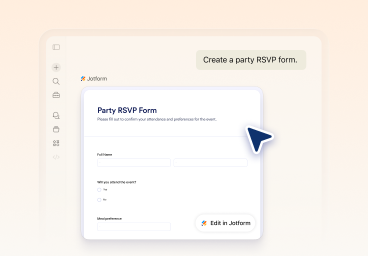
Create and refine your form in chat
Start with a prompt, then refine your form conversationally— modifying fields, updating questions, and adjusting settings, layout, and styling directly in Claude.
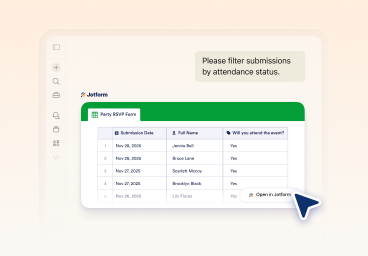
Analyze submissions and optimize results
Use Jotform Claude App to view forms, filter submissions by date, status, or specific fields, and generate insights to improve performance.
What you can do with Jotform Claude App
Generate forms from prompts
Create complete forms by describing what you need.
Create clear and relevant questions
Update questions, settings, and structure with a single ask, without rebuilding your form.
Design forms visually
Change themes, layouts, and styling directly in Claude as you build your form.
Add, remove, and reorder fields
Add, remove, and reorder fields at any time. Refine your form structure as your needs change without starting over.
List and manage your forms
View all your forms and select one to update or continue working on instantly.
View and filter submissions
Pull response data and filter by date, status, keywords, or field values.
Analyze form responses with AI
Analyze form responses with AI to understand your data. Summarize submissions, identify trends, and get recommendations based on real responses.
Do more with the Jotform Claude App
See how the Jotform Claude integration works in real scenarios. Each example starts with a simple prompt and continues through creation, refinement, and analysis.
Power Up Your Business

Start using the Jotform Claude App
Create forms, edit them in chat, and manage submissions without leaving Claude.
FAQ
What is the Jotform Claude App?
Jotform Claude App connects your Jotform account to Claude. It enables users to create forms, edit fields, and manage submissions directly in chat using natural language.
How do I connect Jotform to Claude?
How do I set up Jotform MCP with Claude?
Can I create forms in Claude using Jotform?
Can I edit forms after creating them in Claude?
Can I view and manage submissions in Claude?
Can Claude analyze form responses?
Does Claude store or manage my form data?
What types of forms can I create with Claude Jotform integration?
Do I need coding skills to use Jotform with Claude?