Apple’s MacBooks haven’t always been monolithic, barely repairable slabs of aluminum, glass, and glue. They used to be almost delightful in their repairable features, from their batteries to their Wi-Fi cards. Powerbooks, iBooks, and especially early MacBooks showed what happens when Apple applies its design skills directly to repairability and maintenance, instead of to thinness above all. Today we’re going to take a look at the best repairability features that Apple has ditched.
The iBook’s removable Keyboard
Just like Lenovo’s T14 and T16 lines, which just picked up a 10/10 repairability score from iFixit, Mac laptops used to have easy to replace keyboards; you only needed a screwdriver.

To remove the keyboard on G3 and G4 iBooks (including the clamshell aka toilet-seat model), you just had to slide down a pair of spring-loaded tabs along the keyboard’s top edge. There was also a plastic latch, or locking screw, which had to be turned 90 degrees to unlock it. This could be done with a fingernail. To get to the other end of the keyboard’s ribbon connector, you’d unscrew four Philips screws to remove the AirPort Wi-Fi card shield, and then unlatch the connector.
Compare this to the current MacBook Air, which requires a full disassembly to get to the keyboard, and even then it’s attached to a milled aluminum chunk, which also has to be replaced. A laptop keyboard is a wear part and is possibly the most easily damaged part of the whole machine. It should be easy to access and replace. There are no excuses here.
Battery
A few of the iFixit team just spent a week at Barcelona’s Mobile World Congress, helping Lenovo to demonstrate its new 10/10 laptops. One the last day of the show, students can attend for free, and they were super-interested in such a repairable machine. These folks are young enough that they have never seen what used to be the industry norm: modular laptops that could be completely repaired with nothing but a screwdriver. I got to wondering how they’d react to seeing some of Apple’s neat battery-removal schemes over the years.

In iBooks and early MacBooks the battery formed a part of the case. You’d unlock it by turning a slot with a coin, and then angle the battery off. That was it.
The aluminum G4 Powerbook was even easier. Just slide the two battery release tabs with your thumbs, and lift

This was an era where people would carry spare batteries for their laptops and hot-swap them on the go. Today, battery life is much longer, and we can use USB-C power banks to extend that even further. But batteries always wear out and need to be changed. Glueing them into place, or hiding them under screens, or both (we’re looking at you, all iPad models ever) is anti-repair, and anti-user.
One of my favorite MacBook battery designs is from the early 2010s. Unlike the MacBook Pro models of the same era, which required that you remove the entire bottom cover to access the consumable parts, the plain unibody MacBooks had an access hatch that was unlocked and opened with a very satisfying latch/lever mechanism:

The battery itself had a plastic tab to help pull it out. But that access hatch revealed, as we shall see now, a beautifully clever cubbyhole that also housed RAM and storage.
RAM and HDDs
Along with the battery, it is essential that you can swap out RAM and storage on your computer. Mostly this won’t be because they break (though of course it does happen), but because they become insufficient. Historically, memory and storage sizes have grown as prices have dropped, which meant that it was easy to add both to an aging laptop. Modular RAM and HDDs/SSDs are essential to this. I have transformed the performance of old HDD-based Macs by swapping in SSDs, and I’ve even removed optical drives (CD and DVD) and replaced them with yet more SSDs.
With today’s sky-high RAM prices it’s even more important not to waste it by soldering it to the main board. If your computer uses modular RAM, then you can even pull those sticks out of your old machine and use them in a new one.

Apple’s laptops have put the RAM in two main spots. One is behind the keyboard, which is likely one of the reasons those keyboards were so easy to remove. They essentially doubled as service hatches for the RAM. At the time, non-replaceable RAM would have been unthinkable, so Apple had to make it accessible.
The other spot was behind the battery. Remember that Unibody MacBook hatch we saw earlier? Once you’d opened it up and pulled out the battery, you could remove an L-shaped bracket (with a few captive screws) to access the RAM slots, and also just pull out the hard drive using another handy tab. Even the trackpad adjustment screw was right there. Today, few machines make it as easy to access essential parts.

Now is a good time to mention technological evolution. Apple’s M-series laptops are marvels in terms of battery life and performance, in part thanks to the integration of the memory onto the main board, in Apple’s “unified memory” architecture. This puts the memory close to the CPU and GPU, and allows it to work at much higher speeds. One could argue (and Apple certainly would) that modular RAM and storage are holding things back.

Fortunately for repairability, Micron came up with LPCAMM2, a modular memory format that is as fast, and as power-efficient, as soldered memory. It also takes up less space on the board. This isn’t to argue that Apple should switch to LPCAMM (although it should), but that it could give its M-series chips user-replaceable RAM without sacrificing speed, if only it cared to.
And it’s worth mentioning here that modularity does not mean making big, thick, heavy laptops. Lenovo’s new ThinkPad is more modular than the previous model, and still weighs 100 grams less.
AirPort

Finally, let’s look at a very retro access. Back in 2000, you could buy a G3 iBook without Wi-Fi. Instead it packed a modem, and an Ethernet port. To add Wi-Fi, you’d buy an AirPort card, created back when Apple was still good at naming things. In the iBook, it sat behind the keyboard which, as we’ve seen, was very easy to remove. The card was kept in place by a sprung wire retainer that was equally easy to use.
Today, every laptop comes with Wi-Fi, but even in the ultra-repairable ThinkPad T14 Gen 7, the Wi-Fi card is soldered to the board, not modular, making future upgrades harder. This might seem like a small gripe, but if you really want to keep a laptop going for a decade or more, then you have to be able to keep up with evolving connectivity specs.
The biggest shame in Apple’s complete abandonment of designed-in repairability is that its laptops are some of the longest-lasting around. MacBooks are tanks, and Apple is great about supporting old hardware with software and security updates. I have an old 2012 MacBook Air running Linux. I swapped the HDD for an SSD, maxed out the RAM, and dropped in a new battery, and I see no reason it wouldn’t easily keep rolling for another 10 years.
The current MacBooks? You can’t upgrade anything in there. Nothing. The battery can be replaced, and that’s really it. And remember, the brand-new-in-2026 MacBook Neo only comes with an 8GB RAM option. Yes, it’s perfectly possible to use an Apple Silicon Mac with 8GB RAM (I’ve done it), but it leaves zero space for future expansion, all while Apple has been increasing RAM everywhere else to let it run its memory-hogging Apple Intelligence features.
Imagine if Apple put as much thought into repairability as it did into tricking users into updating to the latest OS version, or making the UI much harder to read. It could make repairability fun and desirable in the market. And as with everything Apple does, the rest of the industry would copy it, which would be amazing.
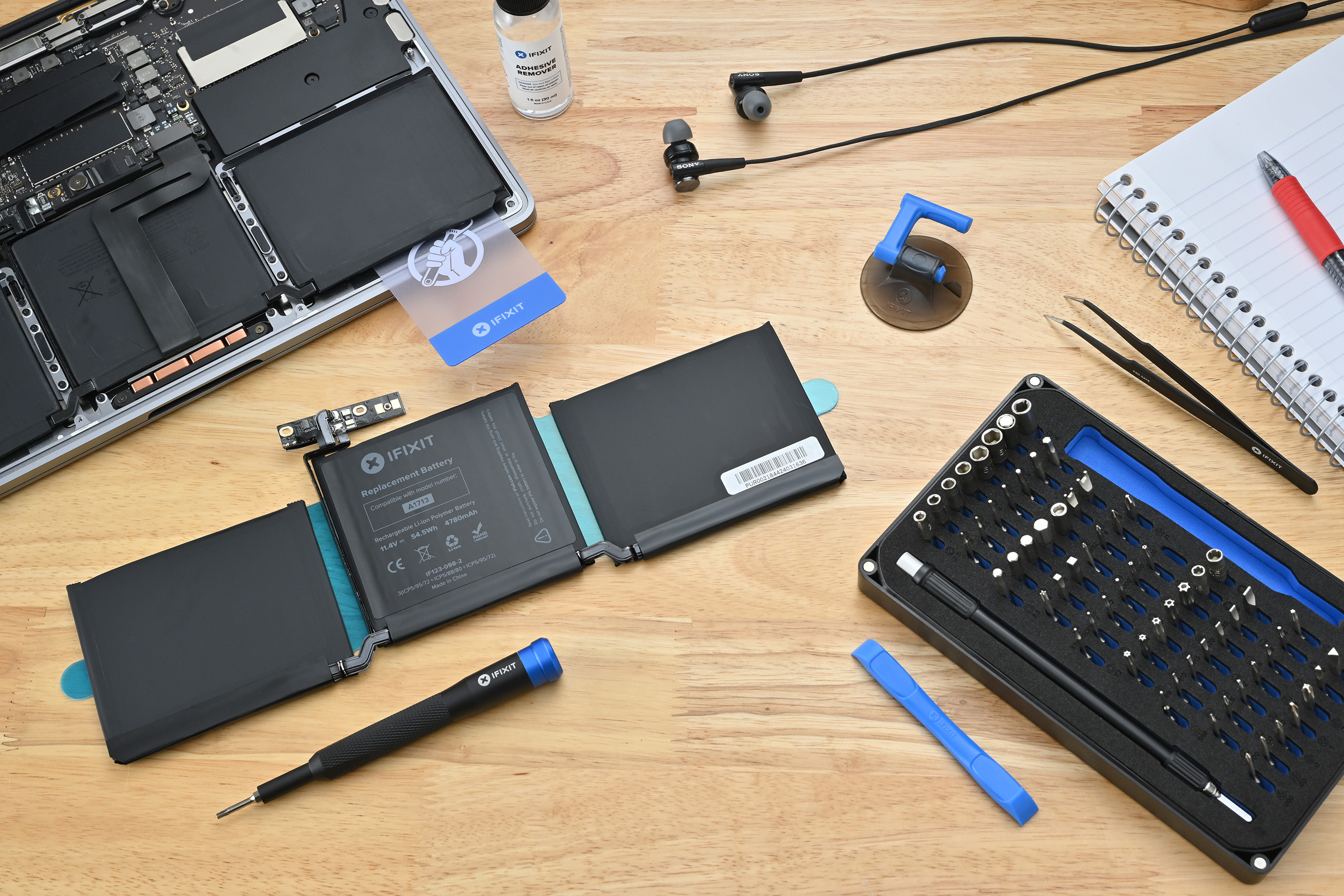
Not as easy as it once was…
But we’ve still got lots of MacBook parts.