
| A hierarchical note taking application, featuring rich text and syntax highlighting, storing data in either a single file (xml or sqlite) or multiple files and directories. Written by Giuseppe Penone (aka giuspen) and Evgenii Gurianov (aka txe). The user manual online html and downloadable ctb written by Ellie Borden (currently old and discontinued). The following languages are supported (If you want to help translating to your language write me): |
features  stable  testing source  bug tracker  third party  |



 features :
- rich text (foreground color, background color, bold, italic, underline, strikethrough, small, h1, h2, h3, h4, h5, h6, subscript, superscript, monospace)
- syntax highlighting supporting several programming languages
- images handling: insertion in the text, edit (resize/rotate), save as png file
- latex math equations rendering
- embedded files handling: insertion in the text, save to disk
- multi-level lists handling (bulleted, numbered, to-do and switch between them, multiline with shift+enter)
- simple tables handling (cells with plain text), cut/copy/paste row, import/export as csv file
- codeboxes handling: boxes of plain text (optionally with syntax highlighting) into rich text, import/export as text file
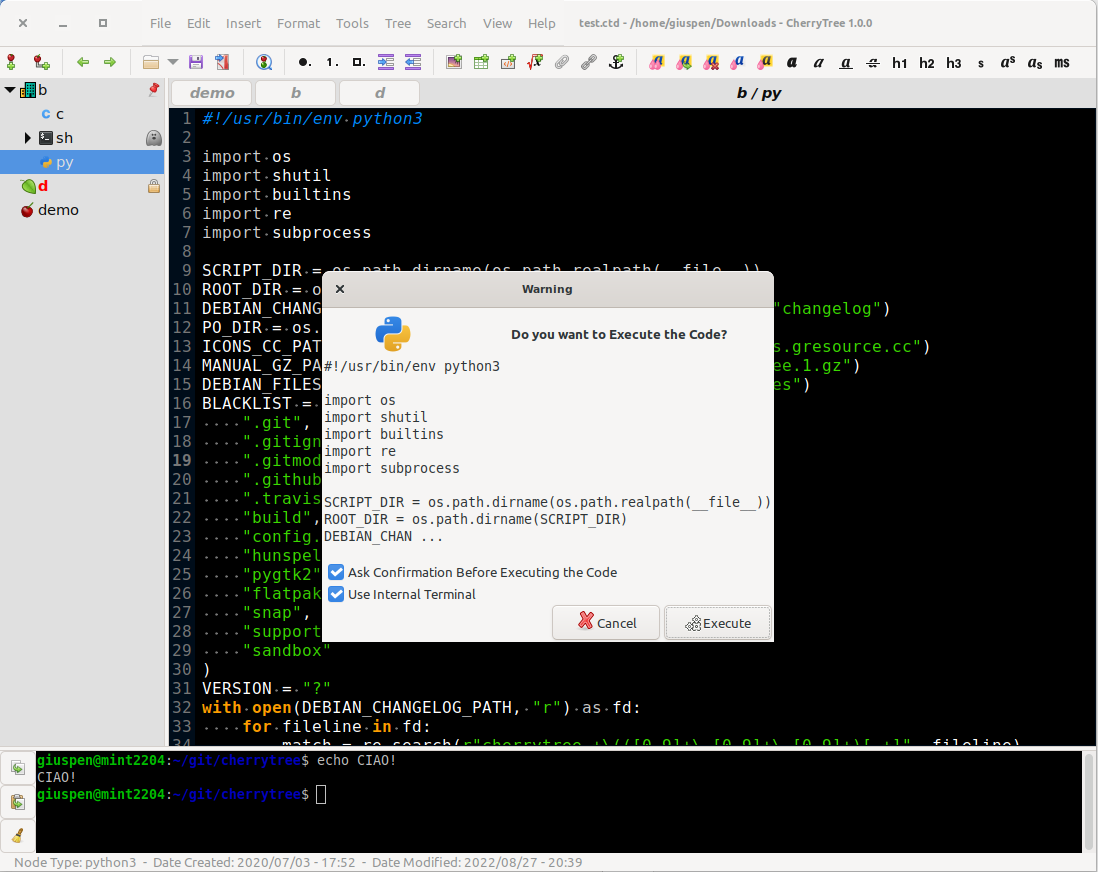
- execution of the code for code nodes and codeboxes; the terminal and the command per syntax highlighting is configurable in the preferences dialog; an embedded terminal is available on linux and mac os
- alignment of text, images, tables and codeboxes (left/center/right/fill)
- hyperlinks associated to text and images (links to webpages, links to nodes/nodes + anchors, links to files, links to folders)
- spell check (using gspell)
- intra application copy/paste: supported single images, single codeboxes, single tables and a compound selection of rich text, images, codeboxes and tables
- cross application copy/paste (tested with libreoffice and gmail): supported single images, single codeboxes, single tables and a compound selection of rich text, images, codeboxes and tables
- copying a list of files from the file manager and pasting in cherrytree will create a list of links to files, images are recognized and inserted in the text
- print & save as pdf file of a selection / node / node and subnodes / the whole tree
- export to html of a selection / node / node and subnodes / the whole tree
- export to plain text of a selection / node / node and subnodes / the whole tree
- toc generation for a node / node and subnodes / the whole tree, based on headers h1, h2, h3, h4, h5, h6 and text sections between headers collapsible
- find a node, find in selected node, find in selected node and subnodes, find in all nodes
- replace in nodes names, replace in selected node, replace in selected node and subnodes, replace in all nodes
- iteration of the latest find, iteration of the latest replace, iteration of the latest applied text formatting
- import from html file, import from folder of html files
- import from plain text file, import from folder of plain text files
- import from basket, cherrytree, epim html, gnote, keepnote, keynote, knowit, mempad, notecase, rednotebook, tomboy, treepad lite, tuxcards, zim
- export to cherrytree file of a selection / node / node and subnodes / the whole tree
- password protection (using http://www.7-zip.org/) available only for storage as single file – NOTE: while a cherrytree password protected document is opened, an unprotected copy is extracted to a temporary folder of the filesystem; this copy is removed when you close cherrytree
- tree nodes drag and drop
- automatic link to web page if writing the URL
- automatic link to node if writing node name surrounded by [[node name]]
Download last stable version 1.7.2 (August 22nd, 2026 – changelog) :
 Source code (GPLv3+): cherrytree_1.7.2.tar.xz
with signature cherrytree_1.7.2.tar.xz.asc and key: gpg --keyserver keyserver.ubuntu.com --recv-keys C7BF38CE0BD442C2369AA984049128A20CE0648D gpg --verifyPATH.tar.xz.asc
( NOTE: also available under github releases )


 Ubuntu bionic 18.04 LTS / focal 20.04 LTS / jammy 22.04 LTS / noble 24.04 LTS / resolute 26.04 LTS
giuspen PPA:
sudo add-apt-repository ppa:giuspen/ppa
sudo apt update
sudo apt install cherrytree
https://launchpad.net/~giuspen/+archive/ubuntu/ppa/+packages
 Debian 13/LMDE 7 cherrytree_1.7.2-2~Debian13_amd64.deb
Debian 12/LMDE 6 cherrytree_1.7.2-2~Debian12_amd64.deb
 COPR repo from @bcotton https://copr.fedorainfracloud.org/coprs/bcotton/cherrytree/
 AppImage CherryTree-1.7.2-x86_64.AppImage (all in one file, after downloading make it executable and then run it from a terminal or just double click)
 Flatpak https://flathub.org/apps/details/net.giuspen.cherrytree
 Snap https://snapcraft.io/cherrytree
 Mac OS X Installer (by @dehesselle) https://gitlab.com/dehesselle/cherrytree_macos/-/releases
or Homebrew https://formulae.brew.sh/formula/cherrytree
or Mac Ports https://ports.macports.org/port/cherrytree
 Microsoft windows installer: cherrytree_1.7.2.1_win64_setup.exe [variant without-latex; old pygtk2 cherrytree_0.39.4_setup.exe]
Microsoft windows portable archive: cherrytree_1.7.2.1_win64_portable.7z (look for ucrt64/bin/cherrytree.exe; for portable config put config.cfg in portable folder root, beside license.txt) [variant without-latex; old pygtk2 cherrytree_0.39.4_win32_portable.7z]
 Code Signing Policy:
– Free code signing for the Windows binaries provided by SignPath.io, certificate by SignPath Foundation
– This program will not transfer any information to other networked systems unless specifically requested by the user or the person installing or operating it
– Approver: Giuseppe Penone
sha256sum *
848c0478f8aa4ec2e932ed00ee6c6618f21b197bbd7fea1bafdd8456468d7d45 *cherrytree_1.7.2.tar.xz
659fd0b54d5a966decb9b7a07621e1282ee744877217696c6a2f5b197443ccb9 *cherrytree_1.7.2.tar.xz.asc
81048bf7b326516dace5a7078794d7bbe05ec44d5d7be9492f304b8347a4f898 *cherrytree_1.7.2.1_win64_setup.exe
8d04f772e56d588c21ecf7f8e165e17a6d12de764747f687598a4bdb69f5c45c *cherrytree_1.7.2.1_win64_setup_nolatex.exe
d183f6a43ea51b7b2e183600e22ab4afe9afa4e042d2862c26ea38056e463272 *cherrytree_1.7.2.1_win64_portable.7z
e4df340a80e96e7bd18257736549294315212a2874587249a273e237fea37e4f *cherrytree_1.7.2.1_win64_portable_nolatex.7z
fa0e0fb4e6f1980e550c393705455fa60a768f78f35be71b97663784729a34e1 *CherryTree-1.7.2-x86_64.AppImage
116fc2d99dfb4395fcaafdbc982f83ef82750d68aee324b366c036601d5051fb *cherrytree_1.7.2-2~Debian13_amd64.deb
176cadee37218e325d8217072849a82d3acbcb2c8cdb2a83b496d45bf6e55df5 *cherrytree_1.7.2-2~Debian12_amd64.deb
 resides in applications–accessories–cherrytree
download testing version:
(v1.7.1+8, last updated August 17th, 2026) Linux AppImage: CherryTree-1.7.1+8-x86_64.AppImage (all in one file, after downloading make it executable and then run it from a terminal or just double click)
Windows installer cherrytree_1.7.1.0+8_win64_setup.exe or portable archive cherrytree_1.7.1.0+8_win64_portable.7z (look for ucrt64/bin/cherrytree.exe; for portable config put config.cfg in portable folder root, beside license.txt)
sha256sum *
98a71e83d0d83158e714fdc048aa43dafdb281e81ccdb5cd218edf43e7136008 *CherryTree-1.7.1+8-x86_64.AppImage
dbc973951d84f995c3617661167b06b0ecda47ae059ba939d0477c1a84d56d31 *cherrytree_1.7.1.0+8_win64_portable.7z
63e1fb623940dc7a74797518df3f35c88ca36de3f6a5654de53fa9a2caf5d9d3 *cherrytree_1.7.1.0+8_win64_setup.exe
source code :
the source code is version controlled with git and hosted by github.
you can get a clone of the cherrytree git repository issuing the command:
git clone https://github.com/giuspen/cherrytree.git git submodule update --init
third party:
outstanding third party Android project: SourCherry
enhanced web interface post export to HTML: cherrytree-notes-web-interface