Developing in Django can sometimes feel cumbersome, especially when it comes to writing out all the template tags and filters by hand. Recognizing this challenge, my colleague Maikel and I set out to simplify the process by providing helpful code suggestions. This led to the creation of Django Template LSP, a language server designed to enhance your templating experience by offering autocompletions for template tags, filters, statements and view context. With Django Template LSP, we aim to streamline your development workflow and make working with Django templates more intuitive and efficient.
Why Django Template LSP?
If you've ever spent time building out templates in Django, you know how quickly small tasks can add up. Manually typing out repetitive tags like {% csrf_token %}, {% url '...' %}, and {% static '...' %} can feel tedious, especially in larger projects with numerous templates. Traditional Django workflows also lack real-time support for navigating between views, templates, and context definitions, which can disrupt development flow and slow down debugging.
Django Template LSP addresses these issues head-on by bringing a smarter, more efficient editing experience to Django templates. Whether you’re writing custom tags and filters, specifying URL paths, or simply trying to recall the right syntax, Django Template LSP is here to help.
How Django Template LSP Works
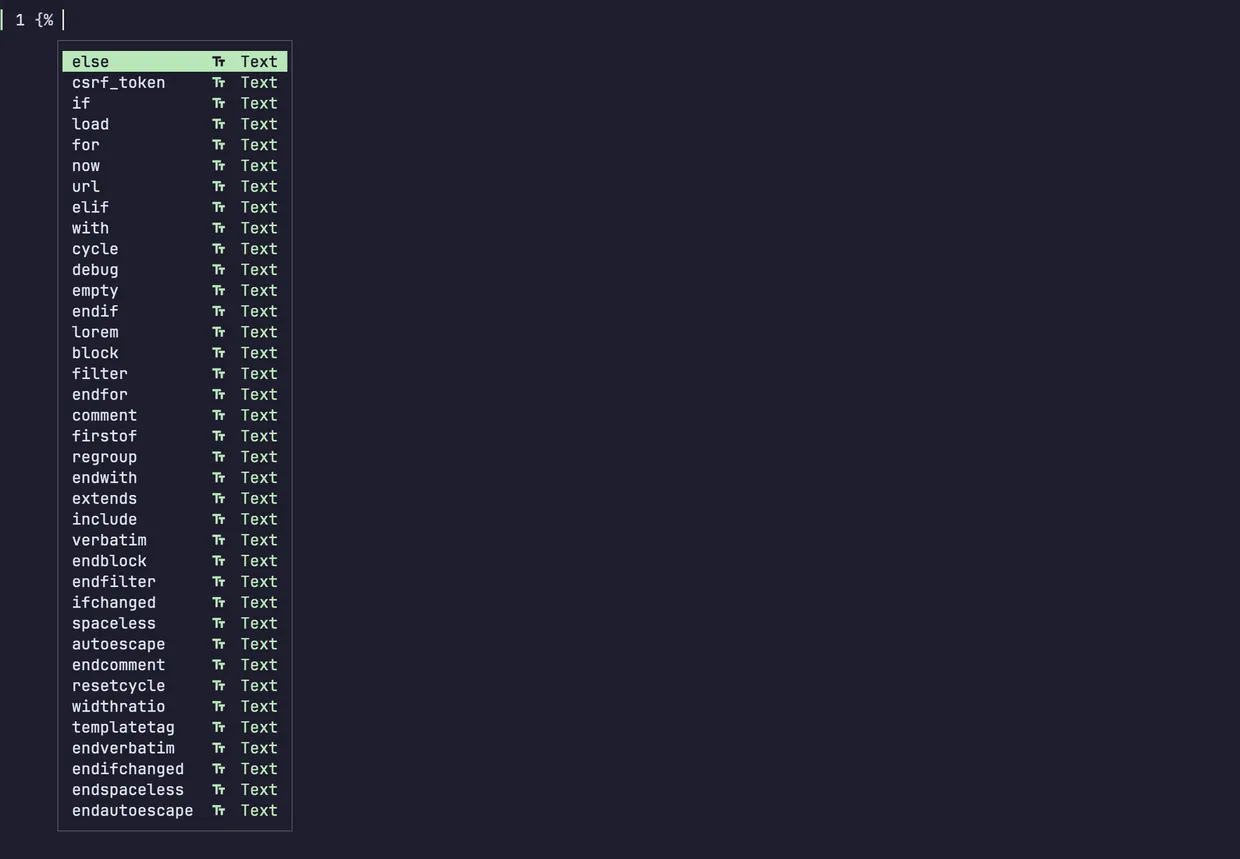
Django Template LSP integrates directly into your code editor (with support for Neovim, Helix, and VSCode), providing intelligent autocompletion, navigation, and hover documentation. Here’s a quick look at what Django Template LSP offers:
- Completions: Auto-suggests template tags, filters, and statements as you type, minimizing the need to remember exact syntax. Custom tags and filters,
{% load %}statements,{% static %}, and{% url %}are all supported. - Navigation: Easily jump to definitions within your template files, including the templates referenced in
extendsandincludestatements or views linked in{% url %}tags. - Hover Documentation: See inline documentation for tags, filters, and URL patterns to understand their purpose without breaking your flow.
Django Template LSP is compatible with Django versions 3.2 through 5.0 and works with Python versions 3.10 to 3.12, making it flexible for a wide range of projects.
Examples in Action
Let's walk through a few examples that show how Django Template LSP enhances the template editing experience.
Autocompleting Tags
Imagine you’re setting up a basic form with CSRF protection. In a standard Django template, you would need to manually type:
{% csrf_token %}With Django Template LSP, as soon as you start typing {% c, the server will suggest {% csrf_token %}, allowing you to complete the tag with a single keystroke. This not only speeds up your workflow but also helps prevent typos.
Autocompleting Custom Filters and Tags
When working with custom tags and filters, Django Template LSP recognizes them and suggests them just like built-in tags. For instance, if you’ve defined a custom filter called highlight, you’ll see it in the autocomplete list as soon as you type {{ value|h. This is particularly useful for larger teams, as it makes custom filters and tags easily discoverable to everyone on the project.
Template Navigation
With Django Template LSP, jumping between templates is straightforward. For example, if your base template includes {% extends "base.html" %}, you can easily navigate to base.html directly from your code. Similarly, for {% url %} tags, you can jump to the referenced view function, providing a seamless experience for exploring and understanding your codebase.
Using Type Hints with Django Template LSP
One of the powerful features Django Template LSP offers is support for type hints within templates, which helps you identify context variables directly in the template file. By specifying a type hint, you can access fields and methods of complex objects with autocompletion, reducing the need to switch back and forth between views and templates.
For instance, if you have a blog object from your Django model blogs.models.Blog, you can use a type hint like this:
{# type blog: blogs.models.Blog #}With this hint in place, Django Template LSP will recognize blog as an instance of blogs.models.Blog, making all fields and methods available in the autocompletion suggestions as you work within the template. This feature streamlines development by making it clear which context variables are available, enhancing both productivity and code readability.
The Future of Django Template LSP
Our goal is to continually enhance Django Template LSP to address the evolving needs of Django developers. Upcoming features might include improved support for more complex context navigation and support for additional Django versions.
Conclusion
Django Template LSP brings modern code intelligence to Django templates, transforming the experience from tedious and repetitive to smooth and efficient. By reducing the cognitive load of remembering syntax and navigating between files, Django Template LSP allows you to focus more on building features and less on boilerplate. We’re excited to see how it will enhance your development flow!
To get started or learn more, visit Django Template LSP on GitHub: https://github.com/fourdigits/django-template-lsp