Stop chasing documents over email. Start collecting them in  Intercom
Your customers upload large files right where you're already talking to them. Files go straight to your cloud storage - never touching our servers.
The Problem
Your customers need to upload documents via support tools like Intercom, but file size limits restrict uploads and create security and compliance headaches.
Large files bounce back, customers resort to email, sensitive data sits in inboxes, and your team wastes time chasing documents across multiple channels.
 The Solution
Fibre lets customers upload files directly in your support conversations and saves everything straight to your cloud storage - never touching our servers.
Files up to 100 GB per upload. Works with Google Drive, AWS S3, and Azure. Zero file persistence on Fibre infrastructure.
How it works
Set up Fibre in minutes and start collecting documents.
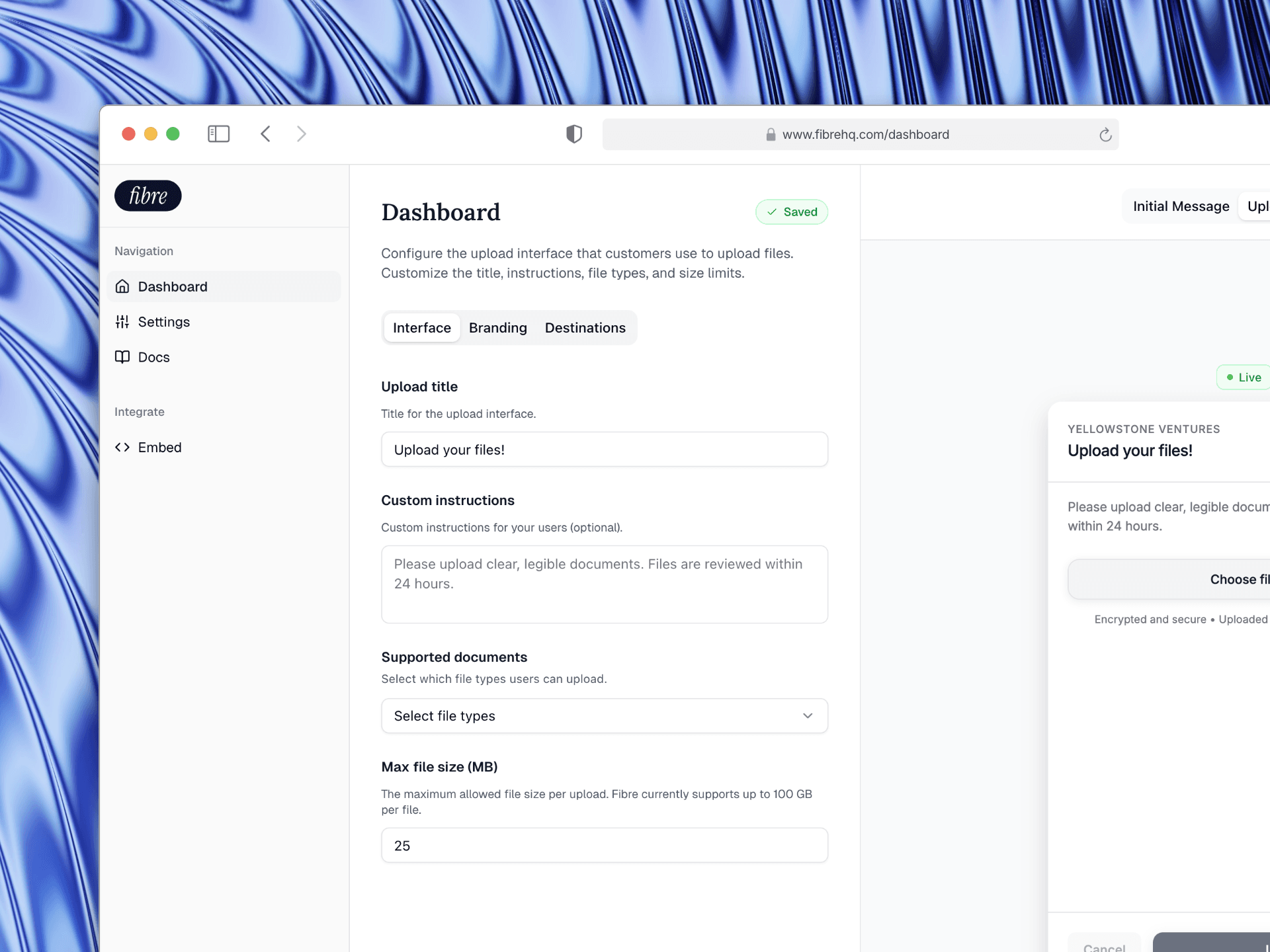
Connect your Intercom workspace and storage destination, then customize your upload interface. Customers upload files directly to your cloud storage - never touching our servers.
1
Sign up and connect your Intercom workspace, then customize your upload interface with branding, file types, and size limits.
Product Demo
Stop chasing documents before they become a problem
Every file upload goes directly from your customer's browser to your cloud storage. Fibre never touches your files, ensuring maximum security and compliance. See how it works in your support conversations.
Get started with Fibre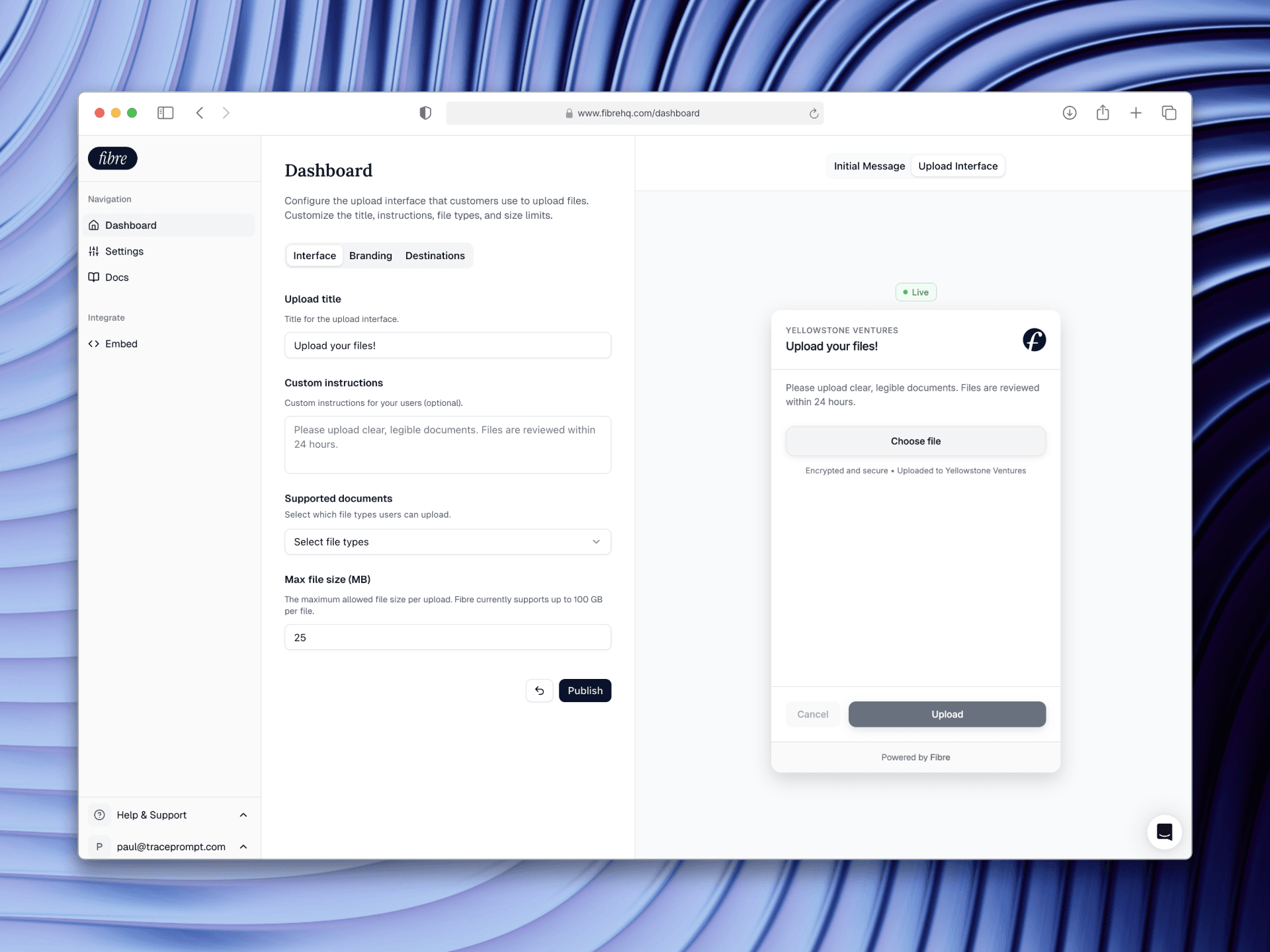
Embed Widget
Add file uploads to your website or app in seconds
Copy a single script tag and paste it into your HTML. The widget appears exactly where you need it - center, bottom right, or bottom left. Files upload directly to your cloud storage, never touching our servers.
Get started with Fibre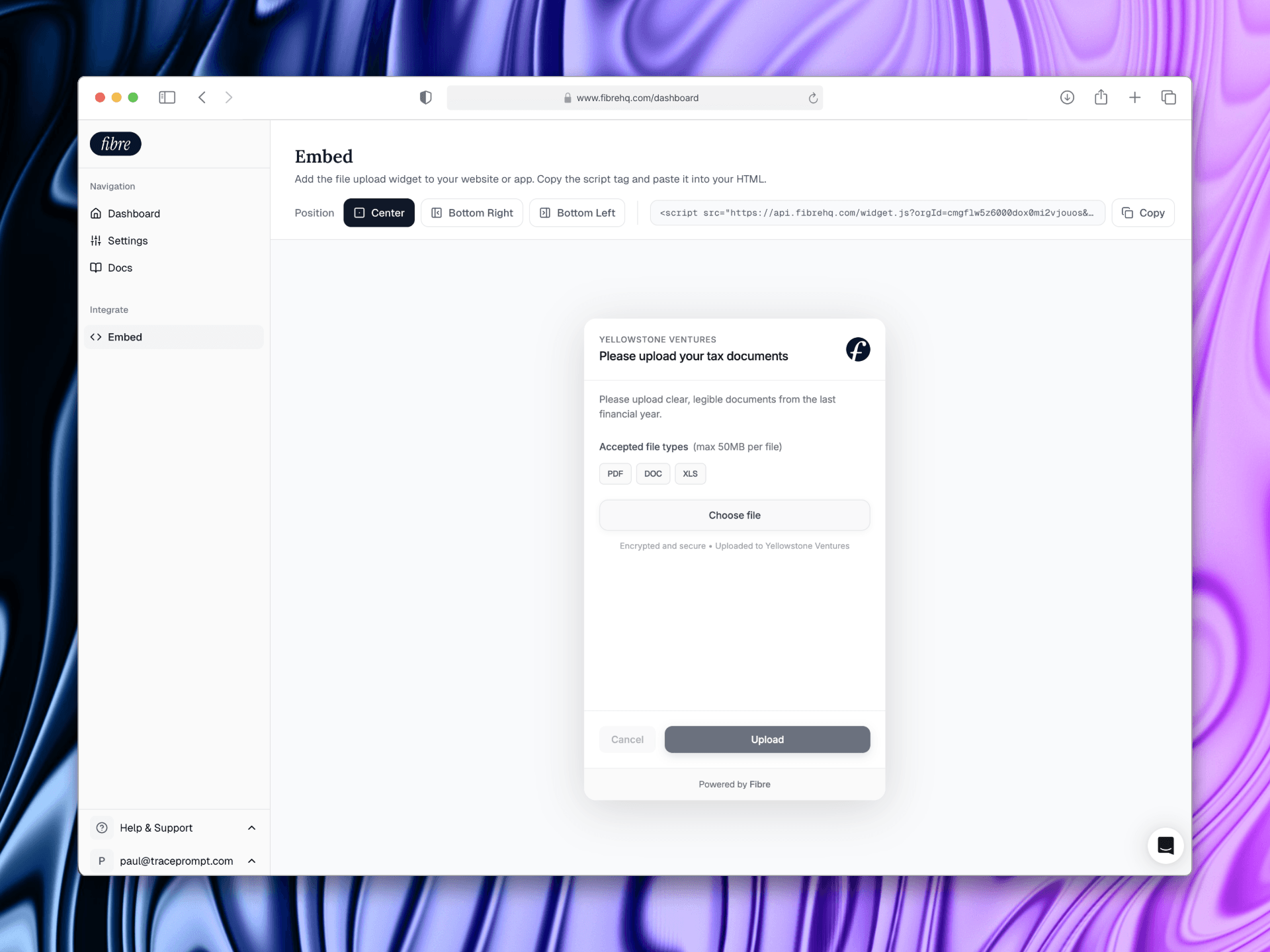
Ready to stop chasing documents?
Start collecting files directly in your support conversations. Files upload straight to your cloud storage - Fibre never touches them.