

By Bravoboard
Cheers to 2025: Quotes That Will Make You Smile and Reflect
Cheers to 2025! Whether you're planning your resolutions or just raising a toast, these New Year quotes for 2025 will make you laugh, reflect, and feel inspired. From witty one-liners to thought-provoking messages, this curated list is perfect for kicking off the year with gratitude, humor, and hope.
Looking for the right words to write in a group card or share on social media? We've gathered a collection of funny, heartfelt, and wise New Year quotes that are perfect for celebrating with friends, family, or colleagues. Start 2025 with a smile and a fresh perspective.
Ready to feel inspired? Let’s dive into the best quotes to make 2025 your most memorable year yet.
With the new year around the corner, here are some new year quotes. Some to make you smile, and some that make you think twice. We hope this brings joy and wonder to your new year!
“May all your troubles last as long as your New Year's resolutions.” – Joey Adams
"What the new year brings to you will depend a great deal on what you bring to the new year." – Vern McLellan
“Last year’s resolution was to lose 20 pounds by Christmas. Only 30 pounds to go.” – Anonymous
"Although no one can go back and make a brand new start, anyone can start from now and make a brand new ending." – Carl Bard
“I would lose weight for my New Year's resolution, but I hate losing.” – Anonymous
"The new year is a painting not yet painted; a path not yet stepped on; a wing not yet taken off!" – Mehmet Murat İldan
“My New Year's resolution is to stop procrastinating. But wait, I’ll start tomorrow.” – Anonymous
"A year from now, you're gonna weigh more or less than what you do right now." – Phil McGraw
“This New Year I’m going to make a resolution I can keep: no dieting all year long.” – Anonymous
"The bad news is time flies. The good news is you’re the pilot." – Michael Altshuler
"A year from now, you will wish you had started today." – Karen Lamb
"In the New Year, never forget to thank your past years because they enabled you to reach today! Without the stairs of the past, you cannot arrive at the future!" – Mehmet Murat İldan
“My New Year’s resolution is to break my New Year’s resolutions. That way I succeed at something!” – Anonymous
"Tomorrow is the first blank page of a 365-page book. Write a good one." – Brad Paisley
“Many people look forward to the New Year for a new start on old habits.” – Anonymous
"Your present circumstances don't determine where you can go; they merely determine where you start." – Nido Qubein
“My New Year's resolution is to be more positive and less sarcastic. Like I won't screw that up right away.” – Anonymous
“New Year’s is just a holiday created by calendar companies who don’t want you reusing last year’s calendar.” – Anonymous
“I’m resolving to just wing it and see what happens.” – Anonymous
Ready to collect messages? Create your board in 60 seconds.
Comments
Comments appear after a quick review (usually within 3 hours). Be kind and on-topic
No published comments yet — share yours and help the next reader.
See it in action
Explore the sample boards below, then create your own for your group.
Occasion and celebration boards
Browse sample boards and digital celebration walls for birthdays, holidays, work anniversaries, thank-yous, farewells, and more. Each link opens a real Bravoboard so you can see how people add messages and photos on a shared page—the same experience you get for personal boards. If you are also evaluating Bravoboard for a workplace, there are additional samples below for branding and admin-friendly privacy and moderation controls.
Sample board links open in a new browser tab.
Looking for workplace-oriented examples? Samples below cover branding, access rules, moderation, and embed settings.
Team plan
What guests see (Live boards)
Open a sample to experience the board the way a visitor does. For Opt-in & acknowledgement and Contributor question, open the board and then use Add message (or your board’s equivalent)—those controls appear on the new-post form, not the wall.
See your logo and background on the wall so the board feels on-brand for your organisation.

Guests must enter the password before they can see the board. Try adding a message, use BRAVO as the password to unlock.
Post with Code / Invite only
Anyone who can view the board still needs the posting code before they can add a message. Try adding a message, use invite code YOUROCK when prompted.
Open the board, then start a message—guests see your notice and must tick to acknowledge before they can post. Bravoboard records each acknowledgement with a timestamp.
Same flow: open the board, then add a message—guests see your custom yes/no checkbox (your wording). Look for [] I would like to be included in future opportunities, in this example.

Embed & domain restriction
The same board experience, meant to be embedded on sites you have allowlisted.
Guests never see moderation queues or approval screens—those are for board owners and team admins. Use the Screenshots — how teams govern boards row for post review settings and the pending queue.
Team plan
How teams govern boards (screenshots)
These panels are where your team set rules.
Click a screenshot to open a larger view. Cards with several panels group those steps together—use the arrows in the viewer to follow the workflow.
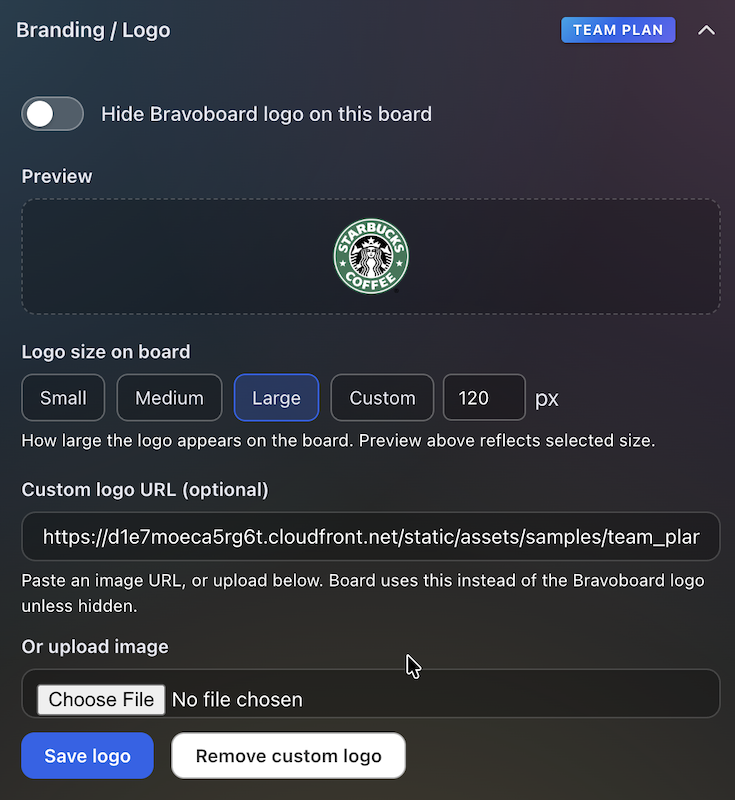
Settings for uploading a logo and background so every team board matches your visual identity.
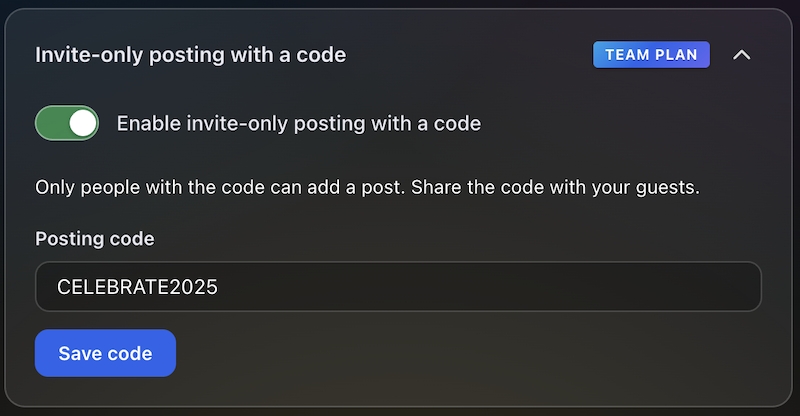
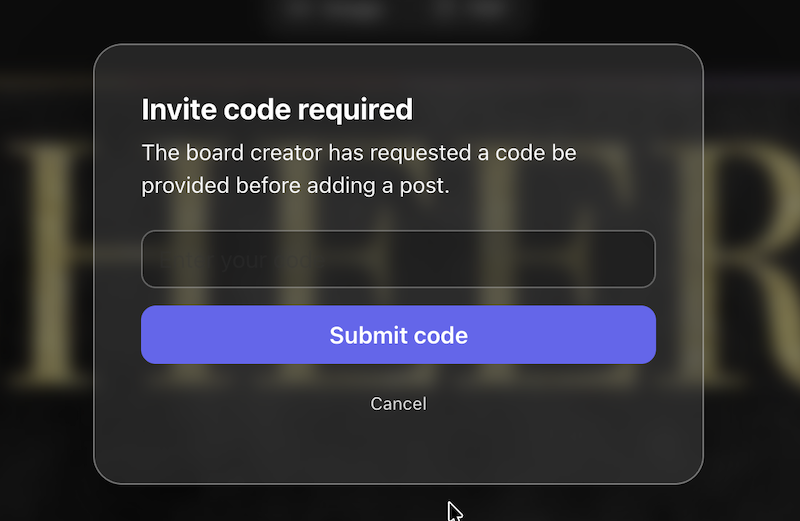
Post with Code / Invite only
Require a posting code for messages, or limit contributions to invited people only—so the wall stays readable while you control who can post.
The queue or settings where approvers accept or hold posts before they appear on the live board.
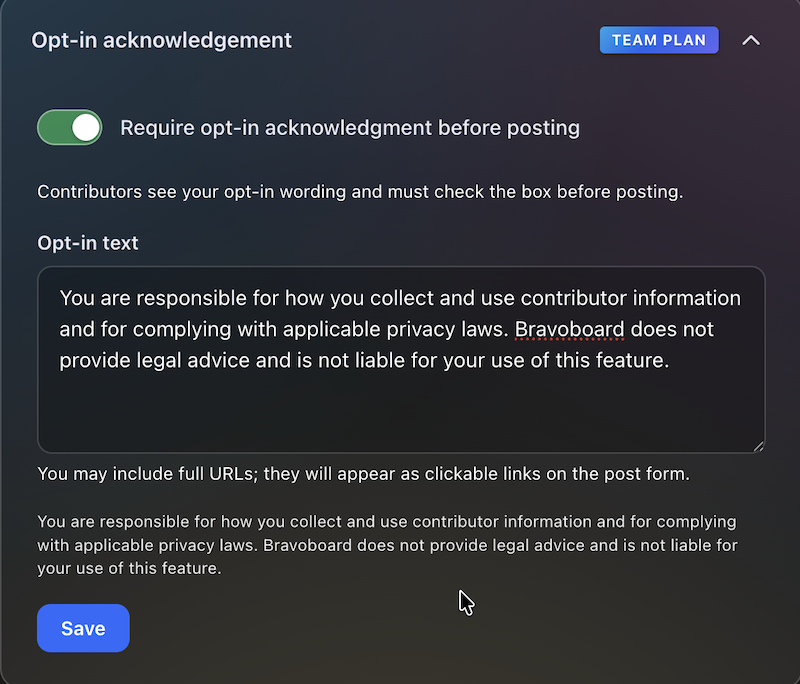
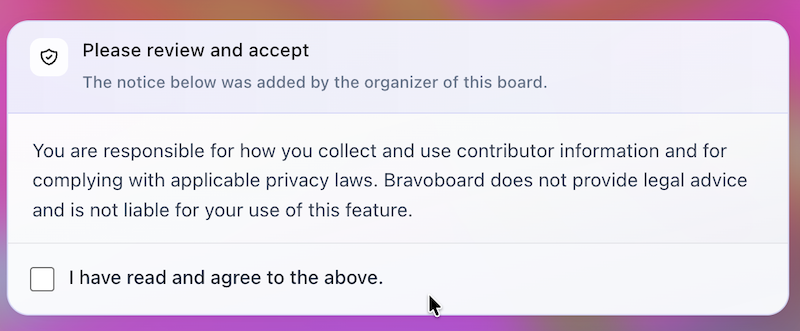
Turn on the notice contributors must read, edit the text, and require a checkbox before posting—acknowledgements are stored with timestamps for audits and CSV export.
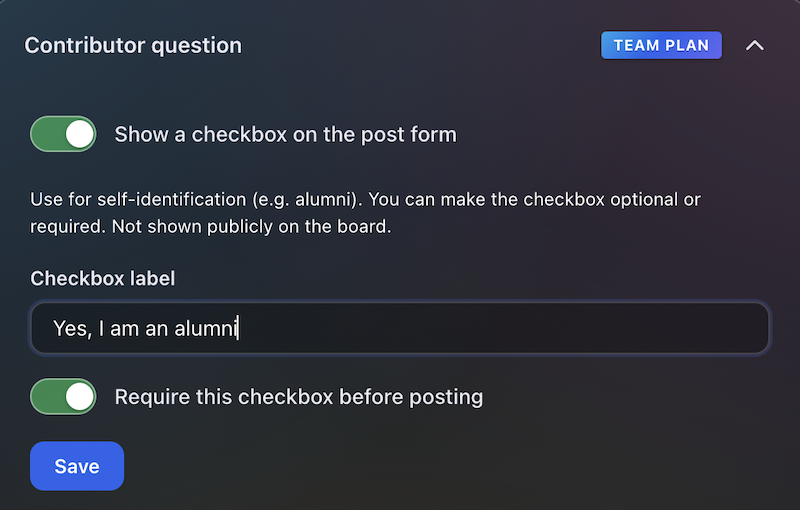

Contributors see this checkbox when they add a message. You write the label (for example self-ID or a light policy line), make it optional or required, and keep answers for admins and CSV export—not on the public wall.
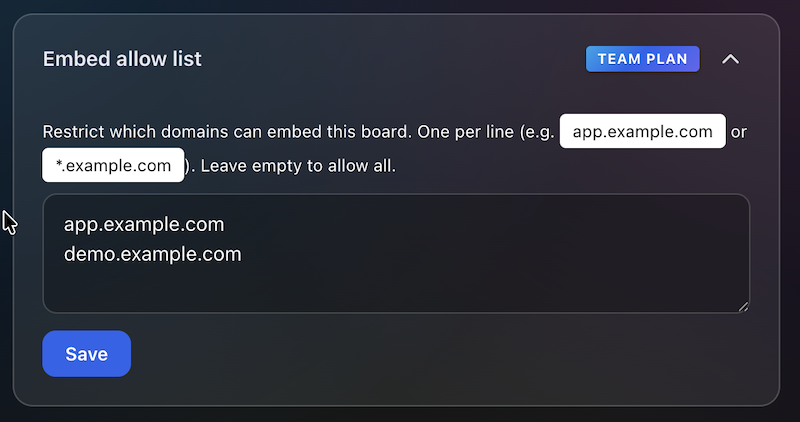
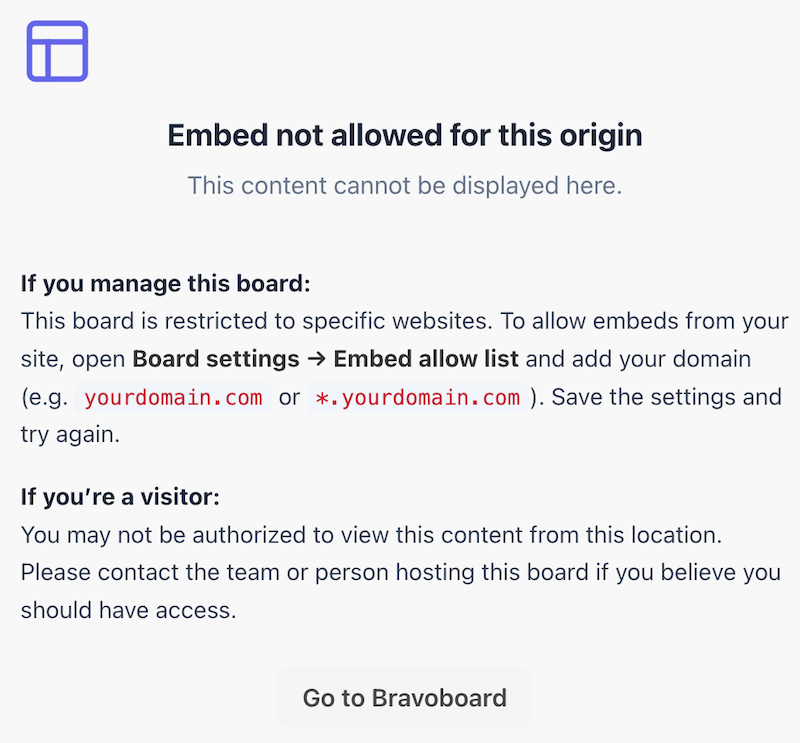
Allowlist the sites that may embed this board, so it does not appear on random third-party pages.
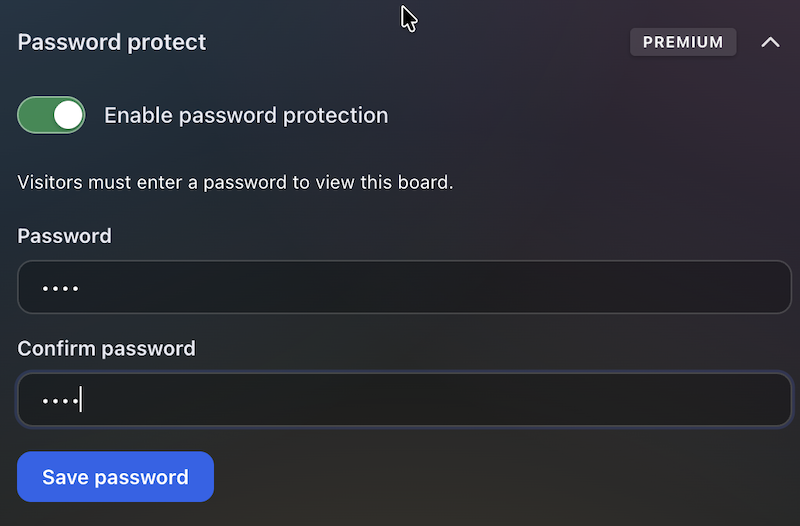
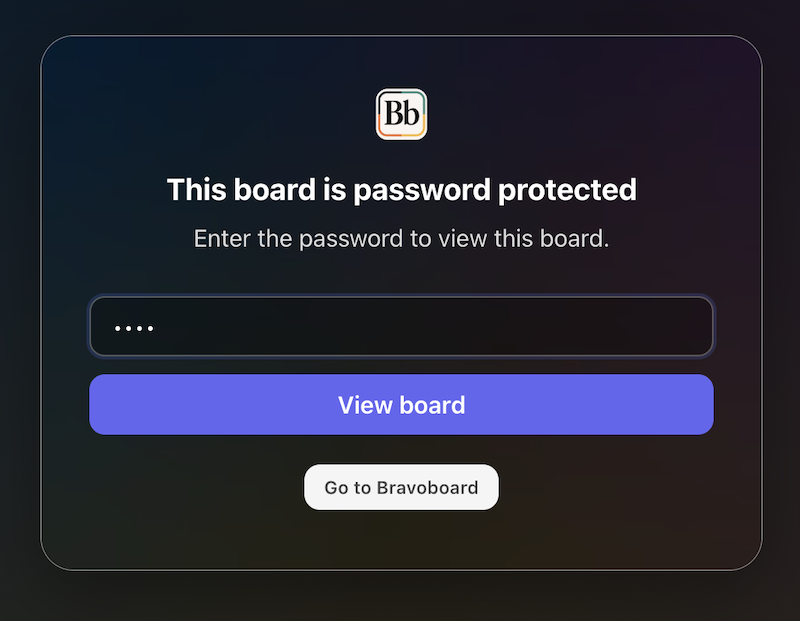
Set a password so visitors must unlock the board before they can read it—separate from posting rules, posting codes, and invite-only contribution.