🤩 There’s a very – VERY! – exciting animations/performance change available in Chrome Canary:
When their values don’t change throughout the animation, CSS width/height animations may run on the Compositor, instead of being forced to run onto the Main Thread.
~
So, we’ve always been told that animating CSS width and height is bad from a performance perspective, as that causes Layout in the rendering pipeline to happen. This still is true.
Animating width or height requires Layout … but perhaps that’s not always needed?
~
Taking a step back: to determine if an animation can run on the compositor or not, Blink (Chrome’s engine) does a bunch of checks. One of those checks is a check for the presence of width or height (and a bunch of other properties) in the keyframes. If you are animating any of those non-composable properties, the animation is forced to run on the Main Thread.
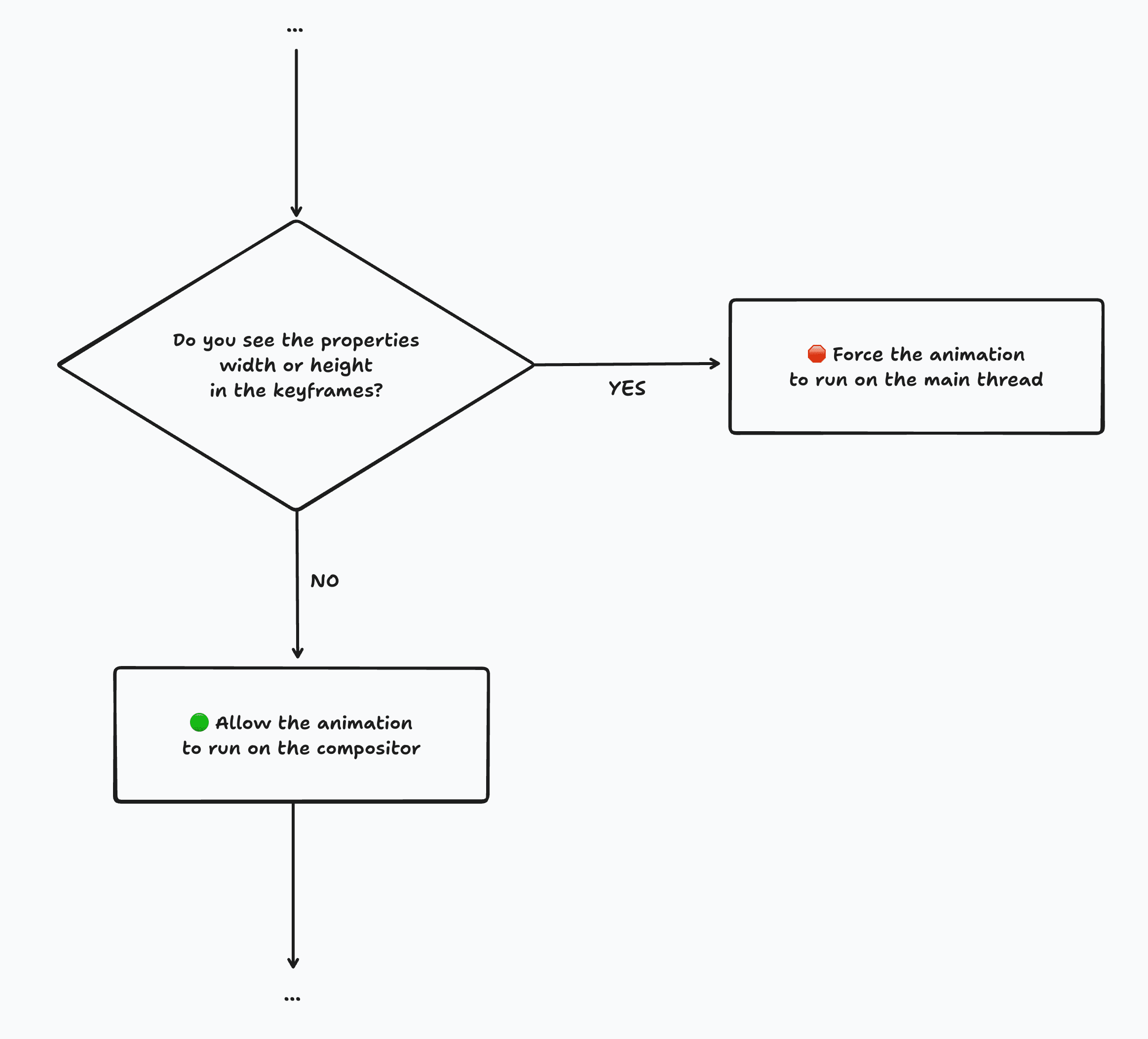
As you can see, that’s quite a rough check because when width or height don’t actually change throughout the animation, it will still be forced to run on the Main Thread … yet Layout will always return the same rectangles, so the Layout step was actually a waste of cycles.
@keyframes anim {
  from {
    height: 100px;
    opacity: 0;
  }
  to {
    height: 100px;
    opacity: 1;
  }
}height does not change in these keyframes, animations using these keyframes will be forced to run on the Main Thread (pre-Chrome 144.0.7512.0 behavior).~
So, you can probably see where this is headed: In Chrome 144.0.7512.0 (current Canary) we have extended the width/height check to check whether the width or height actually change or not.
💡 If width/height don’t change, then we don’t need to calculate Layout, so then we don’t need to force the animation to run on the Main Thread.
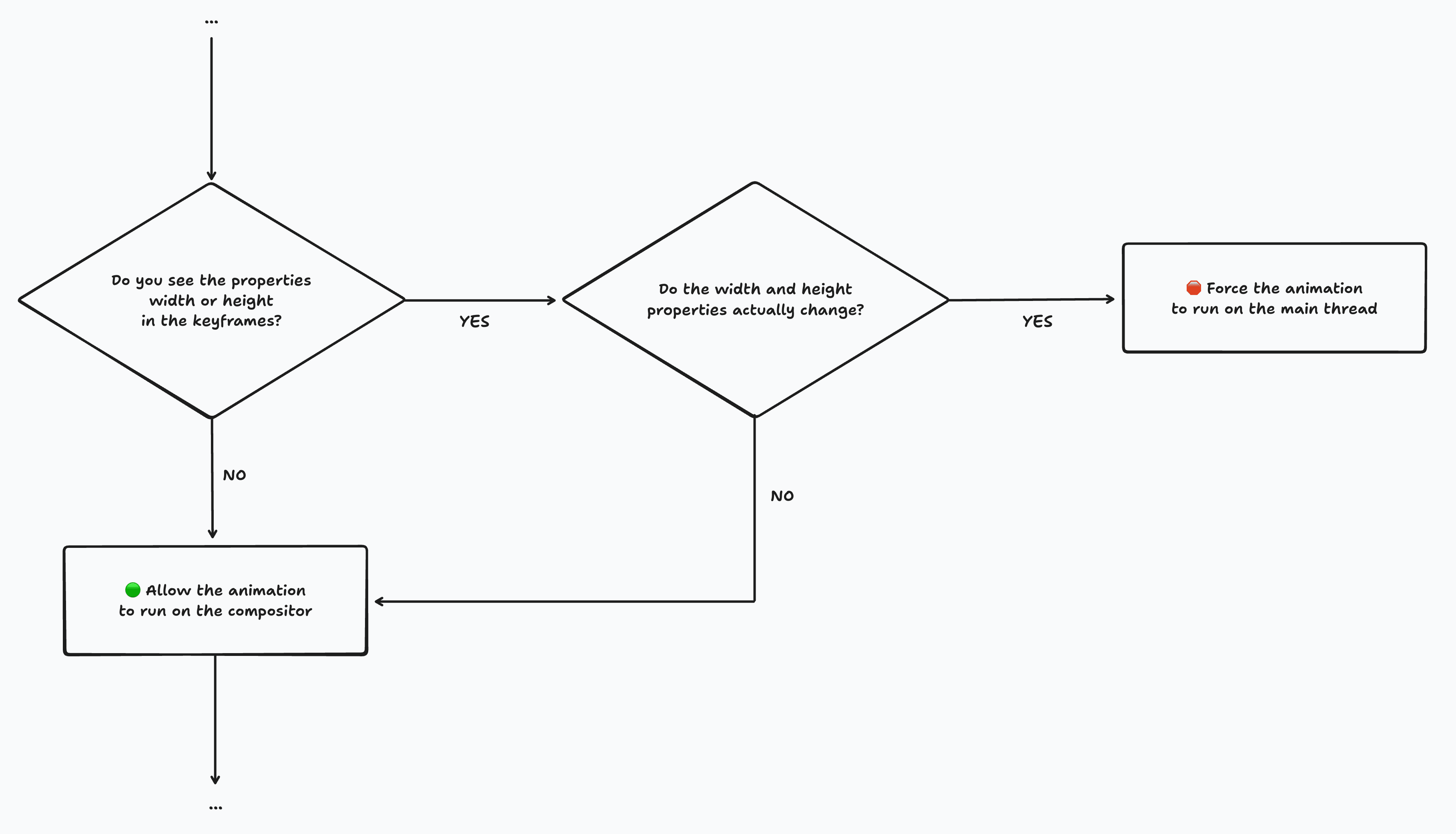
(Other checks can also force the animation to run on the Main Thread, as this width/height check is just one of the many checks.)
It took some time to get this check right, as there’s a bunch of various scenarios. The simple one is simply checking all the values across all keyframes and compare those. But what about implicit keyframes? Or what when there’s a keyword like `auto` at play? Well, those are all covered by Blink 😊
💁♂️ Note that this change is a change that landed only in Chrome/Chromium. Other browsers (Firefox, Safari, etc) don’t have a similar optimization in place. I’m hoping that they too will also implement something like this over time, as I think this is change is a huge performance win for the web as a whole.
⚠️ Currently, the check is very strict: minor floating point differences can cause the check to indicate that the values are not the same. For example, 97.984px vs 97.9844px (which could be the result of using 20%) are not considered to be the same, even though you can’t visually tell. I’ve poked our engineering team about this, and they have a patch in flight to fix this. See crbug/399899726 for more details and star it to stay up-to-date.
UPDATE 2025.11.20 The contents of this note are longer true. The patch to enable fuzzy matching landed in Chrome Canary 144.0.7536.0, so minimal differences such as 97.984px vs 97.9844px will be allowed to run on the compositor as well 🎉
~
This change is very exciting as it immediately optimizes a lot of View Transitions animations: the ::view-transition-group(*) pseudos have width and height in their keyframes … but most often these don’t ever change.
(Of course I had to turn this into something about View Transitions 😛)
Here’s before and after screenshots of Chrome DevTools showing a trace of the https://view-transitions.chrome.dev/cards/spa-auto/ demo. From Chrome 144.0.7512.0 onwards, the ::view-transition-group(*) animations run¹ on the compositor! Yay! 🎉
(¹ In this demo that is, because their width and height don’t change)
~
So, what about keyframes whose width and height do change? Can Blink optimize those? The answer is: not automatically, as there are some things to consider. One the (rough) ideas we have here, is to give you control of what needs to happen. This is being proposed in https://github.com/w3c/csswg-drafts/issues/13064.
In the meantime, you can optimize the keyframes yourself by translating the width/height into a scale animation. I have detailed this before here on my blog, applied to View Transitions. This approach is used by Google Search itself in production.
If you are using an animation framework, it can most likely do this for you as well. Motion for example does this quite cleverly as it can also counteract distortions.
~
When their values don’t change throughout the animation, CSS width / height animations can run on the Compositor, instead of being forced to run on the Main Thread.
~
# Spread the word
Feel free to reshare one of the following posts on social media to help spread the word:
~