Released July 16th, 2024
Video Recap
Round-up of what’s new, in detail.
EEVEE
NEXT LEVEL
The next generation of the render engine EEVEE is here. Completely rewritten from scratch to allow global illumination, displacement, better SSS, viewport motion blur, and so much more.
Sunsational
Lighting
Lighting is a breeze with added support for screen space global illumination.
EEVEE can automatically extract intense lights from the World environment and treat them as Sun lights, improving the lighting quality and casting real shadows.
Bump up your game
Real displacement is now supported by EEVEE.
Just like in Cycles, setting your materials to “Displacement and Bump” will combine true displacement and bump mapping for finer details. Vertex position is modified.
SSSuperb Scattering
Subsurface Scattering now doesn’t leak between objects and has no energy loss.
The subsurface translucency is now always computed, and the associated option has been removed.
Turn Up the Volume
Dithered volumetrics provide a much more stable result while navigating the scene.
Blurry Vision
Motion blur is now visible in the 3D Viewport through the camera view and supports a custom Shutter Curve, matching Cycles.
MORE EEVEE
- Virtual Shadow Maps
- Unlimited BSDFs
- New Transparent Shadows option
- Unlimited number of Lights
- Lights now support ray visibility options
- Multithreaded Shader Compilation
- Refined User Interface
- Shadow Map Raytracing
- Lights are now visible through refractive surfaces
- Glossy lighting no longer leaks at the back of objects
- Better quality Depth of Field
- New Backface Culling option for shadows
- Materials Dithered render method
- Thickness output
- Improved Blended materials
- Raytraced Transmission now affects all BSDF nodes
- Better Image Stability
MIGRATION PLAN
Even though conversion to the new EEVEE happens automatically and most scenes should just work, some adjustments are required for a smooth transition.
Community Videos
CYCLES
MAGICAL, PRETTIER, SMOOTHER, FASTER
Cycles got a massive upgrade to make your renders not only look better, but also render faster. It’s a kind of magic.
RAY TRAVEL
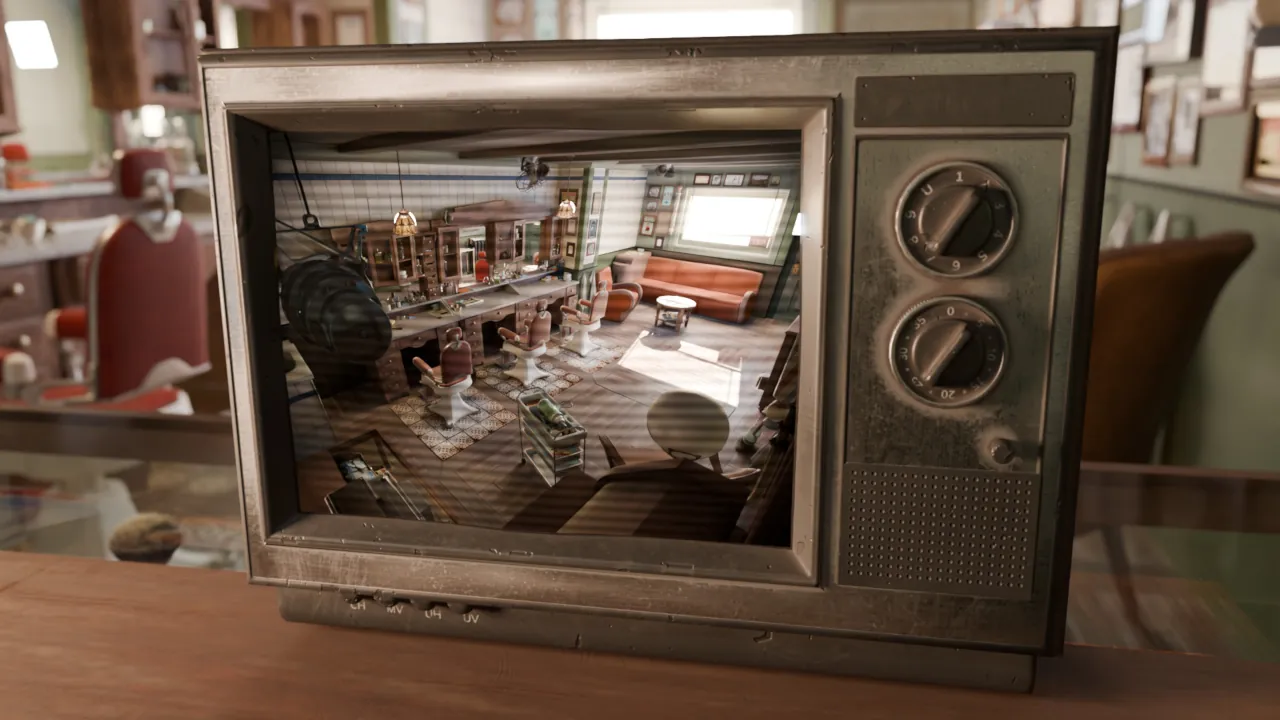
The new Ray Portal BSDF transports rays to another location in the scene with a specified ray position and normal.
It can be used to render portals for visual effects and other production rendering tricks.
See the documentation for details and example node setups.
THIN FILM INTERFERENCE
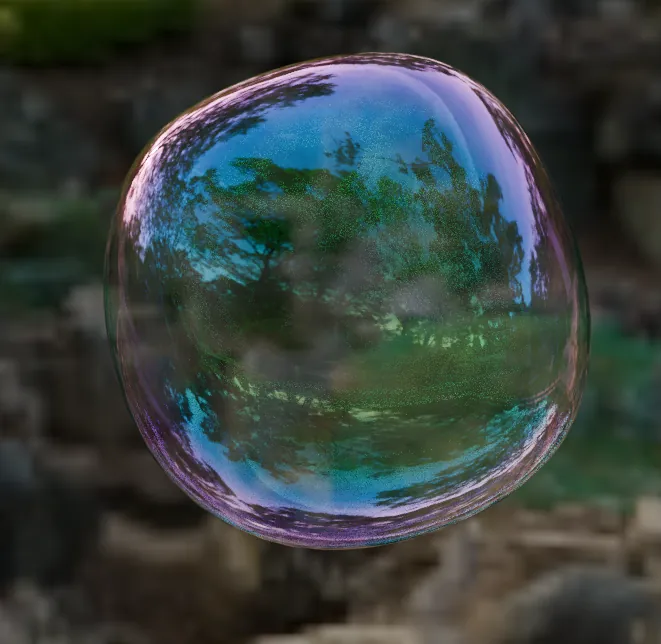
The Principled BSDF now supports physically accurate thin film interference effects for specular reflection and transmission.
Initially, this is only applied to dielectric materials, support for metallic thin film effects is planned.
SOFT VOLUMES
Blender 4.2 LTS is your go-to for rendering volumes, with improved volume light sampling that delivers smoother results for spotlights and area lights.
Less noise. Faster.
BLUE NOISE
Blue noise dithered sampling to improve the visual quality of renders. This mainly helps when setting the maximum number of samples to a low number, and for interactive viewport renders.
New files use this mode by default, while existing files can be changed in the Sampling → Advanced panel.
MORE CYCLES
EXTENSIONS
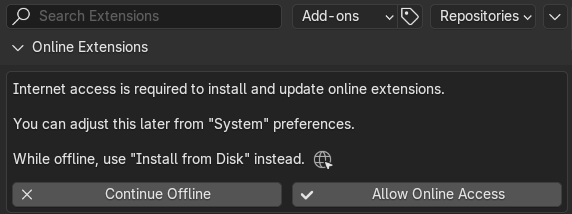
EXTENSIONS ADD-ON ARE- ON
Add-ons and themes have received a big overhaul and are now unified as Extensions.
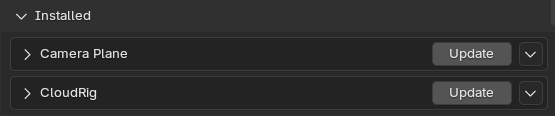
The best part? They can be updated right from within Blender!
STAY
UP-TO-DATE
Extension repositories can check for updates automatically on startup. This can be disabled on a per-repository basis
WORK
OFFLINE
Internet access is fully optional, and off by default.
You can always install extensions manually via Install from Disk (or drag and drop the zip file into Blender) or by using System extensions repositories.
EXTENSIONS PLATFORM
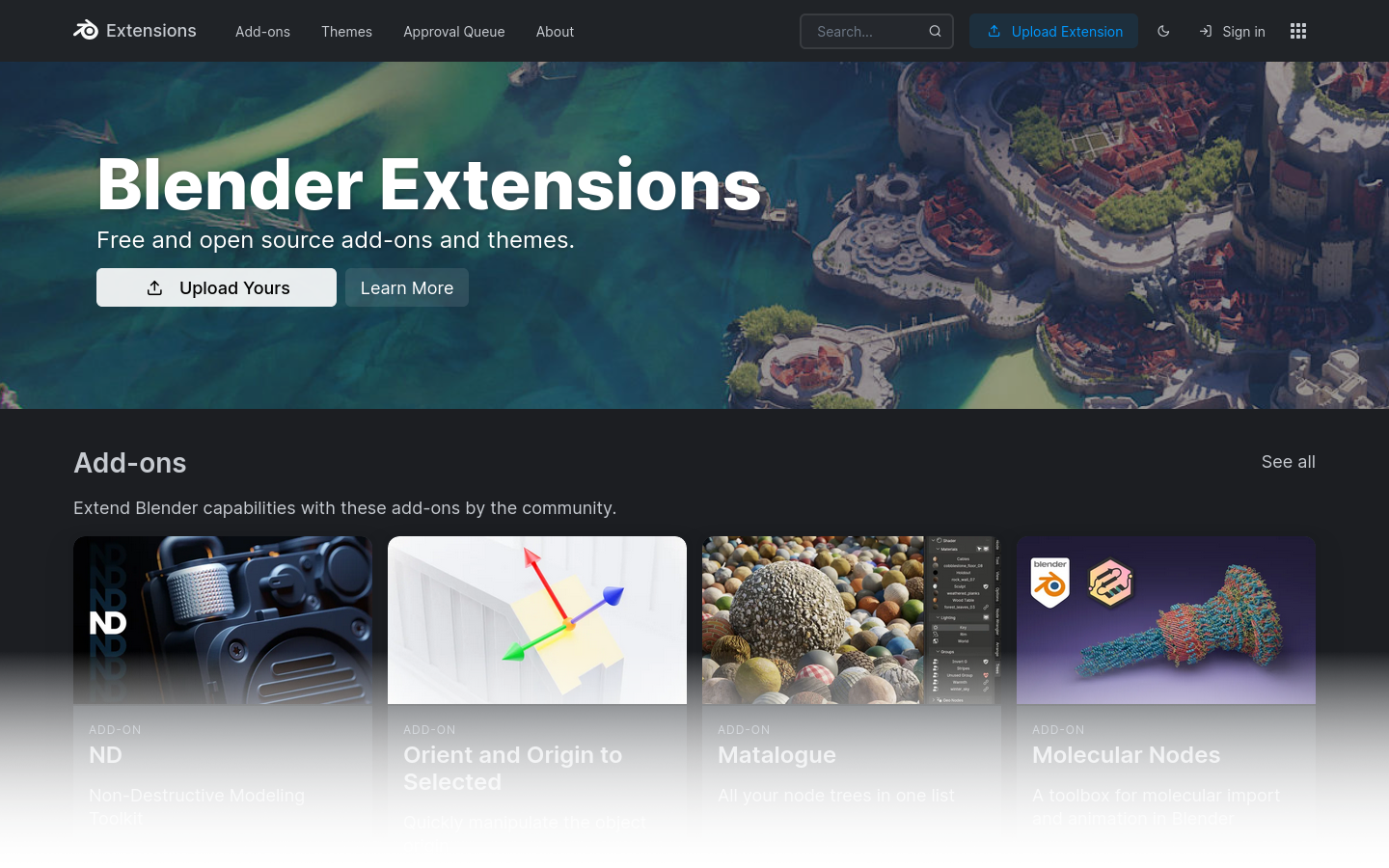
An ever-growing hub of community-made, free, and open-source extensions for Blender.
extensions.blender.org
A new community-managed website for sharing and discovering free and open-source Blender extensions.
- Detailed descriptions with images, videos and user ratings.
- Complete history of versions for present and future releases.
- Community review and approval process.
- Easy installation via drag and drop.
MANAGE
EXTENSIONS
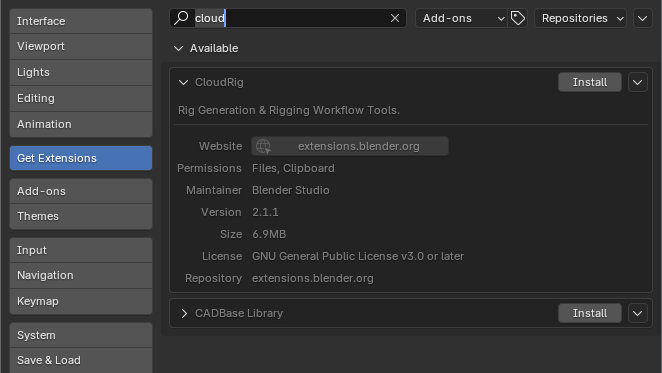
Extensions can be managed from the Preferences.
- Search for new extensions.
- Install and uninstall.
- Check for updates.
Drag, drop. Ready to go!
The Extensions Platform connects authors with users, and extensions with Blender.

STUDIO FRIENDLY
Thanks to portable installation, new environment variables, custom bundling of extensions, Blender 4.2 LTS is easier than ever to integrate in studio pipelines.
Khronos PBR Neutral
Tone Mapper
The recently released tone mapper by Khronos, aimed at displaying true-to-life assets, is now built into Blender.
Khronos PBR Neutral enables faithful reproduction of a product’s base color, hue and saturation when using PBR rendering under grayscale lighting, while eliminating HDR artifacts around highlights.
DRAW THE LINE
Polyline joins the family of gestures (lasso, box, and line), allowing for a quick way to create polygonal shapes.
Polyline Trim tool used to create boolean operations that can add or remove geometry.
PUT IT TO THE TEST
Share and compare your computer’s score with openly accessible benchmarks provided by the Blender community.
ENTER THE MATRIX
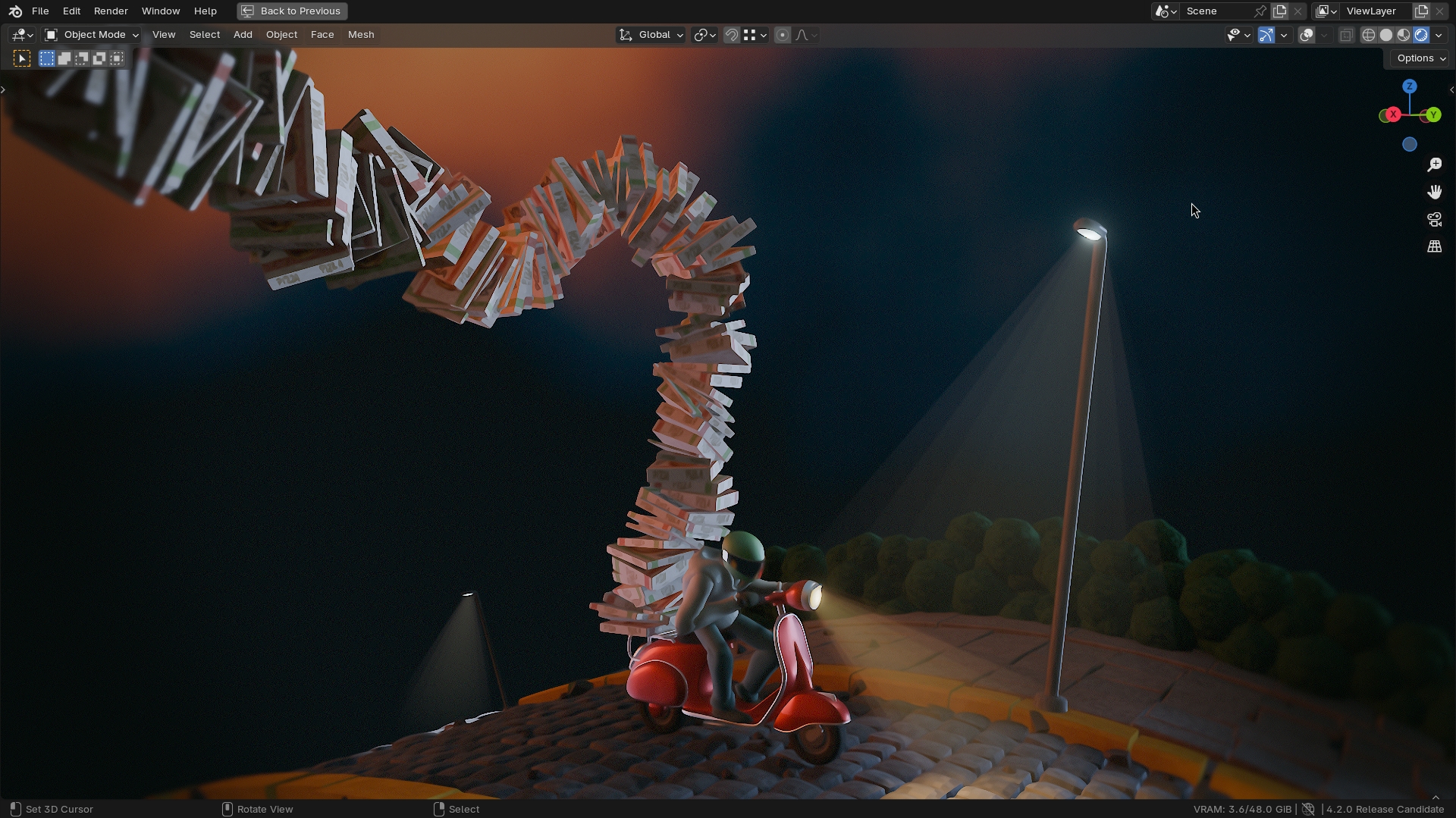
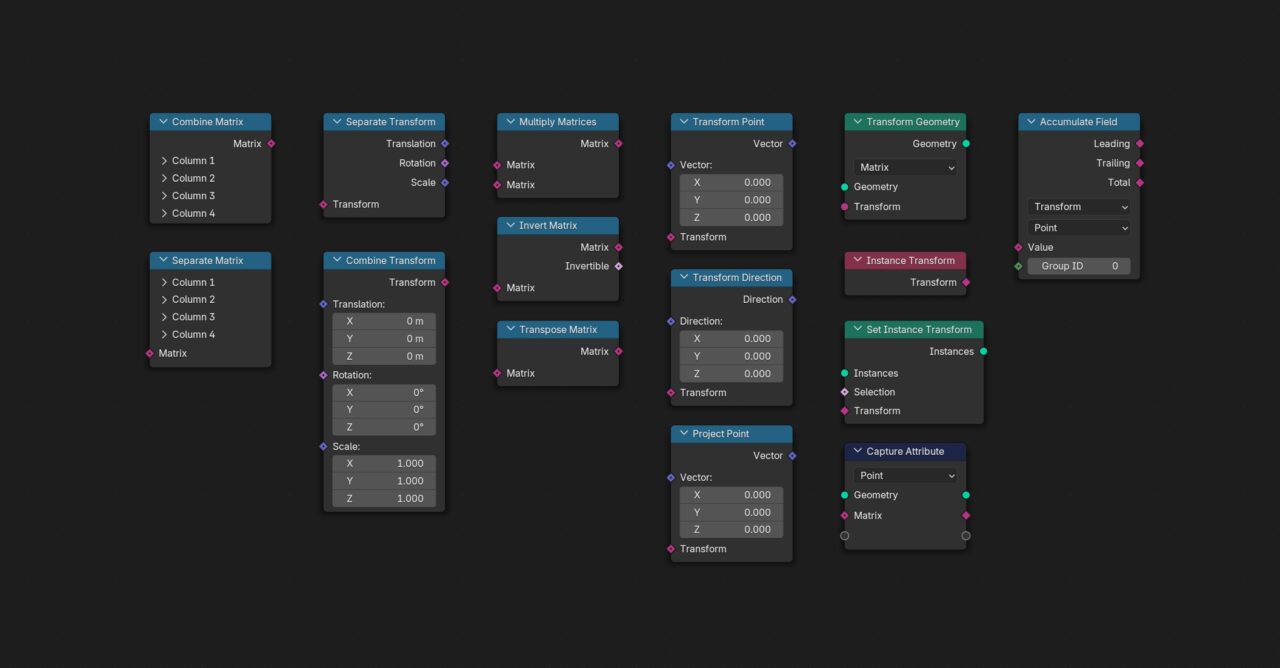
A whole new socket type for matrices makes it easier than ever to work with transformations using nodes. This lays the ground work for the future of Geometry Nodes with advanced custom geometry operations. The new socket type comes alongside a wide range of new nodes as well as the integration into existing ones.
TRY IT YOURSELF
Get the file used in this video to play with the new Matrix socket.
POINT AND SHOOT
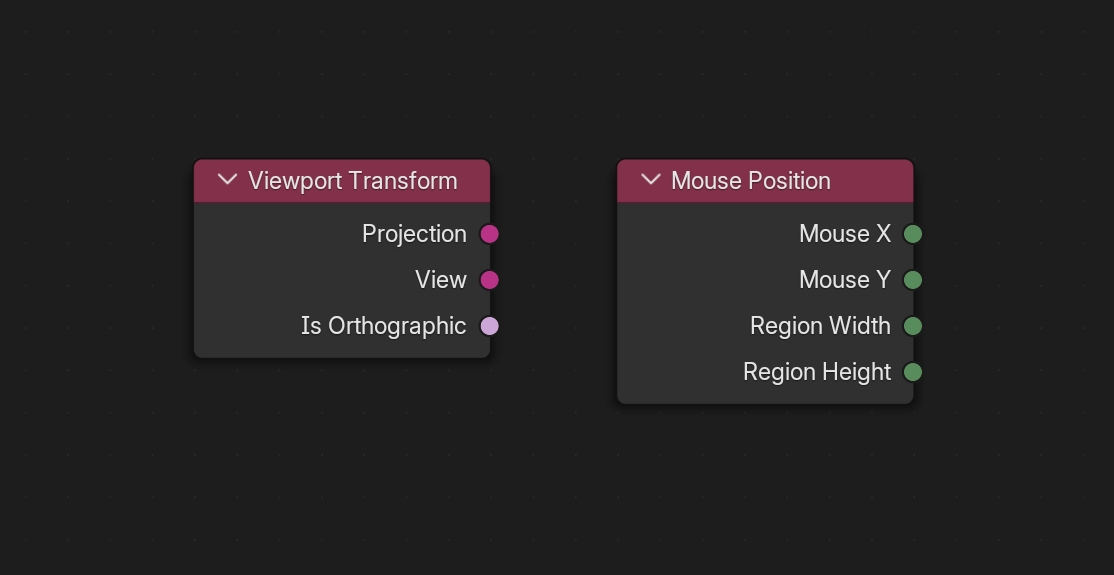
Node Tools are becoming more and more interactive! It is now possible to use information about the viewport and mouse position in the node-tree. Together with the new Wait for Click feature this lets you control exactly where the tool will take effect.
TRY IT YOURSELF
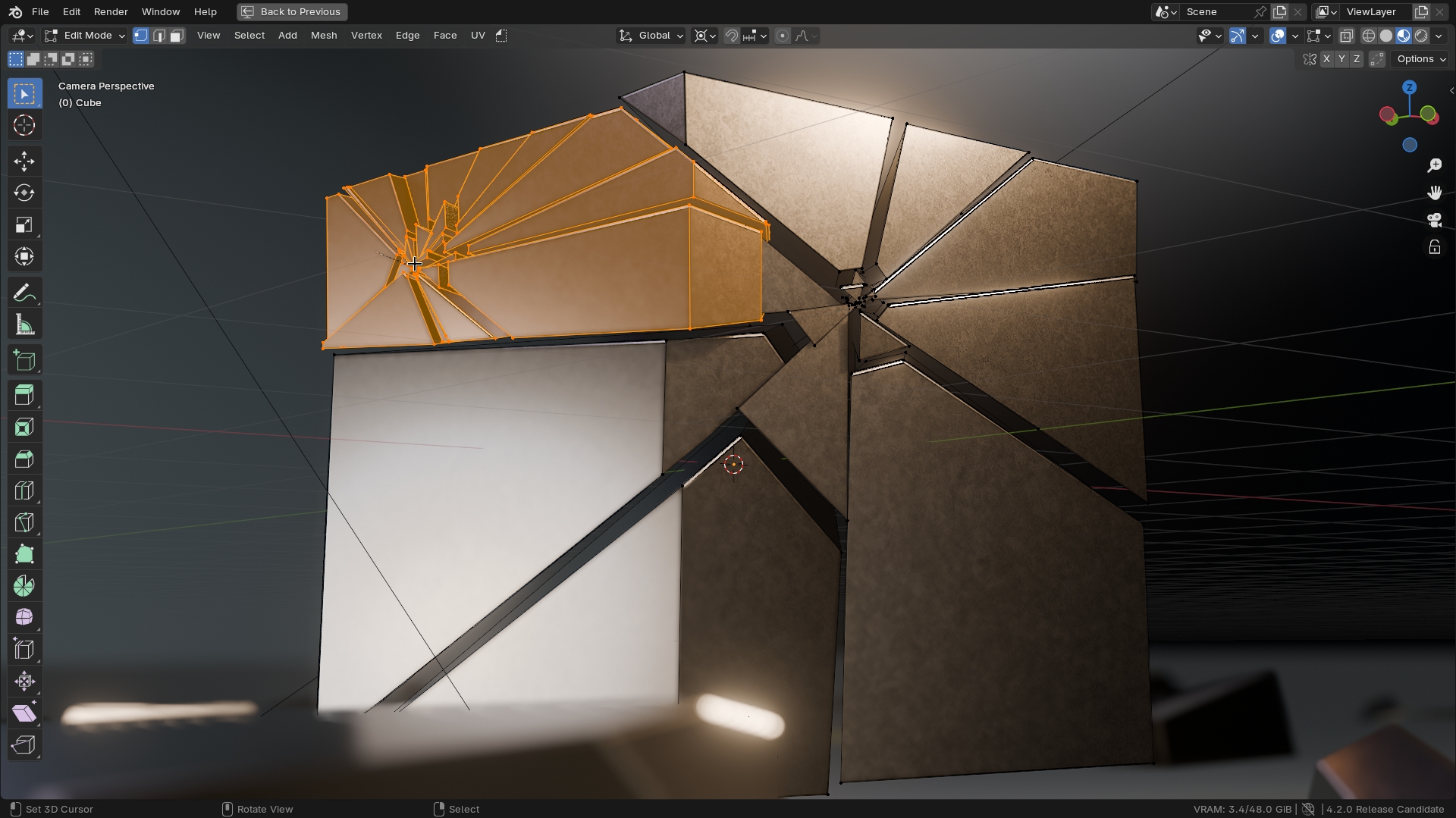
Use the Impact Fracture tool created with Geometry Nodes.
MORE GEOMETRY NODES
Donate to Blender
Help keep the project alive.
Less than 0.1% of users donate to Blender. Your contribution will make a difference.
We don’t show advertisements or sell your data. We are completely funded by donations from our community.
SEQUENCER
The Video Sequencer takes another leap in design, tools, and performance.
BEAUTY
ALL AROUND
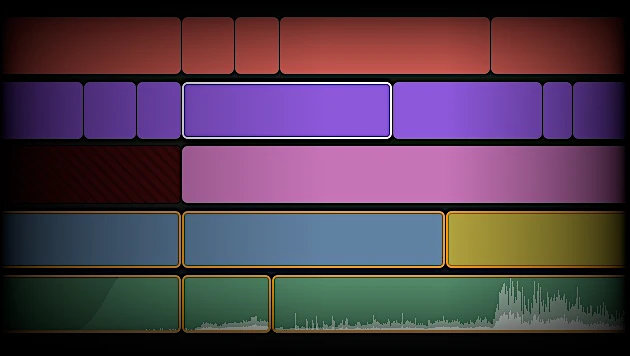
Strips are now rendered using a shader with rounded corners, making it easier to see at a glance where a strip ends and the next begins.
Active and selected strips have thicker outlines, and an extra dark edge around to improve contrast.
LOOK MUM
NO HANDLES
Speed up your editing by clicking the sides of a strip to tweak it. You can also click between two strips to adjust both simultaneously.
Visible handles can be brought back from Preferences ➝ Editing ➝ Video Sequencer.
MISSING
IN ACTION
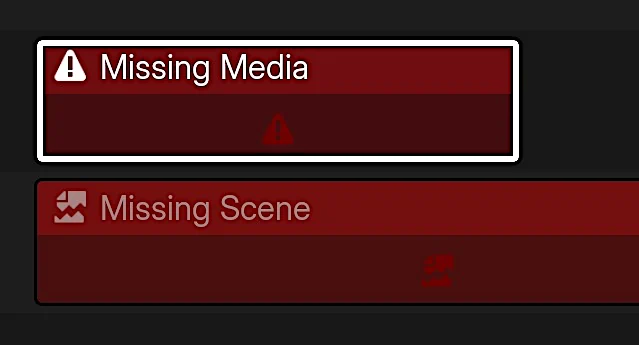
Strips that reference missing source files or scenes are now highlighted in red and use iconography, making them easy to spot.
MORE THAN WORDS
The Text strip has received a number of improvements for tweaking the shadow offset, angle, blur size, and a new Outline option.
MORE SEQUENCER
INDUSTRY READY
Python 3.11, OpenEXR 3.2, OpenColorIO 2.3, OpenSubdiv 3.6, and more.
Blender 4.2 LTS is fully aligned with the VFX Reference Platform 2024, making it easier to integrate and maintain in studio pipelines.
I/O
Collection
Exporters
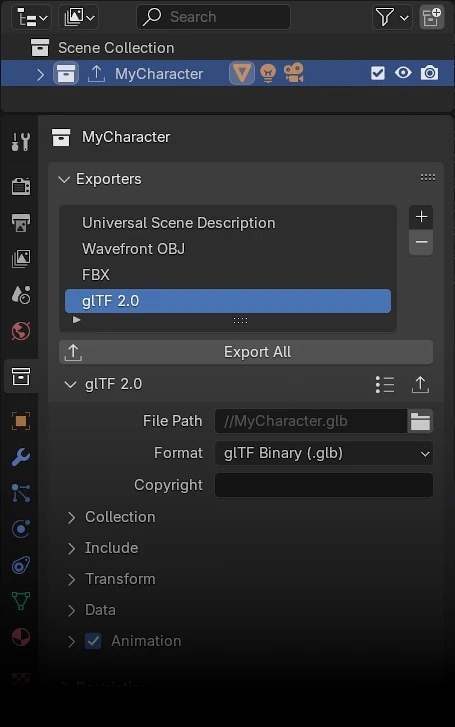
Collections can now specify their own exporters, making it easier to repeatedly export assets, such as glTF or USD for studio pipelines.
You can export all collections with a single click via the File menu, and each collection can be exported to multiple file formats at once.
Export settings are saved in .blend files for easy sharing and consistent use across Blender sessions.

UNIVERSAL SCENE DESCRIPTION
USD ALL
Blender 4.2 LTS adds support for importing and exporting hair curves, and for importing point clouds.
On import, meshes are now validated by default, USD dome light converted into a World shader, and a new option lets you import only defined prims.
New export options include filtering export types, converting the World shader to a USD dome light, setting the stage up axis, specify XForm conventions, triangulating meshes, down-sampling textures for USDZ, generating MaterialX networks from Blender shader nodes, and renaming the active UV map to “st” by default, following USD conventions.
MORE I/O
TAKE AWAY
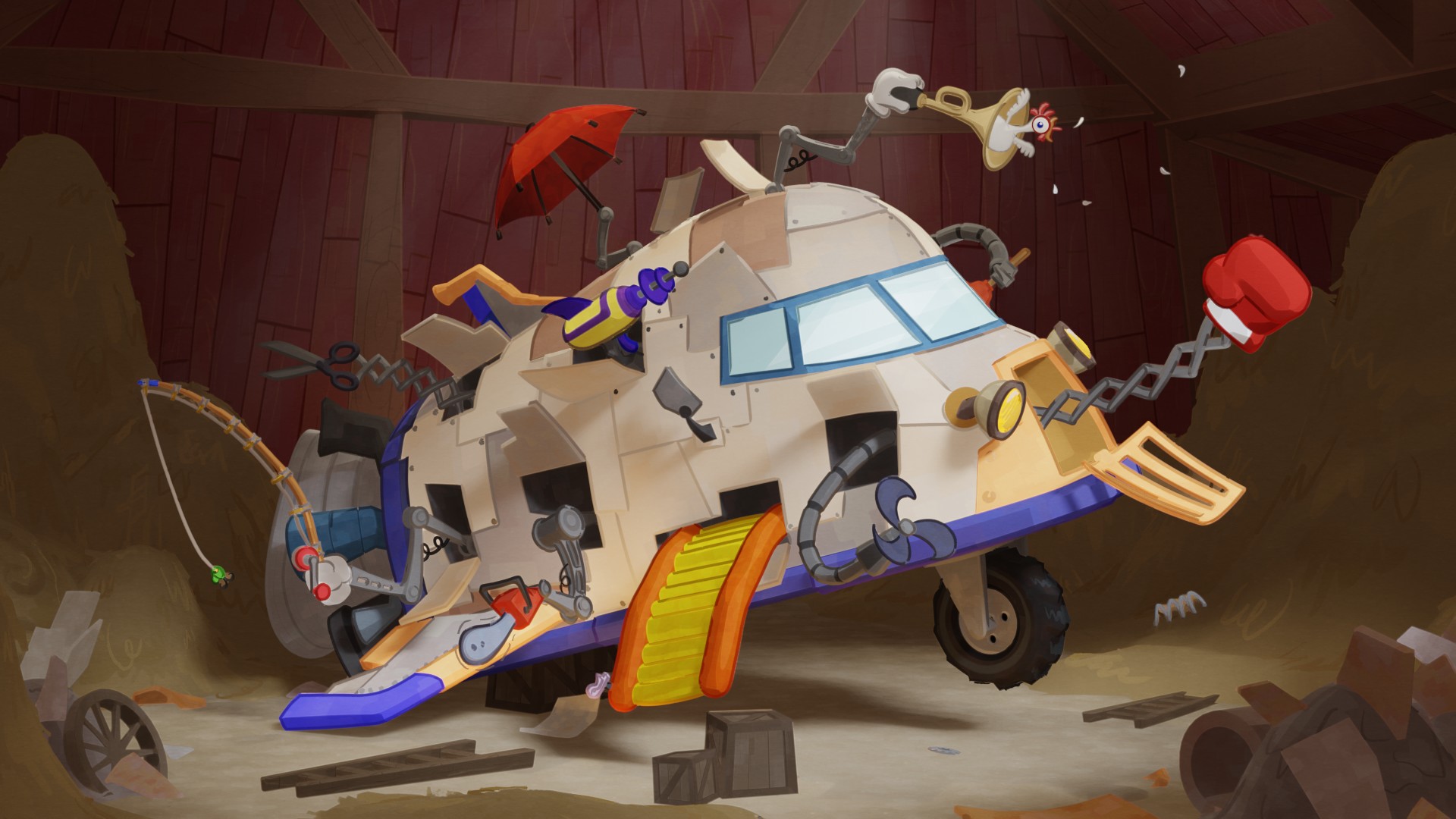
Blender has been portable since day one, but Blender 4.2 LTS takes it to another level: you can now bring your own configuration with you.
Create a folder named “portable” next to where you run Blender, and it will attempt to load (or create) settings in that folder first.
Taking Blender with you has never been easier.

GET THE ARTWORK
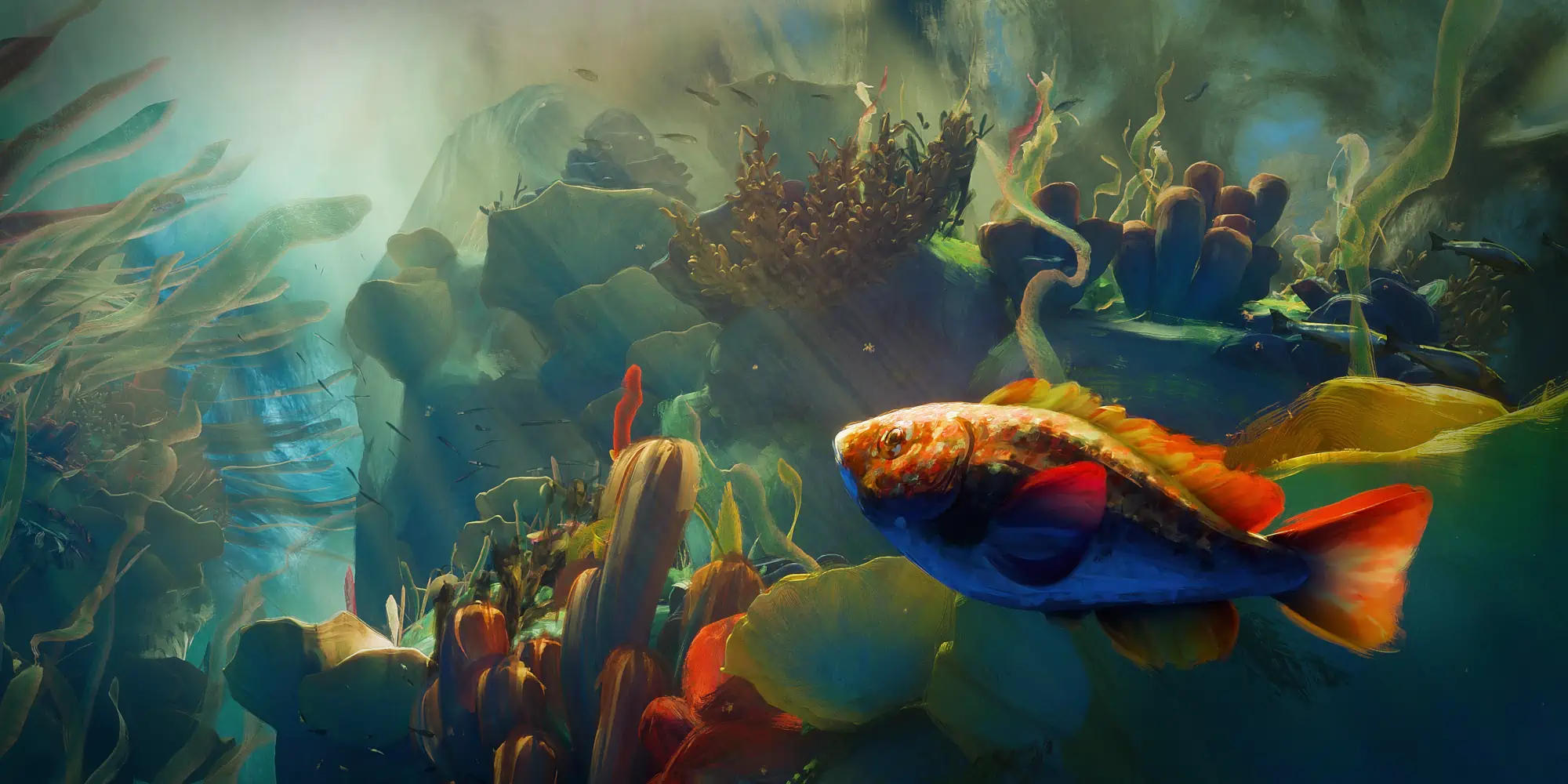
Blender splash artwork source files are available for you to play with, not only for Blender 4.2 LTS but for previous versions as well.
BUT WAIT, THERE’S MORE
Compositor
- Compositing can now utilize GPU acceleration
- New Timings overlay displaying each node’s execution time
- Glare node: Added Bloom mode
- Translate node: New Interpolation option to choose between Nearest, Bilinear, and Bicubic
- CPU performance optimizations
- Glare node: Fog Glow up to 25x faster
- Hue Correct: Support wrapping to fix discontinuity issues
- Vector Blur node now matches EEVEE’s motion blur
- Viewport Compositor: the compositing space is now always limited to the camera region
- Viewport Compositor: Added support for Fog Glow Glare
- Viewport Compositor: Added support for Legacy Cryptomatte
- Viewport Compositor: Added support for Fast Gaussian Blur
- Breaking changes
3D Viewport
Outliner
User Interface
- Improved dialogs
- “Open File Location” in recent Items context menu
- Color fields now have tooltips
- Support for horizontal and vertical rules in layouts
- Text shader optimizations
- Update interface font
- Several tooltips updated
- Improved user interface scaling
- Improved square color picker
- Asset Browser now supports Maximize Area
- Wavelength node now uses nanometer-scale inputs
- Several improvements to Status Bar keymap display
- Consistent “Select” menus
- “Zoom” menus reorganized
- Linux: Image copy and paste now works in Wayland
- Linux: Support for registering & unregistering file-type associations
- New button to save custom themes
- Improvements to Purge operator
- See all User Interface changes
Node Editor
- Node Groups: Support for custom color tags
- Node Groups: Support for descriptions, to be used as tooltips
- Several improvements to tooltips
- Improved sorting in search when adding nodes
- Invalid (red) links now have additional information
- UX: Dragging a node onto an incompatible link does not remove the link anymore
- Added support for resetting socket values
- Viewers are now connected closer to the node
- Added support for Ctrl+Click to rename (some) sockets
- New overlay to reroute labels that are derived from upstream reroute nodes
- See all Node Editor changes
Armatures
Modeling
Modifiers
Physics
Add-ons
Python API
Plus hundreds of bug fixes, code cleanups and refactors.
See the full list of changes.
It’s a keeper.
The LTS in Blender 4.2 LTS stands for “long-term support”, meaning it will get fixes for up to two years, until July 2026.