The Check Engine Light means that the vehicle onboard diagnostics system has detected a fault or an abnormal operating condition.
The fault can be simple, like a loose fuel cap. But it can also point to a problem that need proper diagnosis.
This guide explains what the Check Engine Light means, how diagnostic trouble codes are read, when codes can be cleared, and how AutoPi hardware and AutoPi Cloud can be used to monitor fault codes across a vehicle or fleet.
The important point is simple: clearing a fault code does not repair the vehicle.
The code should be read, understood and checked against live data before it is cleared.

What is the Check Engine Light?
The Check Engine Light is a warning from the vehicle diagnostic system.
It is normally shown as an engine-shaped icon or as text on the dashboard.
When the engine control unit detects a fault, it stores a diagnostic trouble code. This is also called a DTC.
The code gives a starting point for troubleshooting. It does not always tell which part has failed directly.
Common causes include:
- Loose or damaged fuel cap: Can trigger an EVAP leak code on some vehicles.
- Misfire: Can be caused by spark plugs, ignition coils, injectors, compression issues or fuel delivery problems.
- Oxygen sensor fault: Can affect fuel trim and emissions control.
- Mass airflow sensor issue: Can affect air-fuel calculation and how the vehicle drives.
- Catalytic converter efficiency fault: Can indicate converter wear, sensor issues, exhaust leaks or upstream combustion problems.
A steady Check Engine Light usually means that the vehicle can still be driven carefully. But the code should be read as soon as possible.
A flashing Check Engine Light is more serious. It often means a misfire that can damage the catalytic converter. In this case, reduce load and avoid continued driving until the problem is checked.
An AutoPi CAN FD Pro or another compatible diagnostic tool can be used to read fault codes and collect extra data around the fault.
Common Diagnostic Trouble Codes (DTCs)
The table below shows common OBD-II codes and typical areas to check first.
These are not guaranteed root causes. A proper diagnosis should also include live data, freeze-frame data, wiring checks and vehicle-specific service information where needed.
Reading fault codes with AutoPi
AutoPi devices can be used to read and log diagnostic trouble codes from supported vehicles.
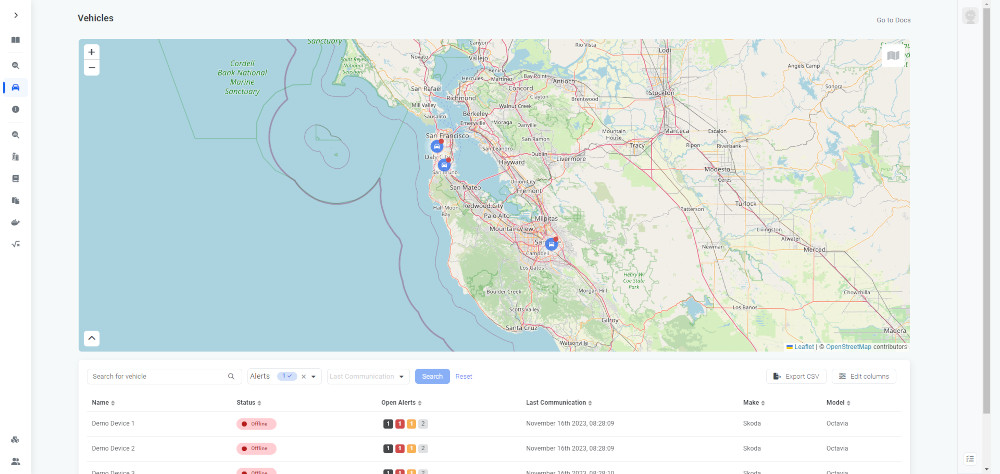
In fleet and development work, the main benefit is not only reading a code once. The benefit is having fault-code history, timestamps, position data and related vehicle data available over time.
A typical diagnostic workflow with AutoPi can include:
- Fault-code readout: Read active and stored DTCs from the vehicle where it is supported.
- Time and location context: Store when and where the fault was detected.
- Live data comparison: Compare DTCs with live values like voltage, temperature, speed, RPM and other supported signals.
- Fleet overview: Monitor repeated fault patterns across vehicles instead of handling each vehicle alone.
This is useful when a fault only happens under specific conditions.
A short workshop scan may not show enough context. Logged data can show what happened before and after the fault was detected.
Interpreting data in AutoPi Cloud
AutoPi Cloud can be used to view vehicle data, fault-code history, device status, positions and selected telemetry.
For diagnostics, this helps connect the fault code with the operating conditions.
For example, a voltage-related code is easier to understand when you can also see supply voltage history. A misfire code is easier to investigate when it can be compared with RPM, load, temperature and when the fault happened.
The cloud view is especially useful for fleets because it gives one place to compare vehicles, recurring codes and fault frequency.
This makes it easier to prioritize service work and identify repeated patterns.

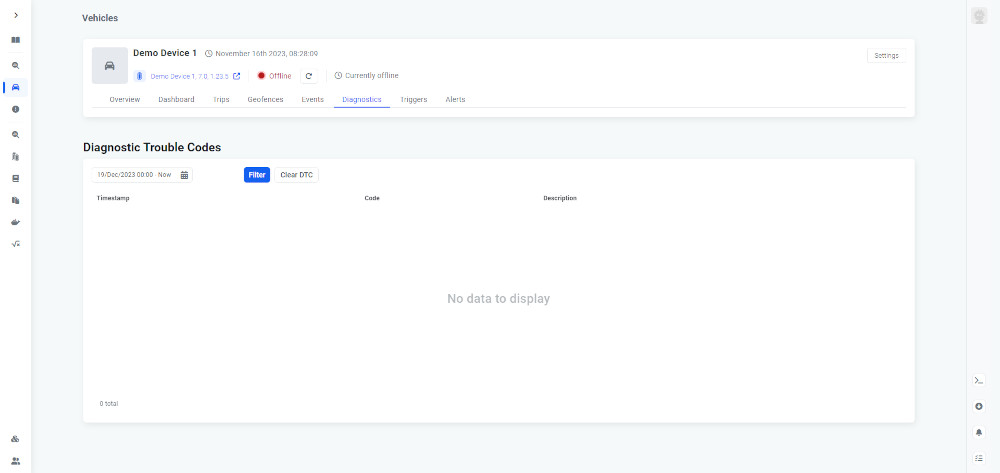
Resetting fault codes with AutoPi Cloud
Fault codes can be cleared after the issue has been inspected or repaired.
Clearing the code tells the diagnostic system to remove the stored code. But it does not fix the fault that caused it.
In practice, clearing codes should be handled carefully:
- Read the code first: Store or document the DTC, freeze-frame data and relevant live data.
- Check the root cause: Inspect the system indicated by the code before clearing it.
- Clear only when appropriate: Clear the code after repair, testing or controlled diagnostic work.
- Verify that it does not return: Run the vehicle and check if the same code comes back.
Professional help is recommended for recurring faults, flashing Check Engine Light, misfires, catalytic converter issues, transmission-related faults, high-voltage EV faults, braking systems, airbags and safety-related systems.
Using fault-code data in fleet maintenance
For a single vehicle, a fault code helps with troubleshooting.
For a fleet, fault-code data becomes more useful when it is collected consistently across many vehicles.
With AutoPi, fleet operators can use DTC history together with location, time and vehicle telemetry to see recurring issues.
This can help prioritize service, identify vehicles with repeated faults and reduce unnecessary manual checks.
Useful fleet-level checks include:
- Repeated faults: See which vehicles report the same fault again and again.
- Operating conditions: Check if faults happen under specific load, temperature, speed or location.
- Signals before the fault: See if voltage, temperature or load changes appear before the fault.
- Repair verification: Check if a repair actually prevents the code from returning.
This is more reliable than judging maintenance needs from a single scan. Historical data gives context.
Vehicle monitoring with AutoPi
AutoPi can be used for more than Check Engine Light diagnostics.
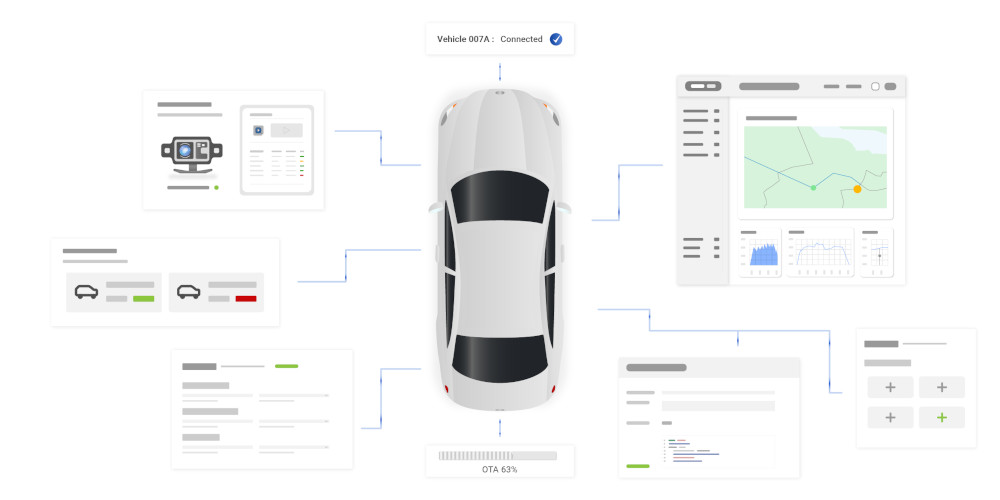
Depending on the vehicle and configuration, the platform can collect OBD2, CAN, CAN FD, J1939, GPS and device status data.
This supports a more structured maintenance workflow.
Instead of waiting for a driver to report a warning light, the system can log faults and make them visible in the cloud.
This is useful for workshops, fleet managers, engineering teams and connected vehicle projects.
Common use cases include diagnostics, vehicle tracking, data logging, utilization monitoring, service planning and integration with existing backend systems.
FAQs about Check Engine Light
Read the fault code first with an OBD2 scanner or diagnostic tool. After the fault has been repaired or checked, the code can be cleared with the tool.
If the fault is still present, the light will normally return after one or more drive cycles.
Avoid clearing codes before saving the information, because the code and freeze-frame data can help with diagnosis.
It usually appears as an engine-shaped icon or as “Check Engine” text. The exact symbol depends on the vehicle.

The ECU has detected a fault or abnormal condition. Common causes include EVAP leaks, misfires, oxygen sensor faults, fuel trim problems, catalytic converter efficiency faults, and sensor or wiring issues. Read the DTC to know where to start.
A flashing Check Engine Light often indicates a severe misfire. Continued driving can damage the catalytic converter. Reduce load, avoid hard acceleration and get the vehicle checked as soon as possible.
If the light is steady and the vehicle behaves normally, you can often drive carefully to a place where the code can be read. If the light is flashing, the vehicle runs poorly, or there are warnings for oil pressure, temperature, brakes, battery or high-voltage systems, stop and seek professional help.
On some vehicles, disconnecting the battery may clear the light temporary, but it can also reset learned values, radio settings or other systems. A scanner or diagnostic tool is the better method because it lets you read and save the code before clearing it.
This article gives general guidance. Always check the vehicle manual, service information or a qualified mechanic for vehicle-specific diagnostics and repair.
