I know I said Wallabag won, but I spun up a Readeck instance with one Docker command, and it’s really impressive.
The main thing that caught my attention? The pageload times are insanely fast.
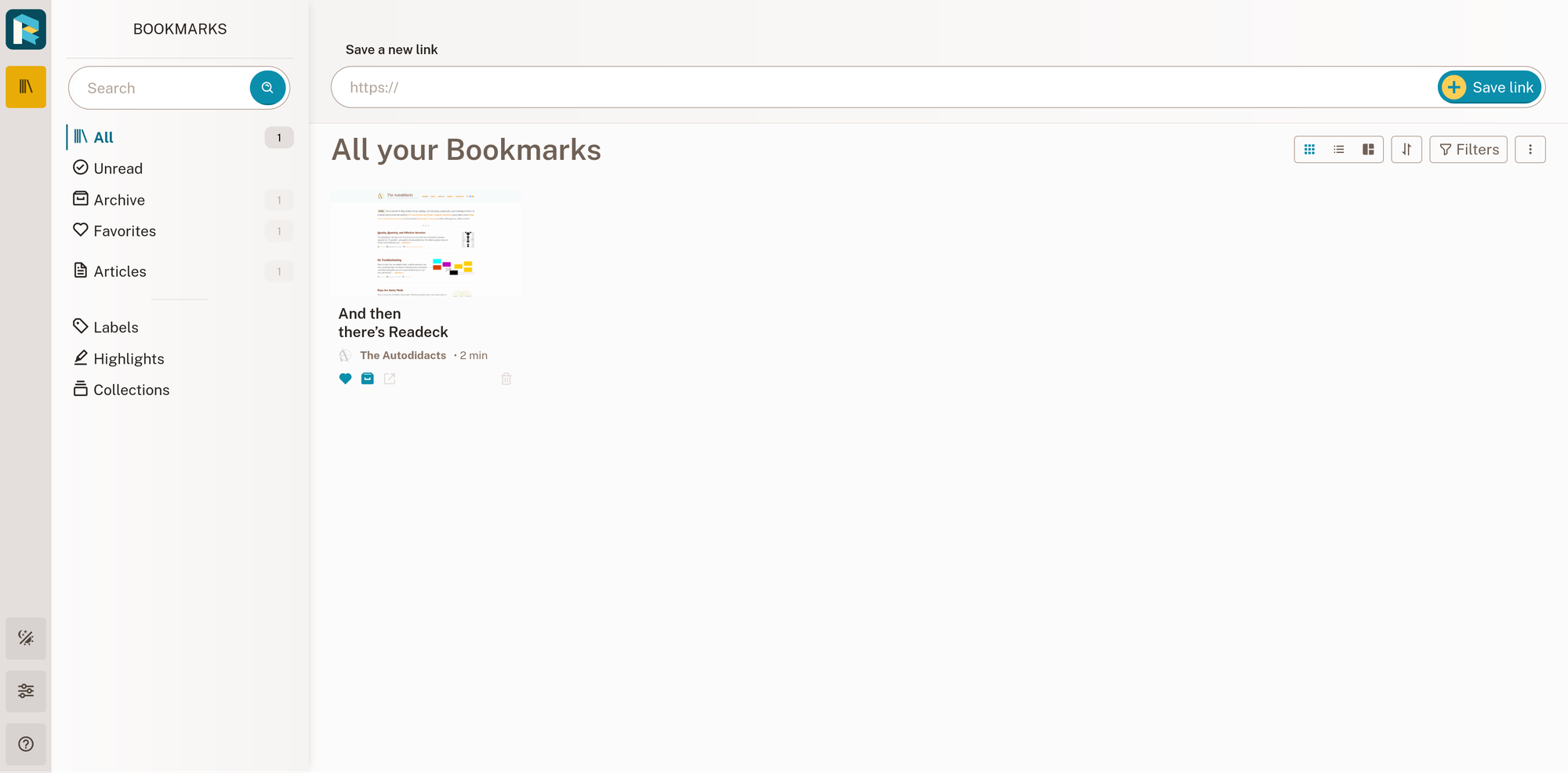
Here is a local install of Readeck serving the all articles page (with ~4,000 articles imported from Pocket CSV):

It’s definitely not apples-to-apples because it’s a hosted instance (so no network latency, probably lower specs than my laptop), but here’s the page size and timings for a … different read it later app, with ~30 articles in the archive, loading the unread view (zero articles):

I had originally passed over Readeck for three reasons:
- Wallabag has tighter Kobo/KOReader integration. Update: not any more.
- I’m not a data hoarder (no, really, I’m not!) who needs or wants a complete forever archive of all the articles I’ve read, with images and everything.
- It’s new, and apps like this come and go all the time
I tried importing my Pocket CSV. It seemed to be doing a pretty good job of fetching the content until the internet glitched. I didn’t figure out a way to resume fetching articles from an import. At this point I discovered another thing: unlike Wallabag etc, there didn’t seem to be a way to bulk-delete articles (either using bulk actions from a filter view, or a delete everything button on the user profile page). Annoying! It’s on the roadmap, though.
(I ended up deleting my readeck-data Docker volume and starting over.)
Things I don’t like about Readeck:
- What I just mentioned: the lack of bulk editing
- There aren’t any hosted instances (yet)
- No option to limit complete archiving to starred articles, or disable images and just save fulltext, or disable content extraction entirely and just save URLs and metadata (personally, I want it to save fulltext for starred articles, and Internet Archive Wayback Machine links for everything else)
- I haven’t found a way to manually re-fetch content for a specific article or set of articles, the way you can with Wallabag
- It can pull from the Wallabag API for imports, but it can’t import Wallabag JSON
- It has .zip exports that can be imported into Readeck, but doesn’t support exporting to a format that can be imported into other Read-it-later services without munging (having seen so many services come and go, seamless data portability is just about the #1 feature I look for; it bugs me when software puts more care into their import process than they do into exports, though I see the logic)
Things I don’t know yet:
- What will the monetization strategy will be in the long run? Will all features be available to self-hosters, like Wallabag?
- How does the failed-to-fetch-content percentage compare to Wallabag and Instapaper?
- Update: Favourably! Readeck failed to fetch 1,043 articles, and Wallabag failed to fetch 1,108. So very similar numbers, but Readeck wins by a small margin. At least 608 of these Pocket had failed to fetch, and many of the others are due to linkrot that isn’t Wallabag or Readeck’s fault.
- How long will it exist?
More things I like about Readeck:
- It feels solid, simple, and well-built.
- Update: I read through the release-notes posts for every version of Readeck ever, and it re-inforced my confidence. The devloper seems to care about performance, privacy & security, and code quality; listen to user feedback, but not unquestioningly; accept contributions; and have a positive, community-minded attitude.
- I appreciated the thoughtful, non-dogmatic, pragmatic stance on AI integration. Oliver was clear he would not foist unwanted AI features on users, yet would consider using a well-tuned LLM for things that an LLM would actually be the right technology for, like auto-tagging.
- Update: I read through the release-notes posts for every version of Readeck ever, and it re-inforced my confidence. The devloper seems to care about performance, privacy & security, and code quality; listen to user feedback, but not unquestioningly; accept contributions; and have a positive, community-minded attitude.
- You can use SQLite or PostgreSQL
- You can try it with a single Docker command (and it just works)
- It has an API, and pretty much all the features I need. Update: and I found the API pleasant to use.
- The development is on an open-source forge (Codeberg) rather than GitHub
- There are (unoffical) KOReader plugins in development (https://github.com/iceyear/readeck.koplugin, https://github.com/flip-rossi/readeck.koplugin), and a maybe-abandoned pull request for Plato.
- Update: I installed iceyear’s plugin on my Kobo, and it works. It is slightly less polished than the Wallabag plugin, but quite serviceable. (I would have chosen flip-rossi’s, because of signs that iceyear’s was vibecoded, but iceyear’s was significantly more active.)
- Update #2: I forked iceyear’s plugin, and added a (much better) version of the patch I contributed to the Wallabag plugin to add starring support, and have opened a pull request (#20).
- It’s the one supported backend for kobo-pocket-proxy, which allows you to use the default Kobo instapaper interface with an open-source, self-hosted backend. Update: I ran across two other projects that do the same thing, Kobeck and Readeckobo.
- People say it works great as an OPDS provider for KOReader on a Kobo
- Update: they’re right. Setting up OPDS and browsing Readeck from KOReader on my Kobo was straightforward, and doesn’t require any 3rd-party plugins. However, OPDS is read-only (no support for archiving, starring, annotating, or tagging from the client) so it doesn’t suit my article-reading workflow.
- The resource requirements are modest (512mb ram, 200mb storage)
- The full text search seems to work (and is really fast)
- Did I mention that it’s one of the fastest-loading apps I’ve used?!
Readeck is developed by Olivier Meunier. It’s cool, check it out.