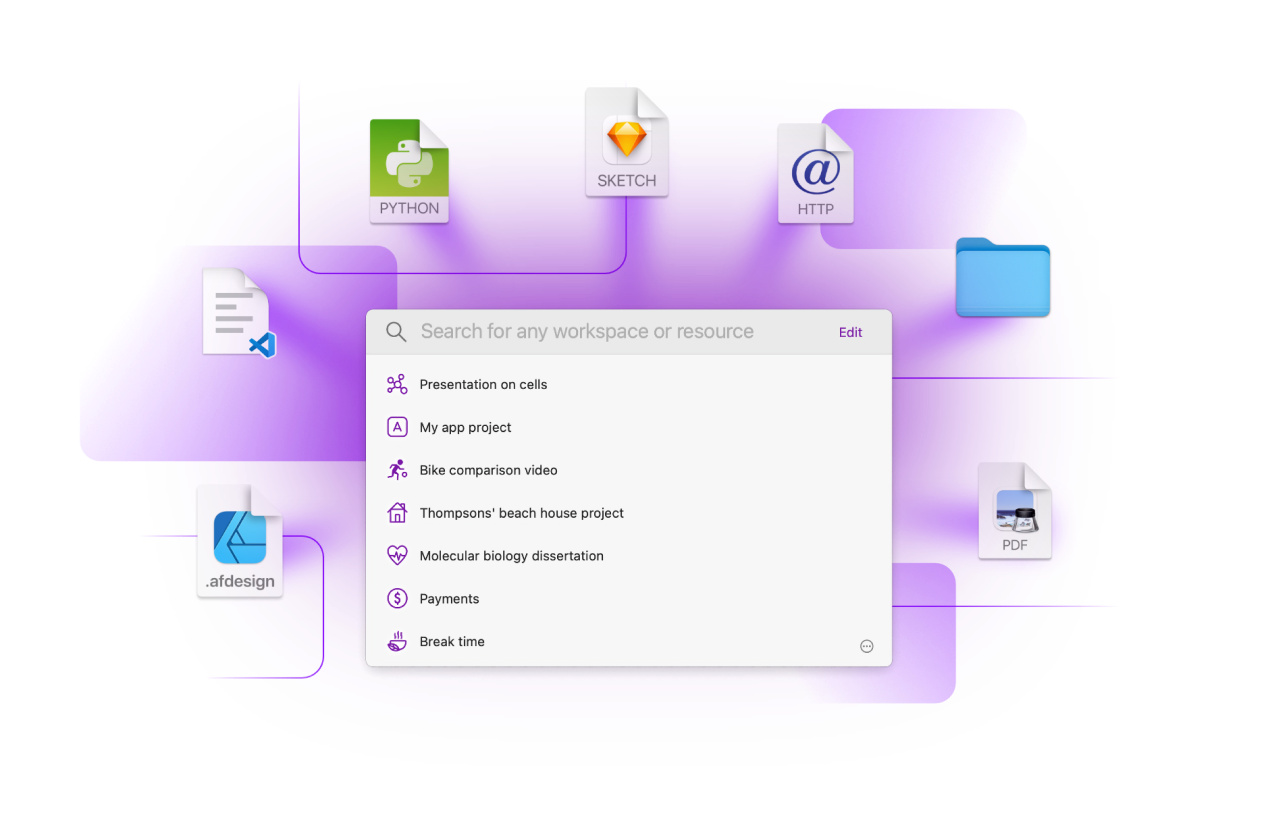
Project-based launcher that opens your files, folders, websites, apps etc. with one click.
One-time purchase for the current major version. No subscription.
Workspaces requires macOS 10.14 or newer
How does it work
Create once. Launch anytime.
What can you use as a resource for a workspace?
You can perform additional actions with Plugins.
For example: quit apps, play favourite playlist or run a shell scripts.
How to create a workspace
To build a workspace drag chosen apps, links to websites, files, folders or choose them from the app menu. Like in the video below.
When it's useful
- It’s perfect for long-term projects and multi‐project workflows
- It cuts your every day preparation process — searching, organizing, opening
- It remembers those rarely used apps, files and websites whose names you usually forget
- It helps you keep your desktop clean
More Features
- Take notes and tasks for each workspace
- Apple Script API
- Apple Shortcuts actions
- Searching for workspaces and resources
- Set apps that will open your files and folders
- Use templates to quickly create new workspaces with certain structure
- Launching emails (Mail app only)
- URL support
- Set custom Terminal and File Manager
- Delaying resource starting
- Setting resources launched on finish
- Share Extension
- Archive unused workspaces
- Use separators to make clean resource list
- Choose icons for your workspaces
How people use Workspaces
Workspaces is one of the few apps that I use everyday, all the time, for a few years now. It's like one click - boom, all apps and files needed for a project is ready to go.
Sometimes "getting started" can be a hurdle for actually getting started "working". Before Workspaces, I would even procrastinate because switching from project A to project B means closing and opening a number of different things. Workspaces gets me started doing real work straightway, effortlessly!
As a researcher and teacher at a university, I am constantly dealing with changing tasks. Workspaces helps me to quickly access all the relevant resources. It's easy to use, yet very powerful and looks nice too. It has become an indispensable tool for me.
Workspaces is like having a shortcut to everything on your Mac in one place. Combining apps and documents next to each other and orgainishing by tasks and functions. It has changed the entire way I work for the better. I love it!
Getting started

Frequently Asked Questions
-
One-time payment or subscription?
One‐time payment. Free updates within the current major version. Future major upgrades are paid separately.
-
Does one-time payment apply to Workspaces 2 only?
Yes, one-time payment means that you pay for Workspaces and you get all the minor (2.x) updates for free. Workspaces 3 will be a paid upgrade.
-
Is there a student discount?
Yes, you can get a student discount for macOS app on Students App Centre website.
-
Do you offer a trial version?
Yes, simply click download and you'll be able to test the app for 30 days.
-
Is Workspaces safe to use?
Yes. Workspaces is private by design. We do not collect, use, store, or have access to your projects, files, or workspace data. All data created in Workspaces is stored locally on your device. We cannot view, read, or analyze your content. Read the full Privacy Policy here: Privacy Policy.
-
Do you collect personal data or usage analytics?
No. Workspaces does not collect personal data, usage statistics, analytics, or telemetry. We do not track how you use the app and we do not store any information about your activity. If you use Workspaces via Setapp, your use of the Setapp platform is subject to Setapp’s own Privacy Policy, which may describe data collection or analytics performed by Setapp independently of us. If you purchase via Paddle, Paddle.com processes the order and shares the information necessary to fulfill your purchase with us. Full details are available in the Privacy Policy.
-
Is Workspaces a native macOS app?
Yes, Workspaces is a full-native macOS app.
-
Does the app save and synchronize data in iCloud?
No, not yet.
-
Does the app remembers or set window layout?
No, it does not. However, you can use Apple Shortcuts to set window layout.
One-time purchase for the current major version. No subscription.
Workspaces requires macOS 10.14 or newer