Now supports Cursor and VS Code!
Rediscover the beauty of code.
173 makers love it
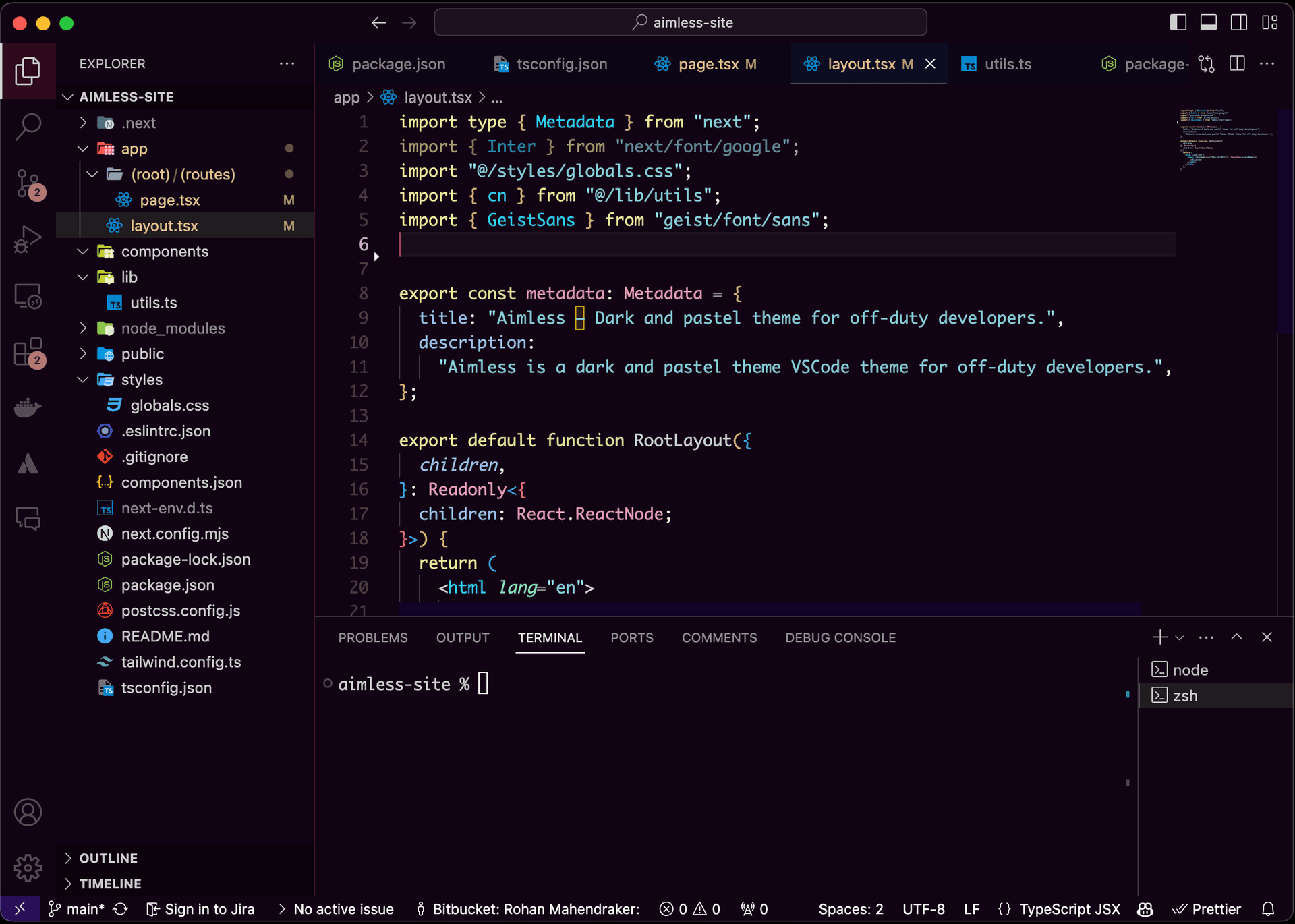
Color scheme
Why I made it?
I created Aimless to transform how I view code after hours. Tired of my side projects looking like more work, I wanted a theme that made my projects look beautiful and distinct from my day job. Aimless, with its dark pastel palette, does exactly that for me.
Installation
- Open Cursor or Visual Studio Code.
- Access the Extensions View by clicking on the Extensions icon in the Activity Bar on the side of the window, or use the keyboard shortcut Ctrl+Shift+X.
- Click on the "... " at the top of the Extensions view and select "Install from VSIX... " from the dropdown menu.
- Navigate to the downloaded
.vsixfile in the file dialog, select it, and click "Open ". - Once the installation is complete, you may be prompted to reload Visual Studio Code or Cursor to enable the new theme.
- Activate the Theme by going to the Command Palette with Ctrl+Shift+P, type "Color Theme ", select it, then look for "Aimless " in the list of installed themes and click on it to apply.
- Enjoy coding with your new Aimless theme!