
🇺🇸 Someone from United States purchased Wins Pro
Less window hunting, More ✨creating 🚀shipping 📘learning ✅doing 🧘🏿flow
Wins makes your Mac experience more efficient with Windows-like window management features, quick splitting, and enhanced productivity tools.
New Year Special Offer • While Supplies Last
Our biggest savings of the year are here. Supercharge your workflow with Wins and lock in a limited-time 40% discount before the sale ends.
Use discount code
HappyNewYear26
People ❤️ Wins
Wins is trusted by over 13,266 users worldwide, with continuous improvements and updates
Cmd-Tab Plus New
- System-level ⌘-Tab, upgraded.
- Preview, switch, and close in a flash—no mouse needed.
- Navigate with ⇡⇣⇠⇢, finish with ⌘W/⌘Q.
☄️ The one we’re most proud of.
Flick Dock New
Clicking the Dock a second time will automatically minimize its window
Mission Control Pro New
Enhance Mission Control. Also support to close windows fast with ⌘+W, or exit apps with ⌘+Q in Mission Control
Dock Preview New
Simply hover the mouse over the Dock to show a preview of all the Windows
Aero Shake New
Drag a window and repeat from left to right following the oval pattern, then focused on one window

Great Animations
Wins provides great animations. I believe that animations are the soul of software
Floating Window
Drag to see the floating window and drag on to quick split.

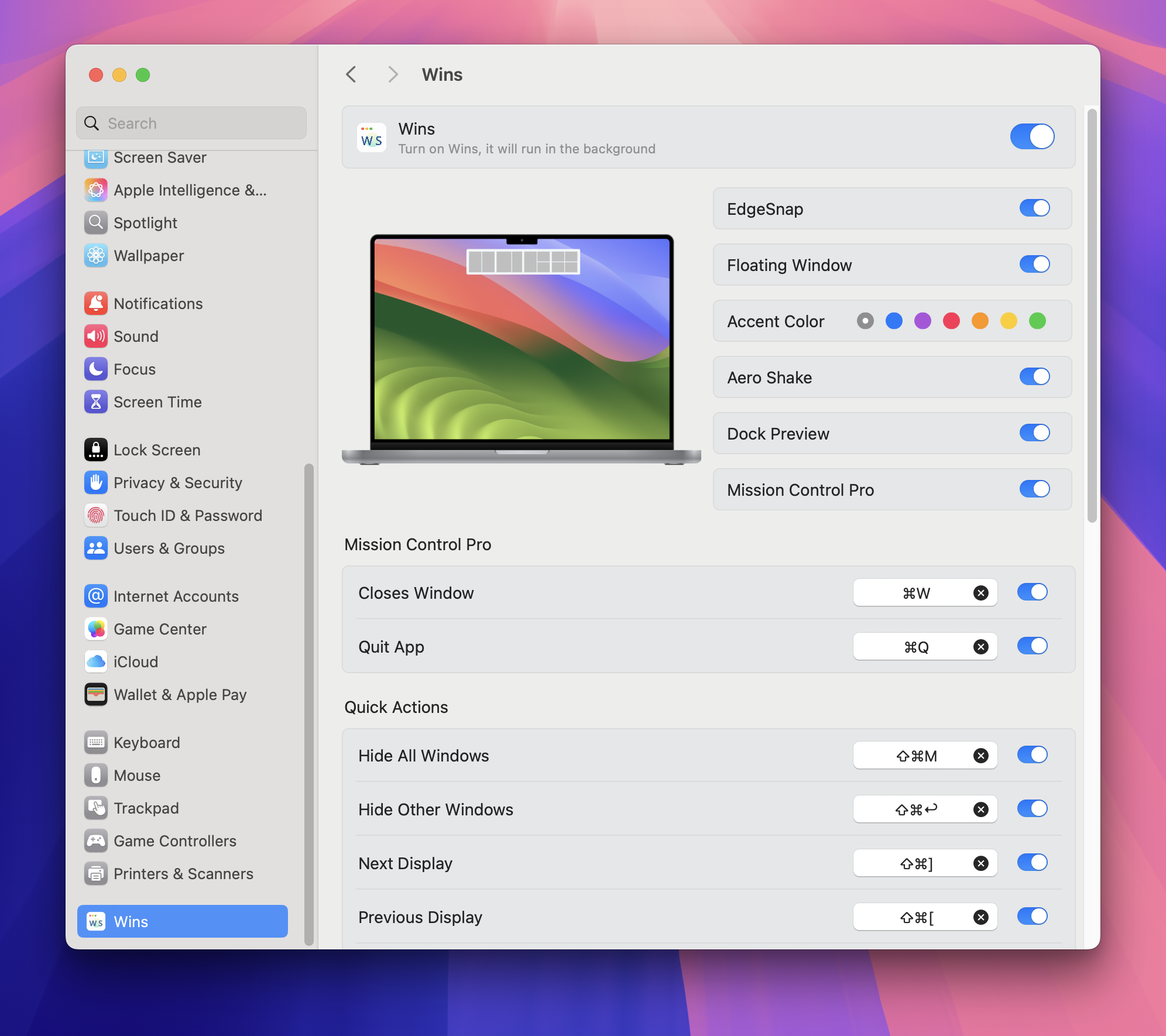
System Level Integration
No need for a separate window, dock or menu bar. Wins is integrated directly into System Settings, providing a pure user experience.
Move to another display New
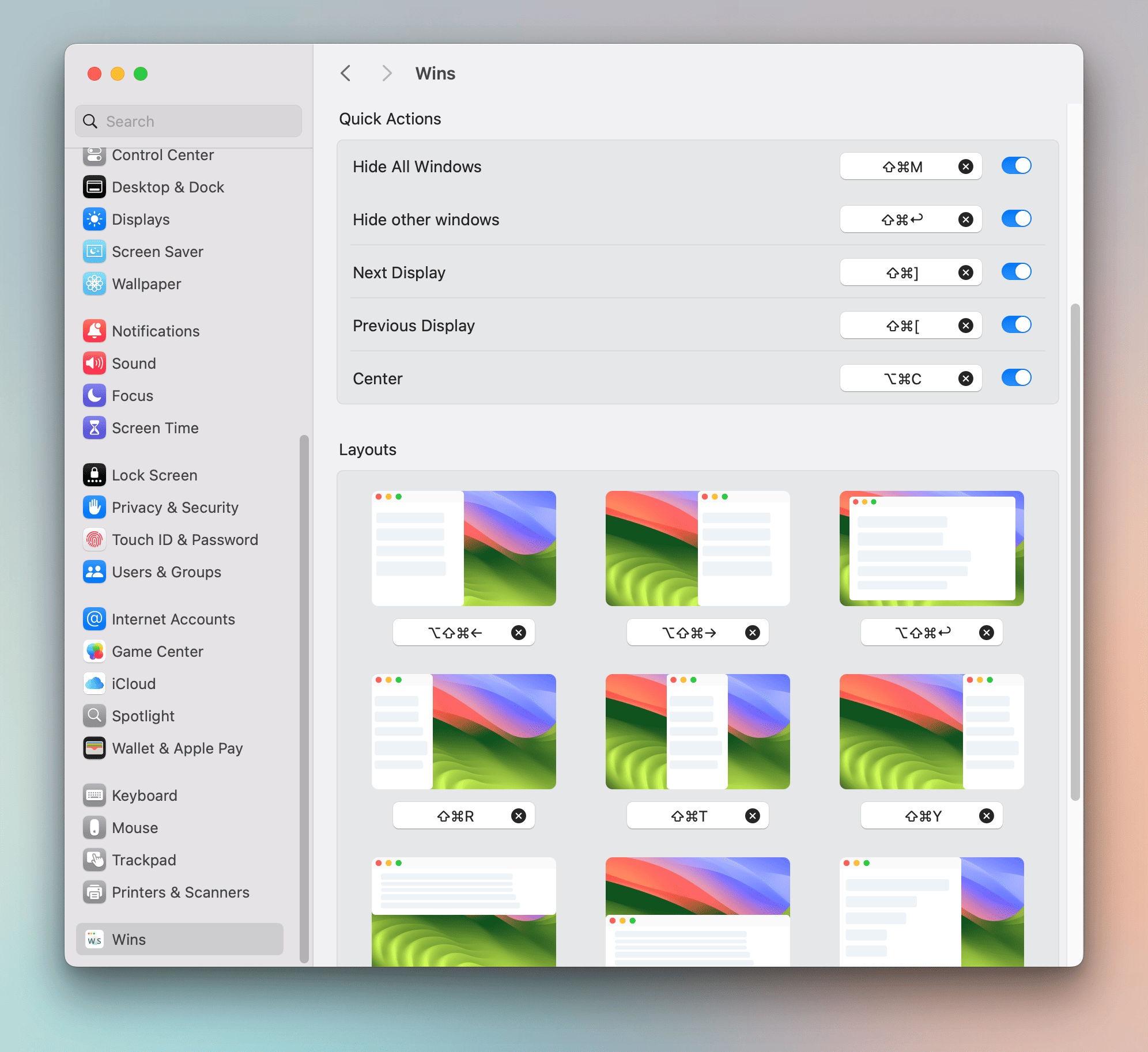
Move windows between displays with ease and boost your productivity with Wins
Hide other windows with shortcut key New
Effortlessly hide other windows with a single keystroke
Quick Split Window
Drag the window to the edge of the screen to split a window.

Hide All Windows New
Hide all windows with just one shortcut key – the fastest way to declutter your Mac screen
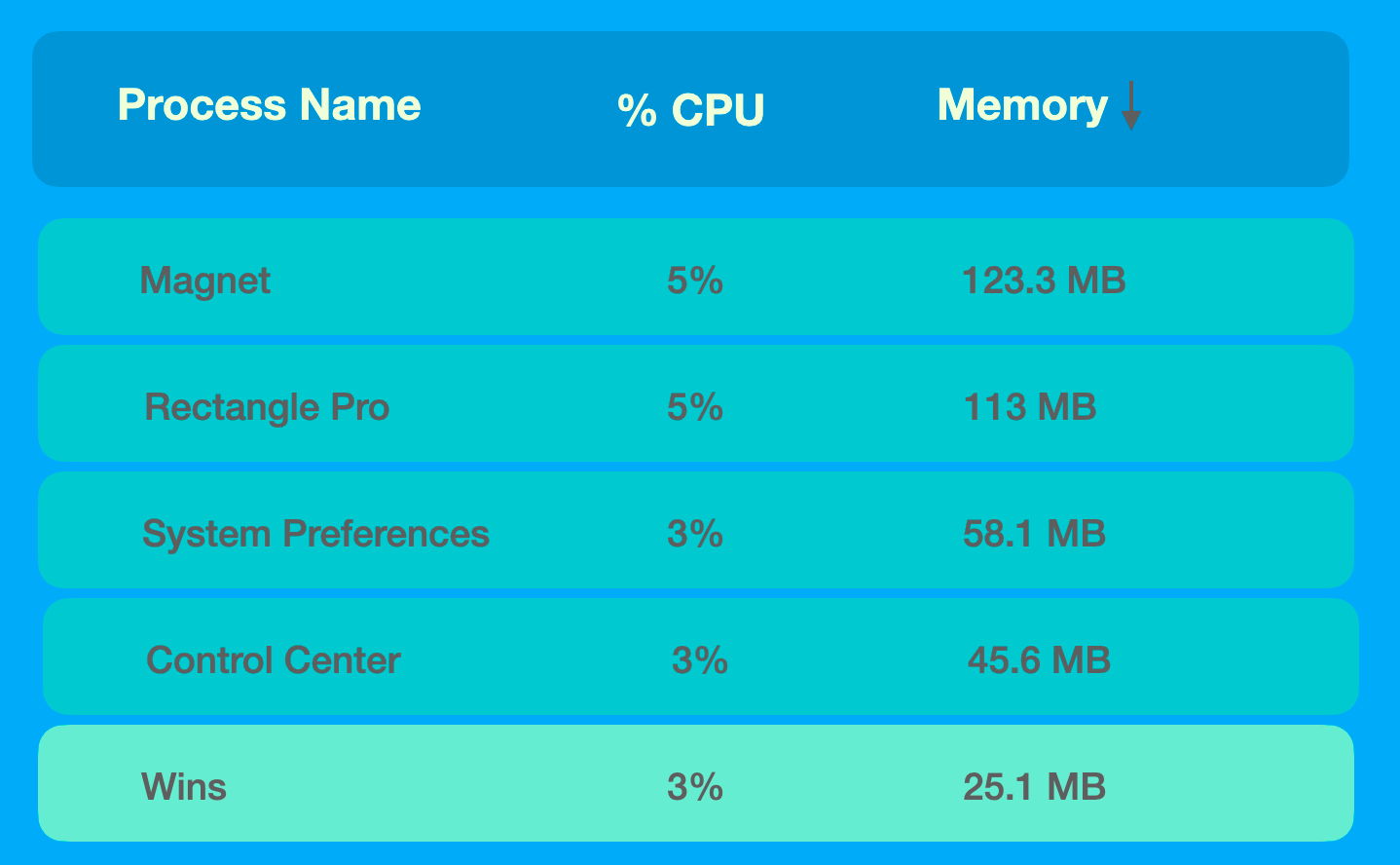
High Efficiency
Memory usage is less than 30MB, CPU usage is less than 10% and in most cases it about 0.1%

Dark Mode
"Following the Trend" aligns with your Mac experience.
Keyboard Shortcuts
Customize your shortcut keys to trigger any window layout you want.

Apple Silicon
Native Support for Apple Silicon and Intel Chips
macOS 26 Tahoe
Wins works on macOS High Sierra (10.13) or higher, Compatible with the latest macOS 26 Tahoe.

Upgrade Your Mac Experience
Stop Fighting With Window Management on Your Mac
Join thousands of productive Mac users who've transformed their workflow with the most intuitive window management tool available.
Trusted by
13,266+ Mac users
Average Rating
★★★★★ 4.9/5
Mac Users' Choice
Loved by professionals worldwide
I love Mac and software as much as you do. Apple gave us the wonderful tools and I built a wonderful tool for Mac, for you.
Frequently asked questions
Wins offers a 1-day free trial, and you can download and use it for a few days before deciding whether to purchase.
The number of Mac devices you can activate depends on your plan. Wins Single allows 1 Mac, Wins Pro License allows 3 Macs, and Wins X allows 5 Macs.
If your old computer is still available, you can go to System Settings -> scroll down to find Wins -> Advanced... -> and then unbind the device. If your old computer is no longer operable, you can send an email to [email protected] to request unbinding, and we will process it as soon as possible.
Yes, we offer a 45% discount for educators. If you are a teacher, student, professor, or school staff member, you can enjoy a 45% discount on the purchase of Wins.
Please download the latest version from the website and reinstall it by overwriting the current installation.
Yes. Wins is a locally-installed app that only requires Accessibility and Screen Recording(optional) permissions to function. It does not collect or transmit personal, telemetry, or crash-report data — all processing stays on your device.
Copyright © 2025 Wins. All Rights Reserved.


