
Desktop Browser for MacOS, Windows & Linux
The #1 browser for multi-client sign-in and workflows.
Stop drowning in tab chaos. Wavebox organizes your multi-client workflows, keeps you signed-in to everything, and eliminates the productivity killers that cost you time and money every day.
You need Wavebox!
Kick-start your digital detox!
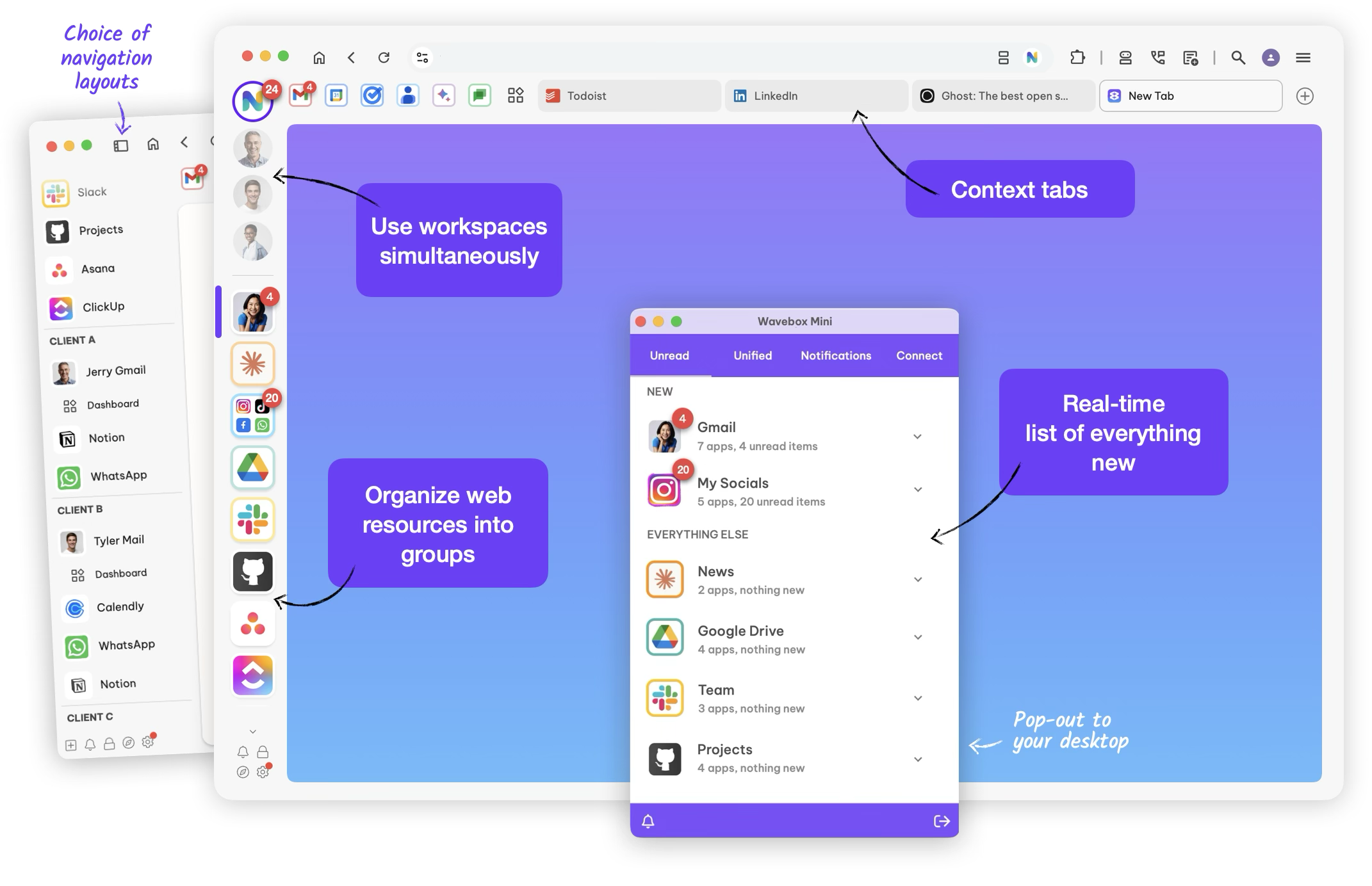
Your online world is a hot mess, but there is another way. Wavebox is a new browser experience that lets you organize all your daily apps and tabs, so you can stay tidy and focused, and get more done in your day.
More Features
Bye bye, busy work
Stay signed-in.
If you need to use lots of web accounts of the same type, Wavebox has you covered. Stay signed-in to everything without switching browsers or Chrome profiles—you can even work across multiple Microsoft Teams, Asana, Slack, or ClickUp accounts effortlessly.
Wavebox Platform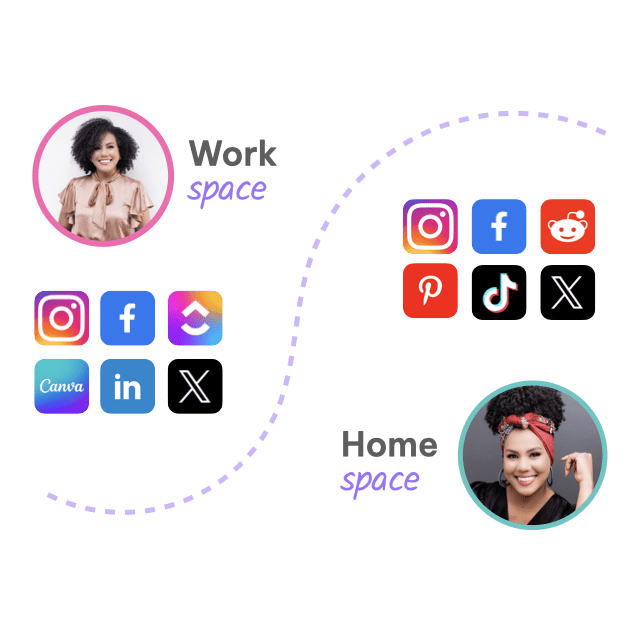
120,000+ professionals in every industry have solved their productivity problems.
From virtual assistants managing 15 clients to agency teams running complex campaigns, Wavebox adapts to your specific workflow needs.
I use Wavebox everday to check all my social media apps.

Amazing find! I'm so happy to be paying for this browser—you get what you pay for.

We can add multiple gmail accounts without shifting from browser to browser.

Wavebox.io was the missing piece to my productivity puzzle! I'm so impressed by this software.

The absolute king of work browsers. Accept no substitute!

Having a single place to see all messaging platforms and notifications ensures I don't miss anything.

It is the #1 program I need for my Virtual Assistant business. I could never go back.

A browser for professionals to multitask and be productive. I managed to save 30 to 40% of my time in comparison to the traditional browsers.

I have tested many productivity-oriented browsers and Wavebox is the most successful in terms of built-in features.

By using Wavebox my response time with tasks and communication has increased by 50%

an exceptional boost to my daily productivity and operation. I truly will keep using this product indefinitely!

Ive been subscribed to Wavebox for the last 5 years or more. It's the best Chromium browser I've used.

Everything the product offers includes: 1. Cookie containers 2. Split screen 3. Link opening rules 4. groups, tabs, and organization

No more hassle!
Apps and badges, just like your phone.
Never miss an important notification again! All accounts stay signed-in, with unread badges and desktop notifications to keep you up-to-date. The Wavebox Mini menu brings all your webmail, messaging and collaboration tools together in one list, so you can instantly see what's new. Genius!
Productivity Boosts
#OrganizedLife
Use tidy tabs for everything.
Every group has a tab strip, so you can organize your tabs and stay focused on the task at hand. By not having to constantly search for missing tabs, you have more time to spend on getting things done.
Wavebox Platform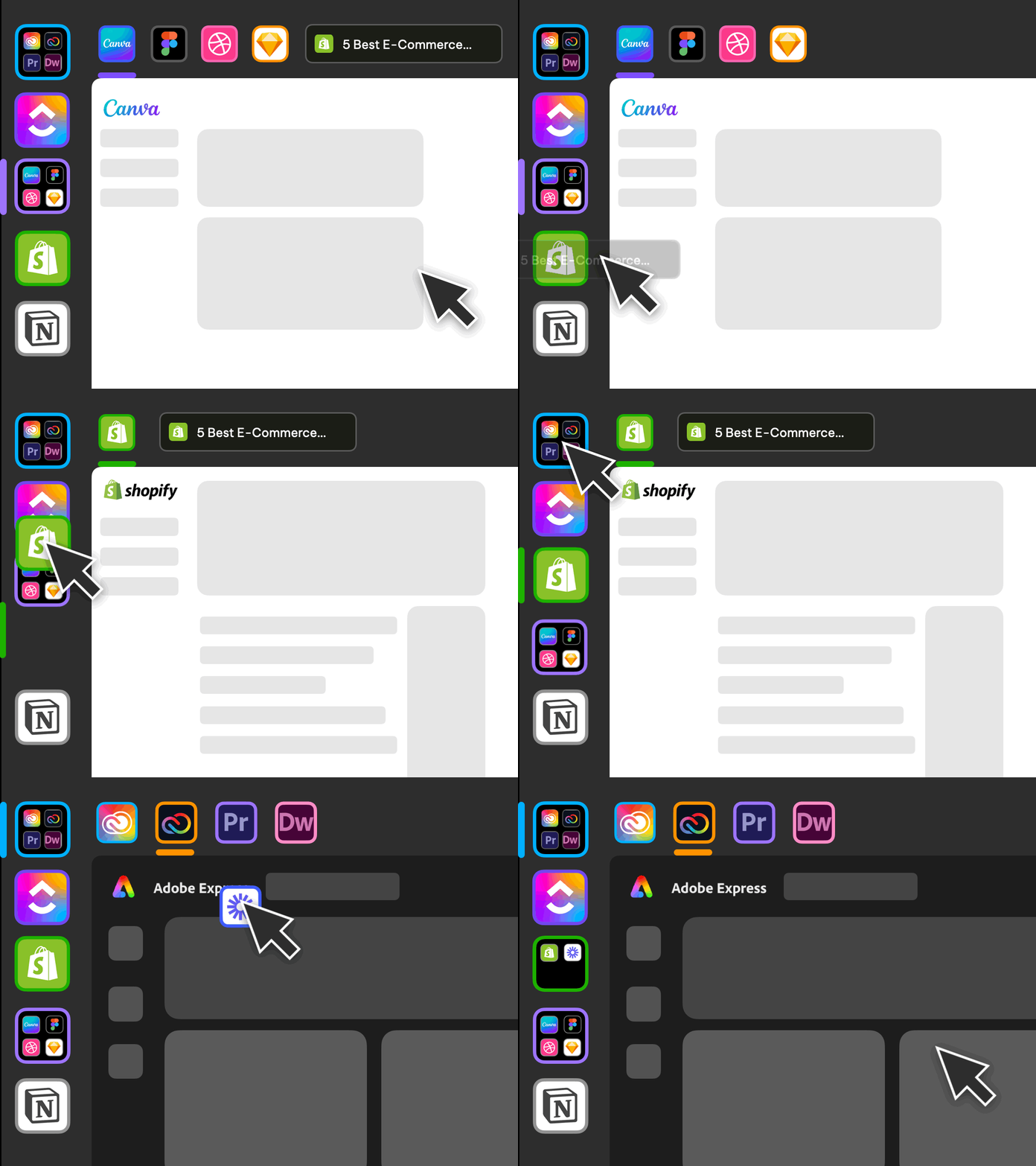
Split-screen & multi-window
Work in apps & tabs side-by-side.
When you need to work in multiple apps and tabs to complete daily tasks, split-screen will save so much time. Split any app/tab into resizable pages, then work across them simultaneously—even two accounts of the same type e.g. two Gmail Calendars.
Get Started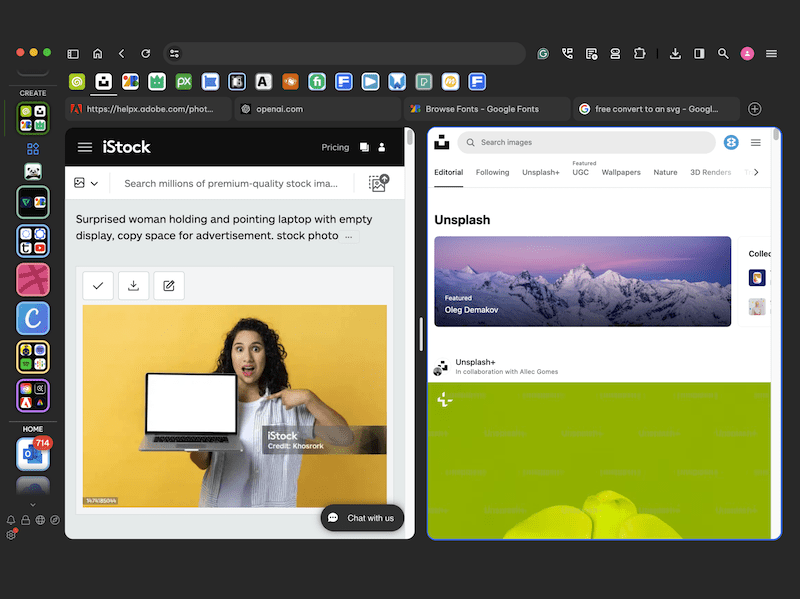
Focus on security
Easy, secure password sharing.
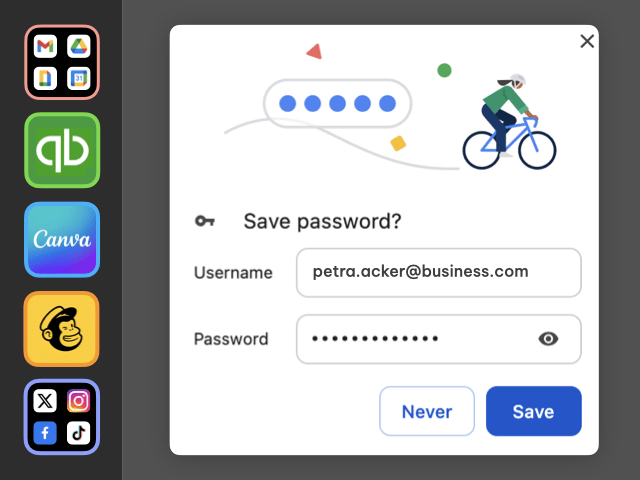
Rest assured that you can safely include passwords in your team template. Passwords are locked with a fully end-to-end encrypted master password. You can also use any Chrome password extension.
The next level browser for founders, professionals and teams.

Outstanding platform for organizing work and home.
Mike Jandreau
SaaS Expert and Author

Wavebox is literally saving my life.
Nia Patterson
Entrepreneur, Artist and Influencer

My team of 30+ relies on Wavebox every day.
Jan Brøgger Olsen
Valeur.dk

Save money
Optimize SaaS subscriptions.
Is the hidden cost of app sprawl damaging your business growth? Monitor your teams' app usage to make better decisions about app purchases.
Productivity Boosts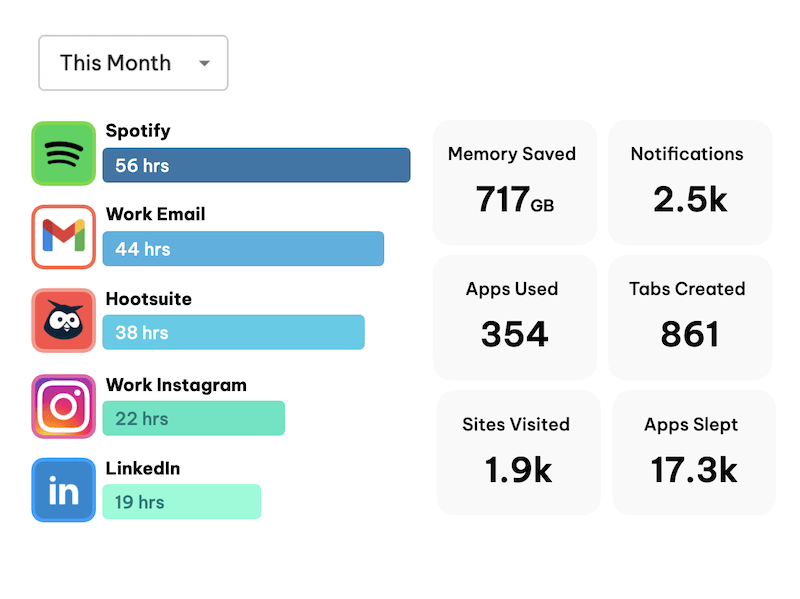
Wavebox Live
A remotely managed browser for teams.
Give you team a browser that has everything they need to start work. If you have a complex browser setup—e.g. virtual assistants and agencies—this is a game changer for you when onboarding new hires.
Shared Team Browser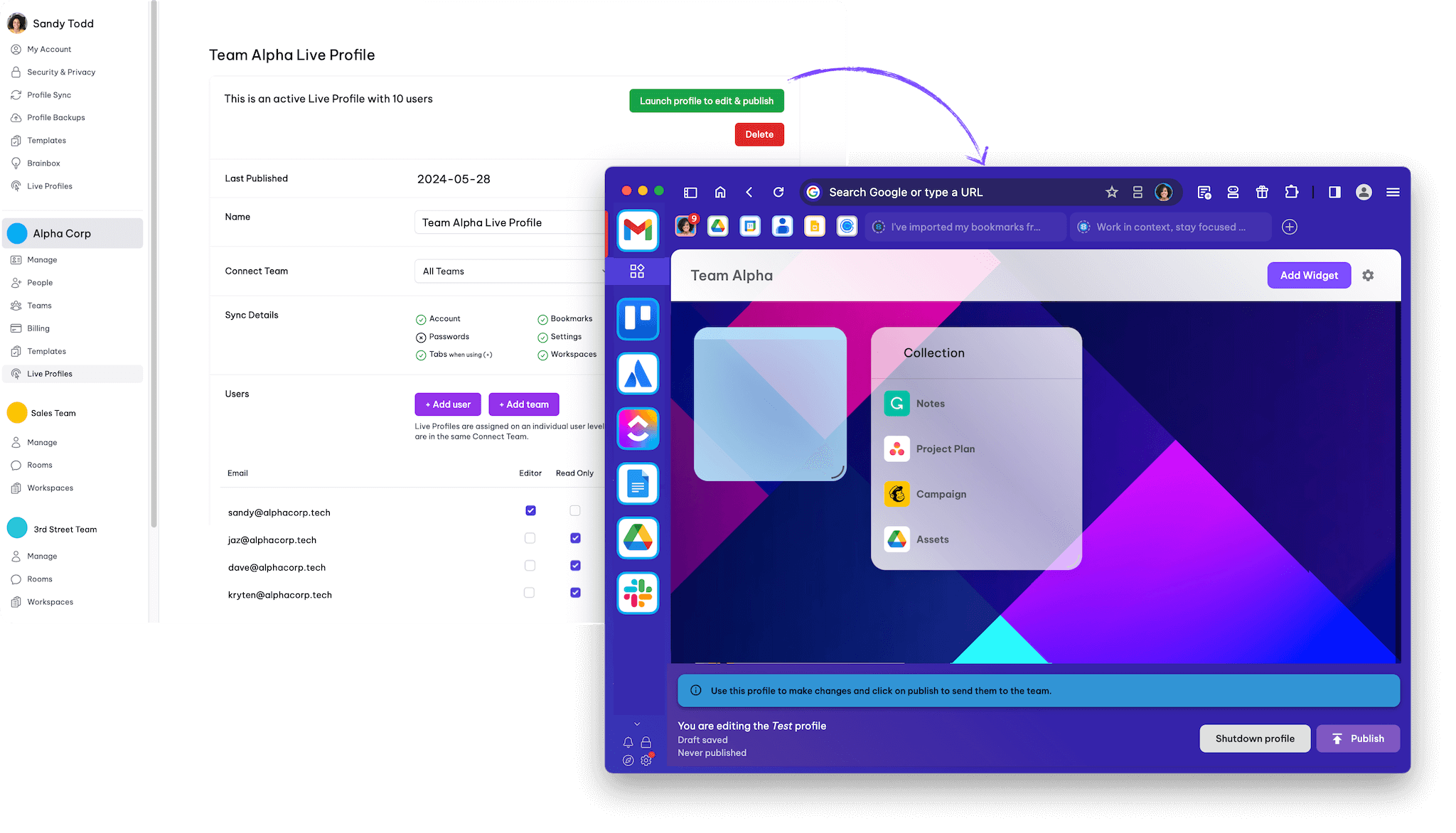

Master your productivity in one powerful platform.