Patterns beat memory
It's easy to remember last week as "fine" or "awful" depending on how today feels. Looking at a trail of entries, of sunny streaks, rough patches, the quiet in between: that keeps the story closer to what you actually lived.
Made for Mac · by one person
A journal that helps you notice how you've been
Journaling isn't only about what you wrote last night, but also about showing how you feel across days, weeks, and months. VoxThermic turns private voice and text entries into a living map of your moods and writing themes. Almost like weather patterns. And it does it all on your Mac.
Requires macOS 26.4+ and Apple Silicon. Free to use, with optional premium.
First launch: check for updates once so you're on the latest build.
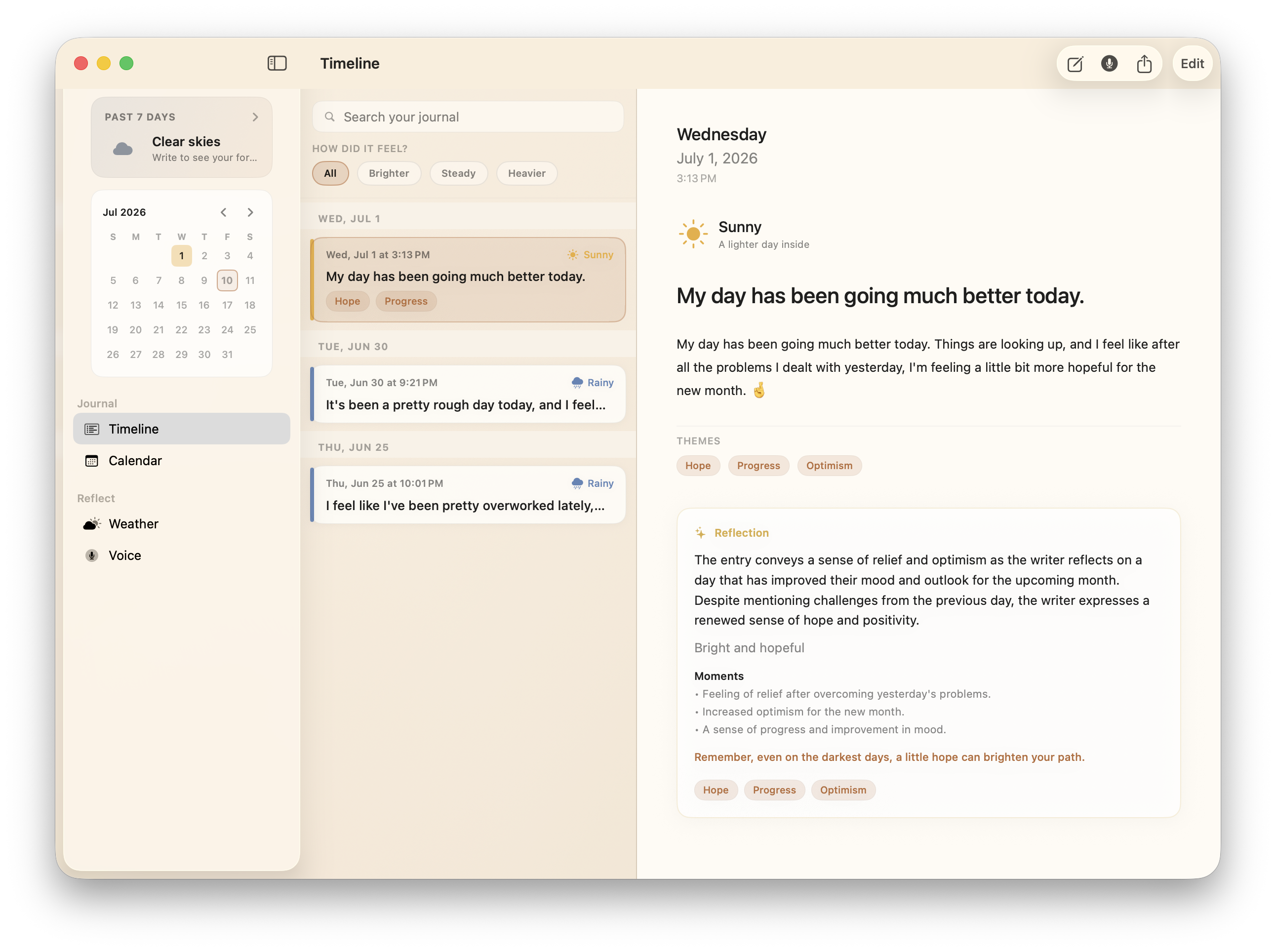
It's easy to remember last week as "fine" or "awful" depending on how today feels. Looking at a trail of entries, of sunny streaks, rough patches, the quiet in between: that keeps the story closer to what you actually lived.
Write (or speak) normally, and the app reads the emotional weight on-device and turns it into weather labels, themes, and trends you can scan without homework.
Some days it's easier to just talk rather than type. Hit record, talk it out, edit the transcript, save. Great at home, though maybe not the coffee shop. Same journal as text, but just another way in.
Timeline
A straightforward place for what matters. Each entry picks up weather and themes from your words. If you want more, premium on-device reflections can turn a raw page into a clearer read of the day, and it does it all on your machine.
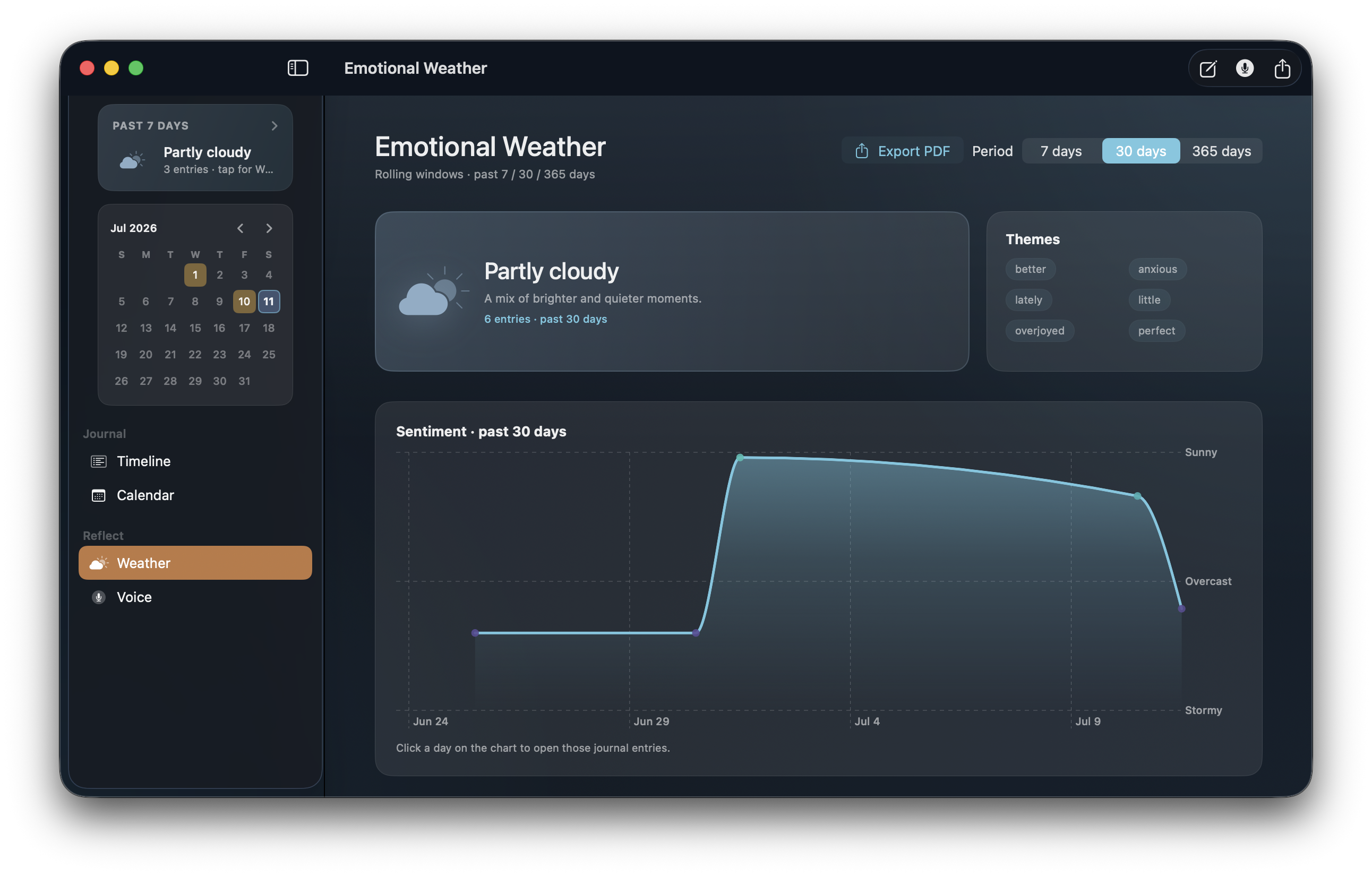
Emotional Weather
After you've journaled for a while, open Weather and see a sentiment curve over 7, 30, or 365 days. Spot the climb after a hard stretch. Click a day to jump back into those entries. Export a PDF when you want a keepable record.
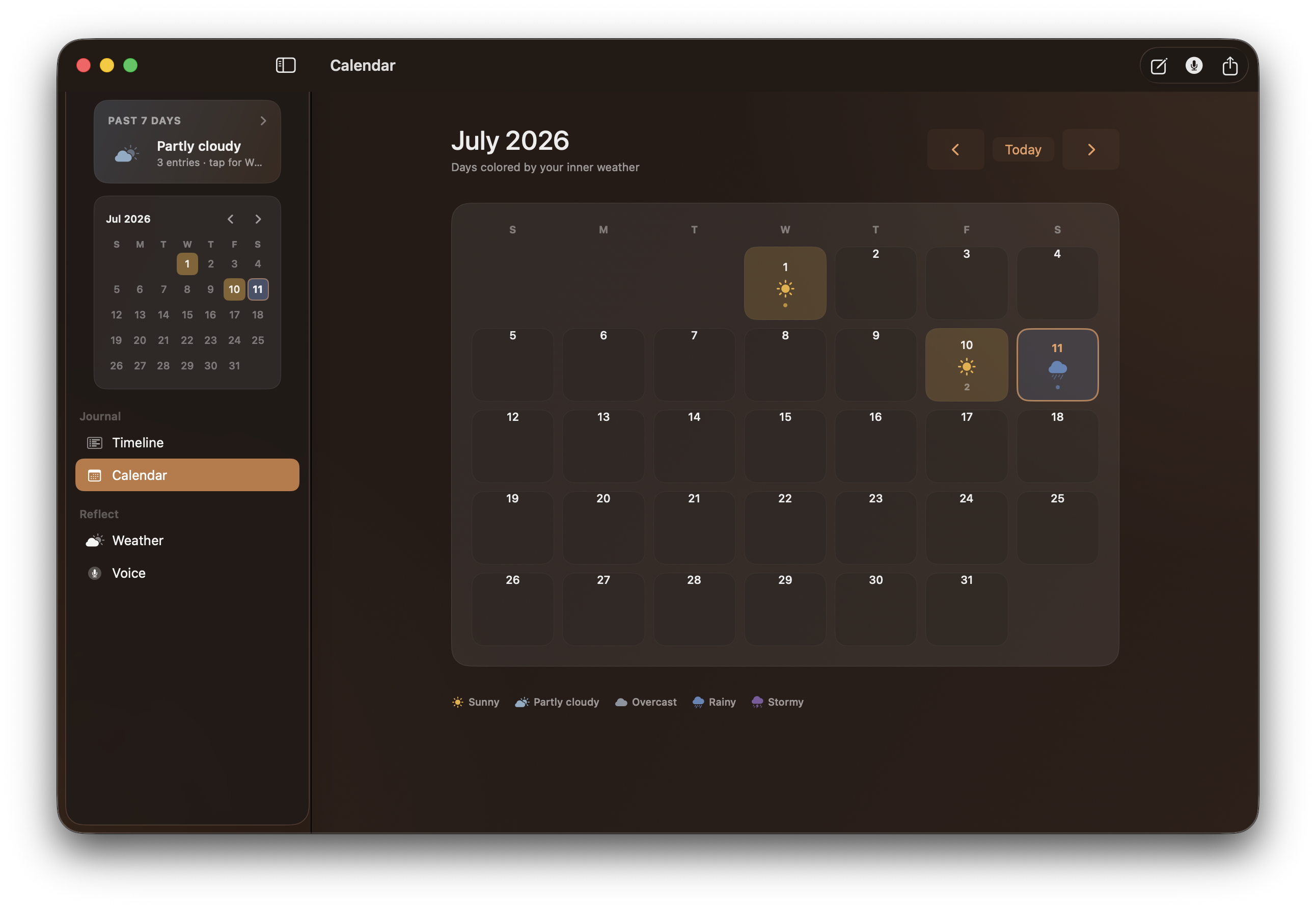
Calendar
Days tinted by inner weather: sunny, partly cloudy, stormy. Less "appointments," more "how did this week actually feel?" Jump to any day and open the entries that made it so.
Voice Orb
Start recording, talk to the Orb, watch a private transcript appear. Edit before you save: nothing becomes an entry until you say so. Same mood smarts as typed text. Audio never leaves your Mac.
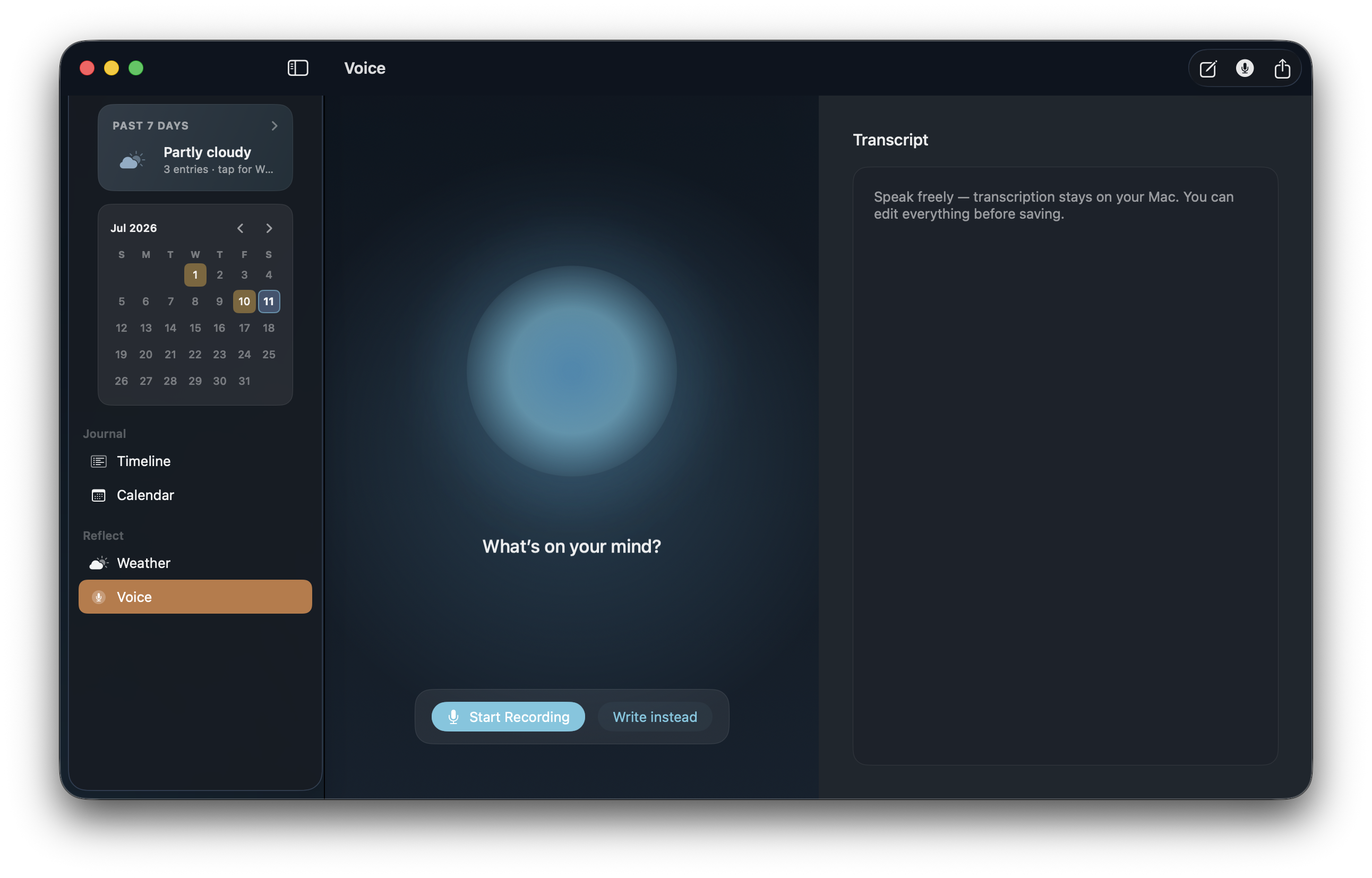
Speak to the Orb or type in a quiet editor. One journal, two ways in. Some days it's easier to type, and some days it's easier to just talk it out.
Charts, a calendar, and weather labels so scattered entries become "how I've been" and not a side feature buried in settings. That was the whole point.
VoxThermic was built to use Apple's on-device Foundation Models and Natural Language frameworks so analysis and reflections can run on your hardware. Your diary doesn't need someone else's data center.
SwiftUI, keyboard-friendly, multi-pane, local storage. Built for Apple Silicon, where the on-device models actually live. Offline-first because that's how a journal should be.
I wouldn't put my own journal in a product that phones home. Transcription, analysis, and reflections stay on-device. No trackers. No ad networks mining a bad day.
Download the app, drag it to Applications, write or speak a first entry. Free to journal. Optional premium unlocks fuller AI prose, PDF export, and more if you want them, via Polar, with a short trial on the paid bits.
Updates: VoxThermic → Check for Updates… · License portal: polar.sh/jbri/portal