Pylance Now Default Language Server for Python in Visual Studio Code

Pylance is now the default language server for Python in Visual Studio Code, providing IntelliSense functionality as of the May 2021 release of the Python Extension for VS Code.
Language servers come via extensions that implement the Language Server Protocol to provide language-specific "smarts" in the editor such as autocomplete, error-checking (diagnostics), jump-to-definition and many other language-specific features. Those extensions make the super-popular VS Code a jack-of-all-trades tool for working with C#, C++, Java and many more.
Yesterday, (May 10), Python extension dev team announced Pylance is the default language server, supplanting the Microsoft Python Language Server announced way back in 2018.
No such language server is more important to VS Coders than Pylance, as it is now bundled as an optional offering with the core Python extension that has been installed a whopping 35.5 million times, way more than any other tool.
Pylance, named after a character in a Monty Python movie, is based on a Microsoft static type checker called Pyright.
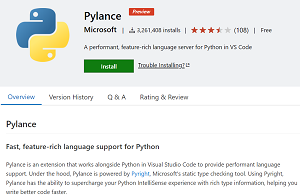
Pylance was announced in July 2020. A couple months later, Microsoft said, "If you are a VS Code user, we recommend that you uninstall Pyright and instead install Pylance," Microsoft says. "You will get all the benefits of Pyright and more!"
Those benefits include:
- Docstrings
- Signature help, with type information
- Parameter suggestions
- Code completion
- Auto-imports (as well as add and remove import code actions)
- As-you-type reporting of code errors and warnings (diagnostics)
- Code outline
- Code navigation
- Type checking mode
- Native multi-root workspace support
- IntelliCode compatibility
- Jupyter Notebooks compatibility
- Semantic highlighting
"Today, we're excited to announce that the Python extension's default language support is now powered by Pylance, said Savannah Ostrowski, program manager for Python and its VS Code language server. "This upgrade provides what we believe is the most performant and user-friendly Python editing experience for Visual Studio Code ever.
"If you've been following along with our releases over the last year, we've been making dramatic improvements to Python language support via the Pylance extension. As of this release, we've included the Pylance extension as an optional dependency for the core Python extension. This means that you'll get the latest and greatest language support right out of the box with the Python extension (no separate install needed!)."
She said the dev team has been working on improving VS Code language server functionality across the board, including the open source Jedi language server, which -- along with any other language server -- can still be installed if developers prefer. Unlike Jedi, Pylance is not open source, though it does sport a GitHub repo for providing feedback and documentation. "We are committed to maintaining open-source language support options for our users in the future," Ostrowski said.
Other highlights of the release include:
- Faster extension startup time: 10 percent faster load times for Windows and macOS users, and 20 percent faster for Linux users.
- New debugger feature: live reload for Python scripts: "If you ever made changes to your code after the debugger execution has hit a breakpoint, and you wished those changes were applied without the need of reloading the debugger, this update is for you!"
- Other changes and enhancements and their associated GitHub issues include:
About the Author
David Ramel is an editor and writer at Converge 360.
Featured
-

Microsoft Spotlights VSLive! Takeaways, Upcoming San Diego and Orlando Events
Microsoft says AI is spreading across the development workflow, but developers remain focused on IDE fundamentals and .NET modernization.
-

The Irresponsible AI Initiative
GitHub Staff DevOps Architects Mickey Gousset and Ken Muse examine spectacular AI failures to uncover the recurring engineering and governance mistakes behind them -- and explain the guardrails developers can use to keep AI systems secure, accountable and under control.
-

VS Code Tries Rubber Duck for AI Second Opinions
VS Code 1.135 brings GitHub Copilot's cross-model critic into Agent Host sessions, while also adding external session continuation, Agents window refinements and more detailed token-usage reporting.
-

Enhancing Power BI with Copilot
Power BI's Copilot can help generate and explain DAX, create visuals, accelerate analysis and assist with data transformation, but Thomas LeBlanc says developers still need to validate every result. At Live! 360 Tech Con Orlando, he'll show attendees where Copilot works best, how semantic models affect its results and why emerging data agents deserve attention.
Please type the letters/numbers you see above.