New in 2026.8.0: Target VMAF Encoding — Learn more
The IDE for Video Engineers
Stop context-switching between terminal windows and scattered tools. Everything you need to inspect, debug, and deliver media — in one place.
Built for video engineers, by video engineers.
Everything in one place
Six integrated tools that cover the full professional video workflow — from first inspection to final delivery.
Deep-dive into any media file
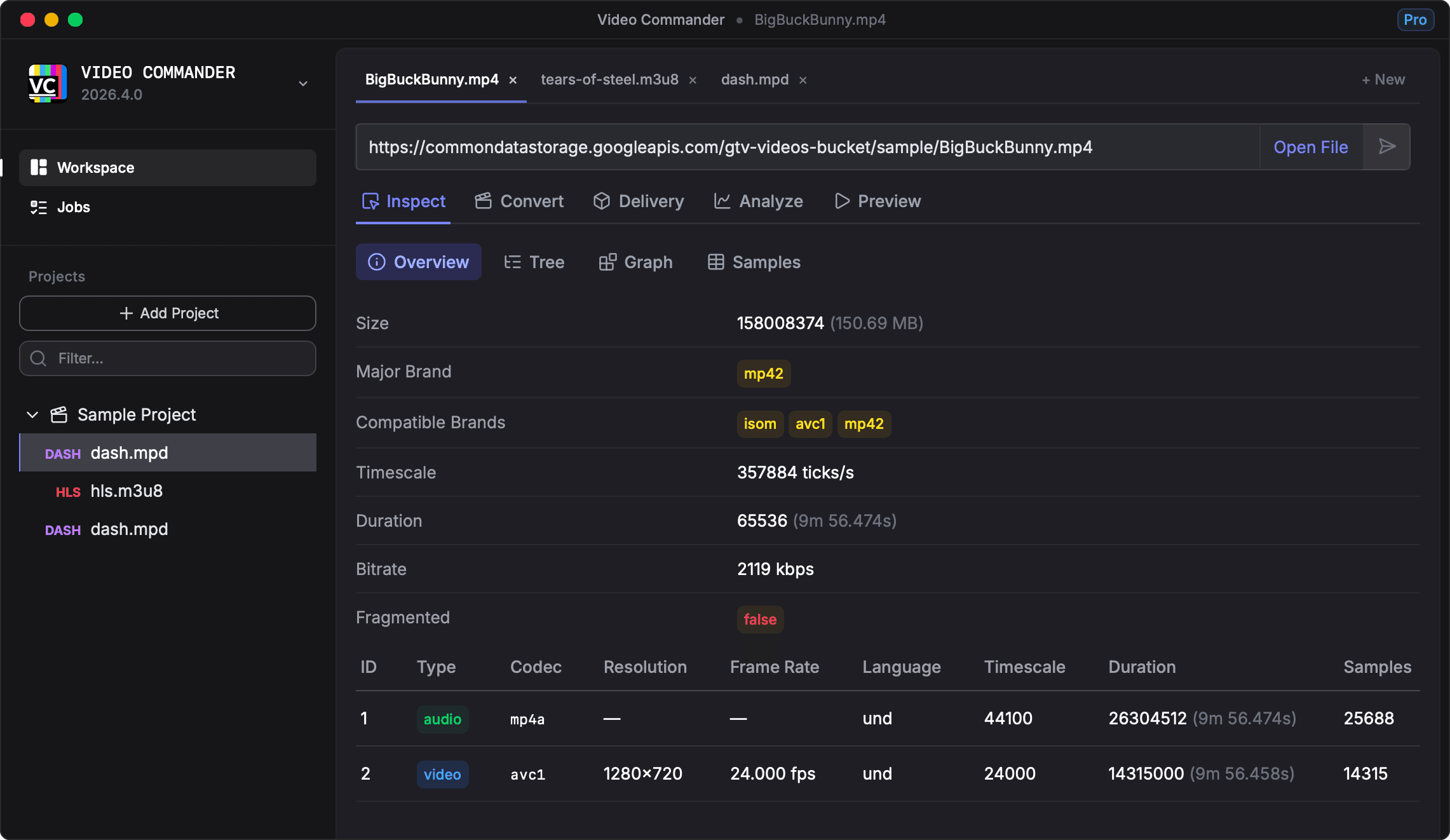
Open local files or remote URLs and get a complete picture of their structure, metadata, and bitstream in seconds.
- Media Info — containers, codecs, streams, and technical metadata
- Tree — full container hierarchy with raw hex dump
- Graph — visual DAG of the structure
- Sample Tables — frame-level timing, offsets, and flags
- Works with local files and any http(s):// URL
Transcode with precision
A clean FFmpeg front-end that lets you configure supported parameters without memorising command-line flags.
- Software and hardware encoders — VideoToolbox, NVENC, AMF, QSV
- Target VMAF mode — automatically finds the lowest-bitrate CRF that meets your quality score
- Video filter pipeline — deinterlace, denoise, sharpen, color, crop, and more
- Resolution, frame rate, bitrate, and stream mapping controls
- Batch encoding — queue multiple files with shared settings
- Preview (30s) — test encode before committing to the full run
- Live FFmpeg command preview before you run
Package for any platform
Go from a master file to delivery-ready packages in one step, with the output options broadcasters and streaming platforms expect.
- HLS, DASH, and combined HLS+DASH packaging
- Multi-rendition ladder configuration
- AES content encryption
- Segment duration and playlist controls
- CDN-ready output folder structure
Measure quality objectively
Run VMAF quality analysis against any source file and get a clear picture of perceptual quality across the full timeline.
- VMAF perceptual video quality scoring
- Aggregate summary with min, mean, and max scores
- Per-frame quality timeline chart
- Export results as CSV or JSON
- Job history — reload and compare previous runs
Play and review with detailed insights
Play local files or remote streams with detailed playback statistics. Opens automatically when a preview or full encode completes.
- Supports MP4, WebM, MOV, MKV, and more
- HLS and DASH adaptive streaming playback
- Works with local files and any http(s):// URL
- Auto-opens after a preview or full encode job completes
- Detailed playback statistics and insights
Catch delivery issues before they reach viewers
Check HLS and DASH manifests for spec compliance and delivery problems before they reach your CDN or players.
- HLS and DASH manifest validation
- Detects missing segments and malformed playlists
- Codec and container consistency checks
- Per-rendition filtering with Error, Warning, and Info severity
- Segment URL probing — reachability and latency
April 28, 2026
Target VMAF Encoding — Video Commander 2026.8.0
Video Commander 2026.8.0 adds Target VMAF encoding mode, preview encode with auto-open player, AVI inspection support, and more.
April 16, 2026
Batch Encoding — Video Commander 2026.7.0
Video Commander 2026.7.0 adds batch encoding, expanded FFmpeg options and filter UI, job completion notifications, VMAF report export, and more.
April 9, 2026
Portable FFmpeg Builds for macOS, Windows, and Linux
ffmpeg-builder is the open-source build system behind portable FFmpeg binaries for Video Commander. It uses declarative YAML profiles to produce reproducible desktop-ready FFmpeg packages across macOS, Windows, and Linux.
“It works great, super impressive! This would have been a huge help troubleshooting packager issues — wish I'd had it sooner.”

Tom S.

Hey, I’m Alfred 👋
I’m a software engineer and video specialist based in Tokyo. I’ve spent the last decade building streaming video platforms at places like NBCUniversal and Sky UK, delivering media to millions of users. Video Commander grew out of the tools I kept wishing I had during that work — a single place to inspect, convert, validate, and analyze media without stitching together a dozen CLI commands.